DataService Studio exposes database data to upstream applications through APIs. This feature is available only in Quick BI Enterprise Standard Edition.
Procedure
To create an API in DataService Studio:
-
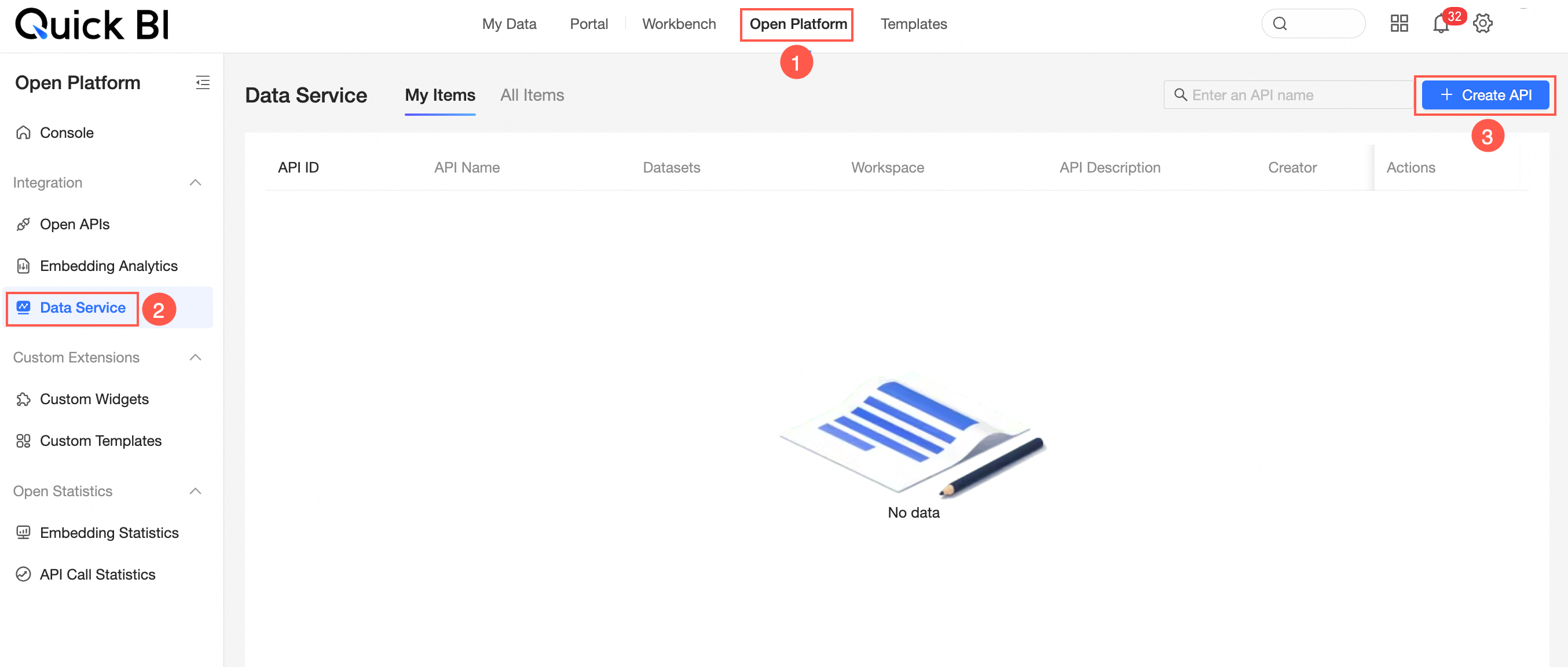
On the Quick BI homepage, create a new API as shown below.
-
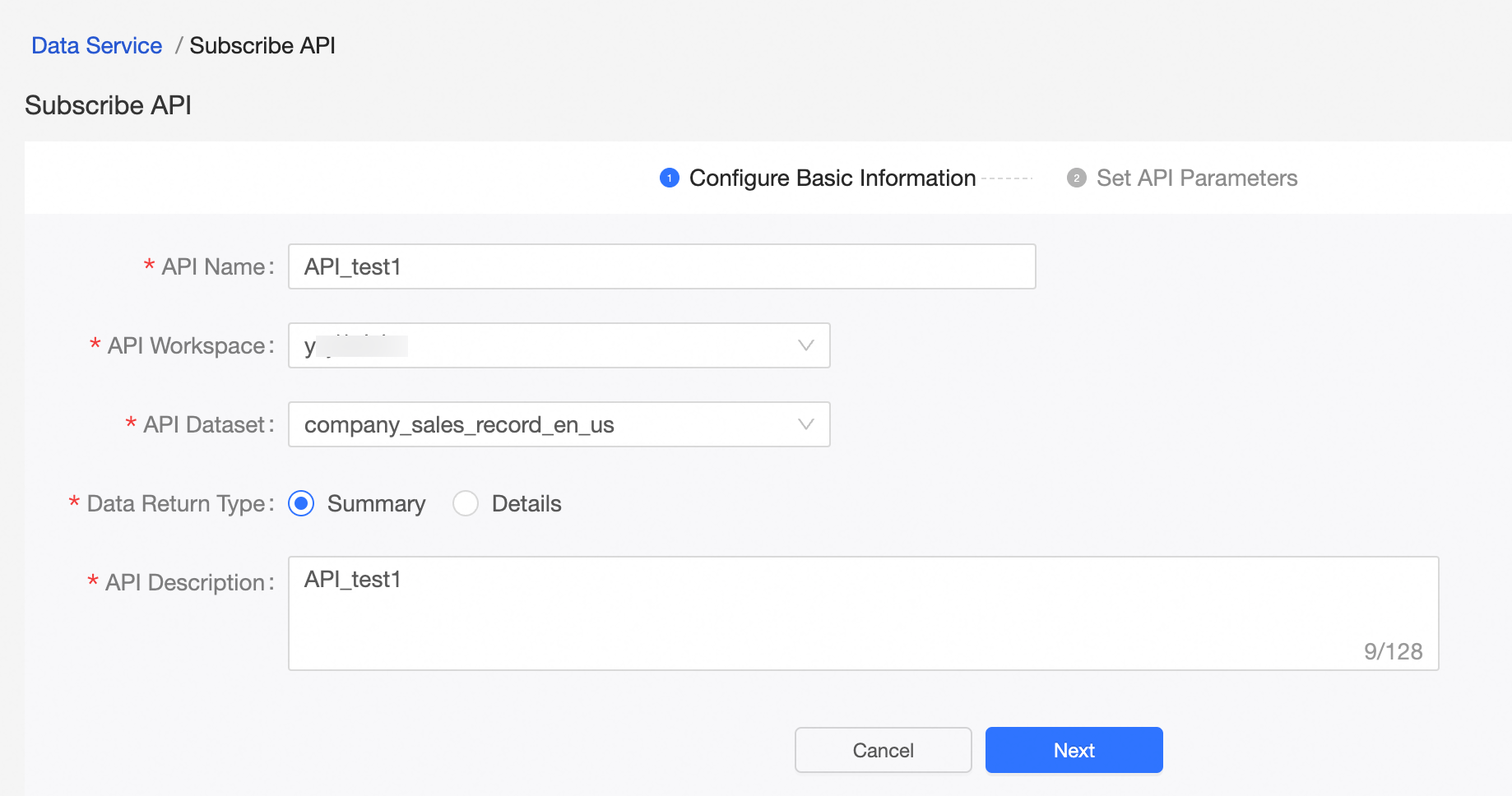
On the Create API > Basic Information Configuration page, enter the API Name, Interface Workspace, Interface Dataset, Data Return Type, and API Description, then click Next.
-
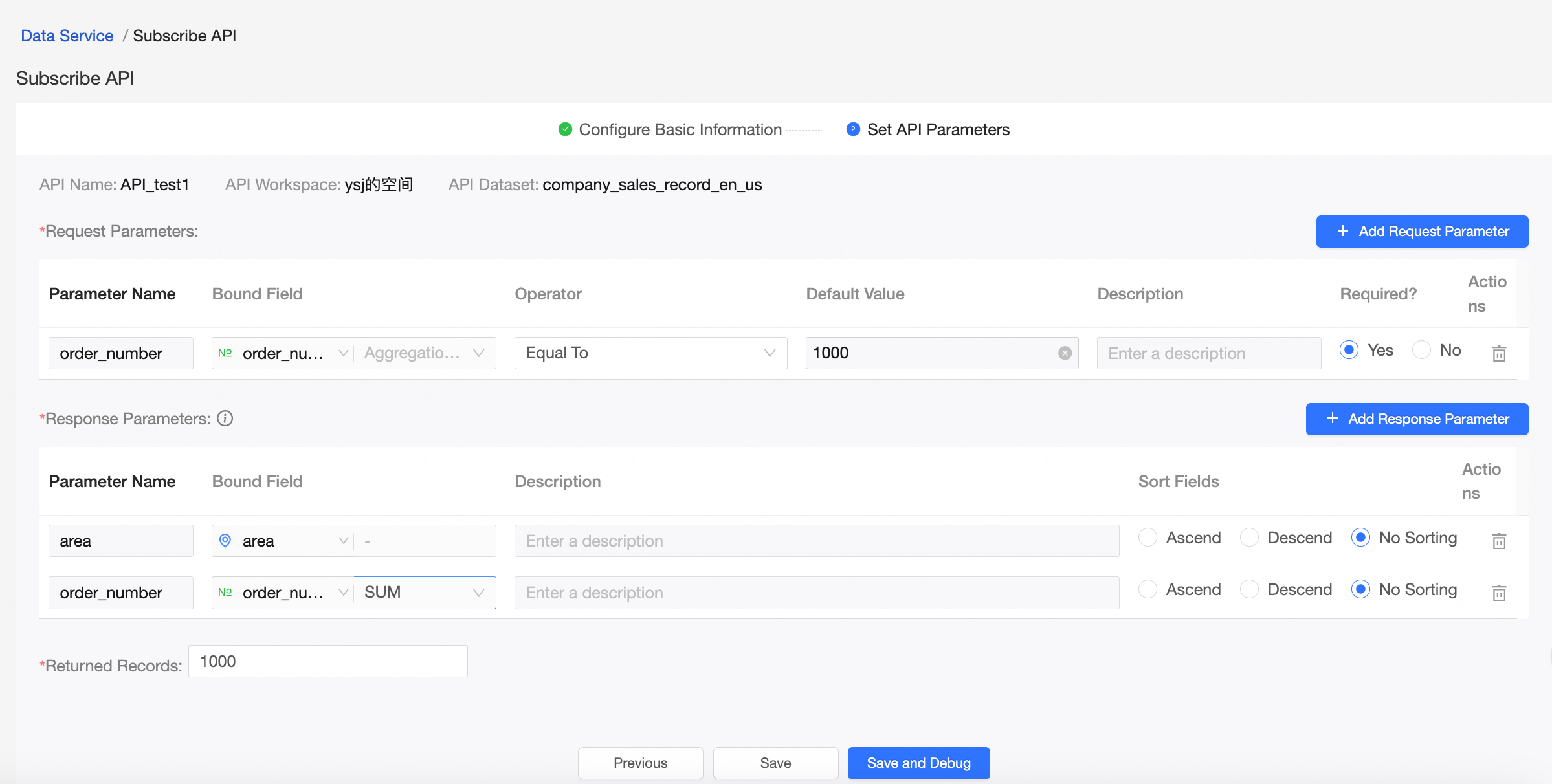
On the Create API > Add API Parameters page, configure the request and return parameters, then click Save or Save And Debug.
 Note
NoteSave stores the current configuration. Save And Debug takes you to the Debug API page.
-
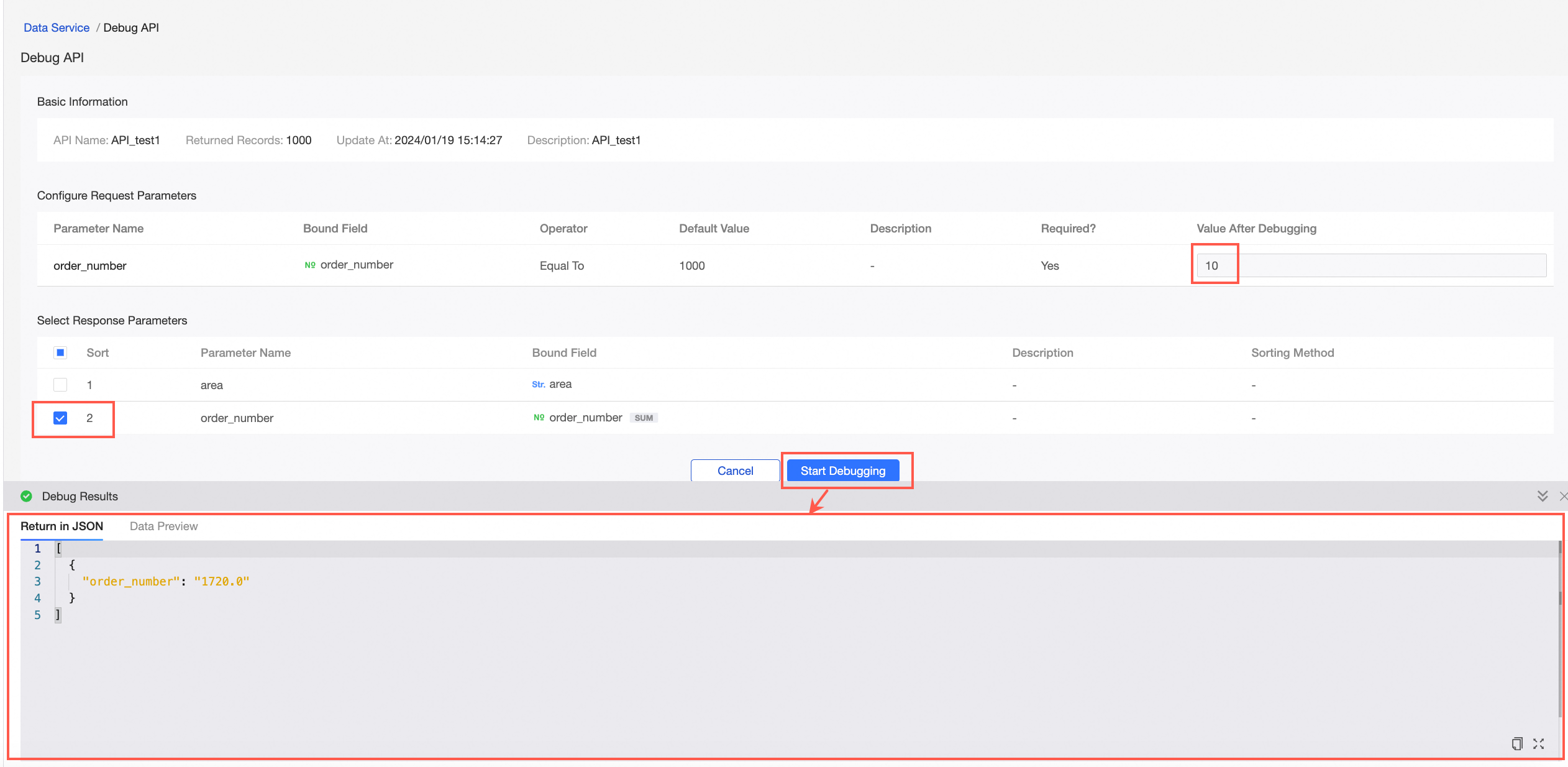
Click Save And Debug to open the Debug API page. Enter parameter values and select return parameters.
-
Click Run Debug. The Debug Results page displays the Returned JSON and Data Preview.
 Note
NoteTo invoke a DataService Studio API, the calling Alibaba Cloud account must have the Quick BI organization administrator and permission administrator roles, and must have accessed Quick BI at least once.
Related operations
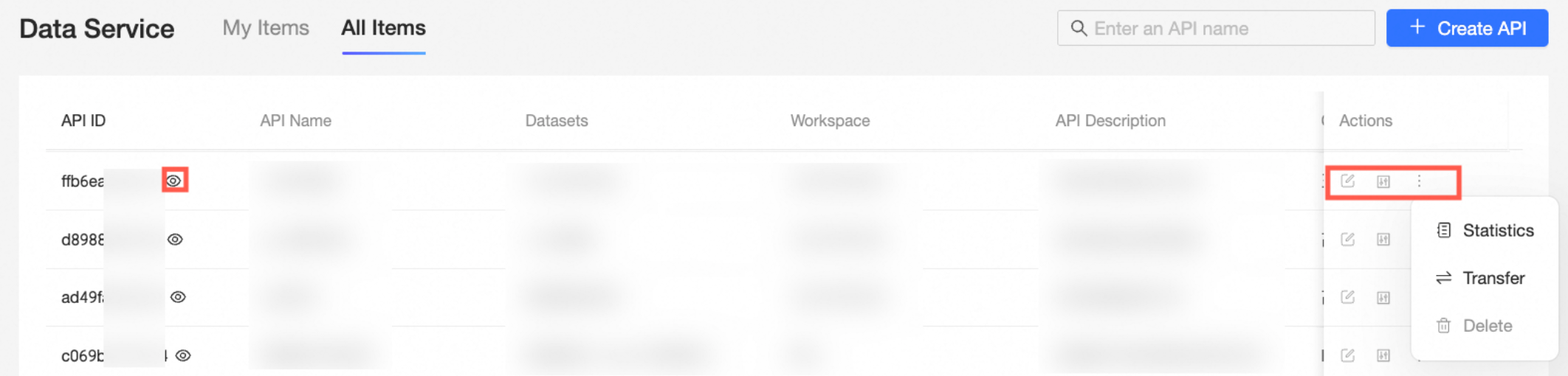
After creating an API, you can view its ID, name, dataset, and workspace in the DataService Studio module. Available APIs and operations depend on the selected tab.
-
The My tab lists all APIs you created. Available operations:
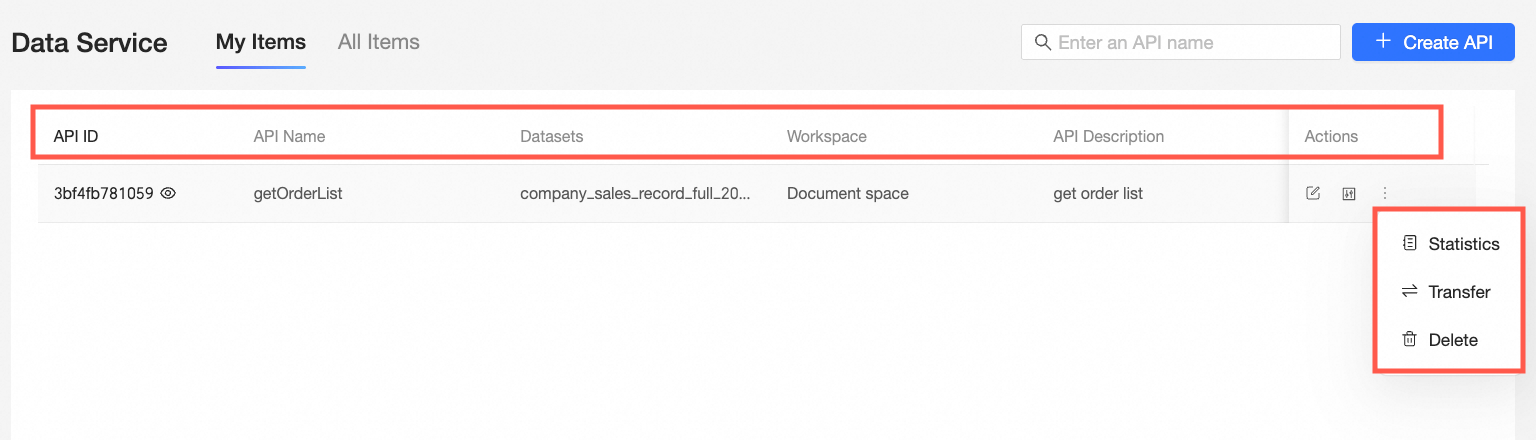
-
View
Click the
 icon next to the API ID to view Basic Information, Request Parameters, and Return Parameters. From this window, you can also Edit, Debug, Delete, or Transfer the API.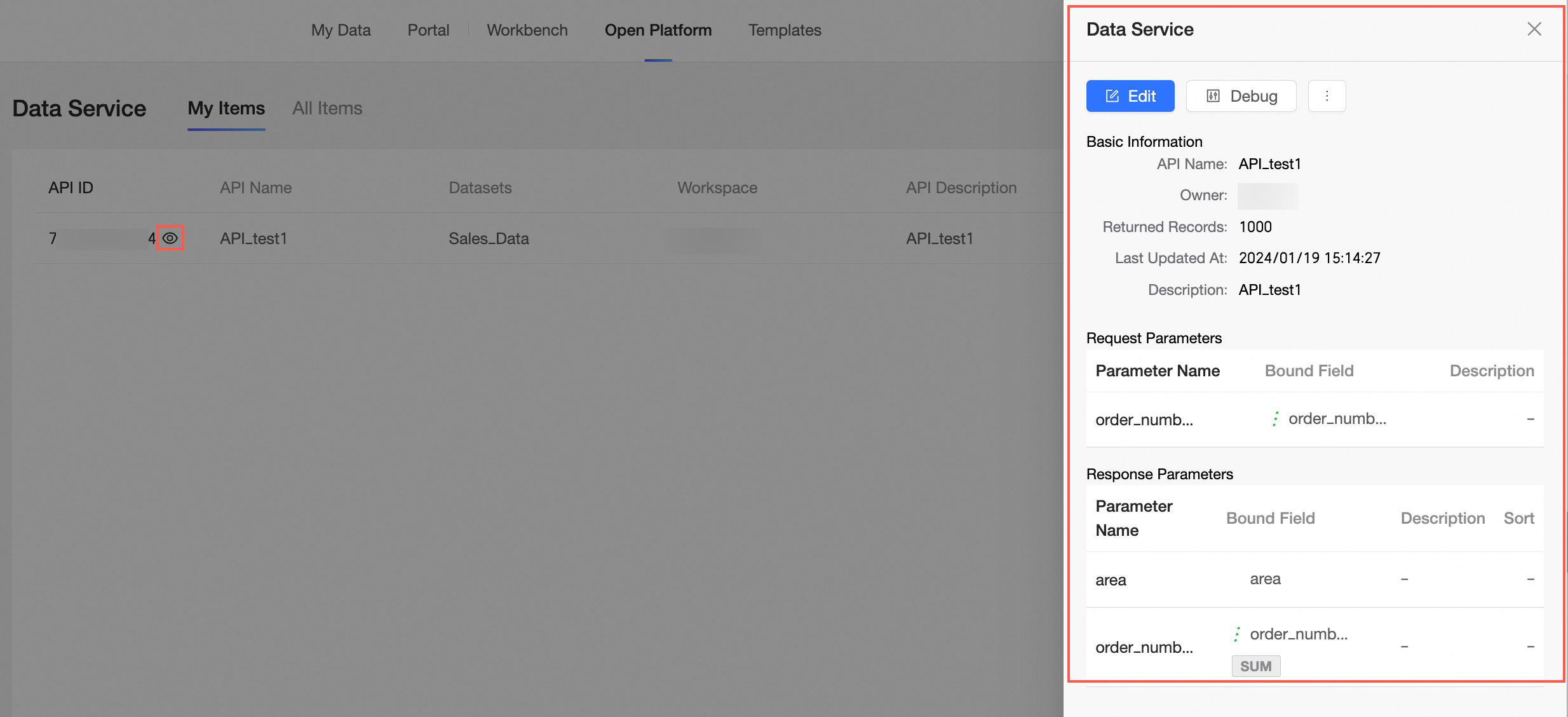
-
Edit
Click the
 icon to open the Edit API page. Modify Basic Information and Parameter Information, then click Save or Save and Test.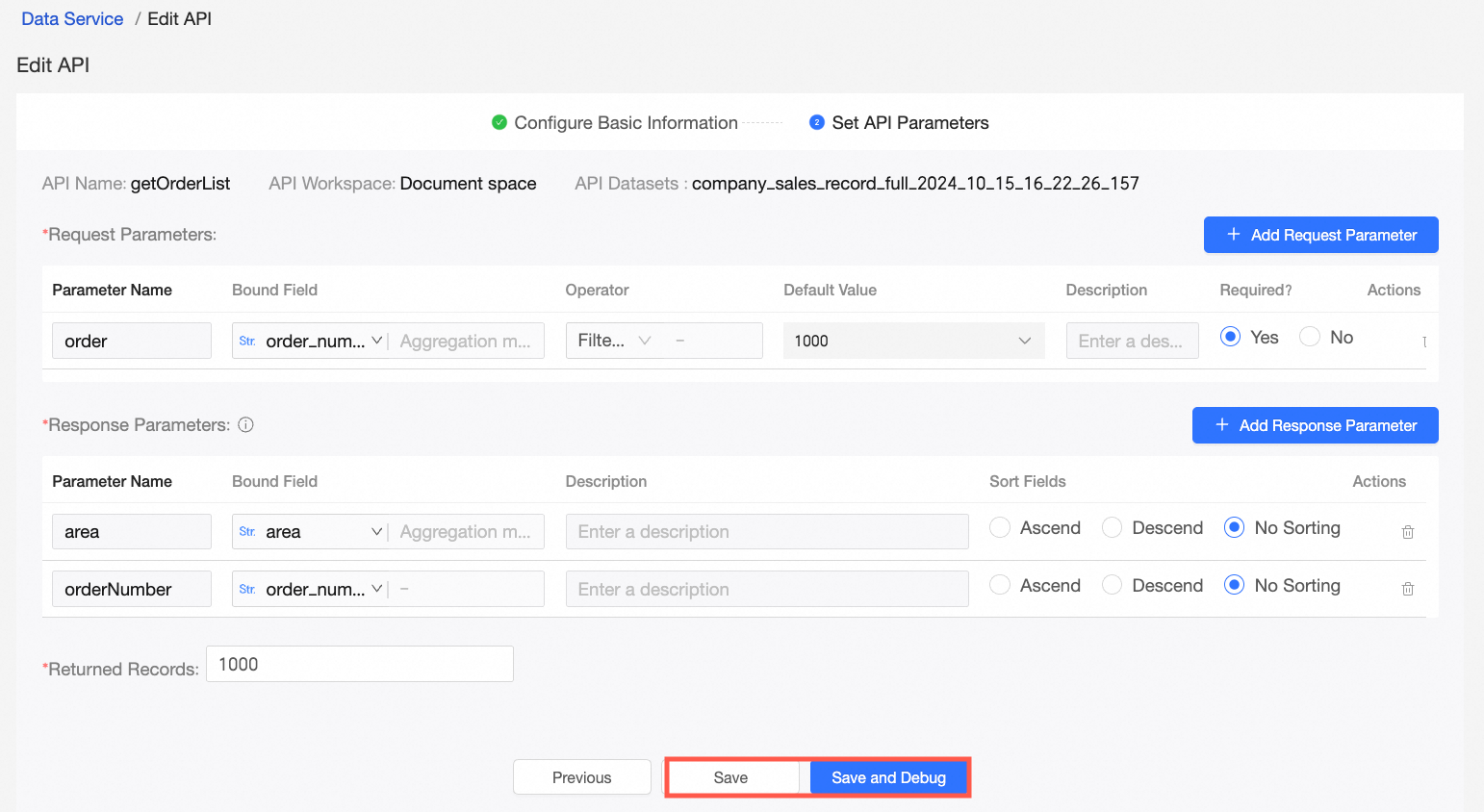
-
Debug
Click the
 icon to open the Debug API page. Update parameters and click Run Debug.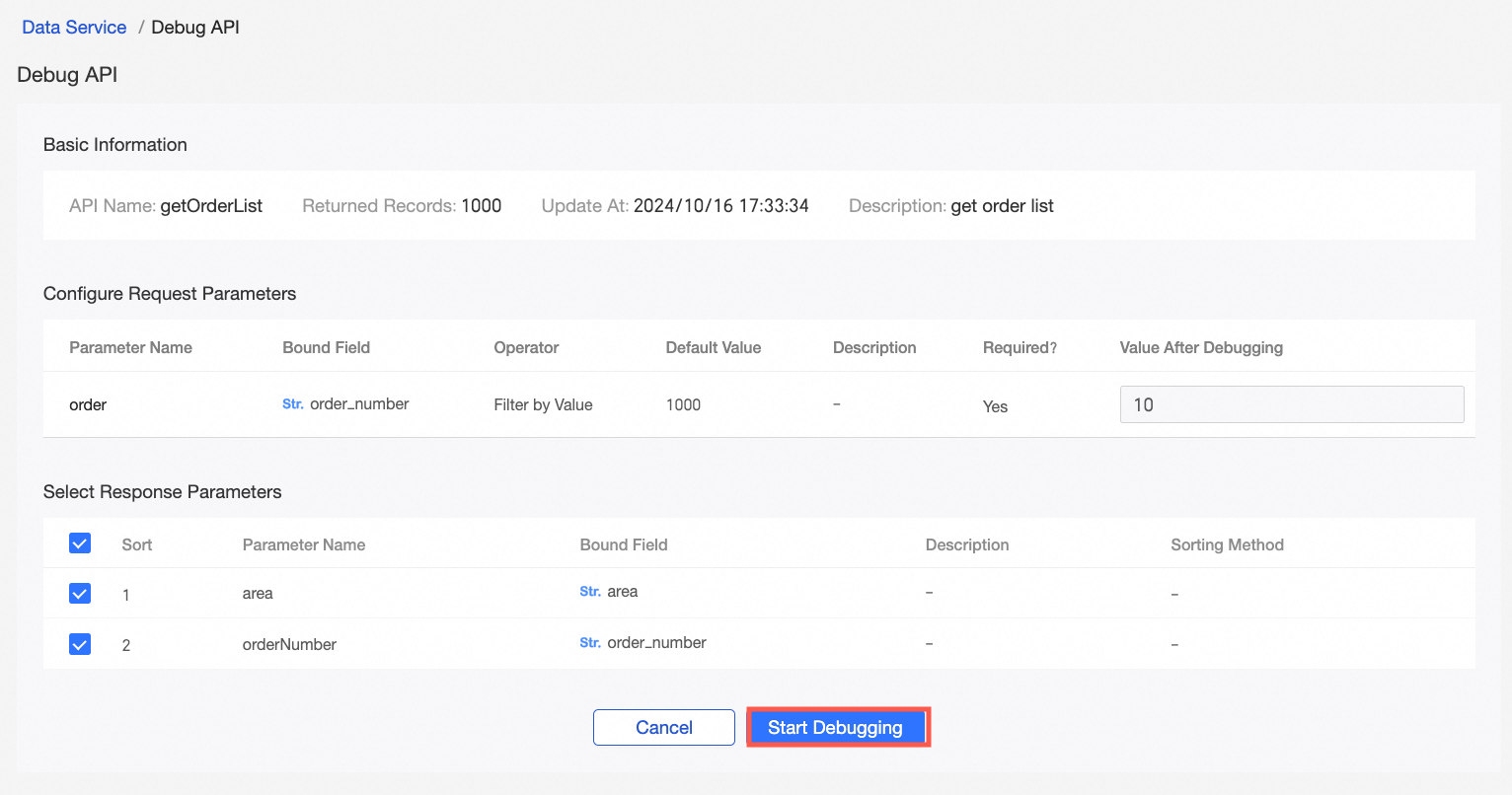
-
Statistics
Click the
 icon to view call data on the API Call Statistics > Details page. API call statistics.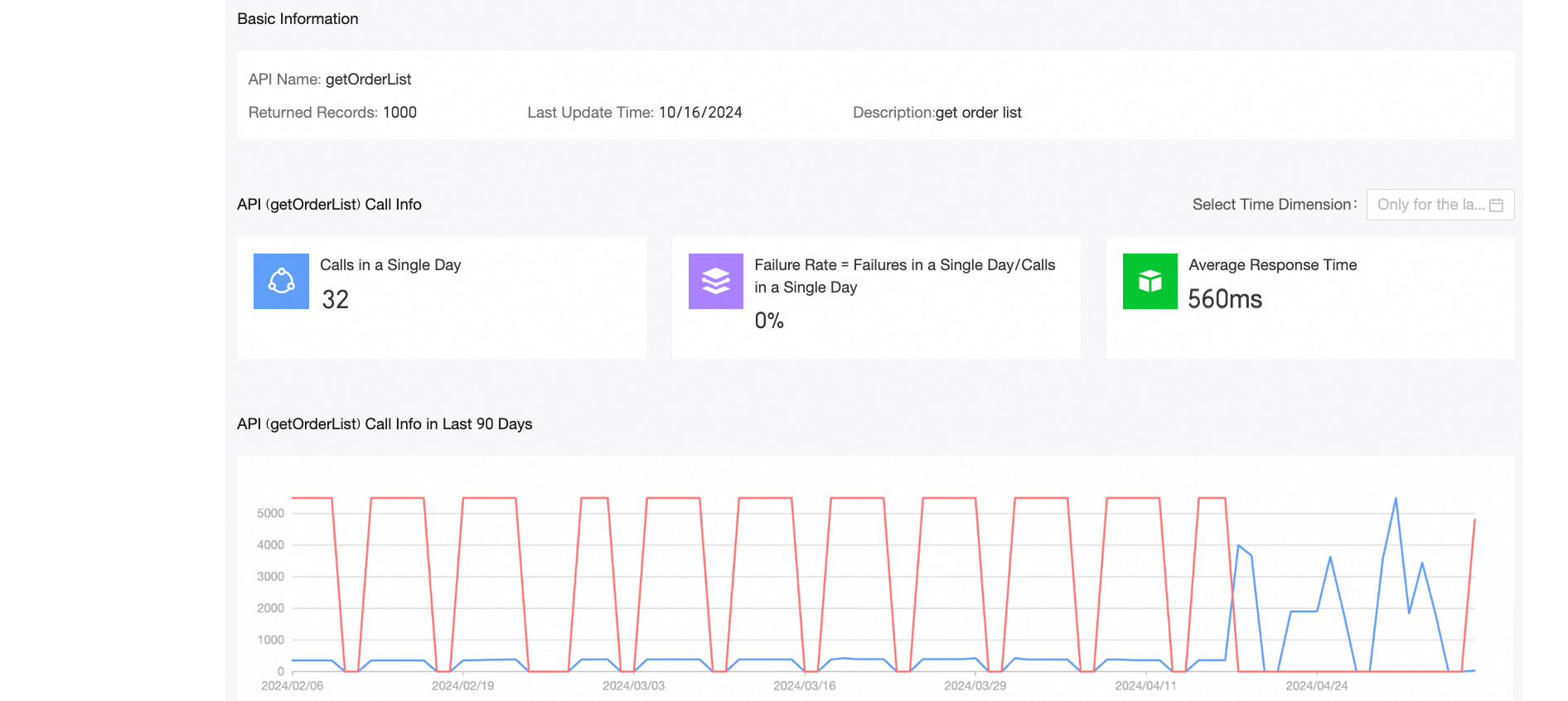
-
Transfer
Click the
 icon. On the Transfer API > Creator page, select the new creator and click Confirm.Note
The creator role includes call and management permissions for the API by default.
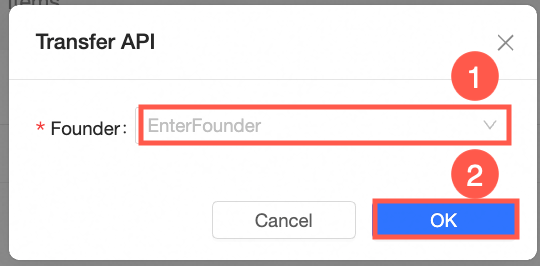
-
Delete
Click the
 icon, then click Confirm to delete the API.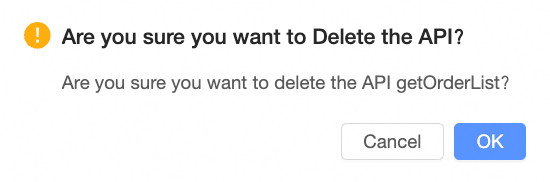
-
-
The All tab lists all APIs in the current tenant.
-
APIs you created: You can manage and view details. Operations are the same as on the My tab.
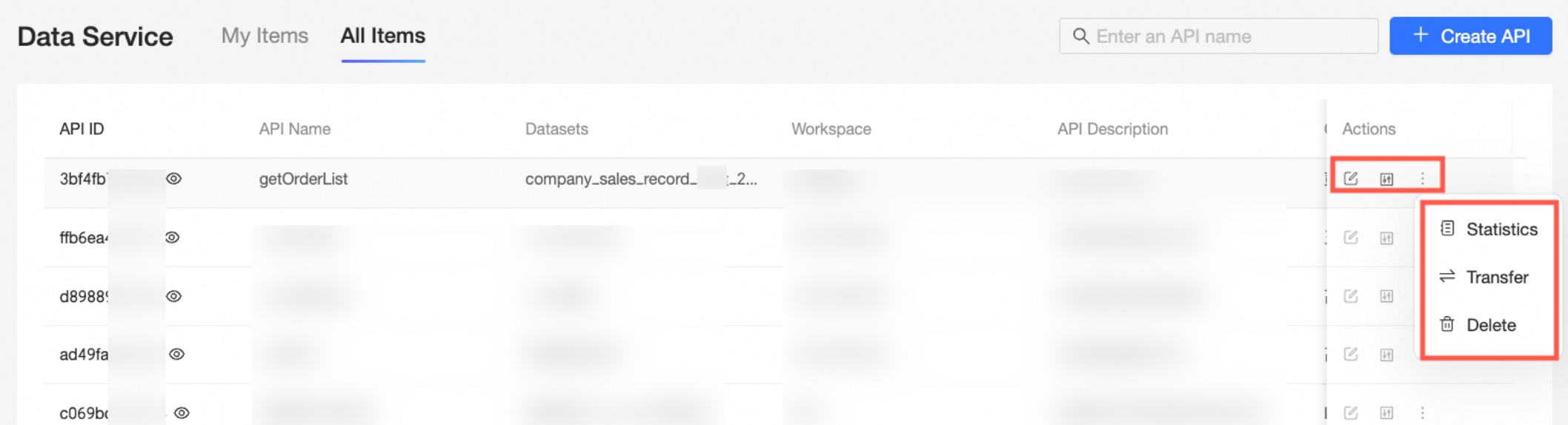
-
APIs created by others: You can only view details. Management operations are unavailable.
-