DeepSeek-R1, developed by DeepSeek, excels at math, coding, and reasoning. This topic walks through fine-tuning the DeepSeek-R1-Distill-Qwen-7B model with PAI Model Gallery.
Supported models
PAI Model Gallery supports LoRA supervised fine-tuning (SFT) for six distill models. The following table lists the recommended minimum resource configurations when using default hyperparameters and the provided dataset.
|
Distill Model |
Base Model |
Supported Training Method |
Minimum Configuration |
|
DeepSeek-R1-Distill-Qwen-1.5B |
LoRA supervised fine-tuning |
1 × A10 (24 GB video memory) |
|
|
DeepSeek-R1-Distill-Qwen-7B |
1 × A10 (24 GB video memory) |
||
|
DeepSeek-R1-Distill-Llama-8B |
1 × A10 (24 GB video memory) |
||
|
DeepSeek-R1-Distill-Qwen-14B |
1 × GU8IS (48 GB video memory) |
||
|
DeepSeek-R1-Distill-Qwen-32B |
2 × GU8IS (48 GB video memory) |
||
|
DeepSeek-R1-Distill-Llama-70B |
8 × GU100 (80 GB video memory) |
Quick start
-
Go to the Model Gallery page.
-
Log on to the PAI console. In the left-side navigation pane, select your target Workspace.
-
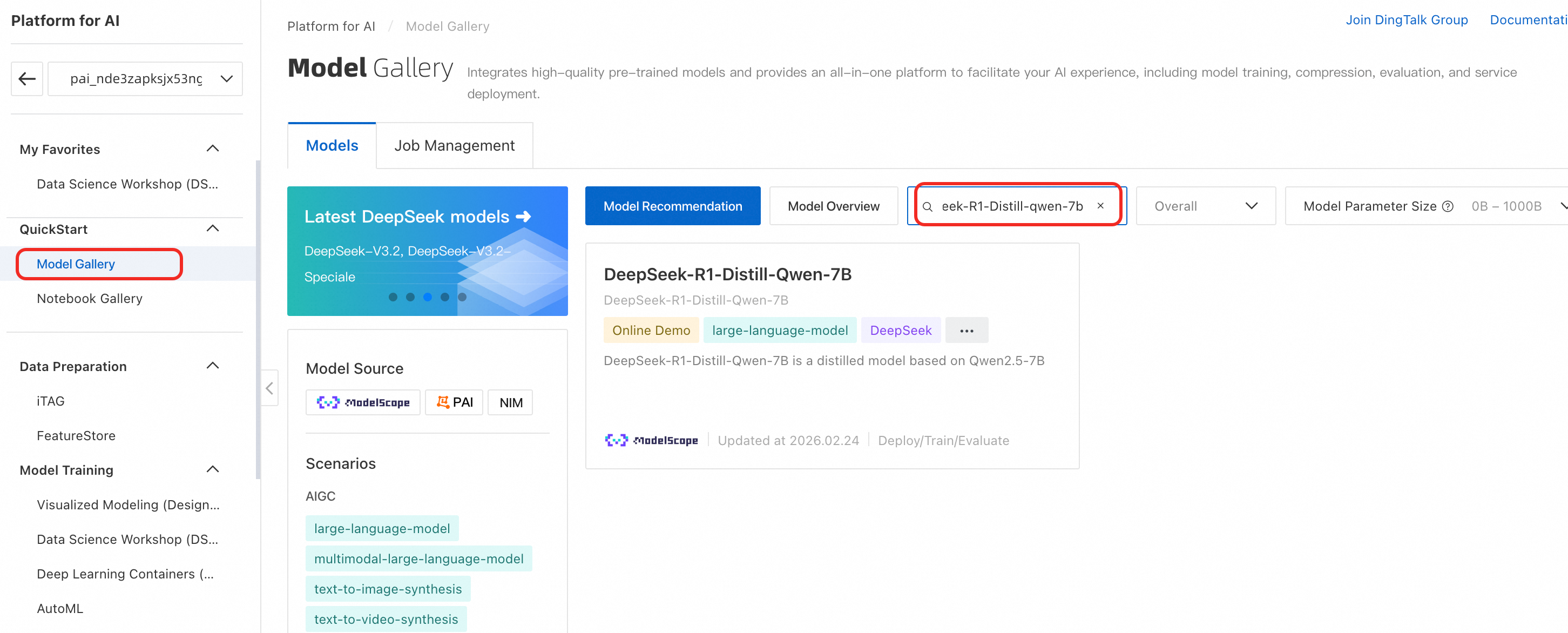
In the left-side navigation pane, choose QuickStart > Model Gallery.
-
-
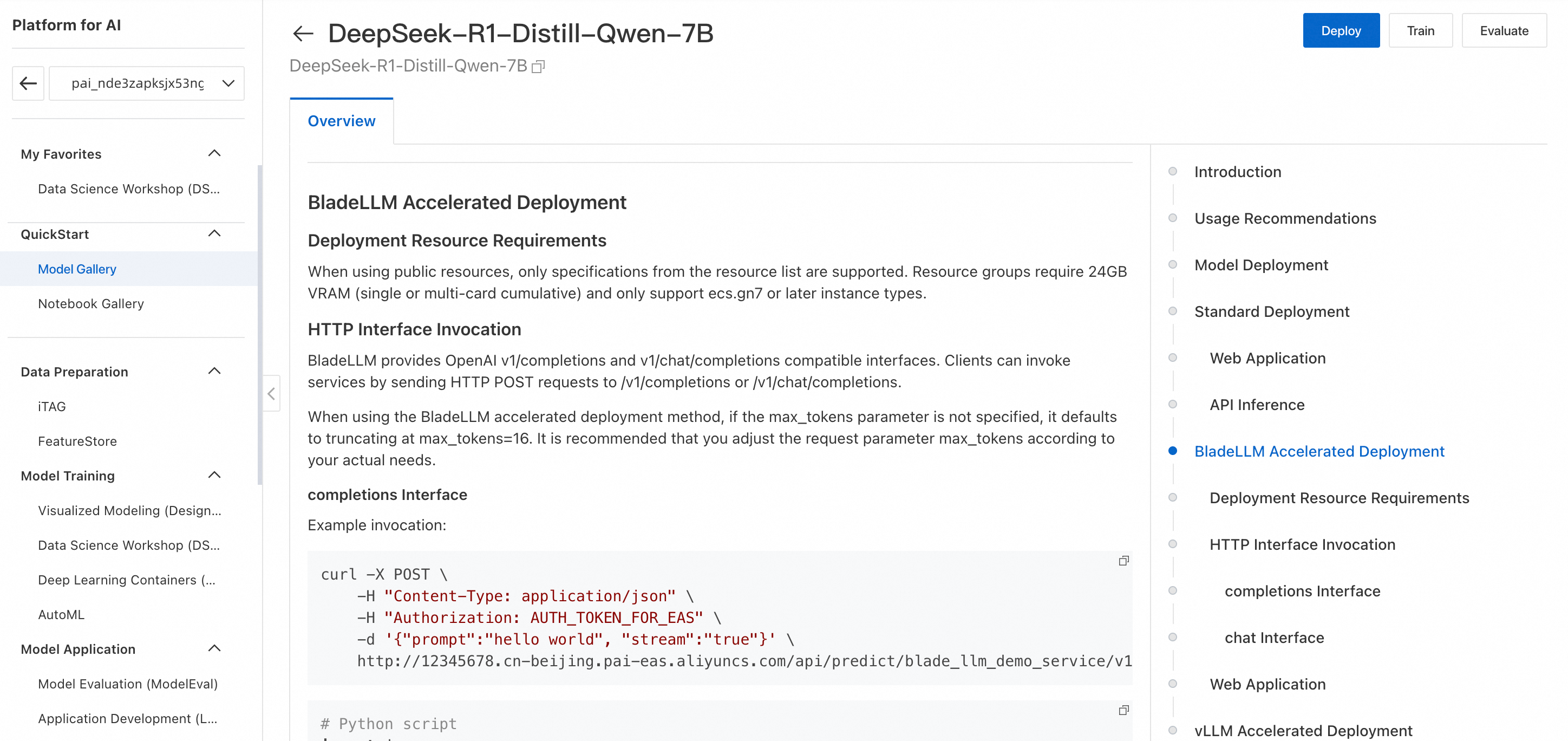
On the Model Gallery page, search for and click DeepSeek-R1-Distill-Qwen-7B. The model details page describes training and deployment, including the required SFT data format and invocation methods.
-
Click Train in the upper-right corner. Configure the following key parameters:
-
Dataset configuration: This example uses the default dataset. To use your own data, prepare a custom dataset per the format on the model details page and upload it to an Object Storage Service (OSS) bucket.
-
Model output path: Select an OSS path to store the fine-tuned model.
-
Computing Resources: For Source, select public resource. For Instance type, select
ecs.gn7i-c16g1.4xlarge. -
Hyperparameters: Supported hyperparameters for LoRA SFT. Adjust as needed. Fine-tuning guide for large language models.
-
-
Click Train. PAI redirects you to the training job page where you can monitor job status and view logs.
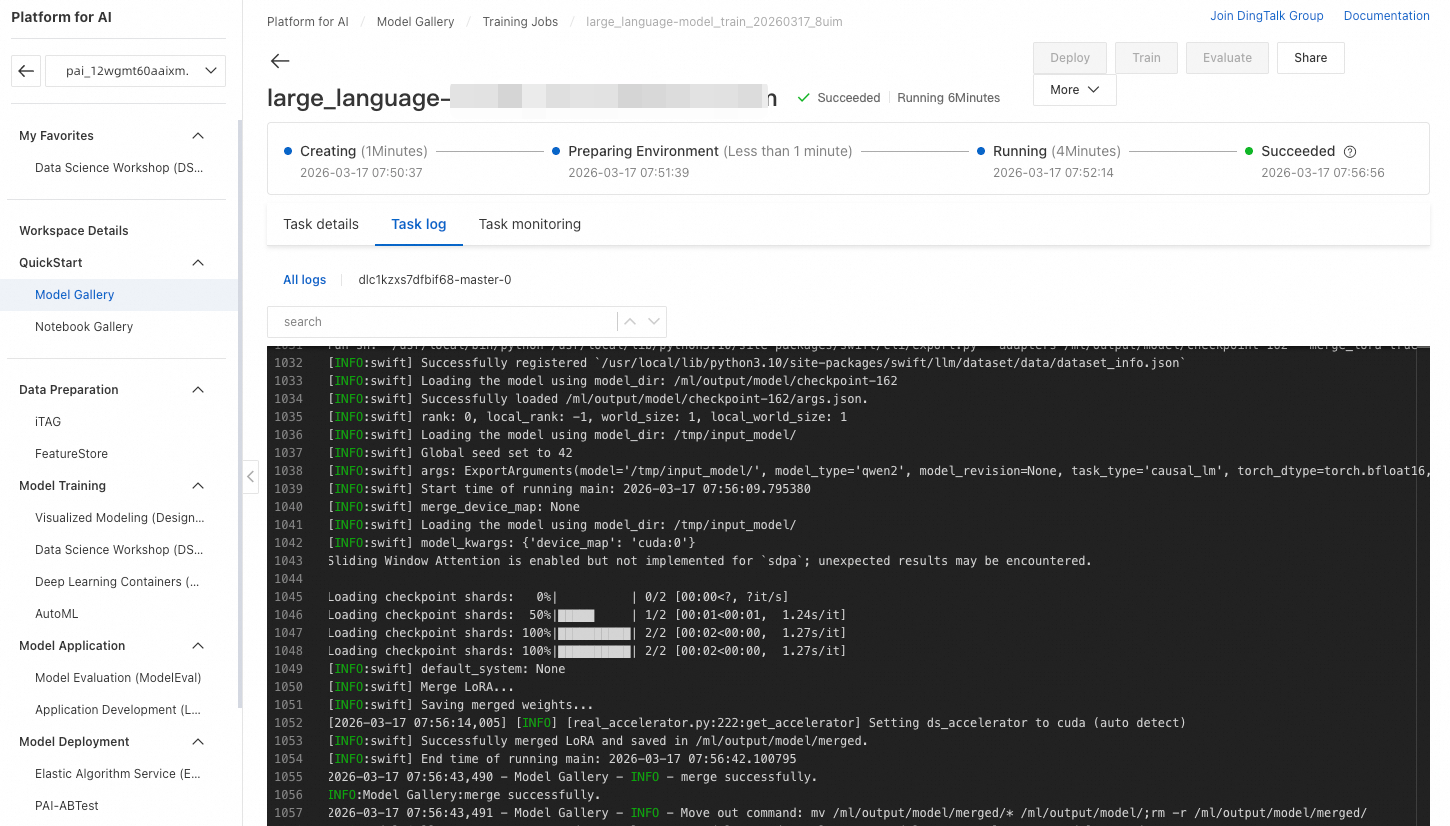
When training succeeds, the fine-tuned model is automatically registered in AI Asset Management - Models, where you can view or deploy it. Register and manage models.
-
After training completes, click Deploy to deploy the fine-tuned model as an EAS service. Use the same invocation method as the original distill model, described on the model details page and in Deploy DeepSeek-V3 and DeepSeek-R1 models.

Billing
Model Gallery training uses DLC, billed by job duration. Billing for DLC.
FAQ
Q: How do I troubleshoot a failed training job?
-
Set an appropriate
max_lengthin the training configuration. The algorithm discards data exceedingmax_lengthand logs the action: If too much data is discarded, the training or validation dataset might become empty, causing the training job to fail:
-
The error
failed to compose dlc job specs, resource limiting triggered, you are trying to use more GPU resources than the thresholdmeans the job hit a GPU resource limit. By default, a maximum of 2 GPUs can run simultaneously. Wait for running jobs to complete, or submit a ticket to request a quota increase. -
The error
the specified vswitch vsw-**** cannot create the required resource ecs.gn7i-c32g1.8xlarge, zone not matchmeans the instance type is unavailable in the vSwitch's availability zone. Solutions: 1. Remove the vSwitch setting so DLC auto-selects an available zone. 2. Switch to a different instance type.
Q: Can I download the model after training?
Yes. Set the model output path to an OSS directory when creating the training job. After the job completes, download the model from that OSS path.

Q: What should I do if the model performance is poor?
Try the following:
-
Use a model with better baseline performance, such as a model from the DeepSeek or Qwen3 series with a higher parameter count.
-
Refine your prompts.
-
Increase the
max_tokensvalue. -
Break complex tasks into smaller subtasks.