This topic describes how to log on to ossbrowser 2.0 and explains the relevant configuration options.
Permissions
Before you log on, ensure your account has the required permissions for ossbrowser 2.0.
-
Alibaba Cloud account: By default, an Alibaba Cloud account has full permissions for all of its resources. No additional permissions are required.
-
RAM user: To log on and view the list of all buckets and objects, a RAM user must have at least the
oss:ListBuckets,oss:ListObjects, andoss:GetBucketInfopermissions for all buckets. -
STS temporary access credential: To log on and view the list of objects in a specific bucket, the STS temporary access credential must have at least the
oss:ListObjectsandoss:GetBucketInfopermissions for the specified bucket. -
authorization code: Permissions for an authorization code are configured by an Alibaba Cloud account or a RAM administrator after they log on to ossbrowser 2.0 and perform the File Authorization operation.
After you log on to ossbrowser 2.0 by using a RAM user or an STS temporary access credential, you must also configure the required permission policies for the operations you want to perform. Use the following table to configure permissions based on the required features. For more information about how to create custom policies and grant permissions to a RAM user, see Create custom policies and Manage permissions for RAM users.
Procedure
Due to a policy change to improve compliance and security, starting March 20, 2025, new OSS users must use a custom domain name (CNAME) to perform data API operations on OSS buckets located in Chinese mainland regions. Default public endpoints are restricted for these operations. Refer to the official announcement for a complete list of the affected operations. If you access your data via HTTPS, you must bind a valid SSL Certificate to your custom domain. This is mandatory for OSS Console access, as the console enforces HTTPS.
-
Choose a logon method
ossbrowser 2.0 provides four logon methods, as shown in the following table.
Logon method
Description
AK
If you are a resource owner, or if team members need long-term access to OSS resources and want to stay logged in for an extended period, we recommend that you use the AccessKey (AK) of an Alibaba Cloud account or a RAM user to log on to ossbrowser 2.0.
Account
If you are a resource owner, or if team members need long-term access to OSS resources and require daily security verification, we recommend logging on by scanning a QR code with the Alibaba Cloud app, Alipay, or DingTalk, or by using an Alibaba Cloud account, a RAM user account, or a mobile verification code.
ImportantThe account logon method does not support the File Authorization operation. To perform this operation, use a different logon method.
Log on with STS
If a team member needs temporary access to your OSS resources, a RAM user can assume a RAM role to call the STS service and obtain an STS temporary access credential. Other team members can then use this temporary credential to log on and access your OSS resources.
Auth-Code
If a team member needs temporary or long-term access to some of your OSS resources, you can log on to ossbrowser 2.0 by using an AccessKey, authorize access to OSS resources, and generate an authorization code. Other team members can then use this authorization code to log on and access the authorized OSS resources.
Choose a logon method based on your use case.
AK
The AK method supports logging on with the AccessKey of an Alibaba Cloud account or a RAM user. For data security, we recommend using a RAM user's AccessKey.
-
Obtain an AccessKey.
-
Obtain an existing AccessKey: Use the
AccessKey IDandAccessKey Secretthat you saved locally when you created the AccessKey. -
Create an AccessKey: If you have forgotten your AccessKey, go to the Create AccessKey page, click Create AccessKey, and follow the on-screen instructions to create an AccessKey. After the AccessKey is created, click Download CSV File in the dialog box to save it locally. Then, log on with the new
AccessKey IDandAccessKey Secret.
-
-
Click AK and enter your account's
AccessKey IDandAccessKey Secretto log on.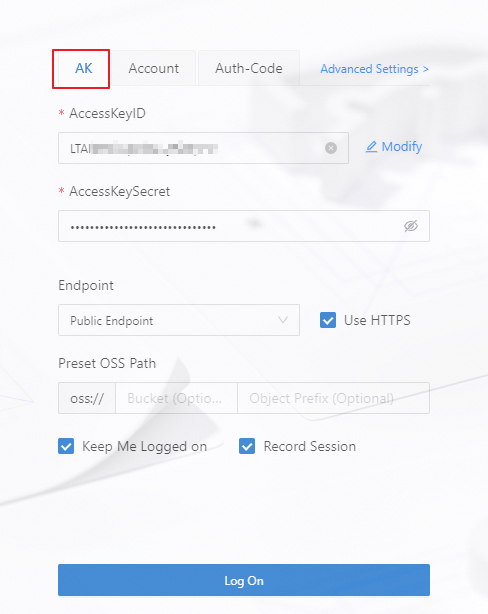
To create a RAM user, you must use an account that has permissions to manage RAM users, such as an Alibaba Cloud account. Log on to the Alibaba Cloud console and perform the following steps.
-
Create a RAM user.
-
Click Create User and follow the console instructions to create a RAM user.
NoteFor more information, see Create a RAM user.
-
Click Download CSV File. This file contains the AccessKey required for the RAM user to log on. Keep this file secure.
-
-
Grant permissions to the RAM user.
-
Go to the Users page, select the target user, and then click .
-
In the search box, copy and add the required permissions for ossbrowser 2.0 operations,
AliyunRAMFullAccess, andAliyunSTSAssumeRoleAccess.NoteFor more information about RAM user authorization and custom authorization, see Manage permissions for RAM users and Create custom policies.
-
-
Click AK and enter the
AccessKey IDandAccessKey Secretfrom the CSV file to log on.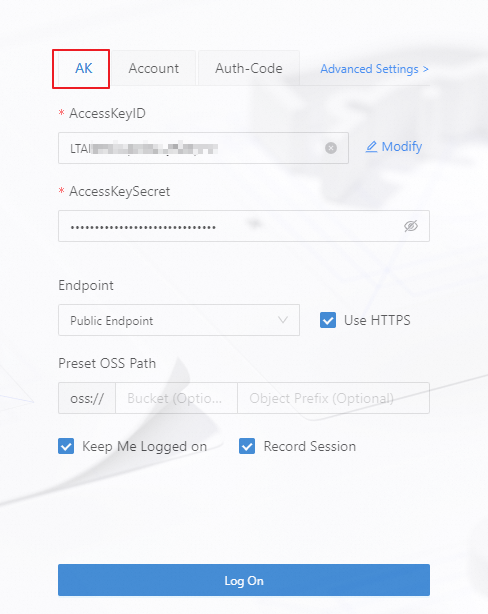
-
Obtain an AccessKey.
-
Obtain an existing AccessKey: Use the
AccessKey IDandAccessKey Secretthat you saved locally when you created the AccessKey. -
Create an AccessKey: If you have forgotten your AccessKey, log on to the Alibaba Cloud console as the target RAM user. Go to the Users page, click the target RAM user, and then click Create AccessKey on the user details page. Follow the on-screen instructions to create an AccessKey. After the AccessKey is created, click Download CSV File in the dialog box to save it locally. Then, log on with the new
AccessKey IDandAccessKey Secret.
-
-
Confirm OSS authorization.
-
Go to the Users page, select the target user, and then click Permissions to check whether the user has permissions to manage OSS resources, such as the
AliyunOSSFullAccesspermission. -
If the user does not have permissions to manage OSS resources, click Add Permissions on the user's Permissions page. In the search box, copy and add the
AliyunOSSFullAccess,AliyunRAMFullAccess, andAliyunSTSAssumeRoleAccesspermissions.NoteFor more information about RAM user authorization and custom authorization, see Manage permissions for RAM users and Create custom policies.
-
-
Click AK and enter the RAM user's
AccessKey IDandAccessKey Secretto log on.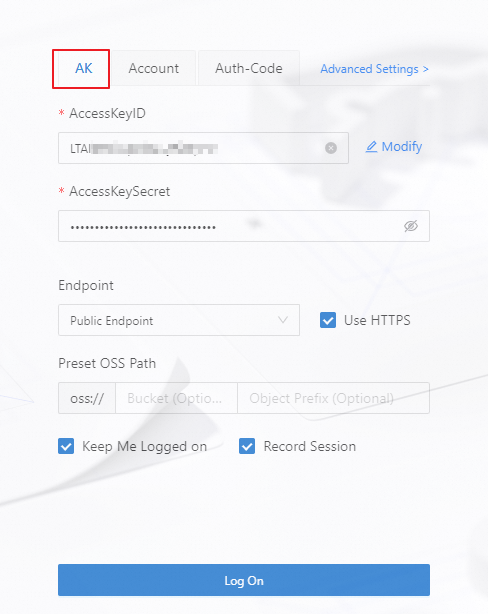
Account logon
-
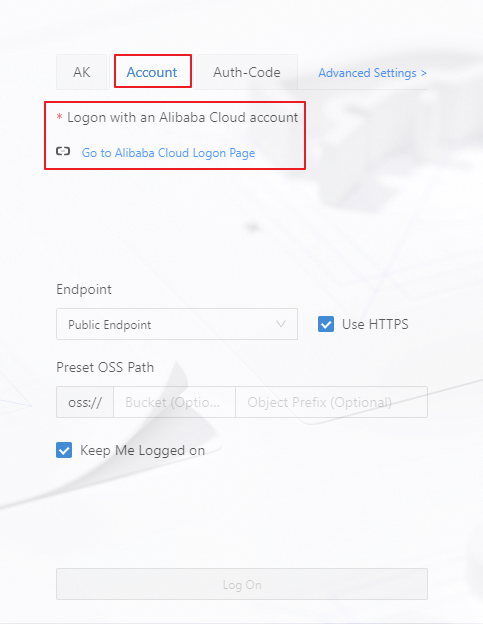
Click Account.
-
Click to open the Alibaba Cloud Logon Page. Switch to full-screen mode, then switch to the international site in the upper-right corner and select a logon method.
STS logon
ImportantThe STS Token text box appears only after you enter an AccessKey ID in the
STS.*****format.-
Obtain an STS temporary access credential. For more information, see Use an STS temporary access credential to access OSS.
-
Click AK, and enter the
AccessKey ID,AccessKey Secret, andSecurityTokenfrom the temporary access credential to log on.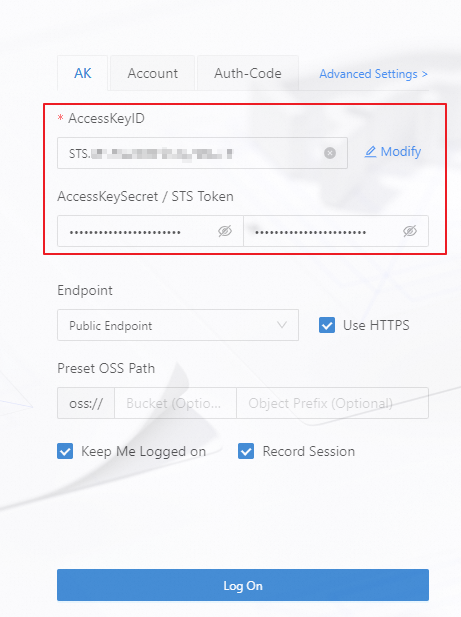
Authorization code logon
-
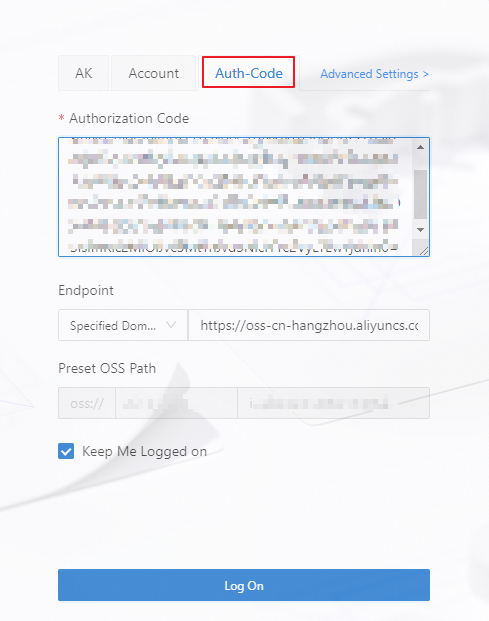
Obtain an authorization code. For more information, see File Authorization.
-
Click Auth-Code and enter the obtained authorization code to log on.
-
-
Configure an Endpoint
ImportantYou cannot use a CDN domain name to log on to ossbrowser 2.0.
Endpoint
Description
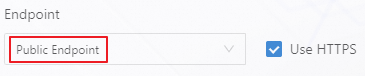
Public endpoint
If you are using ossbrowser 2.0 from your local computer, select Public Endpoint.
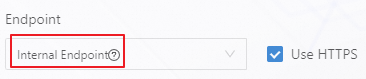
Internal endpoint
Use this endpoint on the Alibaba Cloud internal network, for example, from an ECS instance where ossbrowser 2.0 is installed. Select Internal Endpoint. The ECS instance and the target bucket must be in the same region. For more information about how to create an ECS instance, see Create an ECS instance.
Specified domain name
NoteAfter you log on to the ossbrowser client by using a specified domain name, you cannot switch to another bucket.
This applies when you log on with a specified domain name. For example, if you enable the transfer acceleration feature, you can enter the Endpoint. For information about how to enable transfer acceleration and obtain an accelerated endpoint, see Use transfer acceleration to access OSS.

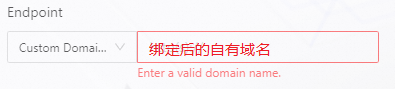
Custom domain name
This applies to scenarios where you access OSS resources through a custom domain name. You need to enter your own domain name that is bound to OSS. For information about how to bind a custom domain name, see Bind a custom domain name.
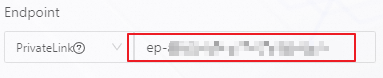
PrivateLink
NoteWhen you log on to the ossbrowser client through a PrivateLink connection, you must specify the target bucket in the preset OSS path. You cannot switch to other buckets while the client is running.
Use this endpoint for secure and stable private connections from within the Alibaba Cloud internal network, such as from an ECS instance. Ensure that the ECS instance and the endpoint are in the same VPC, and the ECS instance and the target bucket are in the same region.
Enter the endpoint service domain name. For information about how to create an ECS instance, create an endpoint, and obtain the endpoint service domain name, see Create an ECS instance and Create an endpoint.
CloudBox
NoteAfter you log on to ossbrowser 2.0 by using a CloudBox endpoint, the File Authorization operation is not supported.
This applies to scenarios where you access a CloudBox environment. You need to enter the data domain of the CloudBox to log on to ossbrowser 2.0.

-
Configure a preset OSS path
If you have permissions for only some resources in a bucket, you must specify the OSS resource path. Examples are as follows:
-
To access an entire bucket, such as all objects in
bucketname.
-
To access a directory within a bucket, such as the
folderdirectory inbucketname.
-
To access a specific object within a bucket, such as the
fileobject in thefolderdirectory ofbucketname.
-
-
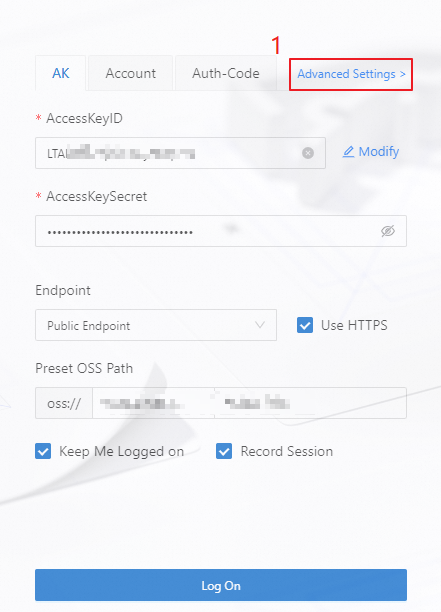
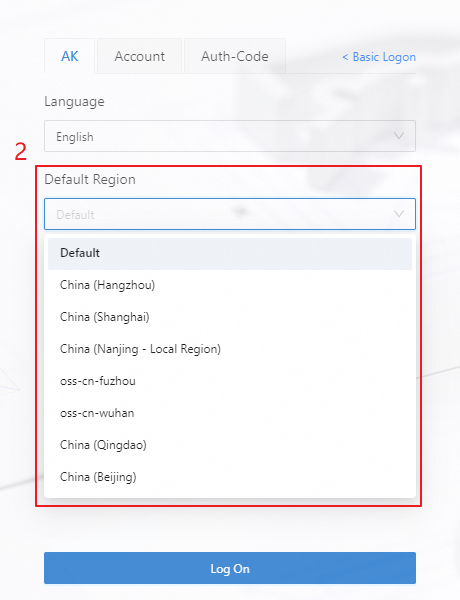
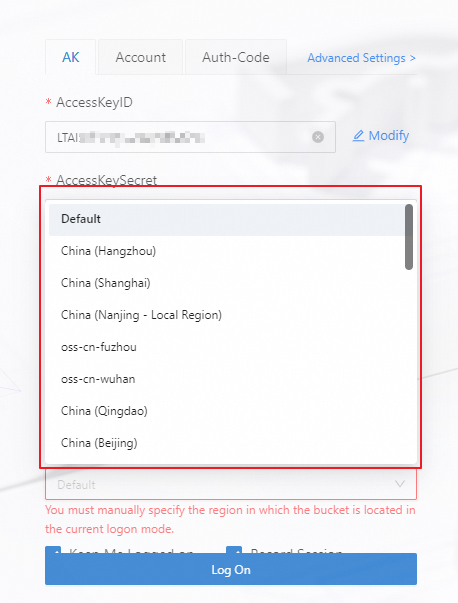
Configure the bucket region
ImportantIf you need to access a specific bucket, configure the preset OSS path before you configure the bucket region.
Endpoint type
Configuration method
Example
Public Endpoint
In the upper-right corner of the logon page, click and select the region of the target bucket.
Internal Endpoint
Specified Domain
From the Default Region drop-down list, select the region of the target bucket.
Custom Domain
PrivateLink
-
Verify the result
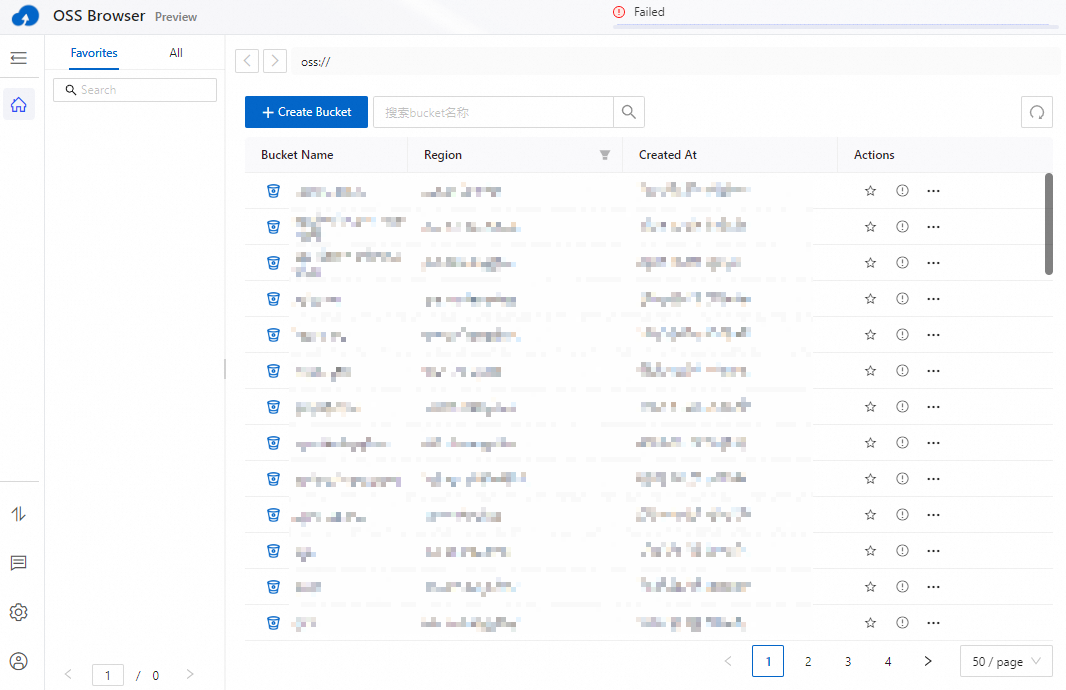
After a successful logon, the interface shown in the following figure appears. To quickly get started with ossbrowser 2.0, see Common operations.
Other settings
|
Parameter |
Description |
|
Pay-by-requester |
If the bucket you are authorized to access has requester pays mode enabled and you are not the bucket owner, you must select Pay-by-requester. In the upper-right corner of the logon page, click and enable Pay-by-requester. Important
|
|
Keep Me Logged on |
If you select Keep Me Logged on, ossbrowser 2.0 will keep you logged in. The next time you open the client, you will be logged in automatically. |
|
Record Session |
If you select Record Session, ossbrowser 2.0 saves the AccessKey. The next time you log on, click AK history to select a saved key and log on directly. Warning
To avoid unnecessary information security risks, do not select this option on a temporary or shared computer. |