Alibaba Cloud Model Studio permission management provides multi-dimensional access control at the console and model levels. This capability meets the needs of complex organizational structures that involve multiple regions and users.
Alibaba Cloud Model Studio identity management
A single workspace is the smallest management unit for both fine-grained permission management (for models and users) and Alibaba Cloud cost allocation.
Model Studio workspace permission management is based on three roles:
-
Super administrator: Manages user permissions, available models in workspaces, model rate limiting, and API keys across all workspaces.
-
Workspace administrator: Manages user permissions and resources within a specific workspace.
-
Regular user: Uses resources according to their assigned permissions.
|
Workspace permission |
Super administrator (with the AliyunBailianFullAccess system policy) |
Workspace administrator |
Regular user |
|
Allow specific model calls & rate limiting |
|
|
|
|
Allow specific model fine-tuning |
|
|
|
|
User management |
|
|
|
|
Manage user access to pages |
|
|
|
|
API key management |
|
|
|
|
Access/use authorized workspaces, pages, and resources |
|
|
|
|
|
|
|
Super administrator
This role includes the following two types of accounts:
-
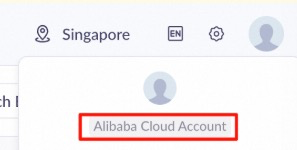
An Alibaba Cloud account. You can identify this account in the upper-right corner of the Model Studio console:
-
A RAM user with the AliyunBailianFullAccess (Model Studio administrator) system policy. This RAM user can use the Model Studio global management menu ( Singapore | Beijing | Virginia) to grant almost all permissions for any region and workspace to any RAM user, including themselves. Only an Alibaba Cloud account can add OpenAPI interface permissions.
RAM user is a sub-account created by an Alibaba Cloud account to securely assign cloud resources and permissions to team members.
You can see this in the upper-right corner:

Super administrators can use the Model Studio global management menu ( Singapore | Beijing | Virginia) to manage multiple workspaces. The management features include the following:
-
Create new workspaces and manage workspace names.
-
Manage models and model rate limiting for all workspaces.
-
Manage accounts (users) for all workspaces.
-
Manage all API keys.
To enable features such as the model monitoring, we recommend that you use an Alibaba Cloud account to grant one-time authorization and enable these services in the console.
Workspace administrator
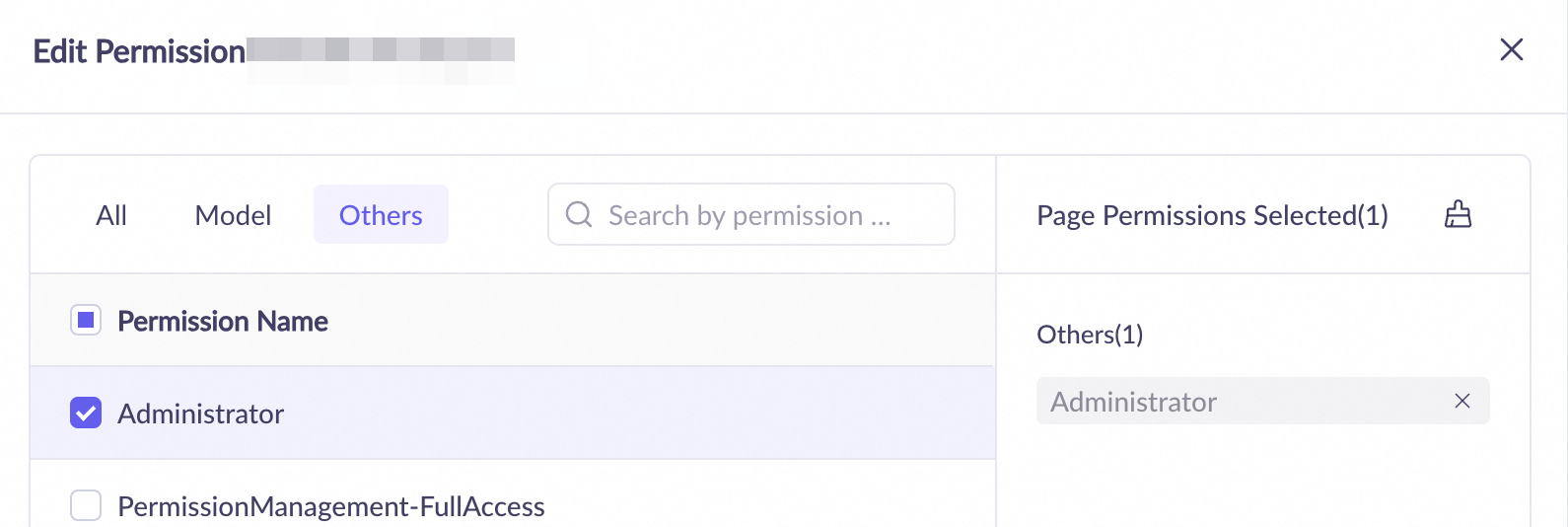
A workspace administrator is an Alibaba Cloud RAM user who has permission to access the Permissions page of a specific workspace. This page is used to manage the workspace.
Administrator permission includes access to all pages within that workspace.
Workspace permission management
Model Studio organizes resources and workspaces by geographic region. A workspace cannot span multiple regions. Even the default workspaces in different regions are separate entities. You can go to the Global Management menu ( Singapore | Beijing | Virginia).
A Model Studio workspace is the smallest unit for fine-grained permission management. You can use it to manage the following:
|
Workspace permission |
Super administrator (with the AliyunBailianFullAccess system policy) |
Workspace administrator |
Regular user |
|
Allow specific model calls & rate limiting |
|
|
|
|
Allow specific model fine-tuning |
|
|
|
|
User management |
|
|
|
|
Manage user access to pages |
|
|
|
|
API key management |
|
|
|
|
Access/use authorized workspaces, pages, and resources |
|
|
|
|
|
|
|
-
Restrict model calls: You can manage whether a model can be called in the console or through an API within the workspace. You can also set the Request Number Limit and Token Limit for the model.
You cannot set this restriction in the default workspace. All models can be called, and rate limiting cannot be configured.

-
Restrict model training: You can manage whether a model can be fine-tuned in the console or through an API and deployed after fine-tuning within the workspace.
You cannot set this restriction in the default workspace. All models that support fine-tuning can be fine-tuned and deployed after the fine-tuning is complete.

-
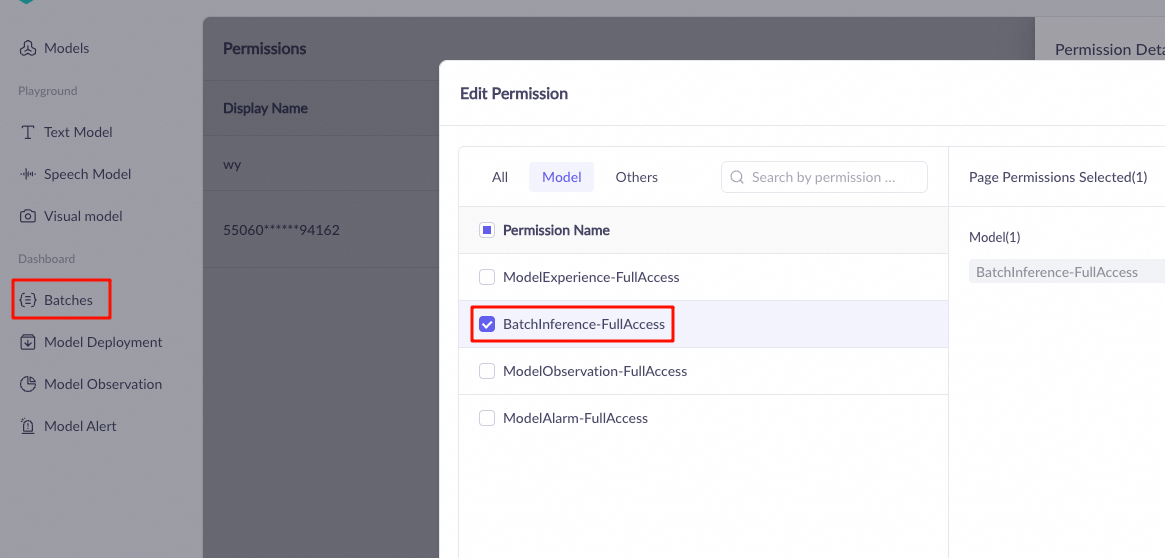
User (account) console permission management: You can manage whether a RAM user can use the features of the workspace console and which specific features they can access. This permission does not restrict API calls made with an API key that belongs to the user.
An Alibaba Cloud account does not require this setting and can access all pages of all workspaces.
API key permissions
An API key can belong to only one workspace and one user within a region. It cannot be transferred to another workspace or user. The functions and model rate limits that can be invoked using an API key are consistent with the permissions of its Workspace and are not affected by user (account) console permission management.
The status of an API key changes based on the actions performed on its associated user:
Triggering action | API key of a root account | API key of a RAM account | API key of a RAM role |
Delete the API key | , invalid, or irrecoverable | Invalid, cannot be recovered | invalidation or recovery. |
Remove the account from the workspace | — | The API key becomes valid again after the user is re-added to the workspace | enabled |
Delete the account/role in the RAM console | — | Invalid, cannot be recovered | Valid |
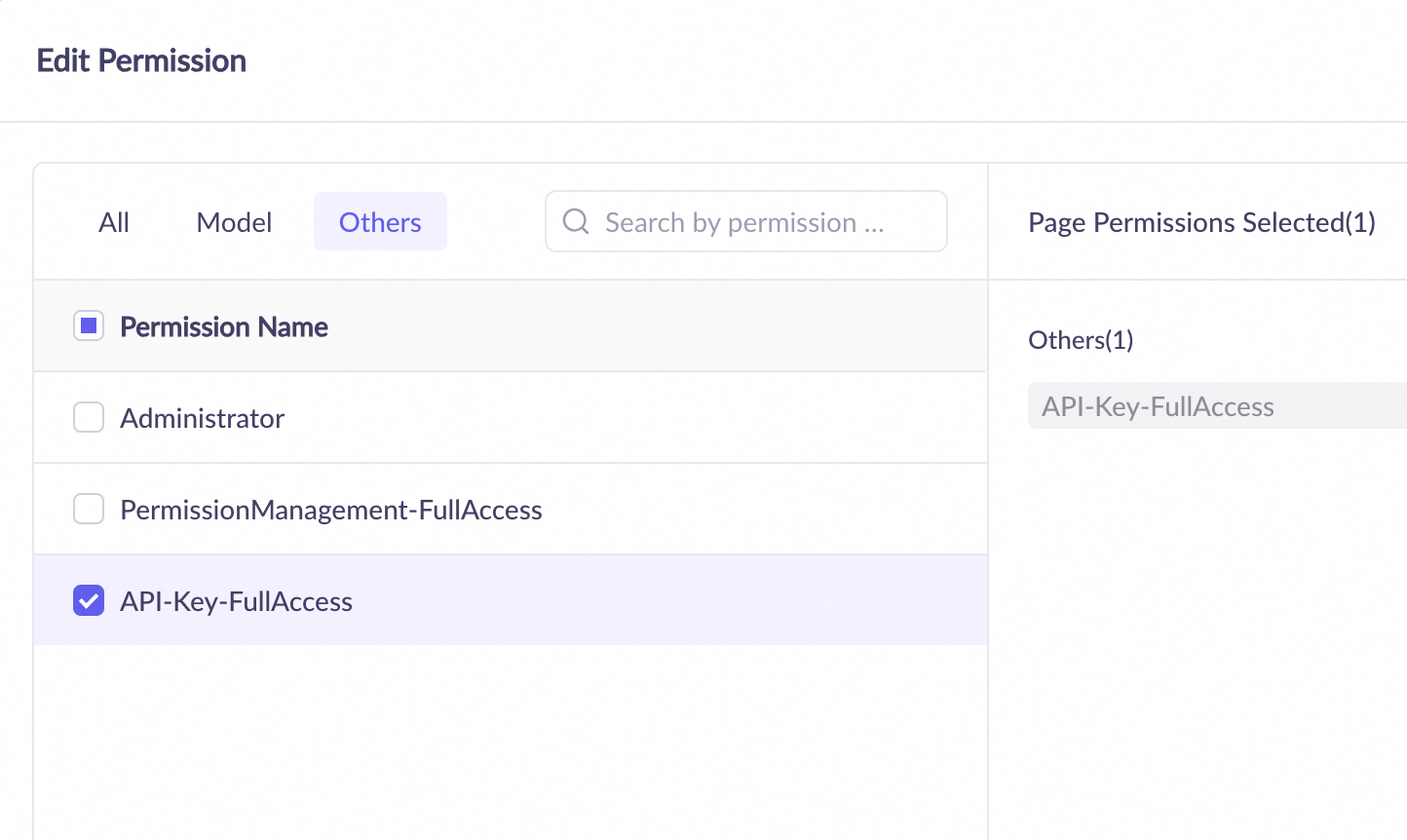
Manage API keys: On the Permissions tab in the left-side navigation pane of the Model Studio console, you can grant a RAM user the permission to manage API keys. This allows the RAM user to create, delete, and view all API keys in the workspace.
OpenAPI permissions
By default, RAM users are not authorized to call the Alibaba Cloud Model Studio OpenAPI for features such as application data, knowledge bases, prompt engineering, .
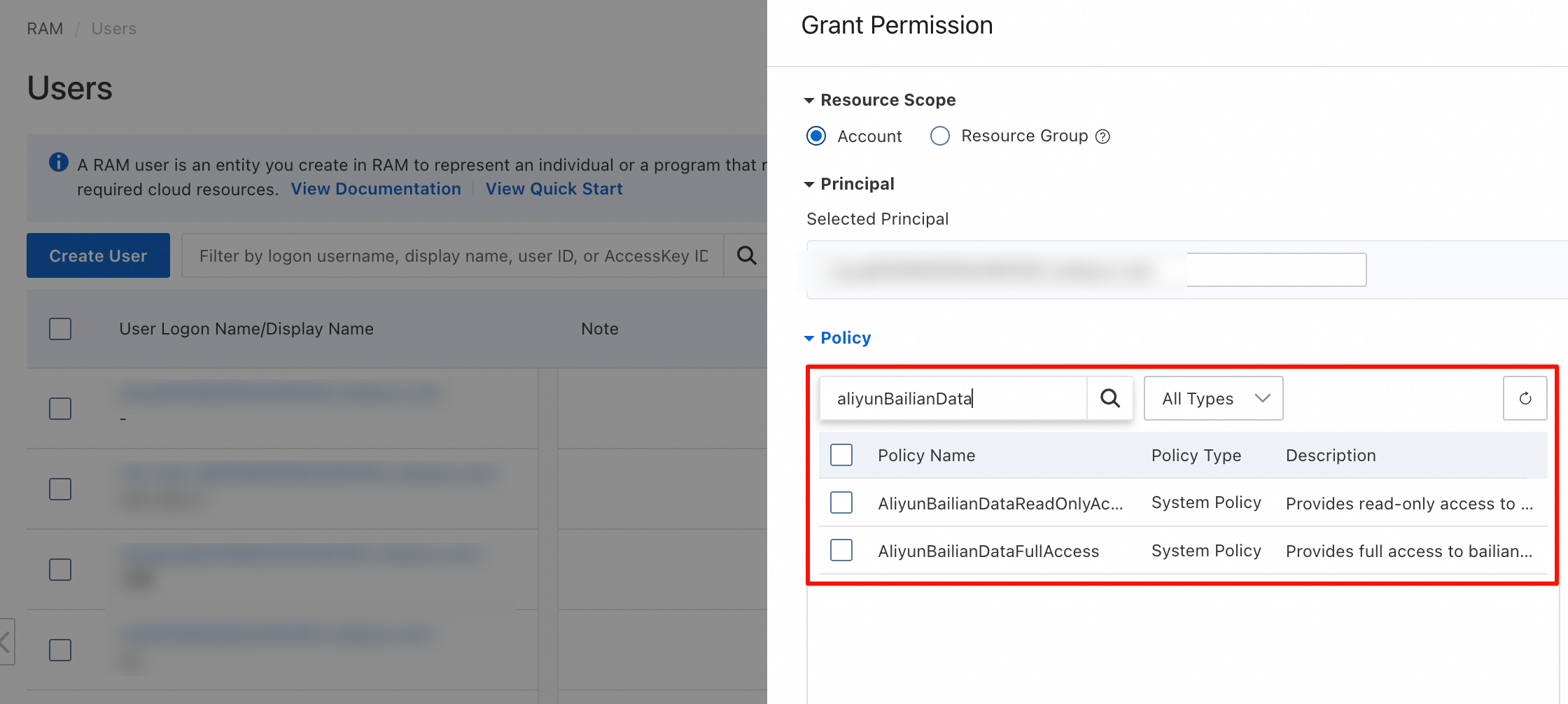
To grant this authorization, the Alibaba Cloud account must add one of the following permissions for the RAM user in the RAM console:
-
AliyunBailianDataFullAccess: Allows calling all APIs in the Model Studio application API catalog.
-
AliyunBailianDataReadOnlyAccess: Allows calling read-only APIs in the Model Studio application API catalog, such as DescribeFile - Query file status and GetIndexJobStatus - Query the status of a knowledge base creation task.
Going live
-
Space planning policy
-
By environment (Recommended): Create separate workspaces for development, testing, pre-production, and production environments to achieve strict environment fencing.
-
project-dev-workspace -
project-test-workspace -
project-prod-workspace
-
-
By line-of-business: Create separate workspaces for different business departments in your company, such as marketing, after-sales, and design. This simplifies permission and cost management.
-
marketing-team-workspace -
customer-team-workspace
-
-
-
Rate limiting strategies
-
You can allocate the total quota of the root account to each workspace proportionally. We recommend that you reserve a portion as a buffer to handle traffic bursts.
For example, if the total account quota is 1,000 QPM, the allocation plan can be as follows:
-
project-prod-workspace: 600 QPM (60%) -
project-test-workspace: 200 QPM (20%) -
project-dev-workspace: 100 QPM (10%) -
Reserved buffer: 100 QPM (10%)
-
-
Viewing bills and managing subscription permissions
By default, Resource Access Management (RAM) users do not have permission to view Alibaba Cloud bills or purchase Alibaba Cloud subscription products. To grant these permissions to RAM users, you must add specific permissions for them in the Resource Access Management (RAM) console.
The following permissions grant a RAM user permission to view bills for all Alibaba Cloud products or purchase all Alibaba Cloud subscription products. Grant these permissions with caution.
-
To allow a RAM user to view Alibaba Cloud bills, you must grant the
AliyunBSSReadOnlyAccesspermission to the RAM user. -
To allow a RAM user to purchase Alibaba Cloud subscription products, you must grant the
AliyunBSSOrderAccesspermission to the RAM user.
Common settings
Set up a super administrator
This operation requires an Alibaba Cloud account or a RAM user with the AliyunRAMFullAccess system policy.
-
Go to the Resource Access Management (RAM) console and grant the RAM user the AliyunBailianFullAccess (Model Studio administrator) permission and the
AliyunBSSOrderAccess(purchase Alibaba Cloud subscription products) permission. -
After the configuration is complete, you can use the Alibaba Cloud Model Studio global management menu (Singapore | Beijing | Virginia) to grant any permission to any RAM user, including yourself, for any region and any workspace, and purchase subscription products for Alibaba Cloud Model Studio.
Set up a workspace administrator
This operation requires a super administrator or a workspace administrator.
-
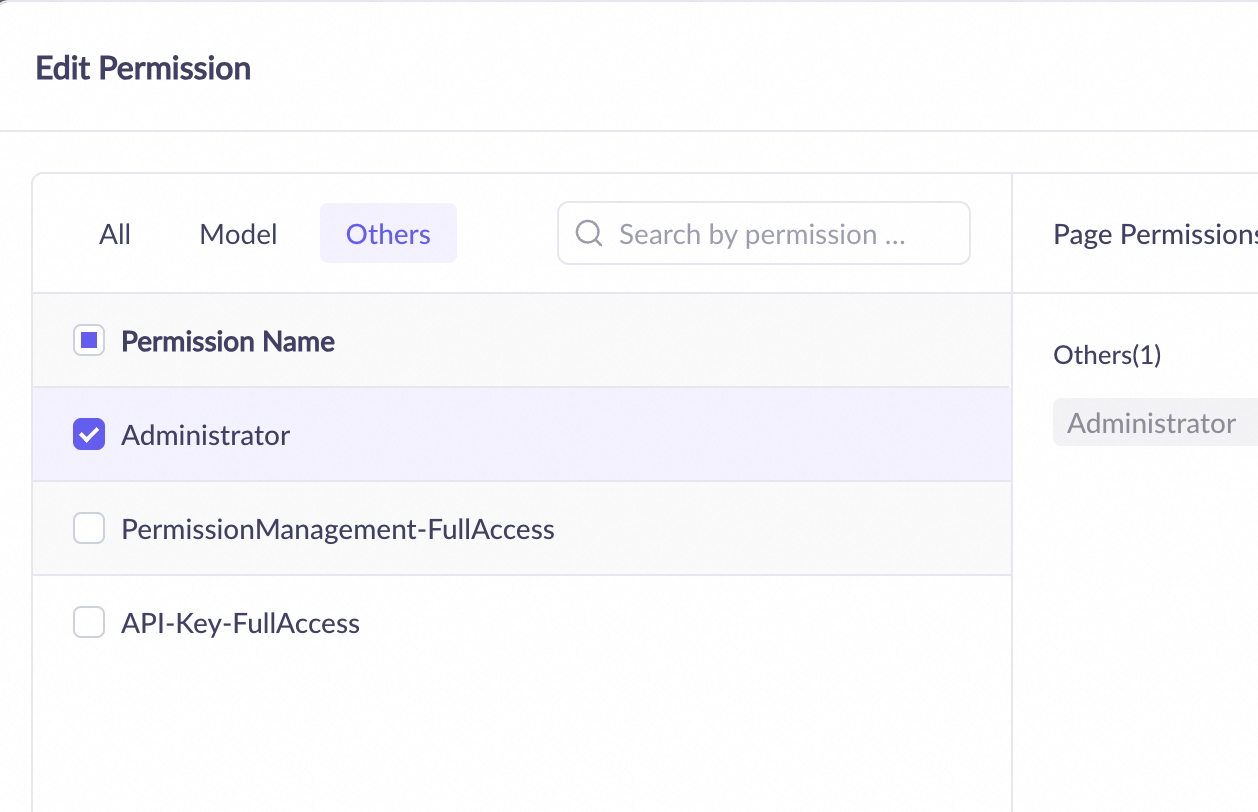
On the Permissions tab in the left-side navigation pane of the Model Studio console, grant the Administrator permission to the RAM user.
Set model call permissions
-
If you are not using the default workspace, ensure that the model call permission is enabled for the specific model in the workspace. This operation requires a super administrator.
-
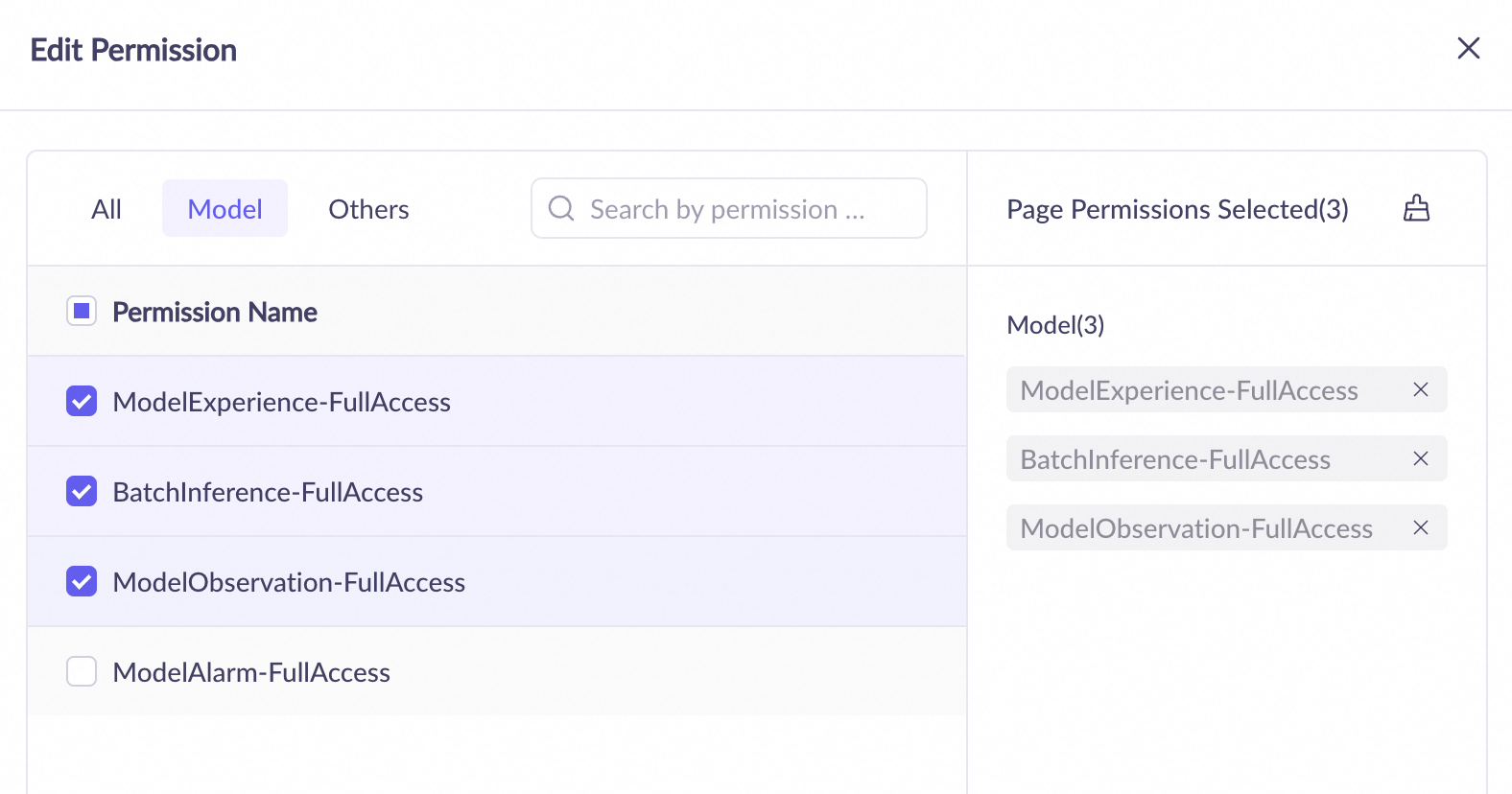
To call models from the Model Studio console, on the Permissions tab in the left-side navigation pane of the Model Studio console, grant the following permissions to the RAM user. This operation requires a super administrator or a workspace administrator.
-
Playground - Operation permission, which is used to call models in the console.
-
Batch Inference - Operation permission, which is used to support the batch inference feature.
-
Model Monitoring - Operation permission, which is used to view the token consumption of model calls and evaluations.
-
-
To call models through the Model Studio API, create or assign an API key for the RAM user in the corresponding workspace. For more information, see API key permissions in this topic. This operation requires a super administrator or a workspace administrator.
Set API permissions for model fine-tuning
-
If you are not using the default workspace, ensure that the model fine-tuning (training) permission is enabled for the specific model in the workspace. This operation requires a super administrator.
-
Create or assign an API key for the RAM user in the corresponding workspace. For more information, see API key permissions in this topic. This operation requires a super administrator or a workspace administrator.
FAQ
1. How do I get a workspace ID?
For more information, see Get a Workspace ID.
2. How do I call a model using a sub-workspace?
No special settings are required. You can simply use the API key of the sub-workspace.
3. How do I use an application in a specific workspace?
To manage and call an application in a specific workspace using an API, you must set both the APP ID and Workspace ID.