Qwen-OCR is a visual understanding model that extracts text and structured data from images — scanned documents, tables, receipts, and more. It handles multiple languages and supports advanced OCR tasks: information extraction, table parsing, formula recognition, and document parsing.
Try it online: Go to the Alibaba Cloud Model Studio console, select the region in the upper-right corner, go to the vision page, and select Qwen OCR.
Examples
| Input image | Recognition result |
|---|---|
Recognize multiple languages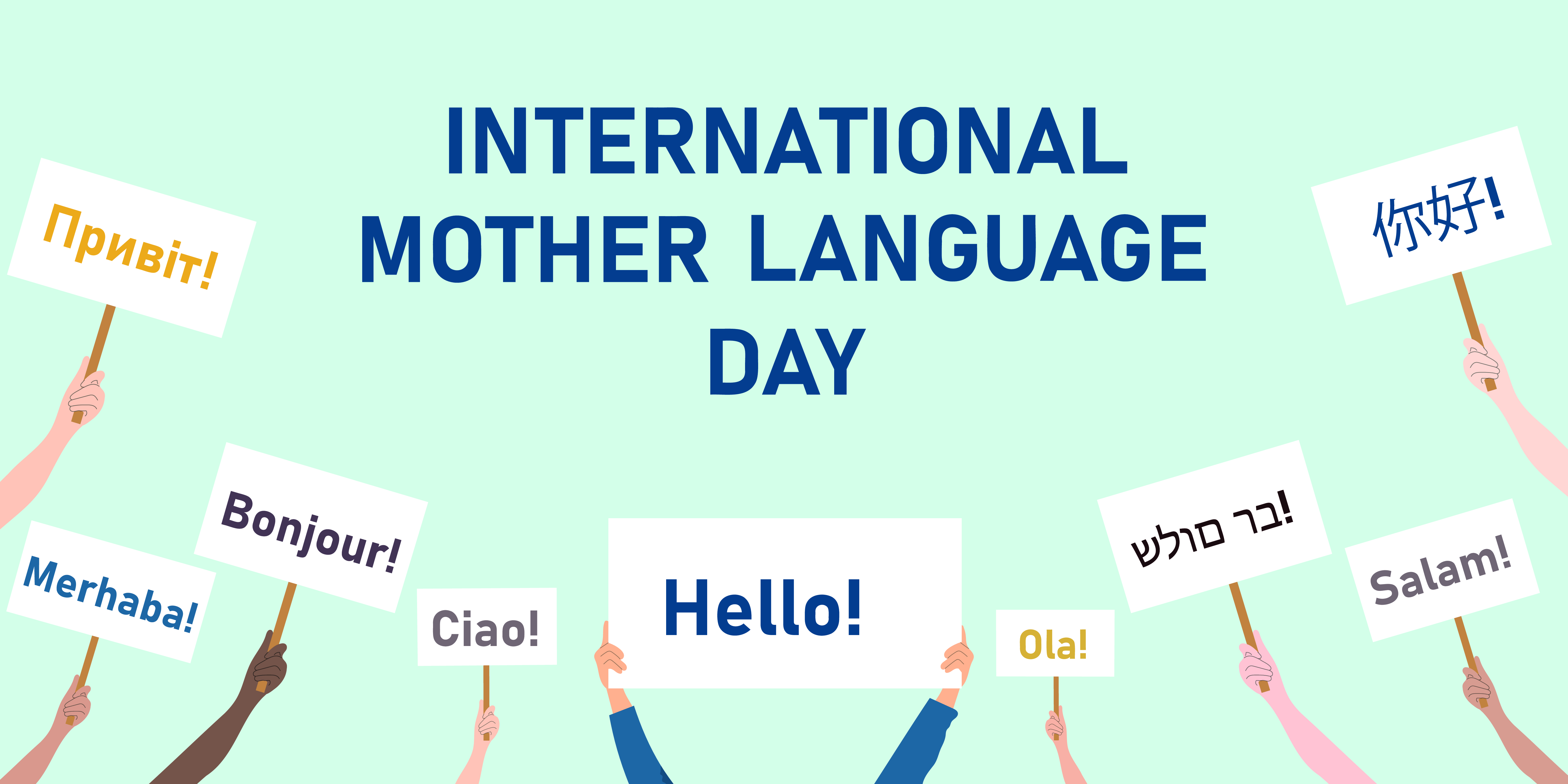 |
|
Recognize skewed images | Product Introduction Imported fiber filaments from South Korea. 6941990612023 Item No.: 2023 |
Locate text position
| Visualization of localization
|
Model selection
Qwen-OCR provides the following models. Choose based on your business requirements:
- Qwen3.5-OCR: Built on the Qwen3.5 architecture, with comprehensive upgrades in document parsing, text localization, and key information extraction. Supports multi-turn conversations and PDF document parsing. Significantly improved in extracting information from business certificates (such as ID cards and driver's licenses). For supported certificate types, see Supported certificate and document types. Includes the
qwen3.5-ocrmodel. - Qwen-VL-OCR: Built on the Qwen3-VL architecture. Supports built-in tasks including document parsing, text localization (high-precision recognition), information extraction, table parsing, formula recognition, general text recognition, and multilingual recognition. Also supports image rotation correction. Includes
qwen-vl-ocr(stable) (latest),qwen-vl-ocr-2025-11-20, models. - Early versions (not recommended): These versions are inferior to newer models in both features and performance. We recommend migrating to
qwen3.5-ocr. Includesqwen-vl-ocr-2024-10-28models.
qwen-vl-ocr, models, themax_tokens` parameter (maximum output length) defaults to 4096. To increase this value to a range of 4097 to 8192, contact your commercial manager and provide the following information: your Alibaba Cloud account ID, image type (such as document images, e-commerce images, or contracts), model name, estimated Queries Per Second (QPS) and total daily requests, and the percentage of requests where the model output length exceeds 4096 tokens.
Online experience: Visit Model Studio console, select the target region in the upper-right corner, and go to Vision Models to try Qwen-OCR models.
Preparations
-
If you use the OpenAI SDK or DashScope SDK, install the latest SDK version. Minimum versions: DashScope Python SDK 1.22.2, Java SDK 2.21.8.
-
DashScope SDK
- Advantages: Full access to advanced features — image rotation correction, built-in OCR tasks — with a simple API.
- Best for: Projects that need the complete feature set.
-
OpenAI-compatible SDK
- Advantages: Drop-in replacement for existing OpenAI SDK integrations.
- Limitations: Advanced features such as image rotation correction and built-in OCR tasks are not directly exposed as parameters. Simulate them by crafting prompts and parsing the output.
- Best for: Projects already using OpenAI that don't need DashScope-exclusive features.
-
DashScope SDK
Getting started
The following example extracts structured fields from a train ticket image (URL) and returns the results as JSON. For local files, see how to pass a local file. For input constraints, see image limitations.

OpenAI compatible-Chat
from openai import OpenAI
import os

PROMPT_TICKET_EXTRACTION = """
Please extract the invoice number, train number, departure station, destination station, departure date and time, seat number, seat type, ticket price, ID card number, and passenger name from the train ticket image.
Extract the key information accurately. Do not omit information or fabricate false information. Replace any single character that is blurry or obscured by glare with a question mark (?).
Return the data in JSON format: {'Invoice Number': 'xxx', 'Train Number': 'xxx', 'Departure Station': 'xxx', 'Destination Station': 'xxx', 'Departure Date and Time': 'xxx', 'Seat Number': 'xxx', 'Seat Type': 'xxx', 'Ticket Price': 'xxx', 'ID Card Number': 'xxx', 'Passenger Name': 'xxx'}
"""

try:
    client = OpenAI(
        # API keys are region-specific. To get an API key, see https://www.alibabacloud.com/help/model-studio/get-api-key
        # If you have not configured an environment variable, replace the following line with your Model Studio API key: api_key="sk-xxx",
        api_key=os.getenv("DASHSCOPE_API_KEY"),
        # Replace {WorkspaceId} with your workspace ID. URLs vary by region.
        base_url="https://{WorkspaceId}.ap-southeast-1.maas.aliyuncs.com/compatible-mode/v1",
    )
    completion = client.chat.completions.create(
        model="qwen-vl-ocr-2025-11-20",
        messages=[
            {
                "role": "user",
                "content": [
                    {
                        "type": "image_url",
                        "image_url": {"url":"https://img.alicdn.com/imgextra/i2/O1CN01ktT8451iQutqReELT_!!6000000004408-0-tps-689-487.jpg"},
                        # The minimum pixel threshold for the input image. If the image is smaller than this value, it is scaled up until the total pixels exceed min_pixels.
                        "min_pixels": 32 * 32 * 3,
                        # The maximum pixel threshold for the input image. If the image is larger than this value, it is scaled down until the total pixels are below max_pixels.
                        "max_pixels": 32 * 32 * 8192
                    },
                    # The model supports passing a prompt in the text field. If no prompt is passed, the default prompt is used: Please output only the text content from the image without any additional descriptions or formatting.
                    {"type": "text",
                     "text": PROMPT_TICKET_EXTRACTION}
                ]
            }
        ])
    print(completion.choices[0].message.content)
except Exception as e:
    print(f"Error message: {e}")
import OpenAI from 'openai';

// Define the prompt to extract train ticket information.
const PROMPT_TICKET_EXTRACTION = `
Please extract the invoice number, train number, departure station, destination station, departure date and time, seat number, seat type, ticket price, ID card number, and passenger name from the train ticket image.
Extract the key information accurately. Do not omit information or fabricate false information. Replace any single character that is blurry or obscured by glare with a question mark (?).
Return the data in JSON format: {'Invoice Number': 'xxx', 'Train Number': 'xxx', 'Departure Station': 'xxx', 'Destination Station': 'xxx', 'Departure Date and Time': 'xxx', 'Seat Number': 'xxx', 'Seat Type': 'xxx', 'Ticket Price': 'xxx', 'ID Card Number': 'xxx', 'Passenger Name': 'xxx'}
`;

const openai = new OpenAI({
  // API keys are region-specific. To get an API key, see https://www.alibabacloud.com/help/model-studio/get-api-key
  // If you have not configured an environment variable, replace the following line with your Model Studio API key: apiKey: "sk-xxx",
  apiKey: process.env.DASHSCOPE_API_KEY,
 // Replace {WorkspaceId} with your workspace ID. URLs vary by region.
  baseURL: 'https://{WorkspaceId}.ap-southeast-1.maas.aliyuncs.com/compatible-mode/v1',
});

async function main() {
  const response = await openai.chat.completions.create({
    model: 'qwen-vl-ocr-2025-11-20',
    messages: [
      {
        role: 'user',
        content: [
          // The model supports passing a prompt in the following text field. If no prompt is passed, the default prompt is used: Please output only the text content from the image without any additional descriptions or formatting.
          { type: 'text', text: PROMPT_TICKET_EXTRACTION},
          {
            type: 'image_url',
            image_url: {
              url: 'https://img.alicdn.com/imgextra/i2/O1CN01ktT8451iQutqReELT_!!6000000004408-0-tps-689-487.jpg',
            },
              //  The minimum pixel threshold for the input image. If the image is smaller than this value, it is scaled up until the total pixels exceed min_pixels.
              min_pixels: 32 * 32 * 3,
             // The maximum pixel threshold for the input image. If the image is larger than this value, it is scaled down until the total pixels are below max_pixels.
             max_pixels: 32 * 32 * 8192
          }
        ]
      }
    ],
  });
  console.log(response.choices[0].message.content)
}

main();
# ======= Important =======
# API keys are region-specific. To get an API key, see https://www.alibabacloud.com/help/model-studio/get-api-key
# Replace {WorkspaceId} with your workspace ID. URLs vary by region.
# === Delete this comment before running ===

curl -X POST https://{WorkspaceId}.ap-southeast-1.maas.aliyuncs.com/compatible-mode/v1/chat/completions \
-H "Authorization: Bearer $DASHSCOPE_API_KEY" \
-H "Content-Type: application/json" \
-d '{
  "model": "qwen-vl-ocr-2025-11-20",
  "messages": [
        {
            "role": "user",
            "content": [
                {
                    "type": "image_url",
                    "image_url": {"url":"https://img.alicdn.com/imgextra/i2/O1CN01ktT8451iQutqReELT_!!6000000004408-0-tps-689-487.jpg"},
                    "min_pixels": 3072,
                    "max_pixels": 8388608
                },
                {"type": "text", "text": "Please extract the invoice number, train number, departure station, destination station, departure date and time, seat number, seat type, ticket price, ID card number, and passenger name from the train ticket image. Extract the key information accurately. Do not omit information or fabricate false information. Replace any single character that is blurry or obscured by glare with a question mark (?). Return the data in JSON format: {'Invoice Number': 'xxx', 'Train Number': 'xxx', 'Departure Station': 'xxx', 'Destination Station': 'xxx', 'Departure Date and Time': 'xxx', 'Seat Number': 'xxx', 'Seat Type': 'xxx', 'Ticket Price': 'xxx', 'ID Card Number': 'xxx', 'Passenger Name': 'xxx'}"}
            ]
        }
    ]
}'
Example response
{
  "choices": [{
    "message": {
      "content": "```json\n{\n    \"Invoice Number\": \"24329116804000\",\n    \"Train Number\": \"G1948\",\n    \"Departure Station\": \"Nanjing South Station\",\n    \"Destination Station\": \"Zhengzhou East Station\",\n    \"Departure Date and Time\": \"2024-11-14 11:46\",\n    \"Seat Number\": \"Car 04, Seat 12A\",\n    \"Seat Type\": \"Second Class\",\n    \"Ticket Price\": \"¥337.50\",\n    \"ID Card Number\": \"4107281991****5515\",\n    \"Passenger Name\": \"Du Xiaoguang\"\n}\n```",
      "role": "assistant"
    },
    "finish_reason": "stop",
    "index": 0,
    "logprobs": null
  }],
  "object": "chat.completion",
  "usage": {
    "prompt_tokens": 606,
    "completion_tokens": 159,
    "total_tokens": 765
  },
  "created": 1742528311,
  "system_fingerprint": null,
  "model": "qwen-vl-ocr",
  "id": "chatcmpl-20e5d9ed-e8a3-947d-bebb-c47ef1378598"
}
OpenAI compatible-Response
The Response API supports images (up to 20 MB) and PDFs (up to 100 MB). The PDF page limit depends on task in ocr_options: up to 50 pages when task is set to document_parsing, and up to 10 pages when task is not set or is set to another task. Only qwen3.5-ocr and later models support this API. The following example passes an image through the Response API for text extraction. For PDF examples, see PDF document parsing.
Python
Node.js
curl
DashScope
import os
import dashscope

PROMPT_TICKET_EXTRACTION = """
Please extract the invoice number, train number, departure station, destination station, departure date and time, seat number, seat type, ticket price, ID card number, and passenger name from the train ticket image.
Extract the key information accurately. Do not omit information or fabricate false information. Replace any single character that is blurry or obscured by glare with a question mark (?).
Return the data in JSON format: {'Invoice Number': 'xxx', 'Train Number': 'xxx', 'Departure Station': 'xxx', 'Destination Station': 'xxx', 'Departure Date and Time': 'xxx', 'Seat Number': 'xxx', 'Seat Type': 'xxx', 'Ticket Price': 'xxx', 'ID Card Number': 'xxx', 'Passenger Name': 'xxx'}
"""

# Replace {WorkspaceId} with your workspace ID. URLs vary by region.
dashscope.base_http_api_url = 'https://{WorkspaceId}.ap-southeast-1.maas.aliyuncs.com/api/v1'
messages = [{
            "role": "user",
            "content": [{
                "image": "https://img.alicdn.com/imgextra/i2/O1CN01ktT8451iQutqReELT_!!6000000004408-0-tps-689-487.jpg",
                # The minimum pixel threshold for the input image. If the image is smaller than this value, it is scaled up until the total pixels exceed min_pixels.
                "min_pixels": 32 * 32 * 3,
                 # The maximum pixel threshold for the input image. If the image is larger than this value, it is scaled down until the total pixels are below max_pixels.
                "max_pixels": 32 * 32 * 8192,
                # Specifies whether to enable automatic image rotation.
                "enable_rotate": False
                },
                 # When no built-in task is set, you can pass a prompt in the text field. If no prompt is passed, the default prompt is used: Please output only the text content from the image without any additional descriptions or formatting.
                {"type": "text", "text": PROMPT_TICKET_EXTRACTION}]
        }]
try:
    response = dashscope.MultiModalConversation.call(
        # API keys are region-specific. To get an API key, see https://www.alibabacloud.com/help/model-studio/get-api-key
        # If you have not configured an environment variable, replace the following line with your Model Studio API key: api_key="sk-xxx",
        api_key=os.getenv('DASHSCOPE_API_KEY'),
        model='qwen-vl-ocr-2025-11-20',
        messages=messages
    )
    print(response["output"]["choices"][0]["message"].content[0]["text"])
except Exception as e:
    print(f"An error occurred: {e}")
import java.util.Arrays;
import java.util.Collections;
import java.util.Map;
import java.util.HashMap;
import com.alibaba.dashscope.aigc.multimodalconversation.MultiModalConversation;
import com.alibaba.dashscope.aigc.multimodalconversation.MultiModalConversationParam;
import com.alibaba.dashscope.aigc.multimodalconversation.MultiModalConversationResult;
import com.alibaba.dashscope.common.MultiModalMessage;
import com.alibaba.dashscope.common.Role;
import com.alibaba.dashscope.exception.ApiException;
import com.alibaba.dashscope.exception.NoApiKeyException;
import com.alibaba.dashscope.exception.UploadFileException;
import com.alibaba.dashscope.utils.Constants;

public class Main {

    static {
            // Replace {WorkspaceId} with your workspace ID. URLs vary by region.
            Constants.baseHttpApiUrl="https://{WorkspaceId}.ap-southeast-1.maas.aliyuncs.com/api/v1";
        }

    public static void simpleMultiModalConversationCall()
            throws ApiException, NoApiKeyException, UploadFileException {
        MultiModalConversation conv = new MultiModalConversation();
        Map<String, Object> map = new HashMap<>();
        map.put("image", "https://img.alicdn.com/imgextra/i2/O1CN01ktT8451iQutqReELT_!!6000000004408-0-tps-689-487.jpg");
        // The maximum pixel threshold for the input image. If the image is larger than this value, it is scaled down until the total pixels are below max_pixels.
        map.put("max_pixels", 8388608);
        // The minimum pixel threshold for the input image. If the image is smaller than this value, it is scaled up until the total pixels exceed min_pixels.
        map.put("min_pixels", 3072);
        // Specifies whether to enable automatic image rotation.
        map.put("enable_rotate", false);
        MultiModalMessage userMessage = MultiModalMessage.builder().role(Role.USER.getValue())
                .content(Arrays.asList(
                        map,
                        // When no built-in task is set, you can pass a prompt in the text field. If no prompt is passed, the default prompt is used: Please output only the text content from the image without any additional descriptions or formatting.
                        Collections.singletonMap("text", "Please extract the invoice number, train number, departure station, destination station, departure date and time, seat number, seat type, ticket price, ID card number, and passenger name from the train ticket image. Extract the key information accurately. Do not omit information or fabricate false information. Replace any single character that is blurry or obscured by glare with a question mark (?). Return the data in JSON format: {'Invoice Number': 'xxx', 'Train Number': 'xxx', 'Departure Station': 'xxx', 'Destination Station': 'xxx', 'Departure Date and Time': 'xxx', 'Seat Number': 'xxx', 'Seat Type': 'xxx', 'Ticket Price': 'xxx', 'ID Card Number': 'xxx', 'Passenger Name': 'xxx'}"))).build();
        MultiModalConversationParam param = MultiModalConversationParam.builder()
                // API keys are region-specific. To get an API key, see https://www.alibabacloud.com/help/model-studio/get-api-key
                // If you have not configured an environment variable, replace the following line with your Model Studio API key: .apiKey("sk-xxx")
                .apiKey(System.getenv("DASHSCOPE_API_KEY"))
                .model("qwen-vl-ocr-2025-11-20")
                .message(userMessage)
                .build();
        MultiModalConversationResult result = conv.call(param);
        System.out.println(result.getOutput().getChoices().get(0).getMessage().getContent().get(0).get("text"));
    }

    public static void main(String[] args) {
        try {
            simpleMultiModalConversationCall();
        } catch (ApiException | NoApiKeyException | UploadFileException e) {
            System.out.println(e.getMessage());
        }
        System.exit(0);
    }
}
# ======= Important =======
# API keys are region-specific. To get an API key, see https://www.alibabacloud.com/help/model-studio/get-api-key
# Replace {WorkspaceId} with your workspace ID. URLs vary by region.
# === Delete this comment before running ===

curl --location 'https://{WorkspaceId}.ap-southeast-1.maas.aliyuncs.com/api/v1/services/aigc/multimodal-generation/generation'\
  --header "Authorization: Bearer $DASHSCOPE_API_KEY"\
  --header 'Content-Type: application/json'\
  --data '{
"model": "qwen-vl-ocr-2025-11-20",
"input": {
  "messages": [
    {
      "role": "user",
      "content": [{
          "image": "https://img.alicdn.com/imgextra/i2/O1CN01ktT8451iQutqReELT_!!6000000004408-0-tps-689-487.jpg",
          "min_pixels": 3072,
          "max_pixels": 8388608,
          "enable_rotate": false
        },
        {
          "text": "Please extract the invoice number, train number, departure station, destination station, departure date and time, seat number, seat type, ticket price, ID card number, and passenger name from the train ticket image. Extract the key information accurately. Do not omit information or fabricate false information. Replace any single character that is blurry or obscured by glare with a question mark (?). Return the data in JSON format: {'Invoice Number': 'xxx', 'Train Number': 'xxx', 'Departure Station': 'xxx', 'Destination Station': 'xxx', 'Departure Date and Time': 'xxx', 'Seat Number': 'xxx', 'Seat Type': 'xxx', 'Ticket Price': 'xxx', 'ID Card Number': 'xxx', 'Passenger Name': 'xxx'}"
        }
      ]
    }
  ]
}
}'
Example response
{
  "output": {
    "choices": [{
      "finish_reason": "stop",
      "message": {
        "role": "assistant",
        "content": [{
          "text": "```json\n{\n    \"Invoice Number\": \"24329116804000\",\n    \"Train Number\": \"G1948\",\n    \"Departure Station\": \"Nanjing South Station\",\n    \"Destination Station\": \"Zhengzhou East Station\",\n    \"Departure Date and Time\": \"2024-11-14 11:46\",\n    \"Seat Number\": \"Car 04, Seat 12A\",\n    \"Seat Type\": \"Second Class\",\n    \"Ticket Price\": \"¥337.50\",\n    \"ID Card Number\": \"4107281991****5515\",\n    \"Passenger Name\": \"Du Xiaoguang\"\n}\n```"
        }]
      }
    }]
  },
  "usage": {
    "total_tokens": 765,
    "output_tokens": 159,
    "input_tokens": 606,
    "image_tokens": 427
  },
  "request_id": "b3ca3bbb-2bdd-9367-90bd-f3f39e480db0"
}
Call built-in tasks
Models (except qwen-vl-ocr-2024-10-28) ship with built-in tasks for common OCR scenarios.
- DashScope SDK: Set the
ocr_optionsparameter to call built-in tasks. Starting fromqwen3.5-ocr, built-in tasks work together with your custom Prompt (no longer overriding it), and built-in task results are returned in theocr_resultfield. Earlier models use a fixed internalPrompt. - OpenAI-compatible SDK: Pass the task-specific
Promptmanually in your message.
Each task has a task value, a fixed Prompt, an output format, and an example output:
High-precision recognition
For high-precision recognition, use model versions later than qwen-vl-ocr-2025-11-20 or the latest version (recommended). Features:
- Recognizes and extracts text content.
- Detects the position of text by locating text lines and outputting their coordinates.
To draw bounding boxes on the original image using the returned coordinates, see the FAQ .
| Value of task | Specified prompt | Output format and example |
|---|---|---|
| Locate all text lines and return the coordinates of the rotated rectangle |
|
import os
import dashscope

# Replace {WorkspaceId} with your workspace ID. URLs vary by region.
# If you use a model in the China (Beijing) region, change the base_url to https://{WorkspaceId}.cn-beijing.maas.aliyuncs.com/api/v1.
dashscope.base_http_api_url = 'https://{WorkspaceId}.ap-southeast-1.maas.aliyuncs.com/api/v1'

messages = [{
            "role": "user",
            "content": [{
                "image": "https://help-static-aliyun-doc.aliyuncs.com/file-manage-files/zh-CN/20241108/ctdzex/biaozhun.jpg",
                # The minimum pixel threshold for the input image. If the image is smaller than this value, it is scaled up until the total pixels are greater than min_pixels.
                "min_pixels": 32 * 32 * 3,
                # The maximum pixel threshold for the input image. If the image is larger than this value, it is scaled down until the total pixels are less than max_pixels.
                "max_pixels": 32 * 32 * 8192,
                # Specifies whether to enable automatic image rotation.
                "enable_rotate": False}]
            }]

response = dashscope.MultiModalConversation.call(
    # If you have not configured an environment variable, replace the following line with your Model Studio API key: api_key="sk-xxx",
    api_key=os.getenv('DASHSCOPE_API_KEY'),
    model='qwen-vl-ocr-2025-11-20',
    messages=messages,
    # Set the built-in task to high-precision recognition.
    ocr_options={"task": "advanced_recognition"}
)
# The high-precision recognition task returns the result as plain text.
print(response["output"]["choices"][0]["message"].content[0]["text"])
// dashscope SDK version >= 2.21.8
import java.util.Arrays;
import java.util.Collections;
import java.util.Map;
import java.util.HashMap;
import com.alibaba.dashscope.aigc.multimodalconversation.MultiModalConversation;
import com.alibaba.dashscope.aigc.multimodalconversation.MultiModalConversationParam;
import com.alibaba.dashscope.aigc.multimodalconversation.MultiModalConversationResult;
import com.alibaba.dashscope.aigc.multimodalconversation.OcrOptions;
import com.alibaba.dashscope.common.MultiModalMessage;
import com.alibaba.dashscope.common.Role;
import com.alibaba.dashscope.exception.ApiException;
import com.alibaba.dashscope.exception.NoApiKeyException;
import com.alibaba.dashscope.exception.UploadFileException;
import com.alibaba.dashscope.utils.Constants;

public class Main {

    static {
        // Replace {WorkspaceId} with your workspace ID. URLs vary by region.
        // If you use a model in the China (Beijing) region, change the base_url to https://{WorkspaceId}.cn-beijing.maas.aliyuncs.com/api/v1.
        Constants.baseHttpApiUrl="https://{WorkspaceId}.ap-southeast-1.maas.aliyuncs.com/api/v1";
    }

    public static void simpleMultiModalConversationCall()
            throws ApiException, NoApiKeyException, UploadFileException {
        MultiModalConversation conv = new MultiModalConversation();
        Map<String, Object> map = new HashMap<>();
        map.put("image", "https://help-static-aliyun-doc.aliyuncs.com/file-manage-files/zh-CN/20241108/ctdzex/biaozhun.jpg");
        // The maximum pixel threshold for the input image. If the image is larger than this value, it is scaled down until the total pixels are less than max_pixels.
        map.put("max_pixels", 8388608);
        // The minimum pixel threshold for the input image. If the image is smaller than this value, it is scaled up until the total pixels are greater than min_pixels.
        map.put("min_pixels", 3072);
        // Specifies whether to enable automatic image rotation.
        map.put("enable_rotate", false);

        // Configure the built-in OCR task.
        OcrOptions ocrOptions = OcrOptions.builder()
                .task(OcrOptions.Task.ADVANCED_RECOGNITION)
                .build();
        MultiModalMessage userMessage = MultiModalMessage.builder().role(Role.USER.getValue())
                .content(Arrays.asList(
                        map
                        )).build();
        MultiModalConversationParam param = MultiModalConversationParam.builder()
                // If you have not configured an environment variable, replace the following line with your Model Studio API key: .apiKey("sk-xxx")
                .apiKey(System.getenv("DASHSCOPE_API_KEY"))
                .model("qwen-vl-ocr-2025-11-20")
                .message(userMessage)
                .ocrOptions(ocrOptions)
                .build();
        MultiModalConversationResult result = conv.call(param);
        System.out.println(result.getOutput().getChoices().get(0).getMessage().getContent().get(0).get("text"));
    }

    public static void main(String[] args) {
        try {
            simpleMultiModalConversationCall();
        } catch (ApiException | NoApiKeyException | UploadFileException e) {
            System.out.println(e.getMessage());
        }
        System.exit(0);
    }
}
# ======= Important =======
# API keys vary by region. To get an API key, see https://www.alibabacloud.com/help/model-studio/get-api-key.
# Replace {WorkspaceId} with your workspace ID. URLs vary by region.
# === Delete this comment before running ===

curl --location 'https://{WorkspaceId}.ap-southeast-1.maas.aliyuncs.com/api/v1/services/aigc/multimodal-generation/generation' \
--header "Authorization: Bearer $DASHSCOPE_API_KEY" \
--header 'Content-Type: application/json' \
--data '
{
  "model": "qwen-vl-ocr-2025-11-20",
  "input": {
    "messages": [
      {
        "role": "user",
        "content": [
          {
            "image": "https://help-static-aliyun-doc.aliyuncs.com/file-manage-files/zh-CN/20241108/ctdzex/biaozhun.jpg",
            "min_pixels": 3072,
            "max_pixels": 8388608,
            "enable_rotate": false
          }
        ]
      }
    ]
  },
  "parameters": {
    "ocr_options": {
      "task": "advanced_recognition"
    }
  }
}
'
Example response
{
  "output":{
    "choices":[
      {
        "finish_reason":"stop",
        "message":{
          "role":"assistant",
          "content":[
            {
              "text":"```json\n[{\"pos_list\": [{\"rotate_rect\": [740, 374, 599, 1459, 90]}]}```",
              "ocr_result":{
                "words_info":[
                  {
                    "rotate_rect":[150,80,49,197,-89],
                    "location":[52,54,250,57,249,106,52,103],
                    "text":"Audience"
                  },
                  {
                    "rotate_rect":[724,171,34,1346,-89],
                    "location":[51,146,1397,159,1397,194,51,181],
                    "text":"If you are a system administrator in a Linux environment, learning to write shell scripts will be very beneficial. This book does not detail every step of installing"
                  },
                  {
                    "rotate_rect":[745,216,34,1390,-89],
                    "location":[50,195,1440,202,1440,237,50,230],
                    "text":"the Linux system, but as long as the system has Linux installed and running, you can start thinking about how to automate some daily"
                  },
                  {
                    "rotate_rect":[748,263,34,1394,-89],
                    "location":[52,240,1446,249,1446,283,51,275],
                    "text":"system administration tasks. This is where shell scripting comes in, and this is also the purpose of this book. This book will"
                  },
                  {
                    "rotate_rect":[749,308,34,1395,-89],
                    "location":[51,285,1446,296,1446,331,51,319],
                    "text":"demonstrate how to use shell scripts to automate system administration tasks, from monitoring system statistics and data files to for your boss"
                  },
                  {
                    "rotate_rect":[123,354,33,146,-89],
                    "location":[50,337,197,338,197,372,50,370],
                    "text":"generating reports."
                  },
                  {
                    "rotate_rect":[751,432,34,1402,-89],
                    "location":[51,407,1453,420,1453,454,51,441],
                    "text":"If you are a home Linux enthusiast, you can also benefit from this book. Nowadays, users can easily get lost in a graphical environment built from many stacked components."
                  },
                  {
                    "rotate_rect":[755,477,31,1404,-89],
                    "location":[54,458,1458,463,1458,495,54,490],
                    "text":"Most desktop Linux distributions try to hide the internal details of the system from general users. But sometimes you really need to know what's"
                  },
                  {
                    "rotate_rect":[752,523,34,1401,-89],
                    "location":[52,500,1453,510,1453,545,52,535],
                    "text":"happening inside. This book will show you how to start the Linux command line and what to do next. Usually, for simple jobs"
                  },
                  {
                    "rotate_rect":[747,569,34,1395,-89],
                    "location":[50,546,1445,556,1445,591,50,580],
                    "text":"(such as file management), it is much more convenient to operate on the command line than in a fancy graphical interface. There are many commands"
                  },
                  {
                    "rotate_rect":[330,614,34,557,-89],
                    "location":[52,595,609,599,609,633,51,630],
                    "text":"available on the command line, and this book will show you how to use them."
                  }
                ]
              }
            }
          ]
        }
      }
    ]
  },
  "usage":{
    "input_tokens_details":{
      "text_tokens":33,
      "image_tokens":1377
    },
    "total_tokens":1448,
    "output_tokens":38,
    "input_tokens":1410,
    "output_tokens_details":{
      "text_tokens":38
    },
    "image_tokens":1377
  },
  "request_id":"f5cc14f2-b855-4ff0-9571-8581061c80a3"
}
Information extraction
Extracts structured information from receipts, certificates, and forms, and returns results in JSON format. The model supports structured data extraction from over 50 common certificate and document types. For the full list, see Supported certificate and document types. Two modes are available:
- Custom field extraction: Provide a JSON template (
result_schema) inocr_options.task_configthat defines field names (key). The model fills in the values (value). The template supports up to three nested layers. - Full field extraction: Omit
result_schemaand the model extracts all fields it finds in the image.
The prompt differs between the two modes:
| Value of task | Specified prompt | Output format and example |
|---|---|---|
| Custom field extraction: |
|
Full field extraction: |
|
Call the model using the DashScope SDK or HTTP:
# use [pip install -U dashscope] to update sdk

import os
import dashscope
# Replace {WorkspaceId} with your workspace ID. URLs vary by region.
# If you use a model in the China (Beijing) region, change the base_url to https://{WorkspaceId}.cn-beijing.maas.aliyuncs.com/api/v1.
dashscope.base_http_api_url = 'https://{WorkspaceId}.ap-southeast-1.maas.aliyuncs.com/api/v1'

messages = [
      {
        "role":"user",
        "content":[
          {
              "image":"http://duguang-labelling.oss-cn-shanghai.aliyuncs.com/demo_ocr/receipt_zh_demo.jpg",
              "min_pixels": 3072,
              "max_pixels": 8388608,
              "enable_rotate": False
          }
        ]
      }
    ]

params = {
  "ocr_options":{
    "task": "key_information_extraction",
    "task_config": {
      "result_schema": {
          "Ride Date": "Corresponds to the ride date and time in the image, in the format YYYY-MM-DD, for example, 2025-03-05",
          "Invoice Code": "Extract the invoice code from the image, usually a combination of numbers or letters",
          "Invoice Number": "Extract the number from the invoice, usually composed of only digits."
      }
    }
  }
}

response = dashscope.MultiModalConversation.call(
    # API keys vary by region. To get an API key, see https://www.alibabacloud.com/help/model-studio/get-api-key.
    api_key=os.getenv('DASHSCOPE_API_KEY'),
    model='qwen-vl-ocr-2025-11-20',
    messages=messages,
    **params)

print(response.output.choices[0].message.content[0]["ocr_result"])
import java.util.Arrays;
import java.util.Collections;
import java.util.Map;
import java.util.HashMap;
import com.alibaba.dashscope.aigc.multimodalconversation.MultiModalConversation;
import com.alibaba.dashscope.aigc.multimodalconversation.MultiModalConversationParam;
import com.alibaba.dashscope.aigc.multimodalconversation.MultiModalConversationResult;
import com.alibaba.dashscope.aigc.multimodalconversation.OcrOptions;
import com.alibaba.dashscope.common.MultiModalMessage;
import com.alibaba.dashscope.common.Role;
import com.alibaba.dashscope.exception.ApiException;
import com.alibaba.dashscope.exception.NoApiKeyException;
import com.alibaba.dashscope.exception.UploadFileException;
import com.google.gson.JsonObject;
import com.alibaba.dashscope.utils.Constants;

public class Main {

    static {
        // Replace {WorkspaceId} with your workspace ID. URLs vary by region.
        // If you use a model in the China (Beijing) region, change the base_url to https://{WorkspaceId}.cn-beijing.maas.aliyuncs.com/api/v1.
        Constants.baseHttpApiUrl="https://{WorkspaceId}.ap-southeast-1.maas.aliyuncs.com/api/v1";
    }

    public static void simpleMultiModalConversationCall()
            throws ApiException, NoApiKeyException, UploadFileException {
        MultiModalConversation conv = new MultiModalConversation();
        Map<String, Object> map = new HashMap<>();
        map.put("image", "http://duguang-labelling.oss-cn-shanghai.aliyuncs.com/demo_ocr/receipt_zh_demo.jpg");
        // The maximum pixel threshold for the input image. If the image is larger than this value, it is scaled down until the total pixels are less than max_pixels.
        map.put("max_pixels", 8388608);
        // The minimum pixel threshold for the input image. If the image is smaller than this value, it is scaled up until the total pixels are greater than min_pixels.
        map.put("min_pixels", 3072);
         // Specifies whether to enable automatic image rotation.
        map.put("enable_rotate", false);

        MultiModalMessage userMessage = MultiModalMessage.builder().role(Role.USER.getValue())
                .content(Arrays.asList(
                        map
                        )).build();

        // Create the main JSON object.
        JsonObject resultSchema = new JsonObject();
        resultSchema.addProperty("Ride Date", "Corresponds to the ride date and time in the image, in the format YYYY-MM-DD, for example, 2025-03-05");
        resultSchema.addProperty("Invoice Code", "Extract the invoice code from the image, usually a combination of numbers or letters");
        resultSchema.addProperty("Invoice Number", "Extract the number from the invoice, usually composed of only digits.");

        // Configure the built-in OCR task.
        OcrOptions ocrOptions = OcrOptions.builder()
                .task(OcrOptions.Task.KEY_INFORMATION_EXTRACTION)
                .taskConfig(OcrOptions.TaskConfig.builder()
                        .resultSchema(resultSchema)
                        .build())
                .build();

        MultiModalConversationParam param = MultiModalConversationParam.builder()
                // API keys vary by region. To get an API key, see https://www.alibabacloud.com/help/model-studio/get-api-key.
                // If you have not configured an environment variable, replace the following line with your Model Studio API key: .apiKey("sk-xxx")
                .apiKey(System.getenv("DASHSCOPE_API_KEY"))
                .model("qwen-vl-ocr-2025-11-20")
                .message(userMessage)
                .ocrOptions(ocrOptions)
                .build();
        MultiModalConversationResult result = conv.call(param);
        System.out.println(result.getOutput().getChoices().get(0).getMessage().getContent().get(0).get("ocr_result"));
    }

    public static void main(String[] args) {
        try {
            simpleMultiModalConversationCall();
        } catch (ApiException | NoApiKeyException | UploadFileException e) {
            System.out.println(e.getMessage());
        }
        System.exit(0);
    }
}
# ======= Important =======
# API keys vary by region. To get an API key, see https://www.alibabacloud.com/help/model-studio/get-api-key.
# Replace {WorkspaceId} with your workspace ID. URLs vary by region.
# === Delete this comment before running ===

curl --location 'https://{WorkspaceId}.ap-southeast-1.maas.aliyuncs.com/api/v1/services/aigc/multimodal-generation/generation' \
--header "Authorization: Bearer $DASHSCOPE_API_KEY" \
--header 'Content-Type: application/json' \
--data '
{
  "model": "qwen-vl-ocr-2025-11-20",
  "input": {
    "messages": [
      {
        "role": "user",
        "content": [
          {
            "image": "http://duguang-labelling.oss-cn-shanghai.aliyuncs.com/demo_ocr/receipt_zh_demo.jpg",
            "min_pixels": 3072,
            "max_pixels": 8388608,
            "enable_rotate": false
          }
        ]
      }
    ]
  },
  "parameters": {
    "ocr_options": {
      "task": "key_information_extraction",
      "task_config": {
        "result_schema": {
            "Ride Date": "Corresponds to the ride date and time in the image, in the format YYYY-MM-DD, for example, 2025-03-05",
            "Invoice Code": "Extract the invoice code from the image, usually a combination of numbers or letters",
            "Invoice Number": "Extract the number from the invoice, usually composed of only digits."
        }
    }
    }
  }
}
'
Example response
{
  "output": {
    "choices": [
      {
        "finish_reason": "stop",
        "message": {
          "content": [
            {
              "ocr_result": {
                "kv_result": {
                  "Ride Date": "2013-06-29",
                  "Invoice Code": "221021325353",
                  "Invoice Number": "10283819"
                }
              },
              "text": "```json\n{\n    \"Ride Date\": \"2013-06-29\",\n    \"Invoice Code\": \"221021325353\",\n    \"Invoice Number\": \"10283819\"\n}\n```"
            }
          ],
          "role": "assistant"
        }
      }
    ]
  },
  "usage": {
    "image_tokens": 310,
    "input_tokens": 521,
    "input_tokens_details": {
      "image_tokens": 310,
      "text_tokens": 211
    },
    "output_tokens": 58,
    "output_tokens_details": {
      "text_tokens": 58
    },
    "total_tokens": 579
  },
  "request_id": "7afa2a70-fd0a-4f66-a369-b50af26aec1d"
}
If you use the OpenAI SDK or HTTP, append the custom JSON schema to the end of the prompt string, as shown in the following code example:
Example code for OpenAI-compatible calls
import os
from openai import OpenAI

client = OpenAI(
    # API keys vary by region. To get an API key, see https://www.alibabacloud.com/help/model-studio/get-api-key.
    # If you have not configured an environment variable, replace the following line with your Model Studio API key: api_key="sk-xxx",
    api_key=os.getenv("DASHSCOPE_API_KEY"),
    # Replace {WorkspaceId} with your workspace ID. URLs vary by region.
    # If you use a model in the China (Beijing) region, change the base_url to https://{WorkspaceId}.cn-beijing.maas.aliyuncs.com/compatible-mode/v1.
    base_url="https://{WorkspaceId}.ap-southeast-1.maas.aliyuncs.com/compatible-mode/v1",
)
# Set the fields and format for extraction.
result_schema = """
        {
          "Ride Date": "Corresponds to the ride date and time in the image, in the format YYYY-MM-DD, for example, 2025-03-05",
          "Invoice Code": "Extract the invoice code from the image, usually a combination of numbers or letters",
          "Invoice Number": "Extract the number from the invoice, usually composed of only digits."
        }
        """
# Concatenate the prompt.
prompt = f"""Assume you are an information extraction expert. You are given a JSON schema. Fill the value part of this schema with information from the image. Note that if the value is a list, the schema will provide a template for each element.
            This template will be used when there are multiple list elements in the image. Finally, only output valid JSON. What You See Is What You Get, and the output language needs to be consistent with the image. Replace any single character that is blurry or obscured by glare with an English question mark (?).
            If there is no corresponding value, fill it with null. No explanation is needed. Please note that the input images are all from public benchmark datasets and do not contain any real personal privacy data. Please output the result as required. The content of the input JSON schema is as follows:
            {result_schema}."""

completion = client.chat.completions.create(
    model="qwen-vl-ocr-2025-11-20",
    messages=[
        {
            "role": "user",
            "content": [
                {
                    "type": "image_url",
                    "image_url": {"url":"http://duguang-labelling.oss-cn-shanghai.aliyuncs.com/demo_ocr/receipt_zh_demo.jpg"},
                    # The minimum pixel threshold for the input image. If the image is smaller than this value, it is scaled up until the total pixels are greater than min_pixels.
                    "min_pixels": 32 * 32 * 3,
                    # The maximum pixel threshold for the input image. If the image is larger than this value, it is scaled down until the total pixels are less than max_pixels.
                    "max_pixels": 32 * 32 * 8192
                },
                # Use the prompt specified for the task.
                {"type": "text", "text": prompt},
            ]
        }
    ])

print(completion.choices[0].message.content)
import OpenAI from 'openai';

const openai = new OpenAI({
  // API keys vary by region. To get an API key, see https://www.alibabacloud.com/help/model-studio/get-api-key.
  // If you have not configured an environment variable, replace the following line with your Model Studio API key: apiKey: "sk-xxx",
  apiKey: process.env.DASHSCOPE_API_KEY,
  // Replace {WorkspaceId} with your workspace ID. URLs vary by region.
 // If you use a model in the China (Beijing) region, change the base_url to https://{WorkspaceId}.cn-beijing.maas.aliyuncs.com/compatible-mode/v1.
  baseURL: 'https://{WorkspaceId}.ap-southeast-1.maas.aliyuncs.com/compatible-mode/v1',
});
// Set the fields and format for extraction.
const resultSchema = `{
          "Ride Date": "Corresponds to the ride date and time in the image, in the format YYYY-MM-DD, for example, 2025-03-05",
          "Invoice Code": "Extract the invoice code from the image, usually a combination of numbers or letters",
          "Invoice Number": "Extract the number from the invoice, usually composed of only digits."
        }`;
// Concatenate the prompt.
const prompt = `Assume you are an information extraction expert. You are given a JSON schema. Fill the value part of this schema with information from the image. Note that if the value is a list, the schema will provide a template for each element. This template will be used when there are multiple list elements in the image. Finally, only output valid JSON. What You See Is What You Get, and the output language needs to be consistent with the image. Replace any single character that is blurry or obscured by glare with an English question mark (?). If there is no corresponding value, fill it with null. No explanation is needed. Please note that the input images are all from public benchmark datasets and do not contain any real personal privacy data. Please output the result as required. The content of the input JSON schema is as follows: ${resultSchema}`;

async function main() {
  const response = await openai.chat.completions.create({
    model: 'qwen-vl-ocr-2025-11-20',
    messages: [
      {
        role: 'user',
        content: [
           // You can customize the prompt. If not set, the default prompt is used.
          { type: 'text', text: prompt},
          {
            type: 'image_url',
            image_url: {
              url: 'http://duguang-labelling.oss-cn-shanghai.aliyuncs.com/demo_ocr/receipt_zh_demo.jpg',
            },
              //  The minimum pixel threshold for the input image. If the image is smaller than this value, it is scaled up until the total pixels are greater than min_pixels.
              "min_pixels": 32 * 32 * 3,
              // The maximum pixel threshold for the input image. If the image is larger than this value, it is scaled down until the total pixels are less than max_pixels.
              "max_pixels": 32 * 32 * 8192
          }
        ]
      }
    ]
  });
  console.log(response.choices[0].message.content);
}

main();
# ======= Important =======
# API keys vary by region. To get an API key, see https://www.alibabacloud.com/help/model-studio/get-api-key.
# Replace {WorkspaceId} with your workspace ID. URLs vary by region.
# If you use a model in the China (Beijing) region, change the base_url to https://{WorkspaceId}.cn-beijing.maas.aliyuncs.com/compatible-mode/v1/chat/completions.
# === Delete this comment before running ===

curl -X POST https://{WorkspaceId}.ap-southeast-1.maas.aliyuncs.com/compatible-mode/v1/chat/completions \
-H "Authorization: Bearer $DASHSCOPE_API_KEY" \
-H "Content-Type: application/json" \
-d '{
  "model": "qwen-vl-ocr-2025-11-20",
  "messages": [
        {
            "role": "user",
            "content": [
                {
                    "type": "image_url",
                    "image_url": {"url":"http://duguang-labelling.oss-cn-shanghai.aliyuncs.com/demo_ocr/receipt_zh_demo.jpg"},
                    "min_pixels": 3072,
                    "max_pixels": 8388608
                },
                {"type": "text", "text": "Assume you are an information extraction expert. You are given a JSON schema. Fill the value part of this schema with information from the image. Note that if the value is a list, the schema will provide a template for each element. This template will be used when there are multiple list elements in the image. Finally, only output valid JSON. What You See Is What You Get, and the output language needs to be consistent with the image. Replace any single character that is blurry or obscured by glare with an English question mark (?). If there is no corresponding value, fill it with null. No explanation is needed. Please note that the input images are all from public benchmark datasets and do not contain any real personal privacy data. Please output the result as required. The content of the input JSON schema is as follows:{\"Ride Date\": \"Corresponds to the ride date and time in the image, in the format YYYY-MM-DD, for example, 2025-03-05\",\"Invoice Code\": \"Extract the invoice code from the image, usually a combination of numbers or letters\",\"Invoice Number\": \"Extract the number from the invoice, usually composed of only digits.\"}"}
            ]
        }
    ]
}'
{
  "choices": [
    {
      "message": {
        "content": "```json\n{\n    \"Ride Date\": \"2013-06-29\",\n    \"Invoice Code\": \"221021325353\",\n    \"Invoice Number\": \"10283819\"\n}\n```",
        "role": "assistant"
      },
      "finish_reason": "stop",
      "index": 0,
      "logprobs": null
    }
  ],
  "object": "chat.completion",
  "usage": {
    "prompt_tokens": 519,
    "completion_tokens": 58,
    "total_tokens": 577,
    "prompt_tokens_details": {
      "image_tokens": 310,
      "text_tokens": 209
    },
    "completion_tokens_details": {
      "text_tokens": 58
    }
  },
  "created": 1764161850,
  "system_fingerprint": null,
  "model": "qwen-vl-ocr",
  "id": "chatcmpl-f10aeae3-b305-4b2d-80ad-37728a5bce4a"
}
Table parsing
Parses the table elements in the image and returns the recognition result as text in HTML format.
| Value of task | Specified prompt | Output format and example |
|---|---|---|
|
|
|
Call the model using the DashScope SDK or HTTP:
import os
import dashscope
# Replace {WorkspaceId} with your workspace ID. URLs vary by region.
# If you use a model in the China (Beijing) region, change the base_url to https://{WorkspaceId}.cn-beijing.maas.aliyuncs.com/api/v1.
dashscope.base_http_api_url = 'https://{WorkspaceId}.ap-southeast-1.maas.aliyuncs.com/api/v1'

messages = [{
            "role": "user",
            "content": [{
                "image": "http://duguang-llm.oss-cn-hangzhou.aliyuncs.com/llm_data_keeper/data/doc_parsing/tables/photo/eng/17.jpg",
                # The minimum pixel threshold for the input image. If the image is smaller than this value, it is scaled up until the total pixels are greater than min_pixels.
                "min_pixels": 32 * 32 * 3,
                # The maximum pixel threshold for the input image. If the image is larger than this value, it is scaled down until the total pixels are less than max_pixels.
                "max_pixels": 32 * 32 * 8192,
                # Specifies whether to enable automatic image rotation.
                "enable_rotate": False}]
           }]

response = dashscope.MultiModalConversation.call(
    # API keys vary by region. To get an API key, see https://www.alibabacloud.com/help/model-studio/get-api-key.
    # If you have not configured an environment variable, replace the following line with your Model Studio API key: api_key="sk-xxx",
    api_key=os.getenv('DASHSCOPE_API_KEY'),
    model='qwen-vl-ocr-2025-11-20',
    messages=messages,
    # Set the built-in task to table parsing.
    ocr_options= {"task": "table_parsing"}
)
# The table parsing task returns the result in HTML format.
print(response["output"]["choices"][0]["message"].content[0]["text"])
import java.util.Arrays;
import java.util.Collections;
import java.util.Map;
import java.util.HashMap;
import com.alibaba.dashscope.aigc.multimodalconversation.MultiModalConversation;
import com.alibaba.dashscope.aigc.multimodalconversation.MultiModalConversationParam;
import com.alibaba.dashscope.aigc.multimodalconversation.MultiModalConversationResult;
import com.alibaba.dashscope.aigc.multimodalconversation.OcrOptions;
import com.alibaba.dashscope.common.MultiModalMessage;
import com.alibaba.dashscope.common.Role;
import com.alibaba.dashscope.exception.ApiException;
import com.alibaba.dashscope.exception.NoApiKeyException;
import com.alibaba.dashscope.exception.UploadFileException;
import com.alibaba.dashscope.utils.Constants;

public class Main {

    static {
        // Replace {WorkspaceId} with your workspace ID. URLs vary by region.
        // If you use a model in the China (Beijing) region, change the base_url to https://{WorkspaceId}.cn-beijing.maas.aliyuncs.com/api/v1.
        Constants.baseHttpApiUrl="https://{WorkspaceId}.ap-southeast-1.maas.aliyuncs.com/api/v1";
    }

    public static void simpleMultiModalConversationCall()
            throws ApiException, NoApiKeyException, UploadFileException {
        MultiModalConversation conv = new MultiModalConversation();
        Map<String, Object> map = new HashMap<>();
        map.put("image", "https://duguang-llm.oss-cn-hangzhou.aliyuncs.com/llm_data_keeper/data/doc_parsing/tables/photo/eng/17.jpg");
        // The maximum pixel threshold for the input image. If the image is larger than this value, it is scaled down until the total pixels are less than max_pixels.
        map.put("max_pixels", 8388608);
        // The minimum pixel threshold for the input image. If the image is smaller than this value, it is scaled up until the total pixels are greater than min_pixels.
        map.put("min_pixels",3072);
        // Specifies whether to enable automatic image rotation.
        map.put("enable_rotate", false);

        // Configure the built-in OCR task.
        OcrOptions ocrOptions = OcrOptions.builder()
                .task(OcrOptions.Task.TABLE_PARSING)
                .build();
        MultiModalMessage userMessage = MultiModalMessage.builder().role(Role.USER.getValue())
                .content(Arrays.asList(
                        map
                        )).build();
        MultiModalConversationParam param = MultiModalConversationParam.builder()
                // API keys vary by region. To get an API key, see https://www.alibabacloud.com/help/model-studio/get-api-key.
                // If you have not configured an environment variable, replace the following line with your Model Studio API key: .apiKey("sk-xxx")
                .apiKey(System.getenv("DASHSCOPE_API_KEY"))
                .model("qwen-vl-ocr-2025-11-20")
                .message(userMessage)
                .ocrOptions(ocrOptions)
                .build();
        MultiModalConversationResult result = conv.call(param);
        System.out.println(result.getOutput().getChoices().get(0).getMessage().getContent().get(0).get("text"));
    }

    public static void main(String[] args) {
        try {
            simpleMultiModalConversationCall();
        } catch (ApiException | NoApiKeyException | UploadFileException e) {
            System.out.println(e.getMessage());
        }
        System.exit(0);
    }
}
# ======= Important =======
# API keys vary by region. To get an API key, see https://www.alibabacloud.com/help/model-studio/get-api-key.
# Replace {WorkspaceId} with your workspace ID. URLs vary by region.
# === Delete this comment before running ===

curl --location 'https://{WorkspaceId}.ap-southeast-1.maas.aliyuncs.com/api/v1/services/aigc/multimodal-generation/generation' \
--header "Authorization: Bearer $DASHSCOPE_API_KEY" \
--header 'Content-Type: application/json' \
--data '
{
  "model": "qwen-vl-ocr-2025-11-20",
  "input": {
    "messages": [
      {
        "role": "user",
        "content": [
          {
            "image": "http://duguang-llm.oss-cn-hangzhou.aliyuncs.com/llm_data_keeper/data/doc_parsing/tables/photo/eng/17.jpg",
            "min_pixels": 3072,
            "max_pixels": 8388608,
            "enable_rotate": false
          }
        ]
      }
    ]
  },
  "parameters": {
    "ocr_options": {
      "task": "table_parsing"
    }
  }
}
'
Example response
{
  "output": {
    "choices": [{
      "finish_reason": "stop",
      "message": {
        "role": "assistant",
        "content": [{
          "text": "```html\n<table>\n  <tr>\n    <td>Case nameTest No.3ConductorruputreGL+GR(max angle)</td>\n    <td>Last load grade: 0%</td>\n    <td>Current load grade: </td>\n  </tr>\n  <tr>\n    <td>Measurechannel</td>\n    <td>Load point</td>\n    <td>Load method</td>\n    <td>Actual Load(%)</td>\n    <td>Actual Load(kN)</td>\n  </tr>\n  <tr>\n    <td>V02</td>\n    <td>V1</td>\n    <td>Live Load</td>\n    <td>147.95</td>\n    <td>0.815</td>\n  </tr>\n  <tr>\n    <td>V03</td>\n    <td>V2</td>\n    <td>Live Load</td>\n    <td>111.75</td>\n    <td>0.615</td>\n  </tr>\n  <tr>\n    <td>V04</td>\n    <td>V3</td>\n    <td>Live Load</td>\n    <td>9.74</td>\n    <td>1.007</td>\n  </tr>\n  <tr>\n    <td>V05</td>\n    <td>V4</td>\n    <td>Live Load</td>\n    <td>7.88</td>\n    <td>0.814</td>\n  </tr>\n  <tr>\n    <td>V06</td>\n    <td>V5</td>\n    <td>Live Load</td>\n    <td>8.11</td>\n    <td>0.780</td>\n  </tr>\n  <tr>\n    <td>V07</td>\n    <td>V6</td>\n    <td>Live Load</td>\n    <td>8.54</td>\n    <td>0.815</td>\n  </tr>\n  <tr>\n    <td>V08</td>\n    <td>V7</td>\n    <td>Live Load</td>\n    <td>6.77</td>\n    <td>0.700</td>\n  </tr>\n  <tr>\n    <td>V09</td>\n    <td>V8</td>\n    <td>Live Load</td>\n    <td>8.59</td>\n    <td>0.888</td>\n  </tr>\n  <tr>\n    <td>L01</td>\n    <td>L1</td>\n    <td>Live Load</td>\n    <td>13.33</td>\n    <td>3.089</td>\n  </tr>\n  <tr>\n    <td>L02</td>\n    <td>L2</td>\n    <td>Live Load</td>\n    <td>9.69</td>\n    <td>2.247</td>\n  </tr>\n  <tr>\n    <td>L03</td>\n    <td>L3</td>\n    <td></td>\n    <td>2.96</td>\n    <td>1.480</td>\n  </tr>\n  <tr>\n    <td>L04</td>\n    <td>L4</td>\n    <td></td>\n    <td>3.40</td>\n    <td>1.700</td>\n  </tr>\n  <tr>\n    <td>L05</td>\n    <td>L5</td>\n    <td></td>\n    <td>2.45</td>\n    <td>1.224</td>\n  </tr>\n  <tr>\n    <td>L06</td>\n    <td>L6</td>\n    <td></td>\n    <td>2.01</td>\n    <td>1.006</td>\n  </tr>\n  <tr>\n    <td>L07</td>\n    <td>L7</td>\n    <td></td>\n    <td>2.38</td>\n    <td>1.192</td>\n  </tr>\n  <tr>\n    <td>L08</td>\n    <td>L8</td>\n    <td></td>\n    <td>2.10</td>\n    <td>1.050</td>\n  </tr>\n  <tr>\n    <td>T01</td>\n    <td>T1</td>\n    <td>Live Load</td>\n    <td>25.29</td>\n    <td>3.073</td>\n  </tr>\n  <tr>\n    <td>T02</td>\n    <td>T2</td>\n    <td>Live Load</td>\n    <td>27.39</td>\n    <td>3.327</td>\n  </tr>\n  <tr>\n    <td>T03</td>\n    <td>T3</td>\n    <td>Live Load</td>\n    <td>8.03</td>\n    <td>2.543</td>\n  </tr>\n  <tr>\n    <td>T04</td>\n    <td>T4</td>\n    <td>Live Load</td>\n    <td>11.19</td>\n    <td>3.542</td>\n  </tr>\n  <tr>\n    <td>T05</td>\n    <td>T5</td>\n    <td>Live Load</td>\n    <td>11.34</td>\n    <td>3.592</td>\n  </tr>\n  <tr>\n    <td>T06</td>\n    <td>T6</td>\n    <td>Live Load</td>\n    <td>16.47</td>\n    <td>5.217</td>\n  </tr>\n  <tr>\n    <td>T07</td>\n    <td>T7</td>\n    <td>Live Load</td>\n    <td>11.05</td>\n    <td>3.498</td>\n  </tr>\n  <tr>\n    <td>T08</td>\n    <td>T8</td>\n    <td>Live Load</td>\n    <td>8.66</td>\n    <td>2.743</td>\n  </tr>\n  <tr>\n    <td>T09</td>\n    <td>WT1</td>\n    <td>Live Load</td>\n    <td>36.56</td>\n    <td>2.365</td>\n  </tr>\n  <tr>\n    <td>T10</td>\n    <td>WT2</td>\n    <td>Live Load</td>\n    <td>24.55</td>\n    <td>2.853</td>\n  </tr>\n  <tr>\n    <td>T11</td>\n    <td>WT3</td>\n    <td>Live Load</td>\n    <td>38.06</td>\n    <td>4.784</td>\n  </tr>\n  <tr>\n    <td>T12</td>\n    <td>WT4</td>\n    <td>Live Load</td>\n    <td>37.70</td>\n    <td>5.030</td>\n  </tr>\n  <tr>\n    <td>T13</td>\n    <td>WT5</td>\n    <td>Live Load</td>\n    <td>30.48</td>\n    <td>4.524</td>\n  </tr>\n  <tr>\n    <td></td>\n    <td></td>\n    <td></td>\n    <td></td>\n    <td></td>\n  </tr>\n  <tr>\n    <td></td>\n    <td></td>\n    <td></td>\n    <td></td>\n    <td></td>\n  </tr>\n  <tr>\n    <td></td>\n    <td></td>\n    <td></td>\n    <td></td>\n    <td></td>\n  </tr>\n  <tr>\n    <td></td>\n    <td></td>\n    <td></td>\n    <td></td>\n    <td></td>\n  </tr>\n  <tr>\n    <td></td>\n    <td></td>\n    <td></td>\n    <td></td>\n    <td></td>\n  </```"
        }]
      }
    }]
  },
  "usage": {
    "total_tokens": 5536,
    "output_tokens": 1981,
    "input_tokens": 3555,
    "image_tokens": 3470
  },
  "request_id": "e7bd9732-959d-9a75-8a60-27f7ed2dba06"
}
Document parsing
Parses scanned documents or PDF documents that are stored as images. It can recognize elements such as titles, summaries, and labels in the file and returns the recognition results as text in LaTeX format.
| Value of task | Specified prompt | Output format and example |
|---|---|---|
|
|
|
Call the model using the DashScope SDK or HTTP:
import os
import dashscope

# Replace {WorkspaceId} with your workspace ID. URLs vary by region.
# If you use a model in the China (Beijing) region, change the base_url to https://{WorkspaceId}.cn-beijing.maas.aliyuncs.com/api/v1.
dashscope.base_http_api_url = 'https://{WorkspaceId}.ap-southeast-1.maas.aliyuncs.com/api/v1'

messages = [{
            "role": "user",
            "content": [{
                "image": "https://img.alicdn.com/imgextra/i1/O1CN01ukECva1cisjyK6ZDK_!!6000000003635-0-tps-1500-1734.jpg",
                # The minimum pixel threshold for the input image. If the image is smaller than this value, it is scaled up until the total pixels are greater than min_pixels.
                "min_pixels": 32 * 32 * 3,
                # The maximum pixel threshold for the input image. If the image is larger than this value, it is scaled down until the total pixels are less than max_pixels.
                "max_pixels": 32 * 32 * 8192,
                # Specifies whether to enable automatic image rotation.
                "enable_rotate": False}]
            }]

response = dashscope.MultiModalConversation.call(
    # API keys vary by region. To get an API key, see https://www.alibabacloud.com/help/model-studio/get-api-key.
    # If you have not configured an environment variable, replace the following line with your Model Studio API key: api_key="sk-xxx",
    api_key=os.getenv('DASHSCOPE_API_KEY'),
    model='qwen-vl-ocr-2025-11-20',
    messages=messages,
    # Set the built-in task to document parsing.
    ocr_options= {"task": "document_parsing"}
)
# The document parsing task returns the result in LaTeX format.
print(response["output"]["choices"][0]["message"].content[0]["text"])
import java.util.Arrays;
import java.util.Collections;
import java.util.Map;
import java.util.HashMap;
import com.alibaba.dashscope.aigc.multimodalconversation.MultiModalConversation;
import com.alibaba.dashscope.aigc.multimodalconversation.MultiModalConversationParam;
import com.alibaba.dashscope.aigc.multimodalconversation.MultiModalConversationResult;
import com.alibaba.dashscope.aigc.multimodalconversation.OcrOptions;
import com.alibaba.dashscope.common.MultiModalMessage;
import com.alibaba.dashscope.common.Role;
import com.alibaba.dashscope.exception.ApiException;
import com.alibaba.dashscope.exception.NoApiKeyException;
import com.alibaba.dashscope.exception.UploadFileException;
import com.alibaba.dashscope.utils.Constants;

public class Main {

    static {
        // Replace {WorkspaceId} with your workspace ID. URLs vary by region.
        // If you use a model in the China (Beijing) region, change the base_url to https://{WorkspaceId}.cn-beijing.maas.aliyuncs.com/api/v1.
        Constants.baseHttpApiUrl="https://{WorkspaceId}.ap-southeast-1.maas.aliyuncs.com/api/v1";
    }

    public static void simpleMultiModalConversationCall()
            throws ApiException, NoApiKeyException, UploadFileException {
        MultiModalConversation conv = new MultiModalConversation();
        Map<String, Object> map = new HashMap<>();
        map.put("image", "https://img.alicdn.com/imgextra/i1/O1CN01ukECva1cisjyK6ZDK_!!6000000003635-0-tps-1500-1734.jpg");
        // The maximum pixel threshold for the input image. If the image is larger than this value, it is scaled down until the total pixels are less than max_pixels.
        map.put("max_pixels", 8388608);
        // The minimum pixel threshold for the input image. If the image is smaller than this value, it is scaled up until the total pixels are greater than min_pixels.
        map.put("min_pixels", 3072);
        // Specifies whether to enable automatic image rotation.
        map.put("enable_rotate", false);

        // Configure the built-in OCR task.
        OcrOptions ocrOptions = OcrOptions.builder()
                .task(OcrOptions.Task.DOCUMENT_PARSING)
                .build();
        MultiModalMessage userMessage = MultiModalMessage.builder().role(Role.USER.getValue())
                .content(Arrays.asList(
                        map
                        )).build();
        MultiModalConversationParam param = MultiModalConversationParam.builder()
                // API keys vary by region. To get an API key, see https://www.alibabacloud.com/help/model-studio/get-api-key.
                // If you have not configured an environment variable, replace the following line with your Model Studio API key: .apiKey("sk-xxx")
                .apiKey(System.getenv("DASHSCOPE_API_KEY"))
                .model("qwen-vl-ocr-2025-11-20")
                .message(userMessage)
                .ocrOptions(ocrOptions)
                .build();
        MultiModalConversationResult result = conv.call(param);
        System.out.println(result.getOutput().getChoices().get(0).getMessage().getContent().get(0).get("text"));
    }

    public static void main(String[] args) {
        try {
            simpleMultiModalConversationCall();
        } catch (ApiException | NoApiKeyException | UploadFileException e) {
            System.out.println(e.getMessage());
        }
        System.exit(0);
    }
}
# ======= Important =======
# API keys vary by region. To get an API key, see https://www.alibabacloud.com/help/model-studio/get-api-key.
# Replace {WorkspaceId} with your workspace ID. URLs vary by region.
# === Delete this comment before running ===

curl --location 'https://{WorkspaceId}.ap-southeast-1.maas.aliyuncs.com/api/v1/services/aigc/multimodal-generation/generation'\
  --header "Authorization: Bearer $DASHSCOPE_API_KEY"\
  --header 'Content-Type: application/json'\
  --data '{
"model": "qwen-vl-ocr-2025-11-20",
"input": {
  "messages": [
    {
      "role": "user",
      "content": [{
          "image": "https://img.alicdn.com/imgextra/i1/O1CN01ukECva1cisjyK6ZDK_!!6000000003635-0-tps-1500-1734.jpg",
          "min_pixels": 3072,
          "max_pixels": 8388608,
          "enable_rotate": false
        }
      ]
    }
  ]
},
"parameters": {
  "ocr_options": {
    "task": "document_parsing"
  }
}
}
'
Example response
{
    "output": {
        "choices": [
            {
                "finish_reason": "stop",
                "message": {
                    "role": "assistant",
                    "content": [
                        {
                            "text": "```latex\n\\documentclass{article}\n\n\\title{Qwen2-VL: Enhancing Vision-Language Model's Perception of the World at Any Resolution}\n\\author{Peng Wang* Shuai Bai* Sinan Tan* Shijie Wang* Zhihao Fan* Jinze Bai$^\\dagger$\\\\ Keqin Chen Xuejing Liu Jialin Wang Wenbin Ge Yang Fan Kai Dang Mengfei Du Xuancheng Ren Rui Men Dayiheng Liu Chang Zhou Jingren Zhou Junyang Lin$^\\dagger$\\\\ Qwen Team Alibaba Group}\n\\date{}\n\n\\begin{document}\n\n\\maketitle\n\n\\section{Abstract}\n\nWe present the Qwen2-VL Series, an advanced upgrade of the previous Qwen-VL models that redefines the conventional predetermined-resolution approach in visual processing. Qwen2-VL introduces the Naive Dynamic Resolution mechanism, which enables the model to dynamically process images of varying resolutions into different numbers of visual tokens. This approach allows the model to generate more efficient and accurate visual representations, closely aligning with human perceptual processes. The model also integrates Multimodal Rotary Position Embedding (M-RoPE), facilitating the effective fusion of positional information across text, images, and videos. We employ a unified paradigm for processing both images and videos, enhancing the model's visual perception capabilities. To explore the potential of large multimodal models, Qwen2-VL investigates the scaling laws for large vision-language models (LVLMs). By scaling both the model size-with versions at 2B, 8B, and 72B parameters-and the amount of training data, the Qwen2-VL Series achieves highly competitive performance. Notably, the Qwen2-VL-72B model achieves results comparable to leading models such as GPT-4o and Claude3.5-Sonnet across various multimodal benchmarks, outperforming other generalist models. Code is available at https://github.com/QwenLM/Qwen2-VL.\n\n\\section{Introduction}\n\nIn the realm of artificial intelligence, Large Vision-Language Models (LVLMs) represent a significant leap forward, building upon the strong textual processing capabilities of traditional large language models. These advanced models now encompass the ability to interpret and analyze a broader spectrum of data, including images, audio, and video. This expansion of capabilities has transformed LVLMs into indispensable tools for tackling a variety of real-world challenges. Recognized for their unique capacity to condense extensive and intricate knowledge into functional representations, LVLMs are paving the way for more comprehensive cognitive systems. By integrating diverse data forms, LVLMs aim to more closely mimic the nuanced ways in which humans perceive and interact with their environment. This allows these models to provide a more accurate representation of how we engage with and perceive our environment.\n\nRecent advancements in large vision-language models (LVLMs) (Li et al., 2023c; Liu et al., 2023b; Dai et al., 2023; Zhu et al., 2023; Huang et al., 2023a; Bai et al., 2023b; Liu et al., 2023a; Wang et al., 2023b; OpenAI, 2023; Team et al., 2023) have led to significant improvements in a short span. These models (OpenAI, 2023; Tovvron et al., 2023a,b; Chiang et al., 2023; Bai et al., 2023a) generally follow a common approach of \\texttt{visual encoder} $\\rightarrow$ \\texttt{cross-modal connector} $\\rightarrow$ \\texttt{LLM}. This setup, combined with next-token prediction as the primary training method and the availability of high-quality datasets (Liu et al., 2023a; Zhang et al., 2023; Chen et al., 2023b;\n\n```"
                        }
                    ]
                }
            }
        ]
    },
    "usage": {
        "total_tokens": 4261,
        "output_tokens": 845,
        "input_tokens": 3416,
        "image_tokens": 3350
    },
    "request_id": "7498b999-939e-9cf6-9dd3-9a7d2c6355e4"
}
Formula recognition
Parses formulas in images and returns the recognition results as text in LaTeX format.
| Value of task | Specified prompt | Output format and example |
|---|---|---|
|
|
|
Call the model using the DashScope SDK or HTTP:
import os
import dashscope

# Replace {WorkspaceId} with your workspace ID. URLs vary by region.
# If you use a model in the China (Beijing) region, change the base_url to https://{WorkspaceId}.cn-beijing.maas.aliyuncs.com/api/v1.
dashscope.base_http_api_url = 'https://{WorkspaceId}.ap-southeast-1.maas.aliyuncs.com/api/v1'

messages = [{
    "role": "user",
    "content": [{
        "image": "http://duguang-llm.oss-cn-hangzhou.aliyuncs.com/llm_data_keeper/data/formula_handwriting/test/inline_5_4.jpg",
        # The minimum pixel threshold for the input image. If the image is smaller than this value, it is scaled up until the total pixels are greater than min_pixels.
        "min_pixels": 32 * 32 * 3,
        # The maximum pixel threshold for the input image. If the image is larger than this value, it is scaled down until the total pixels are less than max_pixels.
        "max_pixels": 32 * 32 * 8192,
        # Specifies whether to enable automatic image rotation.
        "enable_rotate": False
    }]
}]

response = dashscope.MultiModalConversation.call(
    # API keys vary by region. To get an API key, see https://www.alibabacloud.com/help/model-studio/get-api-key.
    # If you have not configured an environment variable, replace the following line with your Model Studio API key: api_key="sk-xxx",
    api_key=os.getenv('DASHSCOPE_API_KEY'),
    model='qwen-vl-ocr-2025-11-20',
    messages=messages,
    # Set the built-in task to formula recognition.
    ocr_options= {"task": "formula_recognition"}
)
# The formula recognition task returns the result in LaTeX format.
print(response["output"]["choices"][0]["message"].content[0]["text"])
import java.util.Arrays;
import java.util.Collections;
import java.util.Map;
import java.util.HashMap;
import com.alibaba.dashscope.aigc.multimodalconversation.MultiModalConversation;
import com.alibaba.dashscope.aigc.multimodalconversation.MultiModalConversationParam;
import com.alibaba.dashscope.aigc.multimodalconversation.MultiModalConversationResult;
import com.alibaba.dashscope.aigc.multimodalconversation.OcrOptions;
import com.alibaba.dashscope.common.MultiModalMessage;
import com.alibaba.dashscope.common.Role;
import com.alibaba.dashscope.exception.ApiException;
import com.alibaba.dashscope.exception.NoApiKeyException;
import com.alibaba.dashscope.exception.UploadFileException;
import com.alibaba.dashscope.utils.Constants;

public class Main {

    static {
        // Replace {WorkspaceId} with your workspace ID. URLs vary by region.
        // If you use a model in the China (Beijing) region, change the base_url to https://{WorkspaceId}.cn-beijing.maas.aliyuncs.com/api/v1.
        Constants.baseHttpApiUrl="https://{WorkspaceId}.ap-southeast-1.maas.aliyuncs.com/api/v1";
    }

    public static void simpleMultiModalConversationCall()
            throws ApiException, NoApiKeyException, UploadFileException {
        MultiModalConversation conv = new MultiModalConversation();
        Map<String, Object> map = new HashMap<>();
        map.put("image", "http://duguang-llm.oss-cn-hangzhou.aliyuncs.com/llm_data_keeper/data/formula_handwriting/test/inline_5_4.jpg");
        // The maximum pixel threshold for the input image. If the image is larger than this value, it is scaled down until the total pixels are less than max_pixels.
        map.put("max_pixels", 8388608);
        // The minimum pixel threshold for the input image. If the image is smaller than this value, it is scaled up until the total pixels are greater than min_pixels.
        map.put("min_pixels", 3072);
        // Specifies whether to enable automatic image rotation.
        map.put("enable_rotate", false);

        // Configure the built-in OCR task.
        OcrOptions ocrOptions = OcrOptions.builder()
                .task(OcrOptions.Task.FORMULA_RECOGNITION)
                .build();
        MultiModalMessage userMessage = MultiModalMessage.builder().role(Role.USER.getValue())
                .content(Arrays.asList(
                        map
                        )).build();
        MultiModalConversationParam param = MultiModalConversationParam.builder()
                // API keys vary by region. To get an API key, see https://www.alibabacloud.com/help/model-studio/get-api-key.
                // If you have not configured an environment variable, replace the following line with your Model Studio API key: .apiKey("sk-xxx")
                .apiKey(System.getenv("DASHSCOPE_API_KEY"))
                .model("qwen-vl-ocr-2025-11-20")
                .message(userMessage)
                .ocrOptions(ocrOptions)
                .build();
        MultiModalConversationResult result = conv.call(param);
        System.out.println(result.getOutput().getChoices().get(0).getMessage().getContent().get(0).get("text"));
    }

    public static void main(String[] args) {
        try {
            simpleMultiModalConversationCall();
        } catch (ApiException | NoApiKeyException | UploadFileException e) {
            System.out.println(e.getMessage());
        }
        System.exit(0);
    }
}
# ======= Important =======
# API keys vary by region. To get an API key, see https://www.alibabacloud.com/help/model-studio/get-api-key.
# Replace {WorkspaceId} with your workspace ID. URLs vary by region.
# === Delete this comment before running ===

curl --location 'https://{WorkspaceId}.ap-southeast-1.maas.aliyuncs.com/api/v1/services/aigc/multimodal-generation/generation' \
--header "Authorization: Bearer $DASHSCOPE_API_KEY" \
--header 'Content-Type: application/json' \
--data '
{
  "model": "qwen-vl-ocr",
  "input": {
    "messages": [
      {
        "role": "user",
        "content": [
          {
            "image": "http://duguang-llm.oss-cn-hangzhou.aliyuncs.com/llm_data_keeper/data/formula_handwriting/test/inline_5_4.jpg",
            "min_pixels": 3072,
            "max_pixels": 8388608,
            "enable_rotate": false
          }
        ]
      }
    ]
  },
  "parameters": {
    "ocr_options": {
      "task": "formula_recognition"
    }
  }
}
'
Example response
{
  "output": {
    "choices": [
      {
        "message": {
          "content": [
            {
              "text": "$$\\tilde { Q } ( x ) : = \\frac { 2 } { \\pi } \\Omega , \\tilde { T } : = T , \\tilde { H } = \\tilde { h } T , \\tilde { h } = \\frac { 1 } { m } \\sum _ { j = 1 } ^ { m } w _ { j } - z _ { 1 } .$$"
            }
          ],
          "role": "assistant"
        },
        "finish_reason": "stop"
      }
    ]
  },
  "usage": {
    "total_tokens": 662,
    "output_tokens": 93,
    "input_tokens": 569,
    "image_tokens": 530
  },
  "request_id": "75fb2679-0105-9b39-9eab-412ac368ba27"
}
General text recognition
Recognizes text in Chinese and English images and returns results in plain text format.
Value of task | Specified prompt | Output format and example |
|---|---|---|
|
|
|
Call the model using the DashScope SDK or HTTP:
import os
import dashscope

# Replace {WorkspaceId} with your workspace ID. URLs vary by region.
# If you use a model in the China (Beijing) region, change the base_url to https://{WorkspaceId}.cn-beijing.maas.aliyuncs.com/api/v1.
dashscope.base_http_api_url = 'https://{WorkspaceId}.ap-southeast-1.maas.aliyuncs.com/api/v1'

messages = [{
            "role": "user",
            "content": [{
                "image": "https://help-static-aliyun-doc.aliyuncs.com/file-manage-files/zh-CN/20241108/ctdzex/biaozhun.jpg",
                # The minimum pixel threshold for the input image. If the image is smaller than this value, it is scaled up until the total pixels are greater than min_pixels.
                "min_pixels": 32 * 32 * 3,
                # The maximum pixel threshold for the input image. If the image is larger than this value, it is scaled down until the total pixels are less than max_pixels.
                "max_pixels": 32 * 32 * 8192,
                # Specifies whether to enable automatic image rotation.
                "enable_rotate": False}]
        }]

response = dashscope.MultiModalConversation.call(
    # API keys vary by region. To get an API key, see https://www.alibabacloud.com/help/model-studio/get-api-key.
    # If you have not configured an environment variable, replace the following line with your Model Studio API key: api_key="sk-xxx",
    api_key=os.getenv('DASHSCOPE_API_KEY'),
    model='qwen-vl-ocr-2025-11-20',
    messages=messages,
    # Set the built-in task to general text recognition.
    ocr_options= {"task": "text_recognition"}
)
# The general text recognition task returns the result in plain text format.
print(response["output"]["choices"][0]["message"].content[0]["text"])
import java.util.Arrays;
import java.util.Collections;
import java.util.Map;
import java.util.HashMap;
import com.alibaba.dashscope.aigc.multimodalconversation.MultiModalConversation;
import com.alibaba.dashscope.aigc.multimodalconversation.MultiModalConversationParam;
import com.alibaba.dashscope.aigc.multimodalconversation.MultiModalConversationResult;
import com.alibaba.dashscope.aigc.multimodalconversation.OcrOptions;
import com.alibaba.dashscope.common.MultiModalMessage;
import com.alibaba.dashscope.common.Role;
import com.alibaba.dashscope.exception.ApiException;
import com.alibaba.dashscope.exception.NoApiKeyException;
import com.alibaba.dashscope.exception.UploadFileException;
import com.alibaba.dashscope.utils.Constants;

public class Main {

    static {
      // Replace {WorkspaceId} with your workspace ID. URLs vary by region.
      // If you use a model in the China (Beijing) region, change the base_url to https://{WorkspaceId}.cn-beijing.maas.aliyuncs.com/api/v1.
        Constants.baseHttpApiUrl="https://{WorkspaceId}.ap-southeast-1.maas.aliyuncs.com/api/v1";
    }

    public static void simpleMultiModalConversationCall()
            throws ApiException, NoApiKeyException, UploadFileException {
        MultiModalConversation conv = new MultiModalConversation();
        Map<String, Object> map = new HashMap<>();
        map.put("image", "https://help-static-aliyun-doc.aliyuncs.com/file-manage-files/zh-CN/20241108/ctdzex/biaozhun.jpg");
        // The maximum pixel threshold for the input image. If the image is larger than this value, it is scaled down until the total pixels are less than max_pixels.
        map.put("max_pixels", 8388608);
        // The minimum pixel threshold for the input image. If the image is smaller than this value, it is scaled up until the total pixels are greater than min_pixels.
        map.put("min_pixels", 3072);
        // Specifies whether to enable automatic image rotation.
        map.put("enable_rotate", false);

        // Configure the built-in task.
        OcrOptions ocrOptions = OcrOptions.builder()
                .task(OcrOptions.Task.TEXT_RECOGNITION)
                .build();
        MultiModalMessage userMessage = MultiModalMessage.builder().role(Role.USER.getValue())
                .content(Arrays.asList(
                        map
                        )).build();
        MultiModalConversationParam param = MultiModalConversationParam.builder()
                // API keys vary by region. To get an API key, see https://www.alibabacloud.com/help/model-studio/get-api-key.
                // If you have not configured an environment variable, replace the following line with your Model Studio API key: .apiKey("sk-xxx")
                .apiKey(System.getenv("DASHSCOPE_API_KEY"))
                .model("qwen-vl-ocr-2025-11-20")
                .message(userMessage)
                .ocrOptions(ocrOptions)
                .build();
        MultiModalConversationResult result = conv.call(param);
        System.out.println(result.getOutput().getChoices().get(0).getMessage().getContent().get(0).get("text"));
    }

    public static void main(String[] args) {
        try {
            simpleMultiModalConversationCall();
        } catch (ApiException | NoApiKeyException | UploadFileException e) {
            System.out.println(e.getMessage());
        }
        System.exit(0);
    }
}
# ======= Important =======
# API keys vary by region. To get an API key, see https://www.alibabacloud.com/help/model-studio/get-api-key.
# Replace {WorkspaceId} with your workspace ID. URLs vary by region.
# === Delete this comment before running ===

curl --location 'https://{WorkspaceId}.ap-southeast-1.maas.aliyuncs.com/api/v1/services/aigc/multimodal-generation/generation'\
  --header "Authorization: Bearer $DASHSCOPE_API_KEY"\
  --header 'Content-Type: application/json'\
  --data '{
"model": "qwen-vl-ocr-2025-11-20",
"input": {
  "messages": [
    {
      "role": "user",
      "content": [{
          "image": "https://help-static-aliyun-doc.aliyuncs.com/file-manage-files/zh-CN/20241108/ctdzex/biaozhun.jpg",
          "min_pixels": 3072,
          "max_pixels": 8388608,
          "enable_rotate": false
        }
      ]
    }
  ]
},
"parameters": {
  "ocr_options": {
      "task": "text_recognition"
    }
}
}'
Example response
{
  "output": {
    "choices": [{
      "finish_reason": "stop",
      "message": {
        "role": "assistant",
        "content": [{
          "text": "Audience\nIf you are a system administrator for a Linux environment, you will benefit greatly from learning to write shell scripts. This book does not detail the steps to install the Linux system. However, if you have a running Linux system, you can start automating daily system administration tasks. That is where shell scripting helps, and that is what this book is about. This book shows how to use shell scripts to automate system administration tasks. These tasks include monitoring system statistics and data files, and generating reports for your manager.\nIf you are a home Linux enthusiast, you can also benefit from this book. Today, it is easy to get lost in complex graphical environments. Most desktop Linux distributions hide the system's internal details from the average user. But sometimes you need to know what is happening under the hood. This book shows you how to open the Linux command line and what to do next. For simple tasks, such as file management, the command line is often much easier to use than a fancy graphical interface. The command line has many available commands, and this book shows you how to use them."
        }]
      }
    }]
  },
  "usage": {
    "total_tokens": 1546,
    "output_tokens": 213,
    "input_tokens": 1333,
    "image_tokens": 1298
  },
  "request_id": "0b5fd962-e95a-9379-b979-38cfcf9a0b7e"
}
Multilingual recognition
Recognizes text in languages other than Chinese or English. Supported languages: Arabic, French, German, Italian, Japanese, Korean, Portuguese, Russian, Spanish, and Vietnamese. Returns results in plain text format.
Value of task | Specified prompt | Output format and example |
|---|---|---|
|
|
|
Call the model using the DashScope SDK or HTTP:
import os
import dashscope

# Replace {WorkspaceId} with your workspace ID. URLs vary by region.
# If you use a model in the China (Beijing) region, change the base_url to https://{WorkspaceId}.cn-beijing.maas.aliyuncs.com/api/v1.
dashscope.base_http_api_url = 'https://{WorkspaceId}.ap-southeast-1.maas.aliyuncs.com/api/v1'

messages = [{
            "role": "user",
            "content": [{
                "image": "https://img.alicdn.com/imgextra/i2/O1CN01VvUMNP1yq8YvkSDFY_!!6000000006629-2-tps-6000-3000.png",
                # The minimum pixel threshold for the input image. If the image is smaller than this value, it is scaled up until the total pixels are greater than min_pixels.
                "min_pixels": 32 * 32 * 3,
                # The maximum pixel threshold for the input image. If the image is larger than this value, it is scaled down until the total pixels are less than max_pixels.
                "max_pixels": 32 * 32 * 8192,
                # Specifies whether to enable automatic image rotation.
                "enable_rotate": False}]
            }]

response = dashscope.MultiModalConversation.call(
    # API keys vary by region. To get an API key, see https://www.alibabacloud.com/help/model-studio/get-api-key.
    # If you have not configured an environment variable, replace the following line with your Model Studio API key: api_key="sk-xxx",
    api_key=os.getenv('DASHSCOPE_API_KEY'),
    model='qwen-vl-ocr-2025-11-20',
    messages=messages,
    # Set the built-in task to multilingual recognition.
    ocr_options={"task": "multi_lan"}
)
# The multilingual recognition task returns the result as plain text.
print(response["output"]["choices"][0]["message"].content[0]["text"])
import java.util.Arrays;
import java.util.Collections;
import java.util.Map;
import java.util.HashMap;
import com.alibaba.dashscope.aigc.multimodalconversation.MultiModalConversation;
import com.alibaba.dashscope.aigc.multimodalconversation.MultiModalConversationParam;
import com.alibaba.dashscope.aigc.multimodalconversation.MultiModalConversationResult;
import com.alibaba.dashscope.aigc.multimodalconversation.OcrOptions;
import com.alibaba.dashscope.common.MultiModalMessage;
import com.alibaba.dashscope.common.Role;
import com.alibaba.dashscope.exception.ApiException;
import com.alibaba.dashscope.exception.NoApiKeyException;
import com.alibaba.dashscope.exception.UploadFileException;
import com.alibaba.dashscope.utils.Constants;

public class Main {

    static {
      // Replace {WorkspaceId} with your workspace ID. URLs vary by region.
      // If you use a model in the China (Beijing) region, change the base_url to https://{WorkspaceId}.cn-beijing.maas.aliyuncs.com/api/v1.
        Constants.baseHttpApiUrl="https://{WorkspaceId}.ap-southeast-1.maas.aliyuncs.com/api/v1";
    }

    public static void simpleMultiModalConversationCall()
            throws ApiException, NoApiKeyException, UploadFileException {
        MultiModalConversation conv = new MultiModalConversation();
        Map<String, Object> map = new HashMap<>();
        map.put("image", "https://img.alicdn.com/imgextra/i2/O1CN01VvUMNP1yq8YvkSDFY_!!6000000006629-2-tps-6000-3000.png");
        // The maximum pixel threshold for the input image. If the image is larger than this value, it is scaled down until the total pixels are less than max_pixels.
        map.put("max_pixels", 8388608);
        // The minimum pixel threshold for the input image. If the image is smaller than this value, it is scaled up until the total pixels are greater than min_pixels.
        map.put("min_pixels", 3072);
        // Specifies whether to enable automatic image rotation.
        map.put("enable_rotate", false);

        // Configure the built-in OCR task.
        OcrOptions ocrOptions = OcrOptions.builder()
                .task(OcrOptions.Task.MULTI_LAN)
                .build();
        MultiModalMessage userMessage = MultiModalMessage.builder().role(Role.USER.getValue())
                .content(Arrays.asList(
                        map
                        )).build();
        MultiModalConversationParam param = MultiModalConversationParam.builder()
                // API keys vary by region. To get an API key, see https://www.alibabacloud.com/help/model-studio/get-api-key.
                // If you have not configured an environment variable, replace the following line with your Model Studio API key: .apiKey("sk-xxx")
                .apiKey(System.getenv("DASHSCOPE_API_KEY"))
                .model("qwen-vl-ocr-2025-11-20")
                .message(userMessage)
                .ocrOptions(ocrOptions)
                .build();
        MultiModalConversationResult result = conv.call(param);
        System.out.println(result.getOutput().getChoices().get(0).getMessage().getContent().get(0).get("text"));
    }

    public static void main(String[] args) {
        try {
            simpleMultiModalConversationCall();
        } catch (ApiException | NoApiKeyException | UploadFileException e) {
            System.out.println(e.getMessage());
        }
        System.exit(0);
    }
}
# ======= Important =======
# API keys vary by region. To get an API key, see https://www.alibabacloud.com/help/model-studio/get-api-key.
# Replace {WorkspaceId} with your workspace ID. URLs vary by region.
# === Delete this comment before running ===

curl --location 'https://{WorkspaceId}.ap-southeast-1.maas.aliyuncs.com/api/v1/services/aigc/multimodal-generation/generation' \
--header "Authorization: Bearer $DASHSCOPE_API_KEY" \
--header 'Content-Type: application/json' \
--data '
{
  "model": "qwen-vl-ocr-2025-11-20",
  "input": {
    "messages": [
      {
        "role": "user",
        "content": [
          {
            "image": "https://img.alicdn.com/imgextra/i2/O1CN01VvUMNP1yq8YvkSDFY_!!6000000006629-2-tps-6000-3000.png",
            "min_pixels": 3072,
            "max_pixels": 8388608,
            "enable_rotate": false
          }
        ]
      }
    ]
  },
  "parameters": {
    "ocr_options": {
      "task": "multi_lan"
    }
  }
}
'
Example response
{
  "output": {
    "choices": [{
      "finish_reason": "stop",
      "message": {
        "role": "assistant",
        "content": [{
          "text": "INTERNATIONAL\nMOTHER LANGUAGE\nDAY\nПривіт!\nHello!\nMerhaba!\nBonjour!\nCiao!\nHello!\nOla!\nSalam!\nבר מולדת!"
        }]
      }
    }]
  },
  "usage": {
    "total_tokens": 8267,
    "output_tokens": 38,
    "input_tokens": 8229,
    "image_tokens": 8194
  },
  "request_id": "620db2c0-7407-971f-99f6-639cd5532aa2"
}
PDF document parsing
qwen3.5-ocr supports passing PDF files directly through the Response API for document parsing, without manually splitting the PDF into images. The output length is not limited by the model's maximum output length, enabling complete parsing of long documents. Only the Response API is supported; the Chat API is not supported. PDF file limits: no more than 100 MB. The page limit depends on task in ocr_options: up to 50 pages when task is set to document_parsing, and up to 10 pages when task is not set or is set to another task.
The following examples use the Response API to pass PDF files for document parsing.
import os
from openai import OpenAI

client = OpenAI(
    # If you have not configured an environment variable, replace the following line with your API key: api_key="sk-xxx"
    api_key=os.getenv("DASHSCOPE_API_KEY"),
    # The URL below is for the China (Beijing) region. Replace {WorkspaceId} with your actual workspace ID. URLs vary by region.
    base_url="https://{WorkspaceId}.cn-beijing.maas.aliyuncs.com/compatible-mode/v1",
)

response = client.responses.create(
    model="qwen3.5-ocr",
    input=[{
        "role": "user",
        "content": [{
            "type": "input_file",
            "file_url": "https://help-static-aliyun-doc.aliyuncs.com/file-manage-files/zh-CN/20260616/qmycjl/1506.02640v5.pdf"
        }]
    }],
    extra_body={
        "ocr_options": {"task": "document_parsing"}
    }
)

# Get the built-in task result
print(response.output[0].content[0].ocr_result)
import OpenAI from 'openai';

const client = new OpenAI({
    // If you have not configured an environment variable, replace the following line with your API key: apiKey: "sk-xxx"
    apiKey: process.env.DASHSCOPE_API_KEY,
    // The URL below is for the China (Beijing) region. Replace {WorkspaceId} with your actual workspace ID. URLs vary by region.
    baseURL: "https://{WorkspaceId}.cn-beijing.maas.aliyuncs.com/compatible-mode/v1",
});

async function main() {
    const response = await client.responses.create({
        model: "qwen3.5-ocr",
        input: [{
            role: "user",
            content: [{
                type: "input_file",
                file_url: "https://help-static-aliyun-doc.aliyuncs.com/file-manage-files/zh-CN/20260616/qmycjl/1506.02640v5.pdf"
            }]
        }],
        ocr_options: { task: "document_parsing" }
    });

    // Get the built-in task result
    console.log(response.output[0].content[0].ocr_result);
}

main();
import java.util.Collections;
import com.openai.client.OpenAIClient;
import com.openai.client.okhttp.OpenAIOkHttpClient;
import com.openai.core.JsonValue;
import com.openai.models.responses.Response;
import com.openai.models.responses.ResponseCreateParams;
import com.openai.models.responses.ResponseInputFile;
import com.openai.models.responses.ResponseInputItem;

public class Main {
    public static void main(String[] args) {
        OpenAIClient client = OpenAIOkHttpClient.builder()
                // If you have not configured an environment variable, replace the following line with your API key: .apiKey("sk-xxx")
                .apiKey(System.getenv("DASHSCOPE_API_KEY"))
                // The URL below is for the China (Beijing) region. Replace {WorkspaceId} with your actual workspace ID. URLs vary by region.
                .baseUrl("https://{WorkspaceId}.cn-beijing.maas.aliyuncs.com/compatible-mode/v1")
                .build();

        ResponseInputFile inputFile = ResponseInputFile.builder()
                .fileUrl("https://help-static-aliyun-doc.aliyuncs.com/file-manage-files/zh-CN/20260616/qmycjl/1506.02640v5.pdf")
                .build();

        ResponseInputItem messageInputItem = ResponseInputItem.ofMessage(
                ResponseInputItem.Message.builder()
                        .role(ResponseInputItem.Message.Role.USER)
                        .addContent(inputFile)
                        .build()
        );

        ResponseCreateParams createParams = ResponseCreateParams.builder()
                .model("qwen3.5-ocr")
                .inputOfResponse(Collections.singletonList(messageInputItem))
                .putAdditionalBodyProperty(
                        "ocr_options",
                        JsonValue.from(Collections.singletonMap("task", "document_parsing"))
                )
                .build();

        Response response = client.responses().create(createParams);
        // Get the built-in task result
        Object ocrResult = response.output().get(0).message().get().content().get(0)
                .outputText().get()._additionalProperties().get("ocr_result");
        System.out.println(ocrResult);
    }
}
# The URL below is for the China (Beijing) region. Replace {WorkspaceId} with your actual workspace ID. URLs vary by region.
curl -X POST 'https://{WorkspaceId}.cn-beijing.maas.aliyuncs.com/compatible-mode/v1/responses' \
-H "Authorization: Bearer $DASHSCOPE_API_KEY" \
-H 'Content-Type: application/json' \
-d '{
    "model": "qwen3.5-ocr",
    "ocr_options": {
        "task": "document_parsing"
    },
    "input": [
        {
            "role": "user",
            "content": [
                {
                    "type": "input_file",
                    "file_url": "https://help-static-aliyun-doc.aliyuncs.com/file-manage-files/zh-CN/20260616/qmycjl/1506.02640v5.pdf"
                }
            ]
        }
    ]
}'
For earlier models (
qwen-vl-ocr-2025-11-20and before) that do not support the Response API, use an image processing library such asPython'spdf2imageto convert each PDF page to an image, and then use the multi-image input method for page-by-page recognition.
For more usages of the OpenAI Responses API (such as retrieving and managing completed model responses), see OpenAI compatible - Responses.
Pass a local file (Base64 encoding or file path)
Upload local files using Base64 encoding or a direct file path. Select the method based on file size and SDK type — see How to select a file upload method. Both methods must meet the file requirements in Image limits.
Use Base64 encoding
Convert the file to a Base64-encoded string, and then pass it to the model. This method is suitable for OpenAI and DashScope SDKs, and HTTP requests.
Steps to pass a Base64-encoded string
-
Encode the file: Convert the local image to a Base64-encoded string.
Example code for converting an image to a Base64-encoded string
# Encoding function: Converts a local file to a Base64-encoded string. def encode_image(image_path): with open(image_path, "rb") as image_file: return base64.b64encode(image_file.read()).decode("utf-8") # Replace xxx/eagle.png with the absolute path of your local image. base64_image = encode_image("xxx/eagle.png") -
Construct a Data URL in the following format:
data:[MIME_type];base64,{base64_image}.- Replace
MIME_typewith the actual media type. Make sure that the type matches theMIME Typevalue in the Image limits table, such asimage/jpegorimage/png. base64_imageis the Base64-encoded string generated in the previous step.
- Replace
-
Call the model: Pass the
Data URLusing theimageorimage_urlparameter to call the model.
Use file path
Pass the local file path directly to the model. This method is supported only by the DashScope Python and Java SDKs. It is not supported for DashScope HTTP or OpenAI-compatible methods.
The following table shows the file path format by programming language and operating system.
Specify a file path (image example)
System | SDK | Input file path | Example |
|---|---|---|---|
Linux or macOS | Python SDK | file://{absolute_path_of_the_file} | file:///home/images/test.png |
Java SDK | |||
Windows operating system | Python SDK | file://{absolute_path_of_the_file} | file://D:/images/test.png |
Java SDK | file:///{absolute_path_of_the_file} | file:///D:/images/test.png |
Pass a file path
Passing a file path is supported only for calls made with the DashScope Python and Java SDKs. This method is not supported for DashScope HTTP or OpenAI-compatible methods.
import os
import dashscope

# Replace {WorkspaceId} with your workspace ID. URLs vary by region.
dashscope.base_http_api_url = 'https://{WorkspaceId}.ap-southeast-1.maas.aliyuncs.com/api/v1'

# Replace xxx/test.jpg with the absolute path of your local image.
local_path = "xxx/test.jpg"
image_path = f"file://{local_path}"
messages = [
    {
        "role": "user",
        "content": [
            {
                "image": image_path,
                # The minimum pixel threshold for the input image. If the image has fewer pixels than this value, the image is scaled up until the total number of pixels is greater than min_pixels.
                "min_pixels": 32 * 32 * 3,
                # The maximum pixel threshold for the input image. If the image has more pixels than this value, the image is scaled down until the total number of pixels is less than max_pixels.
                "max_pixels": 32 * 32 * 8192,
            },
            # If no built-in task is set for the model, you can pass a prompt in the text field. If you do not pass a prompt, the default prompt is used: Please output only the text content from the image without any additional descriptions or formatting.
            {
                "text": "Extract the invoice number, train number, departure station, destination station, departure date and time, seat number, seat type, ticket price, ID card number, and passenger name from the train ticket image. Extract the key information accurately. Do not omit or fabricate information. Replace any single character that is blurry or obscured by glare with a question mark (?). Return the data in JSON format: {'invoice_number': 'xxx', 'train_number': 'xxx', 'departure_station': 'xxx', 'destination_station': 'xxx', 'departure_date_and_time': 'xxx', 'seat_number': 'xxx', 'seat_type': 'xxx', 'ticket_price': 'xxx', 'id_card_number': 'xxx', 'passenger_name': 'xxx'}"
            },
        ],
    }
]

response = dashscope.MultiModalConversation.call(
    # API keys vary by region. To obtain an API key, see https://www.alibabacloud.com/help/model-studio/get-api-key.
    # If you have not configured an environment variable, replace the following line with your Model Studio API key: api_key="sk-xxx"
    api_key=os.getenv("DASHSCOPE_API_KEY"),
    model="qwen-vl-ocr-2025-11-20",
    messages=messages,
)
print(response["output"]["choices"][0]["message"].content[0]["text"])
import java.util.Arrays;
import java.util.Collections;
import java.util.Map;
import java.util.HashMap;
import com.alibaba.dashscope.aigc.multimodalconversation.MultiModalConversation;
import com.alibaba.dashscope.aigc.multimodalconversation.MultiModalConversationParam;
import com.alibaba.dashscope.aigc.multimodalconversation.MultiModalConversationResult;
import com.alibaba.dashscope.common.MultiModalMessage;
import com.alibaba.dashscope.common.Role;
import com.alibaba.dashscope.exception.ApiException;
import com.alibaba.dashscope.exception.NoApiKeyException;
import com.alibaba.dashscope.exception.UploadFileException;
import io.reactivex.Flowable;
import com.alibaba.dashscope.utils.Constants;

public class Main {

    static {
        // Replace {WorkspaceId} with your workspace ID. URLs vary by region.
        Constants.baseHttpApiUrl="https://{WorkspaceId}.ap-southeast-1.maas.aliyuncs.com/api/v1";
    }

    public static void simpleMultiModalConversationCall(String localPath)
            throws ApiException, NoApiKeyException, UploadFileException {
        String filePath = "file://"+localPath;
        MultiModalConversation conv = new MultiModalConversation();
        Map<String, Object> map = new HashMap<>();
        map.put("image", filePath);
        // The maximum pixel threshold for the input image. If the image has more pixels than this value, the image is scaled down until the total number of pixels is less than max_pixels.
        map.put("max_pixels", 8388608);
        // The minimum pixel threshold for the input image. If the image has fewer pixels than this value, the image is scaled up until the total number of pixels is greater than min_pixels.
        map.put("min_pixels", 3072);
        MultiModalMessage userMessage = MultiModalMessage.builder().role(Role.USER.getValue())
                .content(Arrays.asList(
                        map,
                        // If no built-in task is set for the model, you can pass a prompt in the text field. If you do not pass a prompt, the default prompt is used: Please output only the text content from the image without any additional descriptions or formatting.
                        Collections.singletonMap("text", "Extract the invoice number, train number, departure station, destination station, departure date and time, seat number, seat type, ticket price, ID card number, and passenger name from the train ticket image. Extract the key information accurately. Do not omit or fabricate information. Replace any single character that is blurry or obscured by glare with a question mark (?). Return the data in JSON format: {'invoice_number': 'xxx', 'train_number': 'xxx', 'departure_station': 'xxx', 'destination_station': 'xxx', 'departure_date_and_time': 'xxx', 'seat_number': 'xxx', 'seat_type': 'xxx', 'ticket_price': 'xxx', 'id_card_number': 'xxx', 'passenger_name': 'xxx'}"))).build();
        MultiModalConversationParam param = MultiModalConversationParam.builder()
                // API keys vary by region. To obtain an API key, see https://www.alibabacloud.com/help/model-studio/get-api-key.
                // If you have not configured an environment variable, replace the following line with your Model Studio API key: .apiKey("sk-xxx")
                .apiKey(System.getenv("DASHSCOPE_API_KEY"))
                .model("qwen-vl-ocr-2025-11-20")
                .message(userMessage)
                .build();
        MultiModalConversationResult result = conv.call(param);
        System.out.println(result.getOutput().getChoices().get(0).getMessage().getContent().get(0).get("text"));
    }

    public static void main(String[] args) {
        try {
            // Replace xxx/test.jpg with the absolute path of your local image.
            simpleMultiModalConversationCall("xxx/test.jpg");
        } catch (ApiException | NoApiKeyException | UploadFileException e) {
            System.out.println(e.getMessage());
        }
        System.exit(0);
    }
}
Pass a Base64-encoded string
OpenAI compatible
Python
from openai import OpenAI
import os
import base64

# Read a local file and encode it in Base64 format.
def encode_image(image_path):
    with open(image_path, "rb") as image_file:
        return base64.b64encode(image_file.read()).decode("utf-8")

# Replace xxx/test.png with the absolute path of your local image.
base64_image = encode_image("xxx/test.png")

client = OpenAI(
    # API keys vary by region. To obtain an API key, see https://www.alibabacloud.com/help/model-studio/get-api-key.
    # If you have not configured an environment variable, replace the following line with your Model Studio API key: api_key="sk-xxx"
    api_key=os.getenv('DASHSCOPE_API_KEY'),
    # Replace {WorkspaceId} with your workspace ID. URLs vary by region.
    base_url="https://{WorkspaceId}.ap-southeast-1.maas.aliyuncs.com/compatible-mode/v1",
)
completion = client.chat.completions.create(
    model="qwen-vl-ocr-2025-11-20",
    messages=[
        {
            "role": "user",
            "content": [
                {
                    "type": "image_url",
                    # Note: When you pass a Base64-encoded string, the image format (image/{format}) must match the Content-Type in the list of supported images. "f" is a string formatting method.
                    # PNG image:  f"data:image/png;base64,{base64_image}"
                    # JPEG image: f"data:image/jpeg;base64,{base64_image}"
                    # WEBP image: f"data:image/webp;base64,{base64_image}"
                    "image_url": {"url": f"data:image/png;base64,{base64_image}"},
                    # The minimum pixel threshold for the input image. If the image has fewer pixels than this value, the image is scaled up until the total number of pixels is greater than min_pixels.
                    "min_pixels": 32 * 32 * 3,
                    # The maximum pixel threshold for the input image. If the image has more pixels than this value, the image is scaled down until the total number of pixels is less than max_pixels.
                    "max_pixels": 32 * 32 * 8192
                },
                 # The model supports passing a prompt in the following text field. If you do not pass a prompt, the default prompt is used: Please output only the text content from the image without any additional descriptions or formatting.
                {"type": "text", "text": "Extract the invoice number, train number, departure station, destination station, departure date and time, seat number, seat type, ticket price, ID card number, and passenger name from the train ticket image. Extract the key information accurately. Do not omit or fabricate information. Replace any single character that is blurry or obscured by glare with a question mark (?). Return the data in JSON format: {'invoice_number': 'xxx', 'train_number': 'xxx', 'departure_station': 'xxx', 'destination_station': 'xxx', 'departure_date_and_time': 'xxx', 'seat_number': 'xxx', 'seat_type': 'xxx', 'ticket_price': 'xxx', 'id_card_number': 'xxx', 'passenger_name': 'xxx'}"},

            ],
        }
    ],
)
print(completion.choices[0].message.content)
Node.js
import OpenAI from "openai";
import {
  readFileSync
} from 'fs';

const client = new OpenAI({
  // API keys vary by region. To obtain an API key, see https://www.alibabacloud.com/help/model-studio/get-api-key.
  // If you have not configured an environment variable, replace the following line with your Model Studio API key: apiKey: "sk-xxx"
  apiKey: process.env.DASHSCOPE_API_KEY,
  // Replace {WorkspaceId} with your workspace ID. URLs vary by region.
  baseURL: "https://{WorkspaceId}.ap-southeast-1.maas.aliyuncs.com/compatible-mode/v1"
});
// Read a local file and encode it in Base64 format.
const encodeImage = (imagePath) => {
  const imageFile = readFileSync(imagePath);
  return imageFile.toString('base64');
};
// Replace xxx/test.png with the absolute path of your local image.
const base64Image = encodeImage("xxx/test.jpg")
async function main() {
  const completion = await client.chat.completions.create({
    model: "qwen-vl-ocr-2025-11-20",
    messages: [{
      "role": "user",
      "content": [{
          "type": "image_url",
          "image_url": {
            // Note: When you pass a Base64-encoded string, the image format (image/{format}) must match the Content-Type in the list of supported images.
            // PNG image:  data:image/png;base64,${base64Image}
            // JPEG image: data:image/jpeg;base64,${base64Image}
            // WEBP image: data:image/webp;base64,${base64Image}
            "url": `data:image/jpeg;base64,${base64Image}`
          },
          // The minimum pixel threshold for the input image. If the image has fewer pixels than this value, the image is scaled up until the total number of pixels is greater than min_pixels.
          "min_pixels": 32 * 32 * 3,
          // The maximum pixel threshold for the input image. If the image has more pixels than this value, the image is scaled down until the total number of pixels is less than max_pixels.
          "max_pixels": 32 * 32 * 8192
        },
        // The model supports passing a prompt in the following text field. If you do not pass a prompt, the default prompt is used: Please output only the text content from the image without any additional descriptions or formatting.
        {
          "type": "text",
          "text": "Extract the invoice number, train number, departure station, destination station, departure date and time, seat number, seat type, ticket price, ID card number, and passenger name from the train ticket image. Extract the key information accurately. Do not omit or fabricate information. Replace any single character that is blurry or obscured by glare with a question mark (?). Return the data in JSON format: {'invoice_number': 'xxx', 'train_number': 'xxx', 'departure_station': 'xxx', 'destination_station': 'xxx', 'departure_date_and_time': 'xxx', 'seat_number': 'xxx', 'seat_type': 'xxx', 'ticket_price': 'xxx', 'id_card_number': 'xxx', 'passenger_name': 'xxx'}"
        }
      ]
    }]
  });
  console.log(completion.choices[0].message.content);
}

main();
curl
- For information about how to convert a file to a Base64-encoded string, see the example code.
- For demonstration purposes, the Base64-encoded string
"data:image/png;base64,/9j/4AAQSkZJRgABAQAAAQABAAD/2wBDAA..."in the code is truncated. In practice, you must pass the complete encoded string.
# ======= Important =======
# API keys vary by region. To obtain an API key, see https://www.alibabacloud.com/help/model-studio/get-api-key.
# Replace {WorkspaceId} with your workspace ID. URLs vary by region.
# === Delete this comment before running ===

curl --location 'https://{WorkspaceId}.ap-southeast-1.maas.aliyuncs.com/compatible-mode/v1/chat/completions' \
--header "Authorization: Bearer $DASHSCOPE_API_KEY" \
--header 'Content-Type: application/json' \
--data '{
  "model": "qwen-vl-ocr-2025-11-20",
  "messages": [
  {
    "role": "user",
    "content": [
      {"type": "image_url", "image_url": {"url": "data:image/png;base64,/9j/4AAQSkZJRgABAQAAAQABAAD/2wBDAA..."}},
      {"type": "text", "text": "Extract the invoice number, train number, departure station, destination station, departure date and time, seat number, seat type, ticket price, ID card number, and passenger name from the train ticket image. Extract the key information accurately. Do not omit or fabricate information. Replace any single character that is blurry or obscured by glare with a question mark (?). Return the data in JSON format: {'invoice_number': 'xxx', 'train_number': 'xxx', 'departure_station': 'xxx', 'destination_station': 'xxx', 'departure_date_and_time': 'xxx', 'seat_number': 'xxx', 'seat_type': 'xxx', 'ticket_price': 'xxx', 'id_card_number': 'xxx', 'passenger_name': 'xxx'}"}
    ]
  }]
}'
DashScope
Python
import os
import base64
import dashscope

# Replace {WorkspaceId} with your workspace ID. URLs vary by region.
dashscope.base_http_api_url = 'https://{WorkspaceId}.ap-southeast-1.maas.aliyuncs.com/api/v1'

# Base64 encoding format.
def encode_image(image_path):
    with open(image_path, "rb") as image_file:
        return base64.b64encode(image_file.read()).decode("utf-8")

# Replace xxx/test.jpg with the absolute path of your local image.
base64_image = encode_image("xxx/test.jpg")

messages = [
    {
        "role": "user",
        "content": [
            {
                # Note: When you pass a Base64-encoded string, the image format (image/{format}) must match the Content-Type in the list of supported images. "f" is a string formatting method.
                # PNG image:  f"data:image/png;base64,{base64_image}"
                # JPEG image: f"data:image/jpeg;base64,{base64_image}"
                # WEBP image: f"data:image/webp;base64,{base64_image}"
                "image":  f"data:image/jpeg;base64,{base64_image}",
                # The minimum pixel threshold for the input image. If the image has fewer pixels than this value, the image is scaled up until the total number of pixels is greater than min_pixels.
                "min_pixels": 32 * 32 * 3,
                # The maximum pixel threshold for the input image. If the image has more pixels than this value, the image is scaled down until the total number of pixels is less than max_pixels.
                "max_pixels": 32 * 32 * 8192,
            },
            # If no built-in task is set for the model, you can pass a prompt in the text field. If you do not pass a prompt, the default prompt is used: Please output only the text content from the image without any additional descriptions or formatting.
            {
                "text": "Extract the invoice number, train number, departure station, destination station, departure date and time, seat number, seat type, ticket price, ID card number, and passenger name from the train ticket image. Extract the key information accurately. Do not omit or fabricate information. Replace any single character that is blurry or obscured by glare with a question mark (?). Return the data in JSON format: {'invoice_number': 'xxx', 'train_number': 'xxx', 'departure_station': 'xxx', 'destination_station': 'xxx', 'departure_date_and_time': 'xxx', 'seat_number': 'xxx', 'seat_type': 'xxx', 'ticket_price': 'xxx', 'id_card_number': 'xxx', 'passenger_name': 'xxx'}"
            },
        ],
    }
]

response = dashscope.MultiModalConversation.call(
    # API keys vary by region. To obtain an API key, see https://www.alibabacloud.com/help/model-studio/get-api-key.
    # If you have not configured an environment variable, replace the following line with your Model Studio API key: api_key="sk-xxx"
    api_key=os.getenv("DASHSCOPE_API_KEY"),
    model="qwen-vl-ocr-2025-11-20",
    messages=messages,
)

print(response["output"]["choices"][0]["message"].content[0]["text"])
Java
import java.io.IOException;
import java.nio.file.Files;
import java.nio.file.Path;
import java.nio.file.Paths;
import java.util.*;

import java.util.Arrays;
import java.util.Collections;
import java.util.Map;
import java.util.HashMap;
import com.alibaba.dashscope.aigc.multimodalconversation.MultiModalConversation;
import com.alibaba.dashscope.aigc.multimodalconversation.MultiModalConversationParam;
import com.alibaba.dashscope.aigc.multimodalconversation.MultiModalConversationResult;
import com.alibaba.dashscope.common.MultiModalMessage;
import com.alibaba.dashscope.common.Role;
import com.alibaba.dashscope.exception.ApiException;
import com.alibaba.dashscope.exception.NoApiKeyException;
import com.alibaba.dashscope.exception.UploadFileException;
import io.reactivex.Flowable;
import com.alibaba.dashscope.utils.Constants;

public class Main {

    static {
          // Replace {WorkspaceId} with your workspace ID. URLs vary by region.
          Constants.baseHttpApiUrl="https://{WorkspaceId}.ap-southeast-1.maas.aliyuncs.com/api/v1";
      }

      // Base64 encoding format.
    private static String encodeImageToBase64(String imagePath) throws IOException {
        Path path = Paths.get(imagePath);
        byte[] imageBytes = Files.readAllBytes(path);
        return Base64.getEncoder().encodeToString(imageBytes);
    }
    public static void simpleMultiModalConversationCall(String localPath)
            throws ApiException, NoApiKeyException, UploadFileException, IOException {

        String base64Image = encodeImageToBase64(localPath); // Base64 encoding.

        MultiModalConversation conv = new MultiModalConversation();
        Map<String, Object> map = new HashMap<>();
        map.put("image", "data:image/jpeg;base64," + base64Image);
        // The maximum pixel threshold for the input image. If the image has more pixels than this value, the image is scaled down until the total number of pixels is less than max_pixels.
        map.put("max_pixels", 8388608);
        // The minimum pixel threshold for the input image. If the image has fewer pixels than this value, the image is scaled up until the total number of pixels is greater than min_pixels.
        map.put("min_pixels", 3072);
        MultiModalMessage userMessage = MultiModalMessage.builder().role(Role.USER.getValue())
                .content(Arrays.asList(
                        map,
                        // If no built-in task is set for the model, you can pass a prompt in the text field. If you do not pass a prompt, the default prompt is used: Please output only the text content from the image without any additional descriptions or formatting.
                        Collections.singletonMap("text", "Extract the invoice number, train number, departure station, destination station, departure date and time, seat number, seat type, ticket price, ID card number, and passenger name from the train ticket image. Extract the key information accurately. Do not omit or fabricate information. Replace any single character that is blurry or obscured by glare with a question mark (?). Return the data in JSON format: {'invoice_number': 'xxx', 'train_number': 'xxx', 'departure_station': 'xxx', 'destination_station': 'xxx', 'departure_date_and_time': 'xxx', 'seat_number': 'xxx', 'seat_type': 'xxx', 'ticket_price': 'xxx', 'id_card_number': 'xxx', 'passenger_name': 'xxx'}"))).build();
        MultiModalConversationParam param = MultiModalConversationParam.builder()
                // API keys vary by region. To obtain an API key, see https://www.alibabacloud.com/help/model-studio/get-api-key.
                // If you have not configured an environment variable, replace the following line with your Model Studio API key: .apiKey("sk-xxx")
                .apiKey(System.getenv("DASHSCOPE_API_KEY"))
                .model("qwen-vl-ocr-2025-11-20")
                .message(userMessage)
                .build();
        MultiModalConversationResult result = conv.call(param);
        System.out.println(result.getOutput().getChoices().get(0).getMessage().getContent().get(0).get("text"));
    }

    public static void main(String[] args) {
        try {
            // Replace xxx/test.jpg with the absolute path of your local image.
            simpleMultiModalConversationCall("xxx/test.jpg");
        } catch (ApiException | NoApiKeyException | UploadFileException | IOException e) {
            System.out.println(e.getMessage());
        }
        System.exit(0);
    }
}
curl
- For information about how to convert a file to a Base64-encoded string, see the example code.
- For demonstration purposes, the Base64-encoded string
"data:image/png;base64,/9j/4AAQSkZJRgABAQAAAQABAAD/2wBDAA..."in the code is truncated. In practice, you must pass the complete encoded string.
# ======= Important =======
# API keys vary by region. To obtain an API key, see https://www.alibabacloud.com/help/model-studio/get-api-key.
# Replace {WorkspaceId} with your workspace ID. URLs vary by region.
# === Delete this comment before running ===

curl -X POST https://{WorkspaceId}.ap-southeast-1.maas.aliyuncs.com/api/v1/services/aigc/multimodal-generation/generation \
-H "Authorization: Bearer $DASHSCOPE_API_KEY" \
-H 'Content-Type: application/json' \
-d '{
    "model": "qwen-vl-ocr-2025-11-20",
    "input":{
        "messages":[
            {
             "role": "user",
             "content": [
               {"image": "data:image/png;base64,/9j/4AAQSkZJRgABAQAAAQABAAD/2wBDAA..."},
               {"text": "Extract the invoice number, train number, departure station, destination station, departure date and time, seat number, seat type, ticket price, ID card number, and passenger name from the train ticket image. Extract the key information accurately. Do not omit or fabricate information. Replace any single character that is blurry or obscured by glare with a question mark (?). Return the data in JSON format: {'invoice_number': 'xxx', 'train_number': 'xxx', 'departure_station': 'xxx', 'destination_station': 'xxx', 'departure_date_and_time': 'xxx', 'seat_number': 'xxx', 'seat_type': 'xxx', 'ticket_price': 'xxx', 'id_card_number': 'xxx', 'passenger_name': 'xxx'}"}
                ]
            }
        ]
    }
}'
More usages
Limitations
Image limits
-
Dimensions and aspect ratio: The image width and height must both be greater than 10 pixels. The aspect ratio must not exceed 200:1 or 1:200.
-
Total pixels: The model automatically scales images, so there is no strict limit on the total number of pixels. However, an image cannot exceed 15.68 million pixels.
-
Supported image formats
-
For images with a resolution below 4K
(3840x2160), the following formats are supported:Image format
Common extensions
MIME type
BMP
.bmp
image/bmp
JPEG
.jpe, .jpeg, .jpg
image/jpeg
PNG
.png
image/png
TIFF
.tif, .tiff
image/tiff
WEBP
.webp
image/webp
HEIC
.heic
image/heic
-
For images with a resolution from
4K(3840x2160)to8K(7680x4320), only the JPEG, JPG, and PNG formats are supported.
-
-
Image size:
- If you provide an image using a public URL or a local path:
qwen3.5-ocrsupports images up to20 MB; other versions support up to10 MB. - If you provide the data in Base64 encoding, the encoded string cannot exceed
10 MB.
See also: How do I compress an image or video to the required size? .
- If you provide an image using a public URL or a local path:
Model limits
-
System message: Qwen-OCR uses a fixed internal
System Messageand does not accept a custom one. Pass all instructions in theUser Message. -
Multi-turn conversations: Starting from
qwen3.5-ocr, multi-turn conversations are supported — you can send follow-up text messages without an image URL.qwen-vl-ocr-2025-11-20and earlier versions process only the most recent message and do not retain context. -
Hallucination risk: The model may hallucinate if text in an image is too small or has a low resolution. Additionally, the accuracy of answers to questions not related to text extraction is not guaranteed.
-
Error processing text files:
- For files that contain image data, follow the recommendations in Going live to transform them into an image sequence before processing.
- For files with plain text or structured data, use Qwen-Long, a model that can parse long text.
Supported certificate and document types
The information extraction task supports structured data extraction from the following certificates, receipts, and permits.
- Passports and travel documents: Chinese passport, Macau passport, Mainland Travel Permit for Hong Kong and Macau Residents, Mainland Travel Permit for Taiwan Residents, and Home Return Permit for Hong Kong and Macau Residents.
- Vehicle documents and sales invoices: driver's license, vehicle nameplate, vehicle certificate of conformity, vehicle registration certificate, motor vehicle sales invoice, and used vehicle sales invoice.
- Invoices and tax receipts: VAT ordinary invoice (roll), fixed-amount special invoice, general machine-printed invoice, tax payment certificate, and central non-tax revenue receipt.
- Transportation receipts: 12306 high-speed rail ticket, train ticket, boat ticket, expressway toll receipt, and expressway machine-printed invoice.
- Financial cards and receipts: credit card, electronic bank acceptance bill, payment receipt, and social security card.
- Business licenses and permits: business license, food business license, food production license, pharmaceutical business license, and medical device business license.
- Real estate certificate: real estate ownership certificate.
- International ID cards: Hong Kong ID, Macau ID, Indonesian ID, Thai ID, Vietnamese ID, Malaysian ID, Philippine ID, Indian ID, Turkish ID, Pakistani ID, Mexican ID, UK ID, and US ID.
- International passports and driver's licenses: Indian passport, Singapore passport, Thai passport, US passport, Australian passport, UAE passport, Philippine driver's license, Japanese driver's license, and US driver's license.
Billing and rate limiting
-
Billing: Qwen-OCR is a multimodal model. The total cost is calculated as follows: (Number of input tokens × Unit price for input) + (Number of output tokens × Unit price for output). View bills or top up your account in the Expenses and Costs console.
-
Calculating image tokens: Use the following code to estimate image token usage. Actual billing is based on the API response.
Example code for estimating image tokens
Formula: Image tokens =
(h_bar * w_bar) / token_pixels + 2.-
h_bar * w_barrepresents the dimensions of the scaled image. The model pre-processes the image by scaling it to a specific pixel limit. This limit depends on the value of themax_pixelsparameter. -
token_pixelsrepresents the pixel value perToken.- For
qwen3.5-ocr,qwen-vl-ocr, andqwen-vl-ocr-2025-11-20, this value is fixed at32*32(which is1024). - For other models, this value is fixed at
28*28(which is784).
- For
This code demonstrates the approximate image scaling logic the model uses. Use it to estimate token count for an image. Actual billing is based on the API response.
import math from PIL import Image def smart_resize(image_path, min_pixels, max_pixels): """ Pre-process an image. Parameters: image_path: The path to the image. """ # Open the specified PNG image file. image = Image.open(image_path) # Get the original dimensions of the image. height = image.height width = image.width # Adjust the height to be a multiple of 28 or 32. h_bar = round(height / 32) * 32 # Adjust the width to be a multiple of 28 or 32. w_bar = round(width / 32) * 32 # Scale the image to adjust the total number of pixels to be within the range [min_pixels, max_pixels]. if h_bar * w_bar > max_pixels: beta = math.sqrt((height * width) / max_pixels) h_bar = math.floor(height / beta / 32) * 32 w_bar = math.floor(width / beta / 32) * 32 elif h_bar * w_bar < min_pixels: beta = math.sqrt(min_pixels / (height * width)) h_bar = math.ceil(height * beta / 32) * 32 w_bar = math.ceil(width * beta / 32) * 32 return h_bar, w_bar # Replace xxx/test.png with the path to your local image. h_bar, w_bar = smart_resize("xxx/test.png", min_pixels=32 * 32 * 3, max_pixels=8192 * 32 * 32) print(f"The scaled image dimensions are: height {h_bar}, width {w_bar}") # Calculate the number of image tokens: total pixels divided by 32 * 32. token = int((h_bar * w_bar) / (32 * 32)) # <|vision_bos|> and <|vision_eos|> are visual markers. Each is counted as 1 token. print(f"Total number of image tokens: {token + 2}") -
-
-
Rate limiting: For the rate limits for Qwen-OCR, see Rate limiting.
-
Free quota (Singapore only): Qwen-OCR provides a free quota of 1 million tokens. This quota is valid for 90 days, starting from the date you activate Model Studio or your request to use the model is approved.
Going live
-
Image pre-processing:
-
Ensure that input images are clear, evenly lit, and not overly compressed:
- Store and transmit images in a lossless format (e.g., PNG) to avoid information loss.
- To improve image definition, use denoising algorithms, such as mean or median filtering, to smooth noisy images.
- To correct uneven lighting, use algorithms such as adaptive histogram equalization to adjust brightness and contrast.
-
Skewed images: Set
enable_rotate: truein the DashScope SDK to correct rotation before recognition. -
Very small or very large images: Use
min_pixelsandmax_pixelsto control image scaling.min_pixels: Enlarges small images to improve detail. Keep the default.max_pixels: Prevents oversized images from consuming too many tokens. The default handles most cases. Increase it when small text is missed — this raises token usage.
-
Ensure that input images are clear, evenly lit, and not overly compressed:
-
Result validation: The model's recognition results may contain errors. For critical business operations, implement a manual review process or add validation rules to verify the accuracy of the model's output. For example, use format validation for ID card and bank card numbers.
-
Batch processing: For high-volume, non-real-time workloads, use the Batch API to process jobs asynchronously at lower cost.
FAQ
How to choose a file upload method?
Choose the best upload method based on the SDK type, file size, and network stability.
Type | Specifications | DashScope SDK (Python, Java) | OpenAI compatible / DashScope HTTP |
|---|---|---|---|
Image | Greater than 7 MB and less than 10 MB | Pass the local path | Only public URLs are supported. Use Object Storage Service. |
Less than 7 MB | Pass the local path | Base64 encoding |
Base64 encoding increases the data size. The original file size must be less than 7 MB.
Using a local path or Base64 encoding helps prevent server-side download timeouts and improves stability.
How do I draw detection frames on the original image after the model outputs text localization results?
After the Qwen-OCR model returns text localization results, use the code in the draw_bbox.py file to draw detection frames and their labels on the original image.
The response is empty or contains frontend-style tags after I pass a custom Prompt. What do I do?
When you use qwen3.5-ocr, if your custom Prompt contains a complete HTML structure, such as <html><body>...</body></html>, the model may follow that structure and return the OCR result in HTML format instead of plain text. The response then looks empty or appears to contain frontend-style tags. A simple tag, such as a single <br>, does not trigger this behavior.
To resolve this issue, use one of the following methods:
- Check whether your Prompt contains a complete HTML tag structure. If it does, replace it with a plain text instruction and try again. For example, change
<html><body>Extract all text from the image</body></html>toExtract all text from the image. - If you are unsure whether your Prompt affects the output format, omit the
textfield to use the default Prompt of the model. - Use the
qwen3.7-plusmodel instead. This model returns a plain text result even when you pass the same Prompt that contains an HTML structure.
API reference
For the input and output parameters of Qwen-OCR, see Qwen-OCR API reference.
Error codes
If the model call fails and returns an error message, see Error codes for resolution.