By configuring rules, you can enforce HTTPS connections between clients and Edge Security Acceleration (ESA) points of presence (POPs). You can also enable opportunistic encryption and configure the HTTP Strict Transport Security (HSTS) feature to ensure that the browser accesses HTTP links through an encrypted TLS connection, forcing the client to use HTTPS connections to enhance security.
Before you begin
Before you configure Always Use HTTPS, make sure that your website has configured and enabled the SSL/TLS certificate. For more information, see Configure edge certificates.
Configure HTTPS rules
-
In the ESA console, select Websites, and in the Website column, click the target site.
-
In the left navigation pane, choose .
-
Click Create Rule and enter a Rule Name.
-
Under If requests match..., set the match conditions for incoming requests. To learn more about creating a rule expression, see Composition of a rule expression.
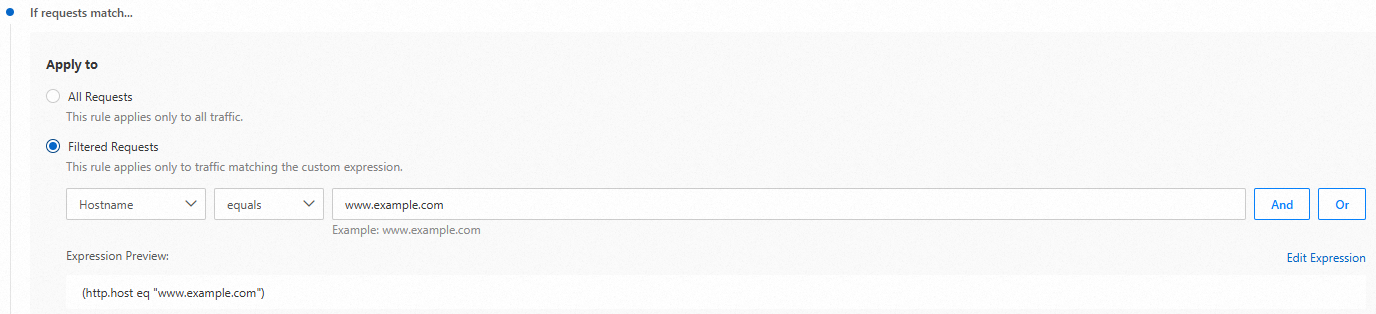
-
In the Then execute... section, enable Always Use HTTPS, Opportunistic Encryption, and HSTS based on your business requirements.

-
Always Use HTTPS
You can use the Always Use HTTPS feature to force redirect client requests to ESA POPs from HTTP to HTTPS.
NoteAfter you configure Always Use HTTPS, if your application references non-encrypted HTTP resources, a "Mixed Content" warning may be displayed on the visitor's browser.
-
Opportunistic Encryption
Opportunistic encryption allows browsers to access HTTP links over an encrypted TLS connection, enhancing security for sites that have not fully migrated to HTTPS.
-
HSTS
You can enable the HSTS feature to force clients such as browsers to use HTTPS to establish connections to ESA POPs. This helps improve connection security.
-
Status (Strict-Transport-Security)
Indicates whether the response carries the Strict-Transport-Security header.
-
Validity Period (max-age)
The time-to-live (TTL) of the HSTS header. Unit: seconds. Clients can initiate only HTTPS requests during this period.
-
Apply to Subdomains (includeSubDomains)
Optional. If you turn on Apply to Subdomains, HSTS is enabled for the domain name and all subdomains of the domain name.
-
Preload (preload)
Optional. This parameter allows you to add the domain name to the HSTS preloaded list of the browser.
-
-
Related documentation
Rule-related features vary in effective priority, reentrancy, and effective granularity. For details, see Characteristics of rule-based features.