Kourier Ingresses are lightweight gateways built on Envoy and provided by the open-source Knative community. Use Kourier to distribute traffic across Knative revisions and configure gRPC services, timeouts and retries, Transport Layer Security (TLS) certificates, and external authorization services.
Prerequisites
Before you begin, ensure that you have:
-
Knative deployed in the ACS cluster. See Deploy Knative.
-
DNS-based service discovery enabled for the cluster. See DNS overview and CoreDNS.
Step 1: Deploy a Kourier Ingress
-
Log on to the ACS console. In the left-side navigation pane, click Clusters.
-
On the Clusters page, find the cluster that you want to manage and click its ID. In the left-side navigation pane of the cluster details page, choose Applications > Knative.
-
On the Components tab, click Deploy Knative, select Kourier, and follow the on-screen instructions to complete the deployment.
Step 2: Access a service through the Kourier Ingress
This section creates a Knative Service named helloworld-go and shows how to access it over HTTP or HTTPS.
Create the helloworld-go service
-
Log on to the ACS console. In the left-side navigation pane, click Clusters.
-
On the Clusters page, find the cluster that you want to manage and click its ID. In the left-side navigation pane of the cluster details page, choose Applications > Knative.
-
On the Services tab of the Knative page, set Namespace to default, click Create from Template, copy the following YAML content to the template editor, and click Create.
apiVersion: serving.knative.dev/v1
kind: Service
metadata:
  name: helloworld-go
spec:
  template:
    spec:
      containers:
      - image: registry.cn-hangzhou.aliyuncs.com/knative-sample/helloworld-go:73fbdd56
        env:
        - name: TARGET
          value: "Knative"
When the Status column of the service displays Created, the service is deployed.
-
On the Services tab, record the domain name and gateway IP address of
helloworld-gofrom the Default Domain and Gateway columns.
Access the service over HTTP
Run the following command to access the helloworld-go service over HTTP. Replace the gateway IP address and domain name with the values you recorded.
curl -H "Host: helloworld-go.default.example.com" http://8.141.XX.XXExpected output:
Hello Knative!Access the service over HTTPS
The steps below use a self-signed certificate and are intended for testing. For production environments, configure an automatically managed certificate instead. See Configure a certificate to access services over HTTPS.
-
Generate a TLS certificate and private key:
openssl genrsa -out tls.key 4096 openssl req -subj "/CN=*.example.com/L=*.example.com" -sha256 -new -key tls.key -out tls.csr echo subjectAltName = DNS:helloworld-go.default.example.com,DNS:helloworld-go.default.example.cn > extfile.cnf openssl x509 -req -days 3650 -sha256 -in tls.csr -signkey tls.key -out tls.crt -extfile extfile.cnf -
Create a Secret named
kourier-certin theknative-servingnamespace from the certificate:kubectl -n knative-serving create secret tls kourier-cert --key tls.key --cert tls.crt -
Verify that the
net-kourier-controllerDeployment exists in theknative-servingnamespace:kubectl get deployments -n knative-servingConfirm that
net-kourier-controllerappears in the output. -
Configure the certificate on the
net-kourier-controllerDeployment:kubectl -n knative-serving edit deployment net-kourier-controllerIn the editor, set the following environment variables under the
net-kourier-controllercontainer'senvsection:... spec: containers: - env: - name: CERTS_SECRET_NAMESPACE value: knative-serving - name: CERTS_SECRET_NAME value: kourier-cert ... -
Verify that the
net-kourier-controllerpod is running:kubectl -n knative-serving get poExpected output:
NAME READY STATUS RESTARTS AGE net-kourier-controller-****** 1/1 Running 0 10s -
Access the
helloworld-goservice over HTTPS. Replace the gateway IP address and domain name with the values you recorded.curl -H "Host: helloworld-go.default.example.com" -k --cert tls.crt --key tls.key //8.141.XX.XXExpected output:
Hello Knative!
(Optional) Step 3: View the Knative monitoring dashboard
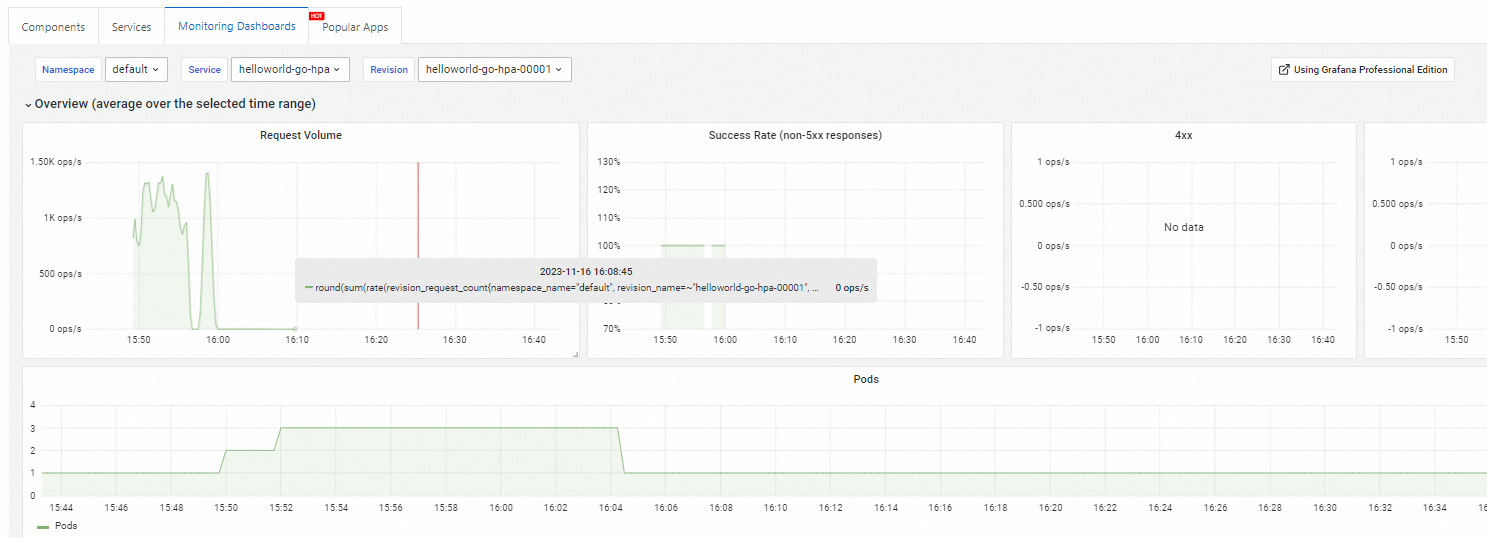
Knative provides out-of-the-box monitoring. On the Knative page, click the Monitoring Dashboards tab to view monitoring data for a specific service. See View the Knative dashboard.