Use CEN routing policies to deny VPC-to-VPC communication by default, then selectively permit traffic between specific VPCs with high-priority allow policies.
Prerequisites
This topic applies only to Basic Edition transit routers.
-
You have created a CEN instance. Create a CEN instance.
-
You have attached the required network instances to the same CEN instance. Connect network instances.
-
You have purchased a bandwidth plan and configured the bandwidth for inter-region connections. Use a bandwidth plan and Create an inter-region connection.
Background information
By default, all network instances attached to a CEN instance (VPCs, VBRs, etc.) can communicate with each other. For complex environments, a more secure approach is to deny all communication with a low-priority routing policy, then selectively permit traffic with high-priority policies.
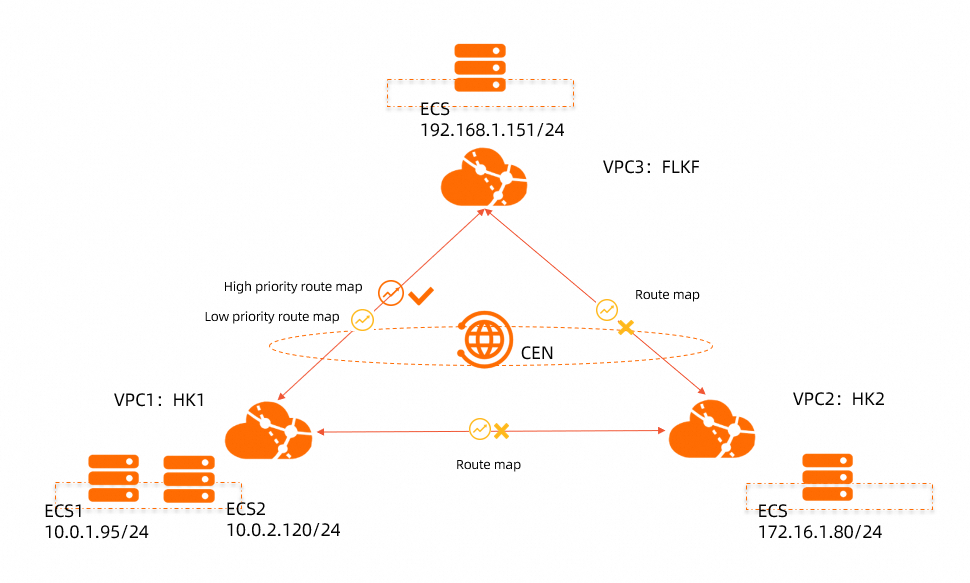
In this example, VPC1 and VPC2 are in China (Hong Kong), and VPC3 is in Germany (Frankfurt). All three are attached to the same CEN instance with full-mesh connectivity. You configure a low-priority policy to deny routes from the transit routers in both regions, then create a high-priority policy to permit communication only between VPC1 and VPC3.
Network plan
The following table outlines the network plan for VPC1, VPC2, and VPC3.
|
Network instance |
CIDR block |
ECS IP address |
|
VPC1 |
VPC CIDR block: 10.0.0.0/8 vSwitch1 CIDR block: 10.0.1.0/24 vSwitch2 CIDR block: 10.0.2.0/24 |
ECS1: 10.0.1.95 ECS2: 10.0.2.120 |
|
VPC2 |
VPC CIDR block: 172.16.0.0/12 vSwitch CIDR block: 172.16.1.0/24 |
ECS: 172.16.1.80 |
|
VPC3 |
VPC CIDR block: 192.168.0.0/16 vSwitch CIDR block: 192.168.1.0/24 |
ECS: 192.168.1.151 |
Step 1: Create a deny-by-default policy
Create routing policies that deny all VPC routes from the transit routers in China (Hong Kong) and Germany (Frankfurt).
-
Log on to the CEN console.
-
On the CEN Instance page, find the target CEN instance and click its ID.
-
On the details page of the CEN instance, click the ID of the transit router for the region where you want to configure a routing policy.
-
On the details page of the transit router, click the Route Table tab, and then click Route Maps.
-
On the Route Maps page, click Add Route Map. On the Add Routing Policy page, set the following parameters for the Germany (Frankfurt) transit router and click OK.
-
Policy Priority: Enter 100. Lower values indicate higher priority.
-
Description: (Optional) In this example, enterDeny routes advertised by the transit router to all VPCs in the Germany (Frankfurt) region.
-
Region: In this example, selectGermany (Frankfurt).
-
Policy Direction: In this example, selectOutbound Gateway.
-
Conditions: Set Destination Instance Type to VPC.
-
Strategic Behavior: Select Deny.
-
-
On the Add Route Map page, set the following parameters for the China (Hong Kong) transit router and click OK.
-
Policy Priority: Enter 100. Lower values indicate higher priority.
-
Description: (Optional) In this example, enterDeny routes advertised by the transit router to all VPCs in the China (Hong Kong) region.
-
Region: In this example, selectChina (Hong Kong).
-
Policy Direction: In this example, selectOutbound Gateway.
-
Conditions: Set Destination Instance Type to VPC.
-
Strategic Behavior: Select Deny.
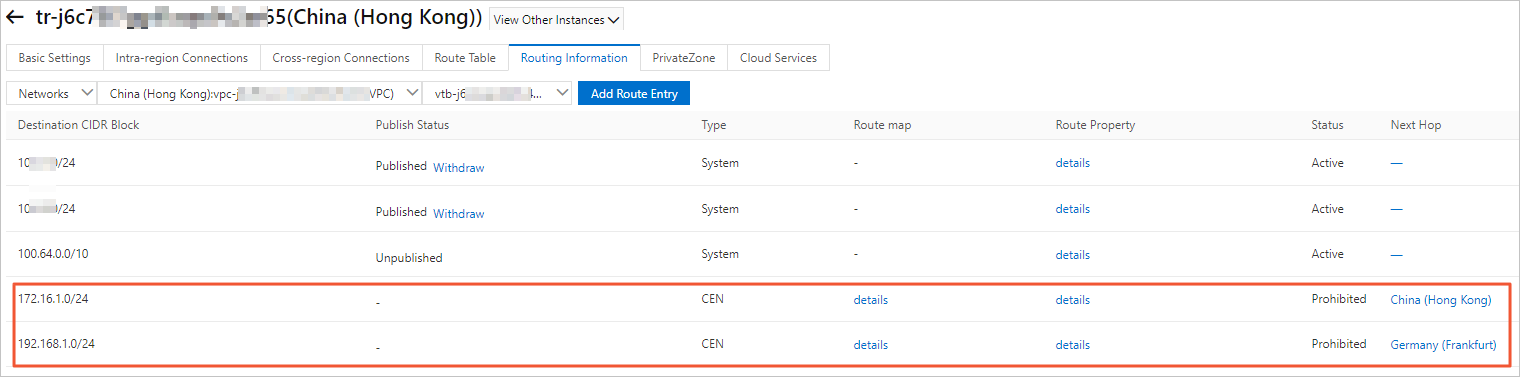
After adding the policies, check the Network Instance Route Table tab to verify that all three VPCs reject routes from their respective transit routers. The following figure shows VPC1.
-
Step 2: Permit routes from VPC3 to VPC1
-
In the left-side navigation pane, click CEN Instance.
-
On the CEN Instance page, find the target CEN instance and click its ID.
-
On the details page of the CEN instance, click the ID of the transit router in the China (Hong Kong) region.
-
On the details page of the transit router, click the Route Table tab, and then click Route Maps.
-
On the Route Maps page, click Add Route Map. Configure a routing policy with the following parameters and then click OK.
-
Policy Priority: Enter 50. Lower values indicate higher priority.
-
Description: (Optional) In this example, enterPermit VPC1 to receive routes from VPC3.
-
Region: In this example, selectChina (Hong Kong).
-
Policy Direction: In this example, selectOutbound Gateway.
-
Conditions: Configure the following parameters:
-
Source Region: Select Germany (Frankfurt).
-
Source Instance IDs: Select the instance ID of VPC3.
-
Destination Instance IDs: Select the instance ID of VPC1.
-
-
Strategic Behavior: Select Allow.
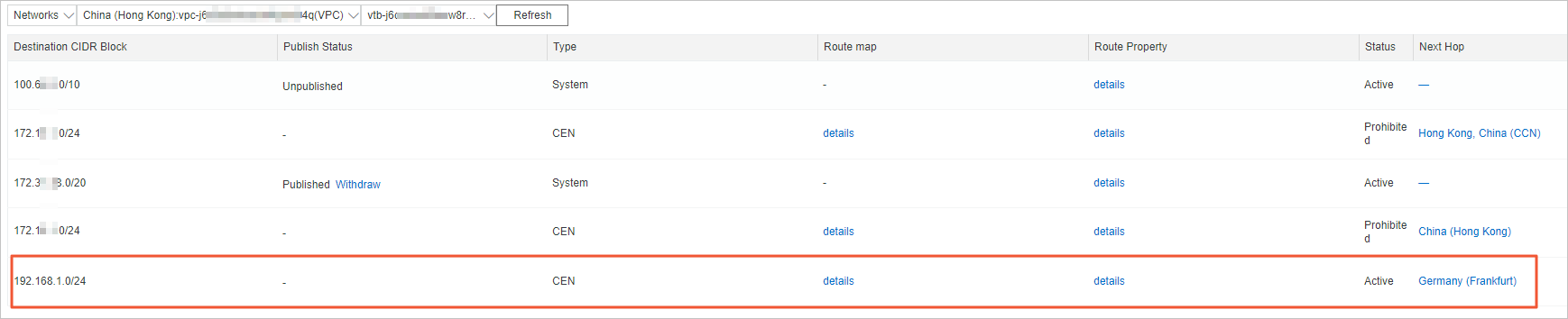
Check the Network Instance Route Table tab to verify that VPC1 now accepts routes from VPC3.
-
Step 3: Permit routes from VPC1 to VPC3
-
In the left-side navigation pane, click CEN Instance.
-
On the CEN Instance page, find the target CEN instance and click its ID.
-
On the details page of the CEN instance, click the ID of the transit router in the Germany (Frankfurt) region.
-
On the details page of the transit router, click the Route Table tab, and then click Route Maps.
-
On the Route Maps page, click Add Route Map. Configure a routing policy with the following parameters and then click OK.
-
Policy Priority: Enter 50. Lower values indicate higher priority.
-
Description: (Optional) In this example, enterPermit VPC3 to receive routes from VPC1.
-
Region: In this example, selectGermany (Frankfurt).
-
Policy Direction: In this example, selectOutbound Gateway.
-
Conditions: Configure the following parameters:
-
Source Region: Select China (Hong Kong).
-
Source Instance IDs: Select the instance ID of VPC1.
-
Destination Instance IDs: Select the instance ID of VPC3.
-
-
Strategic Behavior: Select Allow.
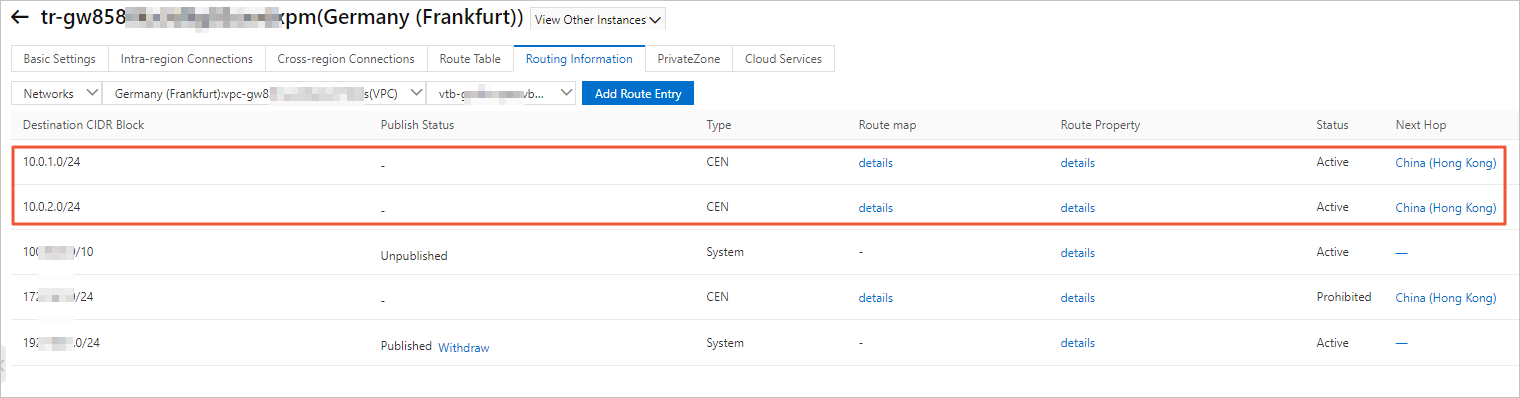
Check the Network Instance Route Table tab to verify that VPC3 now accepts routes from VPC1.
-
Step 4: Verify connectivity
-
Log on to the ECS1 instance in VPC1.
-
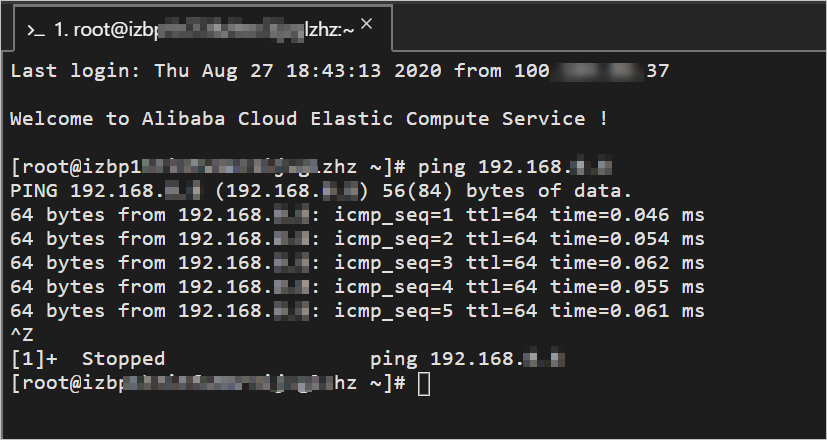
Run the ping command to ping the IP address of the ECS instance in VPC3.
A successful response confirms that VPC1 and VPC3 can communicate.
-
Log on to the ECS instance in VPC2.
-
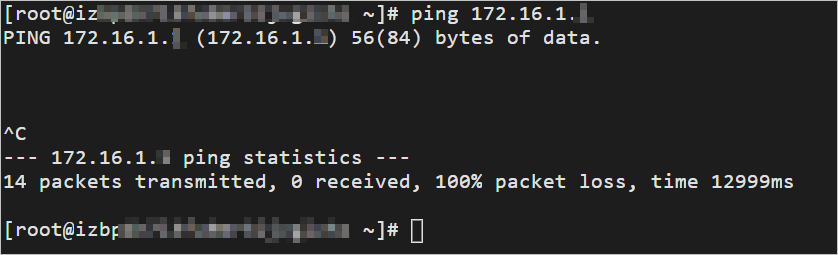
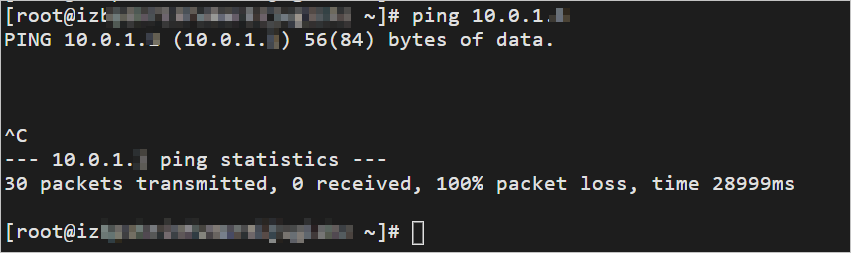
Run the ping command to ping the IP address of the ECS1 instance in VPC1.
The command fails, confirming that VPC2 and VPC1 cannot communicate.
-
Log on to the ECS instance in VPC3.
-
Run the ping command to ping the IP address of the ECS instance in VPC2.
The command fails, confirming that VPC3 and VPC2 cannot communicate.