Use resource groups and RAM to isolate resources and manage permissions with fine-grained control within a single Alibaba Cloud account. This topic describes how AnalyticDB for MySQL supports resource groups and outlines how to grant permissions at the resource group level.
-
Resource group-level authorization applies only to resource types that support resource groups and to actions that support this authorization level.
-
If a resource type does not support resource groups, permissions granted at the resource group scope do not apply. Instead, you must grant permissions at the account level. For more information, see Actions that do not support resource group-level authorization.
Resource group authorization
You can use resource groups to group and manage resources within your Alibaba Cloud account. For example, you can create separate resource groups for different projects and move resources into their respective groups for centralized management. For more information, see What is a resource group.
After you group your resources, you can grant permissions at the resource group scope to different RAM principals, such as RAM users, RAM user groups, or RAM roles. This restricts the principals to managing only the resources within that group. For more information, see Resource grouping and authorization.
This approach provides the following benefits:
-
Fine-grained permissions: Ensures each principal has only the permissions it needs. This helps prevent the commingling of resources from multiple projects under a single account.
-
Improved scalability: Associated principals automatically gain permissions for any new resources added to the group, eliminating the need for repeated authorization.
Grant resource group-level permissions to a RAM user
This topic describes how to grant permissions to a RAM user for AnalyticDB for MySQL resources within a specific resource group.
Prerequisites
-
Create a RAM user. For more information, see Create a RAM user.
-
Create a resource group and transfer existing resources to the target resource group. For more information, see Create a resource group, Automatically transfer resources to a resource group, and Manually transfer resources to a resource group.
Grant permissions at the resource group level
To grant permissions at the resource group level, use one of the following methods.
Method 1: Resource Management console
You can grant permissions to a specific RAM user by using the permission management feature of a resource group. For more information, see Grant permissions to a RAM principal within a resource group.
-
Log on to the Resource Management console.
-
On the Resource Groups page, click Permissions in the Actions column of the target resource group.
-
On the Permission Management tab, click Grant Permission.
-
In the Grant Permission panel, set the principal and permission policy.
-
Principal: Select an existing RAM user.
-
Permission Policy: Select a system policy or an existing custom policy. For more information, see Create a custom permission policy.
-
-
Click OK.
Method 2: RAM console
Use the RAM console to grant resource group-level permissions to a specific RAM user. For more information, see Manage permissions for a RAM user.
-
Log on to the RAM console as an Alibaba Cloud account or a RAM administrator.
-
In the left-side navigation pane, choose . On the Users page, click Add Permissions in the Actions column of the target RAM user.
-
In the Add Permissions panel, grant permissions to the RAM user.
-
Resource Scope: Select Resource Group.
-
Principal: Select an existing RAM user or the RAM user that you created in the prerequisites.
-
Permission Policy: Select a system policy or an existing custom policy. For more information, see Create a custom permission policy.
-
-
Click OK.
Supported resource types
The following table lists the resource types in AnalyticDB for MySQL that support resource groups.
|
Cloud service |
Cloud service code |
Resource type |
|
AnalyticDB for MySQL |
adb |
cluster: cluster |
|
AnalyticDB for MySQL |
adb |
dbclusterlakeversion: Lakehouse cluster |
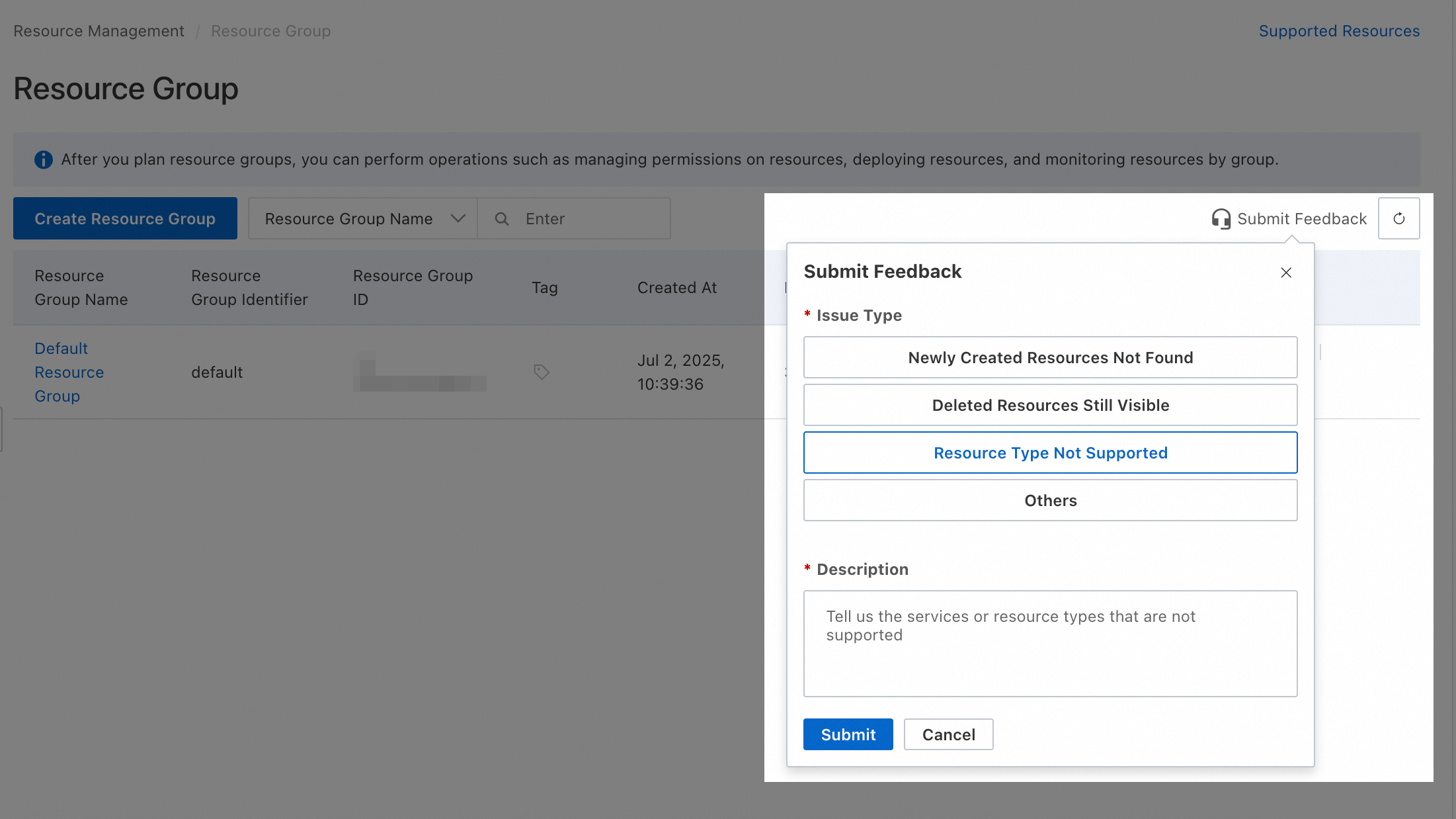
If you need a resource type that is not supported by resource groups, submit feedback in the Resource Group console.
Operations without resource group-level authorization
The following actions in AnalyticDB for MySQL do not support resource group-level authorization:
|
Actions |
Description |
|
adb:CancelActiveOperationTasks |
- |
|
adb:CancelSparkWarehouseBatchSQL |
Cancels a Spark SQL execution. |
|
adb:CheckApsTableAvailable |
- |
|
adb:CheckFormationSchemaExists |
- |
|
adb:CheckServiceLinkedRole |
- |
|
adb:ConfigureResultExport |
Configures SLS or OSS details for exporting result sets. This is a one-time setup per instance. |
|
adb:CreateAPSJob |
Creates an APS job. |
|
adb:CreateAfsAccessKey |
- |
|
adb:CreateAfsBucket |
- |
|
adb:CreateAiMultimodalJob |
- |
|
adb:CreateApsDatasoure |
Creates an APS data source. |
|
adb:CreateApsKafkaADBJob |
- |
|
adb:CreateApsKafkaHudiJob |
Creates an APS Kafka lake ingestion job. |
|
adb:CreateApsSlsADBJob |
Creates an APS pipeline from SLS to an ADB data warehouse. |
|
adb:CreateApsSlsHudiJob |
- |
|
adb:CreateBackup |
Creates a backup set. |
|
adb:CreateFormationCrawler |
- |
|
adb:CreateLakeStorage |
- |
|
adb:CreateLakeStorageAuthorizations |
- |
|
adb:CreateLakeStorageBucket |
- |
|
adb:CreateMaterializedViewRecommend |
Creates an automatic materialized view recommendation task. |
|
adb:CreatePipelineJob |
- |
|
adb:CreateServiceLinkedRole |
- |
|
adb:DeleteApsDatasoure |
Deletes an APS data source. |
|
adb:DeleteApsWorkload |
- |
|
adb:DeleteBackups |
Deletes backup sets. |
|
adb:DeleteFormationCrawler |
- |
|
adb:DeleteLakeStorage |
Deletes lake storage. |
|
adb:DeleteLakeStorageAuthorizations |
- |
|
adb:DeleteMaterializedView |
- |
|
adb:DeleteMaterializedViewRecommend |
Deletes an automatic materialized view recommendation task. |
|
adb:DeletePipelineJob |
- |
|
adb:DeleteSqlTemplate |
- |
|
adb:DeleteSqlTemplateGroup |
- |
|
adb:DescribeApsDatasource |
Gets details of an APS data source. |
|
adb:DescribeApsDatasources |
Gets a list of APS data sources. |
|
adb:DescribeApsJobDetail |
- |
|
adb:DescribeApsJobs |
Gets a list of APS jobs. |
|
adb:DescribeApsKafkaJsonLevels |
- |
|
adb:DescribeApsKafkaSchemas |
- |
|
adb:DescribeApsMigrationWorkloads |
Gets a list of workloads for an APS migration task. |
|
adb:DescribeApsPartitionFormatters |
- |
|
adb:DescribeApsPolarDBInstances |
- |
|
adb:DescribeApsResourceGroups |
Gets details of resource groups used for data synchronization. |
|
adb:DescribeApsSLSLatestLogs |
- |
|
adb:DescribeApsSLSPartitionFormatters |
- |
|
adb:DescribeApsSLSSchemas |
- |
|
adb:DescribeApsWorkload |
- |
|
adb:DescribeApsWorkloads |
- |
|
adb:DescribeAutoRenewalAttribute |
- |
|
adb:DescribeAvailableResource |
Queries the available resources in a specified availability zone. |
|
adb:DescribeClusterAccessWhiteList |
Gets the IP whitelist of a specified cluster. |
|
adb:DescribeComputeResource |
Queries the compute resource specifications for a Data Warehouse Edition cluster in a specified region. |
|
adb:DescribeDBClusterShardNumber |
- |
|
adb:DescribeEIURange |
Queries the selectable range of elastic I/O resources for a Data Warehouse Edition cluster. |
|
adb:DescribeFormationDatabricksMigrationObjects |
- |
|
adb:DescribeHistoryEvents |
- |
|
adb:DescribeHistoryTasks |
Gets historical task records. |
|
adb:DescribeHistoryTasksStat |
Gets task statistics from the task center. |
|
adb:DescribeKmsKeys |
- |
|
adb:DescribeLLMAnswer |
- |
|
adb:DescribeLLMSimilarQuestions |
- |
|
adb:DescribeLogStoreKeys |
- |
|
adb:DescribeLoghubDetail |
- |
|
adb:DescribeMaintenanceAction |
Gets the details of a maintenance event. |
|
adb:DescribeMsgClusterIds |
- |
|
adb:DescribeMsgTopics |
- |
|
adb:DescribePolarDBAiEngines |
- |
|
adb:DescribePolarDBXToADBInstances |
- |
|
adb:DescribeResourceGroupSpec |
Queries resource group specifications. |
|
adb:DescribeResultExportConfig |
Gets the configuration for exporting result sets. |
|
adb:DescribeRunningBackupJob |
- |
|
adb:DescribeSLSLogStores |
- |
|
adb:DescribeSLSProjects |
- |
|
adb:DescribeSLSRegions |
- |
|
adb:DescribeSparkCodeLog |
Queries the execution logs of a Spark code. |
|
adb:DescribeSparkCodeWebUi |
Queries the web UI URL of a Spark application. |
|
adb:ExecuteService |
- |
|
adb:GetActiveSparkSession |
Gets the status of the Spark SQL engine. |
|
adb:GetDmsDefaultWorkspace |
- |
|
adb:GetFormationCrawler |
- |
|
adb:GetLakeStorage |
Gets a lake storage. |
|
adb:GetPipelineJob |
- |
|
adb:GetSparkAppAttemptLog |
Gets the retry logs of a Spark application. |
|
adb:GetSparkLogAnalyzeTask |
Gets the result of a Spark log analysis task. |
|
adb:GetSparkWarehouseBatchSQL |
Gets the execution result of a Spark SQL query. |
|
adb:GrantLakeStoragePermission |
- |
|
adb:KillSparkEngine |
Stops the Spark SQL engine. |
|
adb:KillSparkLogAnalyzeTask |
Terminates a Spark log analysis task. |
|
adb:ListAfsBuckets |
- |
|
adb:ListApsWebhook |
Lists the webhook configurations for a specified database cluster. |
|
adb:ListBackupJobs |
- |
|
adb:ListLakeStorageBuckets |
- |
|
adb:ListLakeStorages |
Lists lake storages. |
|
adb:ListResultExportJobHistory |
Lists the result set export history for the current RAM user. |
|
adb:ListSparkLogAnalyzeTasks |
Lists all Spark log analysis tasks. |
|
adb:ListSparkTemplateFileIds |
Lists the IDs of all saved Spark template files in a cluster. |
|
adb:ListSparkWarehouseBatchSQL |
Lists all executed Spark SQL queries. |
|
adb:ModifyActiveOperationMaintainConf |
- |
|
adb:ModifyActiveOperationTasks |
- |
|
adb:ModifyApsDatasoure |
Modifies an APS data source. |
|
adb:ModifyApsJob |
Modifies an APS job. |
|
adb:ModifyApsKafkaADBJob |
- |
|
adb:ModifyApsSlsADBJob |
Modifies an SLS-to-ADB data warehouse ingestion job. |
|
adb:ModifyApsWorkload |
- |
|
adb:ModifyApsWorkloadName |
Modifies the name of an APS workload. |
|
adb:ModifyAutoRenewalAttribute |
- |
|
adb:ModifyDBClusterShardNumber |
- |
|
adb:ModifyDmsDefaultWorkspace |
- |
|
adb:ModifyMaintenanceAction |
Modifies the execution time of a maintenance event. |
|
adb:ModifyMaterializedView |
Modifies a materialized view. |
|
adb:ModifyMaterializedViewRecommend |
Modifies an automatic materialized view recommendation task. |
|
adb:ModifySqlTemplateGroup |
- |
|
adb:ModifySqlTemplatePosition |
Modifies the directory location of an SQL template. |
|
adb:PauseApsWorkload |
- |
|
adb:QueryFormationInstsByTaskID |
- |
|
adb:QueryFormationTaskByID |
- |
|
adb:QueryFormationTasksByType |
- |
|
adb:QueryService |
- |
|
adb:QueryTaskInfoByID |
- |
|
adb:RevokeLakeStoragePermission |
- |
|
adb:RunMaterializedViewRecommend |
- |
|
adb:StartApsJob |
Starts an APS job. |
|
adb:StartApsWorkload |
- |
|
adb:StartFormationCrawler |
- |
|
adb:StartPipelineJob |
- |
|
adb:StartSparkEngine |
Starts the Spark SQL engine. |
|
adb:StopAiMultimodalJob |
- |
|
adb:StopPipelineJob |
- |
|
adb:SubmitResultExportJob |
Submits an SQL query and exports the result set. |
|
adb:SuspendApsJob |
Suspends an APS job. |
|
adb:UpdateFormationCrawler |
- |
|
adb:UpdateFormationCrawlerScheduleState |
- |
|
adb:UpdateLakeStorage |
Updates lake storage. |
|
adb:createCatalog |
- |
|
adb:dropCatalog |
- |
|
adb:getCatalogObjects |
- |
|
adb:null |
- |
For actions that do not support resource group-level authorization, setting the resource scope to resource group level has no effect. To grant these permissions to a RAM user, create a custom policy and set its resource scope to account level.
 Here are two examples of custom policies. You can adjust these policies to meet your needs.
-
Allows all read-only operations that do not support resource group-level authorization. The
Actionelement lists all such read-only operations.{ "Version": "1", "Statement": [ { "Effect": "Allow", "Action": [ "adb:CheckApsTableAvailable", "adb:CheckFormationSchemaExists", "adb:CheckServiceLinkedRole", "adb:DescribeApsDatasource", "adb:DescribeApsDatasources", "adb:DescribeApsJobDetail", "adb:DescribeApsJobs", "adb:DescribeApsKafkaJsonLevels", "adb:DescribeApsKafkaSchemas", "adb:DescribeApsMigrationWorkloads", "adb:DescribeApsPartitionFormatters", "adb:DescribeApsPolarDBInstances", "adb:DescribeApsResourceGroups", "adb:DescribeApsSLSLatestLogs", "adb:DescribeApsSLSPartitionFormatters", "adb:DescribeApsSLSSchemas", "adb:DescribeApsWorkload", "adb:DescribeApsWorkloads", "adb:DescribeAutoRenewalAttribute", "adb:DescribeAvailableResource", "adb:DescribeClusterAccessWhiteList", "adb:DescribeComputeResource", "adb:DescribeDBClusterShardNumber", "adb:DescribeEIURange", "adb:DescribeFormationDatabricksMigrationObjects", "adb:DescribeHistoryEvents", "adb:DescribeHistoryTasks", "adb:DescribeHistoryTasksStat", "adb:DescribeKmsKeys", "adb:DescribeLLMAnswer", "adb:DescribeLLMSimilarQuestions", "adb:DescribeLogStoreKeys", "adb:DescribeLoghubDetail", "adb:DescribeMaintenanceAction", "adb:DescribeMsgClusterIds", "adb:DescribeMsgTopics", "adb:DescribePolarDBAiEngines", "adb:DescribePolarDBXToADBInstances", "adb:DescribeResourceGroupSpec", "adb:DescribeResultExportConfig", "adb:DescribeRunningBackupJob", "adb:DescribeSLSLogStores", "adb:DescribeSLSProjects", "adb:DescribeSLSRegions", "adb:DescribeSparkCodeLog", "adb:DescribeSparkCodeWebUi", "adb:GetActiveSparkSession", "adb:GetDmsDefaultWorkspace", "adb:GetFormationCrawler", "adb:GetLakeStorage", "adb:GetPipelineJob", "adb:GetSparkAppAttemptLog", "adb:GetSparkLogAnalyzeTask", "adb:GetSparkWarehouseBatchSQL", "adb:ListAfsBuckets", "adb:ListApsWebhook", "adb:ListBackupJobs", "adb:ListLakeStorageBuckets", "adb:ListLakeStorages", "adb:ListResultExportJobHistory", "adb:ListSparkLogAnalyzeTasks", "adb:ListSparkTemplateFileIds", "adb:ListSparkWarehouseBatchSQL", "adb:SubmitResultExportJob" ], "Resource": "*" } ] } -
Allows all operations that do not support resource group-level authorization. The
Actionelement lists all such operations.{ "Version": "1", "Statement": [ { "Effect": "Allow", "Action": [ "adb:CancelActiveOperationTasks", "adb:CancelSparkWarehouseBatchSQL", "adb:CheckApsTableAvailable", "adb:CheckFormationSchemaExists", "adb:CheckServiceLinkedRole", "adb:ConfigureResultExport", "adb:CreateAPSJob", "adb:CreateAfsAccessKey", "adb:CreateAfsBucket", "adb:CreateAiMultimodalJob", "adb:CreateApsDatasoure", "adb:CreateApsKafkaADBJob", "adb:CreateApsKafkaHudiJob", "adb:CreateApsSlsADBJob", "adb:CreateApsSlsHudiJob", "adb:CreateBackup", "adb:CreateFormationCrawler", "adb:CreateLakeStorage", "adb:CreateLakeStorageAuthorizations", "adb:CreateLakeStorageBucket", "adb:CreateMaterializedViewRecommend", "adb:CreatePipelineJob", "adb:CreateServiceLinkedRole", "adb:DeleteApsDatasoure", "adb:DeleteApsWorkload", "adb:DeleteBackups", "adb:DeleteFormationCrawler", "adb:DeleteLakeStorage", "adb:DeleteLakeStorageAuthorizations", "adb:DeleteMaterializedView", "adb:DeleteMaterializedViewRecommend", "adb:DeletePipelineJob", "adb:DeleteSqlTemplate", "adb:DeleteSqlTemplateGroup", "adb:DescribeApsDatasource", "adb:DescribeApsDatasources", "adb:DescribeApsJobDetail", "adb:DescribeApsJobs", "adb:DescribeApsKafkaJsonLevels", "adb:DescribeApsKafkaSchemas", "adb:DescribeApsMigrationWorkloads", "adb:DescribeApsPartitionFormatters", "adb:DescribeApsPolarDBInstances", "adb:DescribeApsResourceGroups", "adb:DescribeApsSLSLatestLogs", "adb:DescribeApsSLSPartitionFormatters", "adb:DescribeApsSLSSchemas", "adb:DescribeApsWorkload", "adb:DescribeApsWorkloads", "adb:DescribeAutoRenewalAttribute", "adb:DescribeAvailableResource", "adb:DescribeClusterAccessWhiteList", "adb:DescribeComputeResource", "adb:DescribeDBClusterShardNumber", "adb:DescribeEIURange", "adb:DescribeFormationDatabricksMigrationObjects", "adb:DescribeHistoryEvents", "adb:DescribeHistoryTasks", "adb:DescribeHistoryTasksStat", "adb:DescribeKmsKeys", "adb:DescribeLLMAnswer", "adb:DescribeLLMSimilarQuestions", "adb:DescribeLogStoreKeys", "adb:DescribeLoghubDetail", "adb:DescribeMaintenanceAction", "adb:DescribeMsgClusterIds", "adb:DescribeMsgTopics", "adb:DescribePolarDBAiEngines", "adb:DescribePolarDBXToADBInstances", "adb:DescribeResourceGroupSpec", "adb:DescribeResultExportConfig", "adb:DescribeRunningBackupJob", "adb:DescribeSLSLogStores", "adb:DescribeSLSProjects", "adb:DescribeSLSRegions", "adb:DescribeSparkCodeLog", "adb:DescribeSparkCodeWebUi", "adb:ExecuteService", "adb:GetActiveSparkSession", "adb:GetDmsDefaultWorkspace", "adb:GetFormationCrawler", "adb:GetLakeStorage", "adb:GetPipelineJob", "adb:GetSparkAppAttemptLog", "adb:GetSparkLogAnalyzeTask", "adb:GetSparkWarehouseBatchSQL", "adb:GrantLakeStoragePermission", "adb:KillSparkEngine", "adb:KillSparkLogAnalyzeTask", "adb:ListAfsBuckets", "adb:ListApsWebhook", "adb:ListBackupJobs", "adb:ListLakeStorageBuckets", "adb:ListLakeStorages", "adb:ListResultExportJobHistory", "adb:ListSparkLogAnalyzeTasks", "adb:ListSparkTemplateFileIds", "adb:ListSparkWarehouseBatchSQL", "adb:ModifyActiveOperationMaintainConf", "adb:ModifyActiveOperationTasks", "adb:ModifyApsDatasoure", "adb:ModifyApsJob", "adb:ModifyApsKafkaADBJob", "adb:ModifyApsSlsADBJob", "adb:ModifyApsWorkload", "adb:ModifyApsWorkloadName", "adb:ModifyAutoRenewalAttribute", "adb:ModifyDBClusterShardNumber", "adb:ModifyDmsDefaultWorkspace", "adb:ModifyMaintenanceAction", "adb:ModifyMaterializedView", "adb:ModifyMaterializedViewRecommend", "adb:ModifySqlTemplateGroup", "adb:ModifySqlTemplatePosition", "adb:PauseApsWorkload", "adb:QueryFormationInstsByTaskID", "adb:QueryFormationTaskByID", "adb:QueryFormationTasksByType", "adb:QueryService", "adb:QueryTaskInfoByID", "adb:RevokeLakeStoragePermission", "adb:RunMaterializedViewRecommend", "adb:StartApsJob", "adb:StartApsWorkload", "adb:StartFormationCrawler", "adb:StartPipelineJob", "adb:StartSparkEngine", "adb:StopAiMultimodalJob", "adb:StopPipelineJob", "adb:SubmitResultExportJob", "adb:SuspendApsJob", "adb:UpdateFormationCrawler", "adb:UpdateFormationCrawlerScheduleState", "adb:UpdateLakeStorage", "adb:createCatalog", "adb:dropCatalog", "adb:getCatalogObjects", "adb:null" ], "Resource": "*" } ] }
A RAM user or RAM role with account-level permissions can manage all resources in the account. Always grant permissions based on the principle of least privilege.
FAQ
Check the resource group of a resource
-
Method 1: Click the resource name to open its details page. The resource group is listed on this page.
-
Method 2: Log on to the Resource Management console and click . On the left, select the owner account (the current account is selected by default). Use the filter conditions to find the target resource and view its resource group.
View resources by product and group
-
Method 1: Log on to the Resource Management console and click . On the left, under the owner account (the current account is selected by default), click the target resource group. Then, on the right, select the product from the Select Resource Type dropdown list.
-
Method 2: Log on to the Resource Management console and click . Find the target resource group and click Manage Resources in the Actions column. On the Manage Resources page, select the product from the Product dropdown list.
Move multiple resources to another group
Log on to the Resource Management console and click . In the row for the target resource group, click Manage Resources in the Actions column. On the resource management page, use the filter conditions to find the target resources. Select the checkbox for each resource, click Move Resource Group below the list, and follow the on-screen instructions.