Verify IMAP/POP settings and remove access restrictions in your Exchange mailbox before starting the migration.
Screenshots from other providers are for reference only. The actual UI may differ due to updates.
1. Verify that IMAP or POP is enabled.
Method 1: In the Exchange 2013 admin center, go to Recipients, select accounts, and enable IMAP or POP3 in batches.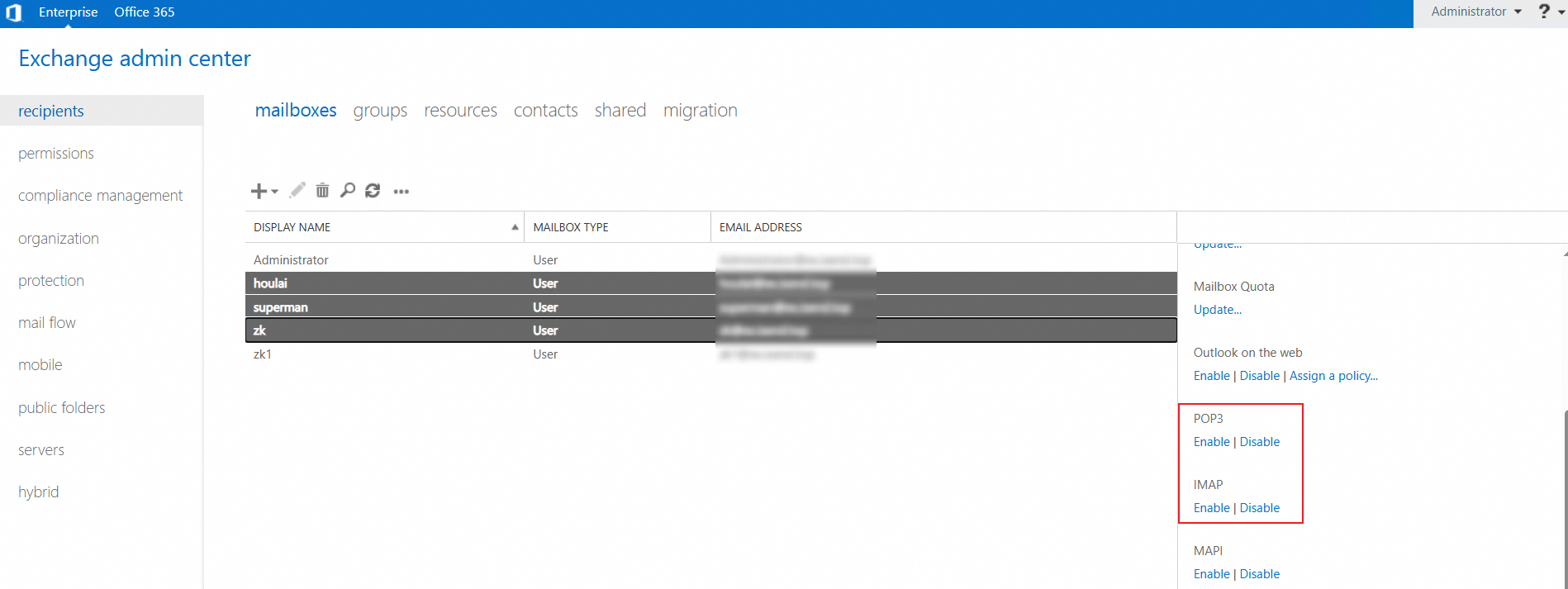 Method 2: Click a single account to enable the service.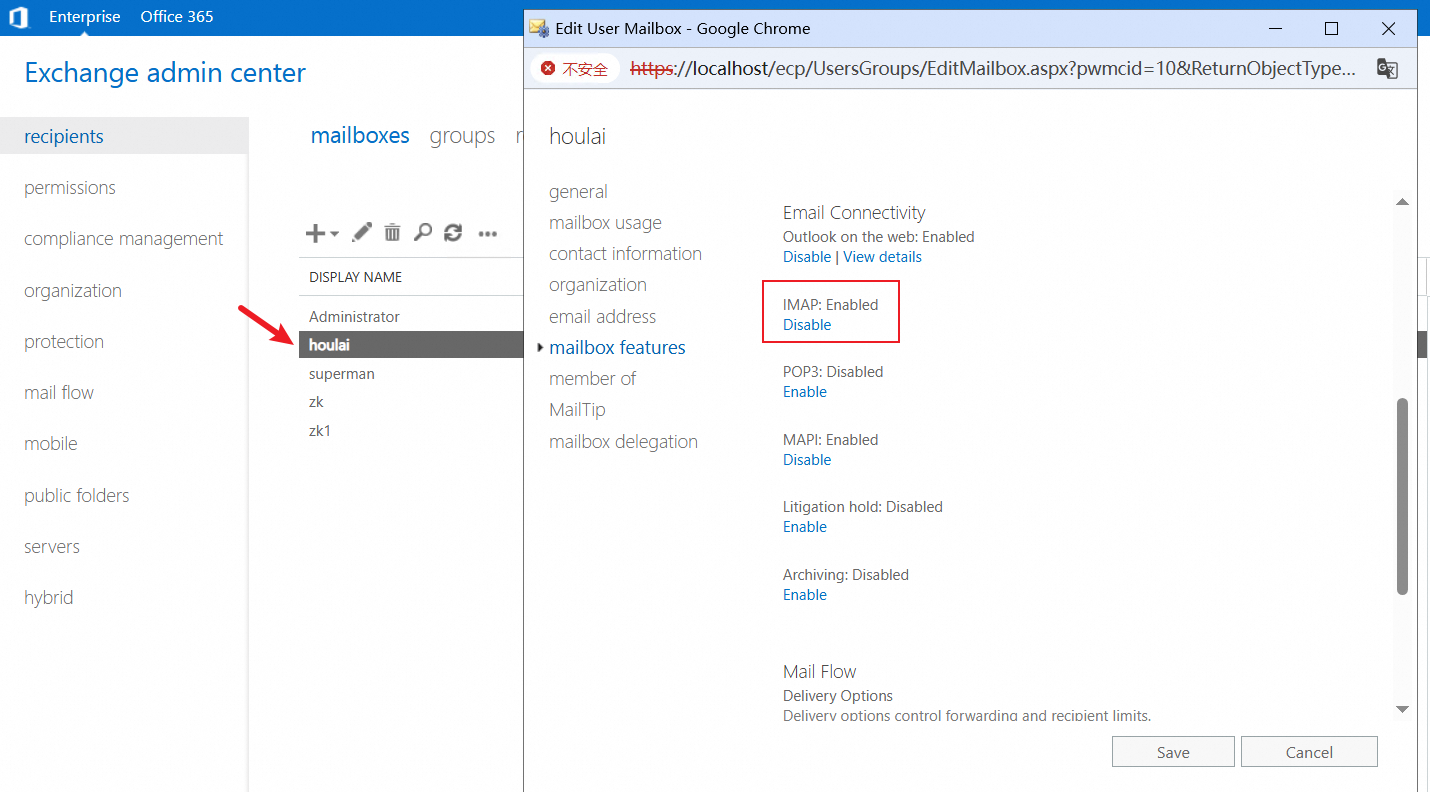
2. Verify that the logon method and restrictions for IMAP or POP are correctly configured. In the Exchange admin center, go to Servers and open MAIL (Mailbox client access).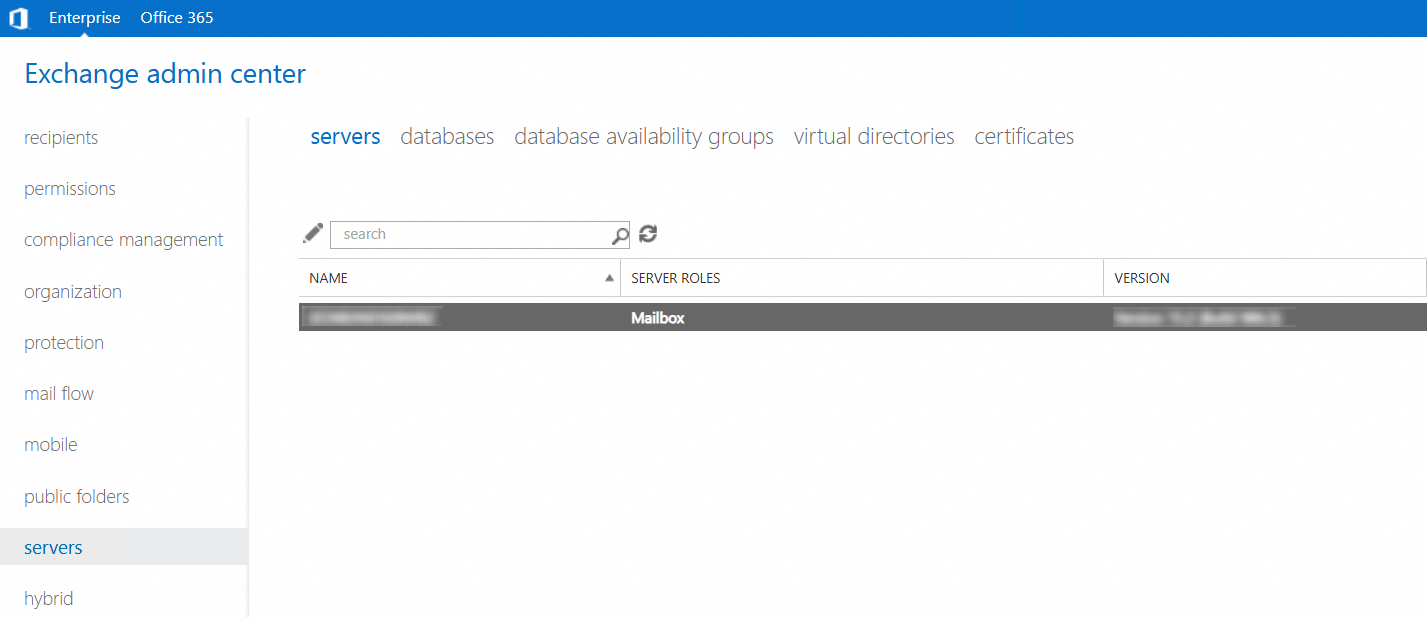
3. For IMAP4, set the logon method to Authentication-based (plain text). Remove restrictions such as TLS connections, unencrypted connections, SSL connections, and timeout settings (highlighted in red).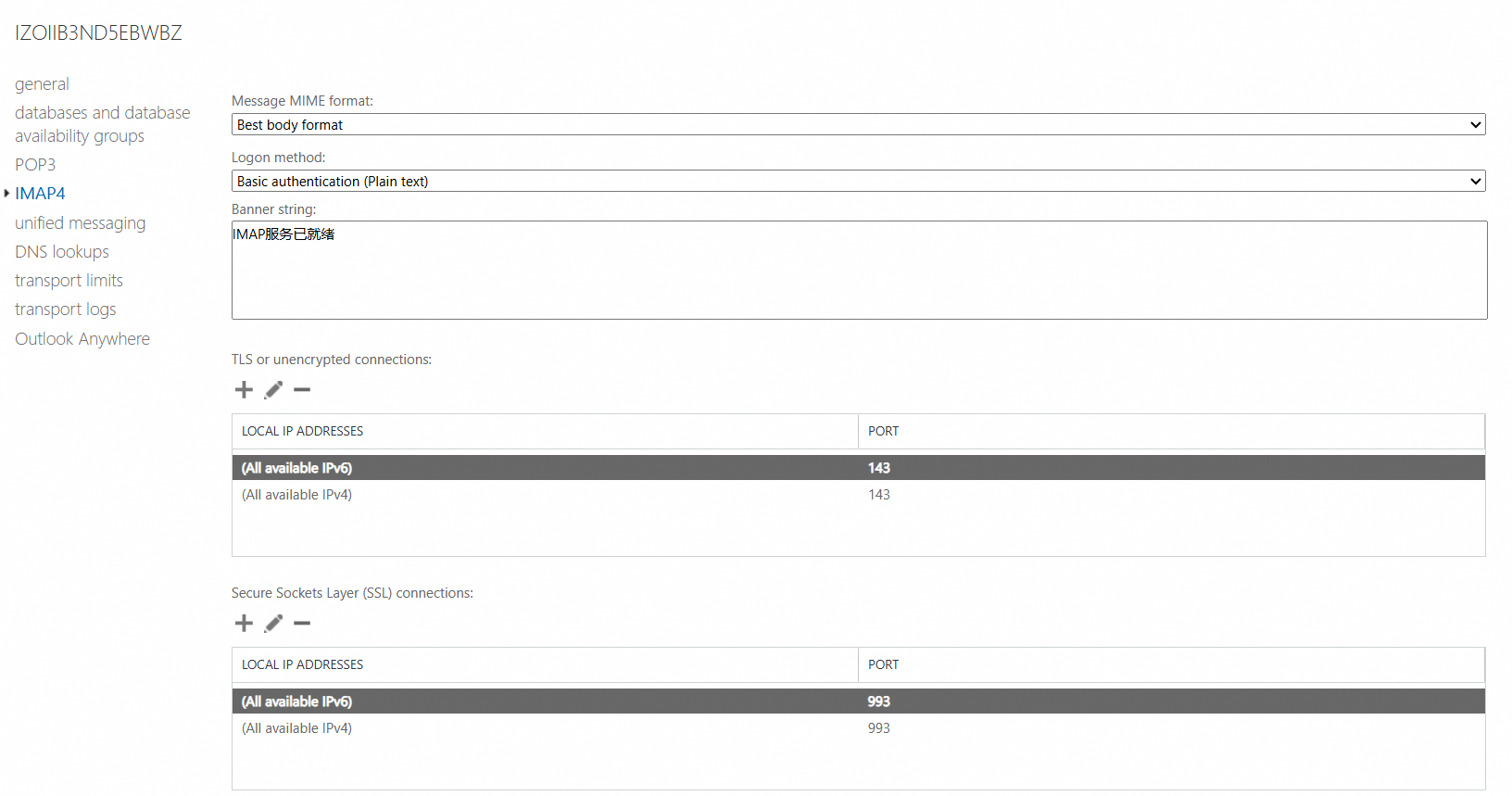
Start a migration in Alibaba Mail
After you complete the preceding steps, start the migration in Alibaba Mail.
Exchange migration supports delegated accounts, which do not require employee passwords. Use the delegated account password and select the first migration method in the admin center.
Create migration task
Before you start the migration, ensure you have created the necessary user accounts in Alibaba Cloud Mail. For more information, see Create employee accounts.
If you are migrating from one Alibaba Cloud Mail tenant to another, log on to the destination tenant's Mail admin console to start the migration. Do not start the migration from the source tenant.
Log in to the Mail admin console. In the left-side navigation pane, click Mailbox Tools > Mailbox Migration, and then click Create Migration Task.
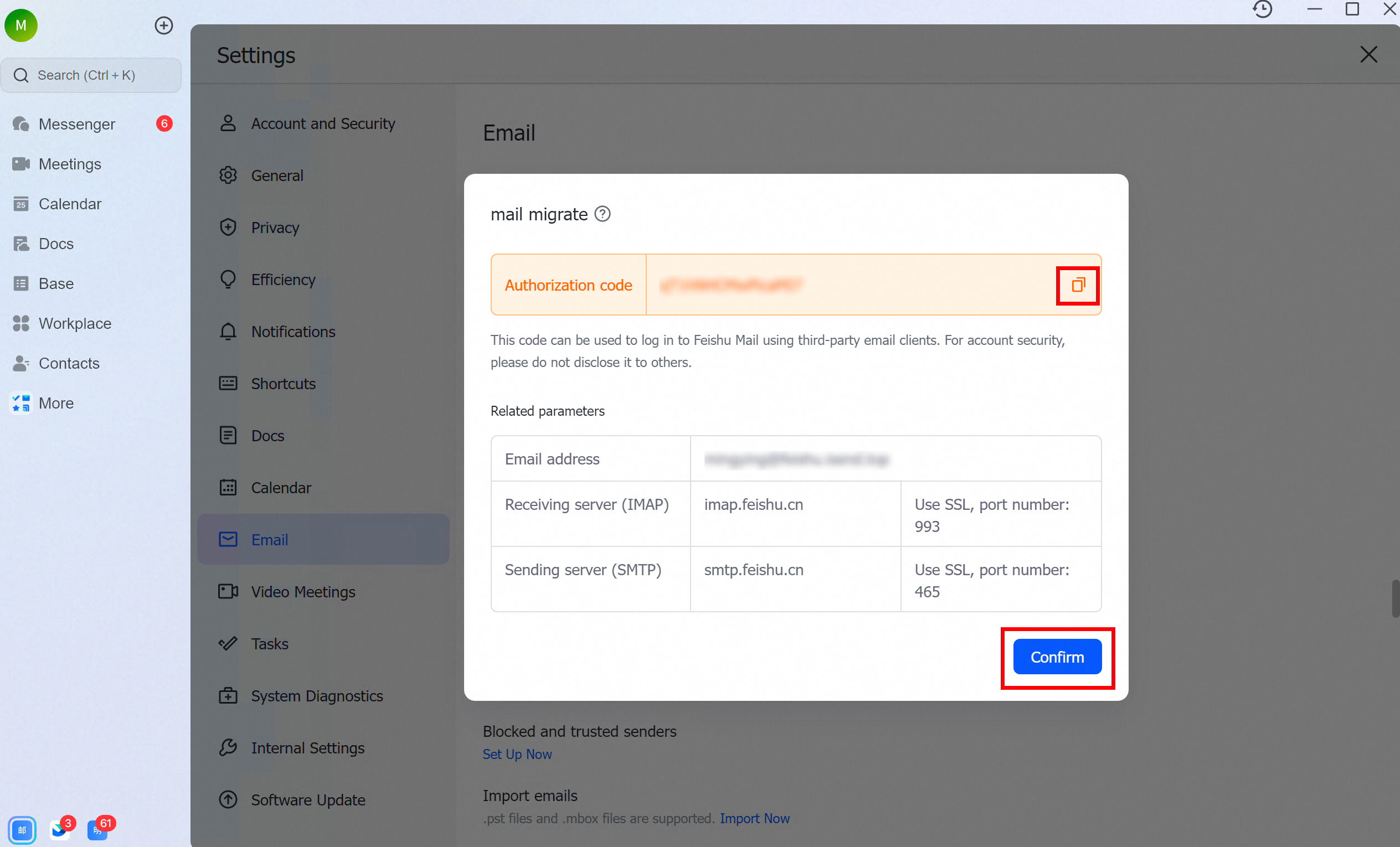
1. Prepare for migration
Ensure you have created and assigned Alibaba Cloud Mail accounts for all users to be migrated on the Contacts - Member Management page.
Confirm that your source system is running and its IMAP/POP service is enabled.
For all user accounts in the source system, disable any email retrieval limits (for example, change "Fetch last 30 days" to "Fetch all"), IP-based login restrictions, two-factor authentication (such as SMS, WeChat, or authenticator apps), and application-specific passwords.
Complete any data deletion or moving operations in the source system beforehand. Avoid modifying data during the migration.
We recommend that folder names in the source system do not contain special characters such as "+", "*", "\", or "/".
Depending on the features of your source system, the administrator can either disable these settings in bulk or by using the source system's API.
2. Configure source system parameters
Enter a Task Name, select the Source System, and enter the Source System Email Account, Source System Email Password, and Source System Server Address. We recommend using the default settings for other options. Click Next.
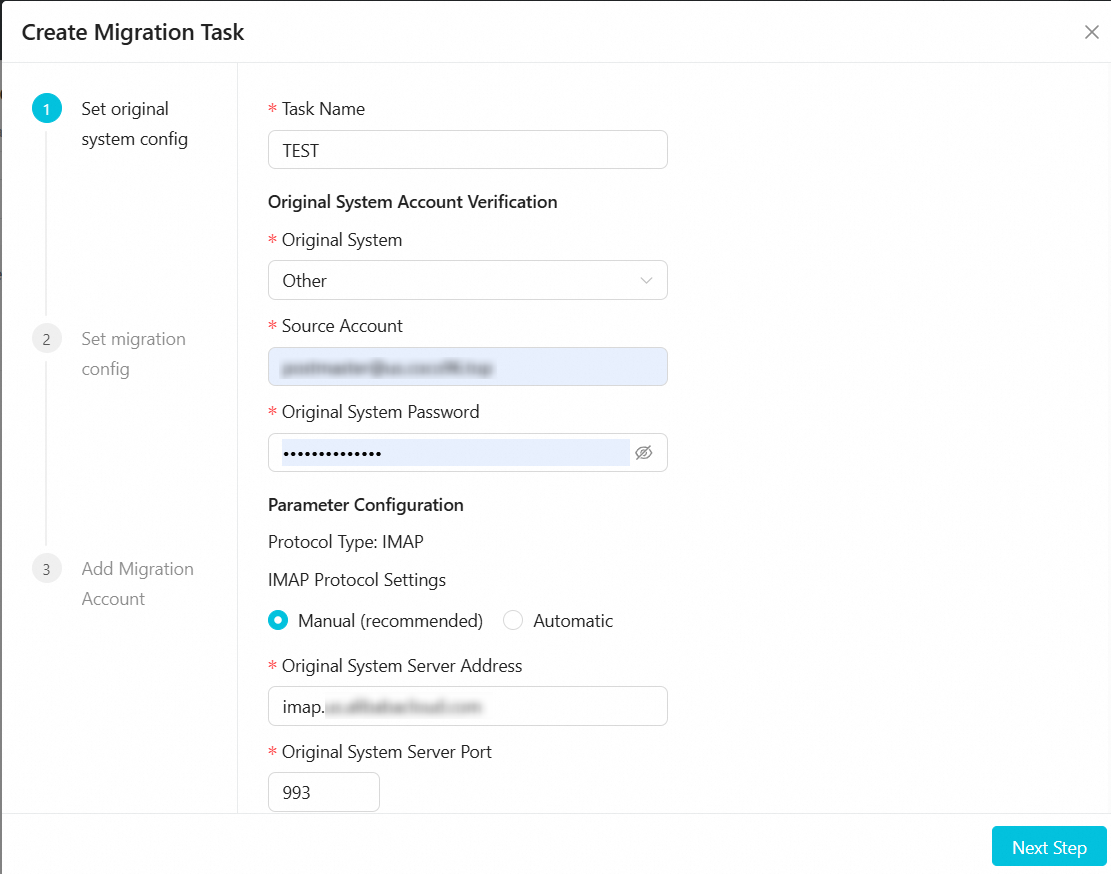
3. Configure migration settings

Under Folders to Migrate, select an option:
All Folders: You can exclude specific folders from the migration.
Specific Folders: Select only the folders you want to migrate.
Under Emails to Migrate, select an option:
All Emails
Emails in a specified date range
Under Folder Location, select an option:
Store Separately (unified storage mode, named by email address)
A dedicated folder is created in the destination mailbox, named after the source email address.

Merge into System Folders (folder mapping mode)
Automatically maps source folders to system folders (for example, "Sent Items" to "Sent").
Preserves the structure of custom folders.

Migration Time Settings:
Start Immediately: Data transfer begins within 2 hours.
Start at a scheduled time: Set a custom start time for the migration.
Click Next.
4. Add migration accounts
There are three methods for adding migration accounts. Choose the one that best fits your needs:
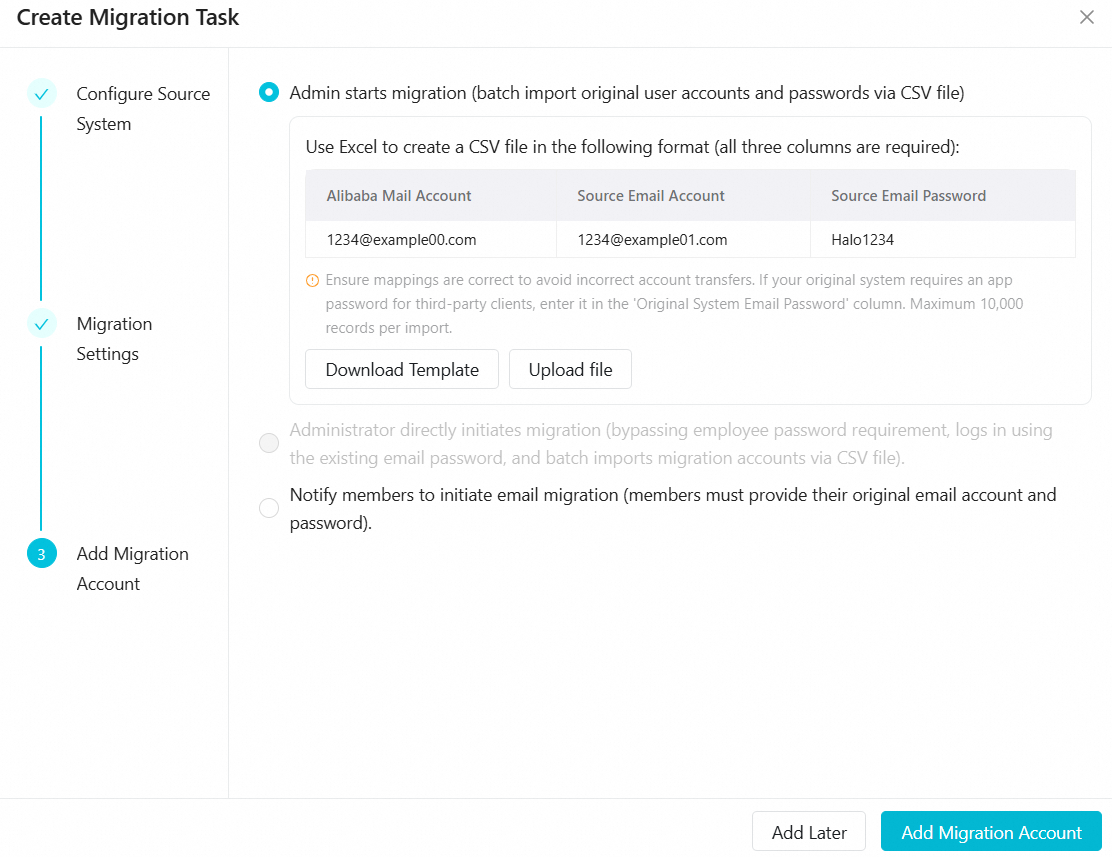
Method 1: The administrator uploads account credentials and starts the migration directly.
Use case: You have the source system usernames and passwords for all accounts to migrate and want the migration to be seamless for users.
Method 2: The administrator uploads a list of accounts and notifies employees to log in with their source credentials to start the migration.
Use case: You have a list of all source email accounts. After you configure the migration parameters, employees can trigger their own migration by logging in to Alibaba Cloud Mail with their source system username and password.
Method 3: The administrator selects the scope of users and notifies them to enter their own credentials.
Use case: You have not collected source system usernames and passwords. After you configure the migration parameters, you can notify employees to enter and verify their credentials to start the migration.
Click Add Migration Accounts.
If you need to change the migration parameters later, go to Migration Settings > Edit > Edit Migration Configuration, make your changes, and click OK.
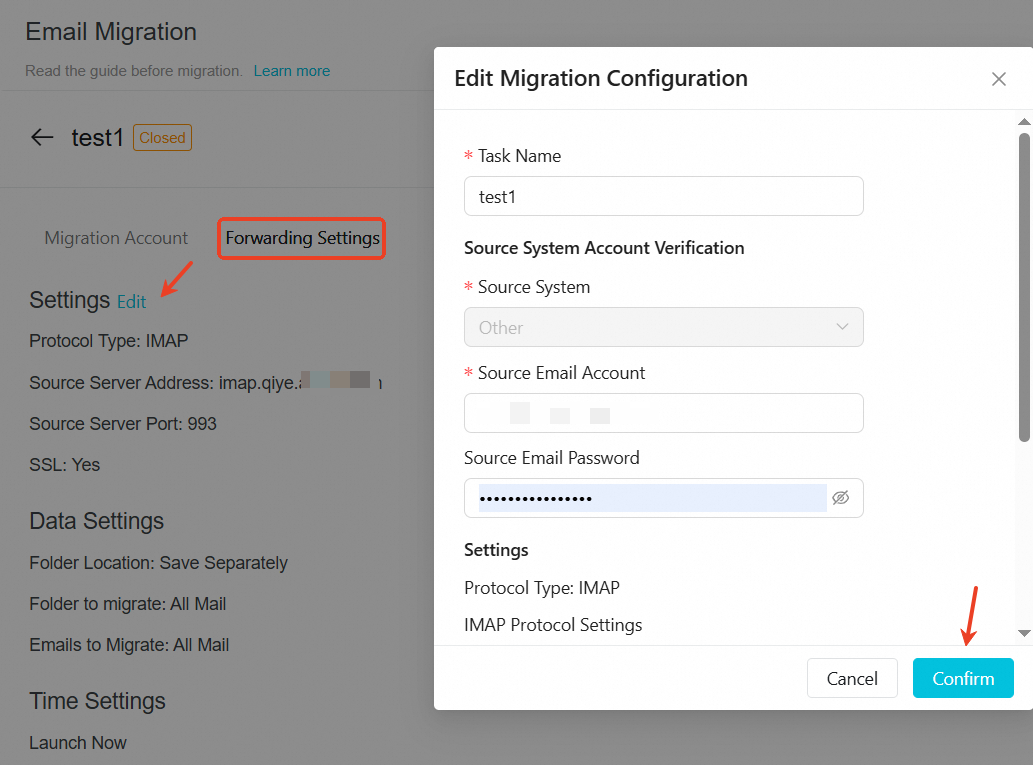
Select migration plan
Click Add Migration Accounts.
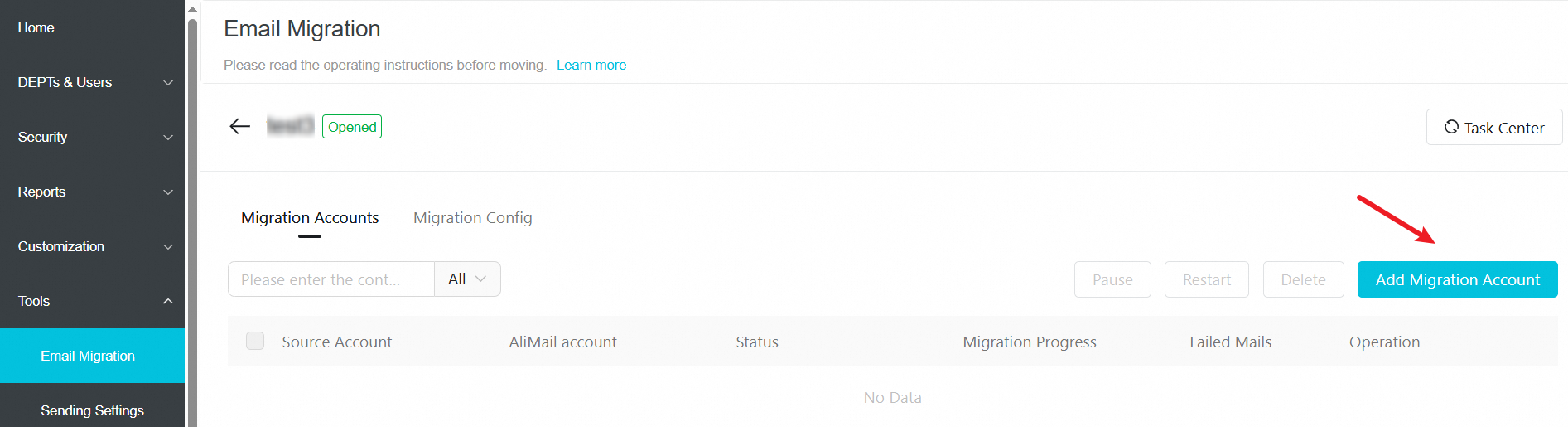
Choose one of the three plans based on your situation.
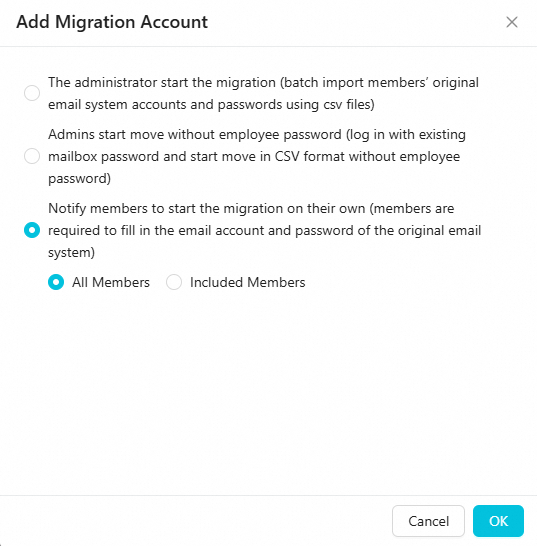
Key points overview
Plan type | Use case | Key points |
Batch migration (with passwords) | The administrator has the passwords for all employee accounts. |
|
Batch migration (without passwords) | Administrator only has a list of accounts. |
|
Employee self-service migration | When a decentralized approach is needed. |
|
The administrator starts the migration directly by importing a CSV file containing the source system usernames and passwords.
Summary: The administrator provides the passwords, the system migrates the data automatically in the background, and the process is seamless for employees.
 Prepare a CSV file with the following three required columns:
Alibaba Cloud account | Source account | Source password |
1234@example00.com | 1234@example01.com | Halo1234 |
Use cases
The administrator has all employees' source email passwords (or application-specific passwords/delegated access).
You want a zero-touch, silent migration for employees.
The migration involves complex authentication, such as a Microsoft Exchange delegated account or third-party application passwords.
How it works
The administrator provides the source account and password in a CSV file. The system uses these credentials to fetch data directly from the source system in the background.
Roles and actions
Role | Actions | Key considerations |
Administrator | 1. Create accounts: Batch-create employee accounts in the Alibaba Cloud Mail admin console. | • A single upload supports up to 10,000 entries. |
Employee | No action required. | • No login or configuration needed. |
Risk assessment
Password validity: Ensure that the provided passwords are valid and unchanged throughout the migration. If a source password becomes invalid, the migration for that account will fail.
Privacy compliance: This mode involves the administrator handling employee passwords. Ensure that the procedure complies with your company's information security policies and legal requirements.
For migrating from Microsoft Exchange using a delegated account (see Set up a delegated account for Microsoft Exchange), we recommend the following format for the migration file:
user2@example.com,superman@example.com/user1,password
Field descriptions:
user2@example.com: The Alibaba Cloud Mail account.
superman@example.com/user1: The source mailbox in delegated account format (where user1 is the source mailbox prefix, and access is delegated to superman@example.com).
password: The password for superman@example.com.
The administrator initiates the migration by importing a list of accounts. Employees trigger their own migration by logging in with their source email password.
Summary: The administrator provides an account list. Employees log in with their source system username and password, which automatically starts the migration.
Prepare a CSV file with only one column of data:
Migration account |
1234@example00.com |
Use cases
The administrator does not have access to employee passwords, protecting user privacy.
To start the migration in batches while minimizing manual configuration for employees.
Employees can use their source credentials to log in to the new system and agree not to change their source password during the migration.
How it works
The administrator imports a list of accounts to be migrated. When an employee first logs in to Alibaba Cloud Mail, they must use their source system username and password for authentication. A successful login automatically triggers the migration.
Roles and actions
Role | Actions | Key considerations |
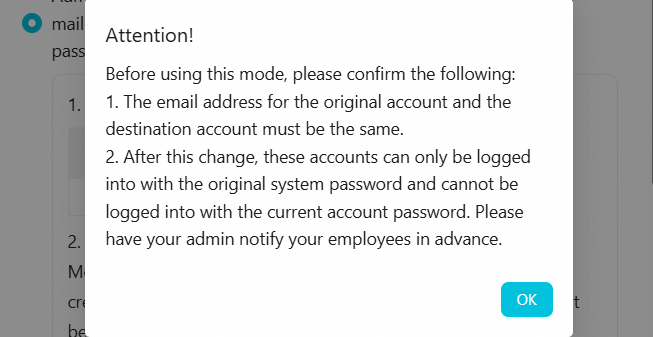
Administrator | 1. Create accounts: When creating accounts in Alibaba Cloud Mail, the email address must be identical to the source email address. | • Important: The Alibaba Cloud Mail account name must be identical to the source email account name. |
Employee | 1. Log in to new mailbox: Use the source system username and password to log in to the Alibaba Cloud Mail web client. | • Do not change the password in the source email system. This will cause the migration to fail. |
Risk assessment
Allowed actions
After logging in to Alibaba Cloud Mail, employees can change their new login password in the web client. This action does not affect the background migration process.
Forbidden actions (High risk)
Do not change the password in the source email system until the migration is complete.
Consequence: If the source password is changed, Alibaba Cloud Mail cannot authenticate, and the migration will fail.
Remedy: If this occurs, the employee must go to Settings > View More Settings > Mailbox Settings > Mailbox Migration in Alibaba Cloud Mail and manually update the source password to resume the migration.
Notify employees to start the migration themselves by entering their source system username and password.
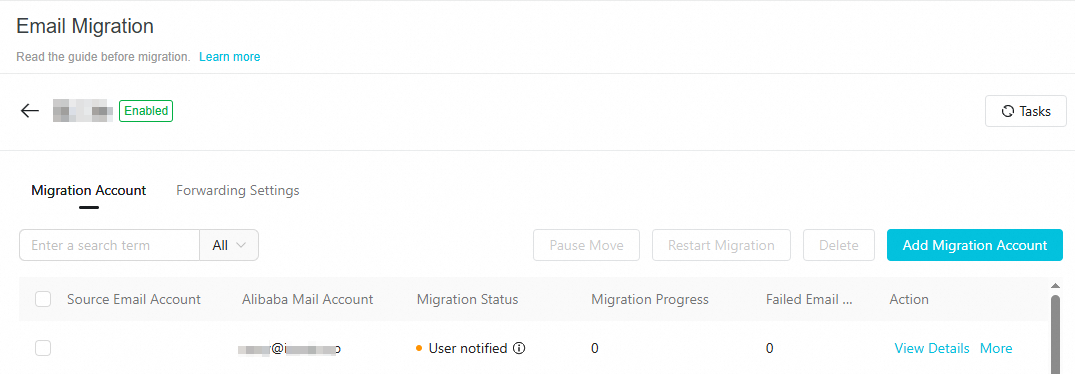
Summary: The administrator creates a migration task for all or selected members. Employees enter their own credentials to start the migration, giving them control over the process.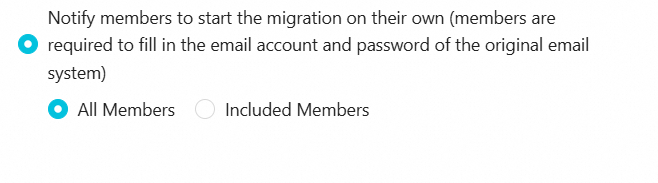
 Use cases
Employees manage their own passwords and prefer not to share them with the administrator.
Employees want to schedule their own migration time.
When a decentralized approach is preferred to reduce the administrator's workload.
How it works
The administrator first creates the Alibaba Cloud Mail accounts and a migration task. After logging in, employees go to the settings page and enter their source account credentials to authorize the migration.
Roles and actions
Role | Actions | Key considerations |
Administrator | 1. Create accounts: Batch-create employee accounts in the admin console and distribute initial passwords. | • No CSV file preparation required. |
Employee | 1. Log in to new mailbox: Log in to the Alibaba Cloud Mail web client using the initial credentials provided by the administrator. | • Ensure the source password is entered correctly. |