If you need to access the email logon page by using your own domain name, you need to add the corresponding CNAME record to your domain name resolution.
Prerequisites
Please check where you purchased your domain name. You need to add the resolution in the console of the corresponding domain name service provider.
Procedure
Take the Alibaba Cloud DNS Console as an example. If your domain name is example.net and you want to access the logon page through the mail.example.net, please follow these steps to add the resolution.
1. Log on to the Alibaba Cloud DNS Console.
2. In the DNS settings page of related domain, click Add DNS Record. Add the CNAME record as following screenshot. The record value is mail.sg.aliyun.com.
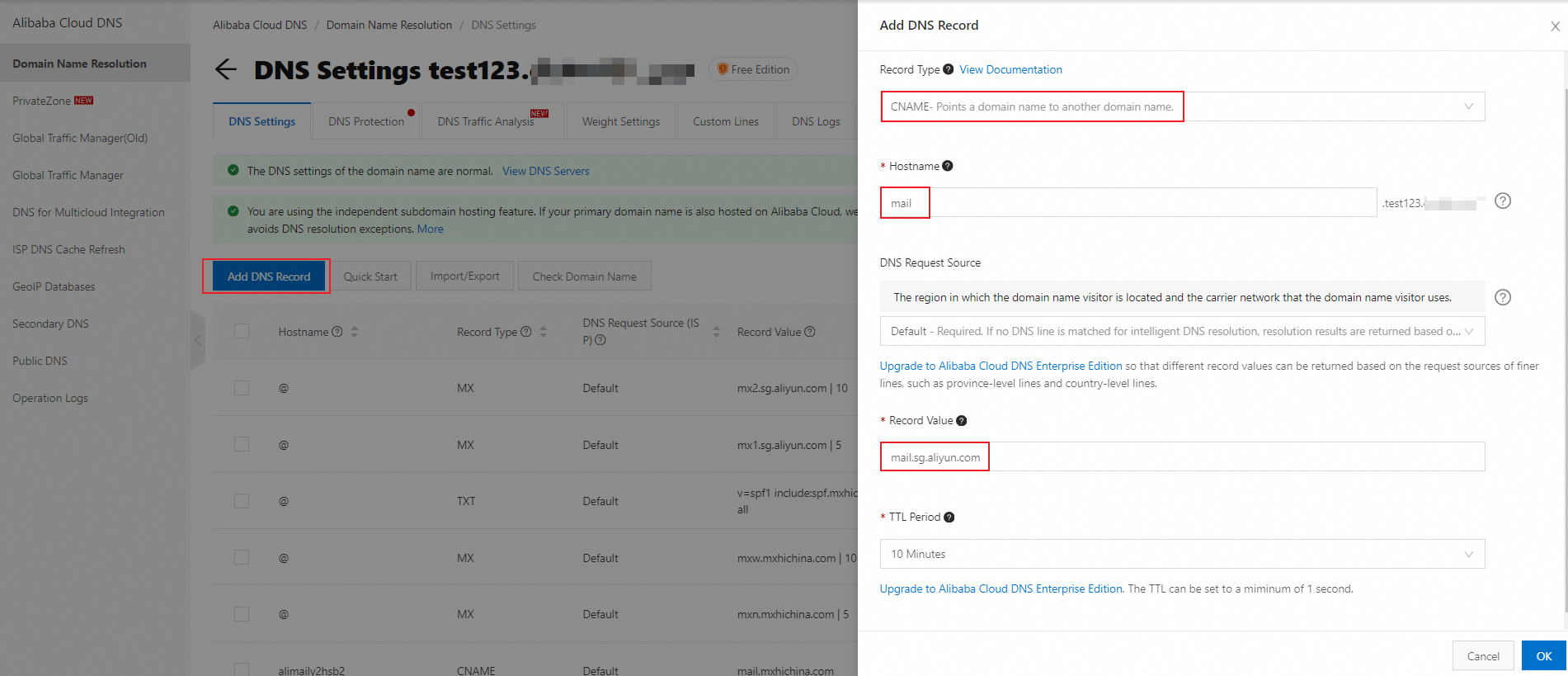
3. Click OK to finish adding.
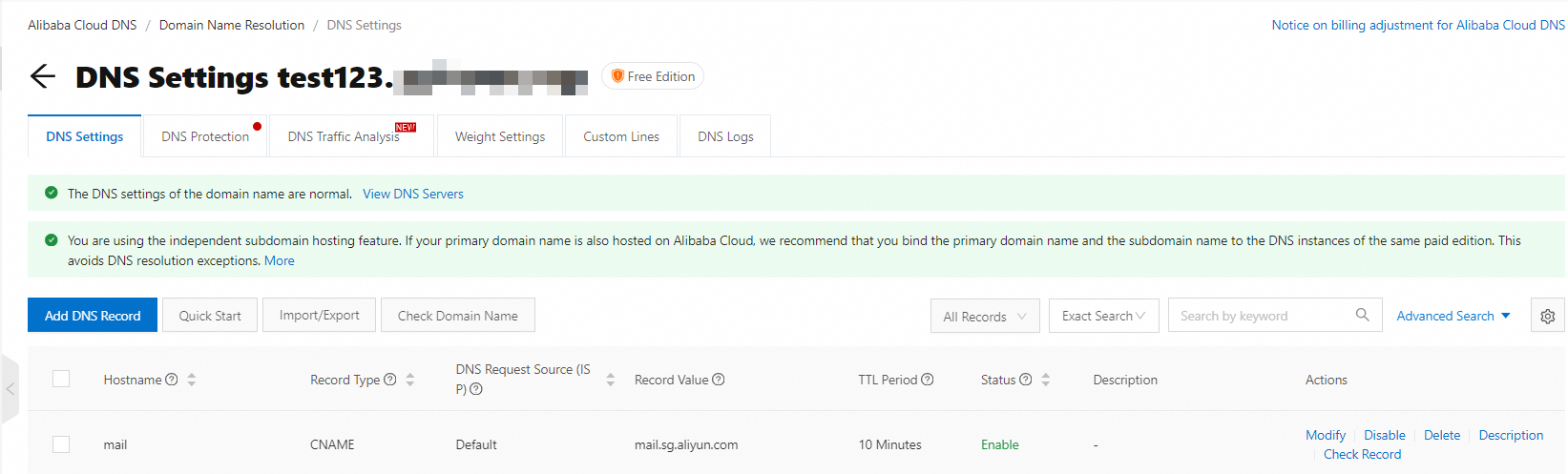
If you want to set the customized login address, you must logon to the domain management page, add and enable the domain name that allows logon. Please refer to How to Customize The Login Address?
References
How to Setup DNS Resolution of Alibaba Cloud Domain Name for Alibaba Mail?
How to Setup DNS Resolution of Non-Alibaba Cloud Domain Name for Alibaba Mail?