App Streaming uses the following terms. The diagram below shows how these concepts relate to each other.
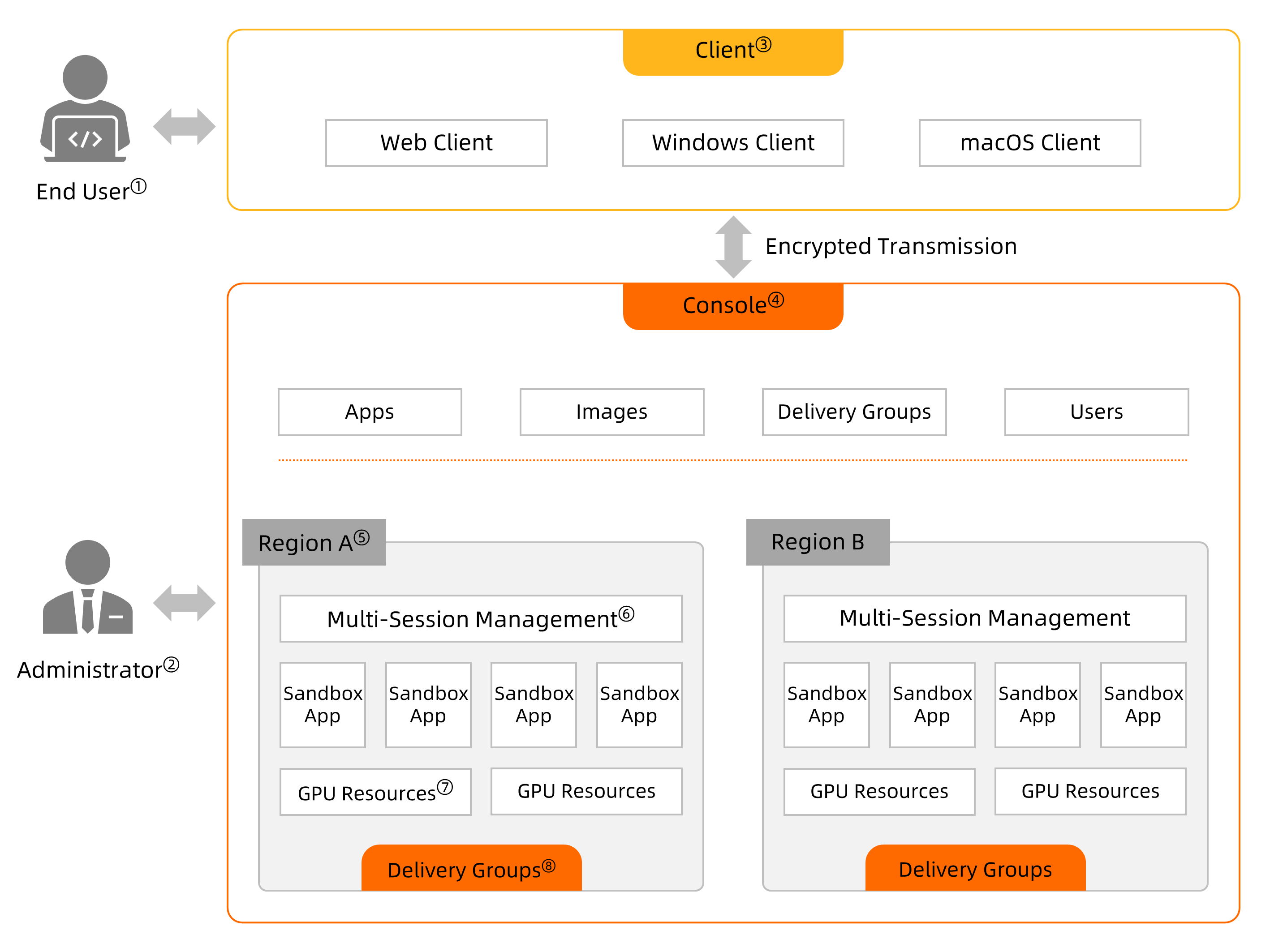
The numbered labels in the diagram correspond to the terms in the table below.
| No. | Term | Description | References |
|---|---|---|---|
| ① | end user | A user who accesses cloud applications. For example, Jack is a designer who uses cloud applications to create 3D animation. | Manage users |
| ② | administrator | A person responsible for managing and distributing cloud applications. For example, Kevin is an O&M engineer who manages cloud applications for Jack's company. | Console guide |
| ③ | terminal | The client through which users connect to cloud applications. Supported terminals include web clients, Windows clients, and macOS clients. | Download Alibaba Cloud Workspace Client and Access App Streaming by using Alibaba Cloud Workspace terminals |
| ④ | management console | The platform administrators use to manage applications, images, delivery groups, and users. | Console guide |
| ⑤ | region | The physical location of a data center. Regions are completely independent. | Limits |
| ⑥ | session management | The module that controls how many end users can access cloud applications at the same time. Administrators configure the maximum number of concurrent sessions in this module. | Change the policy of a delivery group |
| ⑦ | resource | A cloud computing carrier that supports the running of cloud applications. Resources are sold in specification plans, each defined by vCPUs, memory, and GPUs. | Billing overview |
| ⑧ | delivery group | A logic group based on which cloud applications are delivered to end users. A delivery group bundles the images, resource management policies, and user groups that the applications depend on. | Publish delivery groups |
Session
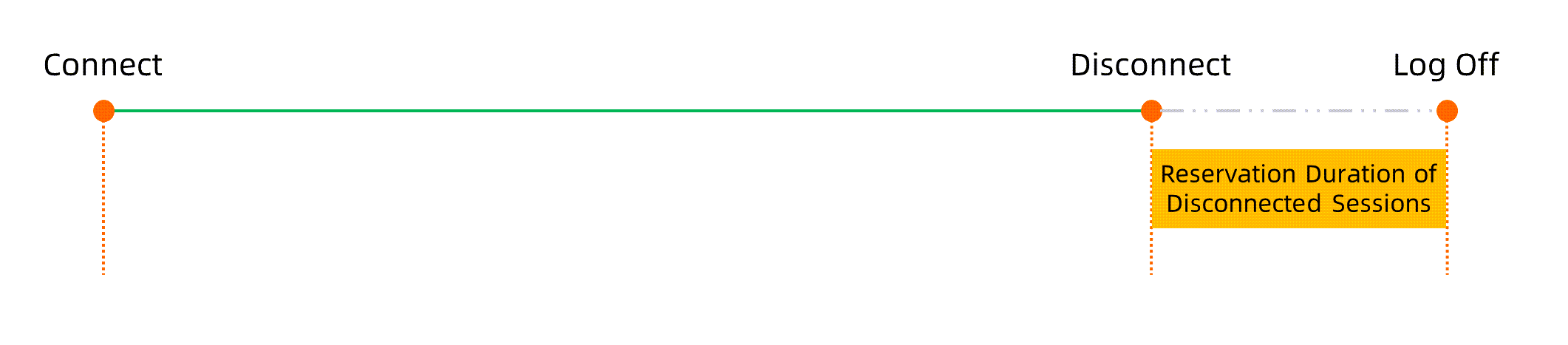
A session is a logical connection established when an end user connects to a computing resource in App Streaming from an Alibaba Cloud Workspace terminal — a web client, Windows client, or macOS client.
Active session
A session becomes active when an end user connects to a computing resource. The end user can access cloud applications and any associated data.
Disconnected session
If an end user disconnects from the computing resource — either intentionally or due to a network interruption — the session enters a disconnected state. A countdown begins based on the retention period configured for disconnected sessions.
If the end user reconnects before the countdown ends, the session becomes active again and data remains accessible.
If the end user does not reconnect before the countdown ends, the session expires.
Expired session
When the countdown for a disconnected session reaches zero, the session expires and unsaved data is deleted.