The Open Platform provides Quick BI reports and data for third-party use, enabling a wider audience to interact with data more easily.
Starting January 4, 2024, Chrome and Edge will begin to phase out third-party cookies to address user privacy tracking across top-level domains.
To reduce the impact on product embedding, Quick BI has upgraded its cookies. After the upgrade, you can still log on to your system and embed Quick BI pages. However, browser limitations prevent logon state synchronization across different primary domains. For example, if a.com and b.com both embed Quick BI pages, you must log on to each domain separately. To reduce this impact, use the same domain name or choose a logon-free embedding solution.
Additional notes:
1. Embedding without logon is not affected by this upgrade.
2. If you cannot log on to external system pages embedded in Quick BI, modify them as required by Chrome.
Business scenarios
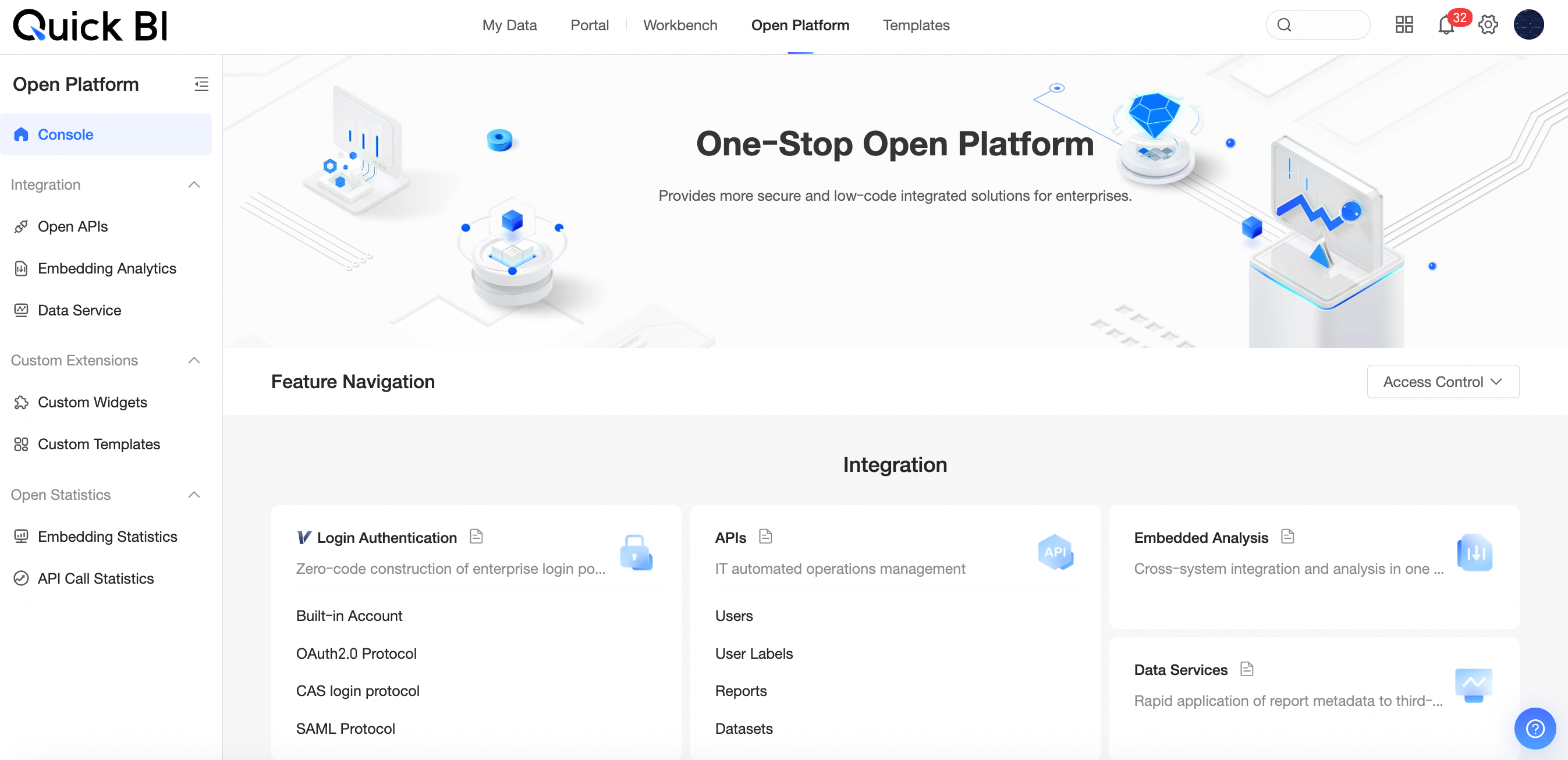
Features
The Open Platform supports the following features:
Feature | Description | |
Open integration | OpenAPI | Accepts system events for processing and executes resource management tasks. |
Embedded analysis | Embed analysis results as pages or cards into your business system for interactive analysis. For more information, see Report embedding. | |
Data service | Connect to customer data sources to provide data query and analysis services. For more information, see Create an API interface. | |
Custom extension | Custom components | In addition to the built-in chart components, you can develop your own custom components or create new charts or controls based on the component software development kit (SDK). For more information, see Custom components. |
Custom template | You can create custom templates based on existing dashboards, data dashboards, workbooks, and data entry forms. For more information, see Custom template. | |
Open statistics | Report embedding statistics | Provides statistical queries on report embedding, including an overview and access statistics. For more information, see Report embedding statistics. |
API call statistics | The API call statistics feature provides detailed information about API calls, including OpenAPI and Data Service API calls. For more information, see API call statistics. | |
Resource Access Management
Organization ID
The organization access token is the AccessKey, which includes an AccessKey ID and an AccessKey secret. The AccessKey ID identifies the user, and the AccessKey secret encrypts the signature string for server-side verification. You must keep the AccessKey secret strictly confidential.
In scenarios such as report embedding, the organization access token is required. For more information, see the basic solution for report embedding and the Security Enhancement Solution for Embedded Data Permission Control and Parameter Transmission in Reports.
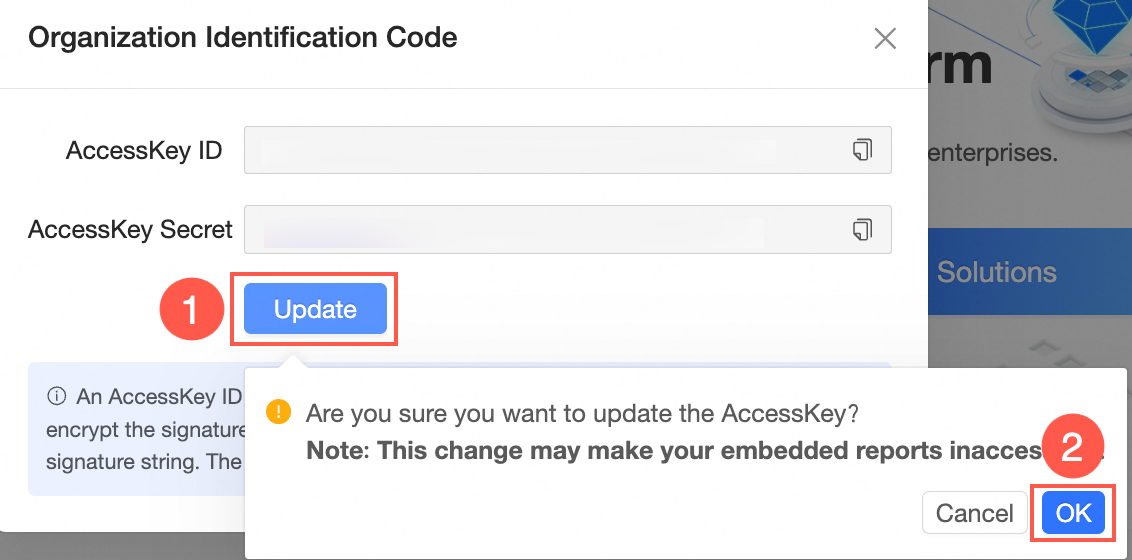
You can obtain the organization ID, as shown in the figure.

Click the
 icon to the right of the access token to copy it.
Click the Update button and then click OK in the dialog box that appears to update the AccessKey.
 Important
The update will make embedded reports inaccessible, so proceed with caution.
Authorize specified users to call APIs
For data security, if you need a dedicated account in your Quick BI organization to call OpenAPI without granting it administrator permissions, you can authorize a specific user to call APIs. Go to Open Platform (①) > Resource Access Management (②) > Authorize specified users to call API (③). Then, Enable API call permission (④) and Select specified users (⑤).
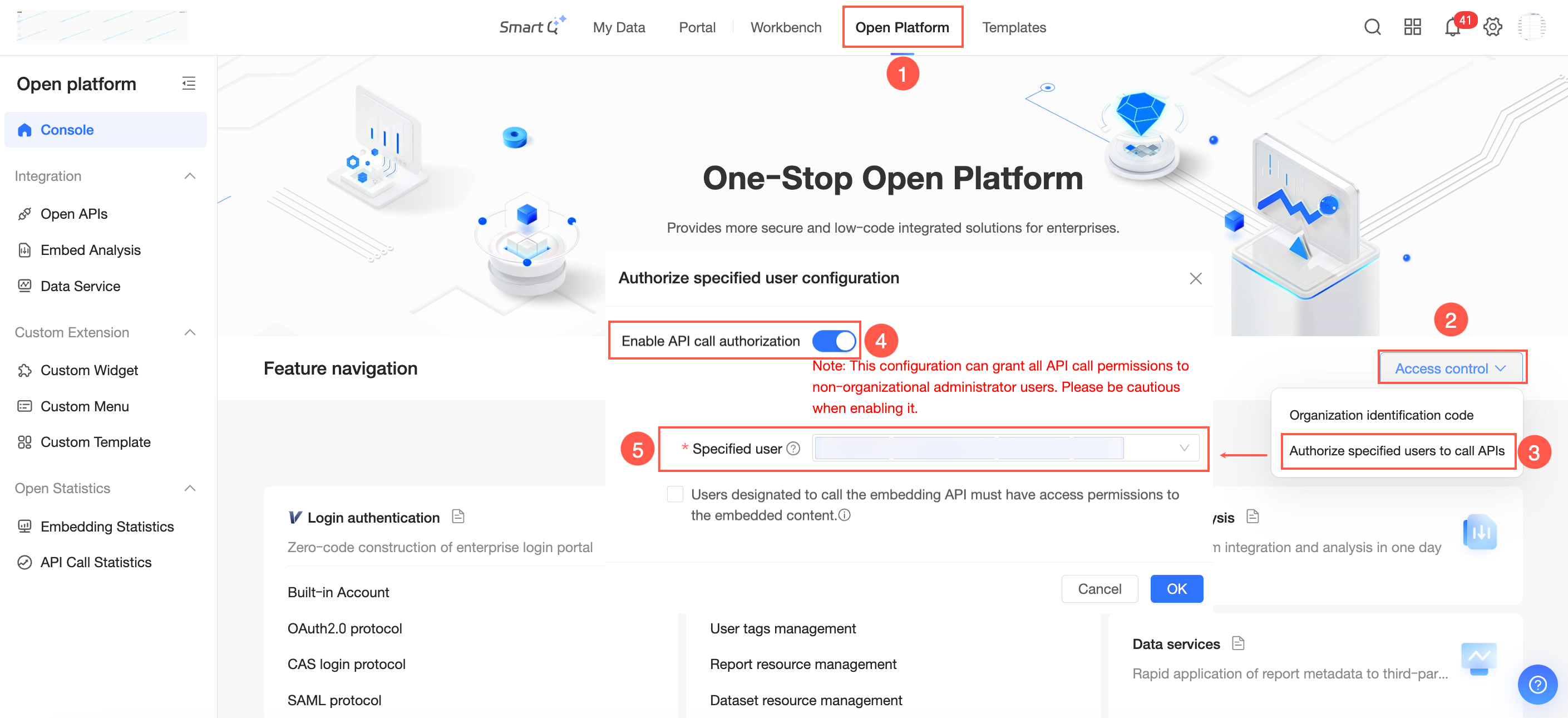
This configuration grants all API call permissions to users who are not organization administrators. Proceed with caution when enabling this feature.
To control user access permissions when calling embedding APIs, check the Specified users must have access permissions to the embedded work to call embedding APIs box. Once this box is checked, access to the embedded work is based on the specified user's account permissions. Embedding API calls will fail for works that the user does not have permission to access.
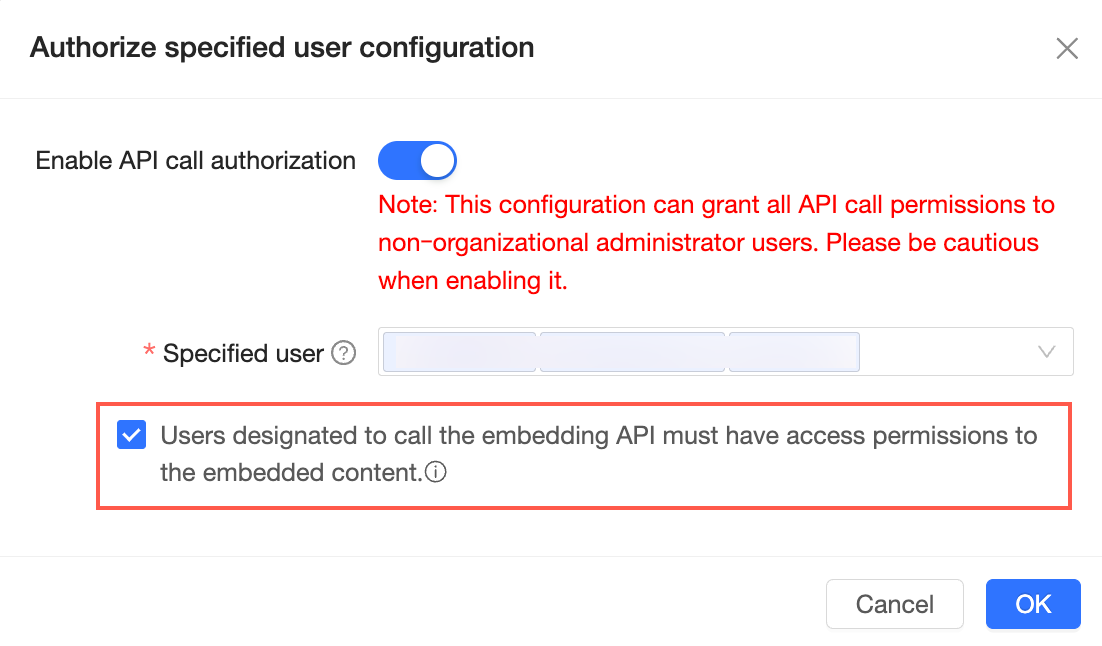
The following APIs are affected: