This scheme physically migrates the database by exporting a Data Layer Application File (bacpac file) from Azure SQL Server and then importing that file into an Aliyun RDS SQL Server using SSMS. This method can migrate various database objects, including tables, views, and stored procedures. As long as the databases are compatible, the import process should proceed smoothly. This approach is prioritized over logical full migration.
1. The database selection should correspond to the source database on Azure. Specifically, Azure's Standard and General Purpose tiers align with Alibaba Cloud's High Availability Edition, while Azure's Premium tier corresponds to Alibaba Cloud's Cluster Edition.
2. Verify that the compatibility level of the source database matches that of the target database. Execute the following command on the source table:
SELECT name, compatibility_level FROM sys.databases;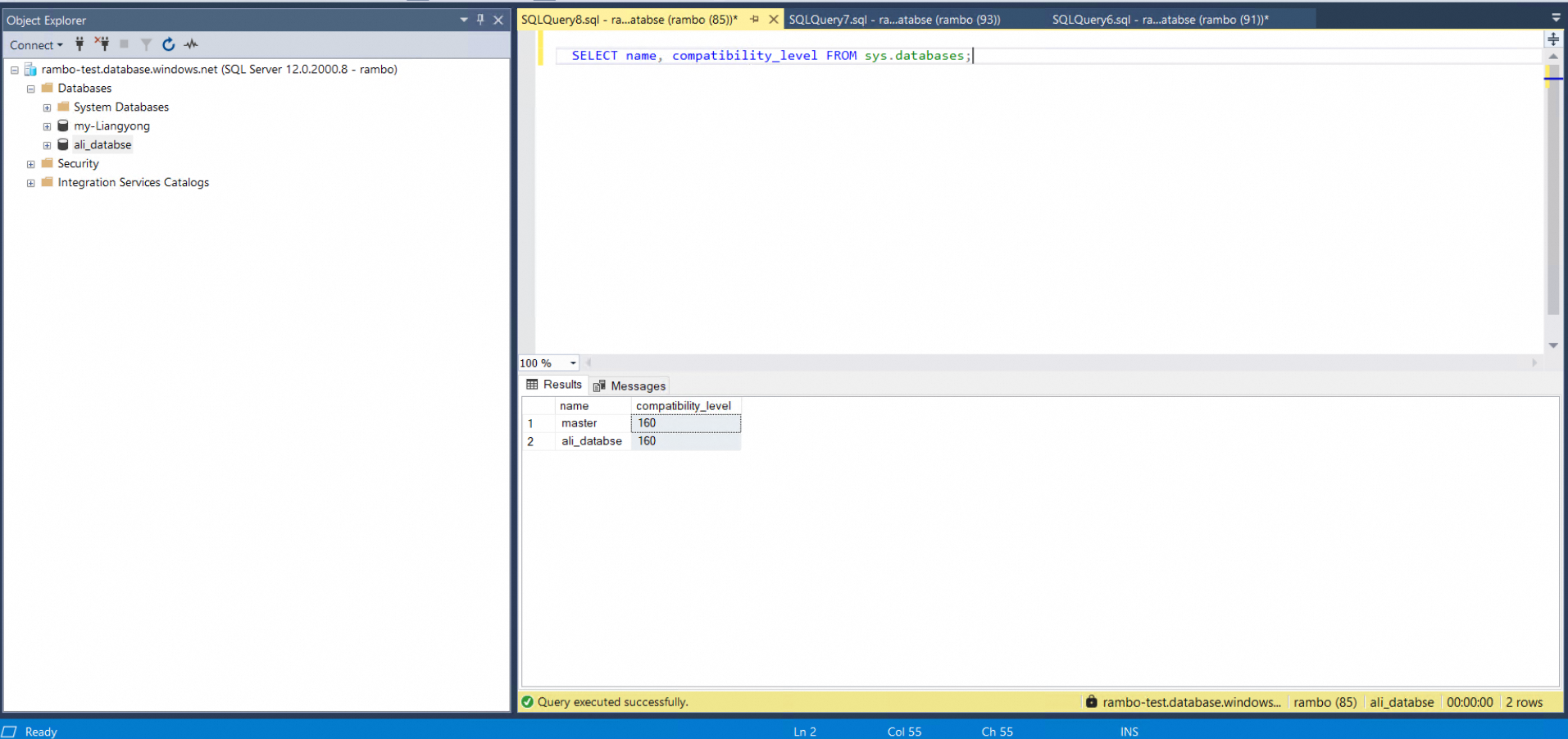
3. Prior to data import, the client should coordinate with the relevant personnel responsible for migration on the Alibaba Cloud side to temporarily disable triggers on the target instance. After the data import is complete, the triggers should be re-enabled, and the master-slave replication service should be re-established. For guidance, refer to the first question in the FAQ.
Refer to the documentation for specific compatibility levels
4. Verify that the size of the target database aligns with that of the source database. For instance, if the source database is 173 GB, the target database should be configured to approximately 200 GB.
Currently, there are two relatively convenient methods for data export:
This document primarily discusses exporting using the SSMS tool.
Download SSMS from the official website Download the SSMS tool to Alibaba Cloud ECS. SSMS official documents
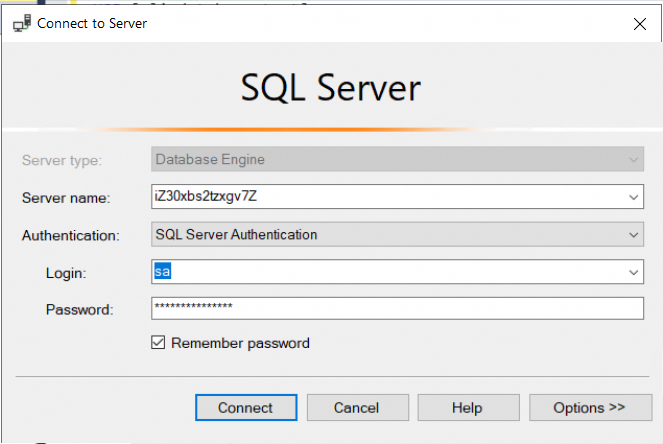
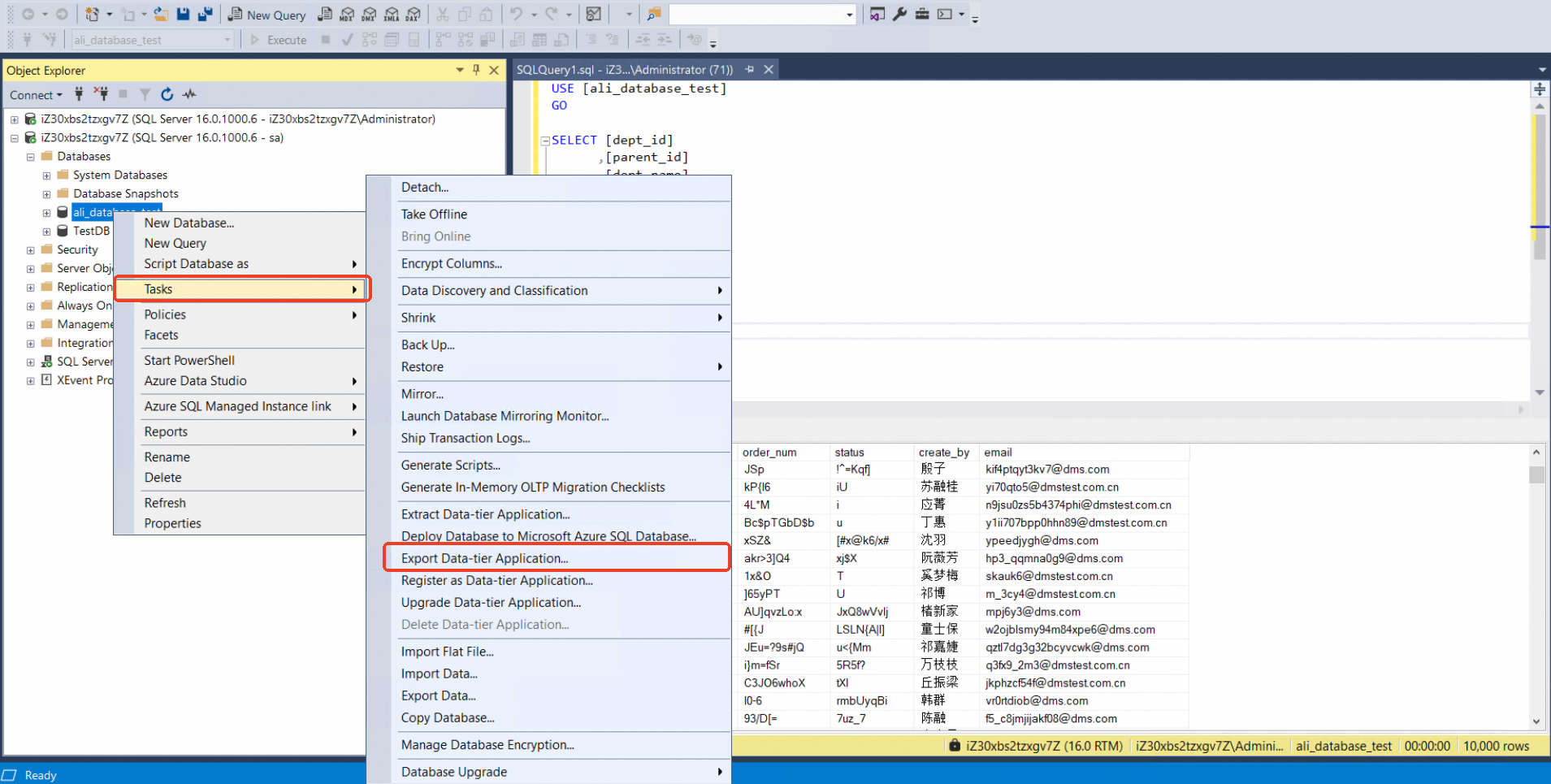
Connect to the database using SSMS, then select the database you want to export, right-click and select Task -> Export Data-tire Applications
Save to ECS local.
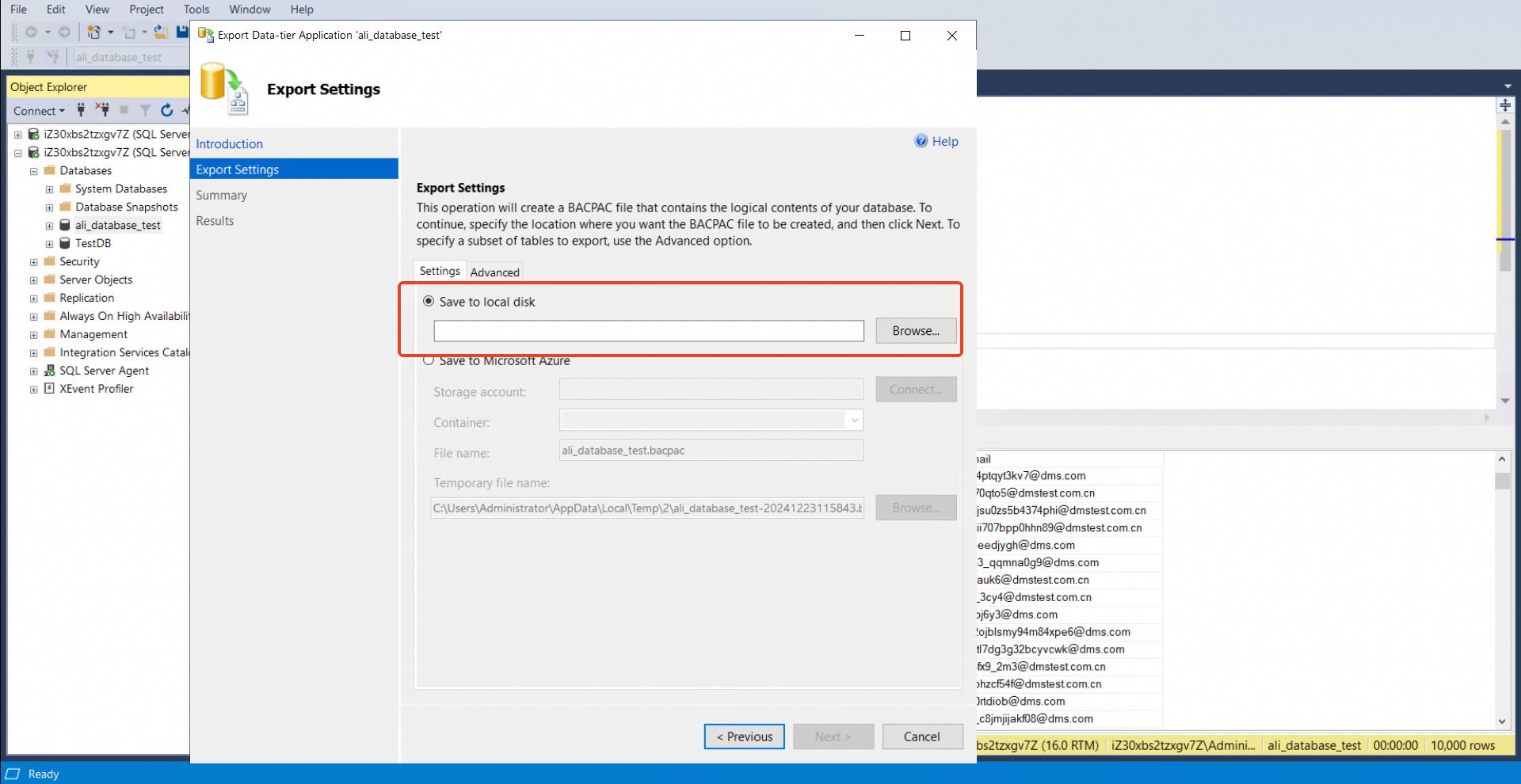
Start exporting
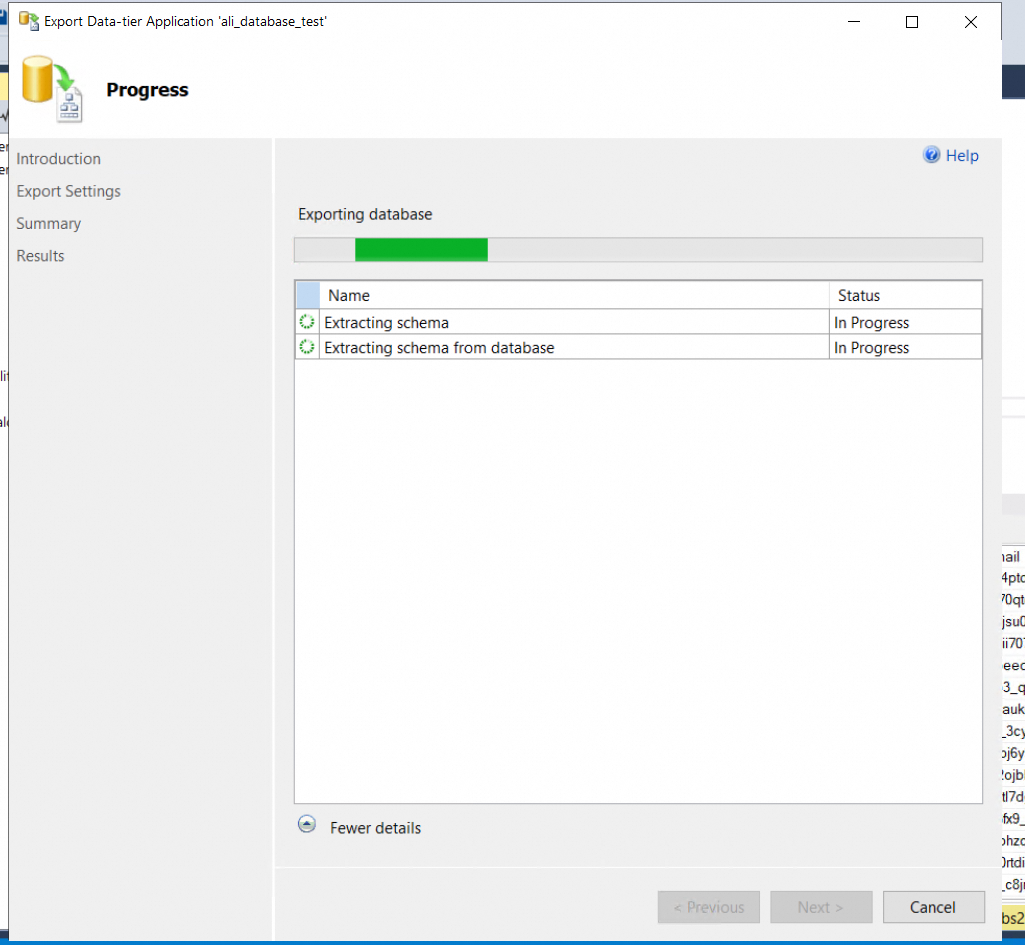
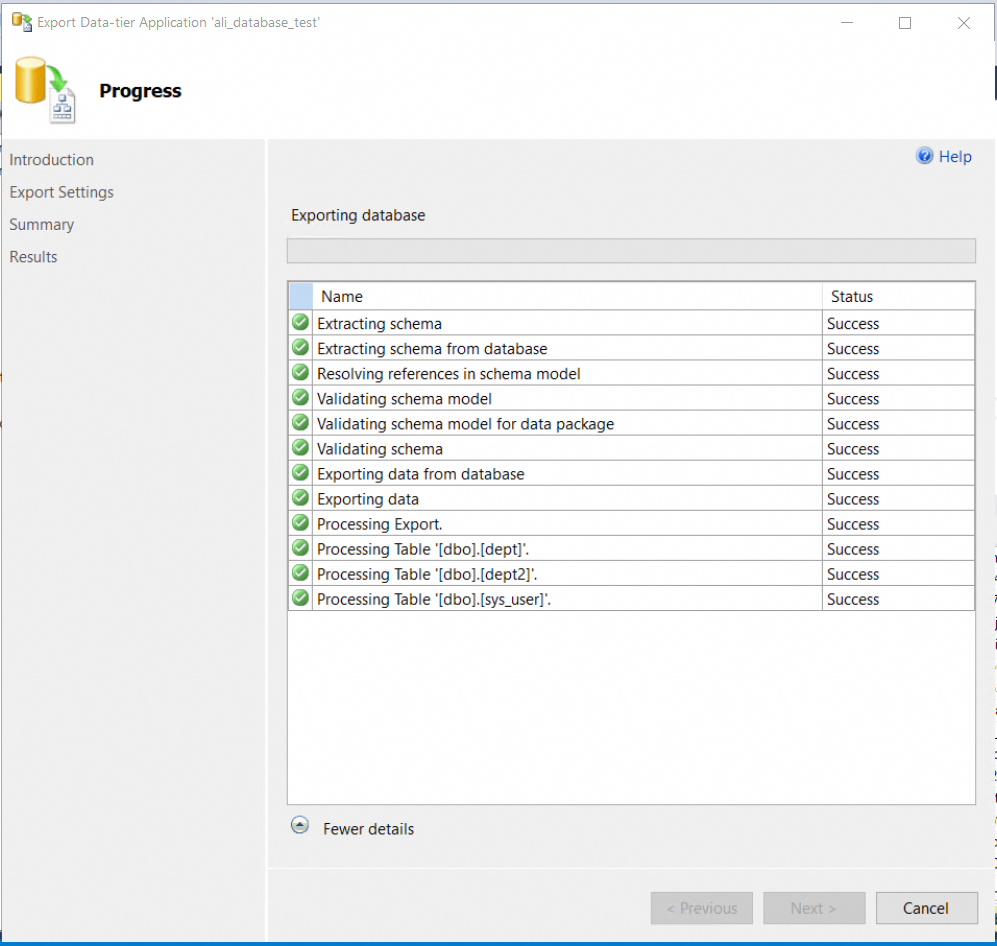
The export speed depends on the bandwidth from the source library to the ECS.
Connect to the Target Database
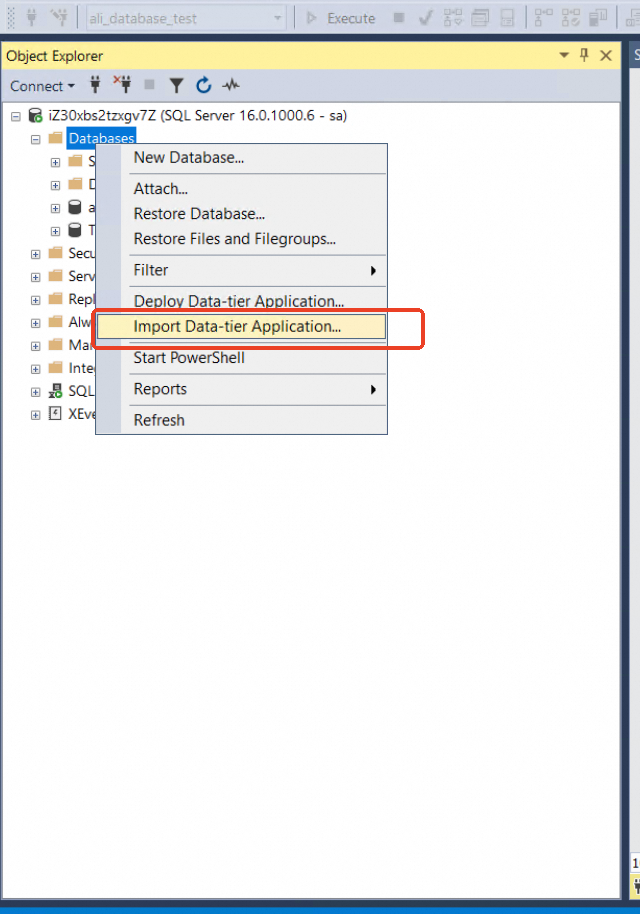
Once the BACPAC file intended for import is stored on the ECS used for migration, you can proceed with the import using SSMS. Right-click on "Databases" in the left-hand pane of SSMS and select "Import Data-tier Application" to begin the import process.
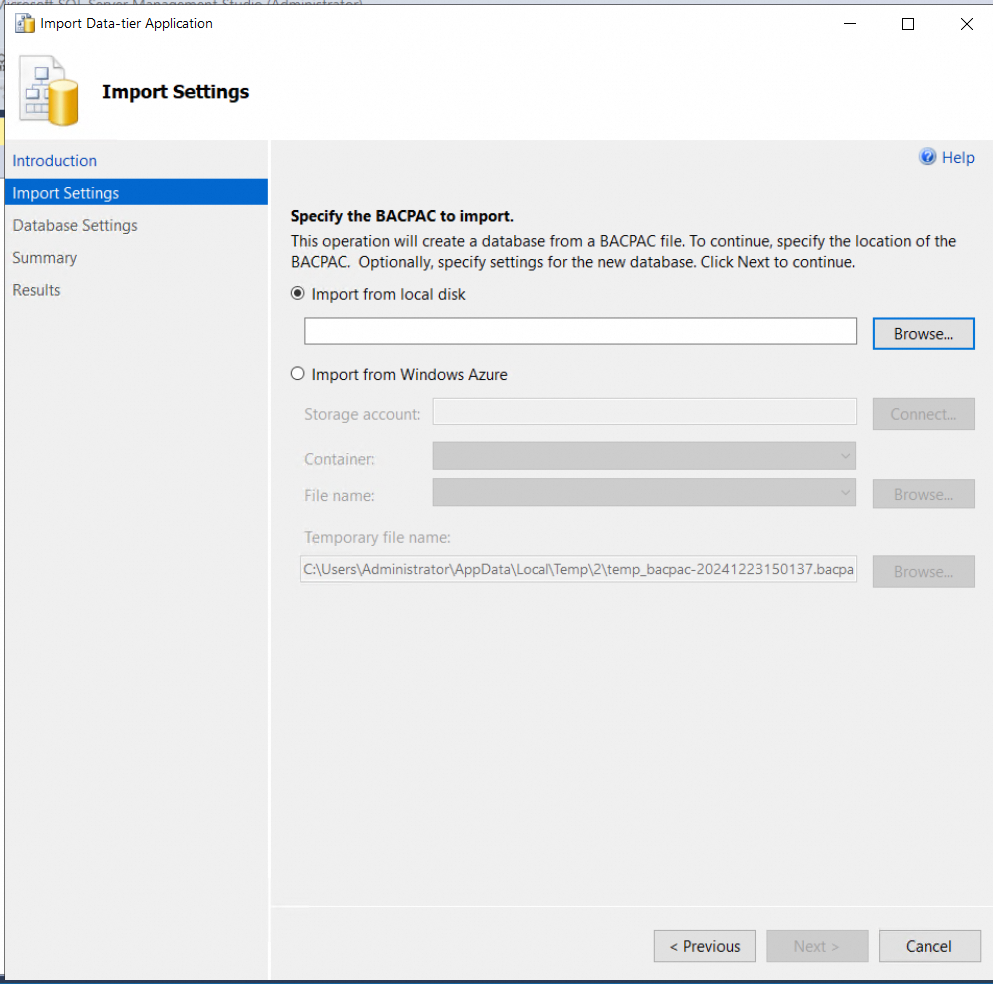
Load bacpac from local disk
Change the database name to be consistent with the source table. Change the file path and log path to D:sqlservercore_fultMSSQL16.MSSQLSERVERMSSQLDATA
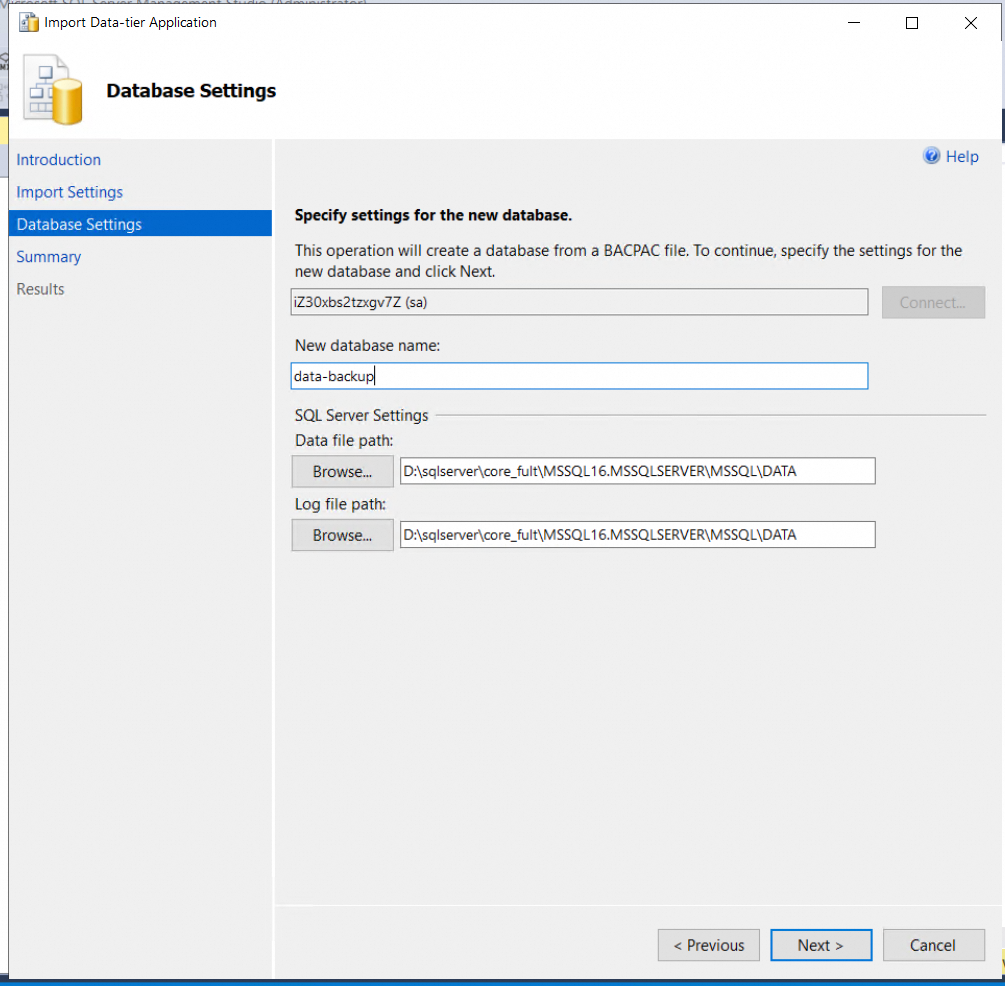
Next step is automatic import
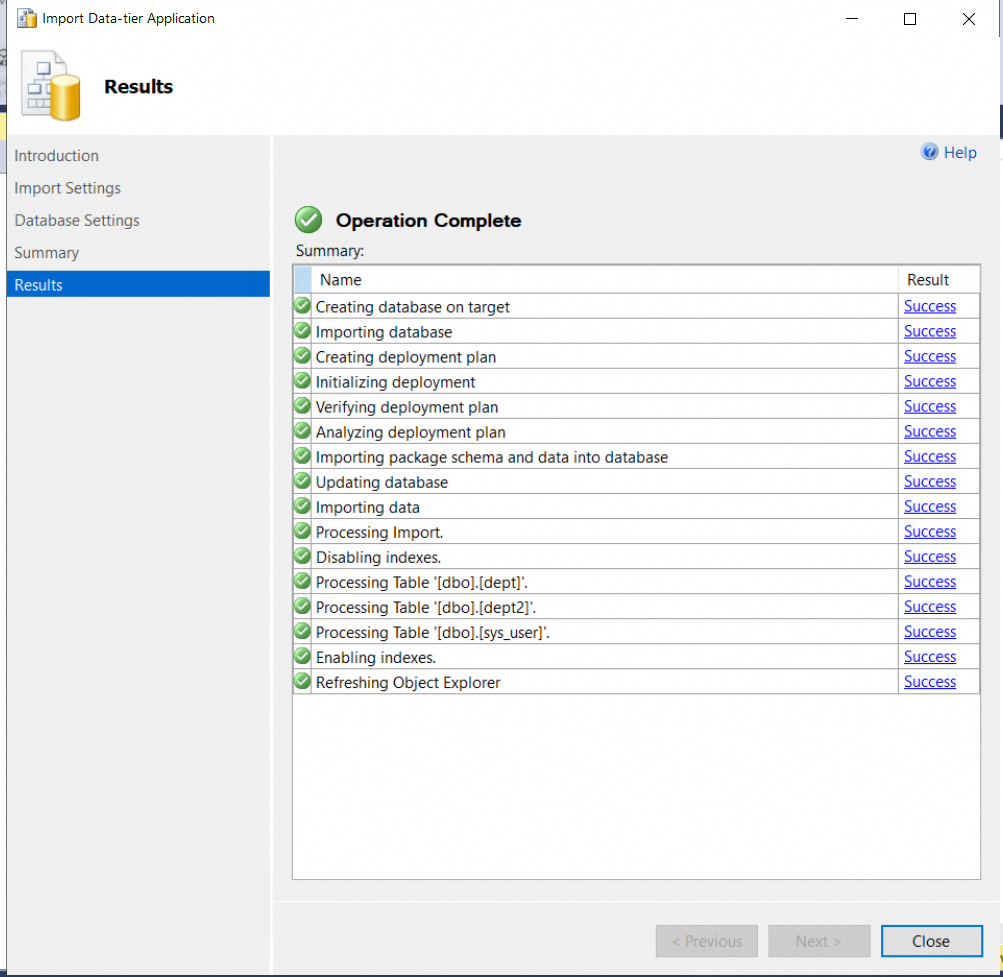
If errors occur during the initial architecture validation or import steps, verify the Alibaba Cloud configurations discussed earlier. Ensure version compatibility, that the account permissions are set to a system administrator (SA) account, and that the selected architecture (high availability or clustered) is appropriate.
If constraint-related errors occur after importing database tables, confirm whether business operations were paused during export. Any write activity during export can cause data inconsistencies and lead to constraint errors.
The completion of data import depends on the database’s CPU specifications and disk I/O. Because of version differences and fragmentation, the sizes of the source and target databases may not match exactly. Therefore, validate data consistency as described below.
After completing the data import, run verification commands on both the source and target databases to validate data consistency. The primary verification method is to ensure that row counts are identical in both databases. Make sure there are no changes to the source tables or snapshot data during migration; otherwise, discrepancies in row counts may occur.
Database tota number SQL
SELECT SUM(p.rows) AS 'RowCount'
FROM sys.tables AS t
INNER JOIN sys.partitions AS p ON t.object_id = p.object_id
WHERE t.type = 'U'
AND t.is_ms_shipped = 0
AND p.index_id IN (0, 1)
The is_ms_shipped attribute of 1 indicates the table maintained by the system, and 0 indicates the table created by the business user.
Database storage usage size SQL
SELECT a.name [FileName]  ,
cast(a.[size]*1.0/128 as decimal(12,1)) AS [FileSizeSetting(MB)]  ,
CAST( fileproperty(s.name,'SpaceUsed')/(8*16.0) AS DECIMAL(12,1)) AS [SpaceUsed(MB)]  ,
CAST( (fileproperty(s.name,'SpaceUsed')/(8*16.0))/(s.size/(8*16.0))*100.0  AS DECIMAL(12,1)) AS [SpaceUsage%]  ,
CASE WHEN A.growth =0 THEN 'Fixed size, no growth' ELSE 'Auto growth enabled' end [GrowthMode]  ,
CASE WHEN A.growth > 0 AND is_percent_growth = 0 THEN 'Fixed-size increment'
WHEN A.growth > 0 AND is_percent_growth = 1
THEN 'Increment expressed as integer percent'
ELSE 'Fixed size, no growth'
END AS [IncrementMode]  ,
CASE WHEN A.growth > 0 AND is_percent_growth = 0
THEN cast(cast(a.growth*1.0/128as decimal(12,0)) AS VARCHAR)+'MB'
WHEN A.growth > 0 AND is_percent_growth = 1
THEN cast(cast(a.growth AS decimal(12,0)) AS VARCHAR)+'%'
ELSE 'Fixed size, no growth' end AS [IncrementValue(% or MB)]  ,
a.physical_name AS [FileLocation]  ,
a.type_desc AS [FileType]
FROM sys.database_files  a INNER JOIN sys.sysfiles AS s
ON a.[file_id]=s.fileid
LEFT JOIN sys.dm_db_file_space_usage b
ON a.[file_id]=b.[file_id] ORDER BY a.[type]Because SSMS is a full logical migration, it requires downtime for the business system. In order to avoid too long downtime, we collect the following data based on the migration project of Jinlongyu customers to provide a time reference for subsequent migration data. ,
1. The customer migrated from Azure to Alibaba Cloud room in the same region. 459G, export takes 11.3h, import to Alibaba Cloud 4.11h, a total of 15.4h.

2. When the customer applies for 16c32G ecs in Azure and exports the data to Azure ecs, the 459GB export takes 5.5h, which is 9.6h faster than the ecs export in Alibaba Cloud. With the introduction of 4.11h, the overall control is 11 hours, which is 5 hours higher than the previous scheme.
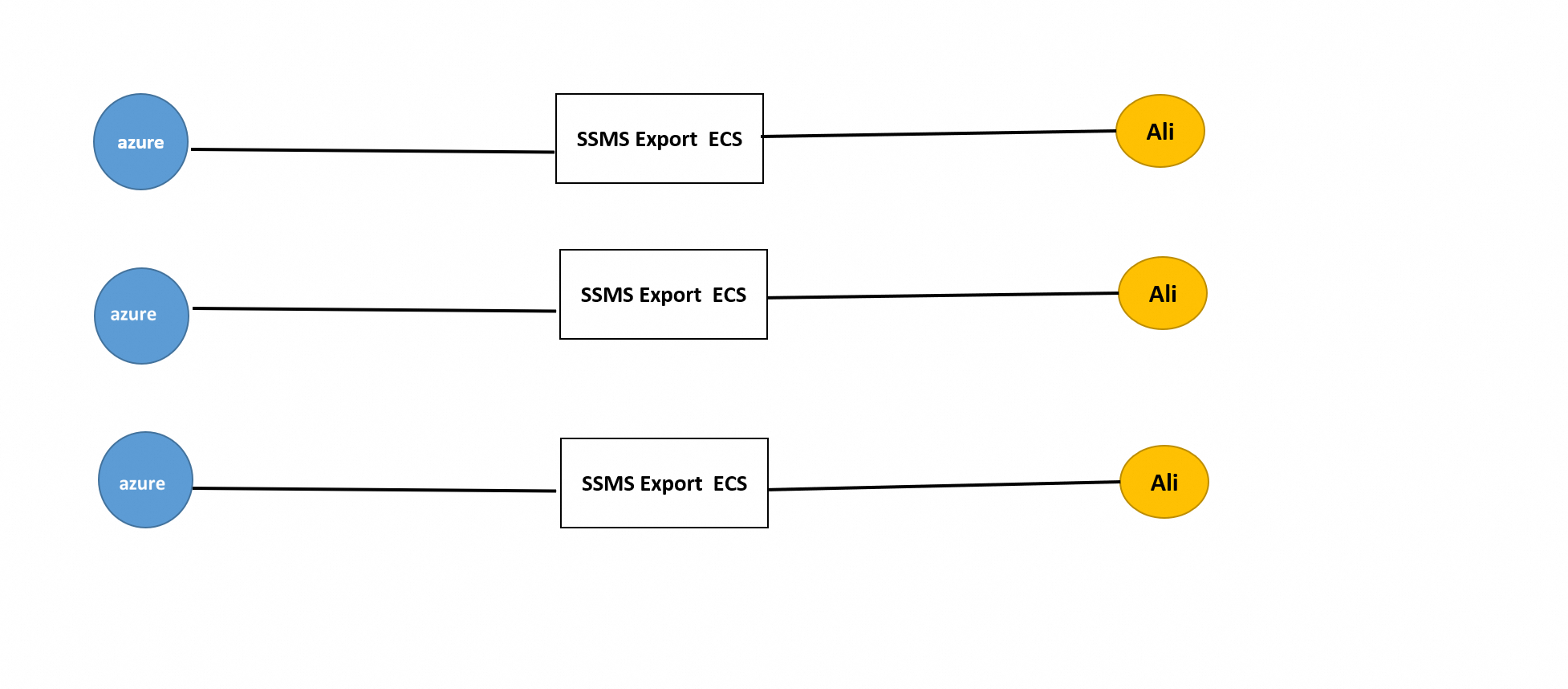
3. For batch migration, if you want to speed up the migration time of multiple instances, you are advised to apply for the ecs corresponding to multiple instances, export SSMS to the ECS, and then import the SSMS to the SQL server of Alibaba Cloud.
RDS SQL Server has two instance-level triggers: _$$_tr_$$_rds_create_database and _$$_tr_$$_rds_alter_database conflict with the create database and alter database commands that are executed when bacpac files are imported. Command execution and import operations fail. The two triggers _$$_tr_$$_rds_create_database and _$$_tr_$$_rds_alter_database need to be disabled on the instance. The sysadmin account is required for this operation.
Also note that after the user's database import operation is complete, in addition to restoring the default permission Settings for user login and re-enabling the above two instance-level triggers, because the _$$_tr_$$_rds_create_database trigger is not executed when the database is created, The owner of the database will not be automatically changed to the sa account used by default on RDS, and the database will not automatically create a mirror high availability (or join the AlwaysOn availability group), so it is necessary to run sp_changedbowner to set the owner of the database to sa (this operation can be omitted). The default can be used), and then the duty on the Ali cloud side needs to initiate the image repair task in Dukangli to build the image high availability for the database.
Develop Data ETL Links in AnalyticDB for PostgreSQL Using DMS
[Infographic] Highlights | Database New Features in July 2025
5544031433091282 - July 1, 2022
ApsaraDB - March 4, 2021
ApsaraDB - December 6, 2024
ApsaraDB - November 5, 2024
Alibaba Clouder - July 5, 2019
Cherish Wang - January 17, 2019
 Database Migration Solution
Migrating to fully managed cloud databases brings a host of benefits including scalability, reliability, and cost efficiency.
Learn More Cloud Migration Solution
Secure and easy solutions for moving you workloads to the cloud
Learn More Oracle Database Migration Solution
Migrate your legacy Oracle databases to Alibaba Cloud to save on long-term costs and take advantage of improved scalability, reliability, robust security, high performance, and cloud-native features.
Learn More ADAM(Advanced Database & Application Migration)
An easy transformation for heterogeneous database.
Learn MoreMore Posts by ApsaraDB


