Since its launch in August 2025, Lingyang Quick BI Smart Q has proven its value in more than 100 business scenarios across industries such as retail, finance, and manufacturing. It has brought the vision of “an AI data analyst for everyone” closer to reality.
At the same time, real-world adoption has also revealed deeper user expectations:
We recognize that there is still a “last-mile” gap between data + AI capabilities and real business needs. To address this, the Quick BI product team has carefully refined Version 6.1, delivering major upgrades across five key areas: Volatility Attribution analysis, reports, data query, interpretation, and the enterprise knowledge base.
These upgrades not only solve the problem of finding the right data, but also enable AI to better understand each enterprise’s unique business logic and the different data consumption needs of different roles. The “AI data analyst for everyone” is evolving into a more capable business partner, helping enterprises build an end-to-end data-to-decision workflow powered by AI.
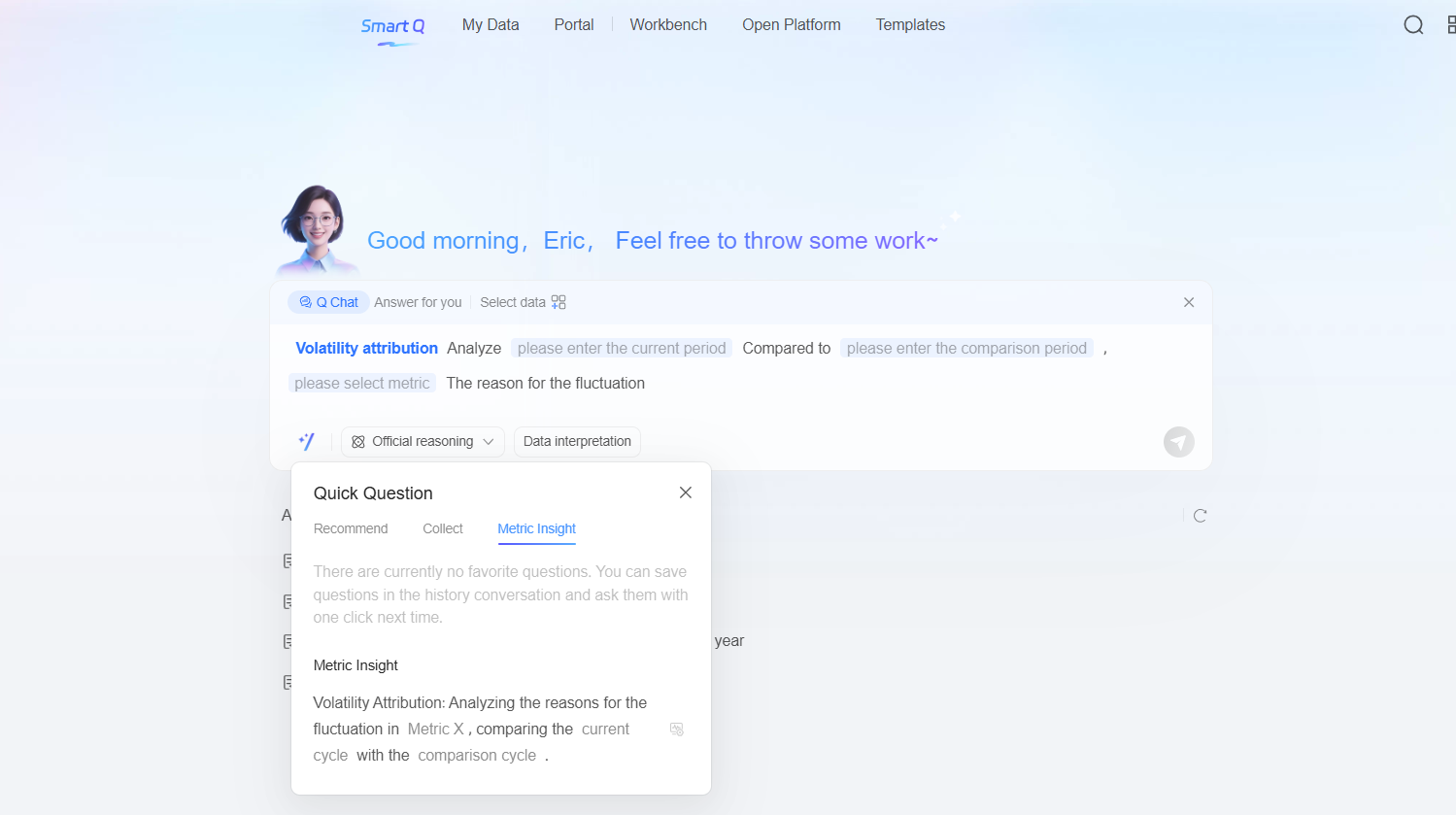
Smart Q now supports multiple Volatility Attribution Analysis methods, covering a wide range of analytical scenarios and creating a one-stop experience from data query to driver analysis to reporting.
Common scenarios:
In industries such as e-commerce, marketing, and user growth, high-frequency and complex Volatility Attribution analysis is a common need. In the past, data developers had to master multiple advanced analytical methods to perform driver analysis on complex business processes. Business teams that wanted to understand metric fluctuations often had to submit requests to data teams, leading to cumbersome workflows and long turnaround times.
This disconnect between business needs and analytics often meant that by the time an analysis report was delivered, the window for action had already narrowed, making timely decision-making difficult.
Feature overview: Multiple Attribution methods to cover full-scenario analysis requirements
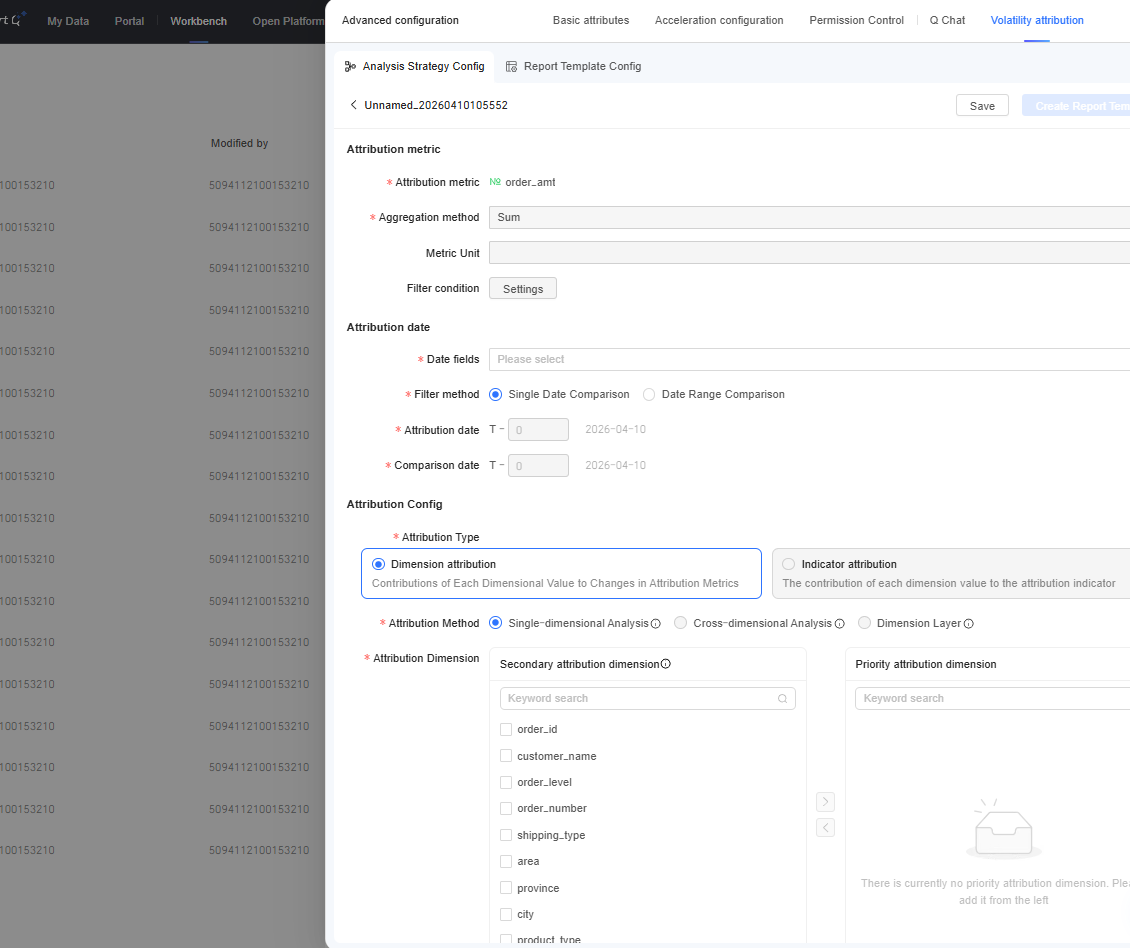
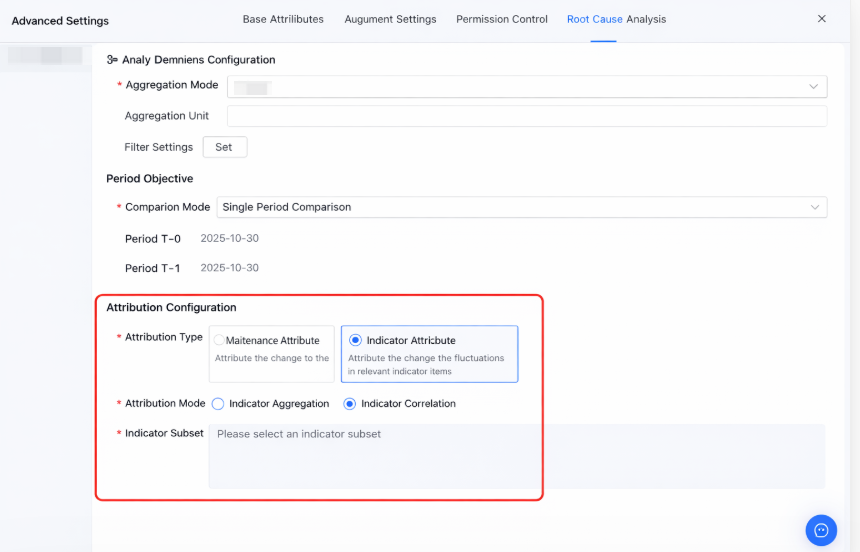
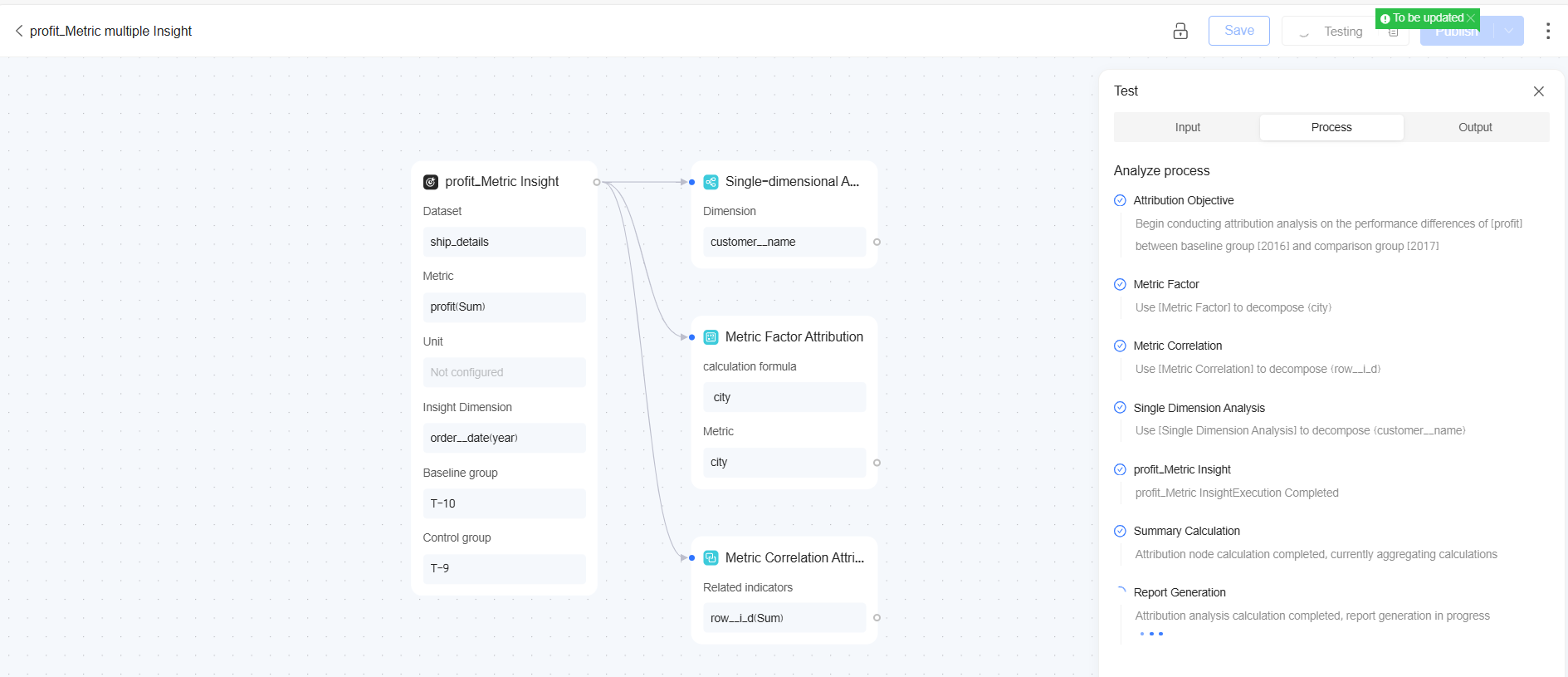
Multi-step driver-analysis orchestration for complex root causes
Common scenarios:
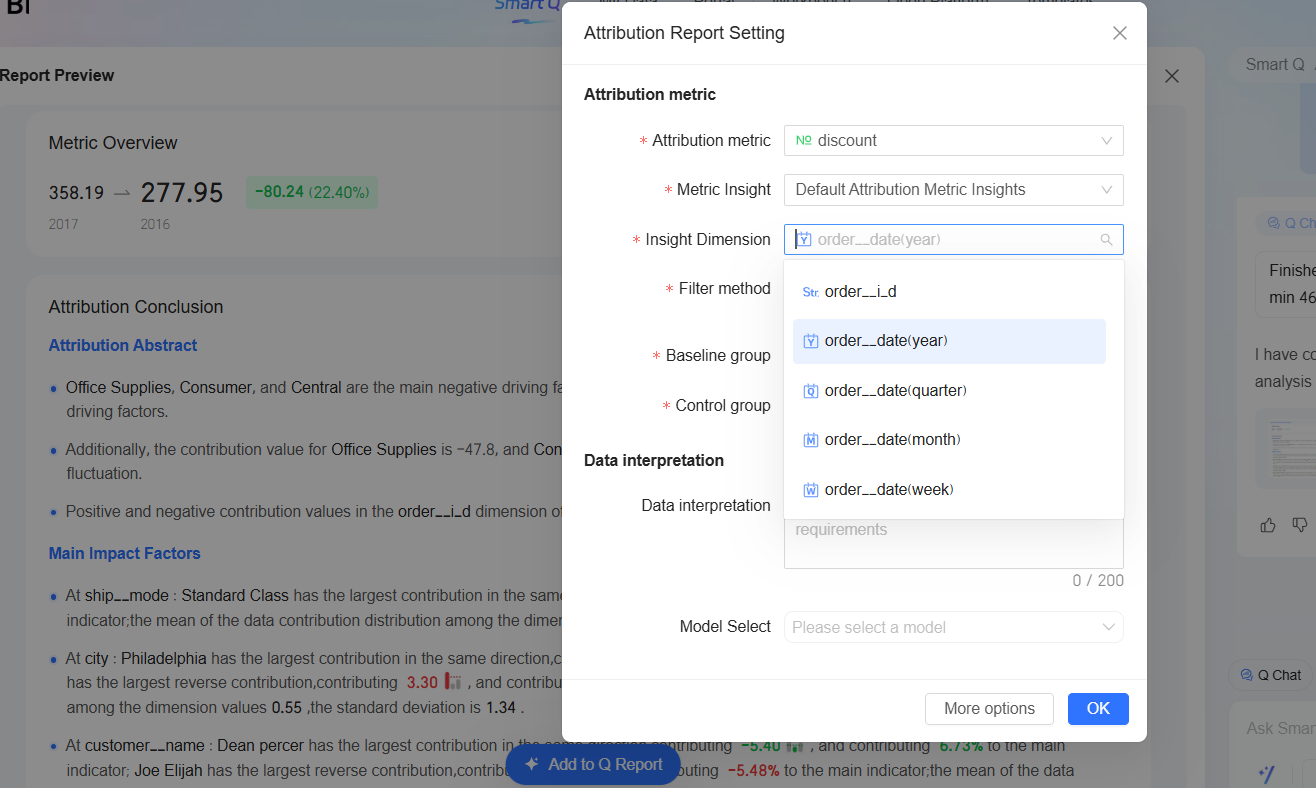
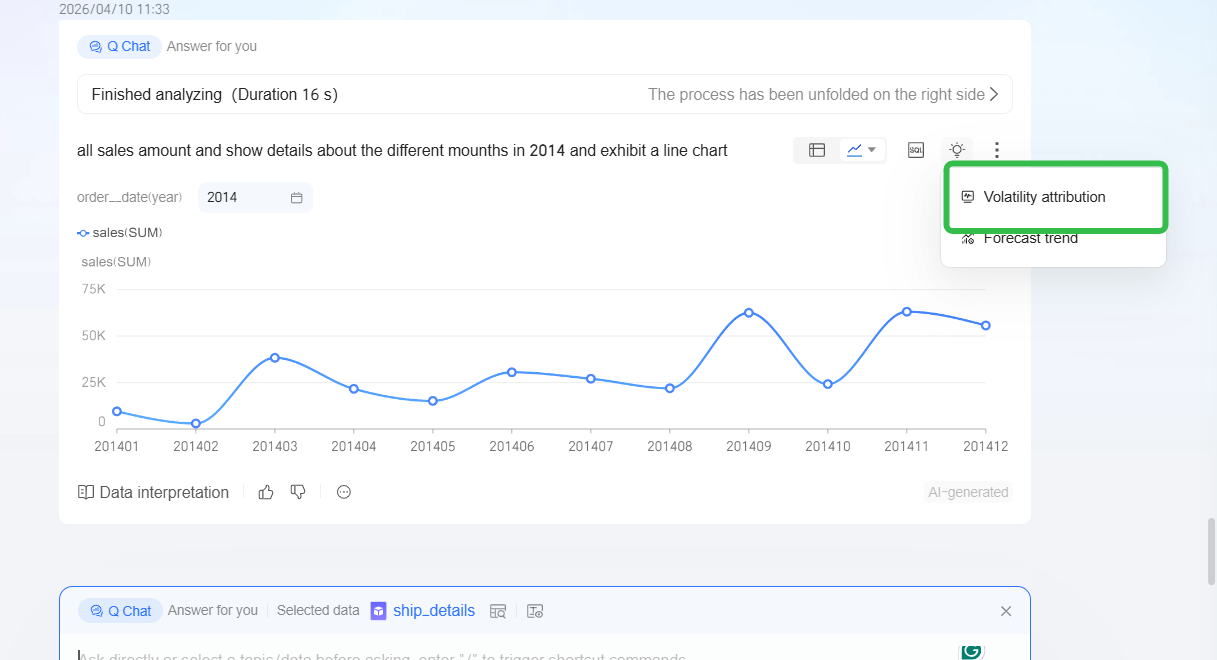
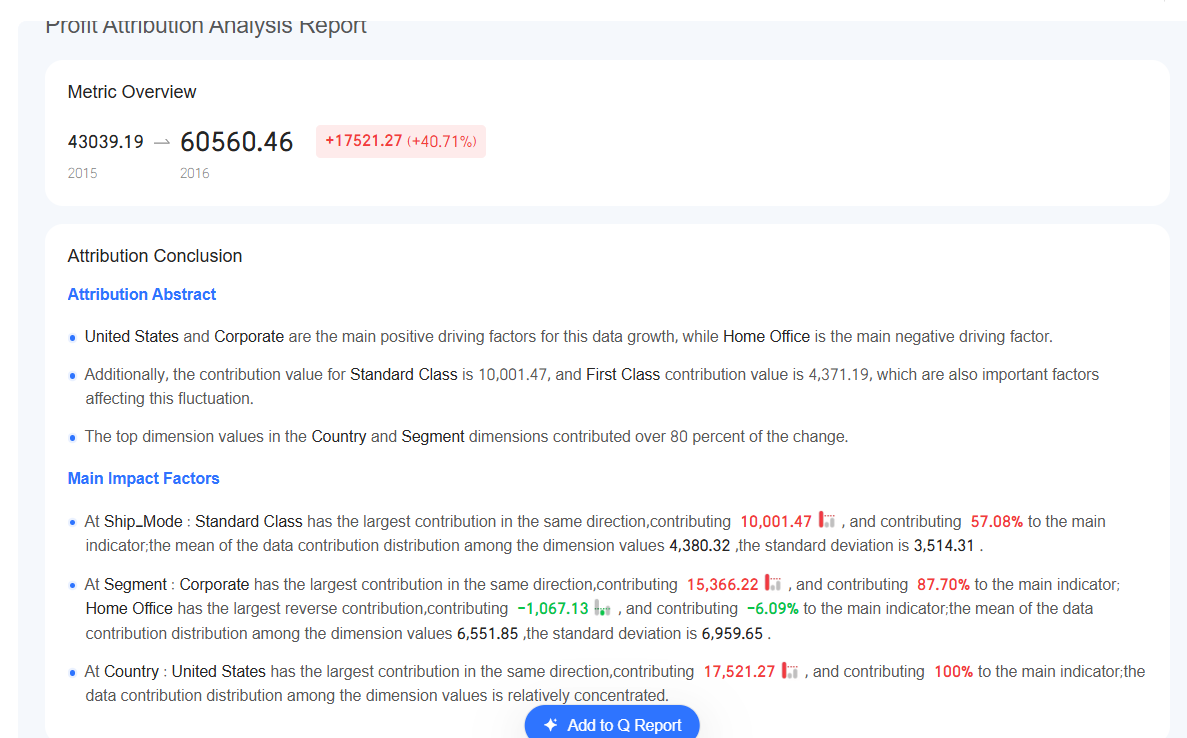
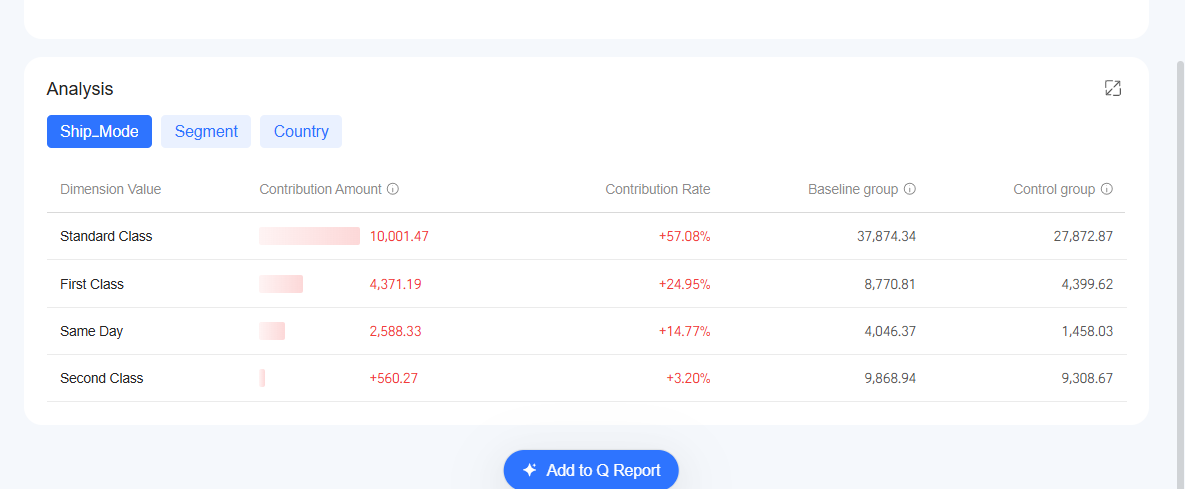
When business users discover fluctuations in core metrics through data querying, Smart Q can complete intelligent Volatility Attribution Analysis in seconds, seamlessly connect with the reporting system, and generate professional insight reports with one click.
Feature overview:
The upgrade in Smart Q Reports Version 6.1 realizes an intelligent closed loop for the full report lifecycle: one-click intelligent generation based on authorized datasets -> asynchronous background processing -> subscription and push across multiple channels -> report archiving. This significantly improves report generation efficiency, traceability, and the team collaboration experience.
Common scenarios:
Enterprises often have a large amount of data that has been specially processed by the IT or data team and transformed into datasets. When business users perform self-service analysis, they hope to generate reports based on this existing dataset data.
Feature overview:
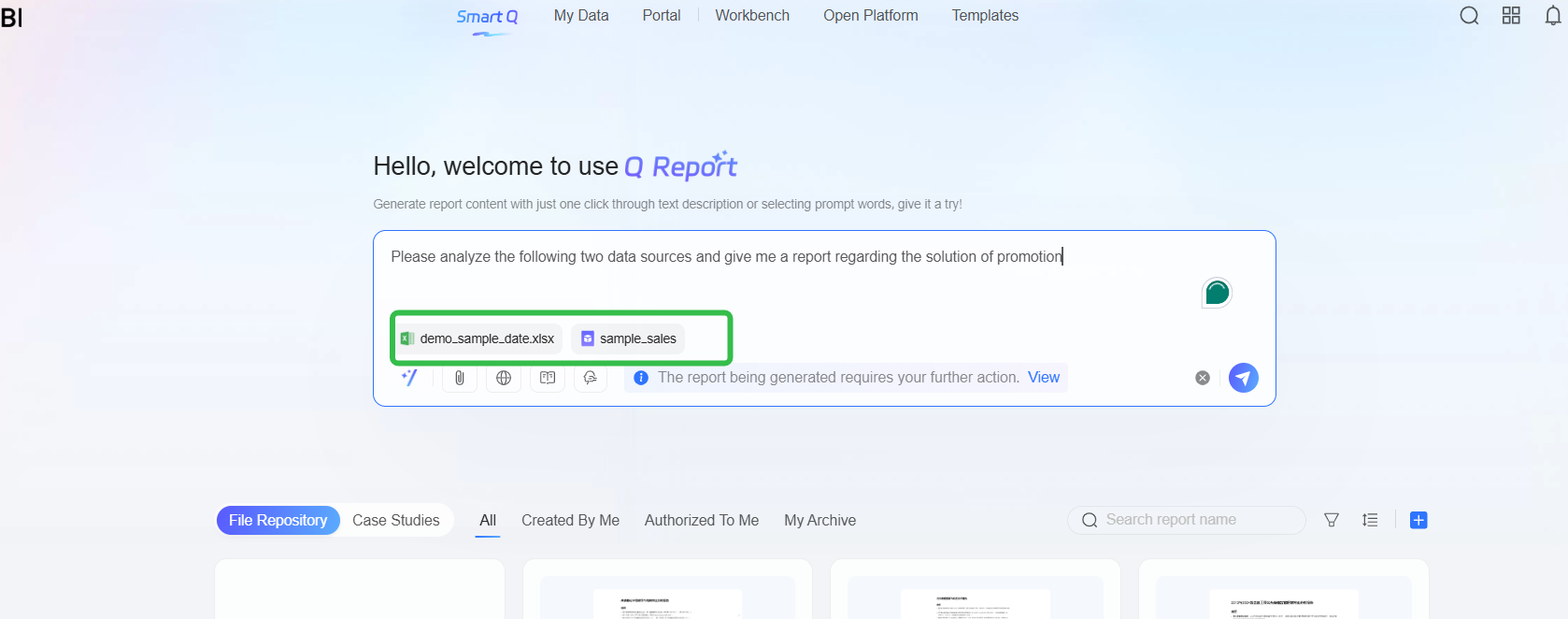
Simple Generation: It supports selecting datasets that the current user is authorized to use and that have already been successfully learned as the data source for one-click report generation. These datasets can also be combined with other uploaded files for analysis.
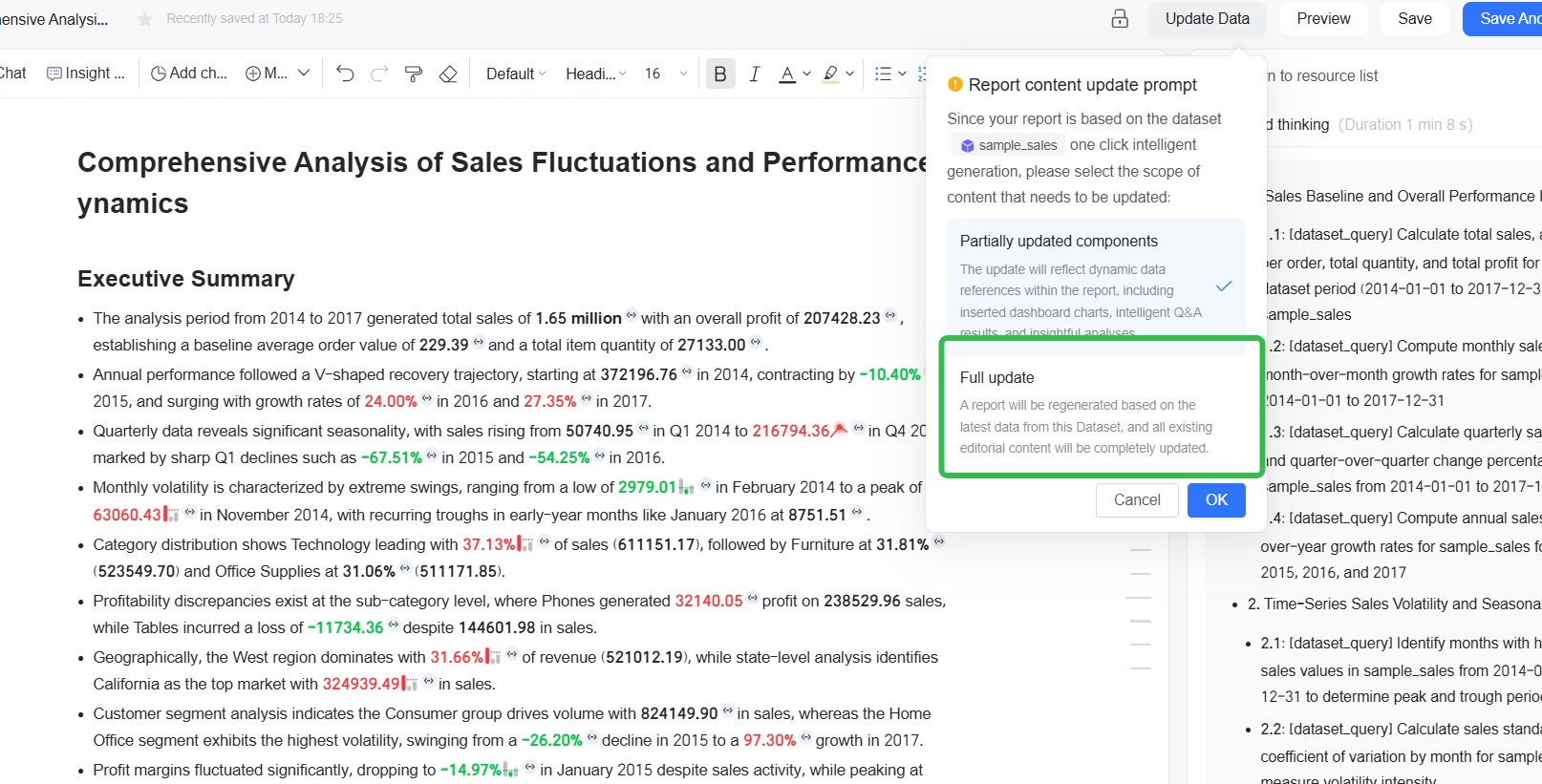
Flexible Update: A dual-mode update mechanism is provided. When updating report data, users can choose whether to update only the dynamic content or perform a full update of the entire report.
Common scenarios:
Feature overview:Asynchronous generation in the background
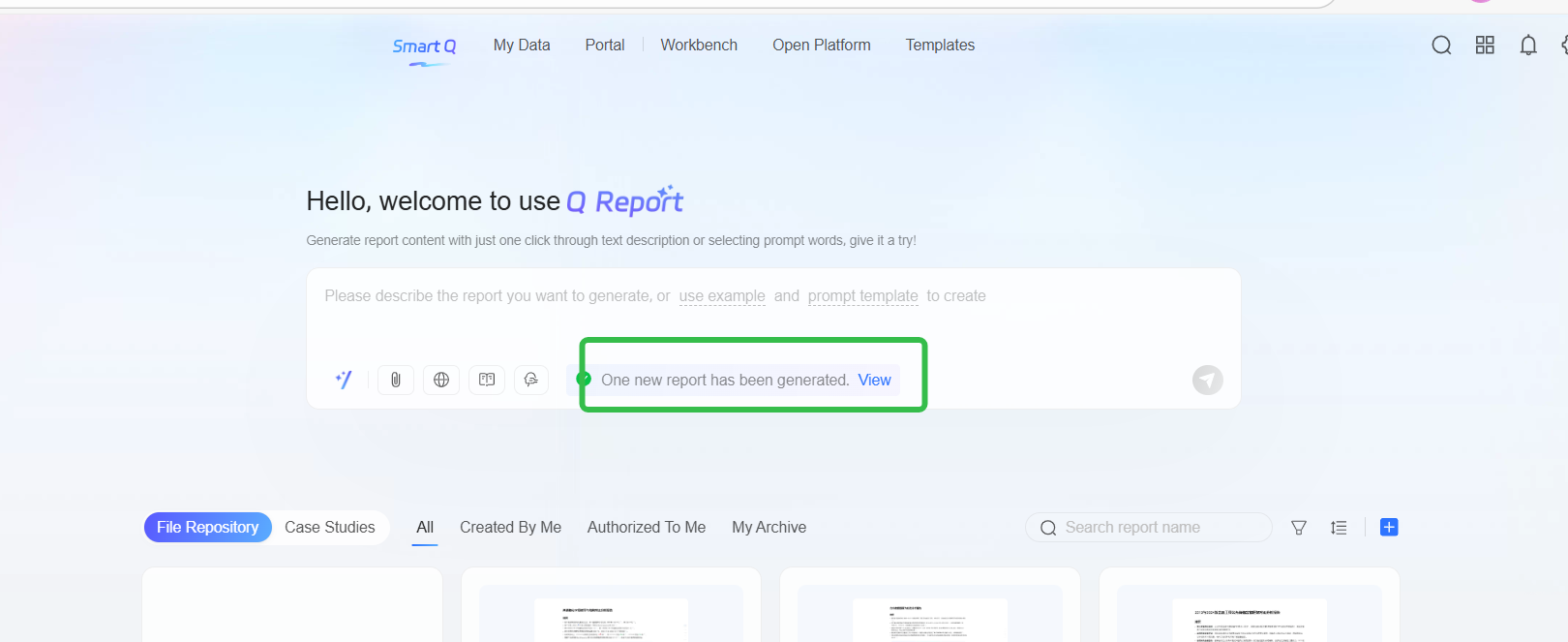
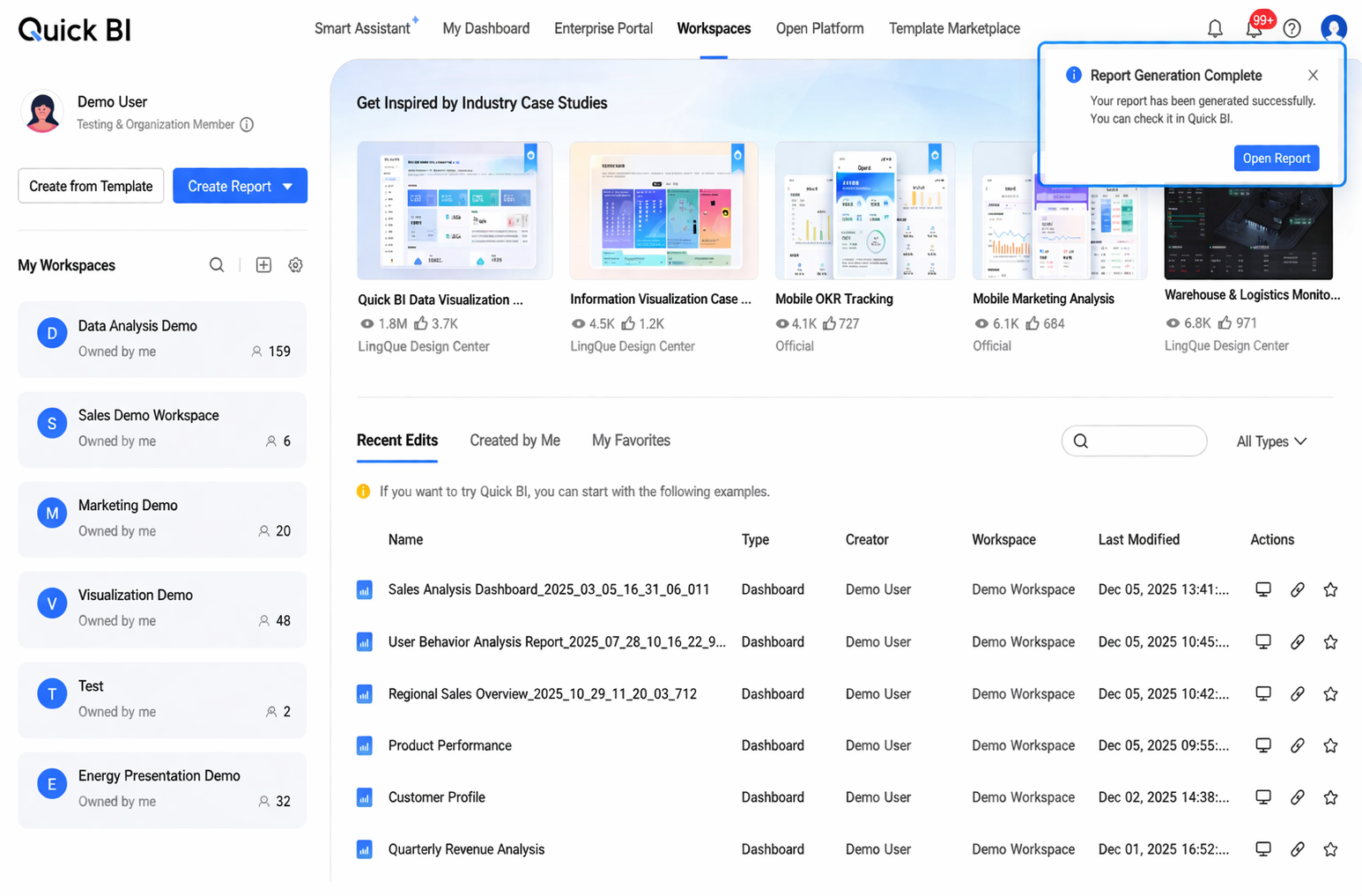
Smart Q reports support asynchronous background processing. Users do not need to wait for a long time on the current page. Even if they close the browser, they can return at any time to view the report results. If users prioritize other data analysis tasks during the waiting period (such as data processing and report creation) and switch to other feature pages, a prompt will be displayed after the report is generated.
Subscriptions and Push:
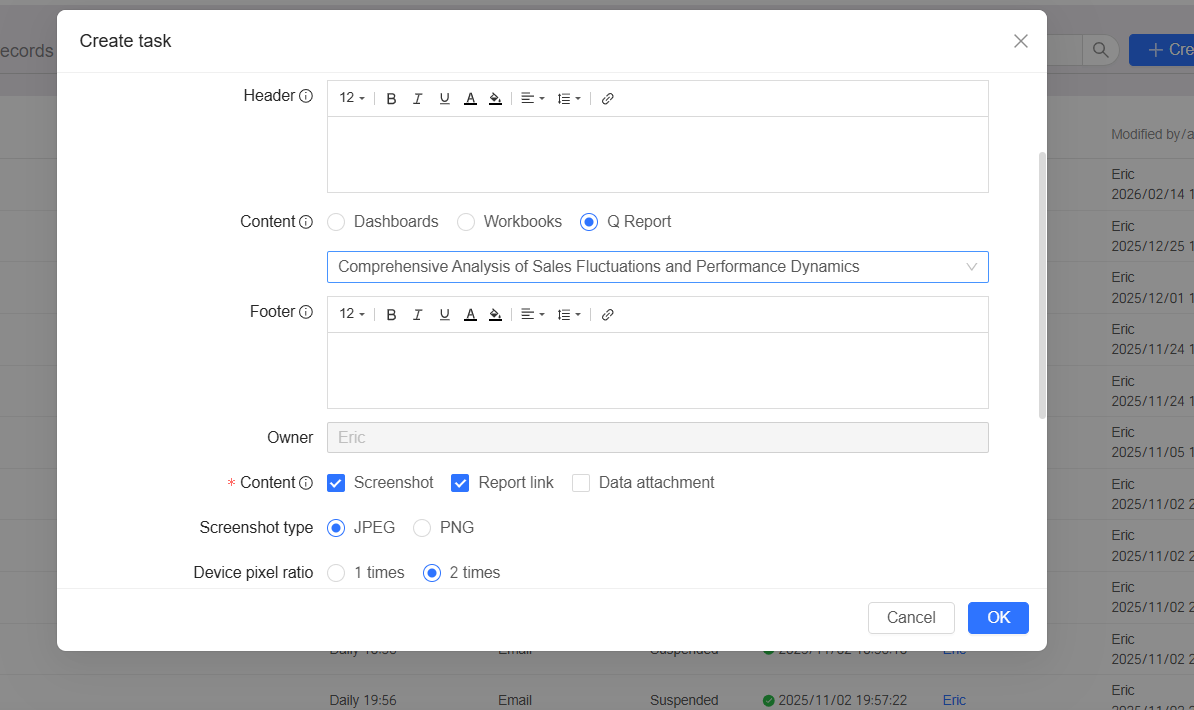
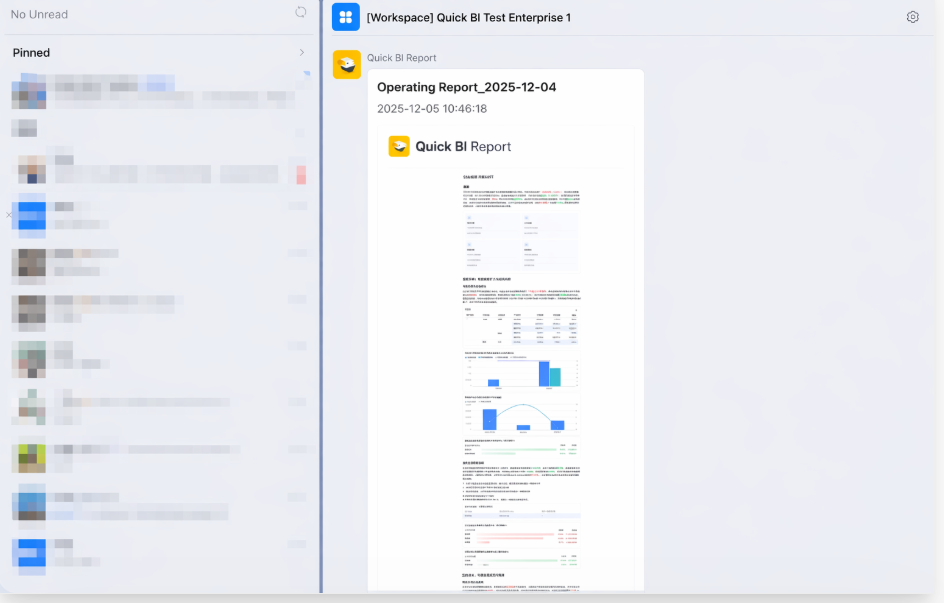
Common scenarios:
When writing insight analysis results into a report, you often need to repeatedly adjust the prompt content through AI conversations. You may also need to compare content generated multiple times in order to optimize the prompts and select the best result for application.
Feature overview:
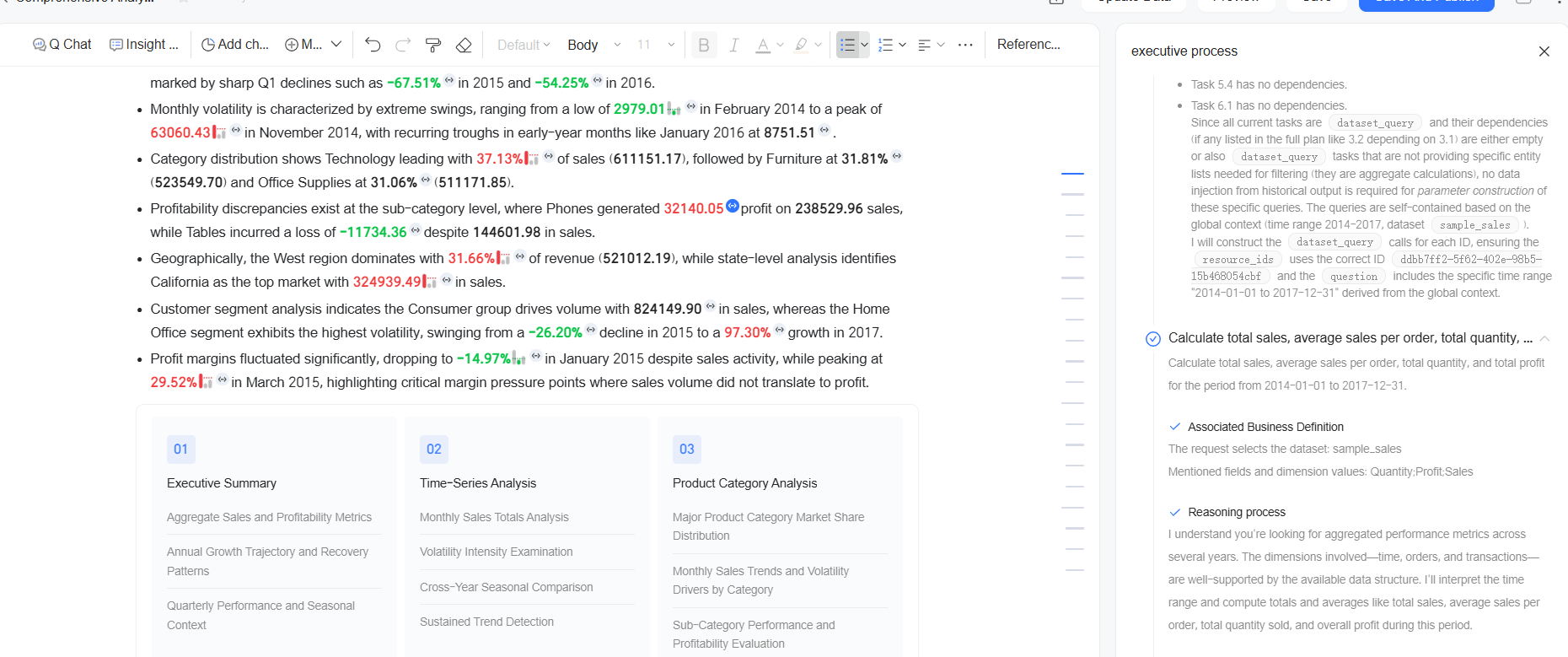
Common scenarios:
Business analysis often requires regular comparison of historical data, but dynamically updated reports cannot preserve the content at a specific point in time. Report viewers are often unable to trace historical analysis conclusions because of changes in database permissions or modifications to the original reports. Manually taking screenshots for archiving every time is inefficient and cannot support comparison of data content across multiple versions.
Feature overview:
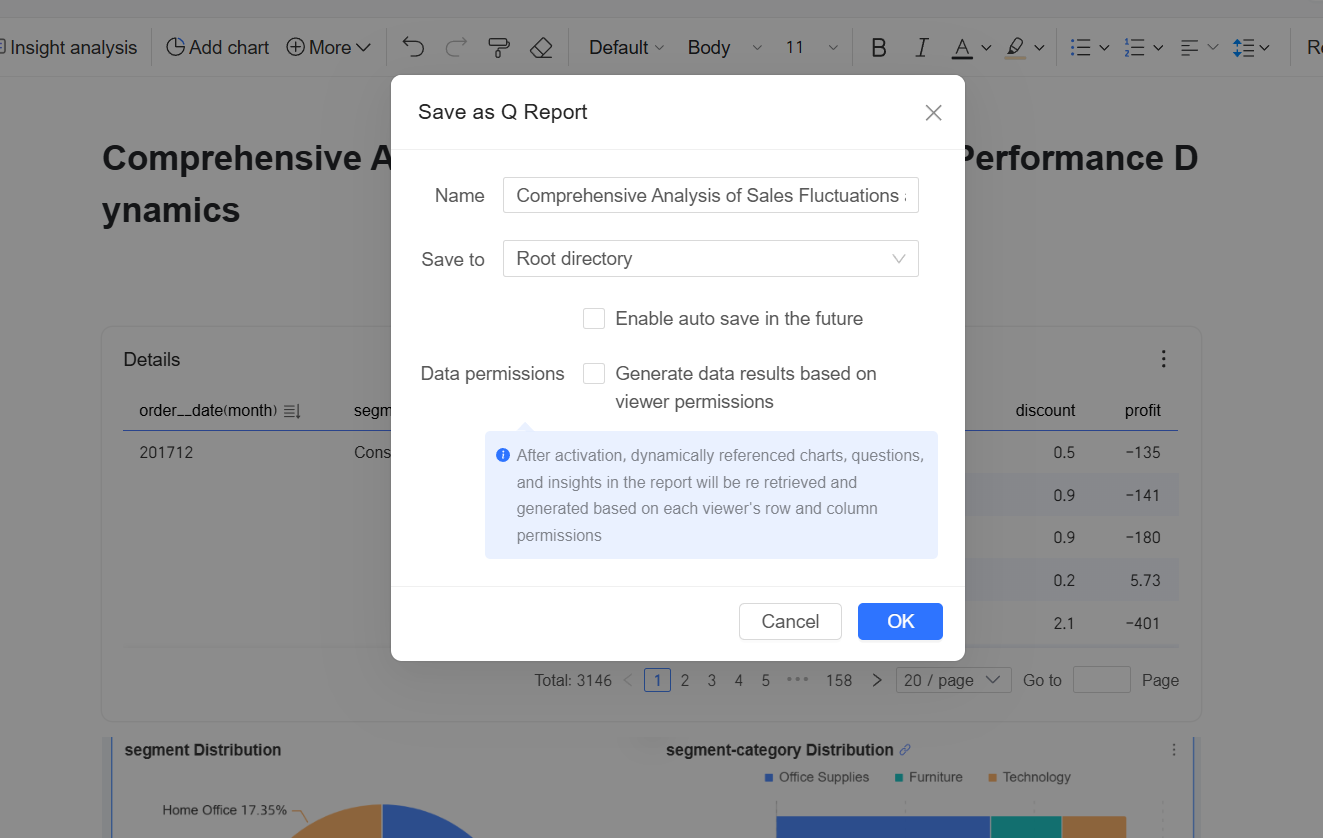
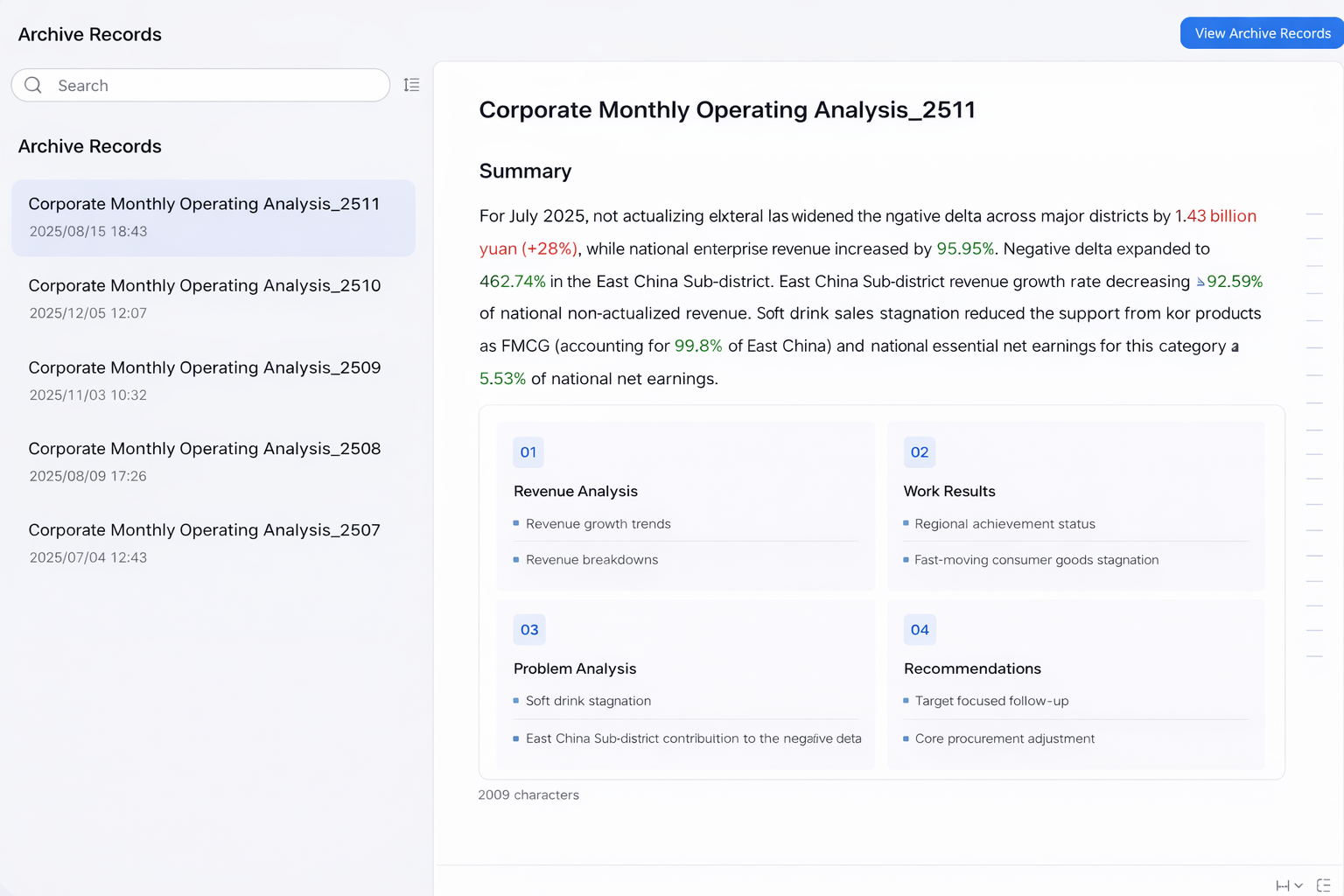
Common scenarios:
To meet enterprises’ needs for data security and fine-grained resource management, and to efficiently support collaborative writing and maintenance of complex reports by multiple users, Smart Q reports provide flexible custom-role permission management capabilities.
Feature overview:
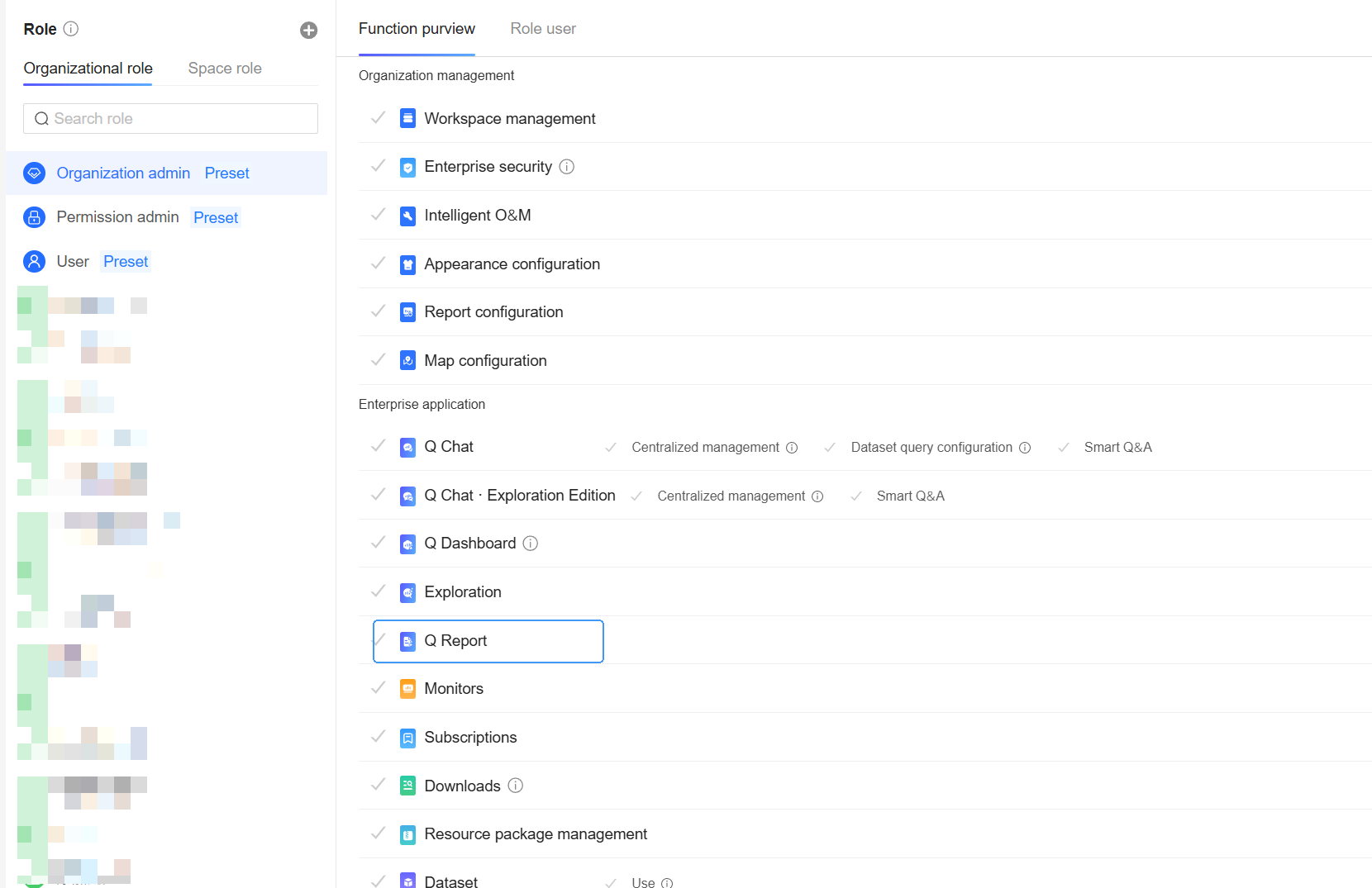
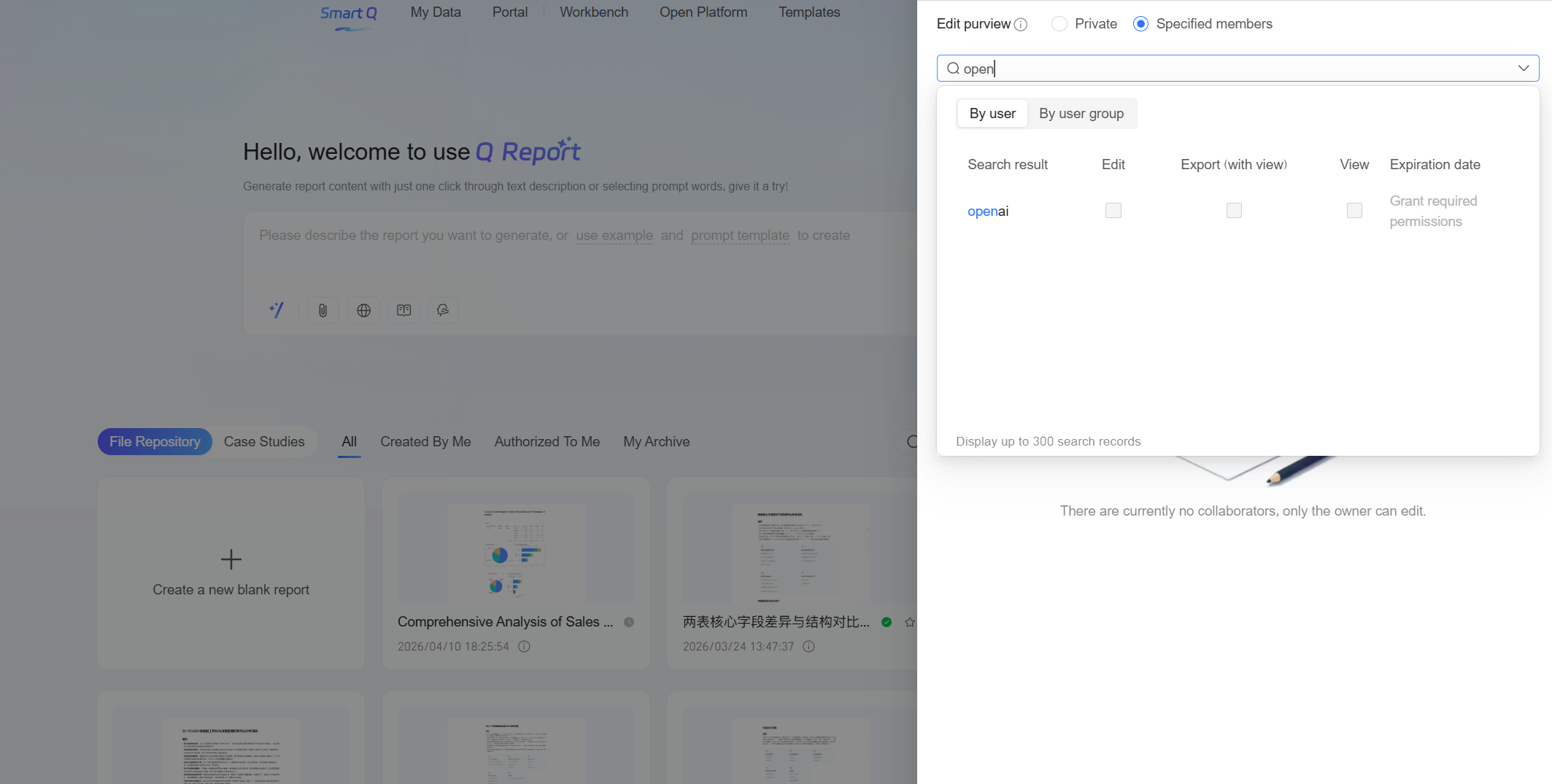
Common scenarios:
When editing reports in daily work, unsaved content may be lost because of abnormal situations such as accidentally closing the browser or network interruptions. In addition, when reusing widget content built in dashboards, you may encounter cases where the dashboard style is not compatible with the report document style.
Feature overview: Support automatic saving during report editing
After Automatic Saving is enabled, the system automatically detects content changes every five minutes and saves them. This prevents unsaved report content from being lost because of abnormal situations such as misoperations or network interruptions.
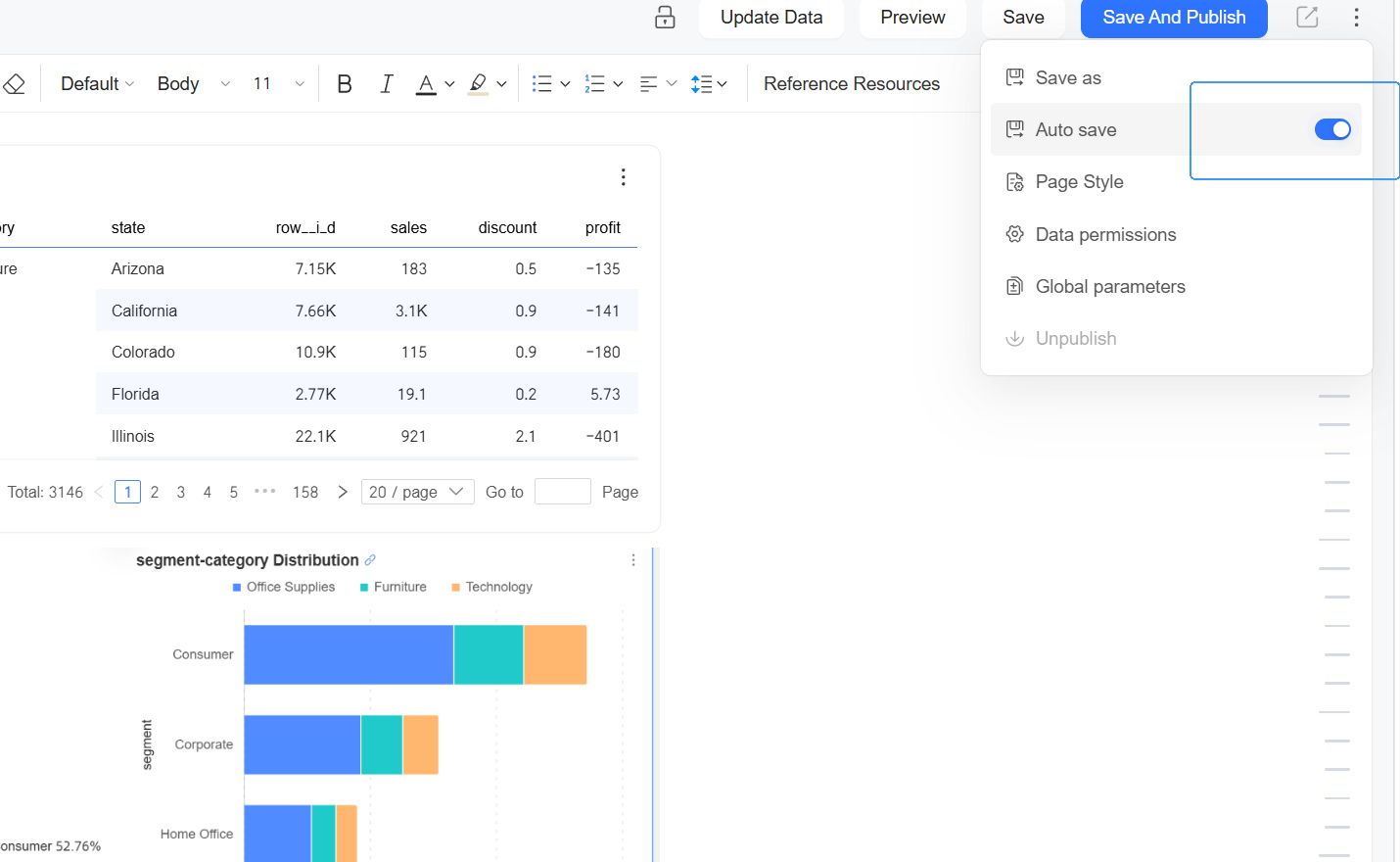
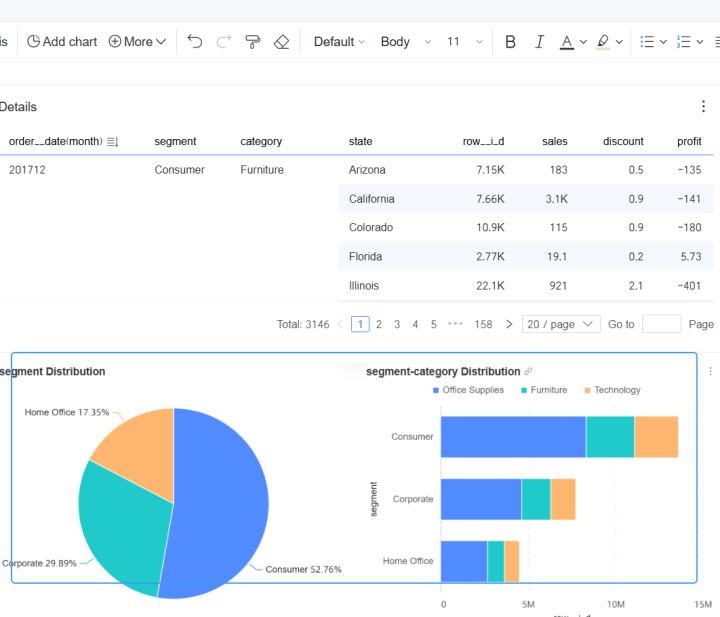
Support inserting spliced widgets from dashboards into reports
When inserting dashboard widgets, if you select all spliced containers, the original spliced layout style can be retained and inserted into the Smart Q report. If you select only some widgets in the spliced container, they can be automatically downgraded to independent chart widgets.
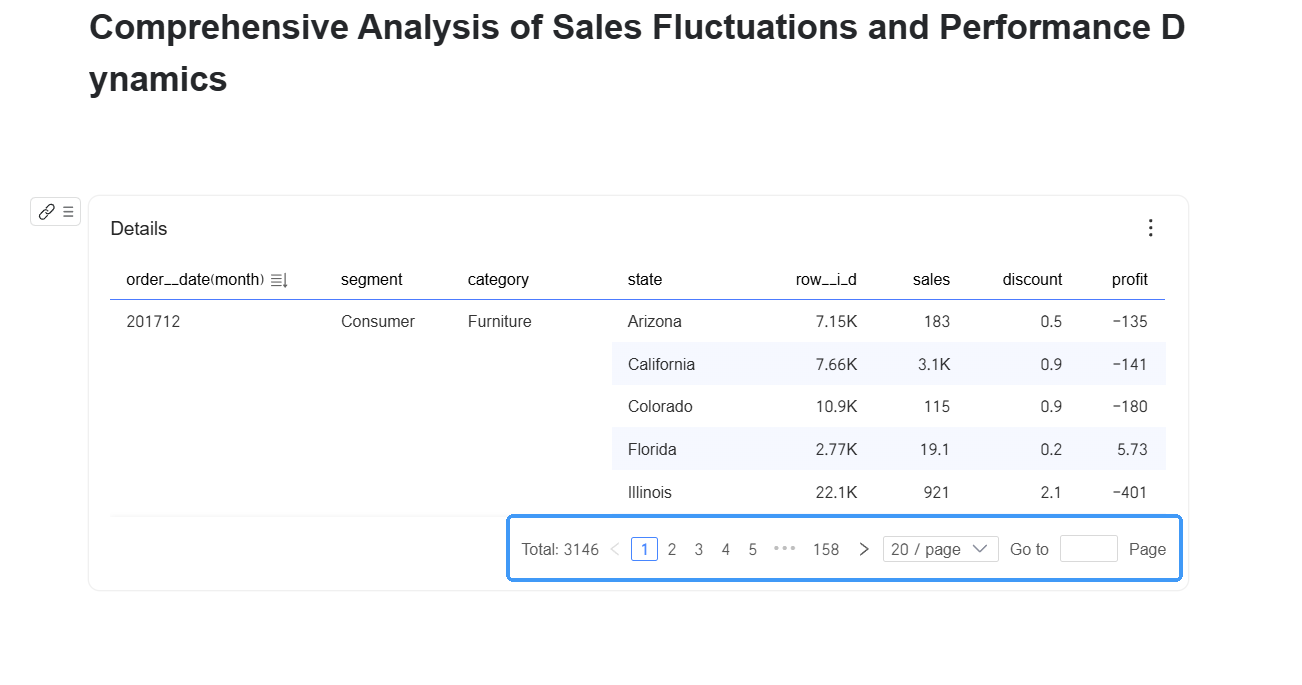
Support paging view of dashboard tables in reports
The original paging effects of crosstables and fact tables in dashboards can be preserved after they are inserted into reports. The mobile client also supports paging view of table data.
Smart Q Chat has been newly upgraded, further improving the accuracy, convenience, and intelligence of conversational answers.
Common scenarios:
Business users care about business performance, but when they open BI tools, they are often blocked by the question of “where the data is.” The system now supports fully automatic intelligent table selection, truly delivering a “what you ask is what you get” experience.
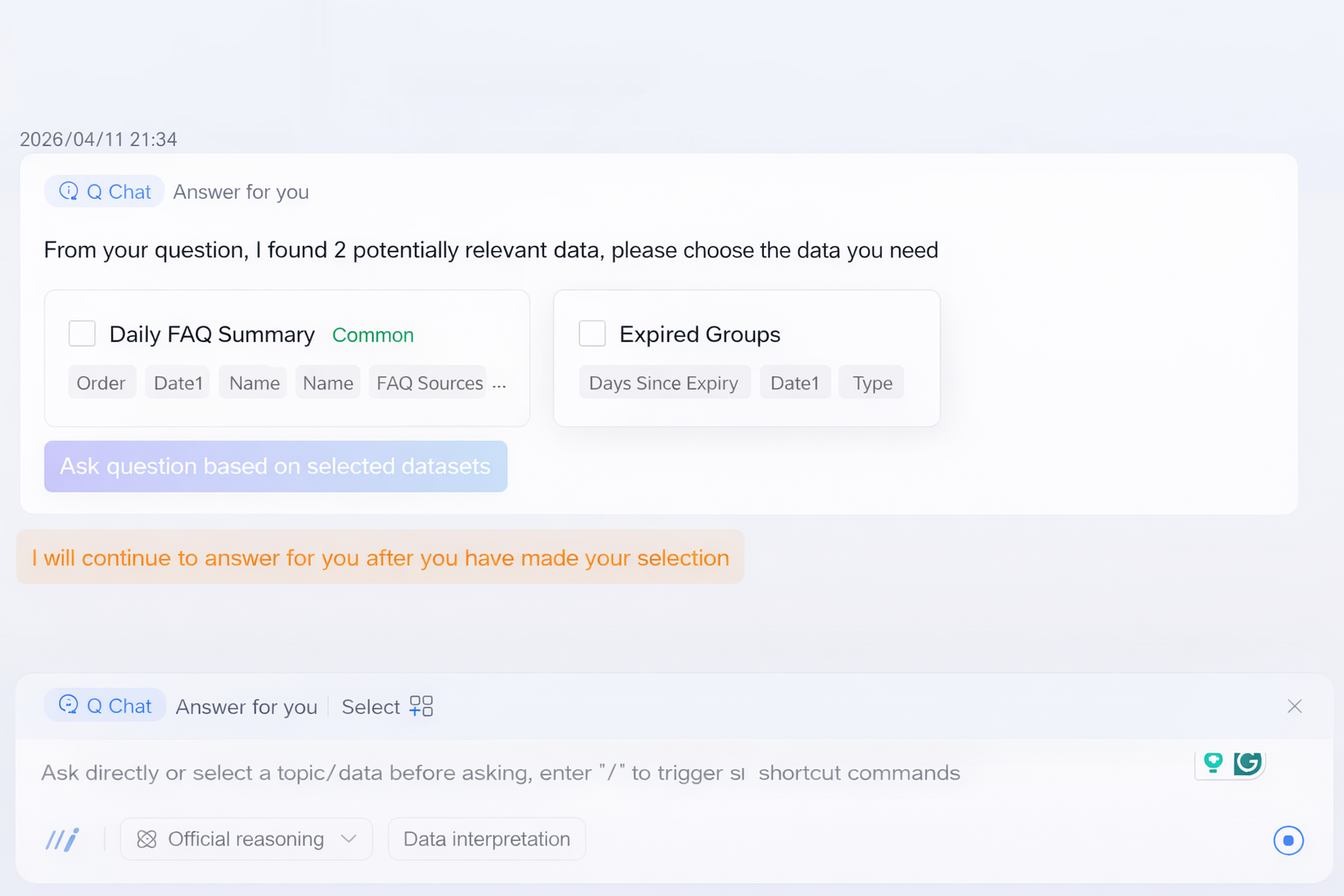
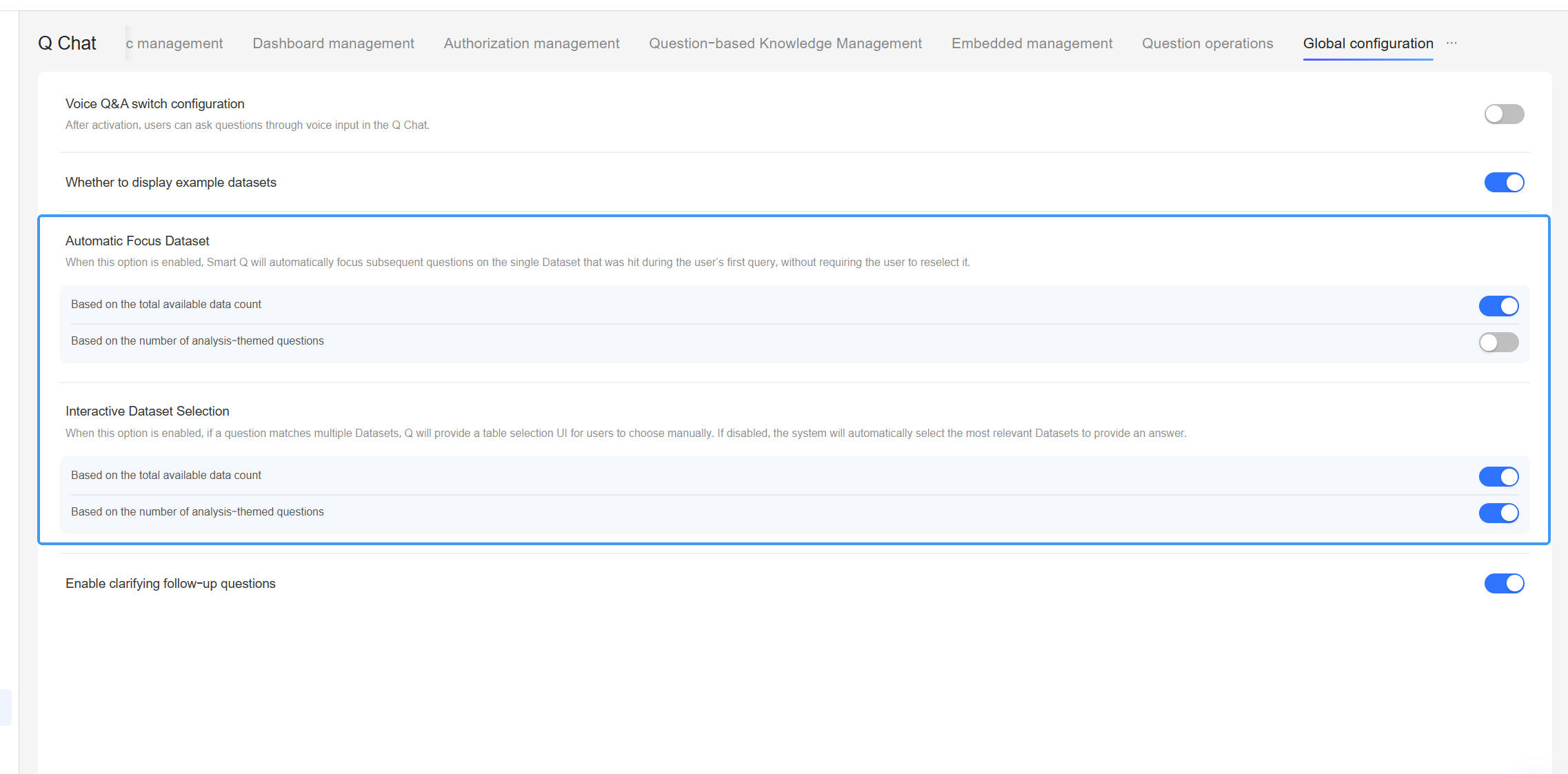
Common scenarios:
When users conduct data query conversations, key elements are often missing, such as missing or vague time conditions, polysemy or ambiguity of metrics, or cases where only time is provided but core metrics are missing. Smart Q data query can now guide users to supplement key elements through follow-up questions.
Feature overview:
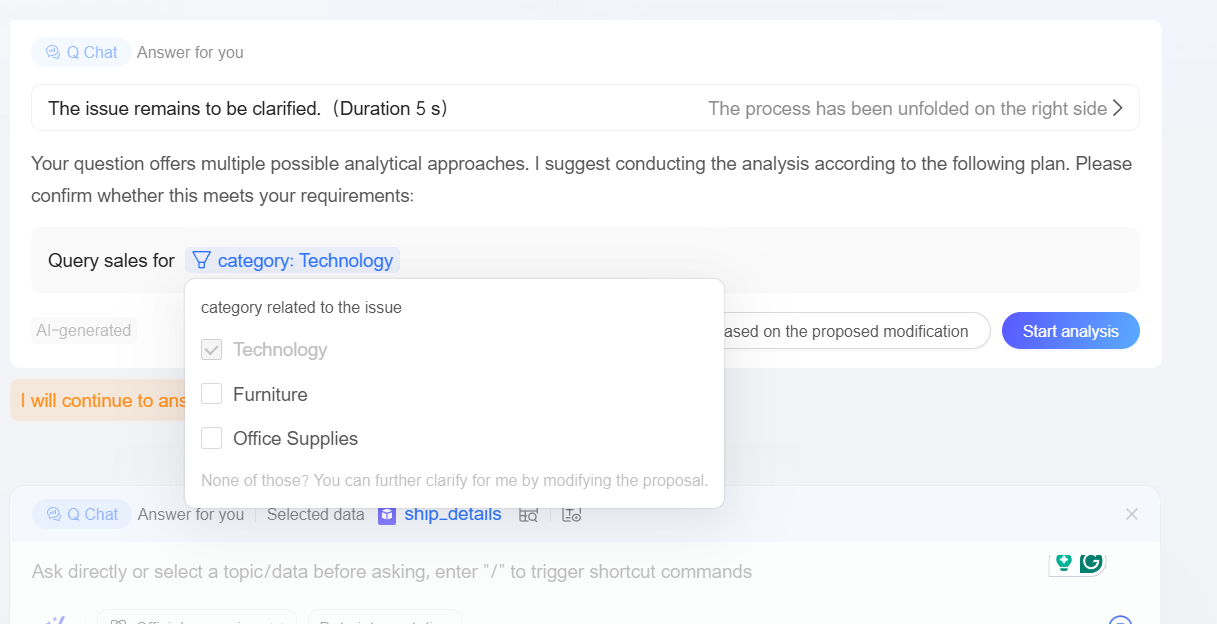
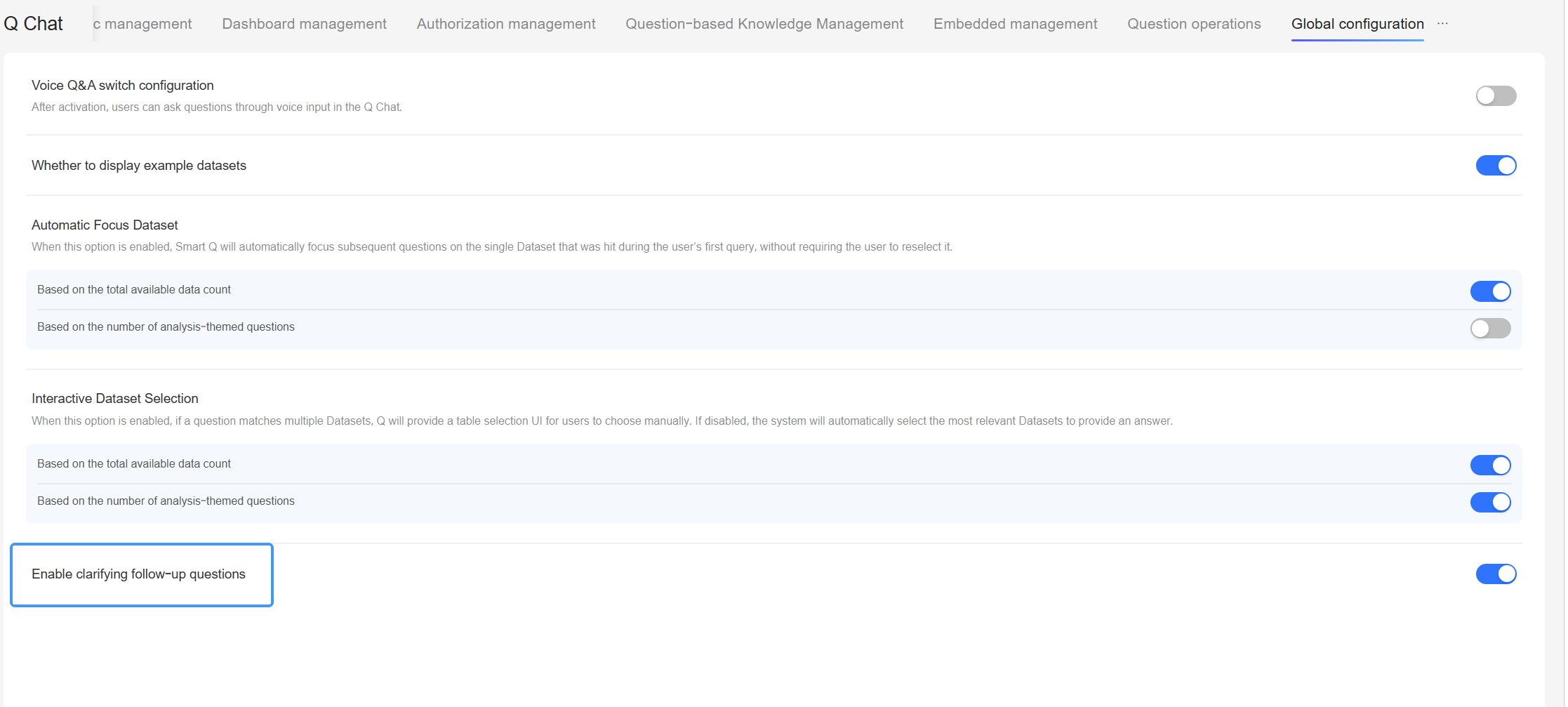
Common scenarios:
When Smart Q data query learns a dataset, it mainly covers dimension values that appear frequently in that dimension. When a user’s question involves dimension values that have not been learned—such as new brands, less common regions, or custom tags—the system can dynamically choose a matching strategy based on field attributes:
Feature introduction:
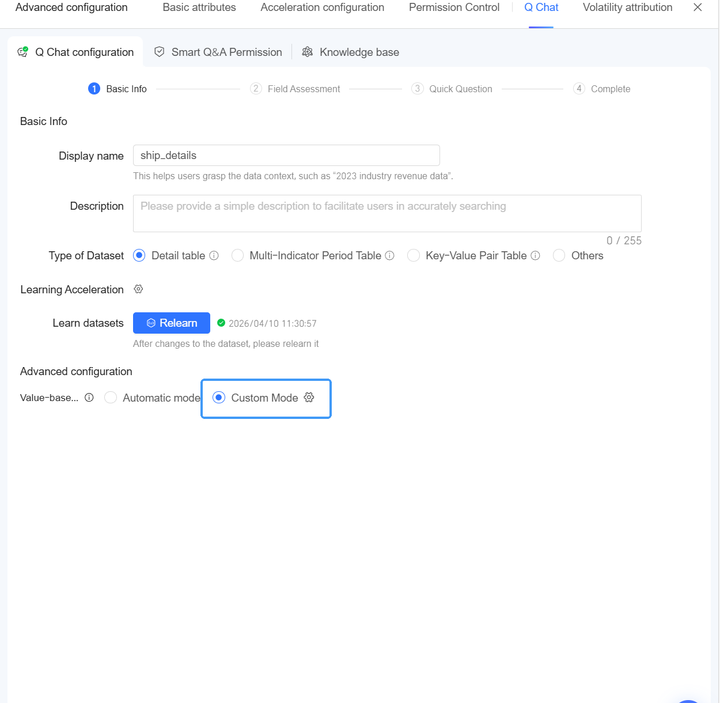
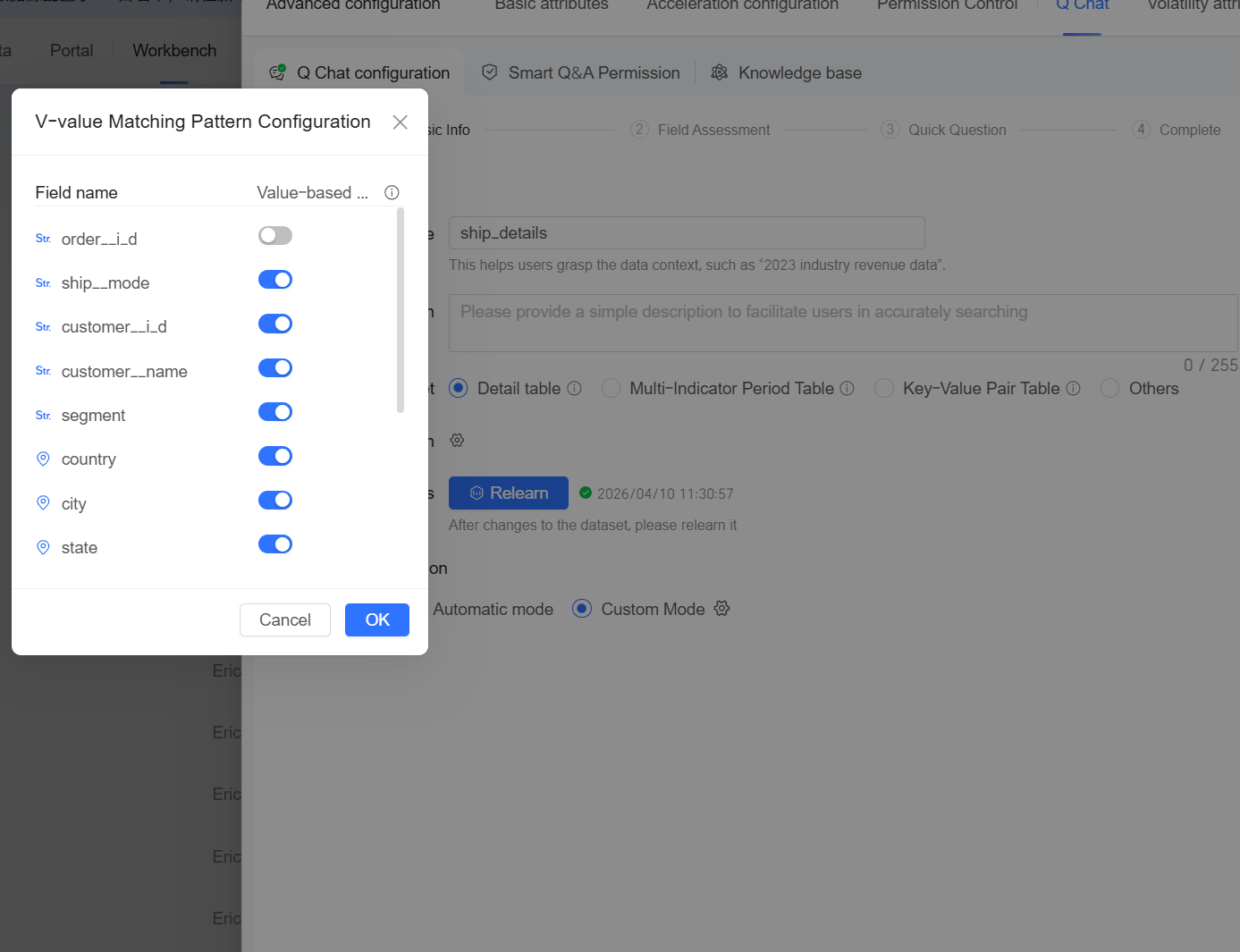
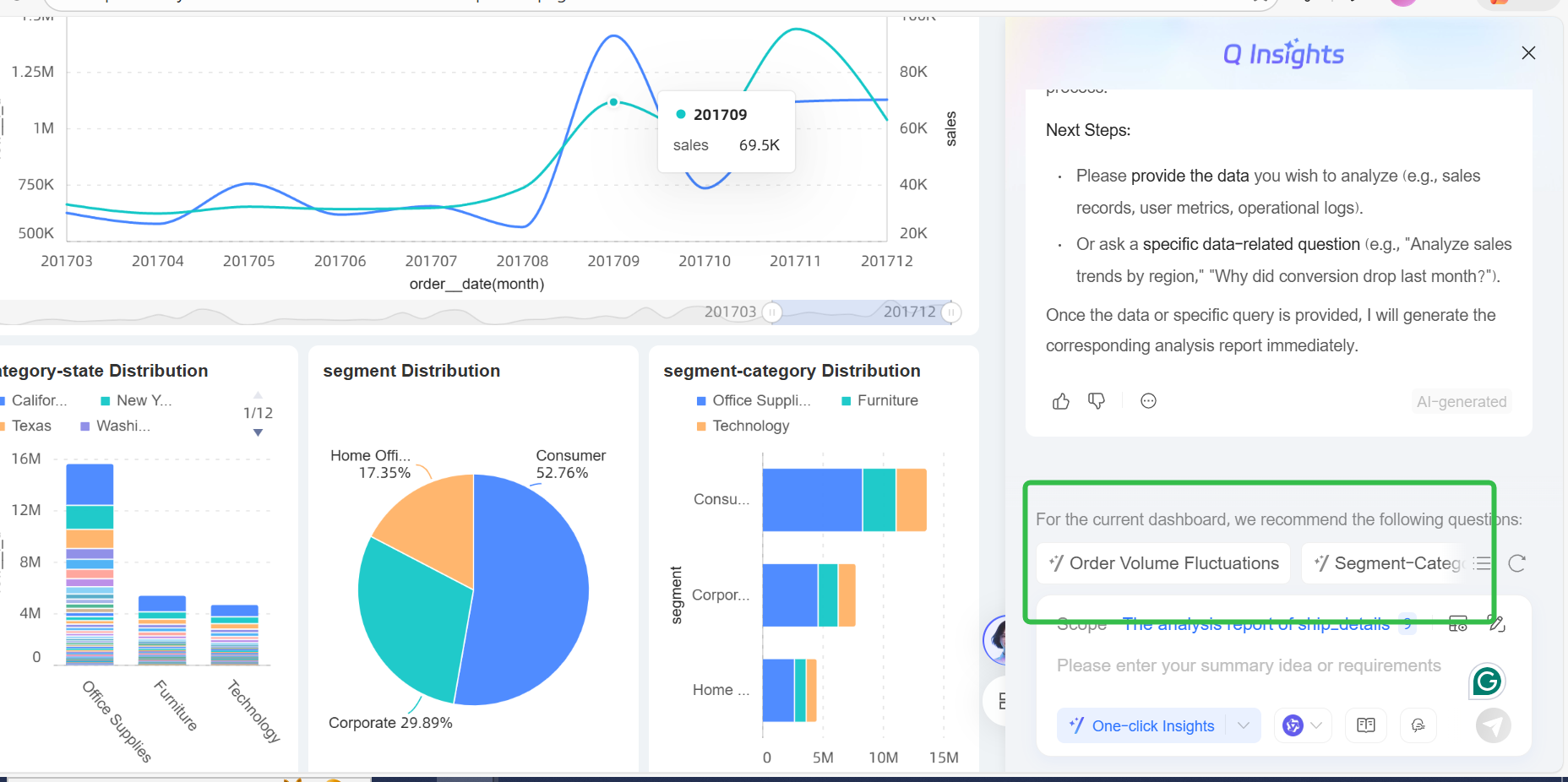
Smart Q Insights has been comprehensively upgraded. It now supports flexible configuration of interpretation widgets in dashboards, full coverage of interpretation scope, and AI recommendations of analysis ideas together with quick questioning capabilities. This enables business users to conveniently obtain professional and actionable dynamic insights based on real-time data.
Common scenarios: In the past, data interpretation often depended on static explanations or analysis reports prepared by analysts. This was costly and slow to update, making it difficult to respond to dynamic data changes. The Smart Q Insight widget allows developers to configure analysis prompts and automatically combine them with the latest data to generate intelligent interpretations in real time when the dashboard is accessed. This enables business users to instantly obtain professional and actionable insights.
Feature overview:
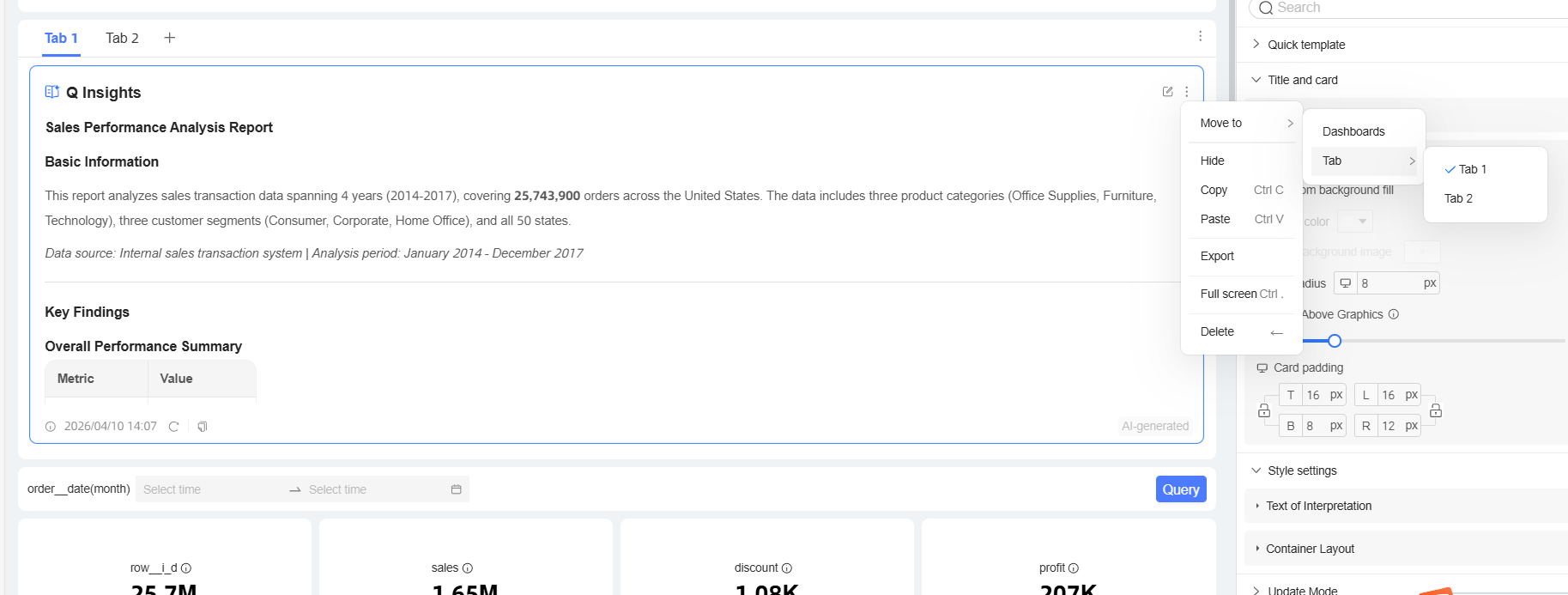
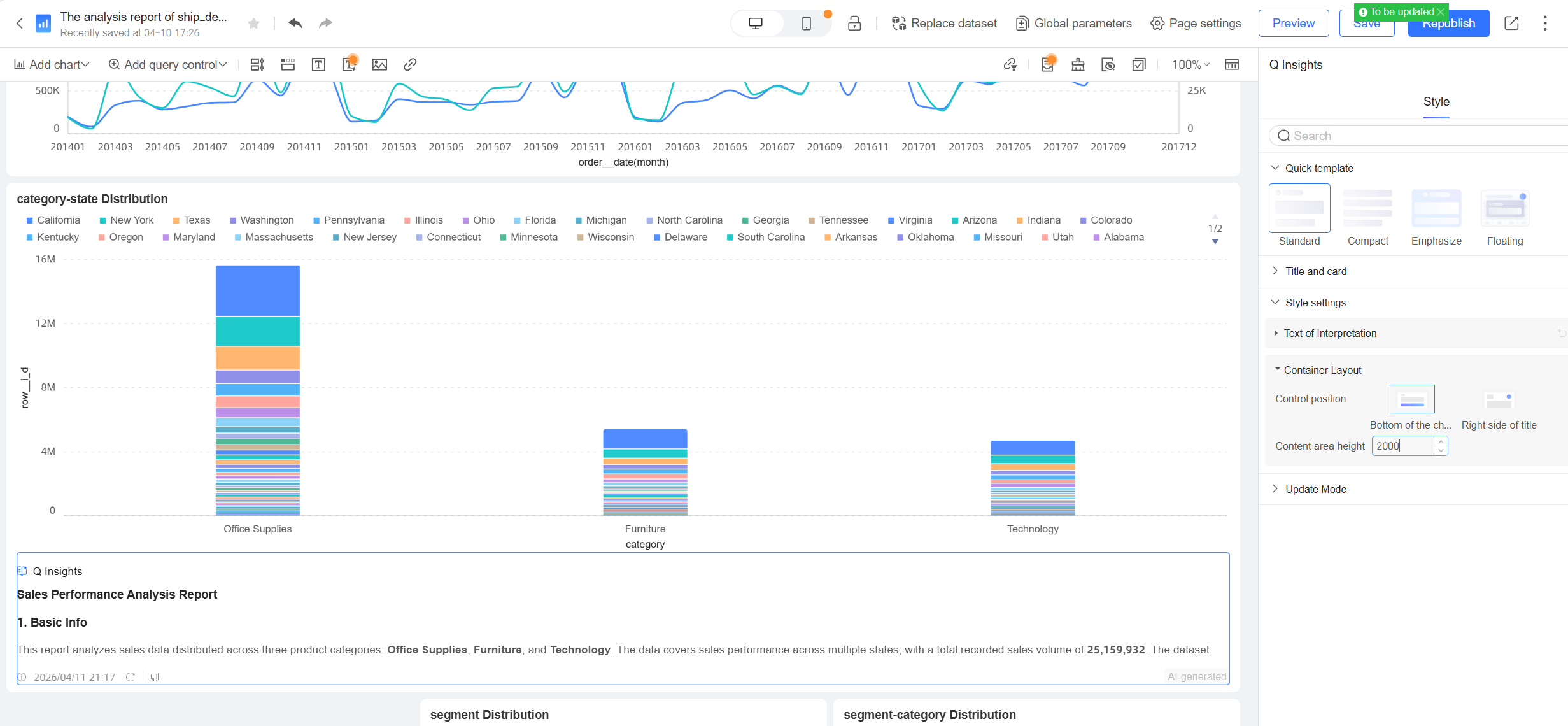
Support dashboard editors in adding Smart Q Insight widgets
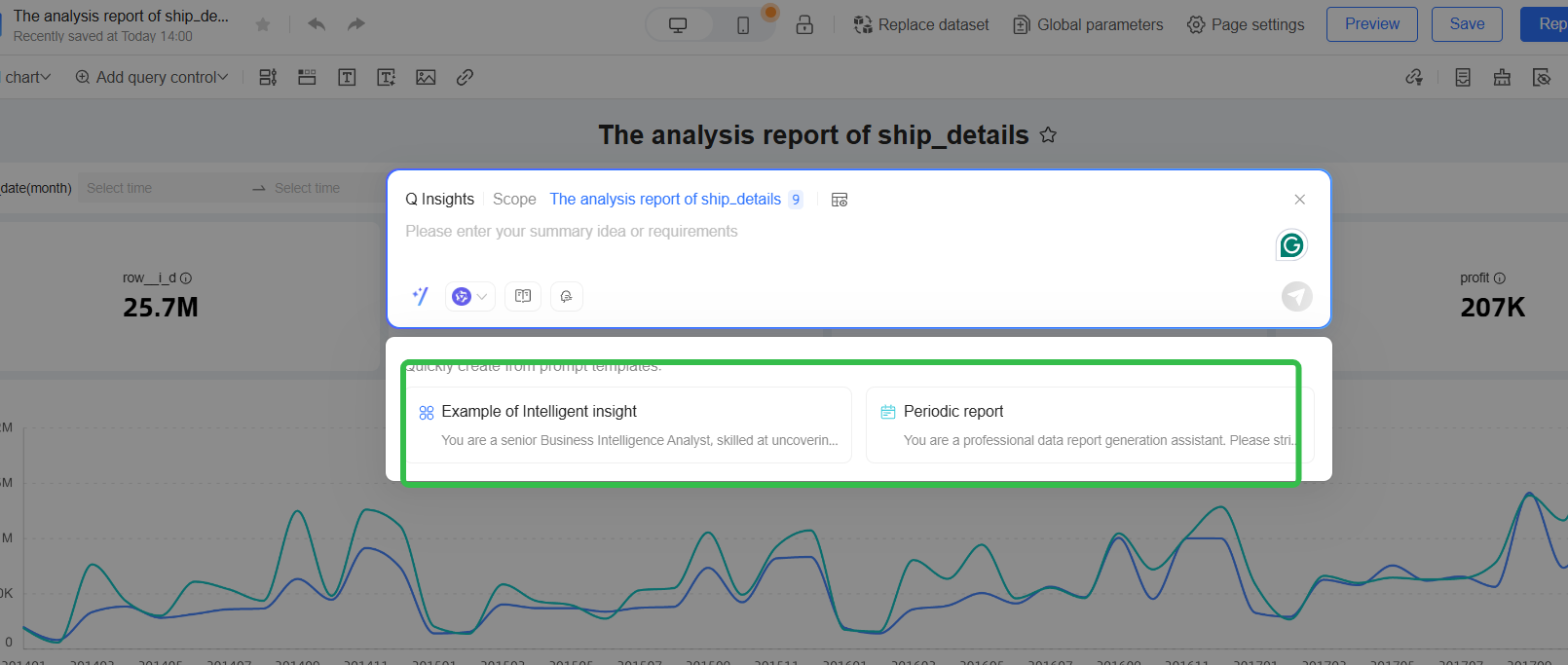
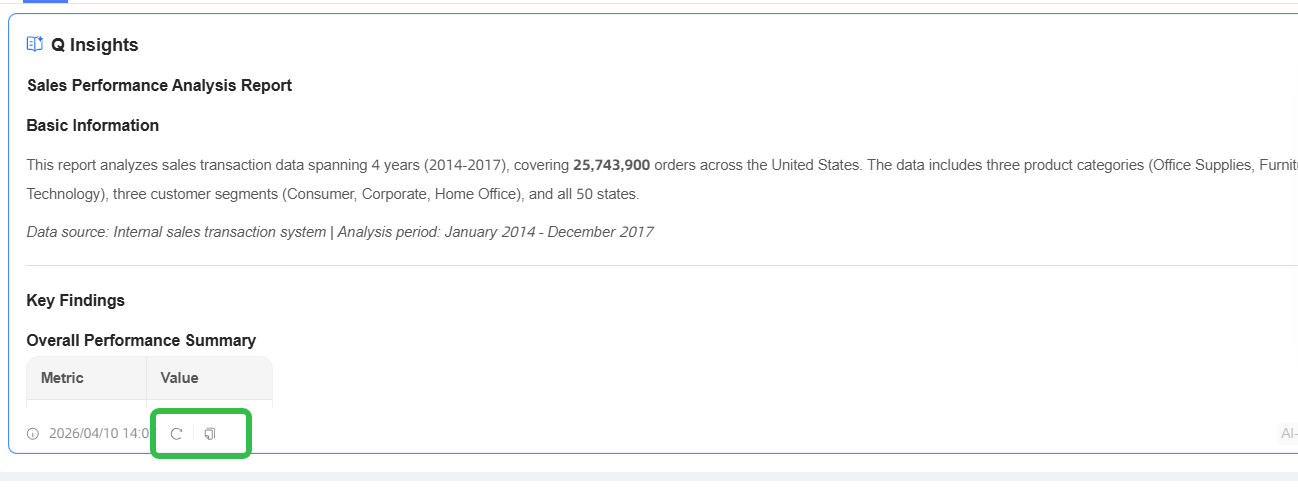
The interpretation scope is more flexible: Interpretation widgets support insertion into tabs and single-chart interpretation
Common scenarios:
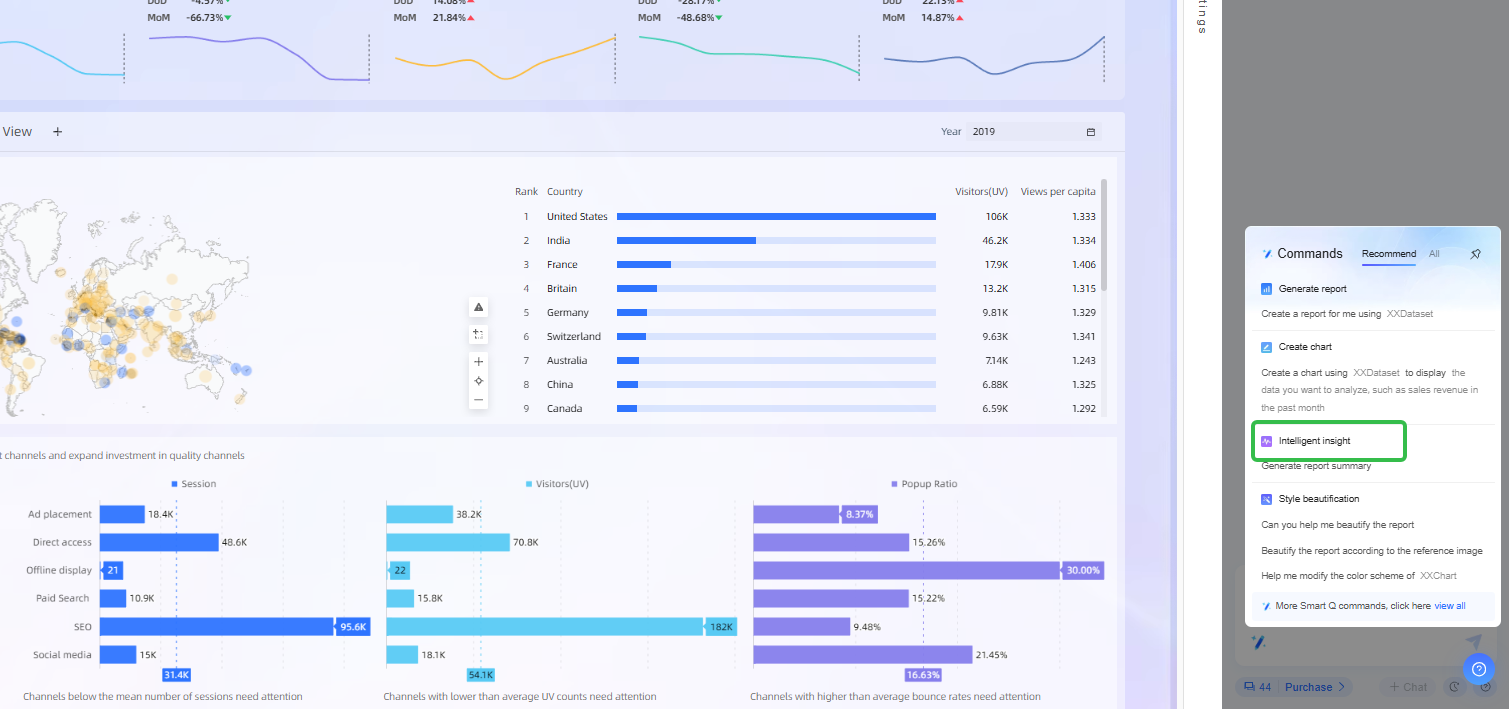
When business personnel face Dashboards data interpretation, business personnel want to perform analysis on the current Dashboards data, but business personnel often do not know how to write appropriate Prompts. Business personnel also lack clear interpretation ideas, making it difficult to efficiently mine the Business Insight behind the data.
Feature overview:
Common scenarios:
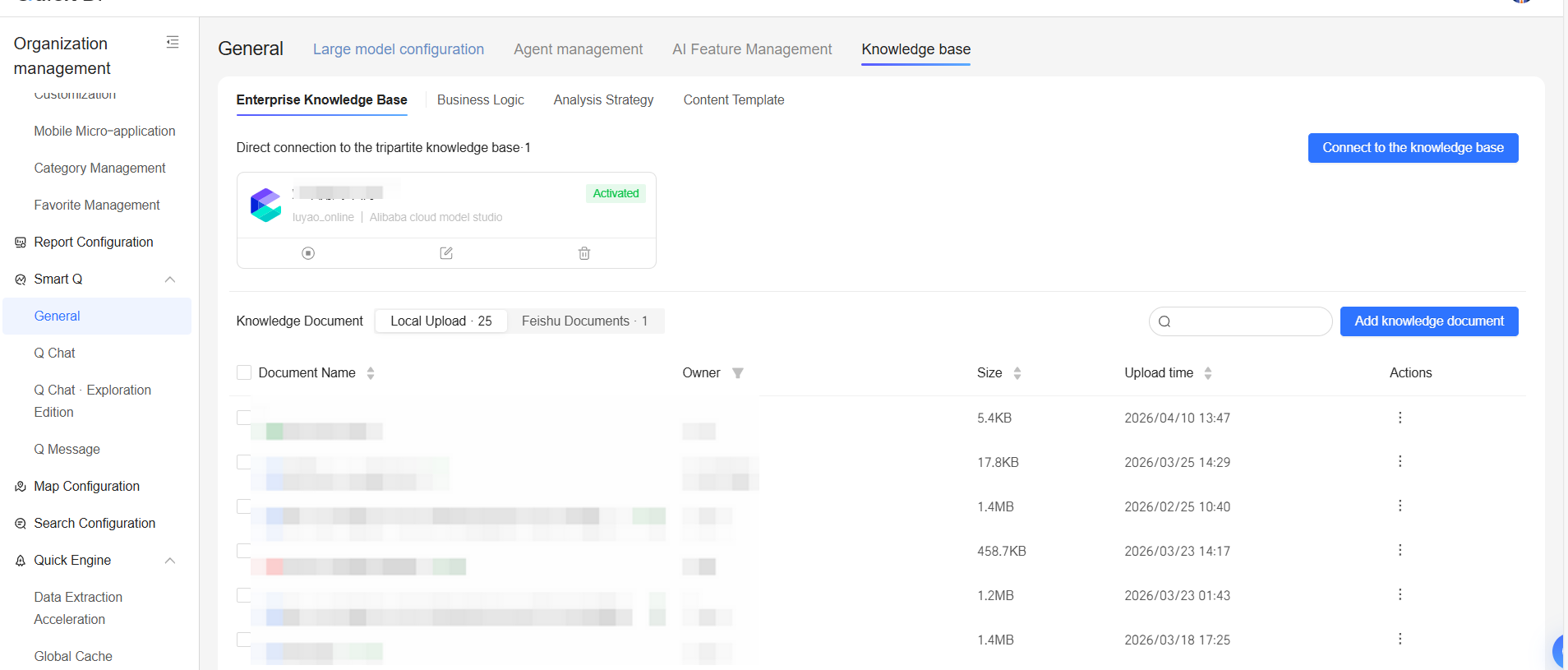
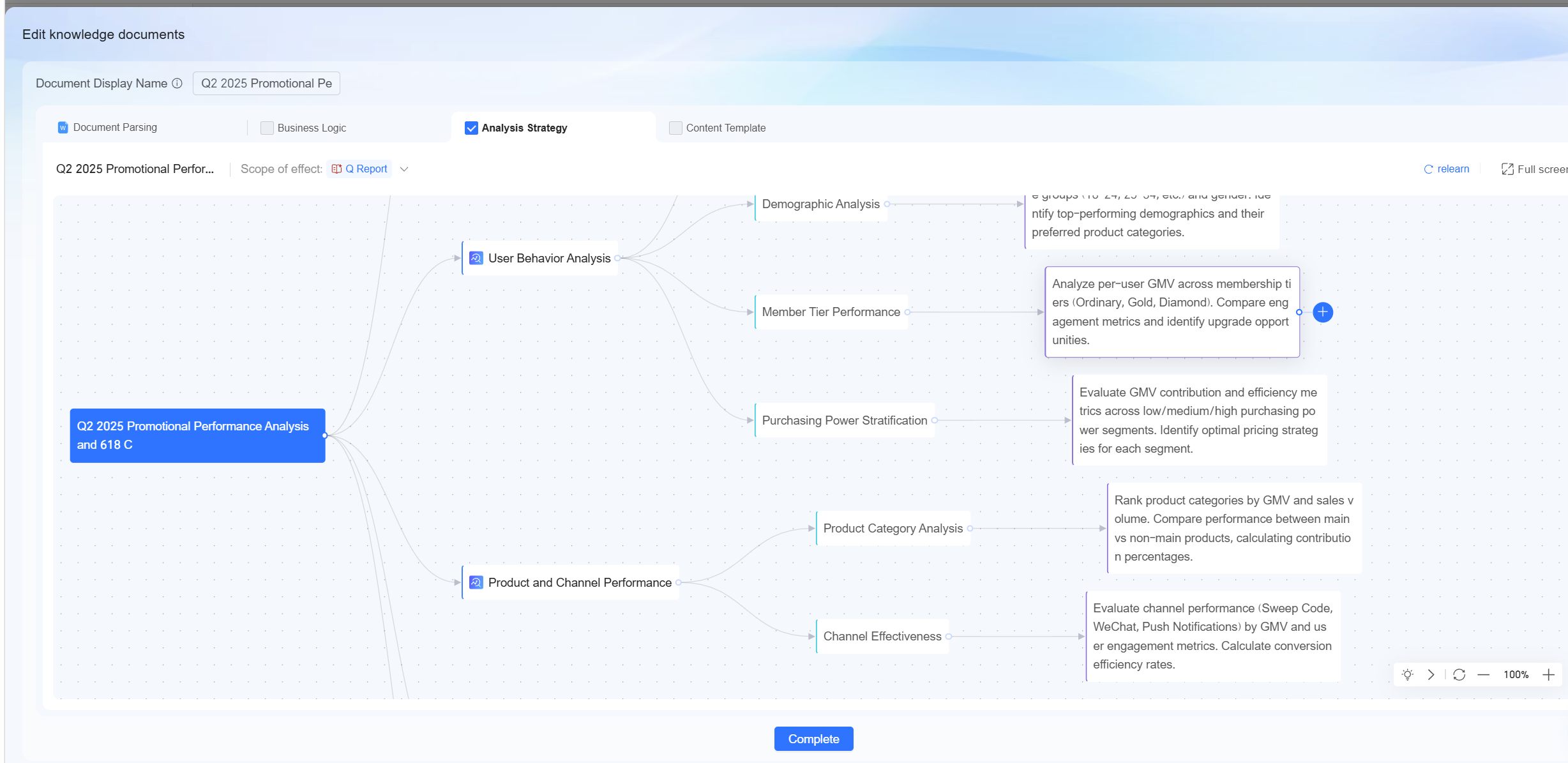
When enterprises in different industries conduct daily data analysis, they often rely on their own exclusive business logic and analysis approaches. This accumulated content gradually forms an enterprise-specific knowledge system. However, general-purpose large language models often rely on generic semantic understanding when analyzing requirements, and therefore tend to generate broadly applicable analysis results rather than results tailored to the enterprise’s own business context and analysis habits.
Feature overview:
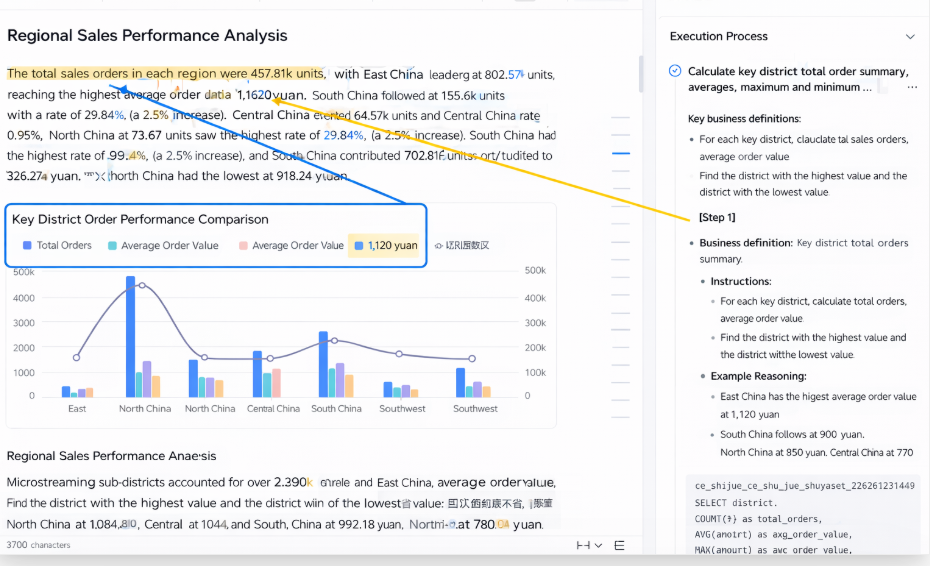
From Volatility Attribution Analysis to the report closed loop, from precise data query to real-time interpretation, and to the deep integration of enterprise knowledge, Quick BI Smart Q V6.1 achieves a key leap for the super data analyst—from being merely usable to being truly easy to use—through the systematic evolution of five major capabilities.
This is not only a feature upgrade, but also an innovation in the data analytics paradigm: when AI truly understands business context, and when complex analysis becomes as natural as conversation, the barrier to data-driven decision-making is fundamentally lowered. Technology recedes behind the experience, and value becomes readily accessible.
Qwen Powers Next-Generation Intelligent Cockpit for FAW Hongqi

1,568 posts | 525 followers
FollowAlibaba Cloud Community - July 15, 2026
Alibaba Cloud Community - April 16, 2026
Alibaba Cloud Community - June 18, 2026
Alibaba Cloud Community - August 17, 2026
Alibaba Cloud Community - June 23, 2026
Alibaba Cloud Community - June 9, 2026
1,568 posts | 525 followers
Follow Big Data Consulting for Data Technology Solution
Alibaba Cloud provides big data consulting services to help enterprises leverage advanced data technology.
Learn More Big Data Consulting Services for Retail Solution
Alibaba Cloud experts provide retailers with a lightweight and customized big data consulting service to help you assess your big data maturity and plan your big data journey.
Learn More Quick BI
A new generation of business Intelligence services on the cloud
Learn More Data Security Center (Original SDDP)
An all-in-one data security solution that provides various features, such as sensitive data detection, classification, grading, and de-identification, to help you meet compliance requirements specified in General Data Protection Regulation (GDPR) and personal information protection
Learn MoreMore Posts by Alibaba Cloud Community

