Last month, PHP released an official CRITICAL-severity security update; an unauthenticated exploit of mod_php that triggers before application code runs had already been demonstrated. On the same day, Node.js also released a security update listing 10 CVEs; a Brotli decoding vulnerability could lead to remote code execution.
Three questions come up most often in the comments:
"Is my project affected? How exactly should I upgrade? Could the upgrade stop it from running?"
This article answers these three questions and offers a practical way to get started right now: let Qoder help you check your own project.
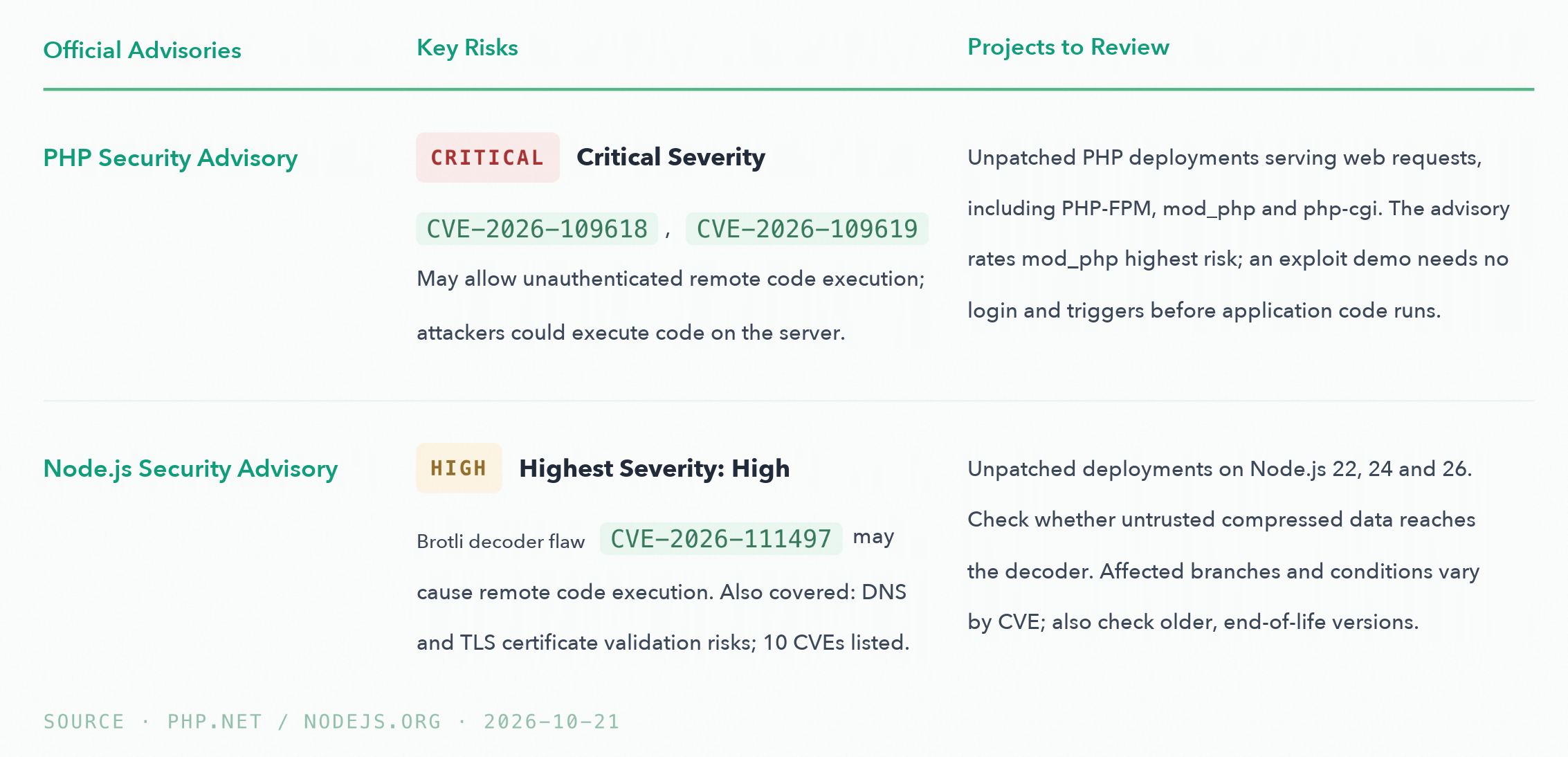
A reminder worth repeating: These are runtime-level security updates. Determining whether a project is affected requires assessing deployed runtime versions, vendor patches, and usage paths; updating application dependencies or changing version declarations alone is not enough to confirm a fix.
The advisory's recommendation is just one line: upgrade to a fixed version. In practice, however, the questions come one after another:
"Which version is the project actually running? The version specified in the image may differ from the one running on the host. Which deployments need changes? Hosts, containers, and long-running workers all need to be inventoried. Could the upgrade stop the project from running? Extensions, system libraries, native modules, and startup configuration all need to be assessed in advance. What if an upgrade is not possible yet? Temporary mitigations also need assessment and review."
This is exactly the kind of work Qoder does well: reading the project files you authorize it to access, using the tools available in the environment, analyzing this information together, and then proposing an actionable plan.
In response to these security updates, we have launched two plugins in the Qoder Plugin Marketplace:
You only need to install the plugin that matches your project. Each plugin provides tools and remediation workflows. Qoder carries out the specific work based on your project, the available environment, and the scope of your authorization: assessing the vulnerabilities' impact, identifying where changes are needed, and preparing a remediation plan. Only after your confirmation does it proceed to modify files, run tests, and review the results.
Open Qoder, go to Extensions → Skills on the left, and confirm that the marketplace source is Qoder Marketplace. In the search box at the top right, enter the name of the plugin for your project:
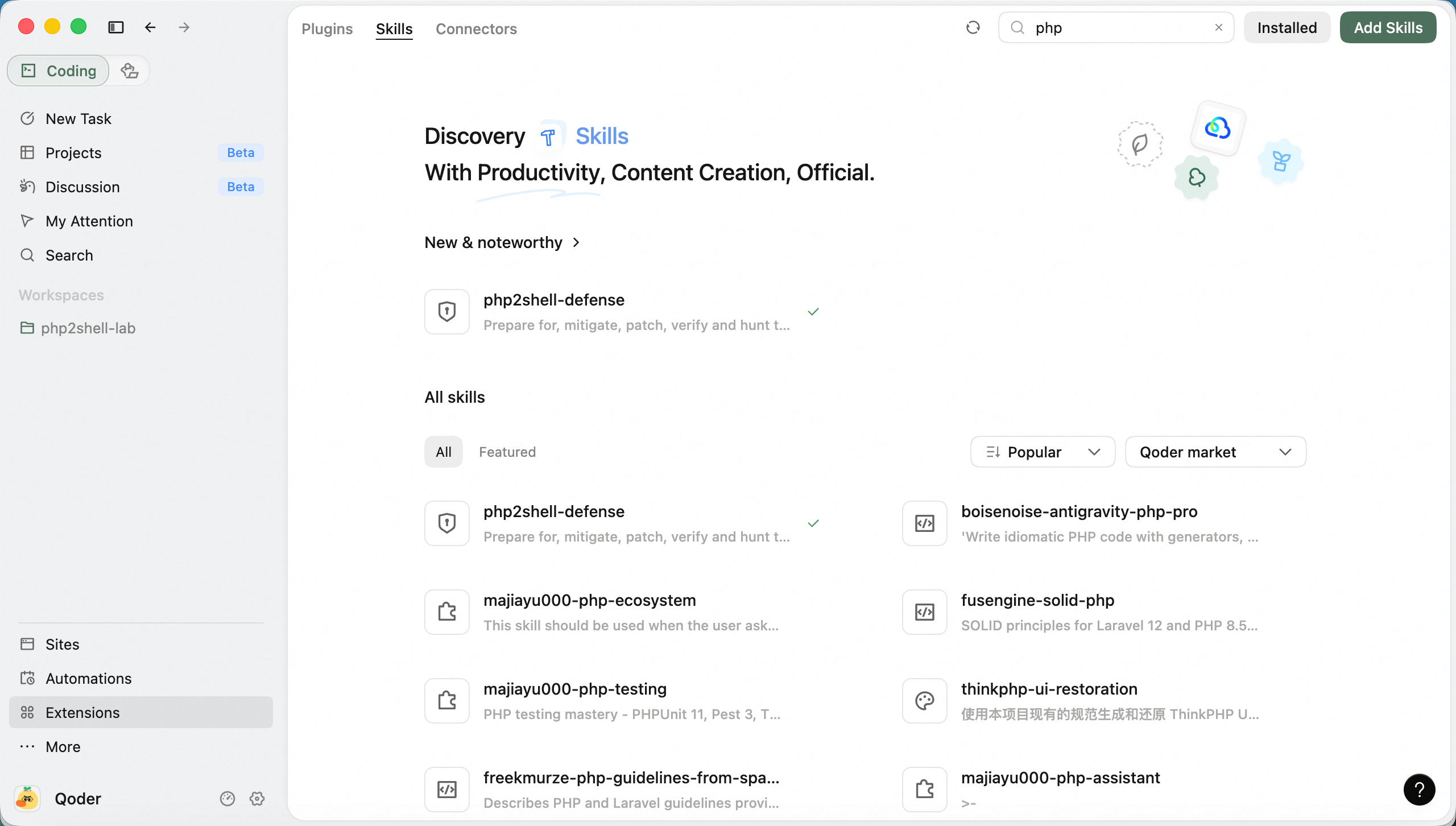
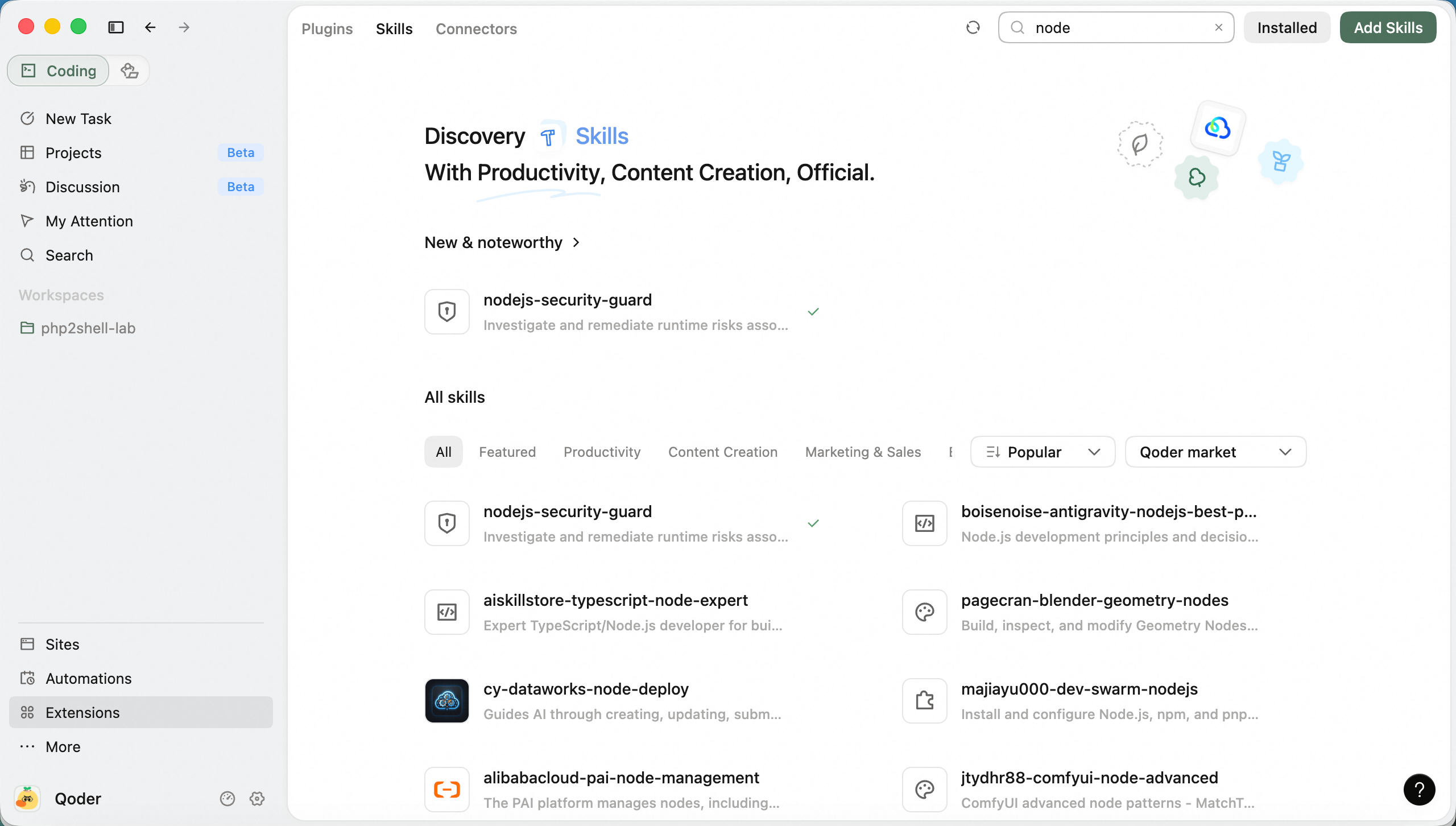
Qoder Marketplace entry point. Enter 「php2shell-defense」or 「nodejs-security-guard」in the search box at the top right.
Open the plugin details page and click Install. Simply confirm that the plugin appears under "Installed". For detailed navigation instructions, see the Plugin Usage Guide.
Create a new coding task and select your project directory. Type / in the input box, select the capability provided by the corresponding plugin (the PHP skill is named php2shell-defense), then paste this assessment prompt:
"Check whether the current project is affected by this PHP security vulnerability. Start with a read-only inspection of the runtime environment and deployment configuration. List affected areas and the evidence supporting each finding. Do not touch production, upload scripts, create probe files, modify configurations, or restart services. Provide a minimal remediation plan covering required changes, potential impacts of image upgrades on dependencies and business functionality, testing, and rollback. Mark anything without sufficient evidence as Pending Verification. Wait for my confirmation of the target environment and actions before proceeding."
The key to this prompt is read-only first: leave production untouched, do not upload scripts, and do not change configuration. Qoder will first read the accessible information and list the areas that need attention and the evidence supporting its conclusions. If key evidence is missing, such as the version actually running or access permissions for the remote environment, it will explain what needs to be provided. You do not need to document every deployment detail of your project beforehand.
Once the assessment is complete, you will see what needs attention, the files proposed for modification, and the potential impact of the upgrade. After confirming the specific plan, paste:
"I approve the proposed fixes. Apply them in the current local workspace and run available tests. Then summarize the changes, test results, and remaining pre-deployment checks. Do not deploy or restart production services."
Qoder will then proceed with changes and tests within the confirmed scope. If tests fail or new compatibility issues arise, it will use the results for further analysis. If the scope of changes needs to expand, it will ask for your confirmation.
A successful image build does not mean the deployed service instances have been replaced—old instances may still be running. Updating the local version does not mean the actual service has switched to the new version, either.
Once the release is authorized and the relevant environments are accessible, Qoder can continue to help verify the builds currently running, the target replicas, and the business regression test results. Anything not yet deployed or lacking verification evidence will remain clearly listed as an outstanding task, making it easier for you and your colleagues to follow up.
This time, start with a project you currently maintain: let Qoder identify the issues that need attention, review its proposed plan, and then move forward with remediation.
Open Qoder, install the appropriate plugin from the marketplace, and send it the assessment prompt above. The prompt is ready to use! DeepSeek-V4.1-Flash-1017 is still available for free, so running a check won't cost you a penny—missing a vulnerability is what really costs. Come back after the check and let us know how it went.
Alibaba Unveils Qwen4-Max: New AI Teammate for Work, Creativity, and Discovery

1,599 posts | 526 followers
FollowAlibaba Cloud Security - January 13, 2019
Alibaba Cloud Security - August 29, 2018
Alibaba Cloud Community - August 12, 2026
Alibaba Cloud Community - October 14, 2026
Alibaba Clouder - September 16, 2020
CloudSecurity - July 24, 2026
1,599 posts | 526 followers
Follow Qoder
From Assisted to Autonomous — Adapting to Every Programming Need
Learn More QwenWork
 is dedicated to helping employees strengthen their professional competitiveness in the AI era and to enabling enterprises to improve organizational effectiveness.
Learn More Qwen
Full-range, open-source, multimodal, and multi-functional
Learn More Wan3.0
Unleash Your Creativity Try Wan 3.0 now — longer narratives, greater control, endless creativity.
Learn MoreMore Posts by Alibaba Cloud Community

