Route management
Route management lets you control your message sending volume by setting daily sending limits for specific countries or regions.
How it works
-
Set a daily sending limit for individual countries/regions or for multiple at once. When a country/region reaches its daily limit, the system stops sending messages there. Sending is unrestricted for countries/regions without a configured route.
-
A toggle is available to block message sending to countries and regions without a configured route. When enabled, the system sends messages only to configured destinations, subject to their respective limits. Enable this toggle only if it aligns with your business needs.
-
When a country/region reaches its limit, the system suspends message sending to that destination and notifies the designated contacts by email and SMS.
Procedure
- Log on to the SMS console.
-
In the left navigation pane, choose .
-
Click Message Delivery Settings. Choose the Route Management tab.
-
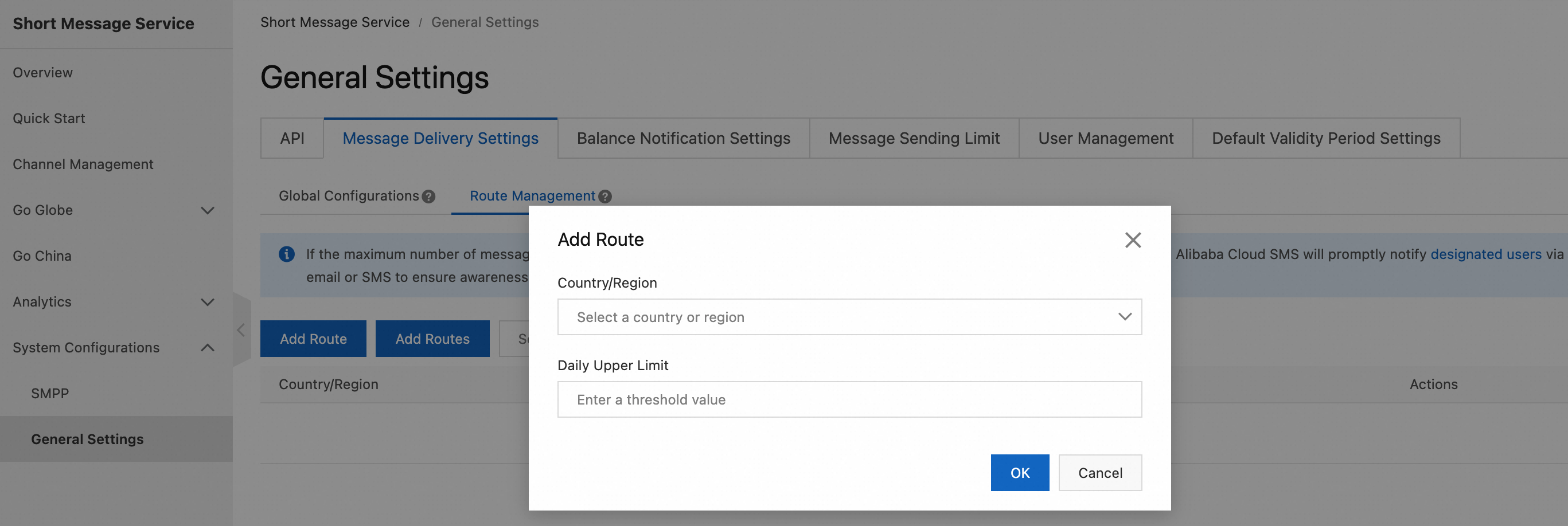
Click Add Route. Select a country or region, and set the Daily Upper Limit.
-
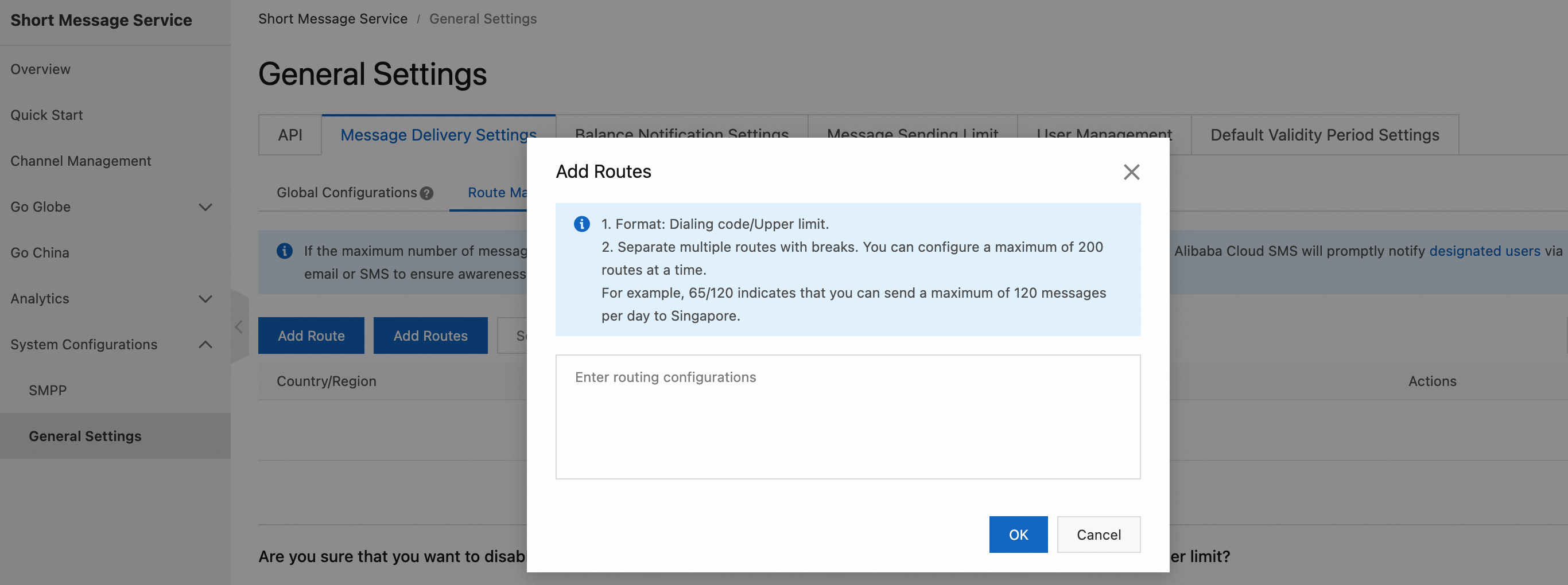
Click Add Routes and follow the on-screen instructions to add multiple routes.
-
-
Click OK.
-
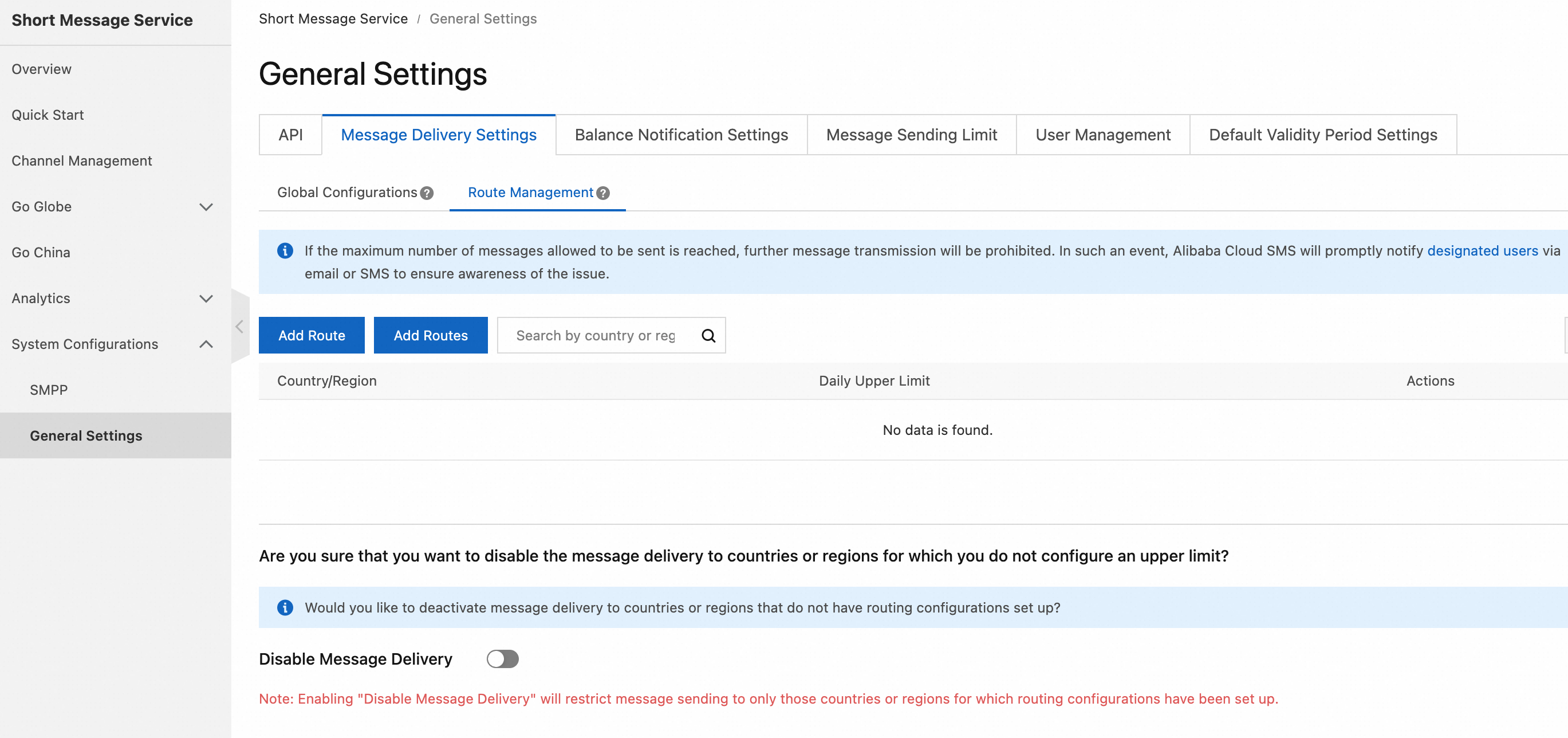
To block message sending to countries and regions without a configured route, toggle on Disable Message Delivery.
 Important
Enabling this toggle blocks all messages to unconfigured countries and regions. Use this option with caution.