SchedulerX schedules scripts and native Kubernetes workloads with built-in monitoring, alerting, log collection, and diagnostics. Define jobs directly in the SchedulerX console instead of packaging scripts into container images and managing CronJob YAML -- SchedulerX handles pod lifecycle, execution history, and failure notifications.
How it works
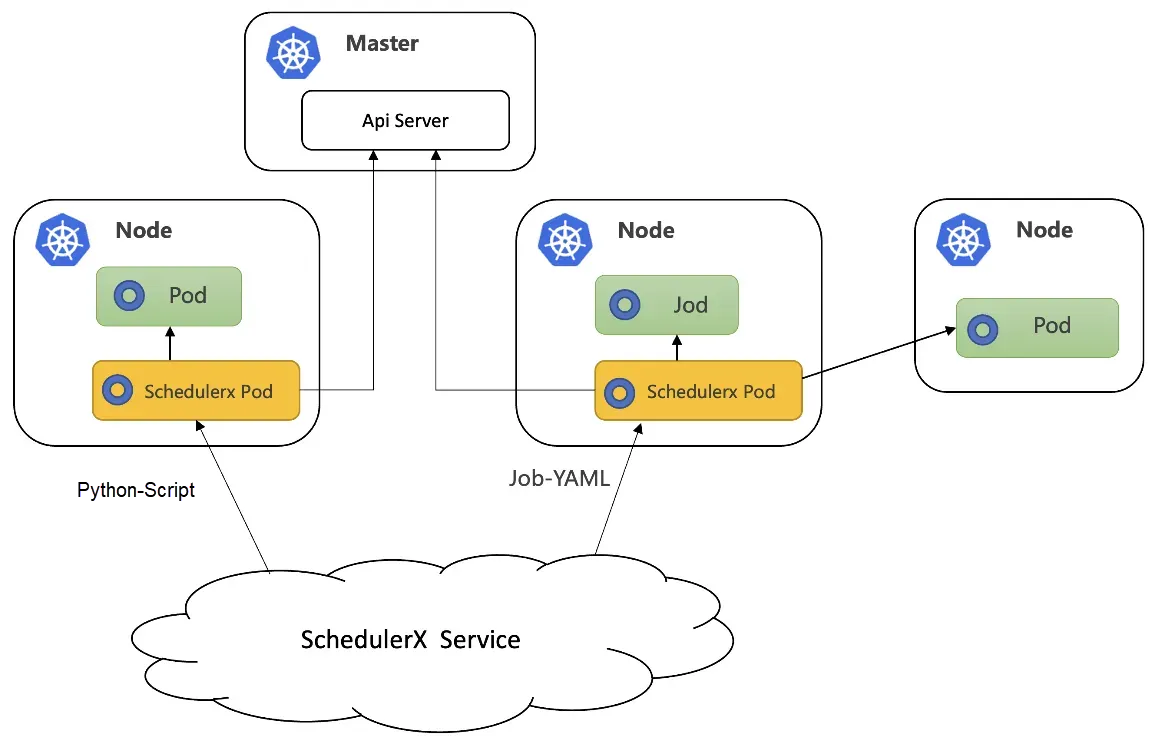
SchedulerX connects to your Kubernetes cluster through
schedulerx-agent.When a job triggers, SchedulerX creates a pod (or a native Kubernetes Job) in the cluster.
The pod runs the configured script or YAML workload, and SchedulerX collects its logs and exit status.
After execution, SchedulerX records the result and triggers alerts if the job fails or times out.
Choose between Kubernetes jobs and script jobs
| Scenario | Recommended type | Reason |
|---|---|---|
| Infrequent tasks that consume significant resources (for example, nightly data processing or financial report generation) | Kubernetes job | Each execution runs in a dynamically provisioned pod. Kubernetes load balancing distributes the workload, keeping the agent host stable. |
| Frequent, lightweight tasks (for example, a health check every 30 seconds) | Script job | Forking a child process is fast and avoids the overhead of pulling images and starting pods. Frequent pod creation can also trigger API server throttling. |
Dependency management:
| Job type | How to manage dependencies |
|---|---|
| Script job | Deploy dependencies to ECS instances in advance. |
| Kubernetes job | Package dependencies into a base image. Rebuild the image when dependencies change. |
Prerequisites
Connect SchedulerX to the target Kubernetes cluster. For instructions, see Deploy SchedulerX in a Kubernetes cluster.
Create a Kubernetes job
All Kubernetes job types are created in the Task Management module of the SchedulerX console. Set Task type to K8s, then choose a resource type based on what you want to run.
Script jobs (Shell, Python, PHP, Node.js)
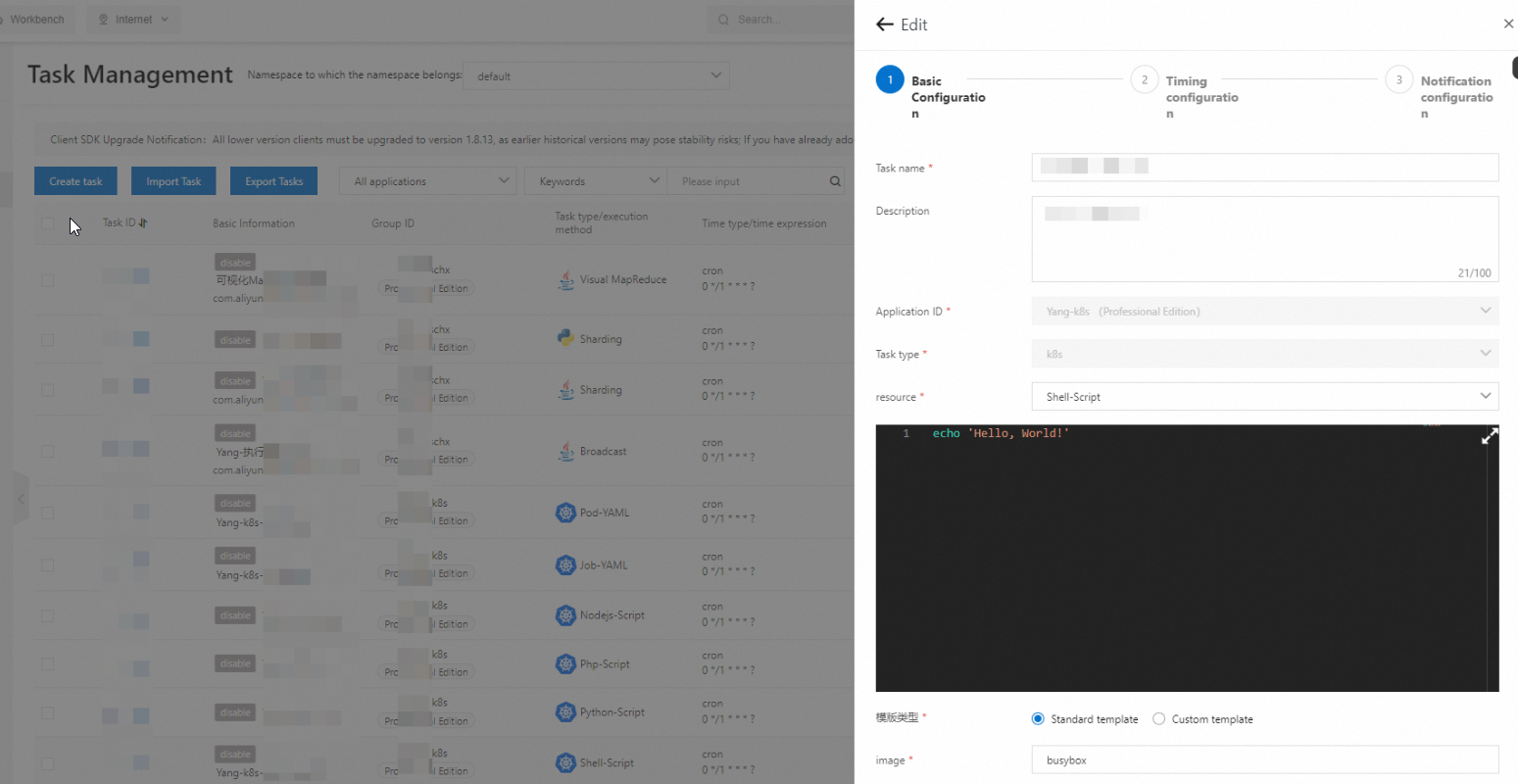
For script-based jobs, SchedulerX provides a built-in editor -- write and update scripts directly in the console without building images or editing YAML files.
| Resource type | Default image | Pod naming pattern |
|---|---|---|
| Shell-Script | busybox | schedulerx-shell-{JobId} |
| Python-Script | Python | schedulerx-python-{JobId} |
| Php-Script | php:7.4-cli | schedulerx-php-{JobId} |
| Node.js-Script | node:16 | schedulerx-node-{JobId} |
Replace the default image with a custom one if needed.
Create a script job:
In the SchedulerX console, go to Task Management.
Create a job with Task type set to K8s.
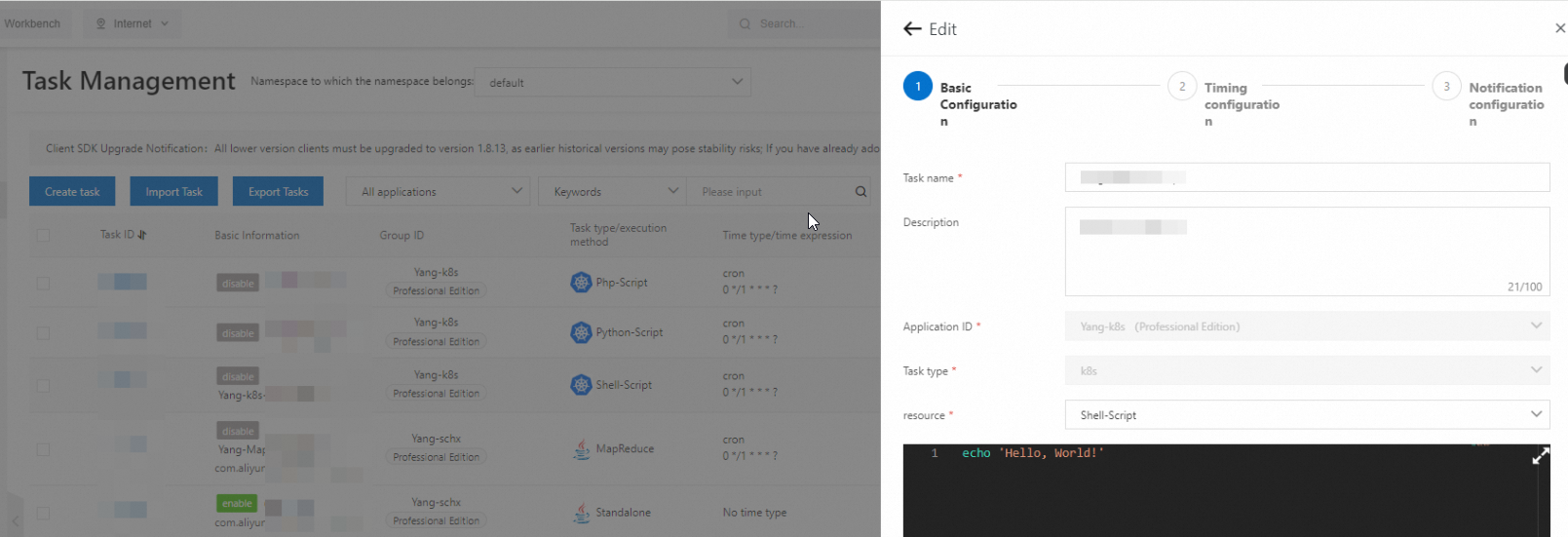
Set resource to the script type you need (for example, Shell-Script).
Write or paste your script in the built-in editor.
Save the job.
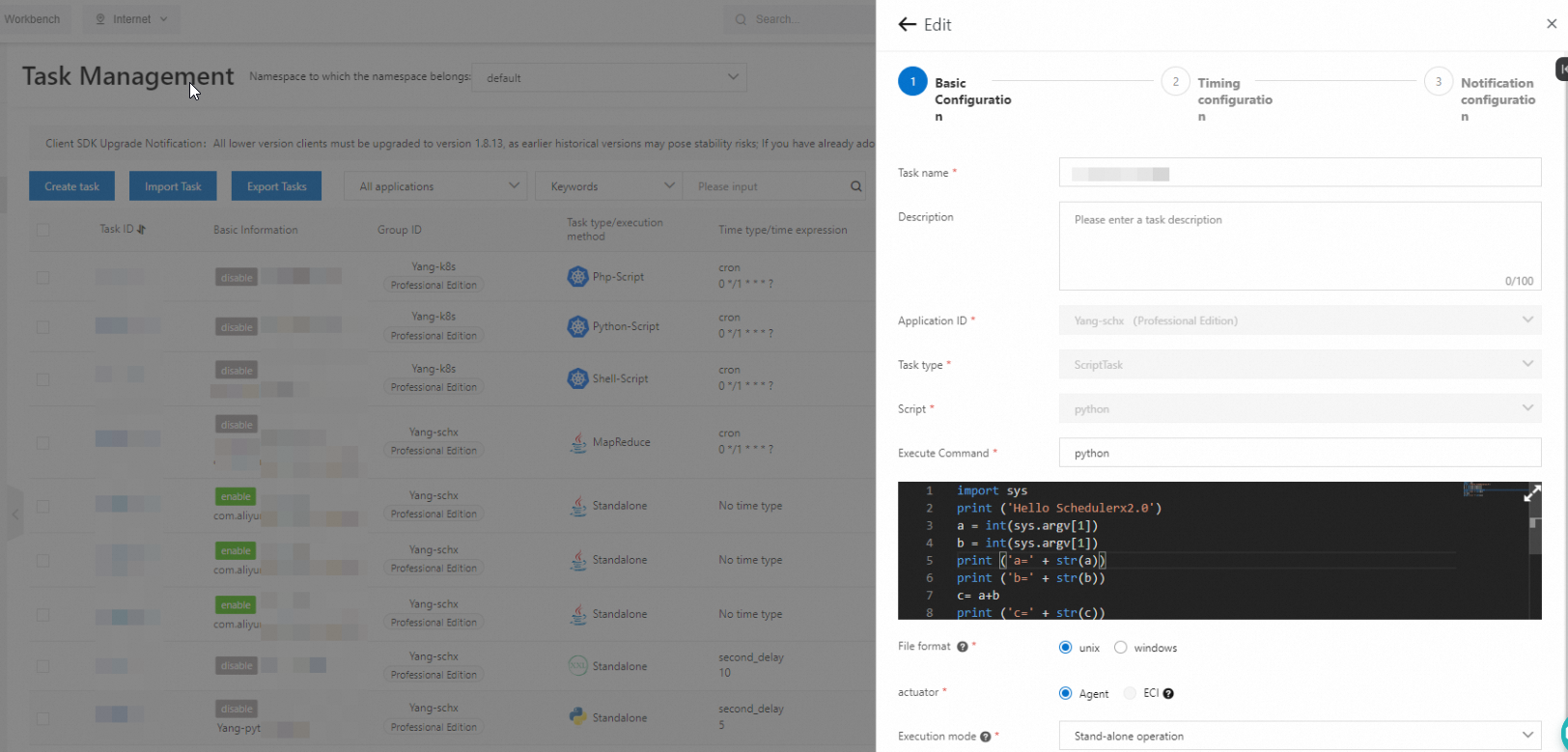
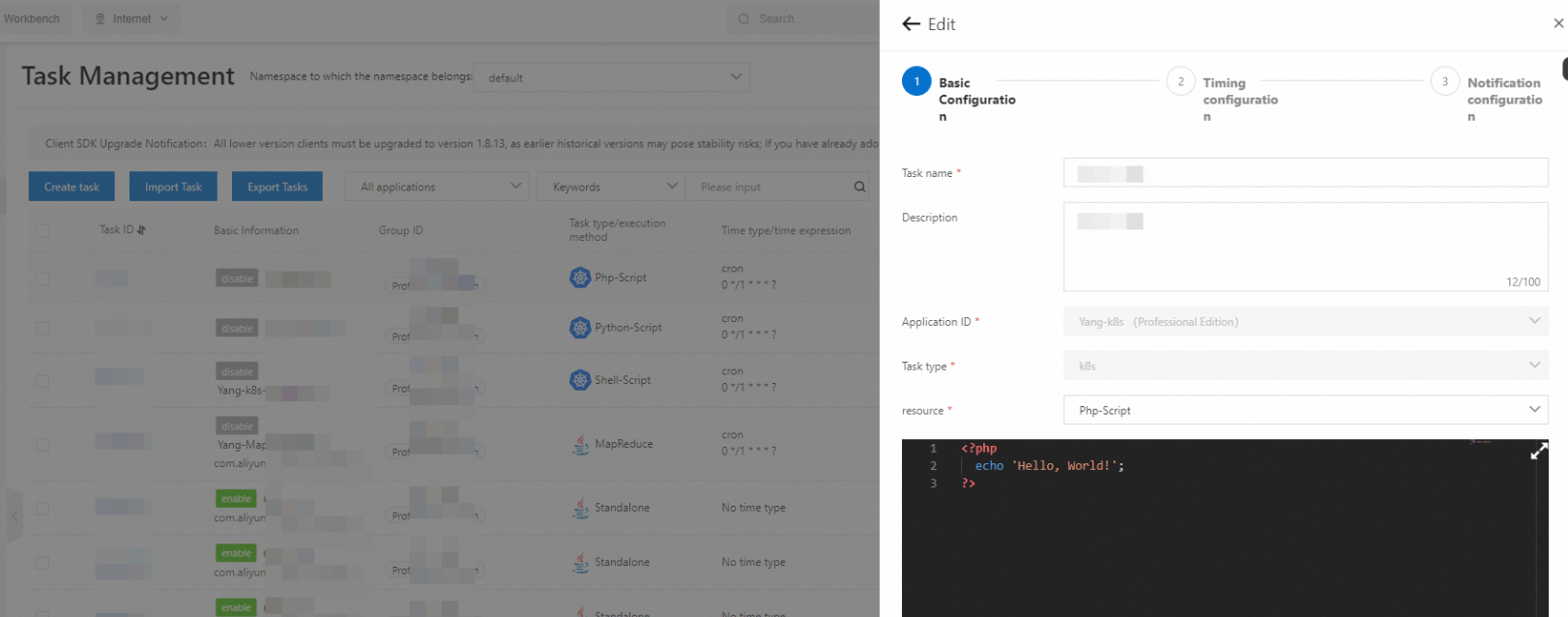
The following screenshots show the configuration page for each script type:
Shell script configuration:
Python script configuration:
PHP script configuration:
Node.js script configuration:
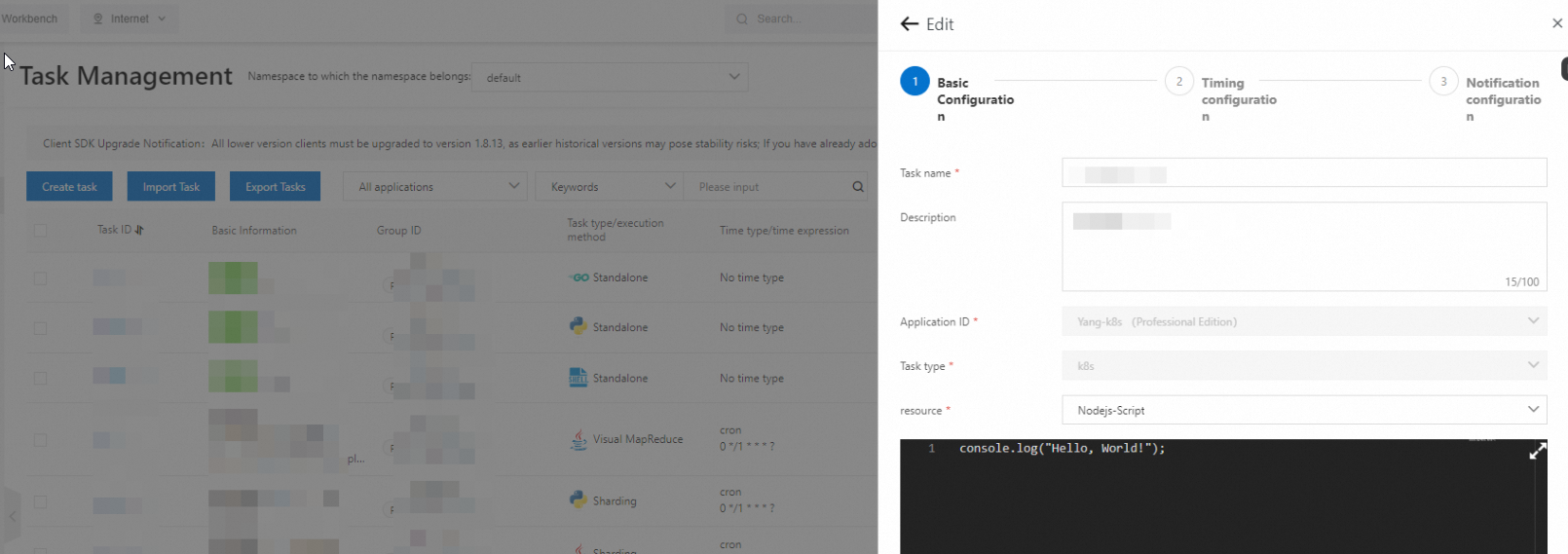
Run and verify:
On the Task Management page, find the job and click Run once in the Actions column.
A pod starts in the cluster. For example, a Shell script job creates a pod named
schedulerx-shell-{JobId}.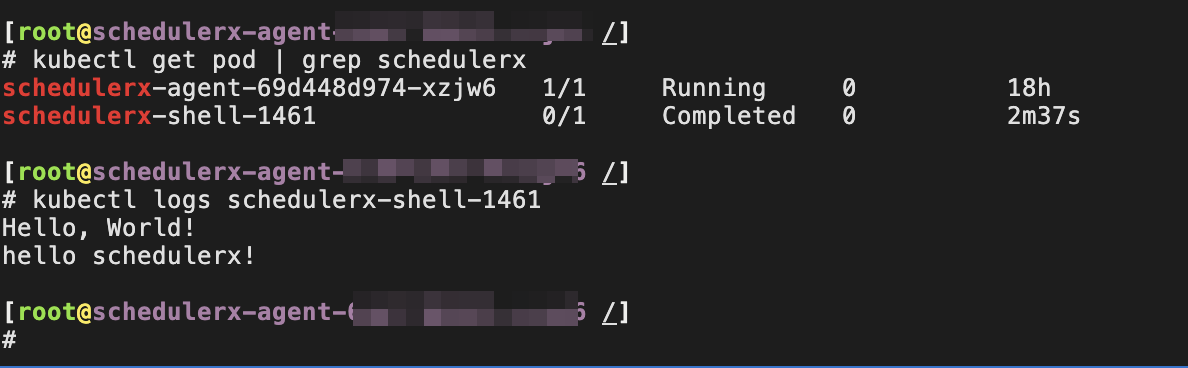
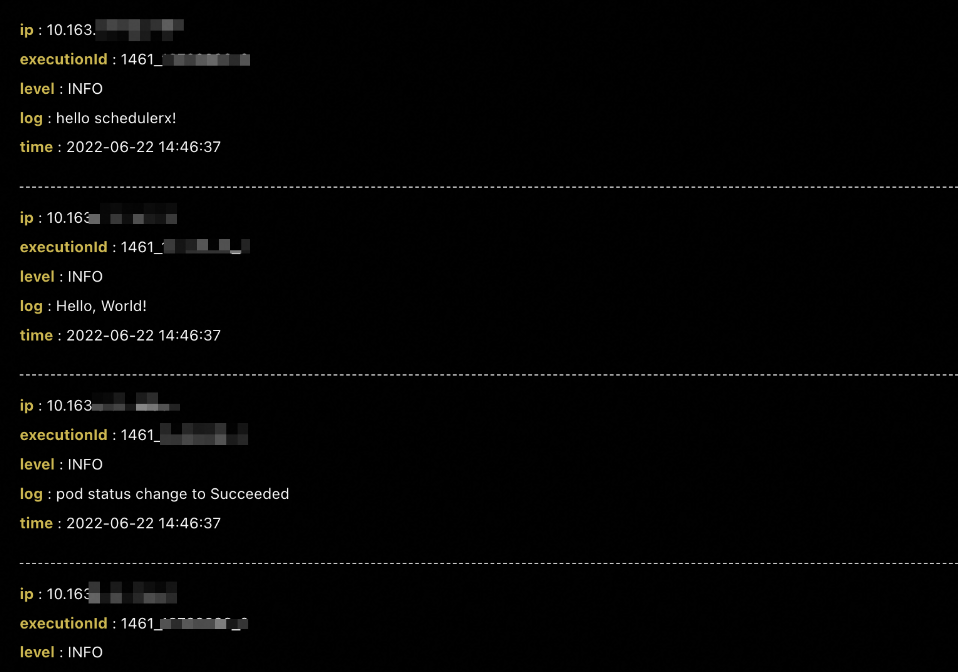
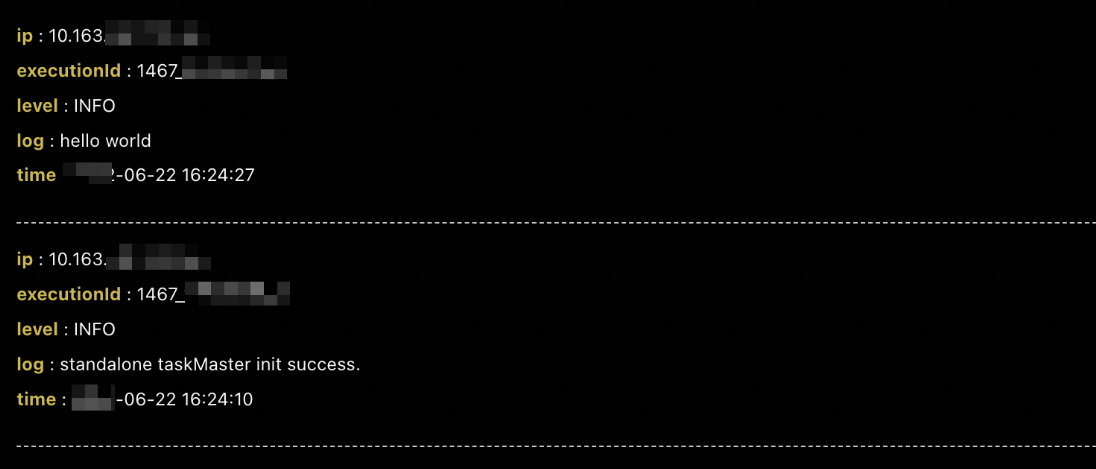
To view execution logs, click Historical records in the Actions column.
Job-YAML
Use Job-YAML to run a native Kubernetes Job defined in YAML.
Create a job with Task type set to K8s and resource set to Job-YAML.
Enter your Job YAML definition.
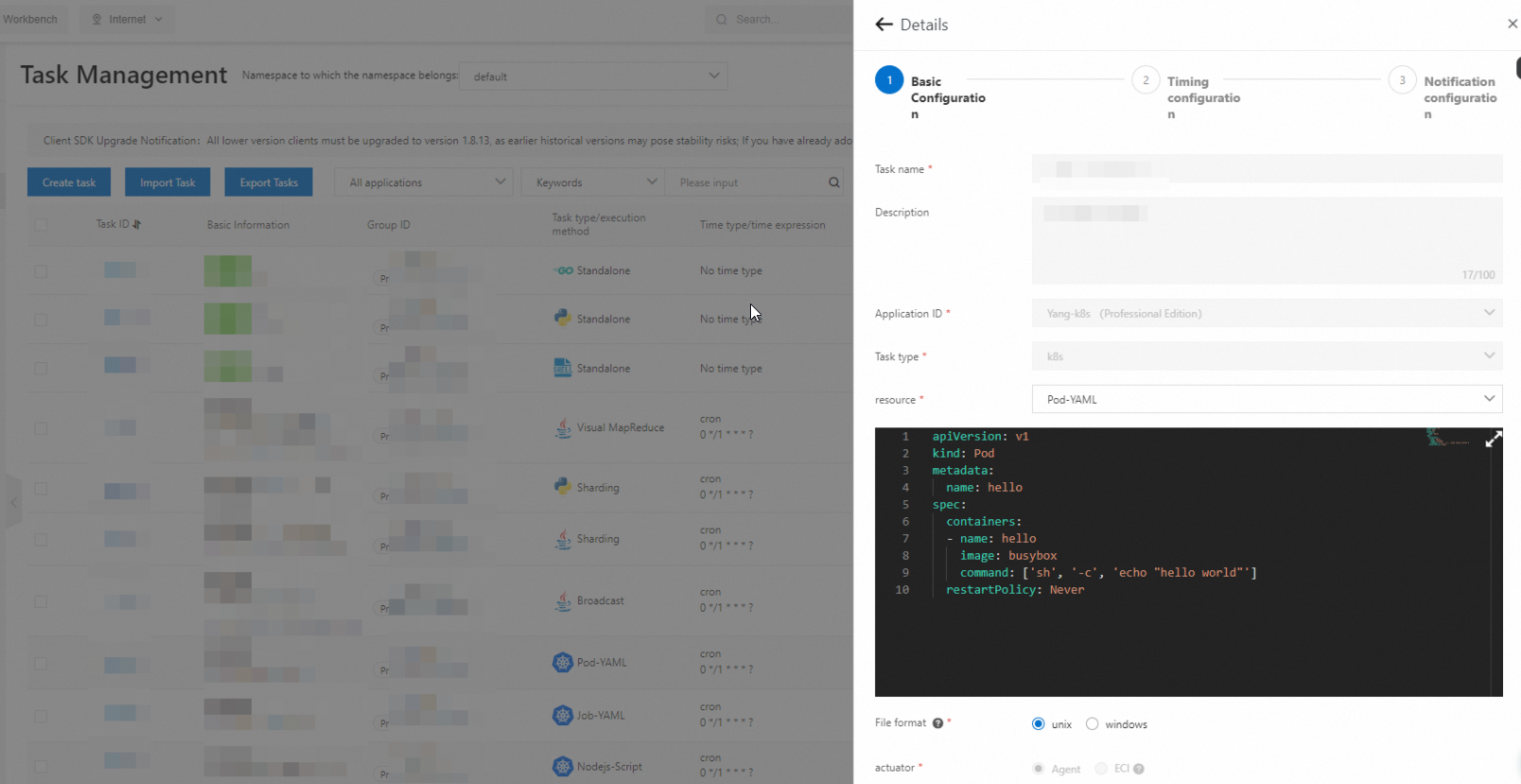
Click Run once in the Actions column. A pod and the corresponding Kubernetes Job start in the cluster.
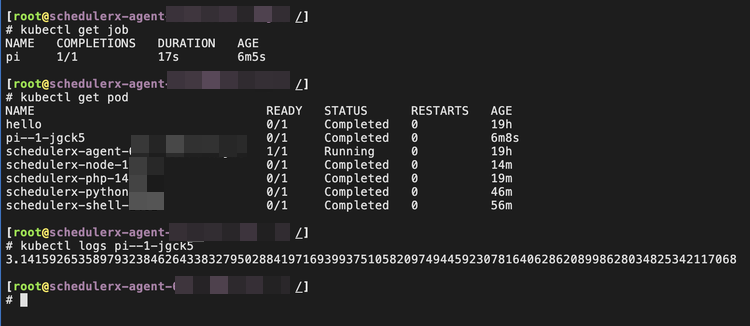
Click Historical records to view execution logs.
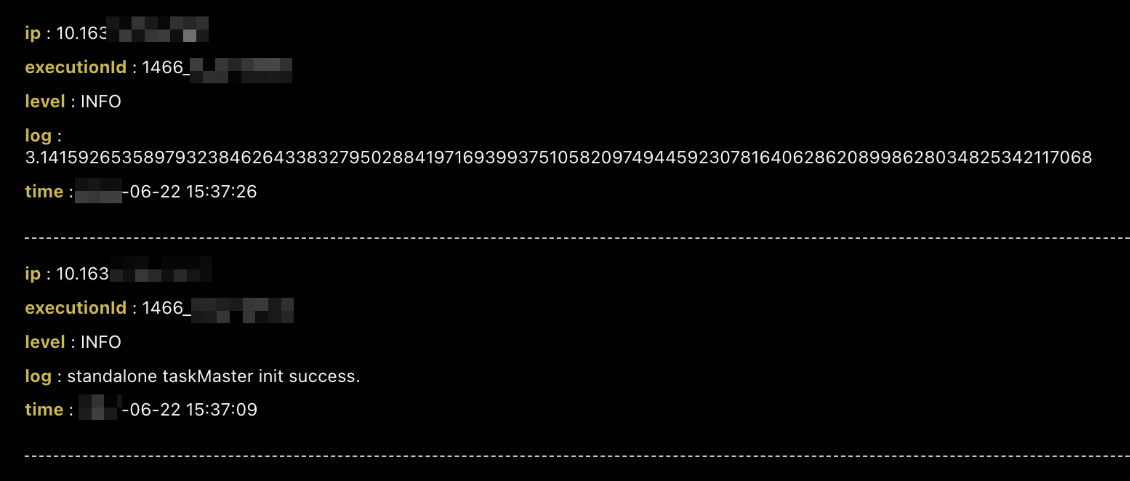
Do not set resource to CronJob-YAML. Use SchedulerX scheduling instead so that historical records and operational logs are properly collected.
Pod-YAML
Use Pod-YAML to run a native Kubernetes pod defined in YAML.
Create a job with Task type set to K8s and resource set to Pod-YAML.
Enter your pod YAML definition.
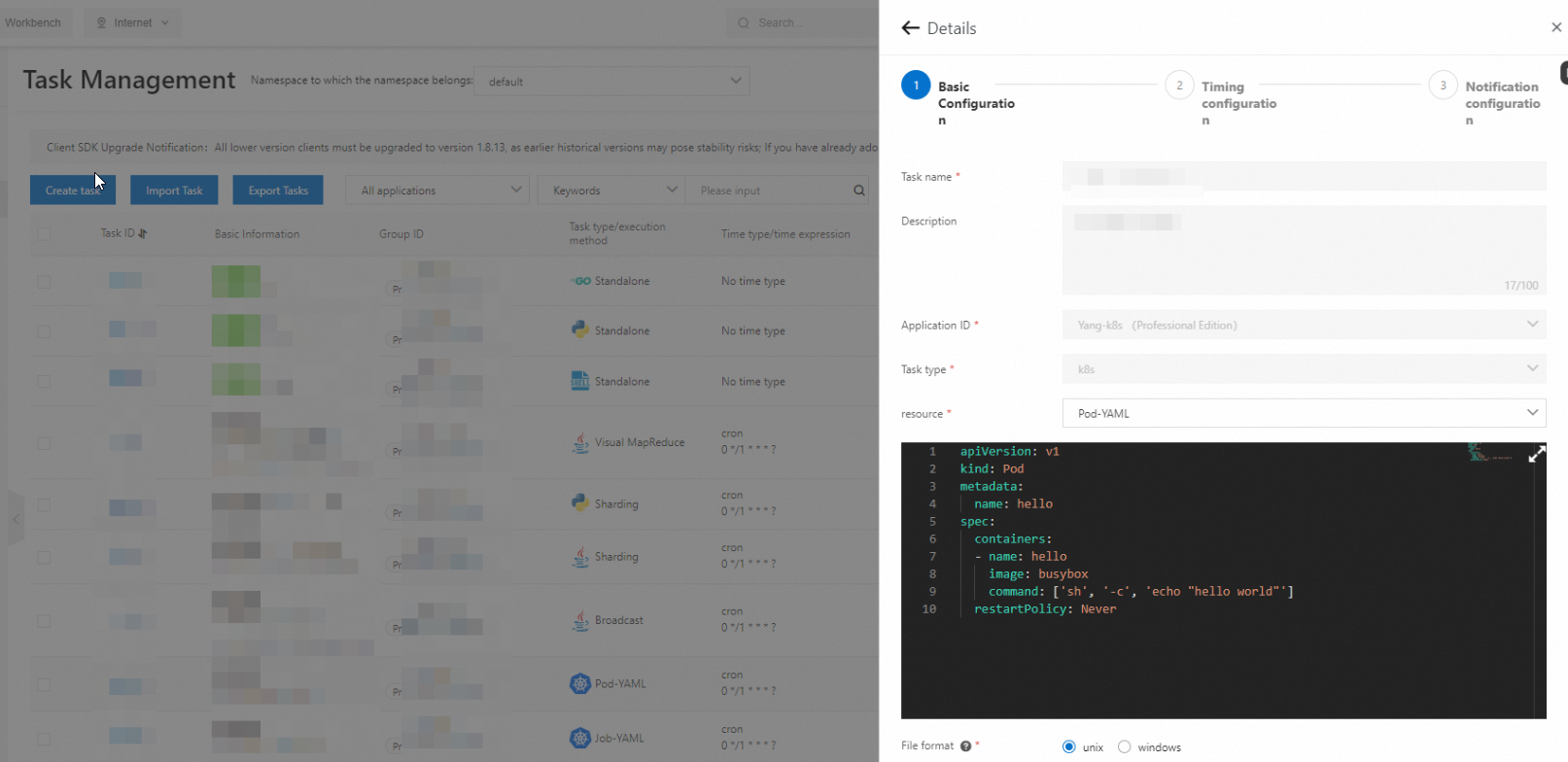
Click Run once in the Actions column. The pod starts in the cluster.
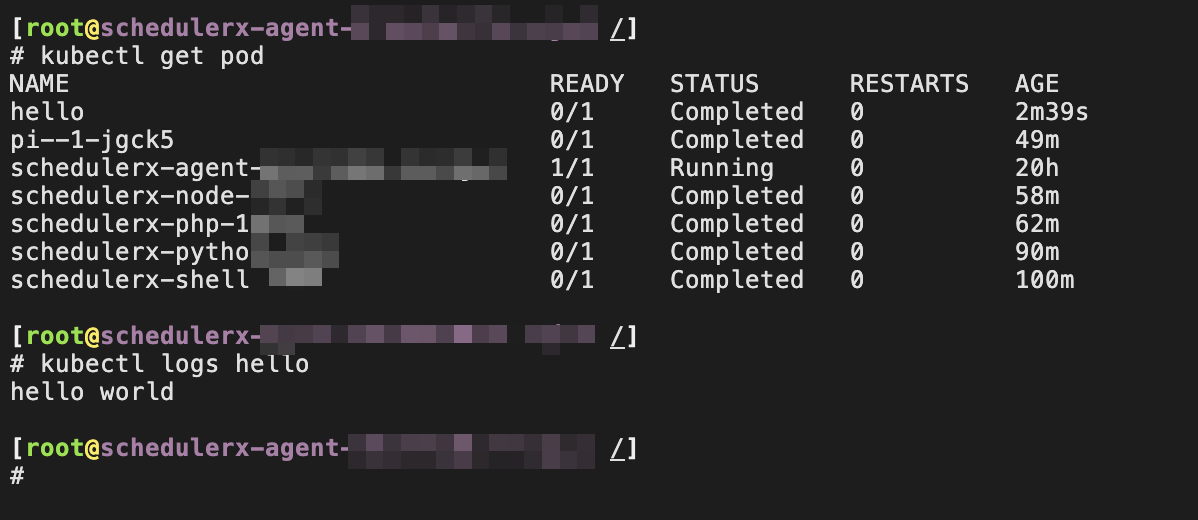
Click Historical records to view execution logs.
Do not start pods with a long lifecycle (for example, web applications that run indefinitely). Set the restart policy to Never to prevent repeated restarts.
Access job parameters through environment variables
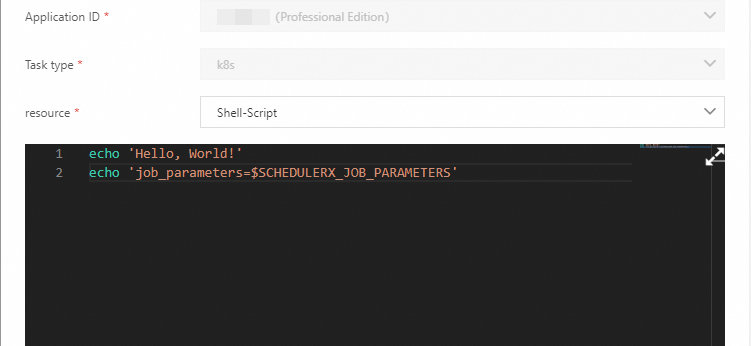
SchedulerX injects job metadata into the pod as environment variables. Read these variables in scripts or applications to access scheduling context -- no additional configuration required.
Requires schedulerx-agent version 1.10.14 or later.
| Environment variable | Description |
|---|---|
SCHEDULERX_JOB_NAME | Name of the job |
SCHEDULERX_SCHEDULE_TIMESTAMP | Timestamp when the job was scheduled |
SCHEDULERX_DATA_TIMESTAMP | Timestamp when the job data is processed |
SCHEDULERX_WORKFLOW_INSTANCE_ID | ID of the workflow instance |
SCHEDULERX_JOB_PARAMETERS | Job-level parameters |
SCHEDULERX_INSTANCE_PARAMETERS | Instance-level parameters |
SCHEDULERX_JOB_SHARDING_PARAMETER | Sharding parameters for the job |
The following screenshot shows sample environment variable values read by a job:
Advantages over native Kubernetes jobs
Online script editing
Native Kubernetes jobs require packaging scripts into images and configuring commands in YAML. Every script change means rebuilding and redeploying the image:
apiVersion: batch/v1
kind: Job
metadata:
  name: hello
spec:
  template:
    spec:
      containers:
      - name: hello
        image: busybox
        command: ["sh",  "/root/hello.sh"]
      restartPolicy: Never
  backoffLimit: 4
With SchedulerX, edit Shell, Python, PHP, and Node.js scripts directly in the console. Changes take effect on the next scheduled run without an image rebuild. Developers unfamiliar with containers can skip container details entirely.
Visual workflow orchestration
Instead of writing Argo-style YAML to define job dependencies:
# Diamond workflow: A -> B,C -> D
apiVersion: argoproj.io/v1alpha1
kind: Workflow
metadata:
  generateName: dag-diamond-
spec:
  entrypoint: diamond
  templates:
  - name: diamond
    dag:
      tasks:
      - name: A
        template: echo
        arguments:
          parameters: [{name: message, value: A}]
      - name: B
        depends: "A"
        template: echo
        arguments:
          parameters: [{name: message, value: B}]
      - name: C
        depends: "A"
        template: echo
        arguments:
          parameters: [{name: message, value: C}]
      - name: D
        depends: "B && C"
        template: echo
        arguments:
          parameters: [{name: message, value: D}]

  - name: echo
    inputs:
      parameters:
      - name: message
    container:
      image: alpine:3.7
      command: [echo, "{{inputs.parameters.message}}"]
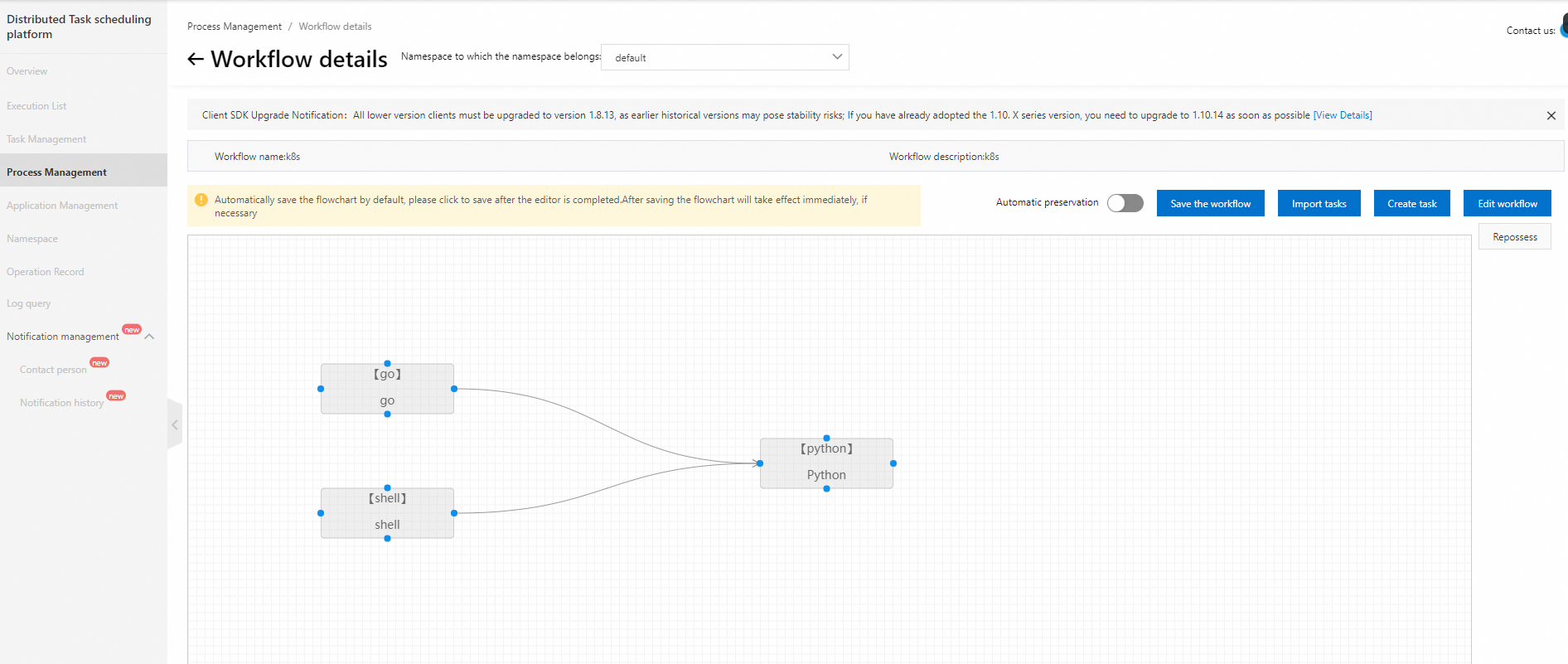
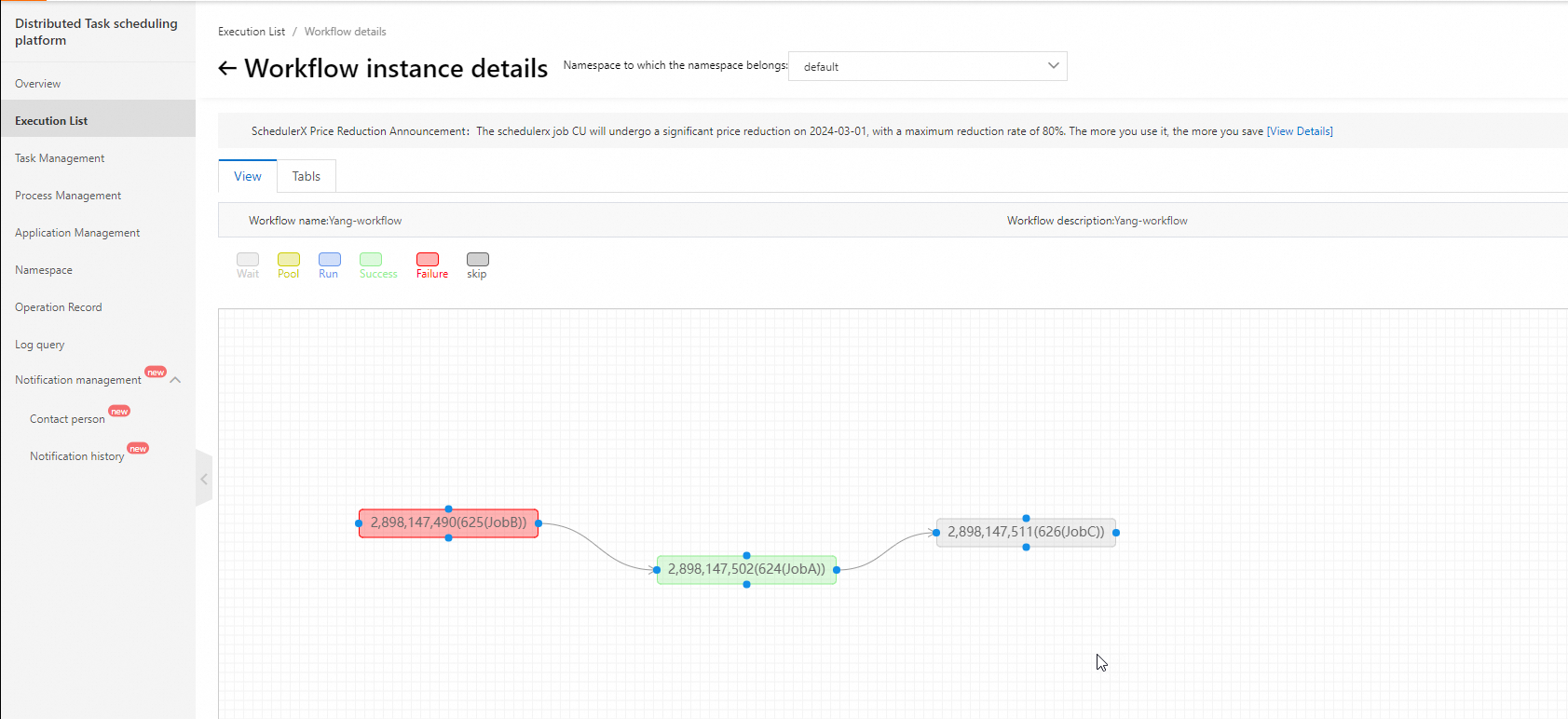
SchedulerX provides a drag-and-drop visual interface to build job workflows. Track progress and identify bottlenecks at a glance.
Built-in alerting and monitoring
SchedulerX includes alerting with no additional setup:
Notification channels: text message, phone call, email, and webhook (DingTalk, WeCom, Lark)
Alert policies: alert on failure, alert on execution timeout
Automatic log collection
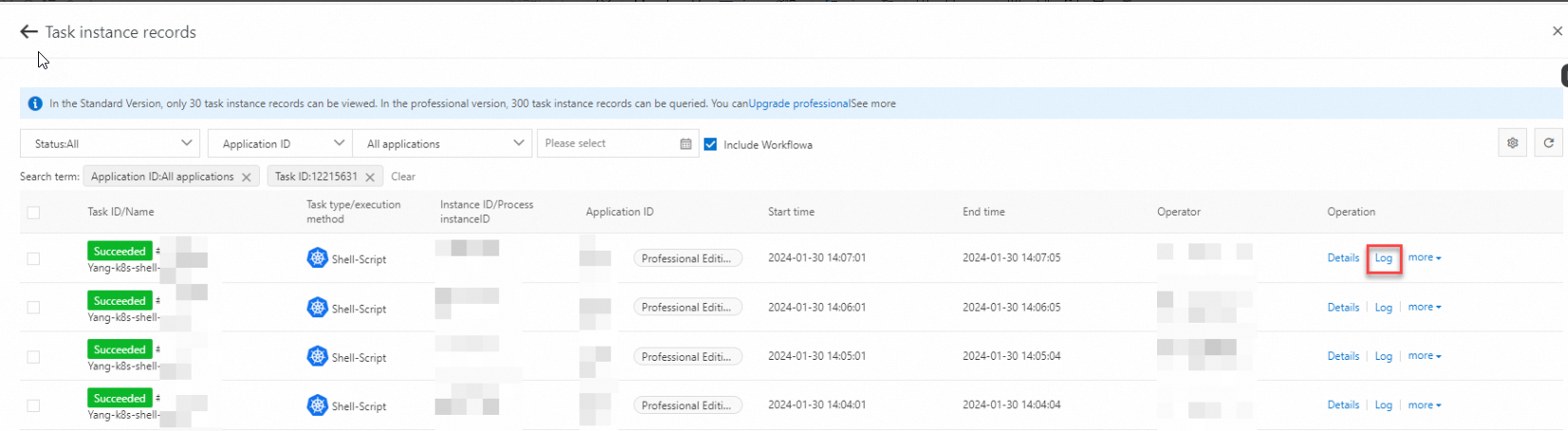
SchedulerX collects pod logs automatically. View and analyze failure details in the console without activating Simple Log Service or other log services.
Built-in monitoring dashboard
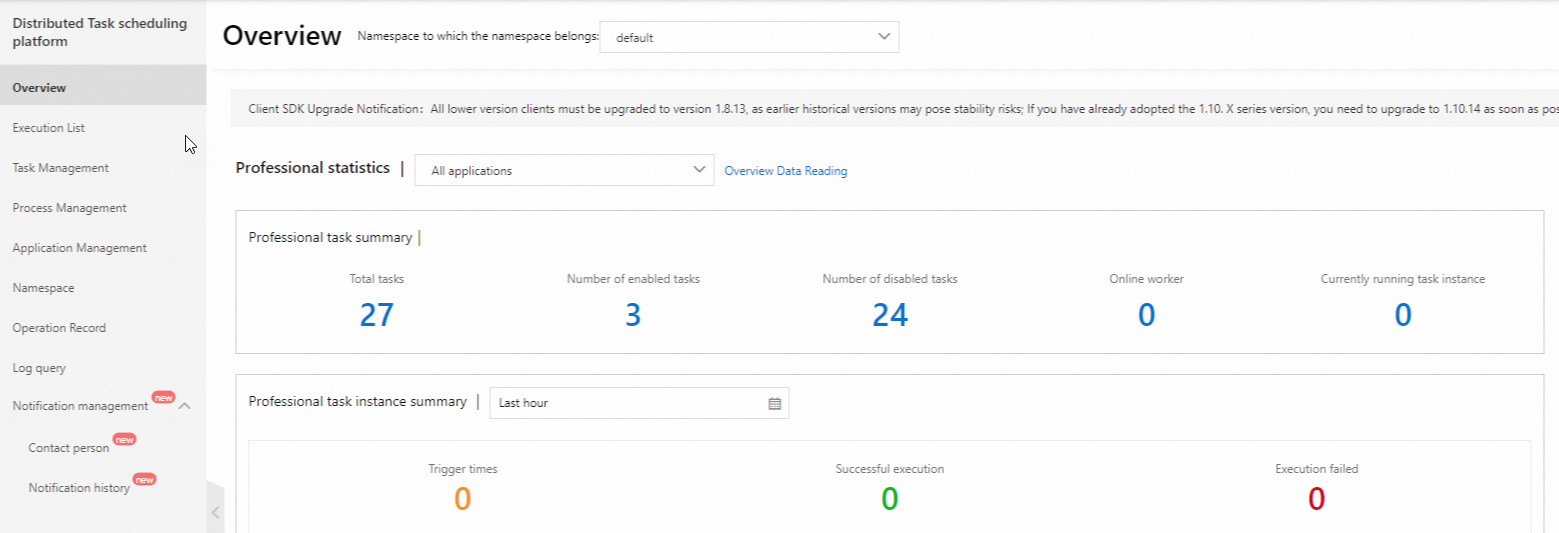
View job execution metrics in a built-in dashboard without activating Managed Service for Prometheus.
Mixed deployment of online and offline jobs
SchedulerX supports both Java and Kubernetes jobs, enabling mixed scheduling of online and offline workloads:
Online jobs that require low latency (for example, order processing): run as method calls within the same Java process.
Offline jobs that consume significant resources (for example, financial report generation): run as scripts in separate pods.