You can assign roles to the ports of a Smart Access Gateway (SAG) 1000 device for flexible network configuration. This topic describes how to change port roles in the Smart Access Gateway console.
Prerequisites
You have an SAG-1000 device.
Background
Smart Access Gateway (SAG) devices have five port roles: WAN, LAN, Not Assigned, Leased Line, and MGT (management port). By default, port 5 serves as the WAN port and port 2 is the management port. You cannot change the management port or its assigned role. For more information about the management port, see Configure a management port.
Procedure
- Log on to the Smart Access Gateway console.
-
Go to the Device Settings page in one of the following ways:
-
Click the ID of the target SAG instance. On the instance details page, click Device Settings.
-
In the Operation column of the target SAG instance, click
 > Device Settings.
-
-
On the Device Settings page, click Assign Port Roles.
-
Find the port you want to configure and click Edit in the Operation column.
-
In the Change Port Role dialog box, select a port role.
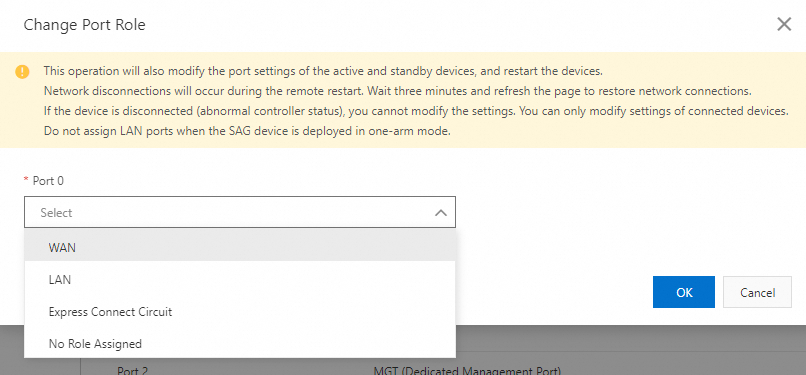
Port role
Description
Not Assigned
The port has no assigned role.
WAN
A port that connects to the Internet. This role supports dynamic IP, static IP, and PPPoE access. For more information, see Configure a WAN port.
LAN
A port that connects to local network clients or switches. This role supports dynamic IP and static IP access. For more information, see Configure a LAN port.
Leased Line
A port that connects to a leased line. For more information, see Configure a leased line port.
ImportantChanging a port role modifies the settings on both the active and standby devices and restarts them.
-
Click OK.