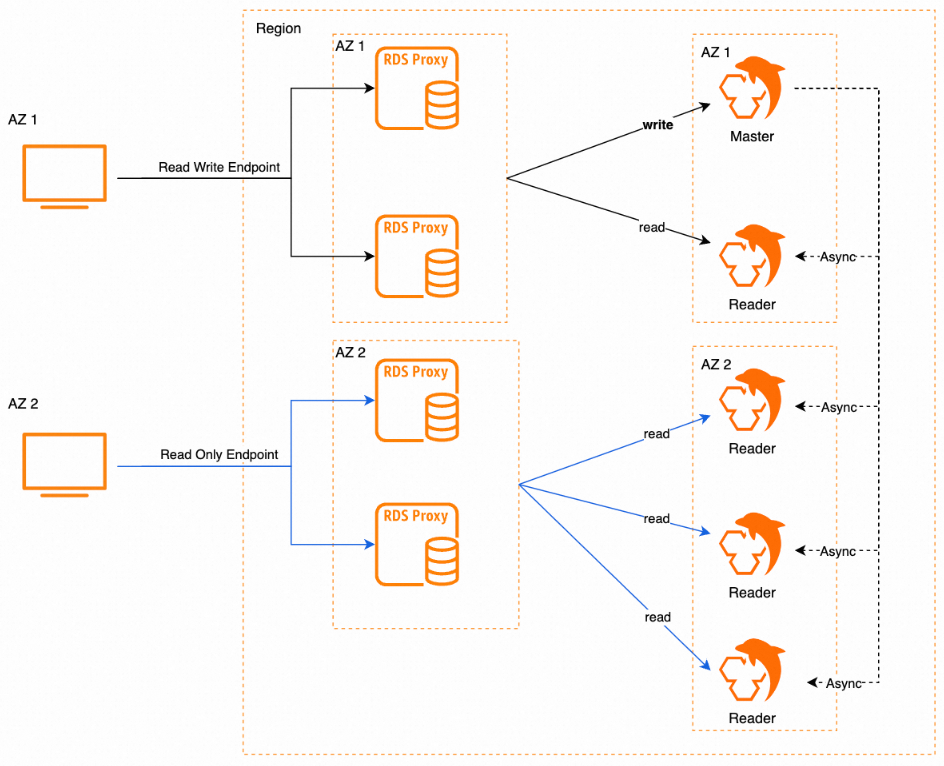
Starting October 22, 2024, ApsaraDB RDS for MySQL supports cross-zone deployment and nearest access for database proxies. These features enable zone-level disaster recovery across applications, proxies, and databases, and reduce access latency by routing traffic within the same zone.
Effective date
October 22, 2024
Proxy deployment
Database proxies support two deployment types:
-
Single-zone deployment: All proxy nodes are deployed in the same zone.
-
Dual-zone deployment: Proxy nodes are distributed across two zones for cross-zone disaster recovery. No additional fees apply.
Deployment modes
Three deployment modes are available. Choose the mode based on your RDS instance configuration and availability requirements.
Deployment mode 1
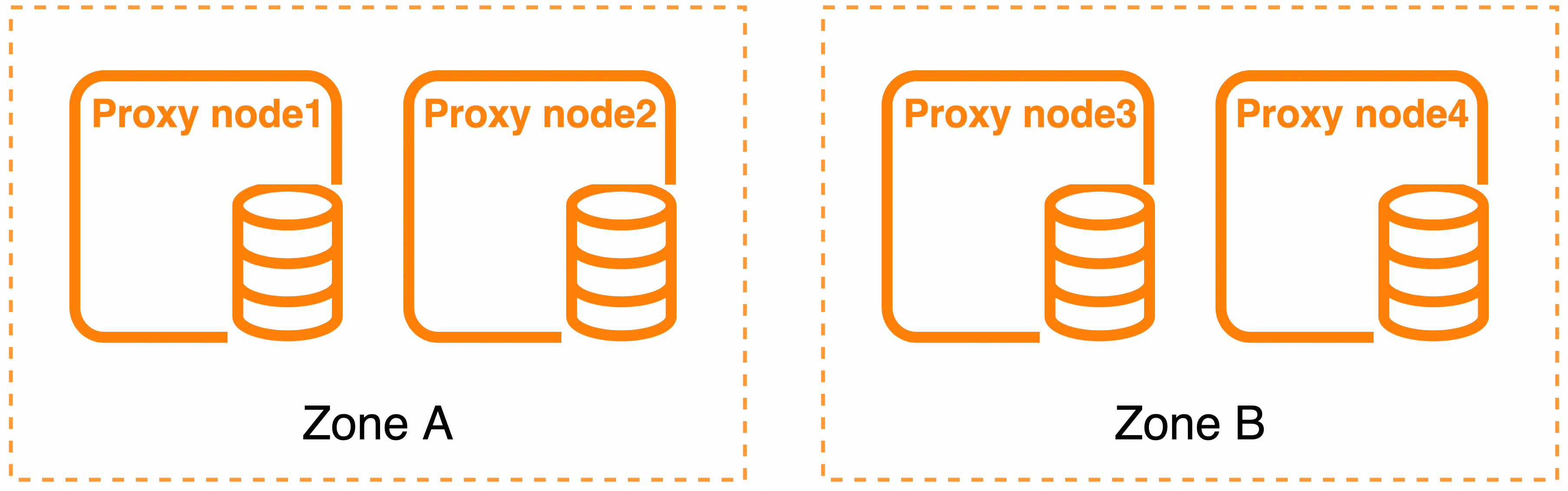
Use when: Your RDS instance uses dual-zone deployment and you need the highest availability with dedicated proxies. This mode deploys four proxy nodes across two zones, providing full node-level and zone-level fault isolation.
Deployment mode 2
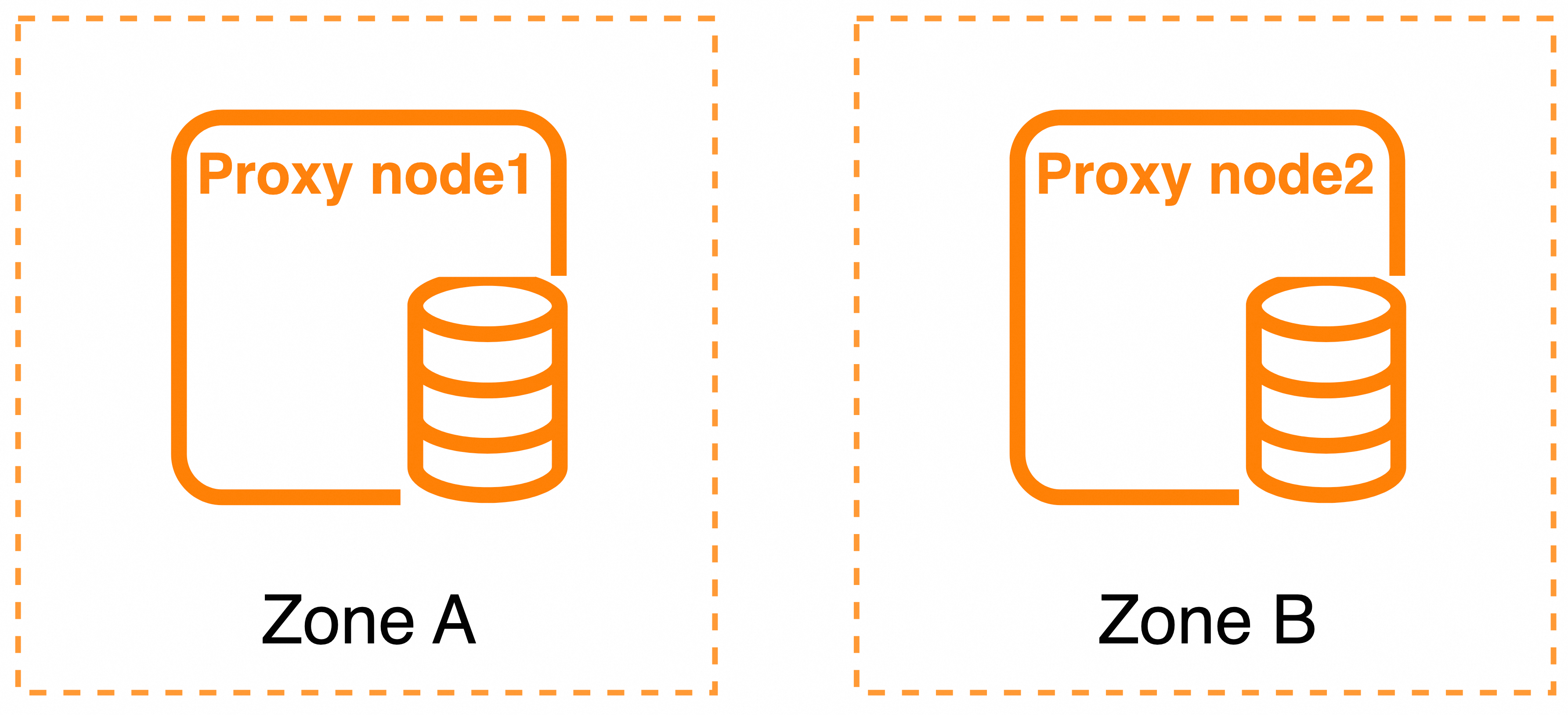
Use when: Your RDS instance uses dual-zone deployment and you need cross-zone redundancy with either dedicated or general-purpose proxies, without requiring the four-node capacity of mode 1.
Deployment mode 3

Use when: Your RDS instance uses single-zone deployment, or cross-zone disaster recovery is not required.
Mode comparison
| Deployment mode | Zone | Total proxy nodes | Specification limit | Supported proxy type |
|---|---|---|---|---|
| Deployment mode 1 | Two zones | 4 | Proxy nodes in the same zone must use identical specifications. | Dedicated |
| Deployment mode 2 | Two zones | 2 | All proxy nodes must use identical specifications. | Dedicated and general-purpose |
| Deployment mode 3 | Single zone | 2 | Proxy nodes in the same zone must use identical specifications. | Dedicated and general-purpose |
Default mode and zones
The default deployment mode is determined by your RDS instance configuration:
| RDS instance deployment | Database proxy type | Default deployment mode | Default zone |
|---|---|---|---|
| Single-zone deployment | Dedicated | Deployment mode 3 | Same as the zone of the primary RDS instance. |
| General-purpose | Deployment mode 3 | ||
| Dual-zone deployment | Dedicated | Deployment mode 1 | Zone 1: same as the zone of the primary RDS instance. Zone 2: same as the zone of the secondary RDS instance. |
| General-purpose | Deployment mode 2 |
Fault handling
The fault handling behavior differs by deployment mode.
Deployment mode 1
-
Proxy node-level fault: The faulty node stops processing traffic. Traffic is rerouted to healthy proxy nodes in the same zone.
-
Zone-level fault: Traffic is rerouted to proxy nodes in the healthy zone. After the faulty zone recovers, new traffic is routed to the recovered proxy node. Existing persistent connections remain unchanged and expire naturally.
Deployment mode 2
Each zone has one proxy node, so a proxy node-level fault is equivalent to a zone-level fault. When a fault occurs, all traffic is rerouted to the proxy node in the other zone.
Deployment mode 3
-
Proxy node-level fault: The faulty node stops processing traffic. Traffic is rerouted to the other proxy node in the same zone.
-
Zone-level fault: The database proxy cannot serve traffic. Wait for the zone to recover, or manually change the deployment mode.
Nearest access
When database proxies are deployed across two zones, enable nearest access to route application traffic to the proxy node in the same zone as the application. This eliminates cross-zone hops between the application and the proxy, minimizing access latency.
To keep all traffic within a zone, add the database nodes in that zone to the proxy endpoint. The proxy endpoint is the original proxy connection point.