The ApsaraDB RDS for MySQL database proxy is a network proxy service between your database and your application. The proxy handles all requests that the application sends to the database and simplifies connection management for RDS MySQL instances.
Use the database proxy feature of ApsaraDB RDS for MySQL when your primary instance is heavily loaded, or when you need interruption protection during O&M operations such as switchovers. Read/write splitting provides load balancing for service traffic and reduces the CPU load on the primary instance. Persistent connections (interruption protection) keep the connections between your application and the proxy alive, and Secure Sockets Layer (SSL) encryption secures data transmission. These features improve the availability and security of the instance.
Scenarios
The ApsaraDB RDS for MySQL database proxy applies to the following scenarios:
Workloads that require read/write splitting
Scenarios that require interruption protection when O&M operations such as switchovers occur, or when a fault occurs
Scenarios in which the primary instance is heavily loaded (a large number of requests within a transaction or too many connections)
Workloads that mainly use short-lived connections
Scenarios that require nearest access to reduce access latency
Purely read-only workloads and workloads that require isolation
For example, you purchase an RDS instance that consists of one primary instance and four read-only instances, and you want to connect both Application A (purely read-only) and Application B (read and write) to the instance. You can group read-only instance 1 and read-only instance 2 into proxy endpoint A (Read-only mode) for Application A, and group the primary instance, read-only instance 3, and read-only instance 4 into proxy endpoint B (Read/Write mode) for Application B. The two workloads are then physically isolated in their database usage and do not affect each other.
Terms
Proxy endpoint (formerly proxy terminal)
The proxy endpoint is the core of the database proxy. It supports custom endpoint access policies, and you can change the endpoint prefix and the port number. Connect to the RDS instance through a database proxy endpoint to use the advanced features of the database proxy.
After you enable the database proxy, you can apply for one internal endpoint and one public endpoint for each proxy endpoint, and customize the access policy of each proxy endpoint to meet the requirements of common scenarios and improve business flexibility. For more information, see Configure access policies for a database proxy endpoint and Database connection.
Read/write splitting
Read/write splitting refers to the automatic forwarding of read and write requests through a proxy endpoint.
Applications that read more than they write can put heavy read pressure on the primary instance and affect your business. Read/write splitting automatically forwards write requests to the primary instance and read requests to the read-only instances. This achieves automatic request distribution and reduces the load on the primary instance.
Persistent connections
The persistent connections feature of the RDS MySQL proxy keeps the connection between the application and the proxy alive during operations such as instance switchovers. Applications that access the database through the proxy endpoint do not receive disconnection errors.
Transaction splitting
The database proxy enables transaction splitting by default. This feature forwards the read requests that occur before a write operation within a transaction to the read-only instances, which reduces the load on the primary instance.
Connection pool
The connection pool feature effectively resolves the excessive instance load that is caused by too many connections, or by workloads that use short-lived connections (such as PHP) and frequently establish new connections.
Zone
The zone is where the proxy nodes and the proxy endpoint reside. After you enable the database proxy, Migrate proxy nodes across zones is supported.
Nearest access
When the database proxy uses a multi-zone deployment, you can enable the nearest access feature. This feature allows you to connect a specified application to a proxy node in the same zone, so that the application, the proxy node, and the read-only node all reside in the same zone, which minimizes latency.
SSL encryption
Apply SSL encryption to the database proxy endpoint to make sure that data is transmitted securely.
Proxy deployment architecture
The ApsaraDB RDS for MySQL database proxy supports single-zone deployment and dual-zone deployment.
Single-zone deployment: All proxy nodes reside in the same zone.
Dual-zone deployment: The proxy nodes reside in two different zones, which delivers cross-zone disaster recovery at no additional cost.
Deployment modes
The database proxy provides three deployment modes. The modes differ in the number of zones, the total number of proxy nodes, the consistency of proxy node specifications, and the supported proxy types.
Deployment mode 3 places all proxy nodes in a single zone, so the database proxy cannot provide service during a zone-level fault. Deployment modes 1 and 2 distribute the proxy nodes across two zones and provide cross-zone disaster recovery.
Deployment mode 1
Zones: Two zones
Total number of proxy nodes: 4
Proxy node specification limits: The proxy nodes in the same zone must use the same specification.
Supported proxy types: Dedicated
Disaster recovery mechanism:
Proxy node-level fault: The faulty node stops handling traffic, and traffic is forwarded to the other healthy proxy nodes in the same zone.
Zone-level fault: Service traffic is forwarded to the proxy nodes in the healthy zone (cross-zone disaster recovery). After the proxy nodes in the faulty zone recover, new service traffic is forwarded to the recovered proxy nodes, and the routing of existing persistent connections remains unchanged until the connections expire automatically.
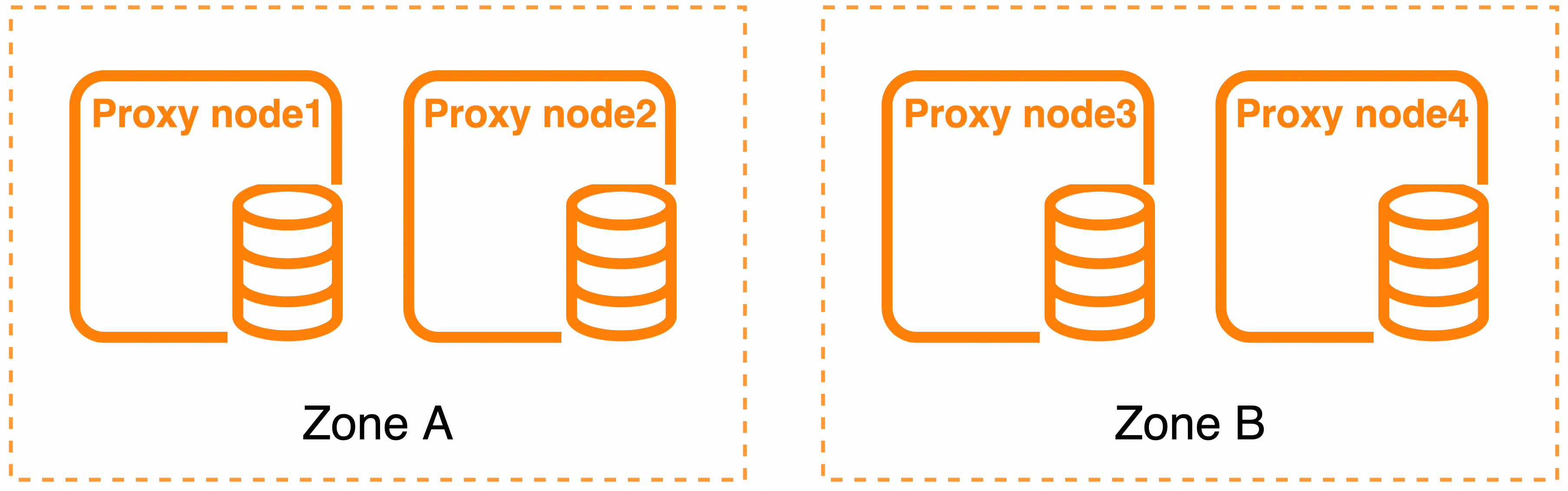
If you enable the nearest access feature, which is available only in deployment mode 1, the feature may become unavailable when a zone-level fault occurs because the overall availability of the database proxy takes priority over access latency.
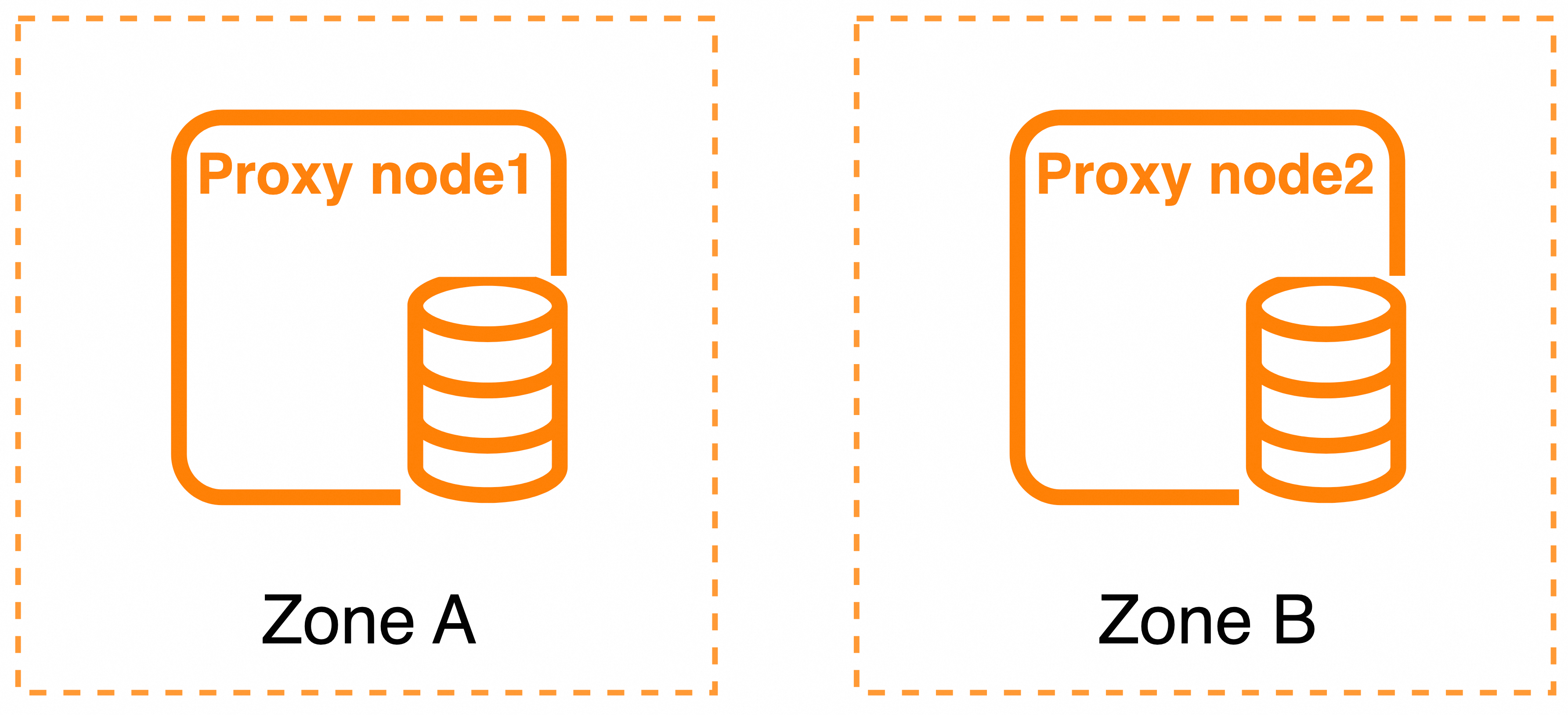
Deployment mode 2
Zones: Two zones
Total number of proxy nodes: 2
Proxy node specification limits: The two nodes must use the same specification.
Supported proxy types: Dedicated and General-purpose
Disaster recovery mechanism:
Because the database proxy is deployed with two nodes across two zones, a proxy node-level fault is equivalent to a zone-level fault.
When a fault occurs, service traffic is forwarded to the proxy node in the other healthy zone.
Deployment mode 3
Zones: Single zone
Total number of proxy nodes: 2
Proxy node specification limits: The proxy nodes in the same zone must use the same specification.
Supported proxy types: Dedicated and General-purpose
Disaster recovery mechanism:
Proxy node-level fault: The faulty node stops handling traffic, and all service traffic is handled by the other healthy proxy node in the same zone.
Zone-level fault: The database proxy cannot provide service. Wait for fault recovery in the zone data center, or manually change the proxy to a cross-zone deployment mode.

After you enable the database proxy, you can change the proxy deployment architecture. For more information, see Modify proxy configuration.
Default deployment mode and proxy zones
Keep the zone of the database proxy, the zone of the proxy endpoint, and the zone of the RDS instance the same to reduce the network latency caused by cross-zone access.
After you select a zone deployment plan and a proxy type for the instance, the default proxy deployment mode and the default proxy zones are as follows:
| Instance zone deployment plan | Proxy type | Default proxy deployment mode | Default proxy zones |
| Single-zone deployment | Dedicated | Deployment mode 3 | By default, the same as the primary zone of the primary node of the RDS instance. |
| Single-zone deployment | General-purpose | Deployment mode 3 | By default, the same as the primary zone of the primary node of the RDS instance. |
| Dual-zone deployment | Dedicated | Deployment mode 1 | Zone 1: By default, the same as the zone of the primary node of the instance. Zone 2: By default, the same as the zone of the secondary node of the instance. |
| Dual-zone deployment | General-purpose | Deployment mode 2 | Zone 1: By default, the same as the zone of the primary node of the instance. Zone 2: By default, the same as the zone of the secondary node of the instance. |
Proxy types
The ApsaraDB RDS for MySQL database proxy provides two proxy types: General-purpose and Dedicated.
General-purpose: Physical CPU resources are shared. This type is free of charge and more economical.
Dedicated: Physical CPU resources are exclusively occupied. This type uses the pay-as-you-go billing method and delivers better performance stability.
The following table describes the differences between the two proxy types and the features that each type supports:
| Item | General-purpose | Dedicated |
| Billing method | Free of charge | Pay-as-you-go. For more information, see Billing. |
| Resource type | Shared physical CPU resources | Exclusively occupied physical CPU resources, with better performance stability. |
| Specification range of a single proxy node | 1 to 8 cores | 1 to 16 cores |
| Supported RDS MySQL instances | Instances of the RDS MySQL high-availability series and Cluster Edition | |
| Deployment architecture | Deployment modes 2 and 3 | Deployment modes 1, 2, and 3 |
| Nearest access | Not supported | Supported |
| Read/write splitting | Supported | |
| Transaction splitting | Supported | |
| Proxy endpoints | A single RDS MySQL instance supports 1 to 7 proxy endpoints. Each proxy endpoint supports one internal endpoint and one public endpoint. | |
| Persistent connections during switchovers | Supported | Supported |
| Persistent connections during failovers | Not supported | Supported |
| Connection pool | Supported | |
| SSL encryption | Supported |
In the preceding table, an empty cell in the Dedicated column indicates that the value is the same as the value in the General-purpose column.
The proxy specification and the number of proxies are calculated as follows:
Relationship between the proxy specification and the specification of a single proxy node:
Proxy specification = the sum of the specifications of all proxy nodes.For example, a Dedicated proxy is deployed across two zones (Zone A + Zone B). The CPU specification of a single proxy node in Zone A is 1 core and the number of nodes is 2. The CPU specification of a single proxy node in Zone B is 2 cores and the number of nodes is 2. Then,
proxy specification = the proxy specification of Zone A + the proxy specification of Zone B = 1 core x 2 + 2 cores x 2 = 2 cores + 4 cores = 6 cores.Relationship between the number of proxies and the proxy specification:
Number of proxies = proxy specification / unit proxy specification. The unit proxy specification is fixed at 2 CPU cores.For example, if the proxy specification of a proxy instance is 6 cores,
number of proxies = 6 cores / 2 cores = 3.
Usage notes
For more information, see Usage notes for the database proxy feature.
Billing
For more information, see Billing of database proxies.
Usage
For more information, see Use database proxy.