You can set an account-wide password policy to enforce password complexity and rotation rules for all Resource Access Management (RAM) users. A strong password policy enhances the security of your Alibaba Cloud account and helps you meet compliance requirements. This topic describes how to configure the password policy for your account.
The password policy is a global setting that applies to all RAM users in your Alibaba Cloud account. You cannot create different password policies for individual RAM users or groups.
Considerations
Before you configure a password policy, note the following:
Policy scope: The password policy applies only to console logon passwords for RAM users. It does not affect AccessKey pairs used for programmatic access.
Policy enforcement: Changes to the password policy do not immediately force existing users to reset their passwords. The new rules are enforced the next time a user changes their password, either because it has expired or because they or an administrator reset it.
SSO integration: If you use an external identity provider (IdP) for single sign-on (SSO), RAM user passwords are not used for federated logon. However, the password policy still applies if you enable console passwords as a backup logon method.
Alibaba Cloud follows security best practices by storing only a salted hash of user passwords. The original password cannot be retrieved from this hash.
Procedure
To configure the password policy, you must log on with your Alibaba Cloud account or as a RAM administrator (such as a RAM user with the AliyunRAMFullAccess policy attached).
Console
Log on to the RAM console.
In the left-side navigation pane, choose Settings.
On the Settings page, in the Password section, click Modify.
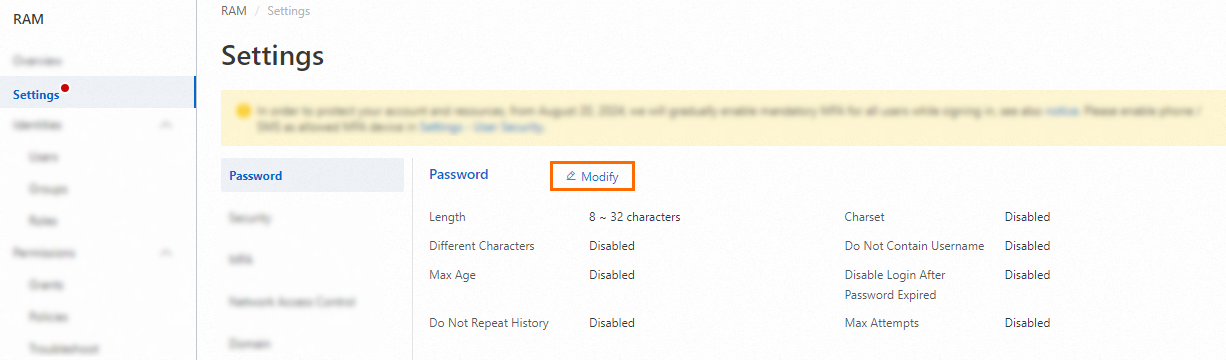
In the Password panel, configure the password rules, and click OK.
API
Call the SetPasswordPolicy operation to configure the password policy.
(Optional) Call the GetPasswordPolicy operation to view the current password policy.
Password policy parameters
Parameter | Description | Default | Recommendation |
Length | The minimum number of characters in a password. You can set a value from 8 to 32. | 8 | 14 or more |
Charset | Specify which character types are required in a password. You can require one or more of the following: uppercase letters, lowercase letters, numbers, and symbols. | None | Require at least three types. |
Different Characters | The minimum number of unique (distinct) characters required. For example, if you set this to 4, the password | Disabled | 4 or more |
Do Not Contain Username | Require that the password cannot contain or be the same as the RAM username. | Disabled | Enable this setting. |
Disable Login After Password Expired | If enabled, RAM users with expired passwords are blocked from logging on. An administrator must reset their password before they can regain access. If disabled, users are prompted to change their expired password upon logon. | Disabled | Keep this setting disabled to avoid disrupting users who need to change an expired password. |
Password Max Age | The number of days a password is valid before it expires and must be changed. You can set a value up to 1,095 days. Resetting a password restarts its validity period. | Disabled | 90 days or less |
Initial Password Max Age | The number of days an initial password (set by an administrator) is valid. If the user does not log on and change their password within this period, the password expires. A value of 0 disables this feature. You can set a value from 0 to 90 days. | 14 days | Keep the default. This period should not be longer than the Password Max Age. |
Do Not Repeat History | Prevent RAM users from reusing a specified number of their previous passwords. You can set this value up to 24. | Disabled | 5 or more |
Max Attempts | The number of consecutive failed logon attempts allowed within one hour before a user's account is locked for one hour. You can set a value up to 32. The counter resets after a successful logon or a password reset. | Disabled | 5 attempts |
Intercept Risk Password From API | When enabled, RAM performs a risk assessment on passwords set programmatically using API operations such as CreateLoginProfile, UpdateLoginProfile, or ChangePassword. If a password is found to be weak (such as a commonly used password), the API call fails. | Disabled | Enable this setting. Important Before you enable this setting, review your existing automation scripts and programs. Ensure that the passwords they set are strong enough to pass the risk assessment. If this setting is enabled, API calls that attempt to set a weak password will fail, which might disrupt your user provisioning or password reset workflows. |