Organization administrators can enable and configure the acceleration feature for datasets.
Limits
Only the Professional Edition and Premium Edition support the extraction acceleration feature.
Enable extraction acceleration
Organization administrators can enable or disable global extraction acceleration for datasets on the Extraction Acceleration page or the Capacity Management page.
The following example uses the Extraction Acceleration page.
Log on to the Quick BI console.
-
As an organization administrator, follow the instructions in the figure below to turn on the Acceleration Engine switch on the Extraction Acceleration page.
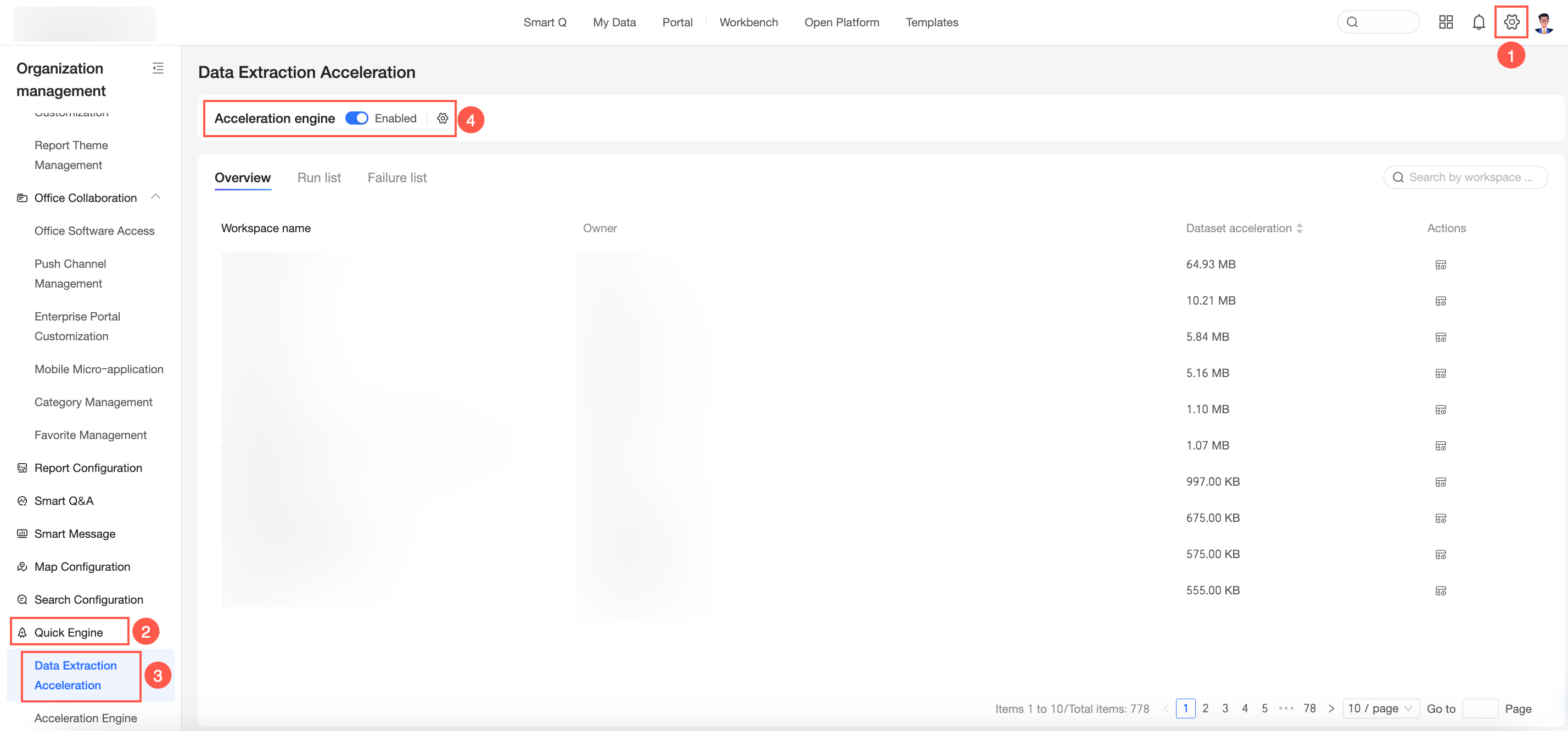
You can click the
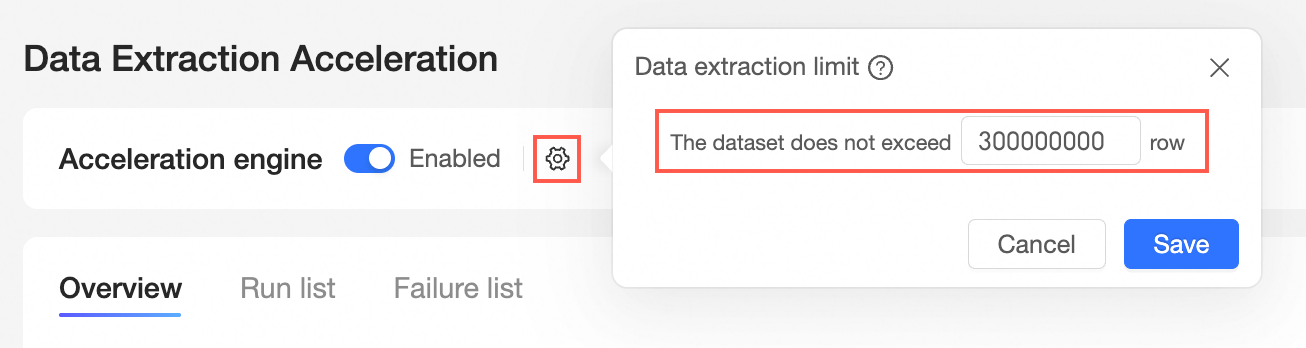
 icon to set dataset extraction limits.Note
You can set the maximum number of rows to extract for a single dataset to optimize task execution. Note that after setting, it will take effect for all datasets in the organization. If the number of rows exceeds the maximum value you set, the extraction task will fail. A single dataset can extract up to 100,000,000 rows.
-
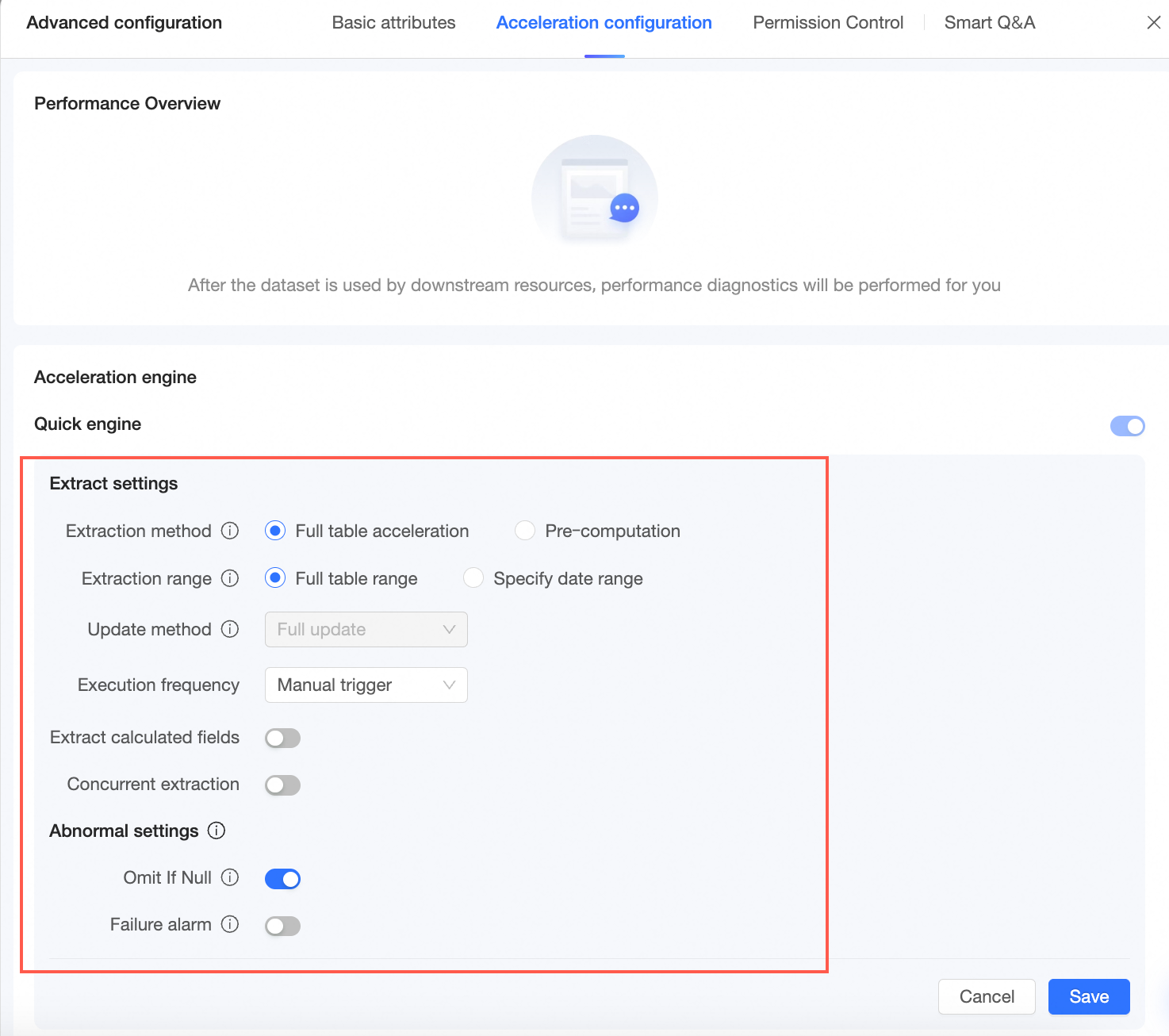
After the configuration is complete, you can enable and use the offline acceleration feature in the target dataset. For more information, see Configure the Acceleration Engine of Quick BI.
-
You can also manage datasets with extraction acceleration enabled in the organization and workspace. For more information, see Manage extraction acceleration tasks.
Enable global cache
Organization administrators of the Pro and Professional Edition can configure the global cache policy. Global cache is disabled by default for new organizations.
-
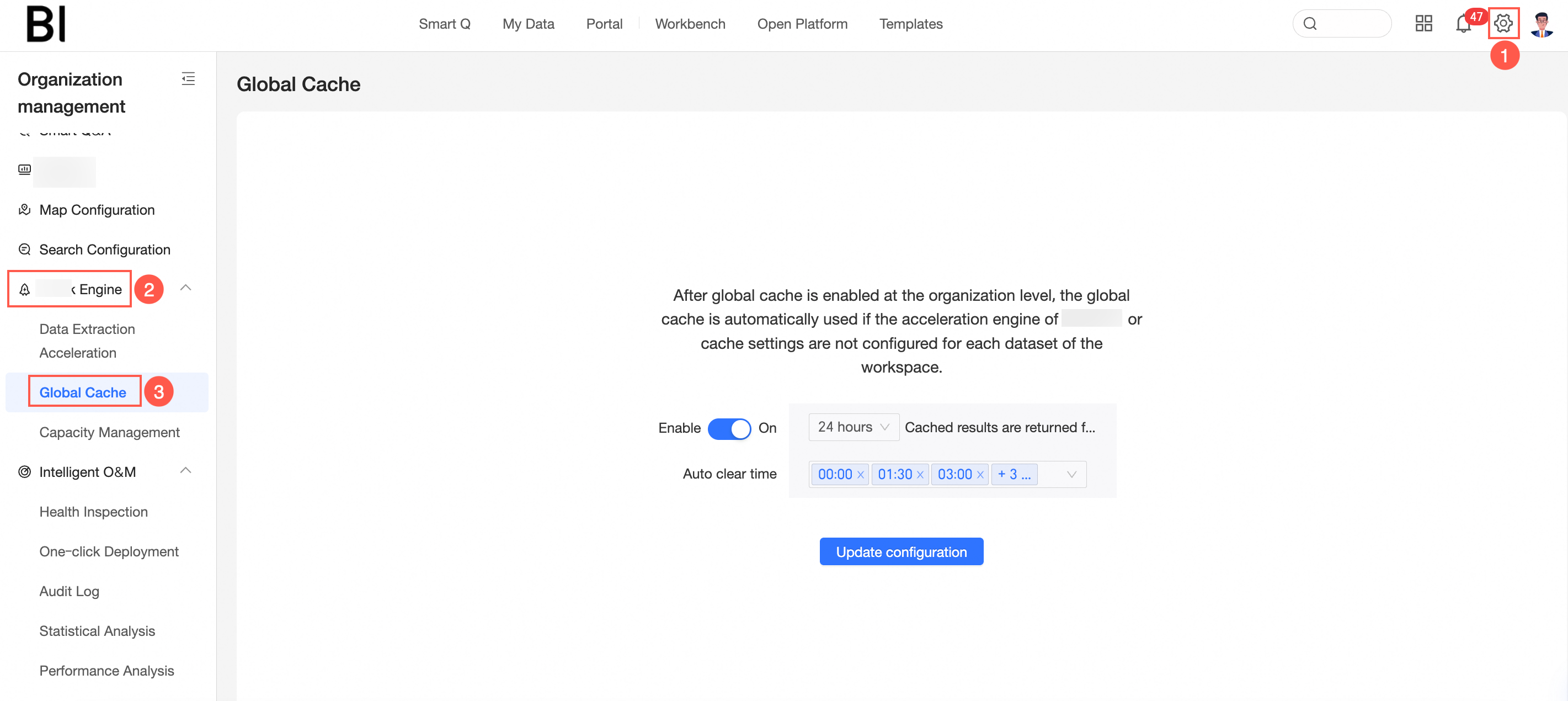
You can access the global cache configuration as illustrated below.
-
When you select Enable global cache (①), you can set the interval time (②) for returning cache results directly for the same query and the automatic purge time (③).
 Note
NoteThe interval time options for returning cache results directly for the same query include 1 minute, 5 minutes, 30 minutes, 1 hour, 2 hours, 4 hours, 8 hours, 12 hours, and 24 hours.
The automatic purge occurs every half hour.
-
Click Update configuration to save your settings.