After you enable image editing, organization members can use image processing tools, such as cropping and filters, in the AI Creation Center.
Usage notes
-
Only a super administrator or drive administrator can enable this feature.
Procedure
-
Log on to CDE and go to the admin console.
-
In the left-side navigation pane, choose Enterprise Settings > File Access and Management.
-
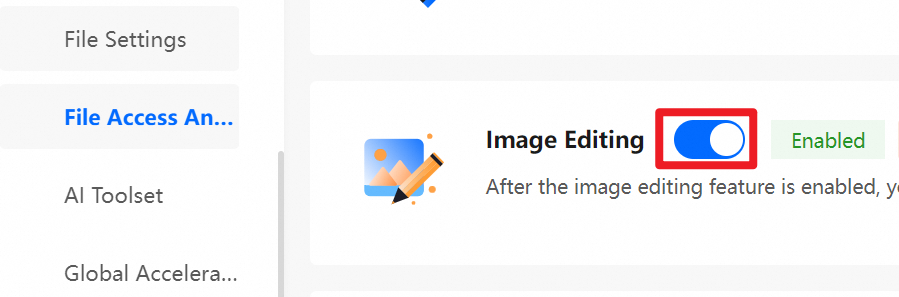
On the File Access and Management page, turn on the Image Editing switch.
References
After you enable image editing, organization members can use image processing features in the AI Creation Center.