Alibaba Cloud Drive for Enterprise provides three administrator roles: super administrator, disk administrator, and team administrator. Each role has different permissions and scope.
Feature description
Super administrator
A super administrator has all the features of both administrators and regular users. To change the super administrator, see Modify enterprise information and the super administrator.
Disk administrator
A disk administrator has the same permissions as a super administrator but cannot assign the disk administrator role to another user.
Team administrator
A team administrator can manage users and resources and grant permissions only within their own team. They cannot assign the team administrator role to a regular user.
Role settings
Set a super administrator
Each enterprise can have only one super administrator.
After purchasing a package for Alibaba Cloud Drive for Enterprise, log on to the Alibaba Cloud Drive for Enterprise Disk Management console. On the All Enterprises tab, find the target enterprise and click Attach Super Administrator in the Actions column.
On the Disk Management page, find the target enterprise in the enterprise list, click the More icon (⋮) in the Actions column, and then click Manage.
Set a disk administrator
Multiple disk administrators are supported. The maximum number of disk administrators depends on the number of users included in your purchased package.
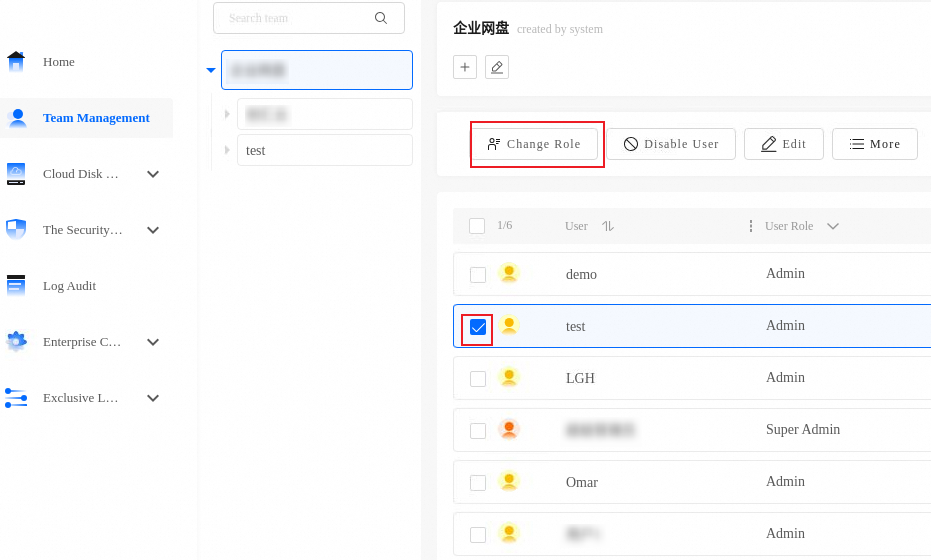
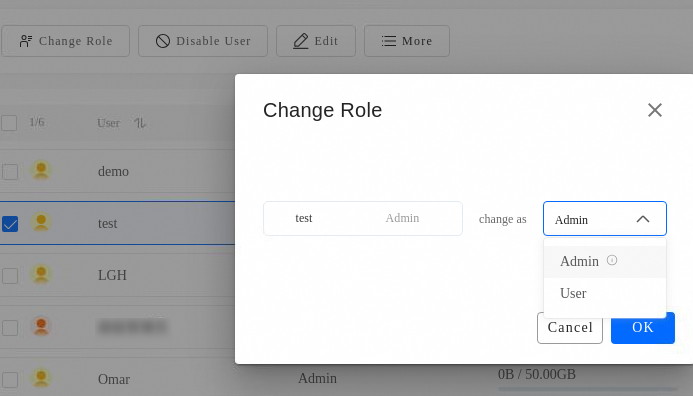
Log on to Alibaba Cloud Drive for Enterprise with a super administrator account. On the Admin Console page, click Team Management in the left navigation pane. Then, select a regular user and switch their role to disk administrator.
Log on to Alibaba Cloud Drive for Enterprise and click Admin Console in the upper-right corner of the page.
Set a team administrator
Multiple team administrators are supported. The maximum number of team administrators depends on the number of users included in your purchased package.
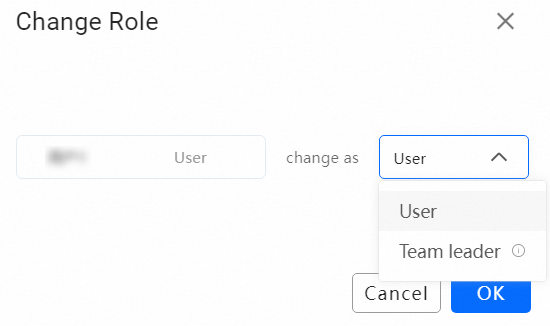
Log on to Alibaba Cloud Drive for Enterprise with a super administrator or disk administrator account. On the Admin Console page, click Team Management in the left navigation pane. Then, select a regular user in the team and switch their role to team administrator.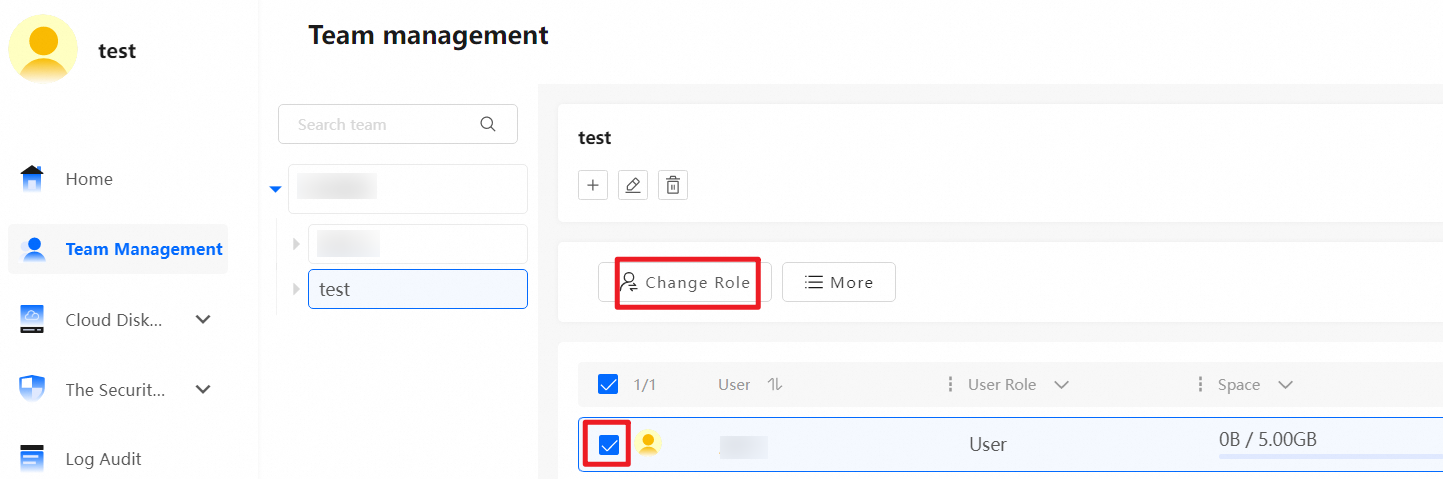
Log on to Alibaba Cloud Drive for Enterprise, click the Admin Console button in the upper-right corner of the Team Space page to enter the Admin Console.