Model compression reduces model size and computational cost with minimal loss in predictive performance.
How it works
PAI Model Gallery supports model quantization based on Weight-only Quantization. MinMax-8Bit and MinMax-4Bit strategies convert floating-point weight parameters to 8-bit or 4-bit integer representations. This reduces model size and GPU memory usage, making deep learning models deployable in resource-constrained environments with minimal impact on accuracy.
Compress a model
-
Train the model.
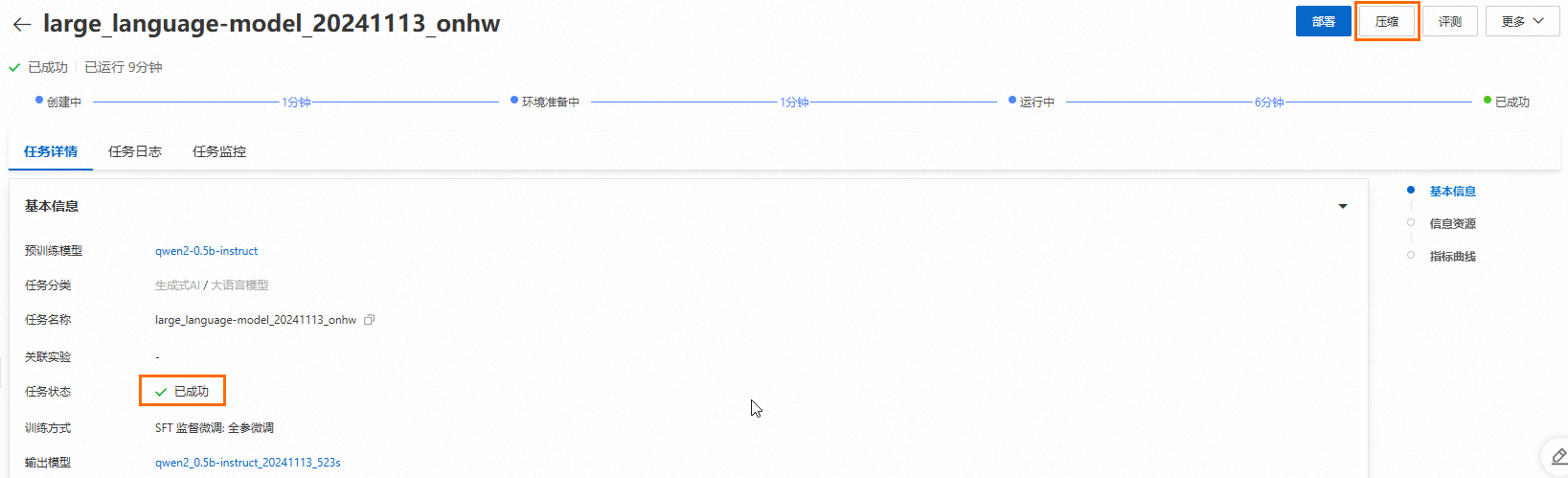
Only trained models can be compressed. Train the pre-trained model first. For more information, see Model deployment and training.
-
After model training completes, click Compression in the upper-right corner of the Task details page.
-
Configure compression parameters.
The following table describes the key parameters.
Parameter
Description
Compression method
Only model quantization (Weight-only Quantization) is supported. This converts weight parameters to a lower bit width to reduce GPU memory usage during inference.
Compression strategy
-
MinMax-8Bit: Quantizes model weights to 8-bit integers by using min-max scaling.
-
MinMax-4Bit: Quantizes model weights to 4-bit integers by using min-max scaling.
For other parameters, see Model deployment and training.
-
-
Click Compression.
The page redirects to the Task details page, which displays the compression job status and logs.
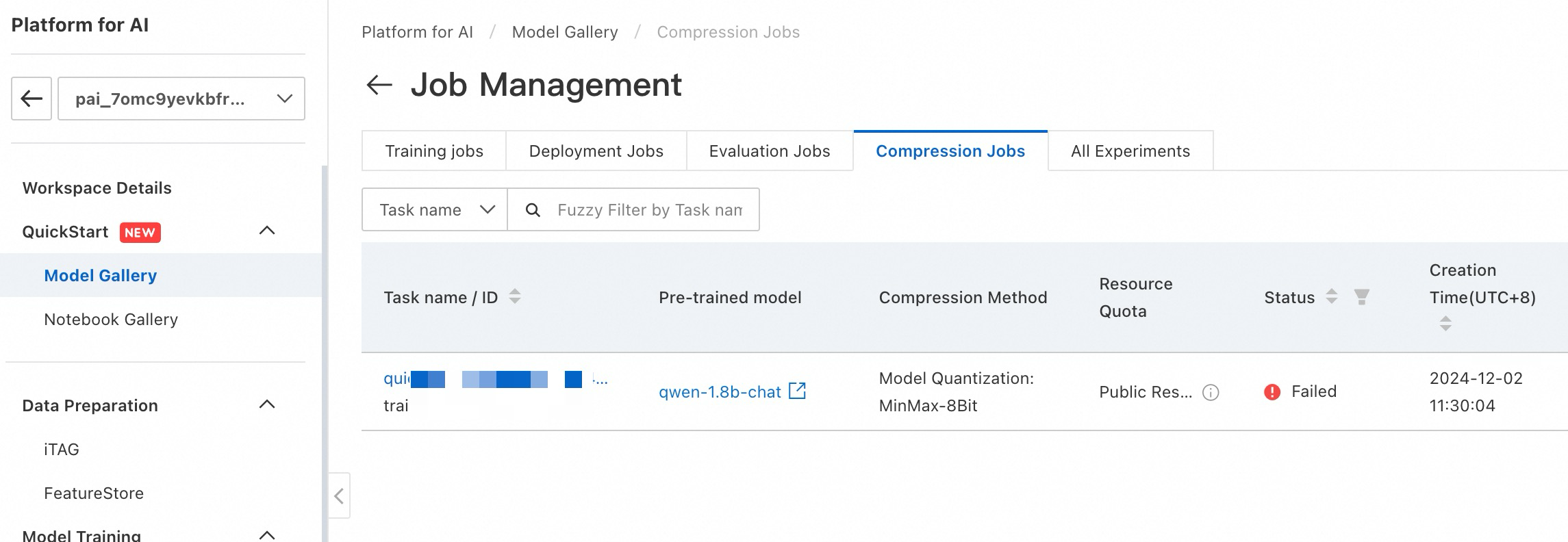
View compression jobs
To view compression jobs, go to PAI Model Gallery > Job Management > Compression Jobs.