Elastic Algorithm Service (EAS) includes a built-in EasyRec processor that deploys recommendation models trained with EasyRec or TensorFlow as scoring services with integrated feature engineering. The processor jointly optimizes feature engineering and model inference for high-performance scoring.
Background information
The EasyRec Processor is an inference service based on the PAI-EAS processor specification (Develop custom processors by using C or C++). It supports two scenarios:
-
For deep learning models trained with feature generation (FG) and EasyRec, the EasyRec Processor boosts scoring performance by caching item features in memory and optimizing feature transformation and inference. FeatureStore manages online and real-time features. The PAI-Rec recommendation platform generates code that streamlines training, feature transformation, and inference. Combined with the PAI-Rec DPI engine, it enables rapid model deployment and service integration.
-
The EasyRec Processor can also serve models trained with EasyRec or TensorFlow without the Feature Generator (bypass mode).
Architecture of a recommendation engine based on the EasyRec Processor:

Note: The processor also supports offline data from MaxCompute.
The EasyRec Processor includes the following modules:
-
Item Feature Cache: Caches FeatureStore features in memory to reduce network overhead. Supports incremental and real-time feature updates.
-
Feature Generator: A feature engineering module (Feature generation overview and configuration) that uses the same implementation for offline and online processing to ensure consistency. The implementation builds on proven solutions from Taobao. Concepts of data fields, data features, and FG features in EasyRec covers FG terminology. You can extend FG with custom feature operators.
-
TFModel: Loads SavedModel files exported from EasyRec and uses Blade to optimize model inference on CPUs and GPUs.
-
Feature Instrumentation and Incremental Model Update modules: These modules support real-time training scenarios. Real-time training.
Limitations
CPU inference is supported only on g6, g7, and g8 general-purpose instance families (Intel CPUs only).
GPU inference is supported on T4, A10, GU30, L20, 3090, and 4090 GPUs, but not P100.
Versions
Use the latest version for the best features and performance.
Step 1: Deploy the service
To deploy an EasyRec model service with eascmd, set Processor type to easyrec-{version}. Service deployment: EASCMD covers the full deployment process. The following sections provide example configuration files.
New FeatureGenerator library (fg_mode=normal)
This example uses the PyOdps3 node type with the new FeatureGenerator library. This library supports built-in and custom transformation operators, complex input types (arrays, maps), and DAG-based feature dependencies.
The following example uses PAI-FeatureStore for feature data management. Replace ${fs_project},${fs_model} with actual values. Step 2: Create and deploy an EAS model service provides the full procedure.
import json
import os

service_name = 'ali_rec_rnk_with_fg'

config = {
  'name': service_name,
  'metadata': {
    "cpu": 8,
    #"cuda": "11.2",
    "gateway": "default",
    "gpu": 0,
    "memory": 32000,
    "rolling_strategy": {
        "max_unavailable": 1
    },
    "rpc": {
        "enable_jemalloc": 1,
        "max_queue_size": 256
    }
  },
  "processor_envs": [
    {
      "name": "ADAPTE_FG_CONFIG",
      "value": "true"
    }
  ],
  "model_path": "",
  "processor": "easyrec-3.5",
  "storage": [
    {
      "mount_path": "/home/admin/docker_ml/workspace/model/",
      "oss": {
        "path": "oss://easyrec/ali_rec_sln_acc_rnk/20250722/export/final_with_fg"
      }
    }
  ],
  # When you change fg_mode, the invocation method must also be changed.
  # If fg_mode is 'normal' or 'tf', use the EasyRecRequest SDK.
  # If fg_mode is 'bypass', use the TFRequest SDK.
  'model_config': {
    'outputs': 'probs_ctr,probs_cvr',
    'fg_mode': 'normal',
    'steady_mode': True,
    'period': 2880,
    'access_key_id': f'{o.account.access_id}',
    'access_key_secret': f'{o.account.secret_access_key}',
    "load_feature_from_offlinestore": True,
    'region': 'cn-shanghai',
    'fs_project': '${fs_project}',
    'fs_model': '${fs_model}',
    'fs_entity': 'item',
    'featuredb_username': 'guest',
    'featuredb_password': '123456',
    'log_iterate_time_threshold': 100,
    'iterate_featuredb_interval': 5,
    'mc_thread_pool_num': 1,
  }
}

with open('echo.json', 'w') as output_file:
    json.dump(config, output_file)

os.system(f'/home/admin/usertools/tools/eascmd -i {o.account.access_id} -k {o.account.secret_access_key} -e pai-eas.cn-shanghai.aliyuncs.com create echo.json')
# os.system(f'/home/admin/usertools/tools/eascmd -i {o.account.access_id} -k {o.account.secret_access_key} -e pai-eas.cn-shanghai.aliyuncs.com modify {service_name} -s echo.json')
Replace the featuredb_username and featuredb_password values with valid credentials.
TF operator version of FeatureGenerator (fg_mode=tf)
Important: The TF operator version of FeatureGenerator supports only a limited set of built-in features: id_feature, raw_feature, combo_feature, lookup_feature, match_feature, and sequence_feature. Custom FeatureGenerator operators are not supported.
The following deployment script includes the AccessKey pair in plaintext. It does not use PAI-FeatureStore or load data from MaxCompute to reduce Hologres load.
Use PAI-FeatureStore with MaxCompute for production deployments. Step 2: Create and deploy an EAS model service demonstrates a more secure method using a Python script, the DataWorks o object, and temporary STS tokens with load_feature_from_offlinestore set to True.
bizdate=$1
# Change the invocation method based on fg_mode: EasyRecRequest for 'normal'/'tf', TFRequest for 'bypass'
cat << EOF > echo.json
{
  "name":"ali_rec_rnk_with_fg",
  "metadata": {
    "instance": 2,
    "rpc": {
      "enable_jemalloc": 1,
      "max_queue_size": 100
    }
  },
  "cloud": {
    "computing": {
      "instance_type": "ecs.g7.large",
      "instances": null
    }
  },
  "model_config": {
    "remote_type": "hologres",
    "url": "postgresql://<AccessKeyID>:<AccessKeySecret>@<endpoint>:<port>/<database>",
    "tables": [{"name":"<schema>.<table_name>","key":"<index_column_name>","value": "<column_name>"}],
    "period": 2880,
    "fg_mode": "tf",
    "outputs":"probs_ctr,probs_cvr",
  },
  "model_path": "",
  "processor": "easyrec-3.5",
  "storage": [
    {
      "mount_path": "/home/admin/docker_ml/workspace/model/",
      "oss": {
        "path": "oss://easyrec/ali_rec_sln_acc_rnk/20221122/export/final_with_fg"
      }
    }
  ]
}

EOF
# Run the deployment command.
eascmd  create echo.json
# eascmd -i <AccessKeyID>  -k  <AccessKeySecret>   -e <endpoint> create echo.json
# Run the update command.
eascmd update ali_rec_rnk_with_fg -s echo.json
Bypass FeatureGenerator (fg_mode=bypass)
Without FeatureGenerator, assemble the request on the client side. How to use EAS for inference without training with EasyRec.
bizdate=$1
# Change the invocation method based on fg_mode: EasyRecRequest for 'normal'/'tf', TFRequest for 'bypass'
cat << EOF > echo.json
{
  "name":"ali_rec_rnk_no_fg",
  "metadata": {
    "instance": 2,
    "rpc": {
      "enable_jemalloc": 1,
      "max_queue_size": 100
    }
  },
  "cloud": {
    "computing": {
      "instance_type": "ecs.g7.large",
      "instances": null
    }
  },
  "model_config": {
    "fg_mode": "bypass"
  },
  "processor": "easyrec-3.5",
  "processor_envs": [
    {
      "name": "INPUT_TILE",
      "value": "2"
    }
  ],
  "storage": [
    {
      "mount_path": "/home/admin/docker_ml/workspace/model/",
      "oss": {
        "path": "oss://easyrec/ali_rec_sln_acc_rnk/20221122/export/final/"
      }
    }
  ],
  "warm_up_data_path": "oss://easyrec/ali_rec_sln_acc_rnk/rnk_warm_up.bin"
}

EOF
# Run the deployment command.
eascmd  create echo.json
# eascmd -i <AccessKeyID>  -k  <AccessKeySecret>   -e <endpoint> create echo.json
# Run the update command.
eascmd update ali_rec_rnk_no_fg -s echo.json
The following table describes the key parameters. JSON deployment covers additional parameters.
|
Parameter |
Required |
Description |
Example |
|
processor |
Yes |
The name of the EasyRec processor. |
|
|
fg_mode |
Yes |
The feature engineering mode. The selected mode determines the SDK and request format for service invocation.
|
|
|
outputs |
Yes |
The names of the output variables of the TensorFlow model, such as probs_ctr. Separate multiple names with commas (,). To find the output variable names, run the TensorFlow command saved_model_cli. |
"outputs":"probs_ctr,probs_cvr" |
|
save_req |
No |
Whether to save request data to the model directory for warm-up and performance testing. Valid values:
|
"save_req": "false" |
|
Item feature cache parameters |
|||
|
period |
Yes |
Item feature cache update interval in minutes. For daily-updated features, set to >1,440 (minutes per day), such as 2,880 (two days). This avoids redundant updates since features also refresh during routine deployments. |
|
|
remote_type |
Yes |
The data source for item features. Valid values:
|
|
|
tables |
No |
The item feature table. This parameter is required when remote_type is set to hologres. It includes the following sub-parameters:
You can read input item data from multiple tables. The configuration must be in the following format:
If tables share column names, the columns from the table that appears later in the list overwrite those from the table that appears earlier. |
|
|
url |
No |
The Hologres endpoint. |
|
|
Parameters for processor access to PAI-FeatureStore |
|||
|
fs_project |
No |
PAI-FeatureStore project name. Required when using PAI-FeatureStore. Configure a FeatureStore project. |
"fs_project": "fs_demo" |
|
fs_model |
No |
The name of the model feature in PAI-FeatureStore. |
"fs_model": "fs_rank_v1" |
|
fs_entity |
No |
The entity name in PAI-FeatureStore. |
"fs_entity": "item" |
|
region |
No |
The region where the PAI-FeatureStore project resides. |
"region": "cn-beijing" |
|
access_key_id |
No |
The AccessKey ID that is used to access PAI-FeatureStore. |
"access_key_id": "xxxxx" |
|
access_key_secret |
No |
The AccessKey Secret that is used to access PAI-FeatureStore. |
"access_key_secret": "xxxxx" |
|
featuredb_username |
No |
The username for FeatureDB. |
"featuredb_username": "xxxxx" |
|
featuredb_password |
No |
The password for FeatureDB. |
"featuredb_password": "xxxxx" |
|
load_feature_from_offlinestore |
No |
Whether to load offline features directly from PAI-FeatureStore OfflineStore. Valid values:
|
"load_feature_from_offlinestore": True |
|
iterate_featuredb_interval |
No |
The interval, in seconds, at which to update real-time statistical features. A shorter interval improves feature freshness but increases read costs when features change frequently. Balance accuracy and cost. |
"iterate_featuredb_interval": 5 |
|
input_tile: Parameters for automatic feature broadcasting |
|||
|
INPUT_TILE |
No |
Set the INPUT_TILE environment variable to 1 to enable automatic broadcasting of item features. This allows you to pass a single value for features that remain constant within a request, such as user_id. When the INPUT_TILE environment variable is set to 2, the
Note
|
"processor_envs": [ { "name": "INPUT_TILE", "value": "2" } ] |
|
ADAPTE_FG_CONFIG |
No |
Enables compatibility with models trained with an older version of FeatureGenerator. |
"processor_envs": [ { "name": "ADAPTE_FG_CONFIG", "value": "true" } ] |
|
DISABLE_FG_PRECISION |
No |
For compatibility with models trained with an older version of FeatureGenerator. The old version limits float-type features to six significant digits by default, whereas the new version removes this limit. To apply the old behavior (6-digit limit), set this variable to |
"processor_envs": [ { "name": "DISABLE_FG_PRECISION", "value": "false" } ] |
EasyRec processor inference optimization
|
Parameter |
Required |
Description |
Example |
|
TF_XLA_FLAGS |
No |
For GPU inference, this parameter enables XLA to compile and optimize the model and automatically perform operator fusion. |
"processor_envs": [ { "name": "TF_XLA_FLAGS", "value": "--tf_xla_auto_jit=2" }, { "name": "XLA_FLAGS", "value": "--xla_gpu_cuda_data_dir=/usr/local/cuda/" }, { "name": "XLA_ALIGN_SIZE", "value": "64" } ] |
|
TF scheduling parameters |
No |
inter_op_parallelism_threads: Controls the number of threads for running different operations in parallel. intra_op_parallelism_threads: Controls the number of threads used within a single operation. For a 32-core CPU, setting these parameters to 16 usually improves performance. Note that the sum of the two thread counts cannot exceed the total number of CPU cores. |
"model_config": { "inter_op_parallelism_threads": 16, "intra_op_parallelism_threads": 16, } |
|
rpc.worker_threads |
No |
A parameter under |
"metadata": { "rpc": { "worker_threads": 15 } |
Step 2: Call the service
2.1 Network configuration
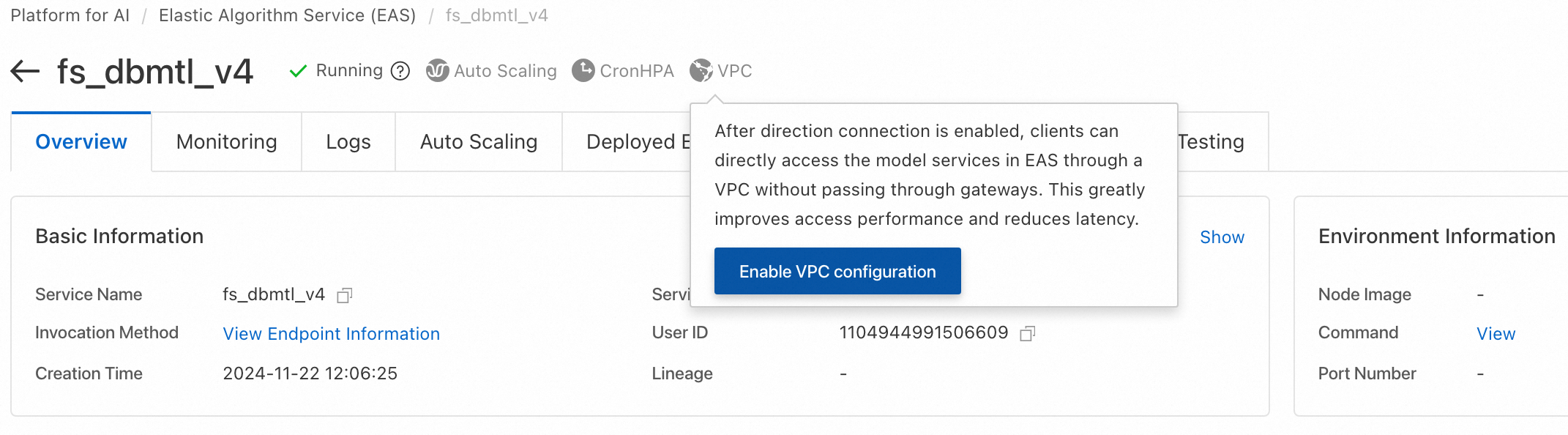
The PAI-Rec engine and scoring service both run on PAI-EAS and need a direct network connection. On the PAI-EAS instance page, click 'VPC' to configure the same VPC, vSwitch, and security group. Access public or on-premises resources from EAS. If you use Hologres, also configure the same VPC. The following figure shows an example.
2.2 Obtain service information
After deployment, go to the Elastic Algorithm Service (EAS) page. Find your service and click Invocation Information in the Service Method column to view the endpoint and token.
2.3 SDK code examples
The EasyRec model service uses Protocol Buffers (Protobuf) for input and output, so you cannot test it from the PAI-EAS console.
Before calling the service, confirm the fg_mode in model_config from Step 1. Each mode requires a different client SDK.
|
Mode (fg_mode) |
Request class |
|
normal or tf (with built-in feature engineering) |
EasyRecRequest |
|
bypass (without built-in feature engineering) |
TFRequest |
With FG fg_mode=normal or tf
Java
Maven configuration is covered in the Java SDK guide. The following code sends a request to the ali_rec_rnk_with_fg service:
import com.aliyun.openservices.eas.predict.http.*;
import com.aliyun.openservices.eas.predict.request.EasyRecRequest;

PredictClient client = new PredictClient(new HttpConfig());
// When you access the service through a public gateway, use the endpoint that starts with your user ID (UID). You can obtain this endpoint from the invocation information of the service in the EAS console.
client.setEndpoint("xxxxxxx.vpc.cn-hangzhou.pai-eas.aliyuncs.com");
client.setModelName("ali_rec_rnk_with_fg");
// Replace this with your service token.
client.setToken("******");

EasyRecRequest easyrecRequest = new EasyRecRequest(separator);
// userFeatures: User features. Features are separated by \u0002 (CTRL_B). Feature names and values are separated by a colon (:).
//  user_fea0:user_fea0_val\u0002user_fea1:user_fea1_val
// For more information about the feature value format, see: https://easyrec.readthedocs.io/en/latest/feature/rtp_fg.html
easyrecRequest.appendUserFeatureString(userFeatures);
// You can also add one user feature at a time:
// easyrecRequest.addUserFeature(String userFeaName, T userFeaValue).
// The data type T of the feature value can be String, float, long, or int.

// contextFeatures: Context features. Features are separated by \u0002 (CTRL_B). Feature names and their values are separated by a colon (:). Multiple values for the same feature are also separated by colons.
//   ctxt_fea0:ctxt_fea0_ival0:ctxt_fea0_ival1:ctxt_fea0_ival2\u0002ctxt_fea1:ctxt_fea1_ival0:ctxt_fea1_ival1:ctxt_fea1_ival2
easyrecRequest.appendContextFeatureString(contextFeatures);
// You can also add one context feature at a time:
// easyrecRequest.addContextFeature(String ctxtFeaName, List<Object> ctxtFeaValue).
// The data type of ctxtFeaValue can be String, Float, Long, or Integer.

// itemIdStr: A list of item IDs to predict, separated by a comma (,).
easyrecRequest.appendItemStr(itemIdStr, ",");
// You can also add one item ID at a time:
// easyrecRequest.appendItemId(String itemId)

easyrecPredictProtos.PBResponse response = client.predict(easyrecRequest);

for (Map.Entry<String, easyrecPredictProtos.Results> entry : response.getResultsMap().entrySet()) {
    String key = entry.getKey();
    easyrecPredictProtos.Results value = entry.getValue();
    System.out.print("key: " + key);
    for (int i = 0; i < value.getScoresCount(); i++) {
        System.out.format("value: %.6g\n", value.getScores(i));
    }
}

// Get the features after FG processing to check for consistency with offline features.
// Set DebugLevel to 1 to return the generated features.
easyrecRequest.setDebugLevel(1);
easyrecPredictProtos.PBResponse response = client.predict(easyrecRequest);
Map<String, String> genFeas = response.getGenerateFeaturesMap();
for(String itemId: genFeas.keySet()) {
    System.out.println(itemId);
    System.out.println(genFeas.get(itemId));
}
Python
Environment setup is covered in the Python SDK guide. Use the Java client in production for better performance. Example:
from eas_prediction import PredictClient

from eas_prediction.easyrec_request import EasyRecRequest
from eas_prediction.easyrec_predict_pb2 import PBFeature
from eas_prediction.easyrec_predict_pb2 import PBRequest

if __name__ == '__main__':
    endpoint = 'http://xxxxxxx.vpc.cn-hangzhou.pai-eas.aliyuncs.com'
    service_name = 'ali_rec_rnk_with_fg'
    token = '******'

    client = PredictClient(endpoint, service_name)
    client.set_token(token)
    client.init()

    req = PBRequest()
    uid = PBFeature()
    uid.string_feature = 'u0001'
    req.user_features['user_id'] = uid
    age = PBFeature()
    age.int_feature = 12
    req.user_features['age'] = age
    weight = PBFeature()
    weight.float_feature = 129.8
    req.user_features['weight'] = weight

    req.item_ids.extend(['item_0001', 'item_0002', 'item_0003'])

    easyrec_req = EasyRecRequest()
    easyrec_req.add_feed(req, debug_level=0)
    res = client.predict(easyrec_req)
    print(res)
Parameters:
-
endpoint: The service endpoint. To obtain it, go to the Elastic Algorithm Service (EAS) page, find your service, and click Invocation Information in the Service Method column.
-
service_name: The service name. Obtain it from the Elastic Algorithm Service (EAS) page.
-
token: The service token. Find it in the Invocation Information dialog box.
Without FG fg_mode=bypass
Java
Maven configuration is covered in the Java SDK guide. The following code sends a request to the ali_rec_rnk_no_fg service:
import java.util.List;

import com.aliyun.openservices.eas.predict.http.PredictClient;
import com.aliyun.openservices.eas.predict.http.HttpConfig;
import com.aliyun.openservices.eas.predict.request.TFDataType;
import com.aliyun.openservices.eas.predict.request.TFRequest;
import com.aliyun.openservices.eas.predict.response.TFResponse;

public class TestEasyRec {
    public static TFRequest buildPredictRequest() {
        TFRequest request = new TFRequest();

        request.addFeed("user_id", TFDataType.DT_STRING,
                        new long[]{3}, new String []{ "u0001", "u0001", "u0001"});
      	request.addFeed("age", TFDataType.DT_FLOAT,
                        new long[]{3}, new float []{ 18.0f, 18.0f, 18.0f});
        // Note: If you set INPUT_TILE=2, for features that have the same value, you only need to pass the value once:
        //    request.addFeed("user_id", TFDataType.DT_STRING,
        //            new long[]{1}, new String []{ "u0001" });
        //    request.addFeed("age", TFDataType.DT_FLOAT,
        //            new long[]{1}, new float []{ 18.0f});
      	request.addFeed("item_id", TFDataType.DT_STRING,
                        new long[]{3}, new String []{ "i0001", "i0002", "i0003"});
        request.addFetch("probs");
      	return request;
    }

    public static void main(String[] args) throws Exception {
        PredictClient client = new PredictClient(new HttpConfig());

        // To use a direct network connection, use the setDirectEndpoint method. Example:
        //   client.setDirectEndpoint("pai-eas-vpc.cn-shanghai.aliyuncs.com");
        // You must enable the direct network connection in the EAS console and provide the source vSwitch used to access the EAS service.
        // A direct network connection offers better stability and performance.
        client.setEndpoint("xxxxxxx.vpc.cn-hangzhou.pai-eas.aliyuncs.com");
        client.setModelName("ali_rec_rnk_no_fg");
        client.setToken("");
        long startTime = System.currentTimeMillis();
        for (int i = 0; i < 100; i++) {
            try {
                TFResponse response = client.predict(buildPredictRequest());
                // "probs" is an output field of the model. You can use the curl command to view the model's inputs and outputs:
                //   curl xxxxxxx.vpc.cn-hangzhou.pai-eas.aliyuncs.com -H "Authorization:{token}"
                List<Float> result = response.getFloatVals("probs");
                System.out.print("Predict Result: [");
                for (int j = 0; j < result.size(); j++) {
                    System.out.print(result.get(j).floatValue());
                    if (j != result.size() - 1) {
                        System.out.print(", ");
                    }
                }
                System.out.print("]\n");
            } catch (Exception e) {
                e.printStackTrace();
            }
        }
        long endTime = System.currentTimeMillis();
        System.out.println("Spend Time: " + (endTime - startTime) + "ms");
        client.shutdown();
    }
}
Python
Environment setup is described in the Python SDK guide. The Python SDK is recommended for debugging only; use the Java SDK in production. The following code sends a request to the ali_rec_rnk_no_fg service:
#!/usr/bin/env python

from eas_prediction import PredictClient
from eas_prediction import StringRequest
from eas_prediction import TFRequest

if __name__ == '__main__':
    client = PredictClient('http://xxxxxxx.vpc.cn-hangzhou.pai-eas.aliyuncs.com', 'ali_rec_rnk_no_fg')
    client.set_token('')
    client.init()

    # Note: Replace server_default with the actual signature_name of your model. For more information, see the SDK guide mentioned above.
    req = TFRequest('server_default')
    req.add_feed('user_id', [3], TFRequest.DT_STRING, ['u0001'] * 3)
    req.add_feed('age', [3], TFRequest.DT_FLOAT, [18.0] * 3)
    # Note: After enabling the INPUT_TILE=2 optimization, you can pass a single value for the preceding features.
    #   req.add_feed('user_id', [1], TFRequest.DT_STRING, ['u0001'])
    #   req.add_feed('age', [1], TFRequest.DT_FLOAT, [18.0])
    req.add_feed('item_id', [3], TFRequest.DT_STRING,
        ['i0001', 'i0002', 'i0003'])
    for x in range(0, 100):
        resp = client.predict(req)
        print(resp)
2.4 Build a custom service request
For languages other than Python and Java, generate prediction request code from the following .proto files:
-
tf_predict.proto: Request definition for a TensorFlow model.
syntax = "proto3"; option cc_enable_arenas = true; option go_package = ".;tf"; option java_package = "com.aliyun.openservices.eas.predict.proto"; option java_outer_classname = "PredictProtos"; enum ArrayDataType { // Not a legal value for DataType. Used to indicate a DataType field // has not been set. DT_INVALID = 0; // Data types that all computation devices are expected to be // capable to support. DT_FLOAT = 1; DT_DOUBLE = 2; DT_INT32 = 3; DT_UINT8 = 4; DT_INT16 = 5; DT_INT8 = 6; DT_STRING = 7; DT_COMPLEX64 = 8; // Single-precision complex DT_INT64 = 9; DT_BOOL = 10; DT_QINT8 = 11; // Quantized int8 DT_QUINT8 = 12; // Quantized uint8 DT_QINT32 = 13; // Quantized int32 DT_BFLOAT16 = 14; // Float32 truncated to 16 bits. Only for cast ops. DT_QINT16 = 15; // Quantized int16 DT_QUINT16 = 16; // Quantized uint16 DT_UINT16 = 17; DT_COMPLEX128 = 18; // Double-precision complex DT_HALF = 19; DT_RESOURCE = 20; DT_VARIANT = 21; // Arbitrary C++ data types } // Dimensions of an array message ArrayShape { repeated int64 dim = 1 [packed = true]; } // Protocol buffer representing an array message ArrayProto { // Data Type. ArrayDataType dtype = 1; // Shape of the array. ArrayShape array_shape = 2; // DT_FLOAT. repeated float float_val = 3 [packed = true]; // DT_DOUBLE. repeated double double_val = 4 [packed = true]; // DT_INT32, DT_INT16, DT_INT8, DT_UINT8. repeated int32 int_val = 5 [packed = true]; // DT_STRING. repeated bytes string_val = 6; // DT_INT64. repeated int64 int64_val = 7 [packed = true]; // DT_BOOL. repeated bool bool_val = 8 [packed = true]; } // PredictRequest specifies which TensorFlow model to run, as well as // how inputs are mapped to tensors and how outputs are filtered before // returning to user. message PredictRequest { // A named signature to evaluate. If unspecified, the default signature // will be used string signature_name = 1; // Input tensors. // Names of input tensor are alias names. The mapping from aliases to real // input tensor names is expected to be stored as named generic signature // under the key "inputs" in the model export. // Each alias listed in a generic signature named "inputs" should be provided // exactly once in order to run the prediction. map<string, ArrayProto> inputs = 2; // Output filter. // Names specified are alias names. The mapping from aliases to real output // tensor names is expected to be stored as named generic signature under // the key "outputs" in the model export. // Only tensors specified here will be run/fetched and returned, with the // exception that when none is specified, all tensors specified in the // named signature will be run/fetched and returned. repeated string output_filter = 3; // Debug flags // 0: just return prediction results, no debug information // 100: return prediction results, and save request to model_dir // 101: save timeline to model_dir int32 debug_level = 100; } // Response for PredictRequest on successful run. message PredictResponse { // Output tensors. map<string, ArrayProto> outputs = 1; } -
easyrec_predict.proto: Request definition for a TensorFlow model with FG.
syntax = "proto3";

option cc_enable_arenas = true;
option go_package = ".;easyrec";
option java_package = "com.aliyun.openservices.eas.predict.proto";
option java_outer_classname = "EasyRecPredictProtos";

import "tf_predict.proto";

// context features
message ContextFeatures {
  repeated PBFeature features = 1;
}

message PBFeature {
  oneof value {
    int32 int_feature = 1;
    int64 long_feature = 2;
    string string_feature = 3;
    float float_feature = 4;
  }
}

// PBRequest specifies the request for aggregator
message PBRequest {
  // Debug flags
  // 0: just return prediction results, no debug information
  // 3: return features generated by FG module, string format, feature values are separated by \u0002,
  //    could be used for checking feature consistency and generating online deep learning samples
  // 100: return prediction results, and save request to model_dir
  // 101: save timeline to model_dir
  // 102: for recall models such as DSSM and MIND, not only return Faiss retrieved results
  //      but also return user embedding vectors.
  int32 debug_level = 1;

  // user features
  map<string, PBFeature> user_features = 2;

  // item ids, static(daily updated) item features
  // are fetched from the feature cache residing in
  // each processor node by item_ids
  repeated string item_ids = 3;

  // context features for each item, realtime item features
  //    could be passed as context features.
  map<string, ContextFeatures> context_features = 4;

  // embedding retrieval neighbor number.
  int32 faiss_neigh_num = 5;
}

// return results
message Results {
  repeated double scores = 1 [packed = true];
}

enum StatusCode {
  OK = 0;
  INPUT_EMPTY = 1;
  EXCEPTION = 2;
}

// PBResponse specifies the response for aggregator
message PBResponse {
  // results
  map<string, Results> results = 1;

  // item features
  map<string, string> item_features = 2;

  // fg generate features
  map<string, string> generate_features = 3;

  // context features
  map<string, ContextFeatures> context_features = 4;

  string error_msg = 5;

  StatusCode status_code = 6;

  // item ids
  repeated string item_ids = 7;

  repeated string outputs = 8;

  // all fg input features
  map<string, string> raw_features = 9;

  // output tensors
  map<string, ArrayProto> tf_outputs = 10;
}