This topic describes how to find and update to the latest version of ossbrowser 2.0 when you have already installed it.
Note
For more information about the updates of each ossbrowser 2.0 version, see Release notes.
Procedure
-
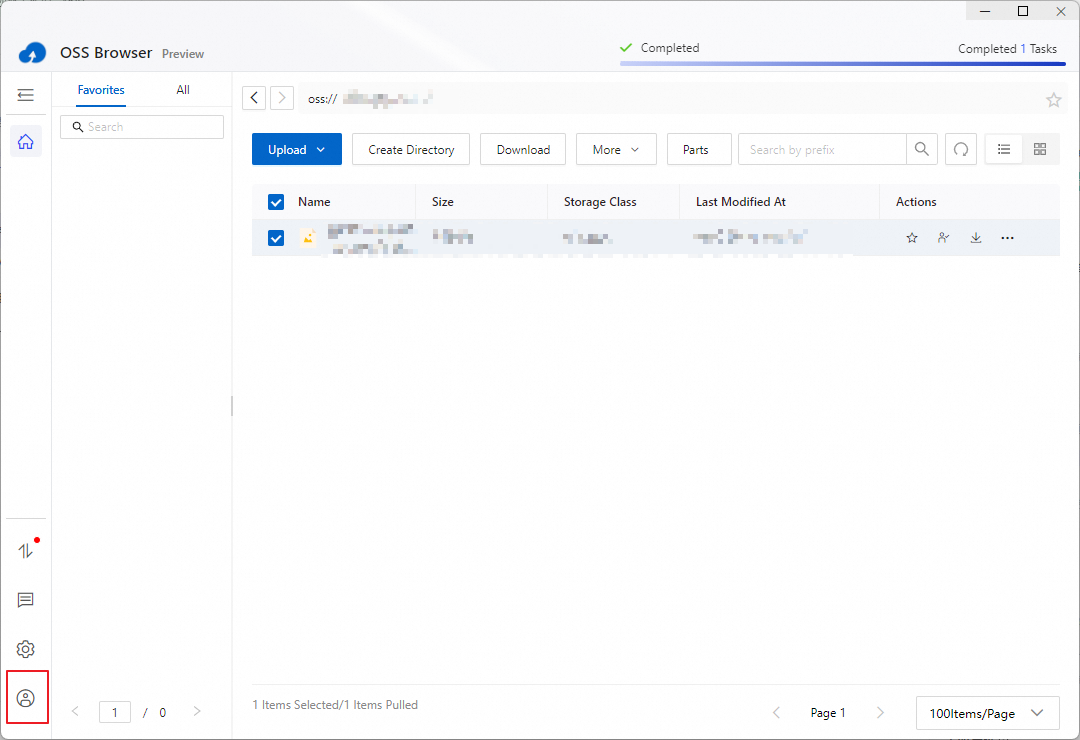
After you log on to ossbrowser 2.0, click the icon in the lower-left corner.
-
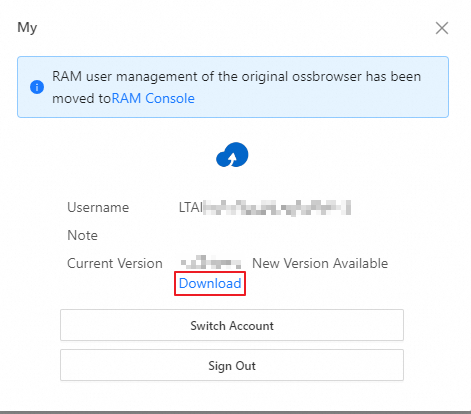
In the dialog box, click Download in the row that displays the current version.
ImportantIf you are using macOS, you must exit the running ossbrowser 2.0 application after downloading and before installation. Otherwise, the installation cannot proceed normally.
Related issue
On Windows, the application may fail to close when you reinstall or upgrade ossbrowser 2.0. If this occurs, click , and then retry the installation.