Deploy the SchedulerX agent in a Kubernetes cluster to schedule Pods and Jobs with built-in monitoring, alerting, log collection, and diagnostics.
How it works
The following diagram shows the workflow of running Kubernetes jobs in SchedulerX.
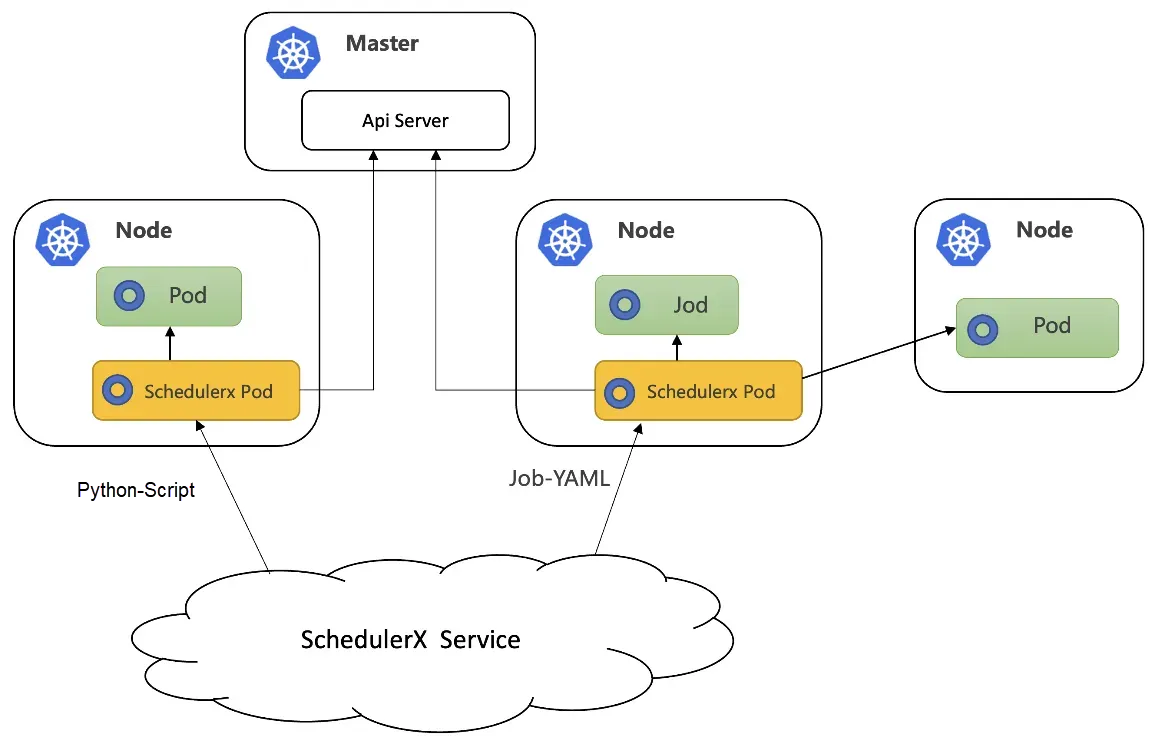
When to use Kubernetes jobs vs. script jobs
| Scenario | Script job | Kubernetes job |
|---|---|---|
| Infrequent scheduling, high resource consumption | Not recommended. The SchedulerX agent forks a child process for each execution, which occupies machine resources and may cause overload. | Recommended. The Kubernetes load balancing policy assigns a new Pod per execution, ensuring high stability. |
| Frequent scheduling, low resource consumption | Recommended. The SchedulerX agent forks a child process, which accelerates execution and improves resource utilization. | Not recommended. Downloading an image and starting a Pod is slow. Frequent API server calls to schedule Pods or Jobs may cause throttling. |
| Dependency deployment | Deploy dependencies on Elastic Compute Service (ECS) instances manually in advance. | Build dependencies into base images. Rebuild images when dependencies change. |
Prerequisites
Connect SchedulerX to the target Kubernetes cluster. For more information, see Deploy SchedulerX in a Kubernetes cluster.
Create a Kubernetes job
Go to the Tasks page in the SchedulerX console. Set Task type to K8s, then select a resource type.
Resource type reference
| Resource type | Default image | Pod naming pattern |
|---|---|---|
| Shell-Script | BusyBox | schedulerx-shell-{JobId} |
| Python-Script | Python | schedulerx-python-{JobId} |
| Php-Script | php:7.4-cli | schedulerx-php-{JobId} |
| Node.js-Script | node:16 | schedulerx-node-{JobId} |
| Job-YAML | User-defined in YAML | User-defined in YAML |
| Pod-YAML | User-defined in YAML | User-defined in YAML |
For script types (Shell-Script, Python-Script, Php-Script, and Node.js-Script), you write scripts directly in the console. No manual image build is required. For Job-YAML and Pod-YAML, you define the full specification in YAML.
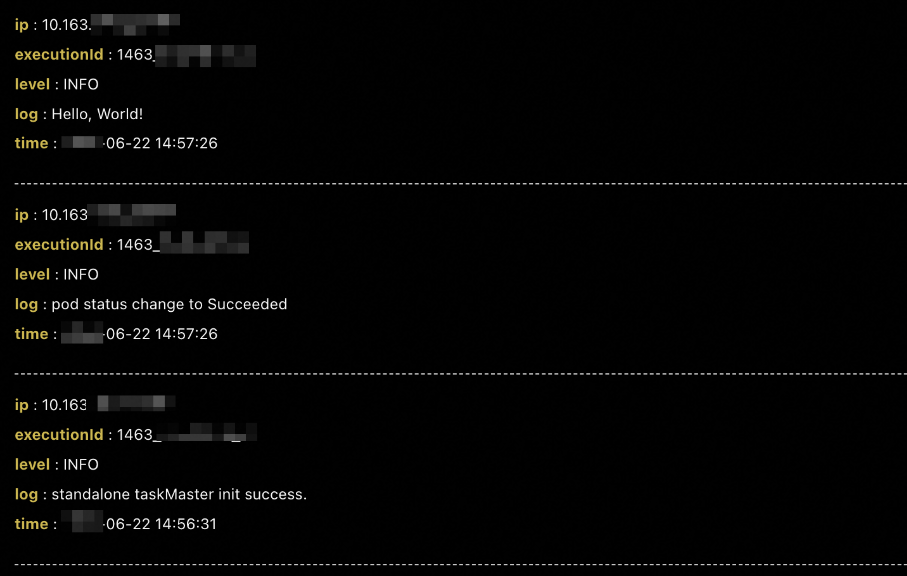
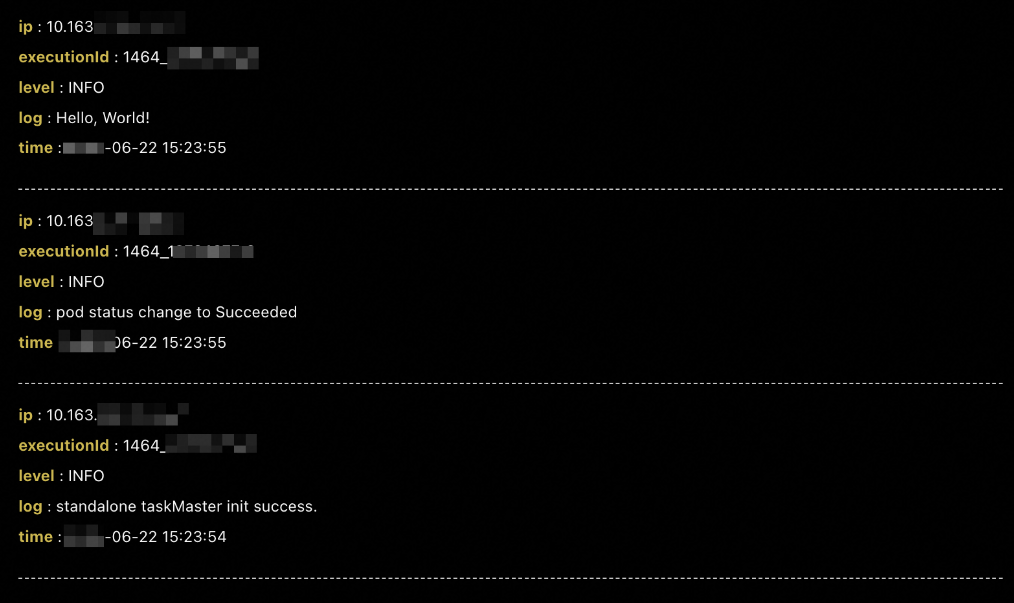
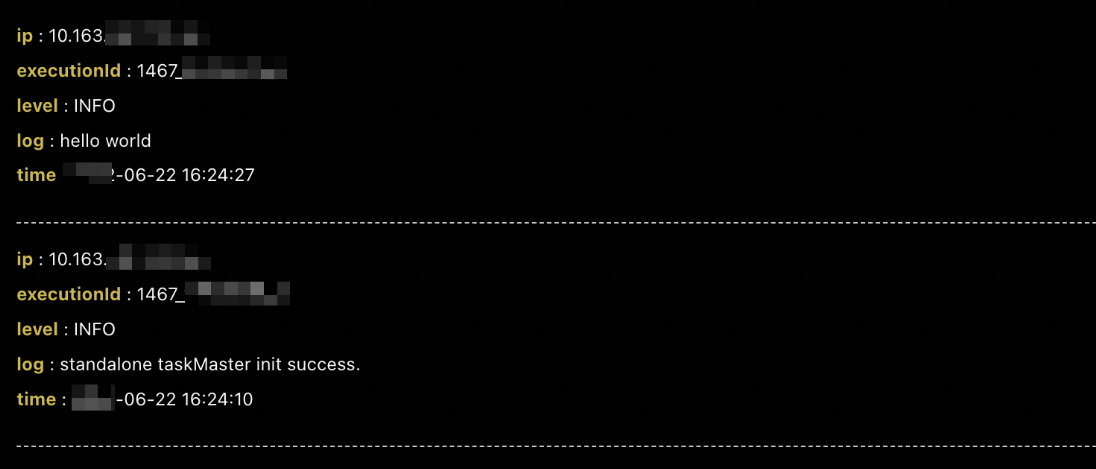
After you complete the configuration, click Run once in the Operation column on the Tasks page. The corresponding Pod starts in the cluster. To view the Pod logs, click Historical records in the Operation column.
The following sections show the configuration and results for each resource type.
Shell script
Set resource to Shell-Script. The default image is BusyBox. You can change the image.
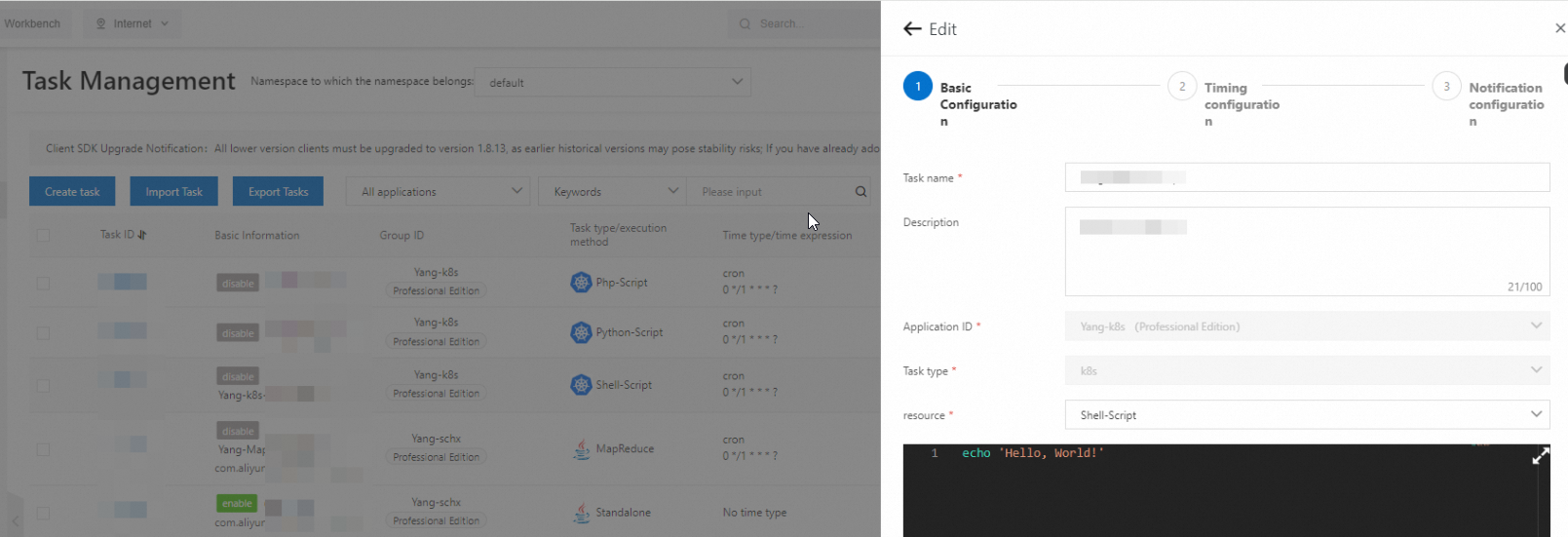
A Pod named schedulerx-shell-{JobId} starts in the cluster.
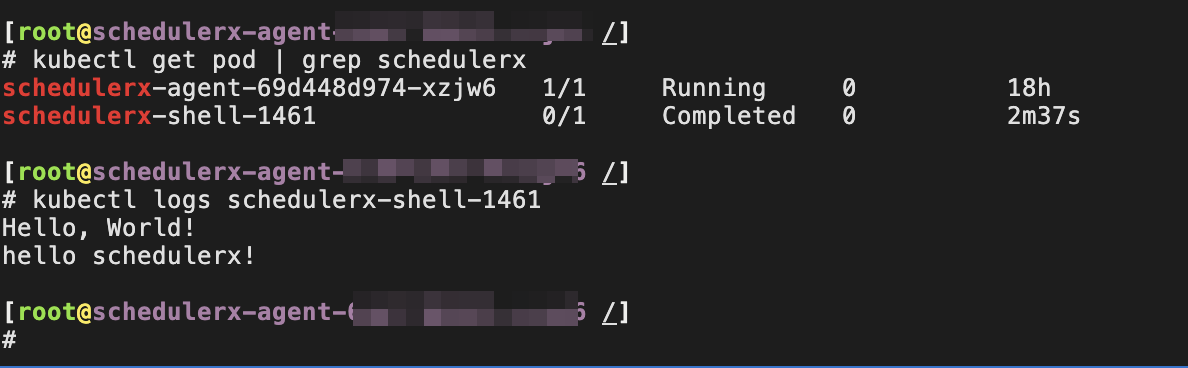
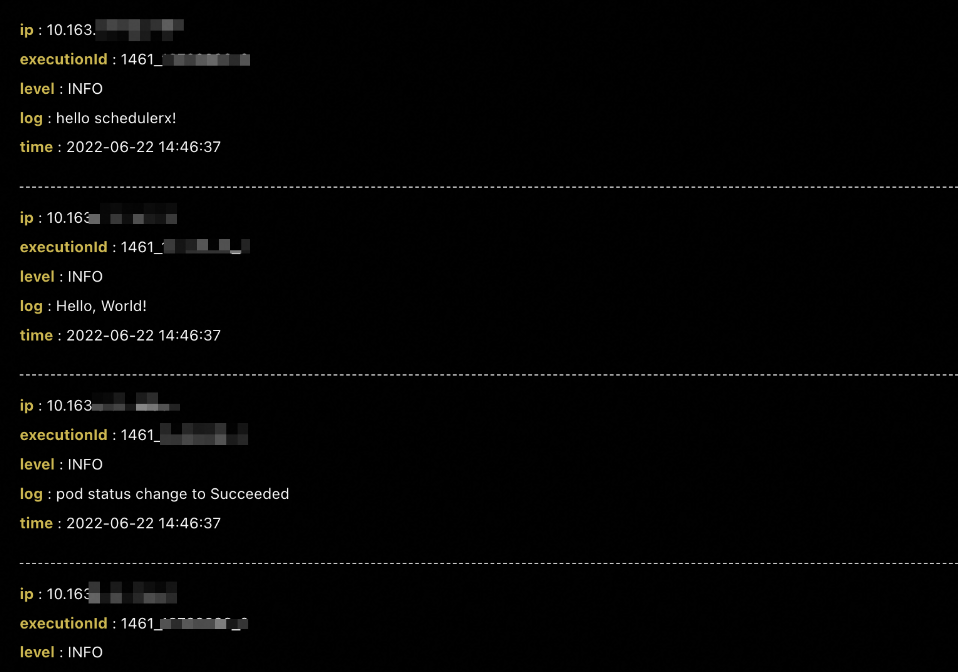
Python script
Set resource to Python-Script. The default image is Python. You can change the image.
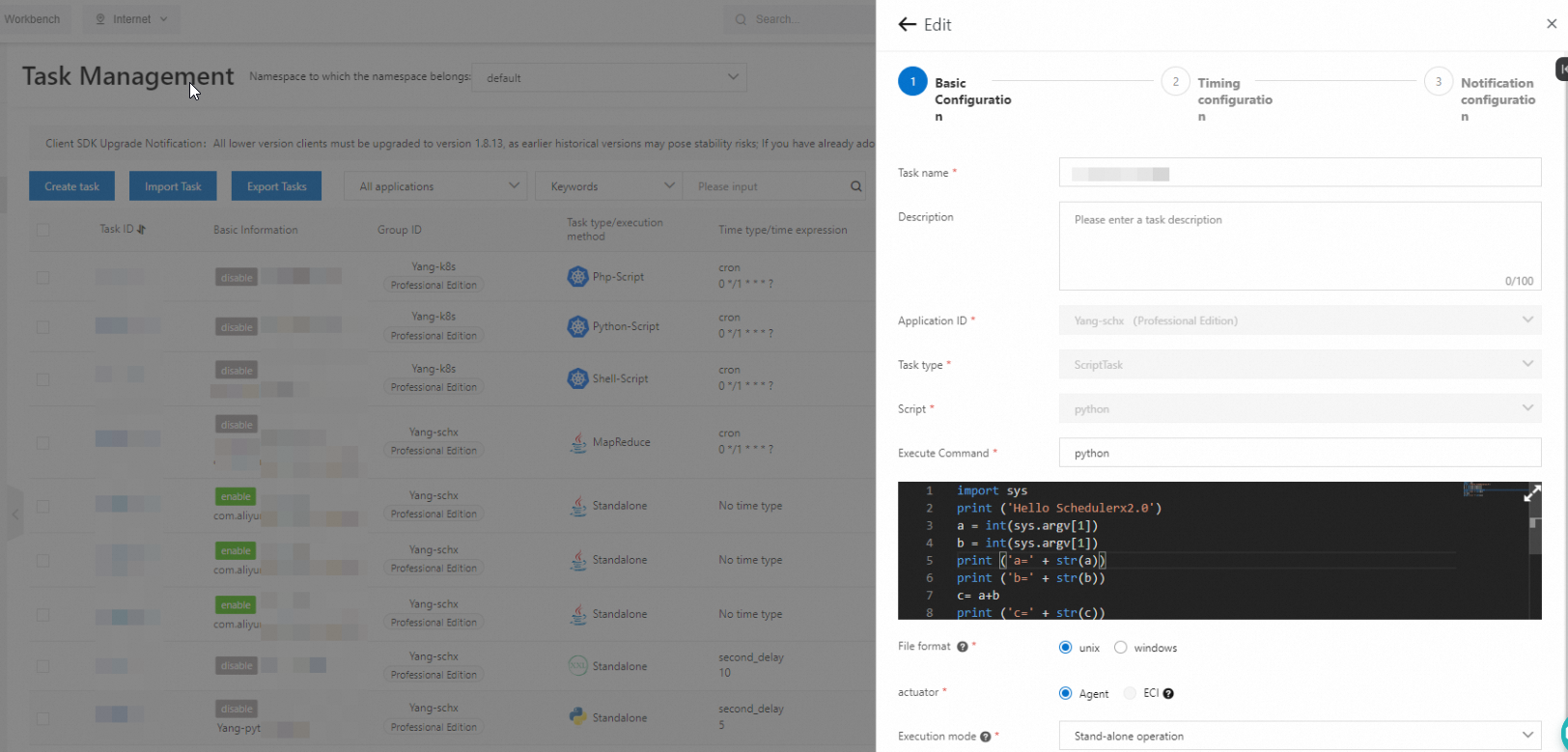
A Pod named schedulerx-python-{JobId} starts in the cluster.
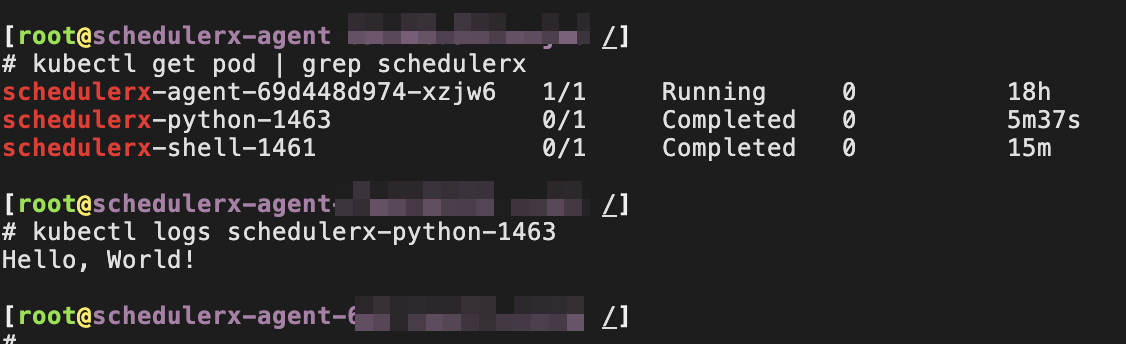
PHP script
Set resource to Php-Script. The default image is php:7.4-cli. You can change the image.
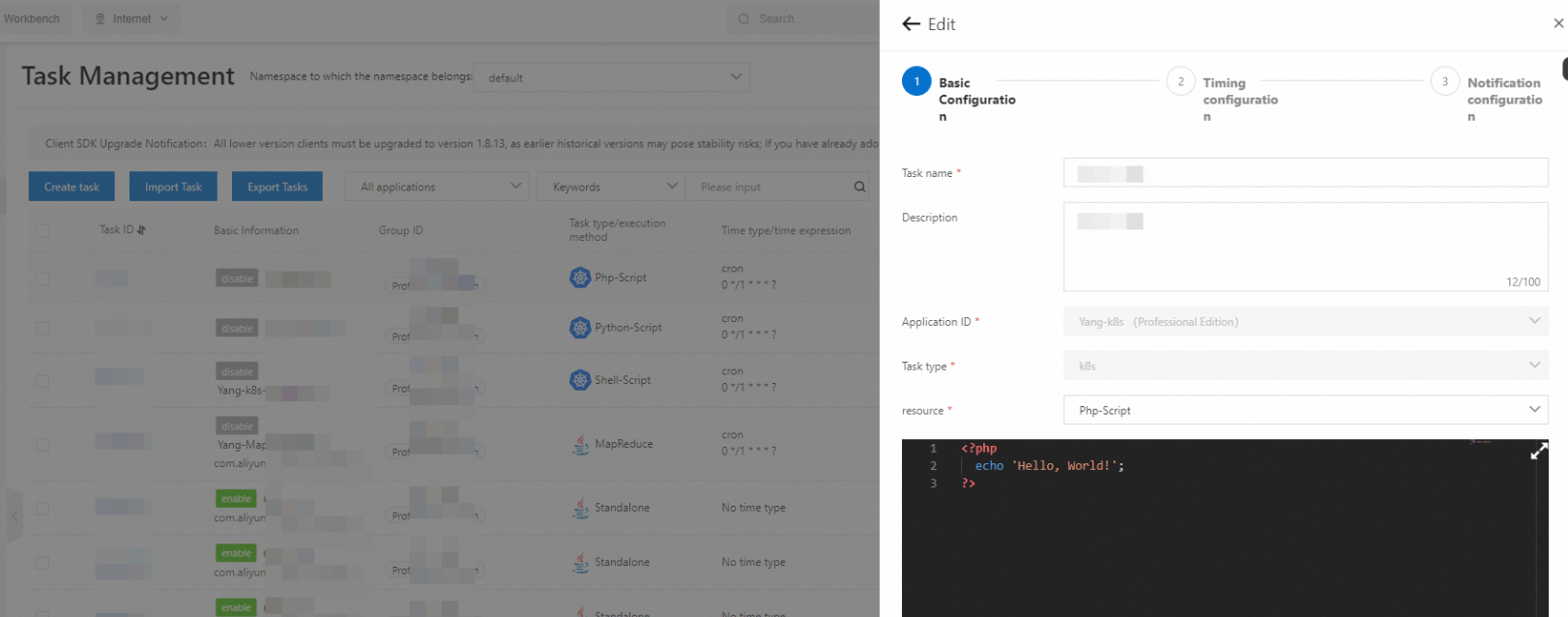
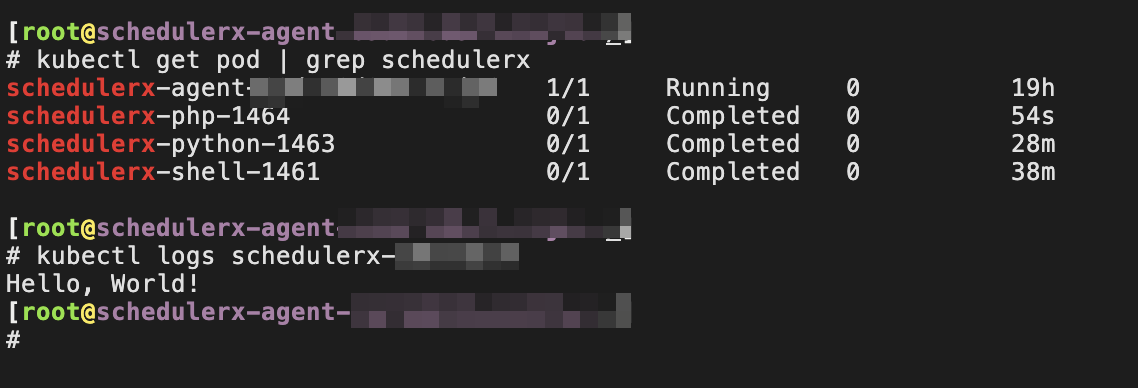
A Pod named schedulerx-php-{JobId} starts in the cluster.
Node.js script
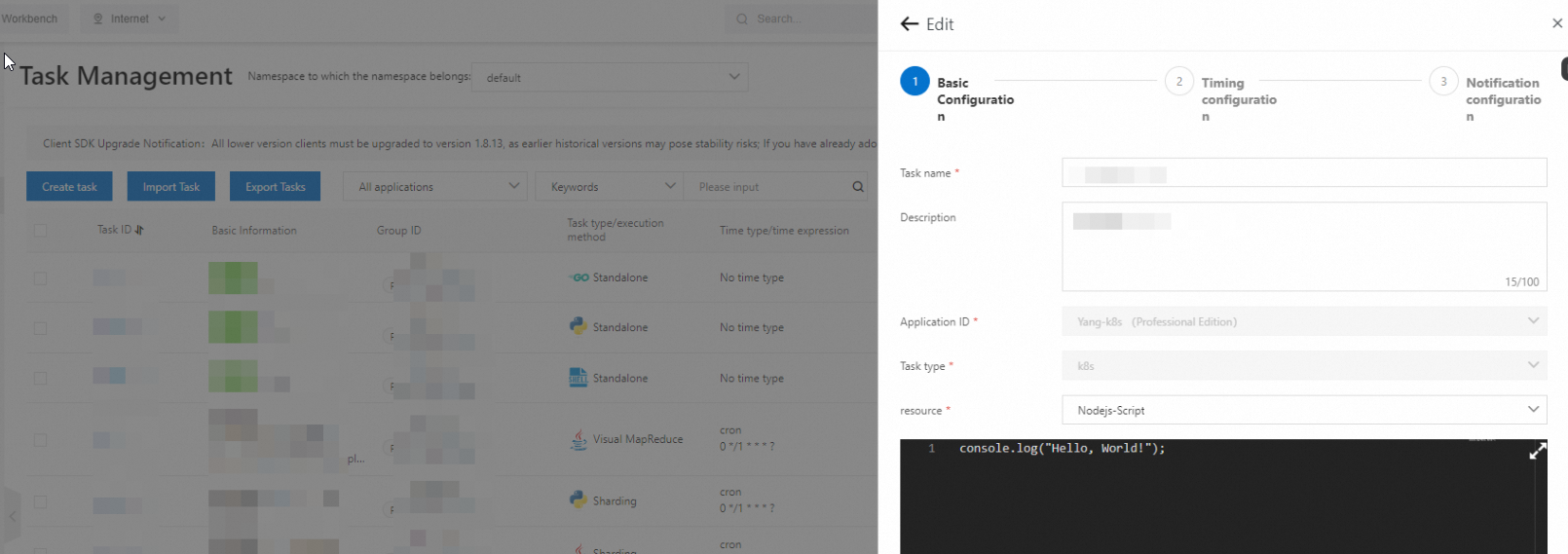
Set resource to Node.js-Script. The default image is node:16. You can change the image.
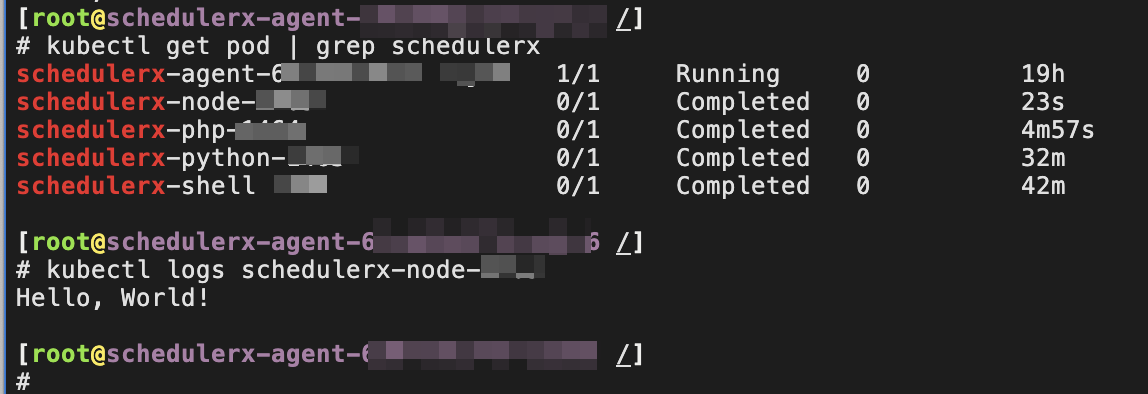
A Pod named schedulerx-node-{JobId} starts in the cluster.
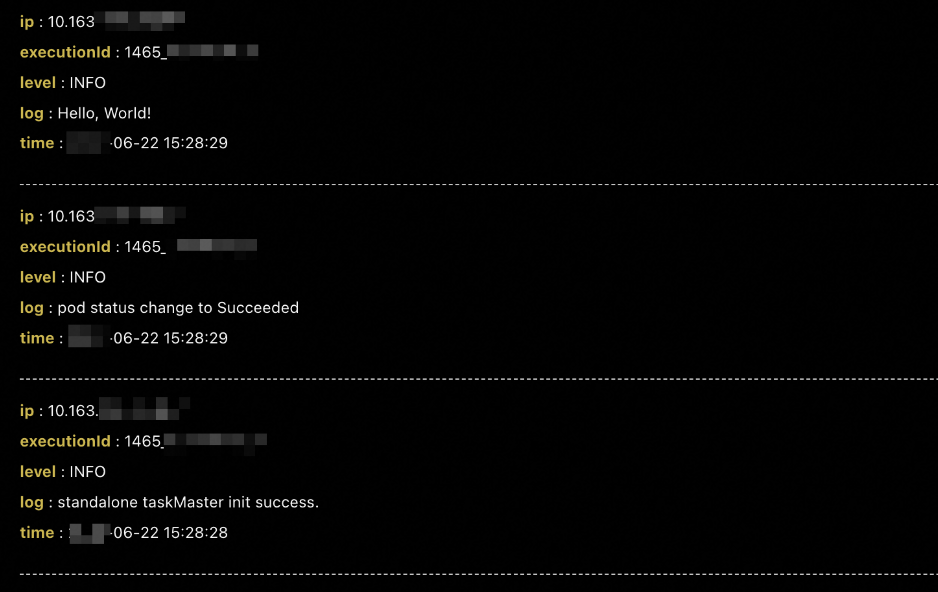
Job-YAML
Set resource to Job-YAML to schedule a native Kubernetes Job. Define the Job specification in YAML.
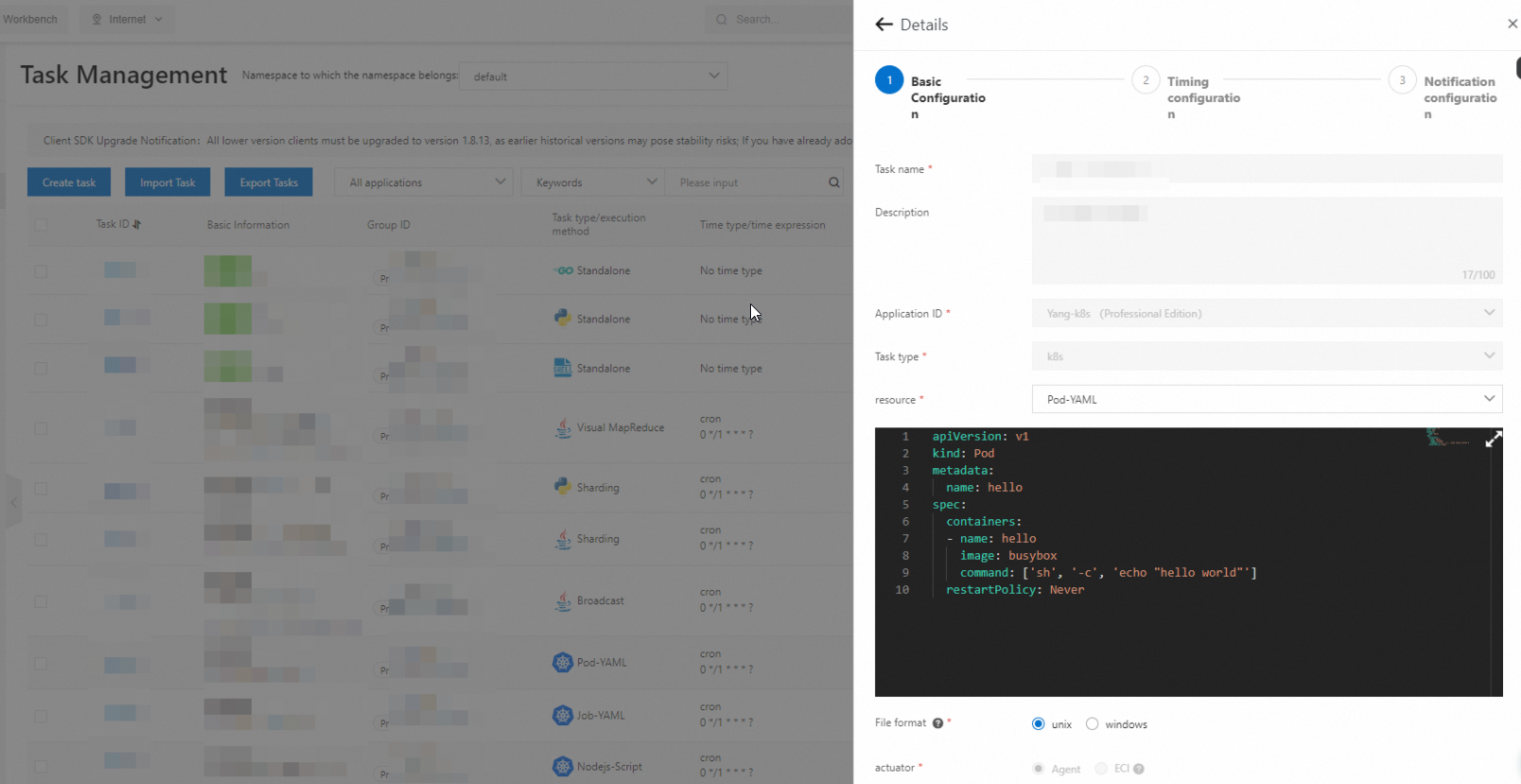
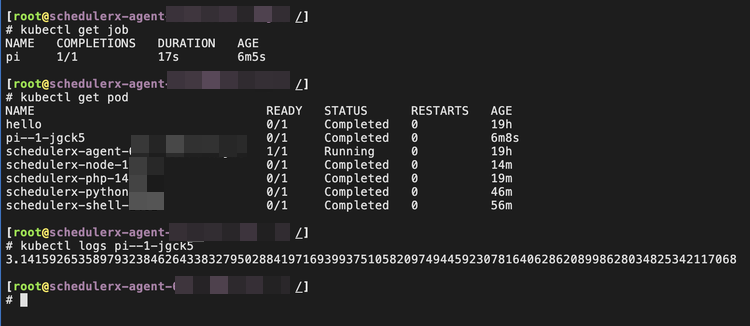
A Pod and the Job start in the cluster.
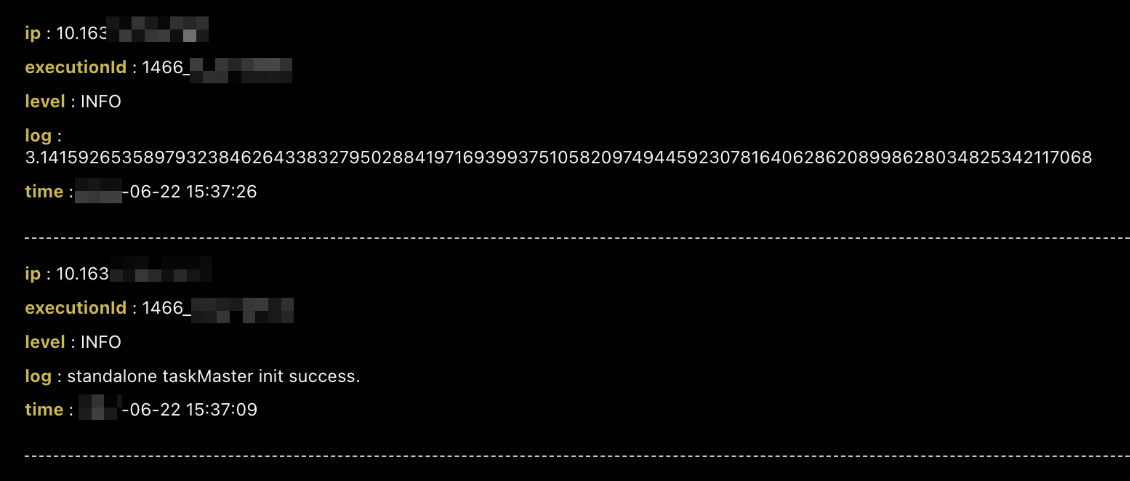
We recommend that you do not set resource to CronJob-YAML. Use SchedulerX scheduling to collect historical records and operational logs of Pods.
Pod-YAML
Set resource to Pod-YAML to run a native Kubernetes Pod. Define the Pod specification in YAML.
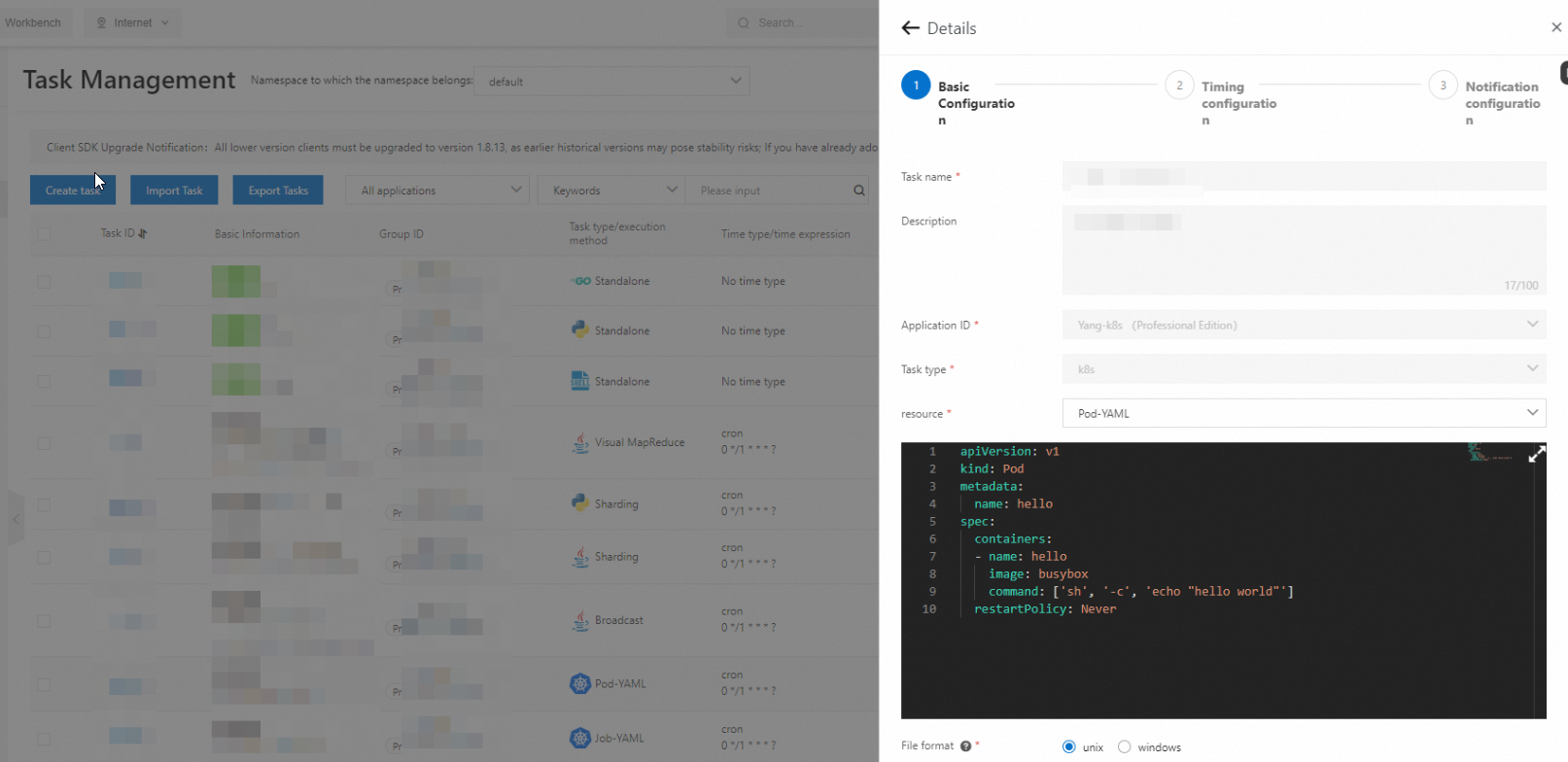
The native Kubernetes Pod starts in the cluster.
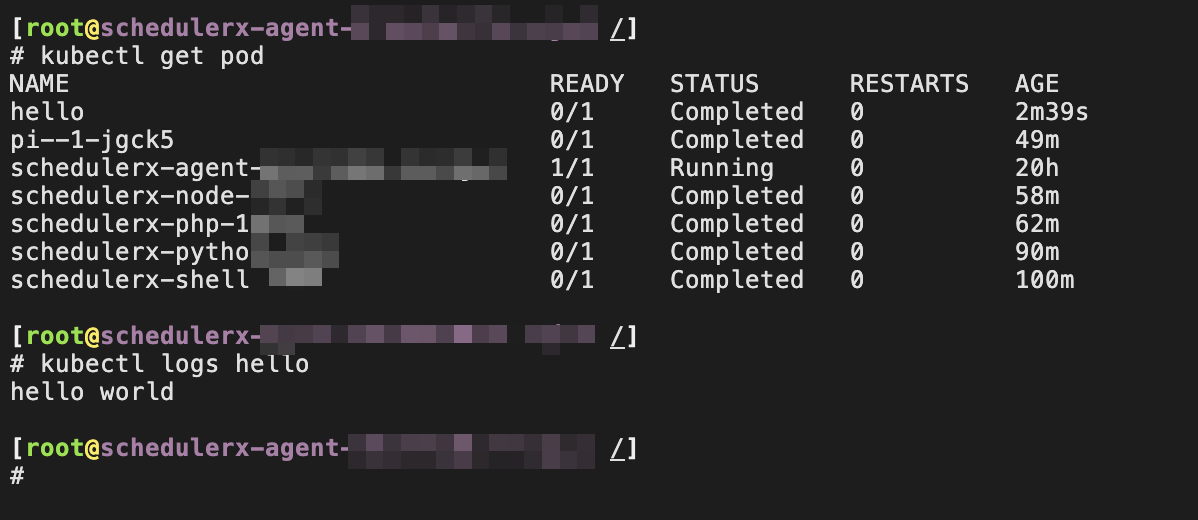
We recommend that you do not start Pods with a long lifecycle, such as Pods that run web applications and never stop. Set the restart policy to Never to prevent repeated restarts.
Environment variable parameters
SchedulerX supports job parameters as environment variables. Scripts, Pods, and native Kubernetes Jobs can read these parameters from the environment variables, regardless of the resource type.
Requires SchedulerX-Agent version 1.10.14 or later.
| Key | Description |
|---|---|
SCHEDULERX_JOB_NAME | Name of the job. |
SCHEDULERX_SCHEDULE_TIMESTAMP | Timestamp when the job is scheduled. |
SCHEDULERX_DATA_TIMESTAMP | Timestamp when the job data is processed. |
SCHEDULERX_WORKFLOW_INSTANCE_ID | ID of the workflow instance. |
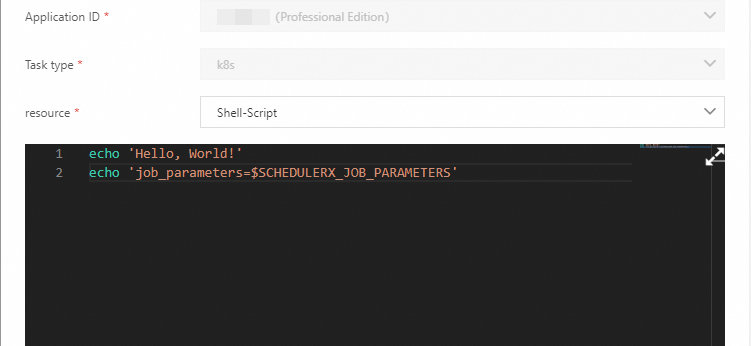
SCHEDULERX_JOB_PARAMETERS | Parameters of the job. |
SCHEDULERX_INSTANCE_PARAMETERS | Parameters of the job instance. |
SCHEDULERX_JOB_SHARDING_PARAMETER | Sharding parameters of the job. |
The following figure shows sample environment variable values read by SchedulerX.
Advantages over native Kubernetes Jobs
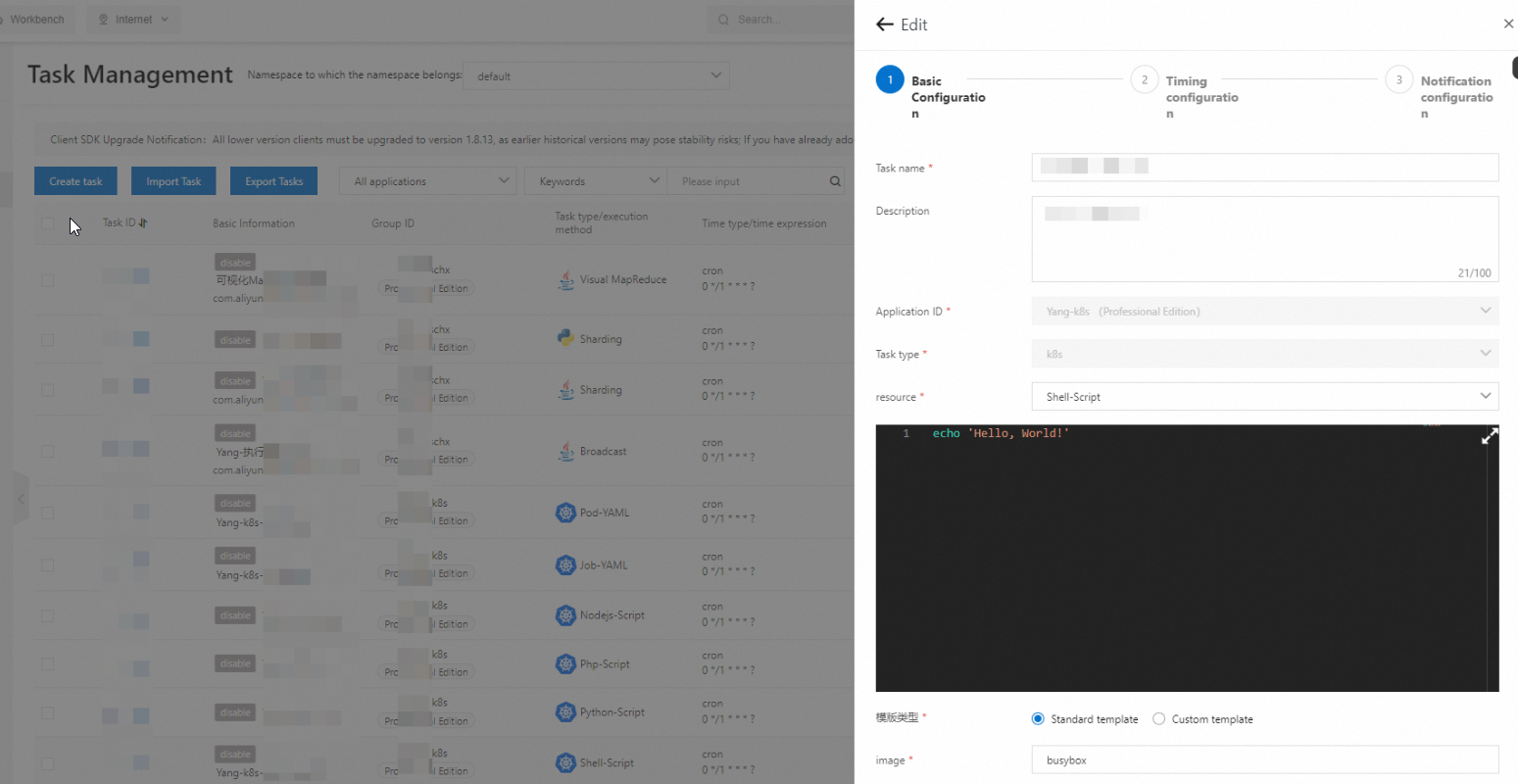
Edit scripts online without rebuilding images
Native Kubernetes Jobs require you to package scripts into images and configure commands in YAML files. Every script change requires an image rebuild and redeployment. For example:
apiVersion: batch/v1
kind: Job
metadata:
  name: hello
spec:
  template:
    spec:
      containers:
      - name: hello
        image: busybox
        command: ["sh",  "/root/hello.sh"]
      restartPolicy: Never
  backoffLimit: 4
SchedulerX eliminates this workflow. The console supports online editing of Shell, Python, PHP, and Node.js scripts. Save your changes and SchedulerX runs the updated script in a new Pod on the next execution. No image rebuild, no YAML editing, no redeployment.
This approach also hides container details, which makes Kubernetes job management accessible to developers unfamiliar with container services.
Orchestrate jobs visually with drag-and-drop
In the Kubernetes ecosystem, Argo Workflows is a popular workflow orchestration tool that relies on YAML definitions. For example:
# Diamond workflow: A -> B,C -> D
apiVersion: argoproj.io/v1alpha1
kind: Workflow
metadata:
  generateName: dag-diamond-
spec:
  entrypoint: diamond
  templates:
  - name: diamond
    dag:
      tasks:
      - name: A
        template: echo
        arguments:
          parameters: [{name: message, value: A}]
      - name: B
        depends: "A"
        template: echo
        arguments:
          parameters: [{name: message, value: B}]
      - name: C
        depends: "A"
        template: echo
        arguments:
          parameters: [{name: message, value: C}]
      - name: D
        depends: "B && C"
        template: echo
        arguments:
          parameters: [{name: message, value: D}]

  - name: echo
    inputs:
      parameters:
      - name: message
    container:
      image: alpine:3.7
      command: [echo, "{{inputs.parameters.message}}"]
SchedulerX replaces this YAML with a visual drag-and-drop interface.
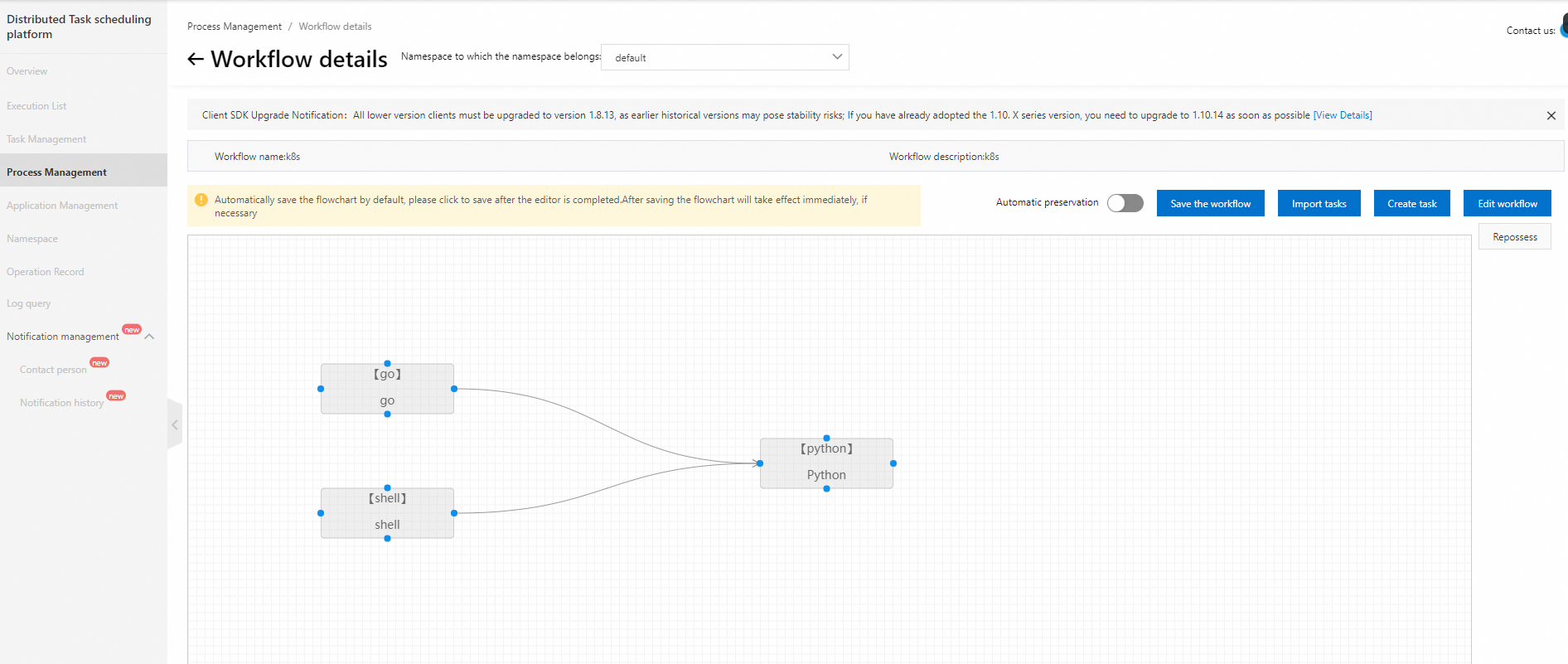
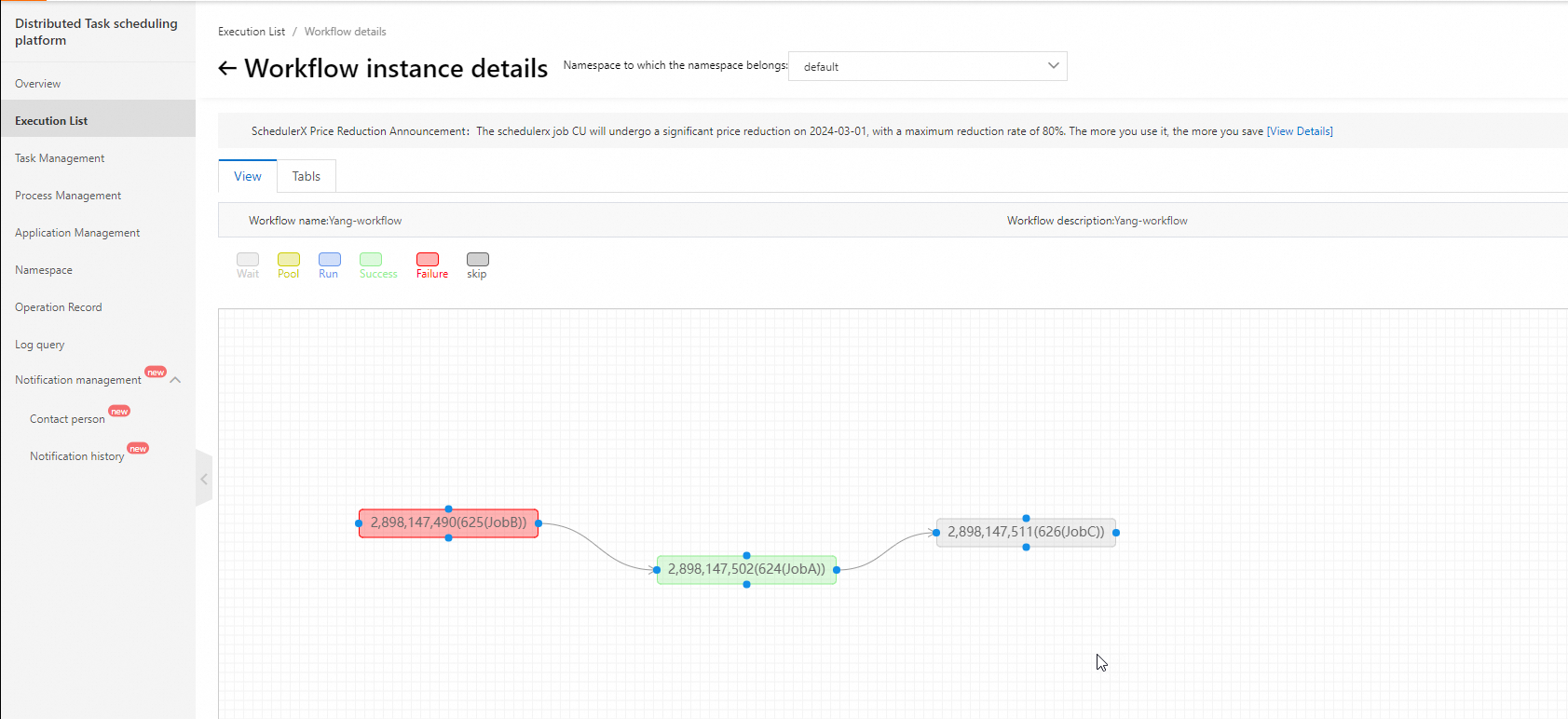
The visual interface also shows real-time execution progress, making it straightforward to identify blocked steps and troubleshoot failures.
Monitor jobs and receive alerts
SchedulerX provides built-in alerting for scheduled Pods and Jobs.
Alert channels: SMS, phone call, email, and webhook (DingTalk, WeCom, and Lark).
Alert policies: alert on failure and alert on execution timeout.
Collect logs automatically
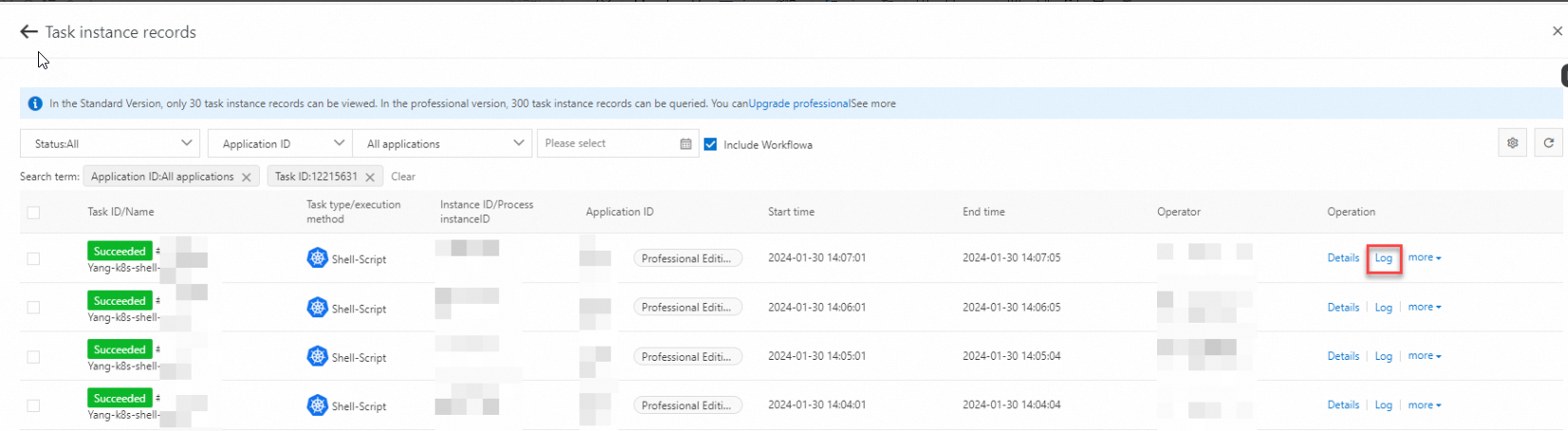
SchedulerX collects Pod logs automatically. You do not need to activate additional log services such as Simple Log Service. When a Pod fails, view the failure details and troubleshoot directly from the SchedulerX console.
Use the built-in monitoring dashboard
SchedulerX includes a built-in monitoring dashboard for job execution metrics. No need to activate Managed Service for Prometheus separately.
Mix online and offline job deployments
SchedulerX supports both Java and Kubernetes jobs, enabling mixed deployment of online and offline workloads:
Online jobs that require high real-time performance (such as order processing) run in-process alongside other online services for seamless integration.
Offline jobs that consume heavy resources but tolerate latency (such as financial report generation) run in separate Pods.
This mixed deployment model provides flexible scheduling across diverse business requirements.