Configure custom analysis in the mPaaS console to track custom events, user conversion funnels, and user segments. Before you begin, implement custom event instrumentation on the client.
Prerequisites
You have implemented custom event instrumentation on the client. For more information, see Android custom event instrumentation or iOS custom event instrumentation.
About this task
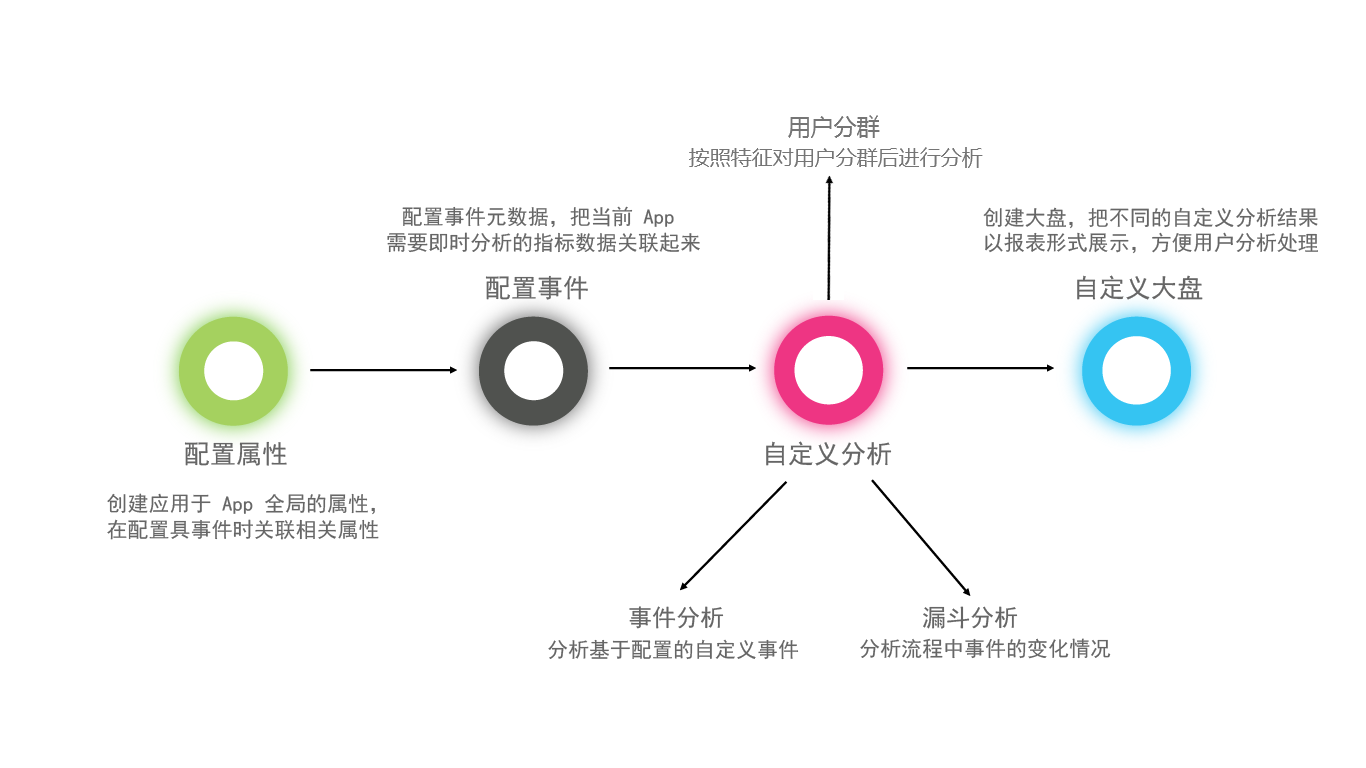
The following flowchart shows the custom analysis workflow in the mPaaS console.
-
Configure properties: Create global properties for your application. You can then associate these properties with specific events.
-
Configure events: Configure event metadata to associate the metrics that require real-time analysis with your application.
-
Custom analysis:
-
Event Analysis: Analyze custom events based on your configurations.
-
Funnel Analysis: Analyze user conversion rates across a series of events in a flow.
-
User segmentation: Analyze user groups with different features.
-
-
Custom dashboard: Create dashboards to consolidate analysis results into visual reports.