If you want to switch a website that is already added to Edge Security Acceleration (ESA) from its current plan to another plan that you have purchased, you can use the Change Plan feature. This feature helps you smoothly complete the switch without having to re-add or re-configure the website.
Use cases
Change Plan: Move a website from its current plan instance (A) to another, separately purchased plan instance (B). After the change, the website is associated with plan instance B, and plan instance A remains available for other websites.
Plan Upgrade: Increase the specifications of the same plan instance, for example, upgrading from the Pro plan to the Premium plan. The plan instance remains the same, but its specifications and capabilities are enhanced.
Limitations
You can change the plan for a website only if the following conditions are met:
The current and target plans for the website must belong to the same Alibaba Cloud account (UID).
Plan changes are subject to the rules outlined below.
Source plan | Entrance | Pro | Premium | Enterprise |
Entrance | ||||
Pro | ||||
Premium | ||||
Enterprise |
Upgrading to the Enterprise plan is irreversible. Once a website is on an Enterprise plan, you cannot downgrade it to an Entrance, Pro, or Premium plan. Assess your long-term business requirements carefully before you proceed.
Procedure
In the ESA console, navigate to the Websites page. Find the website you want to change, click the
 icon in the Actions column, and select Change Plan.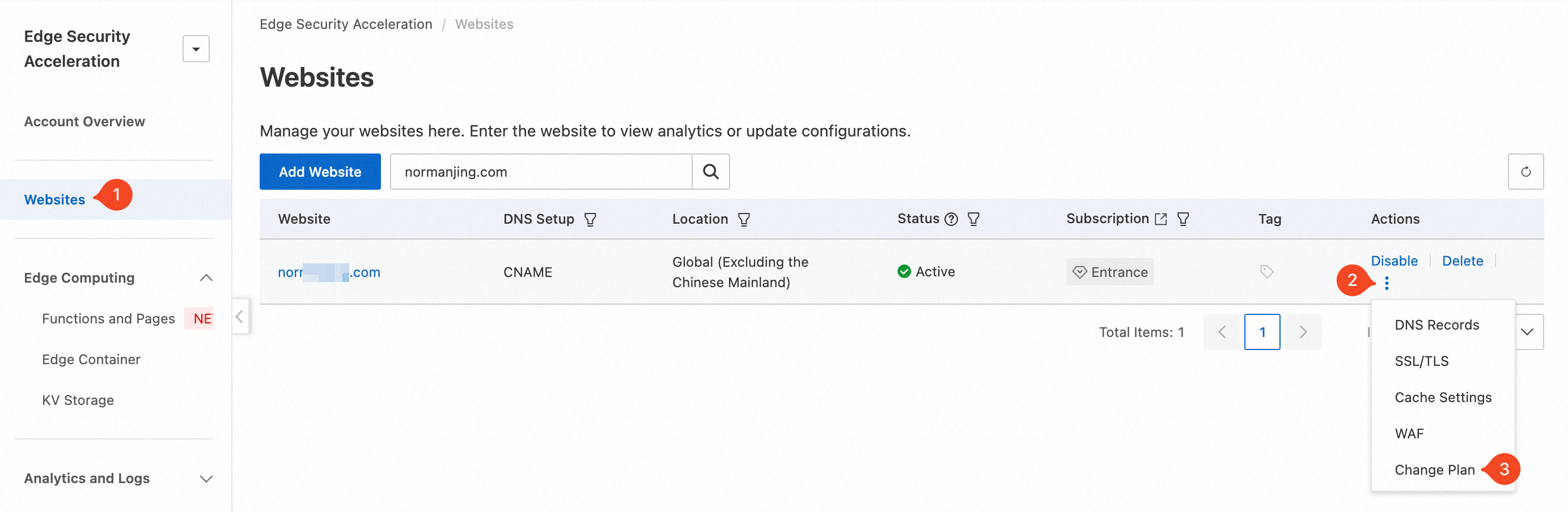
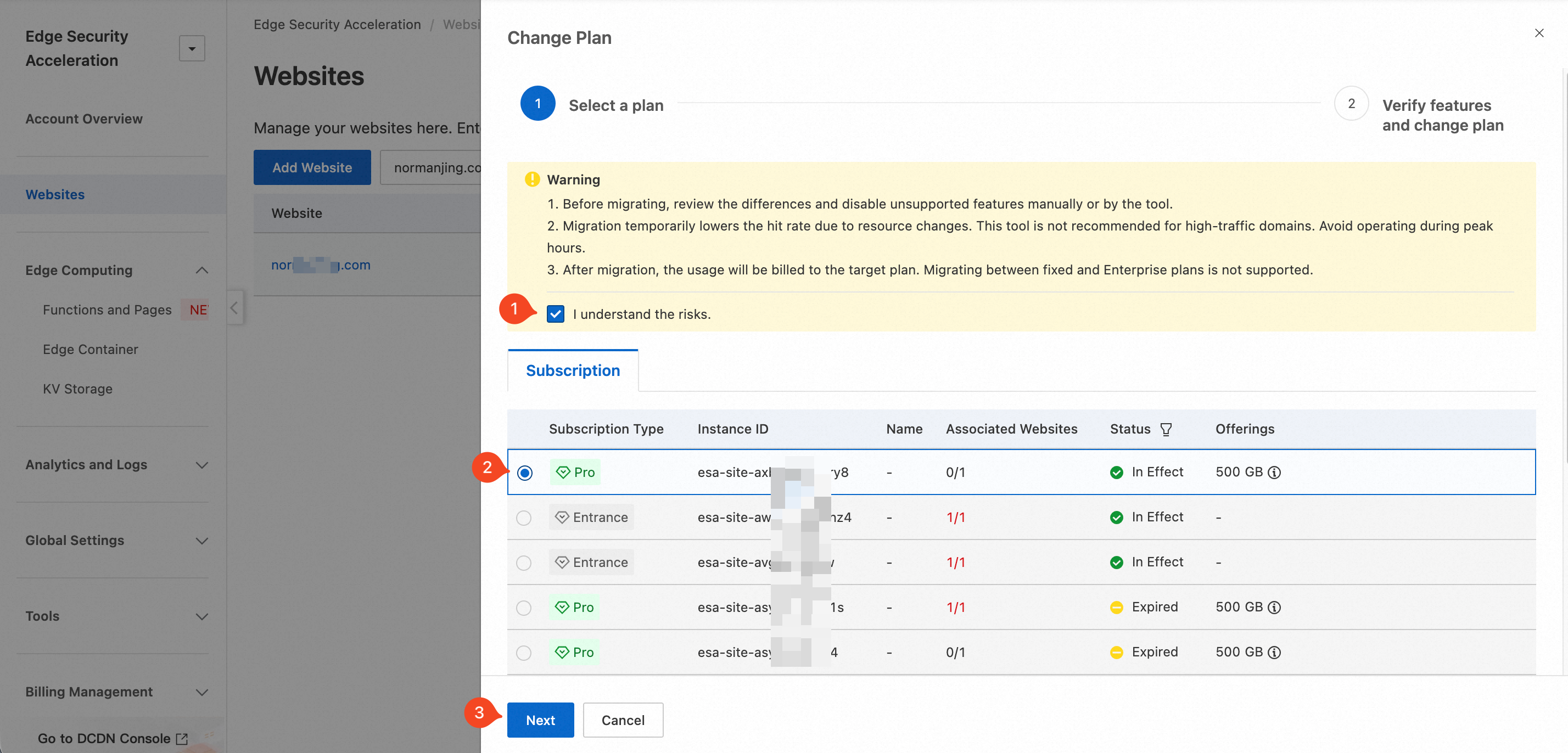
In the Change Plan panel, read the risk notice, select the I understand the risks. checkbox, choose the target plan, and then click Next.
NoteIf the target is a non-Enterprise plan, the plan instance must not be bound to any website. If the target is an Enterprise plan, the plan instance must have available website quota.
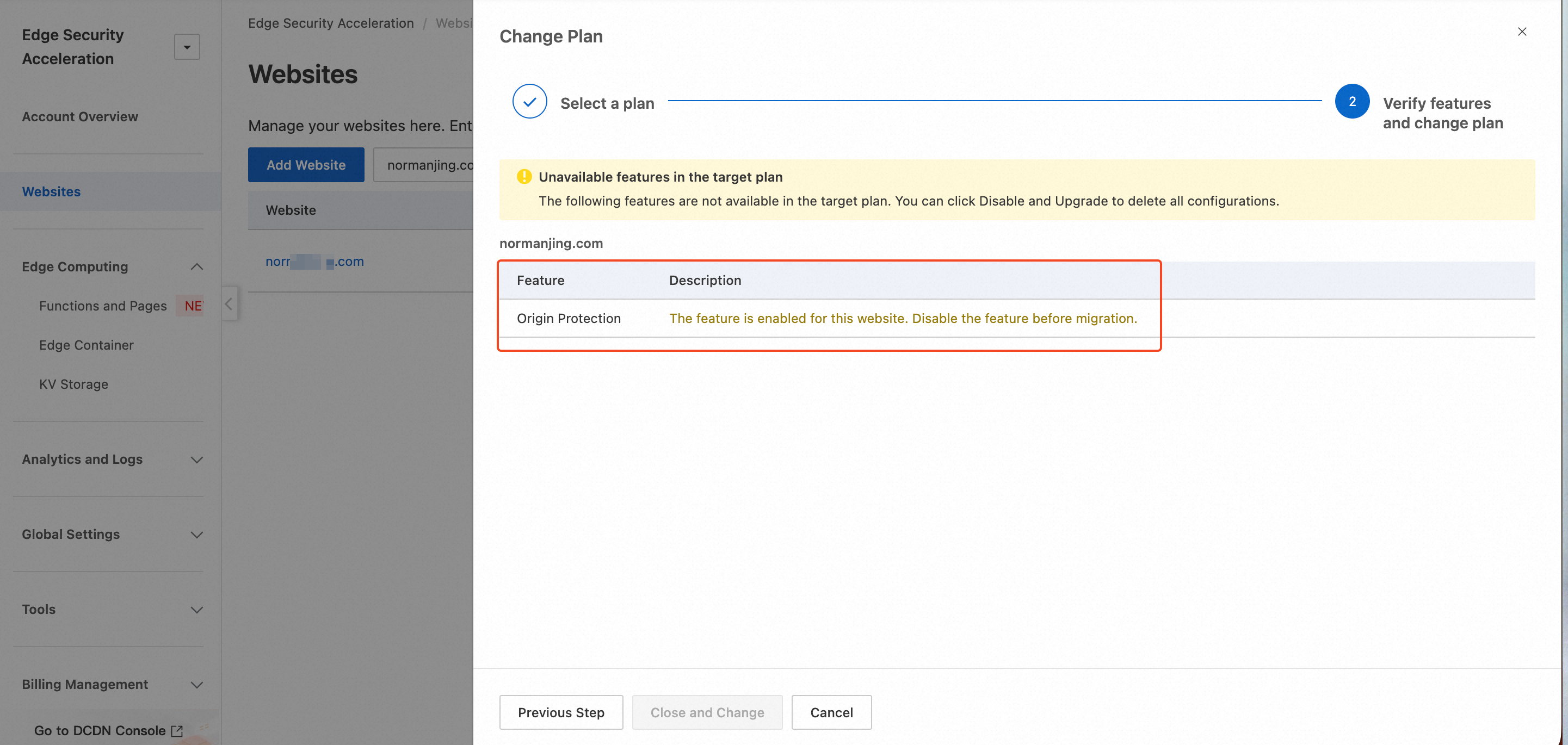
ESA automatically checks whether the configuration of the current website is compatible with the features of the target plan. For incompatible features, you need to disable them manually or with a single click as prompted on the page.
Manual deactivation: Some critical features have a significant impact. You must carefully evaluate these features before disabling them manually. The features that require manual deactivation include:
Disable all other features: For all other incompatible features, click Close and Change. The system automatically disables them to complete the plan change.
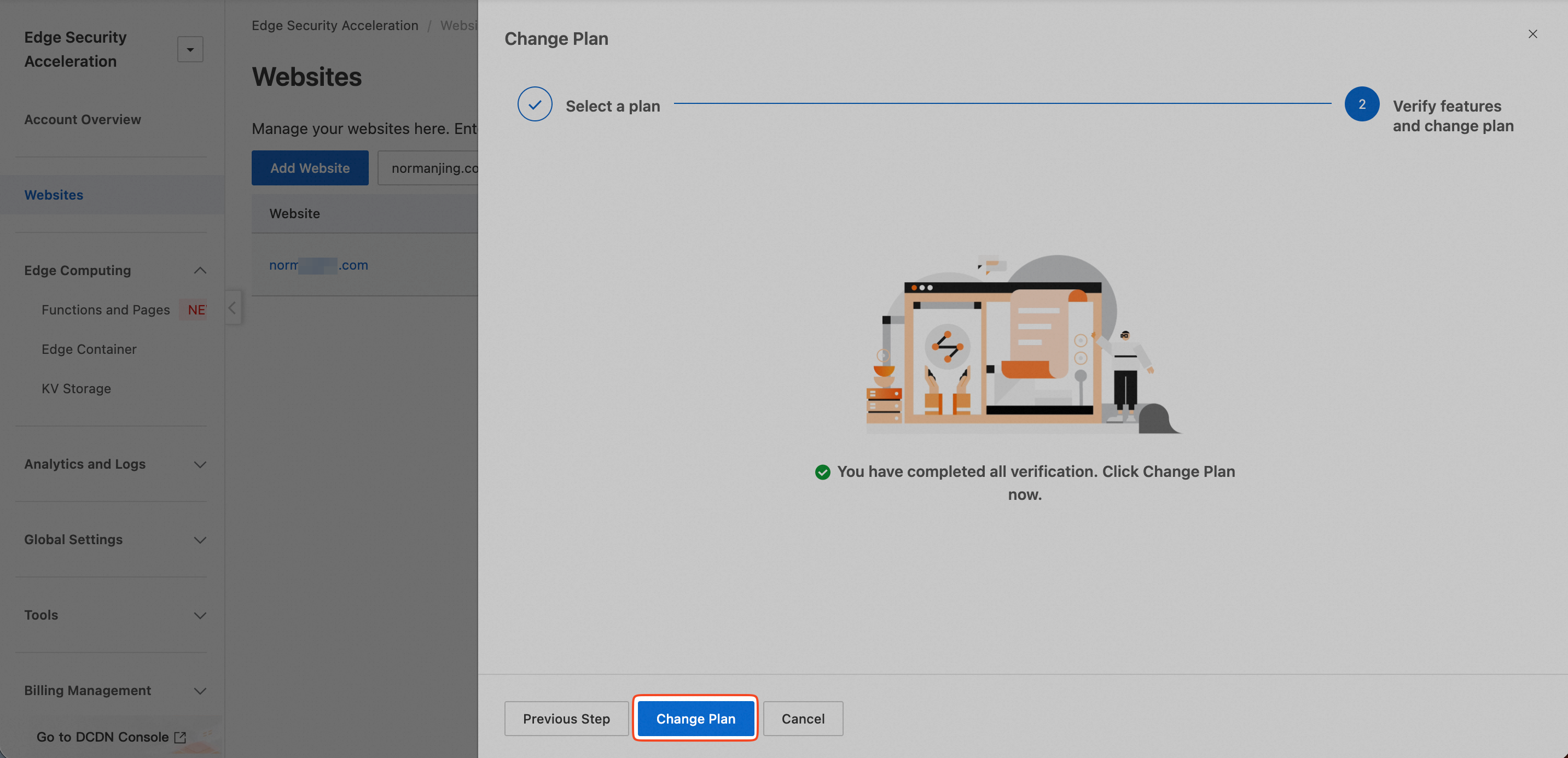
After all compatibility checks are complete, click Change Plan to begin the change.
Verify the result
The replacement process is typically completed within 1 minute. You can monitor the status of the website on the Websites page. The replacement is successful when the website status returns to normal and the plan information is updated to your selected target plan.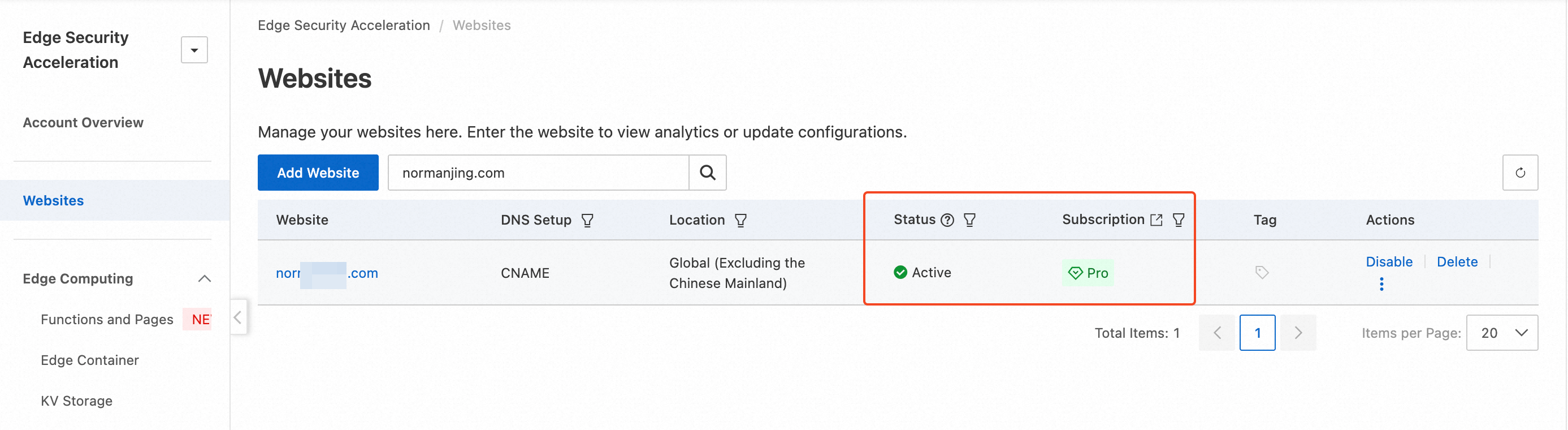
Impacts
Business impact: The change process does not interrupt your services. A brief network jitter may occur during the switch, but it lasts only a few seconds and is typically imperceptible. Changing the plan might alter the assigned POP resources, potentially causing a temporary decrease in the cache hit rate. We recommend changing plans during off-peak business hours.
Configuration impact:
Retained configurations: Most basic configurations, such as DNS records and SSL certificates, are preserved.
Reset or deleted configurations: If a feature was disabled for compatibility, its configuration will be disabled or deleted.
Billing impact: After the change, you will be billed according to the new plan's rates.