DCDN WAF includes a built-in default policy for basic web protection against common attacks such as SQL injection, cross-site scripting (XSS), code execution, webshell upload, and command injection. If the built-in policy does not meet your requirements, such as when you need different protection modes for different protected objects, you can configure custom protection policies.
How it works
A default protection policy is automatically applied to protected domain names in the following scenarios:
- You add a new protected domain name on the Protected domain names page.
- A domain name is protected by DCDN WAF but does not have a policy of a specific type configured. For example, if you create a default whitelist policy, it is automatically applied to all protected domain names that lack a custom whitelist policy.Note A protected domain name can be associated with only one policy per type. If you configure another policy of the same type for a domain name, the domain name is removed from the default protection policy.
The following table describes the default settings for each protection policy type.
| Policy type | Default policy | Recommendation |
| Configure basic web protection | DCDN WAF includes a built-in default policy template that contains the basic protection rule set and is enabled by default with the action set to Block. Note New domains added to DCDN WAF are automatically protected by the basic web protection rules, which block attack requests. For more information, see Default rules for basic web protection. |
We recommend that you keep the default settings. If the basic protection rules cause false positives after your domain name has been protected by DCDN WAF for a period of time, you can create whitelist rules to bypass those rules. For more information, see Configure a whitelist. |
| Configure custom protection policies | No default policy template is available. | Create a custom default policy based on your business requirements. |
| Configure a whitelist | ||
| Configure an IP address blacklist | ||
| Configure a region blacklist | ||
| Configure bot management | ||
| Configure scan protection |
Procedure
-
Log on to the DCDN console.
- In the left-side navigation pane, choose .
- On the Protection Policies page, click Create Policy.
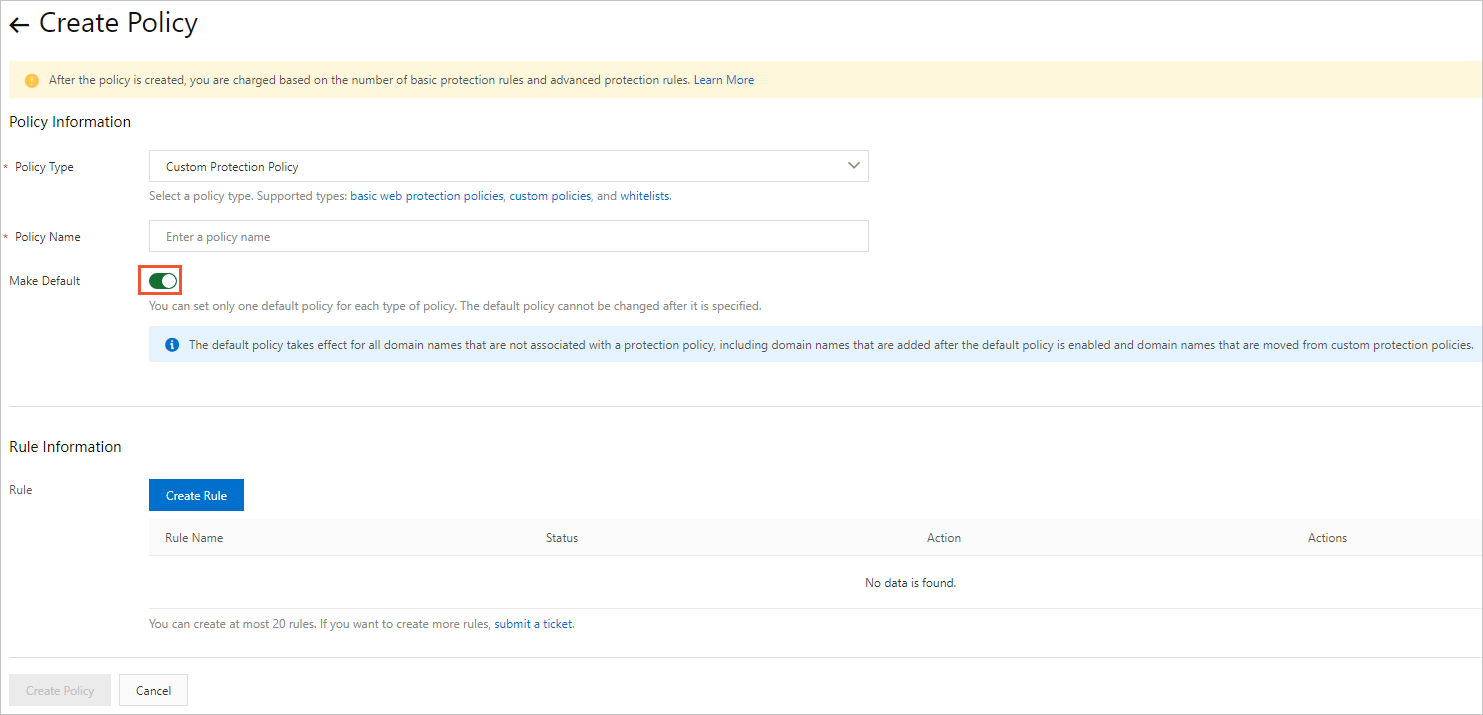
- On the Create Policy page, turn on the Make Default switch. For more information, see Configure a DCDN WAF protection policy.
Note You can create only one default policy for each policy type. Once created, a default policy cannot be changed.