Basic web protection uses a built-in set of protection rules to automatically defend your website against common web attacks. These attacks include SQL injection, cross-site scripting (XSS), WebShell uploads, command injection, backdoor isolation, illegal file requests, path traversal, and exploits of common application vulnerabilities.
Prerequisites
The Edge WAF service is activated. For more information, see Activate Edge WAF.
You have added a domain name to Edge WAF. For more information, see Add a protected domain name.
Default protection rules
Basic web protection includes a default rule set that contains the Edge WAF basic protection rule group (Default_WafGroup_Rule). This group consists of numerous rules that defend against common web application attacks.
By default, these rules are enabled and use block mode. All new domain names added to Edge WAF are protected by these default rules. If a request matches a basic protection rule, the system blocks it and returns a block page to the client.

Create a basic web protection policy
-
Log on to the DCDN console.
In the left-side navigation pane, choose .
On the Protection Policies page, click Create Policy.
On the Create Policy page, configure the protection information.
Module
Parameter
Description
Policy Information
Policy Type
Select Basic Web Protection.
Policy Name
A custom name for the policy. The name can be up to 64 characters long and can contain Chinese characters, letters, digits, and underscores (_).
Make Default
Sets this policy as the default for its type.
NoteYou can set only one default policy per policy type. A default policy cannot be changed after creation.
If a default policy already exists for this policy type, this option is unavailable.
Rule Information
Rule Group Type
Specifies the source of the protection rules.
Default: Uses the built-in protection rule group provided by Alibaba Cloud Security.
Custom: Uses a custom protection rule group that you configure.
Rules
Specifies the action to take when a request matches a rule.
Block: Blocks requests that match the rule and returns a block page to the client.
Monitor: Logs requests that match the rule but does not block them.
The monitor mode allows you to test a new rule configuration. After you confirm that the rule does not generate false positives, you can switch the action to Block.
Protected Domain Names
Protected Domain Names
Select the domain names to which you want to apply this protection policy.
NoteA protected domain name can be associated with only one protection policy of the same type.
Applying this policy to a domain name replaces any existing policy of the same type.
Click Create Policy.
The new protection policy is enabled by default.
Manage basic web protection policies
After you create a basic web protection policy, you can manage it from the policy list. For example, you can change a rule's action from Block to Monitor or delete the policy. To do so, find the policy in the list and use the controls in the Actions column.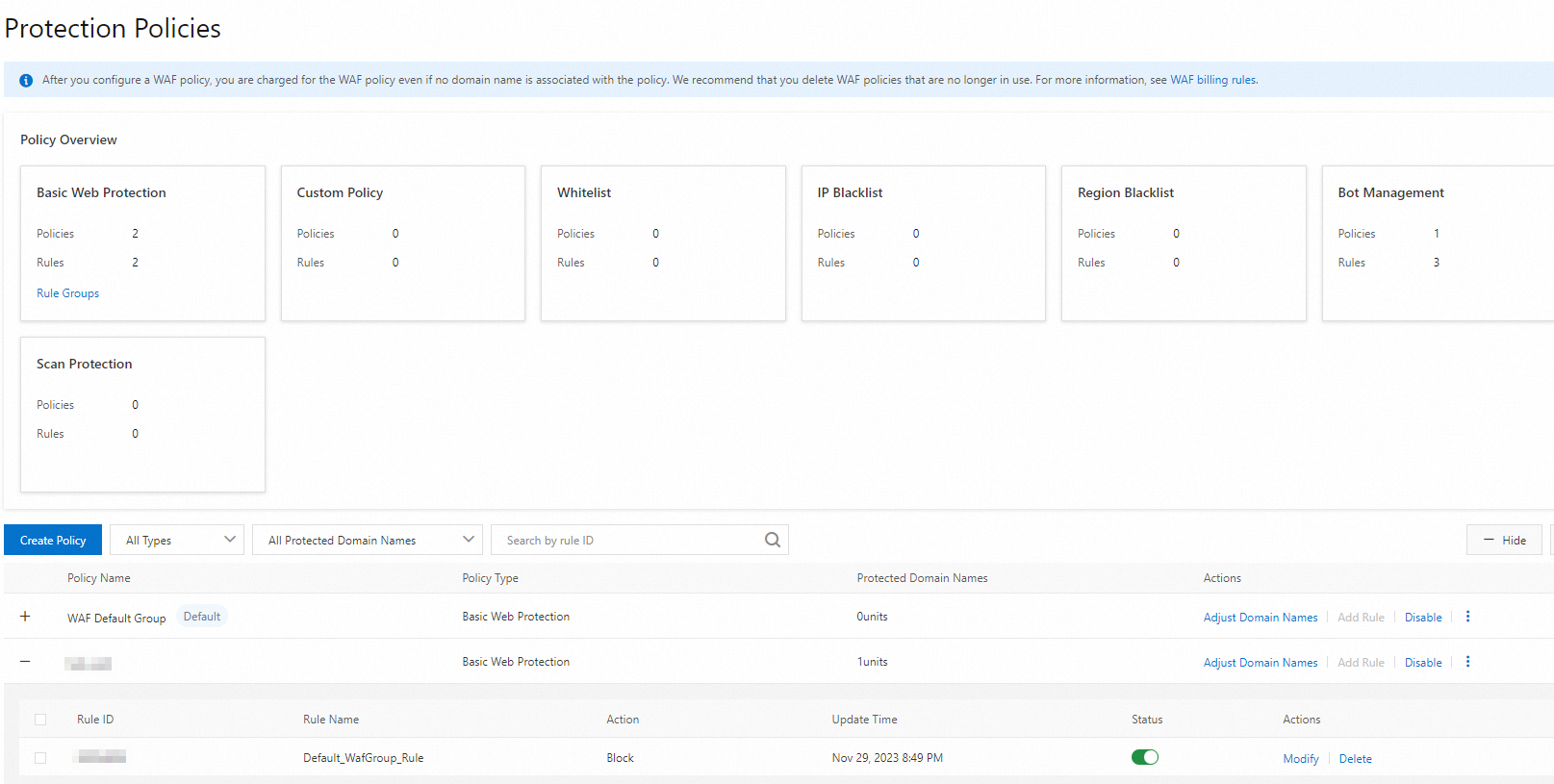
Verify basic protection
Basic web protection uses a built-in set of protection rules to automatically defend your website against common web attacks. These attacks include SQL injection, cross-site scripting (XSS), WebShell uploads, command injection, backdoor isolation, illegal file requests, path traversal, and exploits of common application vulnerabilities.
Simulate SQL injection
Make sure the accelerated domain name that you want to test is protected by basic web protection.
In a browser, enter the following URL to simulate an SQL injection attack. Replace
your-domain-namewith the protected domain name.http://{your-domain-name}/?p=123' or 1 = 1If the browser returns a 405 error, the request was blocked. This indicates that the protection policy is working.
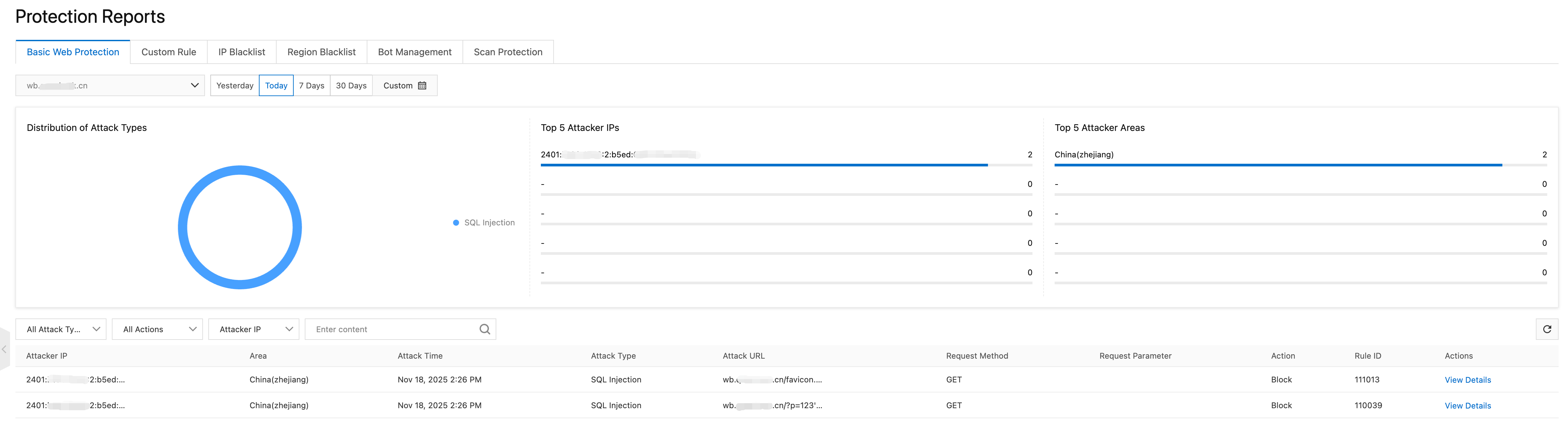
In the DCDN console, navigate to WAF > Protection Report. Select Basic Web Protection and the accelerated domain name that you tested. You can view detailed information about the blocked request.