Connect to ECS instances without passwords or public IP addresses, as a secure alternative to SSH and RDP.
What is Session Manager CLI?
Session Manager CLI (ali-instance-cli) is an Alibaba Cloud CLI tool that connects to ECS instances through Session Manager.
You can also use ali-instance-cli with the Alibaba Cloud CLI for command-line operations.
Prerequisites
Enable the Session Manager service
Enable the Session Manager service for your Alibaba Cloud account in the console:
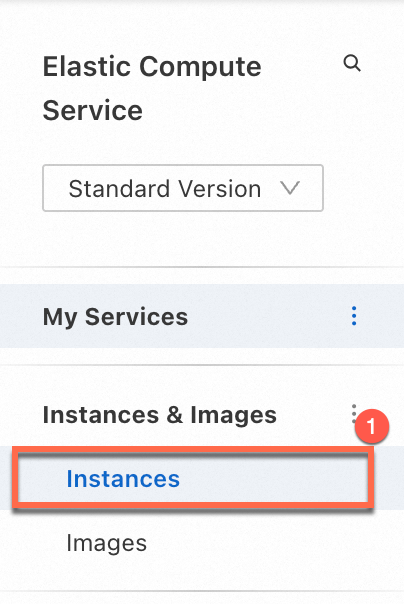
Go to ECS console - Instances.
In the top navigation bar, select the region and resource group for the instance.
On the Instance page, find the target instance and click Connect in the Actions column.
Click Show Other Logon Methods. Find Session Manager. Turn on the switch next to Session Management closed. Then, follow the on-screen instructions to enable the service.


Check whether the instance is in the Running state
Session Manager requires the instance to be in the Running state.
Console

Alibaba Cloud CLI
If you have the Alibaba Cloud CLI configured, run the following command to query the instance status. For parameter details, see DescribeInstanceStatus.
This topic uses an instance with the ID i-bp1****** in the China (Hangzhou) region as an example.aliyun ecs DescribeInstanceStatus --region cn-hangzhou --RegionId 'cn-hangzhou' --InstanceId.1 'i-bp1******'If Status is Running, the instance is running.
{
  "TotalCount": 1,
  "RequestId": "A413****-****-****-****-****611B",
  "PageSize": 1,
  "PageNumber": 1,
  "InstanceStatuses": {
    "InstanceStatus": [
      {
        "Status": "Running",
        "InstanceId": "i-bp1******"
      }
    ]
  }
}
You can also use DescribeInstances to query the instance status.
API
Check whether Cloud Assistant Agent is installed
Session Manager requires Cloud Assistant. Use one of the following methods to check whether Cloud Assistant Agent is installed on the instance.
ECS instances created from official public images after December 1, 2017 have Cloud Assistant Agent preinstalled. For instances created before that date or from uploaded custom images, install Cloud Assistant Agent manually.
Console
Session Manager relies on Cloud Assistant. Install Cloud Assistant Agent on the instance and check its status on the ECS Cloud Assistant page in the ECS console.
Cloud Assistant Agent is pre-installed on ECS instances created from Alibaba Cloud public images after December 1, 2017. For earlier instances, manually install Cloud Assistant Agent. See Install the Cloud Assistant Agent.
|
|
|
|||
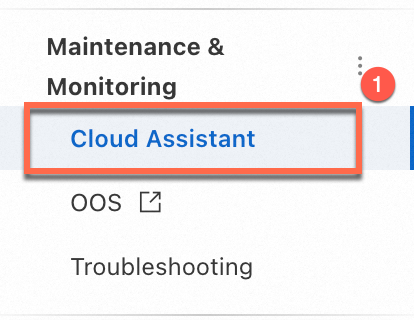
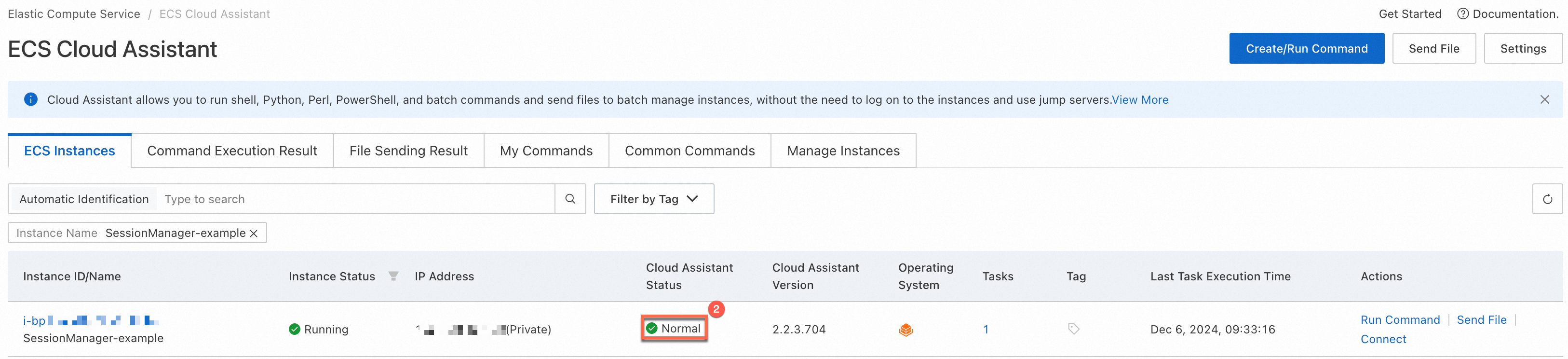
See Check Cloud Assistant status and troubleshoot exceptions.
Alibaba Cloud CLI
If you have the Alibaba Cloud CLI configured, run the following command to check Cloud Assistant Agent installation and Session Manager support. For parameter details, see DescribeCloudAssistantStatus.
This topic uses an instance with the ID i-bp1****** in the China (Hangzhou) region as an example.aliyun ecs DescribeCloudAssistantStatus --region cn-hangzhou --RegionId 'cn-hangzhou' --InstanceId.1 'i-bp1******'If CloudAssistantStatus is true and SupportSessionManager is true, the instance supports Session Manager connections.
{
  "TotalCount": 1,
  "PageSize": 1,
  "RequestId": "DB34****-****-****-****-****A749",
  "NextToken": "",
  "PageNumber": 1,
  "InstanceCloudAssistantStatusSet": {
    "InstanceCloudAssistantStatus": [
      {
        "CloudAssistantVersion": "2.2.3.857",
        "SupportSessionManager": true,
        "InstanceId": "i-bp1******",
        "InvocationCount": 4,
        "OSType": "Linux",
        "CloudAssistantStatus": "true",
        "LastHeartbeatTime": "2024-12-10T02:38:04Z",
        "LastInvokedTime": "2024-12-08T16:02:45Z",
        "ActiveTaskCount": 0
      }
    ]
  }
}
API
Prepare the credentials of a RAM user for Session Manager
1. Install and configure the Session Manager CLI
Skip this step if you have already installed and configured the Session Manager CLI.
1.1 Install
Install the Session Manager CLI (ali-instance-cli) on your computer. The installation method varies by operating system.
Windows
Click to download ali-instance-cli for Windows and save it to a local folder.
This topic uses the C:\Users\test folder as an example.macOS
In the macOS terminal, download ali-instance-cli for macOS:
curl -O https://aliyun-client-assist.oss-accelerate.aliyuncs.com/session-manager/mac/ali-instance-cliGrant execute permissions:
chmod a+x ali-instance-cliLinux
Install ali-instance-cli for Linux:
x86 architecture
curl -O https://aliyun-client-assist.oss-accelerate.aliyuncs.com/session-manager/linux/ali-instance-cliarm architecture
curl -O https://aliyun-client-assist.oss-cn-beijing.aliyuncs.com/session-manager/linux_arm/ali-instance-cliGrant execute permissions:
chmod a+x ali-instance-cli1.2 Configure
To connect to an ECS instance with ali-instance-cli, configure identity credentials such as an AccessKey. See Prepare the credentials of a RAM user for Session Manager.
Windows
Click , enter cmd, and press the
Enterkey to open a command prompt window.Go to the directory of ali-instance-cli.exe. This example uses
C:\Users\test.cd C:\Users\testConfigure credentials using one of the following methods:
AccessKey
Configure the AccessKey ID, AccessKey secret, and Region ID as prompted:
ali-instance-cli.exe configure --mode AKSTS Token
Complete the configuration:
ali-instance-cli.exe configure set --mode StsToken --region "<region>" --access-key-id "<ak>" --access-key-secret "<sk>" --sts-token "<sts_token>"Replace
<region>,<ak>,<sk>, and<sts_token>with your actual region ID, AccessKey ID, AccessKey secret, andSTS token.CredentialsURI
Enter the Credentials URI and Region ID as prompted:
ali-instance-cli.exe configure --mode=CredentialsURIThe following output indicates a successful configuration.

macOS/Linux
Go to the directory of ali-instance-cli. This example uses the home directory
~.cd ~Configure credentials:
AccessKey
Configure the AccessKey ID, AccessKey secret, and Region ID as prompted:
./ali-instance-cli configure --mode AKSTS Token
Complete the configuration:
./ali-instance-cli configure set --mode StsToken --region "<region>" --access-key-id "<ak>" --access-key-secret "<sk>" --sts-token "<sts_token>"Replace
<region>,<ak>,<sk>, and<sts_token>with your actual region ID, AccessKey ID, AccessKey secret, andSTS token.CredentialsURI
Configure the Credentials URI and Region ID as prompted:
./ali-instance-cli configure --mode=CredentialsURIThe following output indicates a successful configuration.

2. Connect to an instance using Session Manager
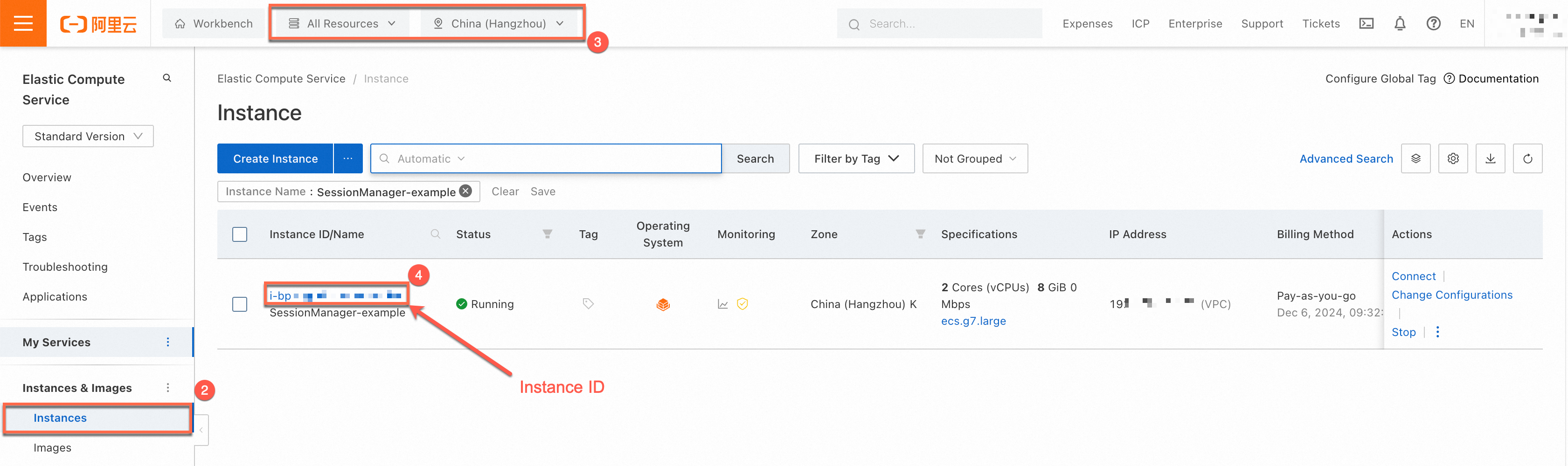
2.1 Obtain the instance ID
Obtain the instance ID before connecting with Session Manager.
Console
|
|
Alibaba Cloud CLI
If you have the Alibaba Cloud CLI configured, run the following command to obtain the instance ID. For parameter details, see DescribeInstances.
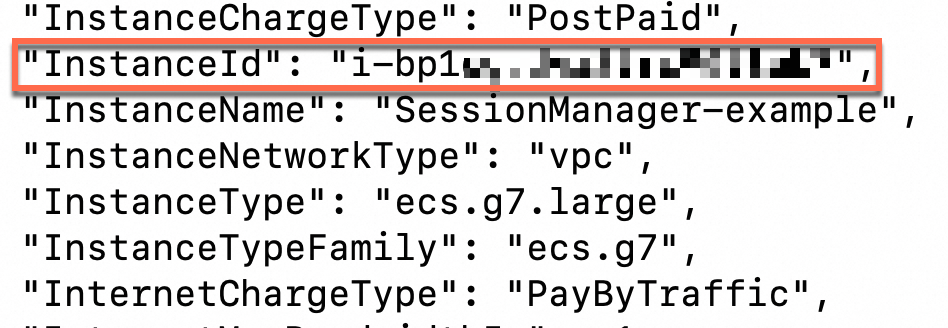
This topic uses an instance named SessionManager-example in the China (Hangzhou) region as an example.aliyun ecs DescribeInstances --region cn-hangzhou --RegionId 'cn-hangzhou' --InstanceName 'SessionManager-example'The InstanceId value in the response is the instance ID.
API
See DescribeInstances.
2.2 Use the Session Manager feature of ali-instance-cli
Local machine: Windows
In the command prompt, go to the directory of ali-instance-cli.exe and connect to the instance. Replace <instance_id> with the instance ID from Step 2.1.
ali-instance-cli.exe session --instance <instance_id>Example: connect to an instance with ID i-bp1******:
ali-instance-cli.exe session --instance i-bp1******After a successful connection, you can access the instance's command-line interface.

macOS/Linux
In the terminal, go to the directory of ali-instance-cli and connect to the instance. Replace <instance_id> with the instance ID from Step 2.1.
./ali-instance-cli session --instance <instance_id> Example: connect to an instance with ID i-bp1******:
./ali-instance-cli session --instance i-bp1******The following output indicates a successful connection. You can now access the instance's command-line interface.

Other features
The Session Manager CLI (ali-instance-cli) also supports the following features:
Access instances that do not have public IP addresses (port forwarding)
Map an instance port to a local port to access services on instances without public IP addresses, bypassing proxies or jump servers.
Register temporary SSH public keys
Register a temporary public key with the target instance and use the corresponding private key for SSH connections.
FAQ
The command line does not respond after you run a command (The instance is not in the Running state)
If the command line does not respond after you run an ali-instance-cli command, the instance may not be in the Running state. To view the instance status, see Check whether the instance is in the Running state in this topic.
The command line does not respond after you run a command (Security group configuration issue)
If the command line does not respond after you run an ali-instance-cli command, the required outbound ports may not be open in the security group. By default, basic security groups allow all outbound traffic. This issue may occur if you modify the outbound rules or use an advanced security group.
When you use Session Manager to connect to an ECS instance, make sure that Cloud Assistant Agent running on the ECS instance is connected to the Cloud Assistant server by adding the following rules to an outbound security group:
Compared with connection methods, such as SSH and Remote Desktop Protocol (RDP), Cloud Assistant Agent actively establishes a WebSocket connection to the Session Manager server. You need to only open the outbound WebSocket port of the Cloud Assistant server in a security rule. For information about how Session Manager works, see the How Session Manager works section of this topic.
If you use basic security groups including the default security group, all outbound traffic is allowed. No additional configuration is required.
If you use an advanced security group, all outbound traffic is denied. You must configure the relevant rules. The following table describes the rules. For information about security groups, see Basic and advanced security groups.
For information about how to add rules to a security group, see Add a security group rule.
Action | Priority | Protocol type | Port range | Authorization object | Description |
Allow | 1 | Custom TCP | 443 |
| This port is used to access the Cloud Assistant server. |
Allow | 1 | Custom TCP | 443 |
| This port is used to access the server on which the Cloud Assistant Agent installation package is stored when you want to install or update Cloud Assistant Agent. |
Allow | 1 | Custom UDP | 53 |
| This port is used to resolve domain names. |
If you want to connect to an instance by using only Session Manager, delete the inbound rules that allow the SSH port (default 22) and RDP port (default 3389) from a security group to improve the security of the ECS instance.
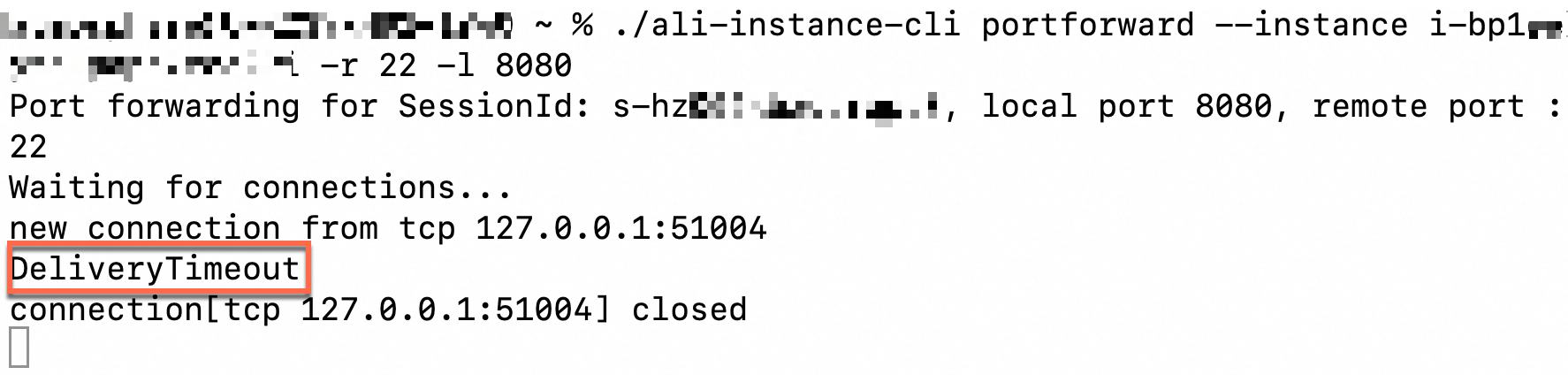
The DeliveryTimeout error is reported after you run a command (Cloud Assistant Agent is offline)
If the DeliveryTimeout error occurs when you run an ali-instance-cli command, Cloud Assistant Agent may be unavailable. Check whether Cloud Assistant Agent is installed on the instance.

The "session manager is disabled, please enable first" error is reported after you run a command
If the session manager is disabled, please enable first error occurs after running an ali-instance-cli command, enable Session Manager in the console.
The connection is automatically closed due to a long period of inactivity
Session Manager connections close after idle timeout. The default is 3 minutes. Use the --idle-timeout parameter to set a custom idle timeout in seconds.
Example: connect with a 10-minute idle timeout:
./ali-instance-cli session --instance instance-id --idle-timeout 600This feature requires ali-instance-cli version:
Linux:
1.2.0.48Windows:
1.1.0.48macOS:
1.3.0.48
How to analyze ali-instance-cli logs
Analyze ali-instance-cli logs to identify issues.
Session Manager CLI logs: When you use ali-instance-cli, a log folder (e.g.
~/log/aliyun_ecs_session_log.2022XXXX) is generated in the tool's directory.Cloud Assistant Agent logs:
Linux
/usr/local/share/aliyun-assist/<Cloud Assistant Agent version>/log/Windows
C:\ProgramData\aliyun\assist\<Cloud Assistant Agent version>\log