Release Dify instance resources
Release the computing resources of a Dify instance to stop billing. This operation removes only the Dify computing resources — the underlying database instances (ApsaraDB RDS for PostgreSQL, Tair, and AnalyticDB for PostgreSQL) are not affected and continue to run.
Prerequisites
Before you begin, ensure that you have:
A deployed Dify instance (via One-click deployment or Manual deployment)
Notes
This operation releases only the Dify instance resources. The database instances on which the Dify instance depends are not released. To release the database instances, see Release an ApsaraDB RDS for PostgreSQL instance, Release a Tair (Redis OSS-compatible) instance, and Release an AnalyticDB for PostgreSQL instance.
Release computing resources
Log on to the DMS console V5.0.
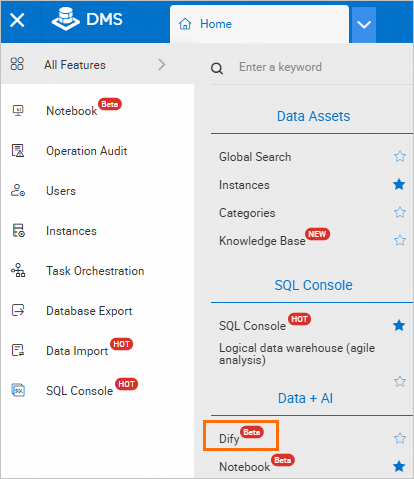
Go to the Workspace Management page. Use one of the following methods: Method 1: Move the pointer over the
 icon in the upper-left corner and choose All Features > Data+AI > Dify. Method 2: In the left-side navigation pane, click the
  icon and then click Workspace.
In normal mode, choose Data+AI > Dify in the top navigation bar.
In normal mode, choose Digital Intelligence Factory > Workspace in the top navigation bar.
Click the name of the target Workspace.
In the left-side navigation pane, choose
 > Dify Resources.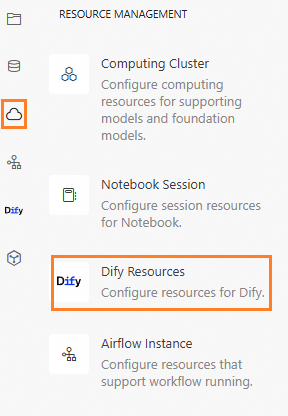
At the top of the page, click Release Computing Resources.
In the dialog box, click Confirm.

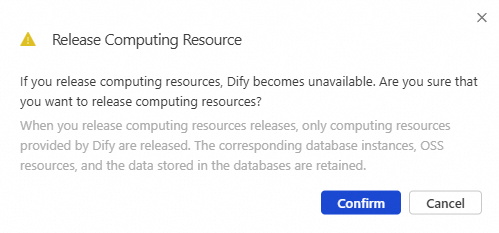
The instance status changes to Resources Released.