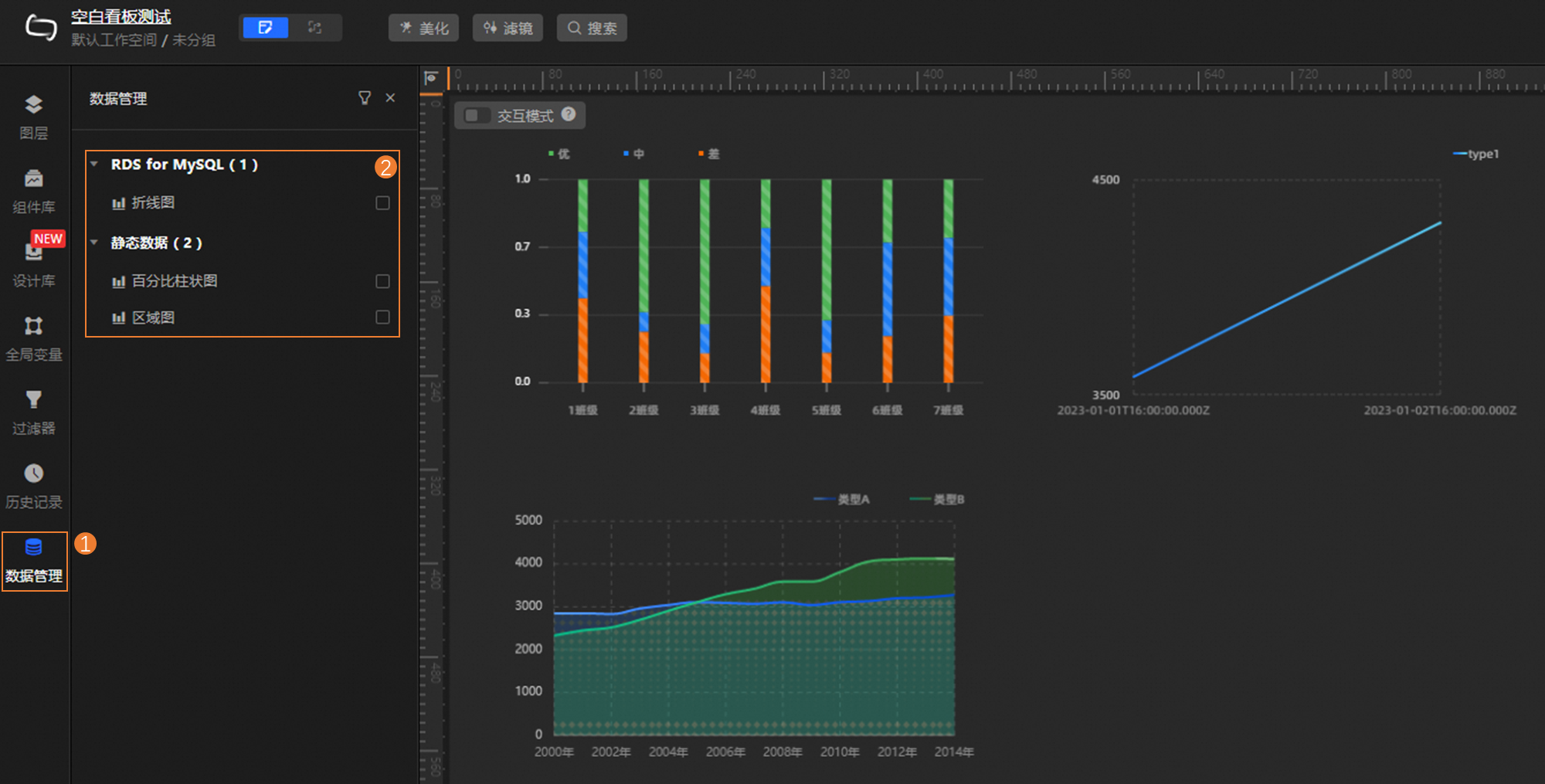
The Data Management feature displays the data source collections used by all widgets in the data source dimension. On this page, you can view or edit the data source configuration, or batch replace the data source types used by target widgets. When you replace a data source at a time, only the data source is changed. For example, the data source is changed from Hologres to RDS for MySQL. The features such as filters and data mappings configured for the data source are applied to the new data source.
Prerequisites
The required data is added as a data source for DataV-Board 7.0. For more information, see Data source classification.
A kanban is created and the corresponding widget is added. For more information, see Create a dashboard and Configure components.
Enter Data Management
Log on to the DataV console.
In the section, move the pointer over the target Kanban and click Edit.
In the left-side navigation pane, click Data Management to go to the Data Management page.
On this page, you can view the data sources that are used by the current dashboard. You can also configure data sources as needed. For more information, see View and configure data sources.
View and configure data sources
View Data Source
On the Data Management page, you can view the types and quantity of all data sources used by the current dashboard, and the components that use the data sources.
Configure data stores
You can configure the information of a single data source as needed or change the information of multiple data sources at a time.
Configure a single data source
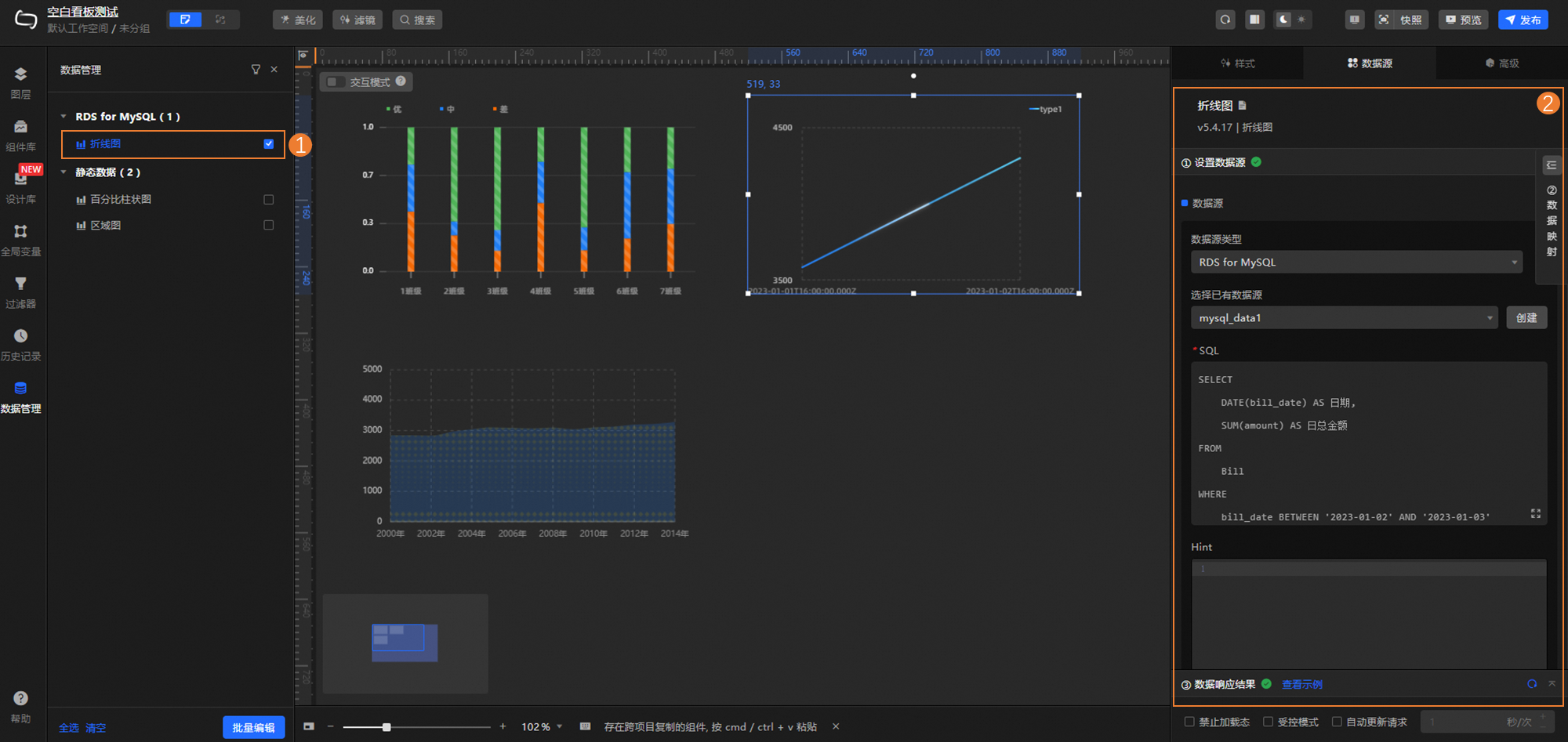
On the Data Source tab on the right side of the page that appears, click a component. On the page that appears, configure the data type, filter, and data mapping of the data source. For more information, see Configure a component data source.
Batch modify data sources
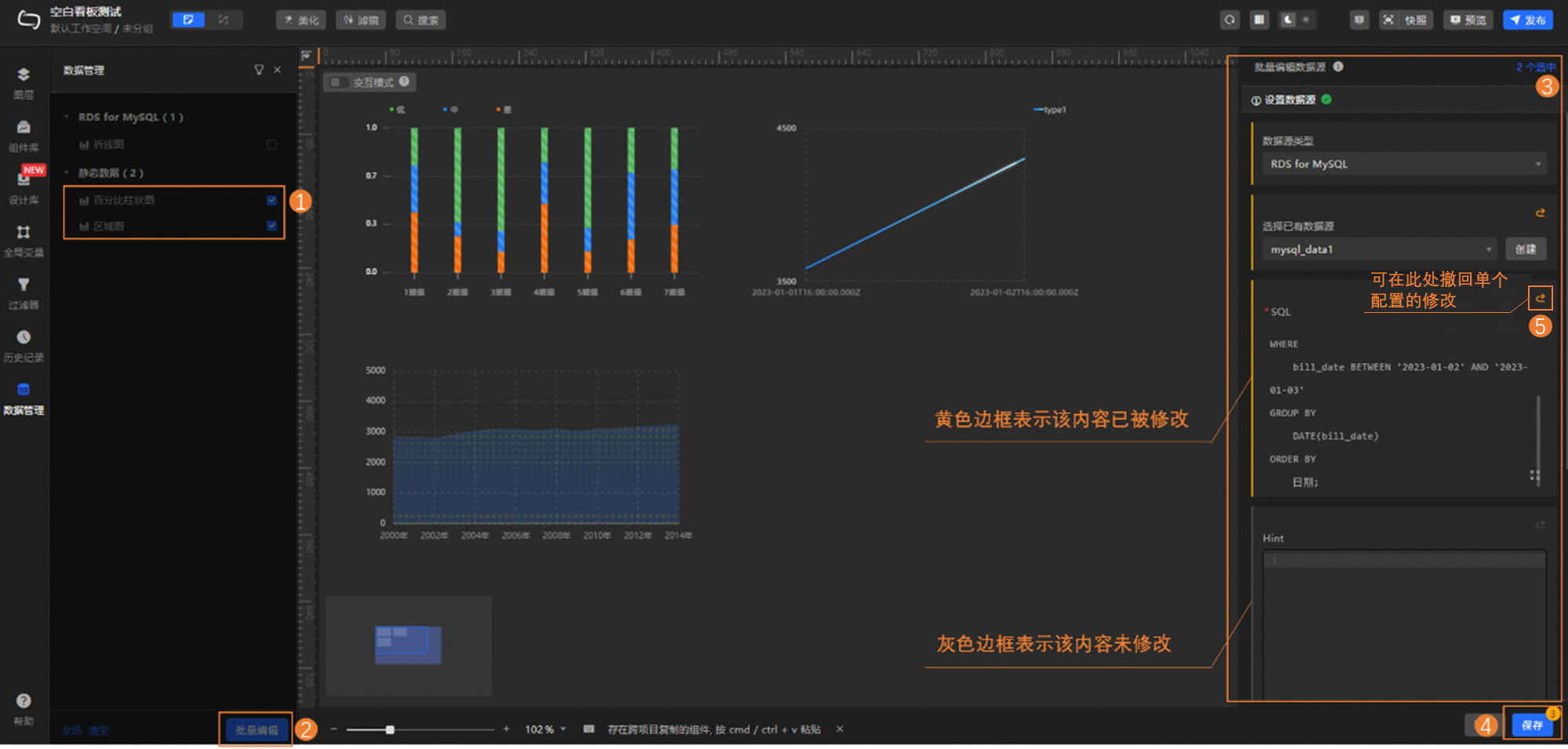
If you want to unify the data sources of multiple components (for example, change all components that use static data to use the same RDS for MySQL database), you can quickly implement batch operations. The following figure shows the procedure.
NoteBatch operations currently only support updating the data source of a data source. The filter and data mapping that have been configured for the data source remain unchanged and will be applied to the new data.