You can add static data files in DataV and use them as data sources for widgets.
Prerequisites
You have prepared the static data file.
Limits
All DataV versions support this feature.
Procedure
Access the DataV console.
-
On the Workbench page, hover over the data dashboard you want to edit and click Edit.
ImportantIf you haven't created a data dashboard on your Workbench page, please see Create a PC Dashboard Using a Template for guidance on creating one.
-
On the canvas editing page, select a widget from the canvas.
If your canvas lacks widgets, please add them first. For more information, see Widget Canvas Operations.
-
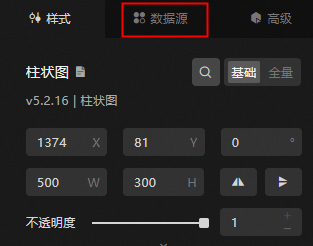
In the widget configuration panel on the right, select Data Source.
-
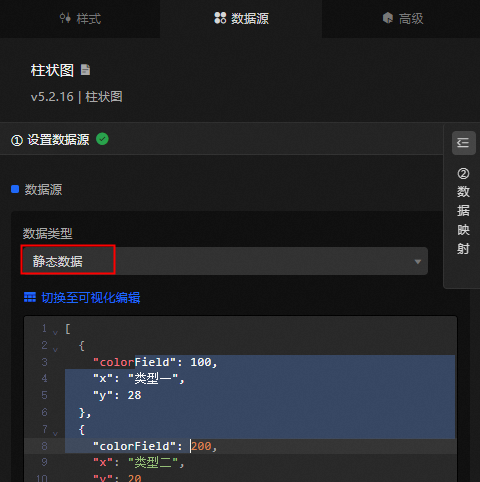
In the Set Data Source module, select Data Source Type as Static Data.
-
Paste the content of the static data file into the designated data editing box.
ImportantEnsure the file size is less than 512 KB.
-
Click View Data Return Result to check the data source's return result format.
What to do next
After you obtain the raw data, see Configure a widget data source to adapt the data for your widgets.
FAQ
For more information, see FAQ about data source configuration and usage.