Security algorithms use hashing, redaction, encryption, and decryption to protect sensitive data such as names and account numbers while preserving the original data format. You can view the built-in security algorithms and test them on the Security Algorithm page.
View security algorithms
-
Navigate to the Dataphin home page, and from the top menu bar, select Administration > Data Security.
-
In the left-side navigation pane, choose General Configuration > Security Algorithm to open the Security Algorithm page.
Parameter
Description
Algorithm Name
The name of the security algorithm.
Algorithm Type
The type of security algorithm.
Function Description
Describes what the algorithm does.
Desensitization Example
An example of how the algorithm masks data.
Implementation Method
The implementation method is categorized into Database Built-in Function and Security Policy Algorithm Package.
-
Database Built-in Function: Uses the database's native functions for data masking. No algorithm package installation is required, but some advanced masking methods may not be supported.
-
Security Policy Algorithm Package: Uses Dataphin's integrated algorithm package for masking or encryption and decryption. You must enable the security policy and install the algorithm package in the project where the task runs. If the package is not installed, the default masking policy is applied.
Corresponding Function/algorithm
Requires installing the security desensitization policy algorithm in the project where the task runs.
-
Security algorithm description
The Security Algorithm page lists the algorithms that Dataphin supports, including hash algorithms, redaction masks, and encryption and decryption algorithms. Review the introduction for each algorithm and select one to test. For more information, see test security algorithms.

To learn how to use the algorithm functions, click Description:
-
Install Asset Security Policy: Desensitization algorithms are security features within the project. Some engines require installing the asset security policy before data can be desensitized. Others use built-in functions and can desensitize data directly. For details, refer to project security policy, desensitization methods supported by different engines.
NoteFor compute engines with built-in functions, such as AnalyticDB for PostgreSQL and Hologres, installing an algorithm package is not necessary.
-
Select Algorithm: Choose an algorithm based on your scenario. For desensitizing sensitive data, consider redaction or hashing algorithms. For encrypted storage and transmission where you need to retrieve the original value, use symmetric or asymmetric encryption algorithms. For more details, see security algorithm description.
-
Register Key: For key-requiring algorithms, such as symmetric encryption, register the key in advance through key management. For more information, see key management.
-
Reference Function: Reference security functions in SQL statements when writing data processing tasks or running ad hoc queries in the development module. You can also select security functions when configuring desensitization rules.
Test security algorithms
-
On the Security Algorithm page, click Test in the operation column of the desired algorithm.
-
In the Test Security Algorithm dialog box, enter the content to test.
For example, to test a security algorithm for Chinese names: enter "Zhang San" in the content to be desensitized, click the arrow
 , and observe "*San" as the output value.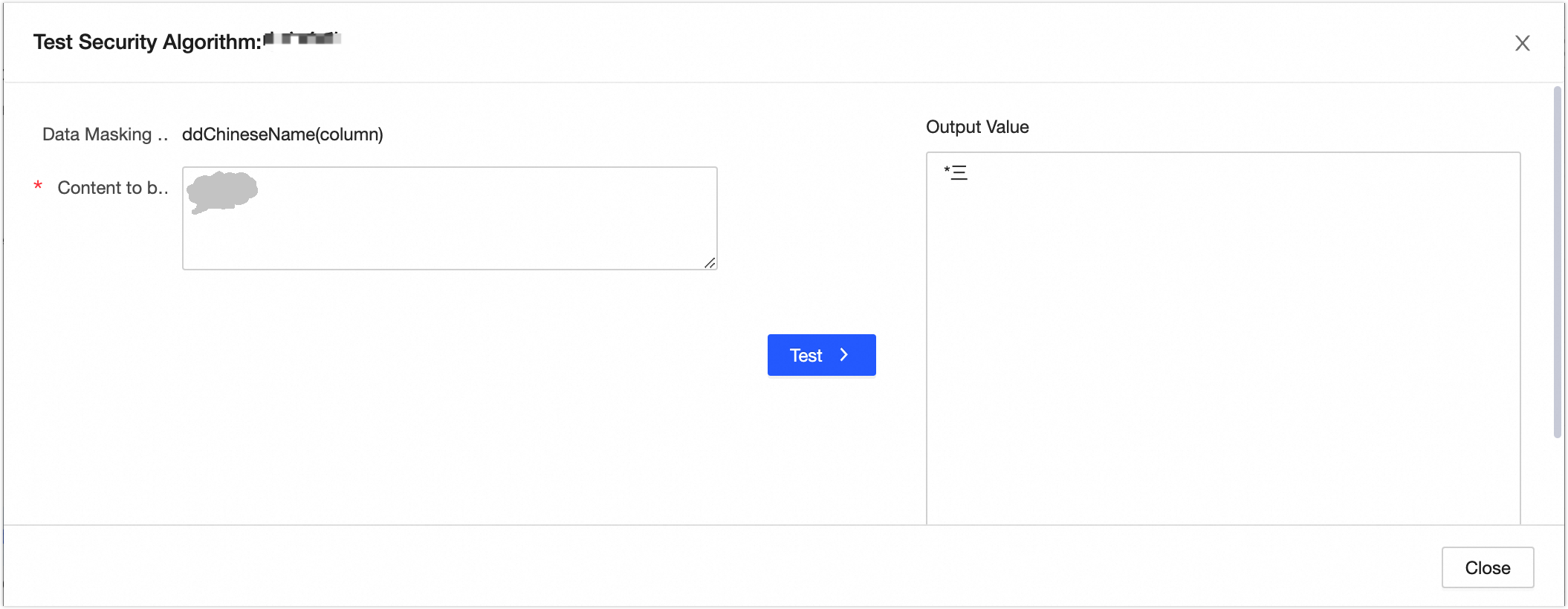
For the DES native encryption algorithm, configure the following parameters:
-
Plaintext: The input length must be a multiple of 8 bytes.
-
Key: For encryption components in integration tasks, use the system-managed key without entering the key value to ensure security. When using the algorithm for encryption and desensitization in a code task, directly input the key value. Enhance key security by using the Account Password type of global variable. Accepts 8-digit numeric or character inputs.
-
Encryption Mode: Supports ECB, CBC, CFB, CTR, OFB modes. Ensure consistency in encryption and decryption settings. For more on encryption and decryption algorithms, see security algorithm example.
-
Padding: Supports NoPadding, PKCS5Padding, PKCS7Padding. Maintain consistency in encryption and decryption configurations.
-
Offset: Also known as IV. Different IVs produce distinct encrypted strings. The IV must be an 8-digit number. Use the same IV for both encryption and decryption.
-
Encoding Format: Converts binary data to a text format for safe transmission, storage, and display across environments. Decode the encoded ciphertext before decryption to restore the original binary data. Supports Base64 and Hex output methods.
Click the arrow
to view the output value.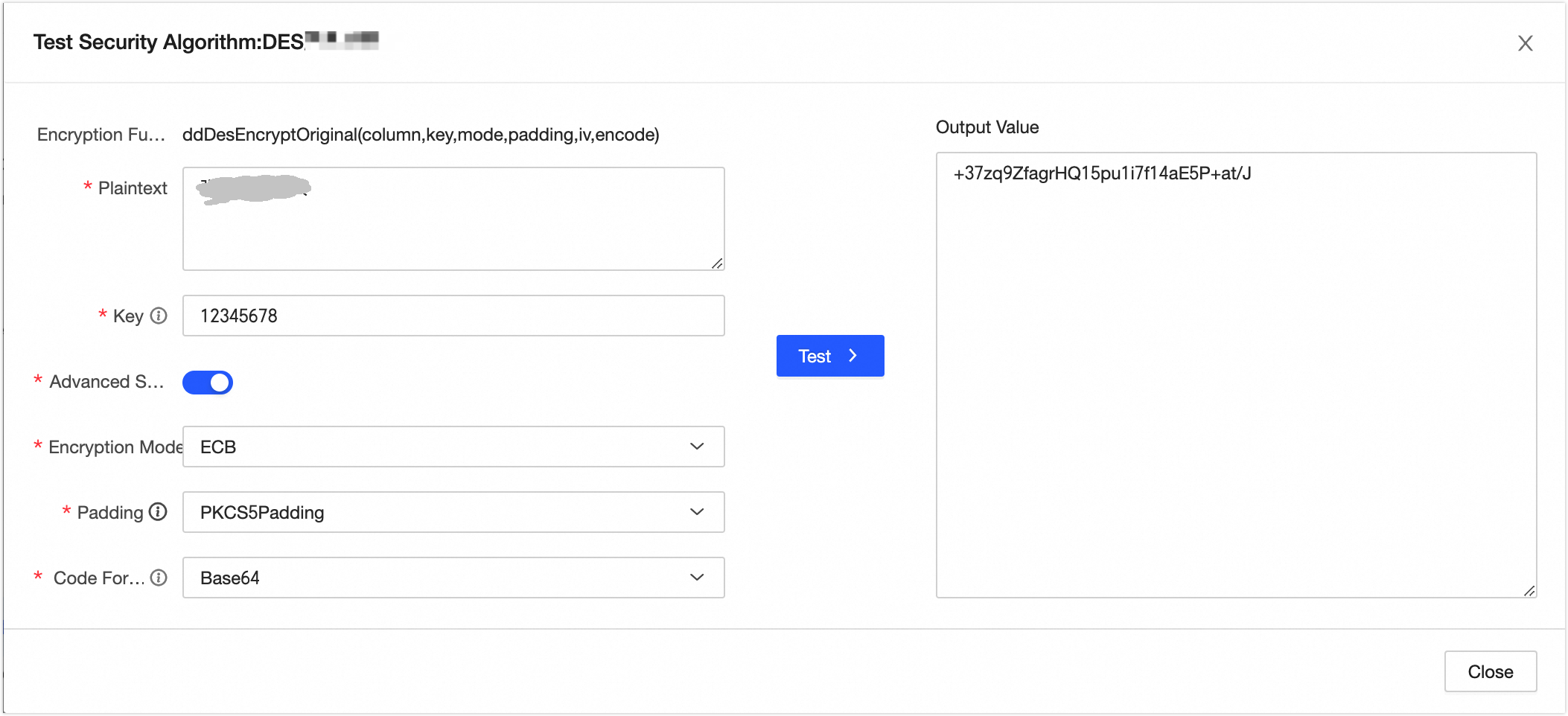
-
-
If the test results meet your expectations, click Close.