The project security workbench provides unified configuration of security policies within a project, including installing and activating asset security policies.
Limits
-
Engines and real-time projects that support only database built-in function masking cannot install project security policies.
-
For systems that support both database built-in function masking and security policy algorithm packages, two options are available:
-
If you use only database built-in functions for masking, you do not need to install project security policies.
-
To use advanced masking functions, you must install project security policies.
-
Permission description
Security administrators can edit project security policies.
Set project security policy
-
Navigate to the Dataphin home page, select Administration > Data Security from the top menu bar.
-
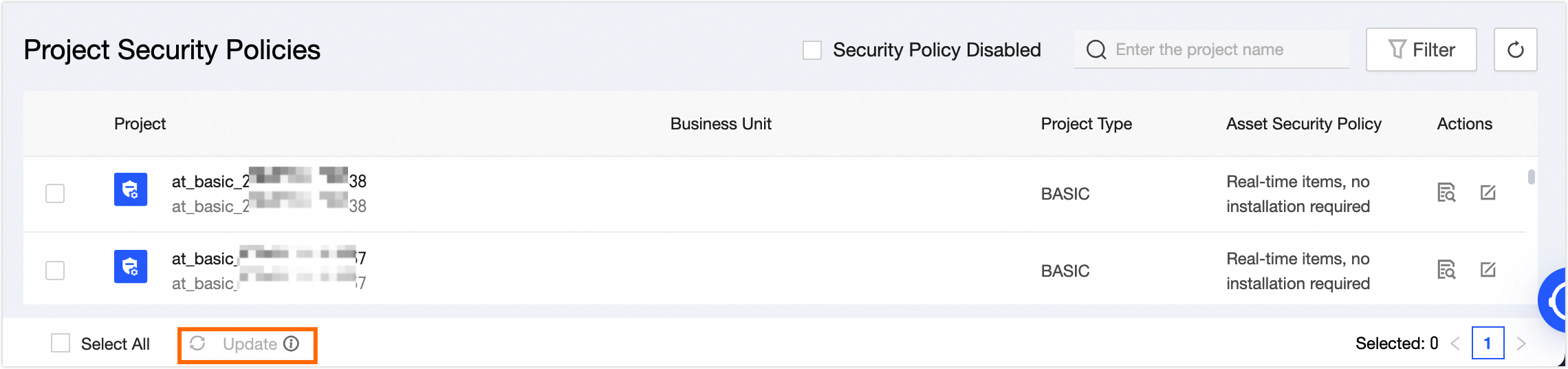
In the left-side navigation pane, choose General Configuration> Project Security Policy to access the Project Security Policy page.
This page shows the security policies of all projects in Dataphin, including the installation and activation status of asset security policies.
-
To edit a project's security policy, click Edit in the operation column for the desired project and make changes in the Edit Project Security Policy dialog box.
Parameter
Description
Project Name
The project names Basic, Dev, and Prod are displayed by default.
Asset Security Policy
After installation, data security policies enable sensitive data detection and masking. Projects automatically install these policies upon creation. You can then update or modify the policy status.
-
To install an asset security policy that has not yet been set up, click Install.
-
For installed asset security policies, you can view the installation log and update to the latest version.
-
If the installation of an asset security policy is in progress (at the project or function level), you can check the installation log and cancel the installation if necessary.
You can batch update multiple pending security policies. Select the policies and click Update at the bottom to install or update them in bulk.
Policy Active Status
Indicates whether the asset security policy is active. When deactivated, the security policy does not take effect.
-
-
To finalize the security policy setup, click OK.