When you create workloads in an Alibaba Cloud Container Compute Service (ACS) cluster, you must specify a container image from an image repository. This topic explains how to select an image through the ACS console or a YAML manifest.
Prerequisites
Before you begin, ensure that you have:
-
An image repository with your container image pushed to it
-
The ACS cluster connected to the image repository
How image pulling works: All images are pulled through the network plane of the ACS cluster. Any image accessible within the virtual private cloud (VPC) of the ACS cluster can be pulled.
To pull images from a public address, the workload must have Internet access. See Associate an exclusive EIP with a pod.
Specify an image using the console
Log on to the ACS console. Go to the Workloads page of your ACS cluster and create a Deployment, StatefulSet, Job, or CronJob. On the Container wizard page, use one of the following methods to select an image.
Method 1: Enter the image name and tag
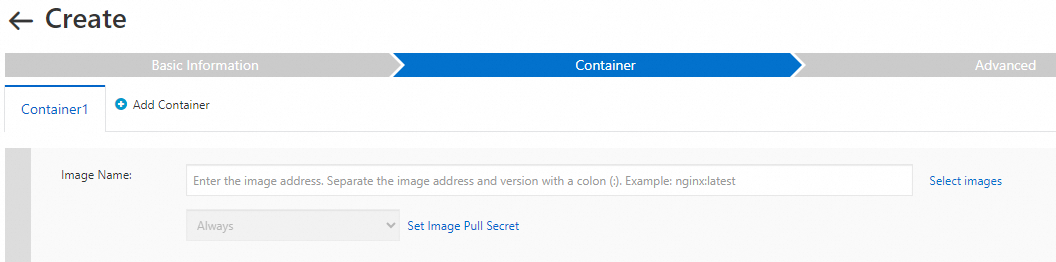
Manually enter the image name and tag. This method works with all image types.
Method 2: Select from an existing image repository
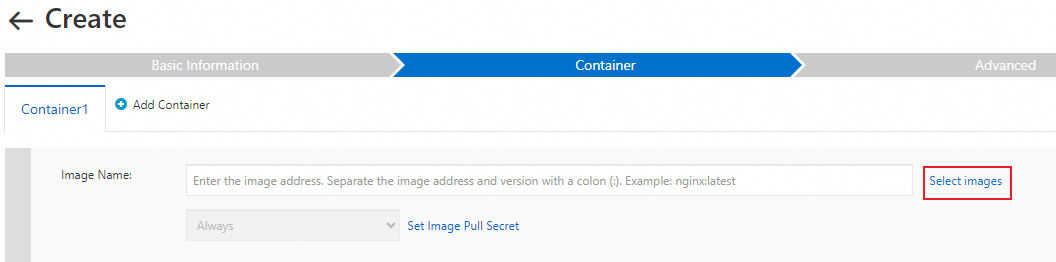
This method works with all image types. Select the repository type that matches your image:
| Repository type | Endpoint options | Reference |
|---|---|---|
| Container Registry Enterprise Edition | VPC endpoint or public endpoint | Create a Container Registry Enterprise Edition instance |
| Container Registry Personal Edition | VPC endpoint or public endpoint | Create a Container Registry Personal Edition instance |
| Artifact Center | Public endpoint (Internet access required) | — |
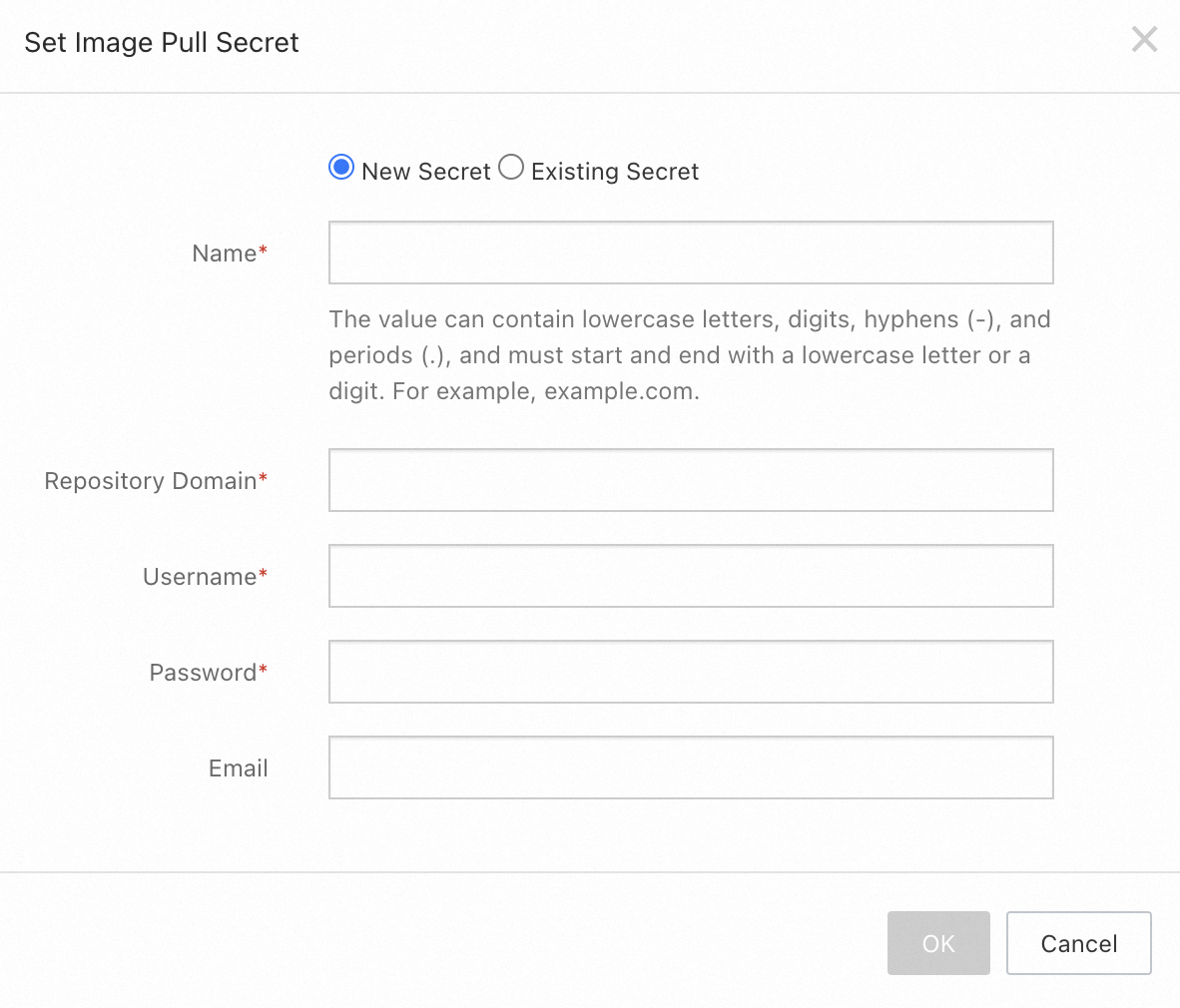
If the repository requires authentication: Specify a Secret. You can specify the Secret when creating the workload, or go to Configurations > Secrets in the ACS cluster to select an existing Secret.
The endpoint you configure for the image repository must match the endpoint in the image address. For example, to pullregistry.cn-hangzhou.aliyuncs.com/acsRepo/privateImage:latest, set the image repository endpoint toregistry.cn-hangzhou.aliyuncs.com.
Specify an image using YAML
When you create an ACS pod using YAML, set the image field to specify the image. A variety of Kubernetes YAML templates are available. The following template creates a pod for a Magic Cube application:
kind: Pod
apiVersion: v1
metadata:
  name: acs-pod
spec:
  tolerations:
  - operator: "Exists"
  containers:
  - name: acs-container
    image: registry.cn-hangzhou.aliyuncs.com/acr-toolkit/cube:1.0
    imagePullPolicy: Always
    resources:
      limits:
        cpu: 1
        memory: "1Gi"
      requests:
        cpu: 1
memory: "1Gi"To ensure the validity of the image, the imagePullPolicy parameter in the pod configuration file is forcefully set to Always.