The following are frequently asked questions (FAQs) about the billing of Cloud Parallel File Storage (CPFS).
How do I stop being charged for CPFS?
CPFS does not support direct service deactivation because this may cause service interruptions. Use the following methods to stop the service and stop incurring charges.
Pay-as-you-go and subscription
For a pay-as-you-go or subscription CPFS file system that is no longer needed, first migrate or verify that the data is no longer in use. Then, unmount the directory from the compute node, log on to the NAS console, and delete the file system. After deletion, no charges are incurred in the next billing cycle. For more information, see Delete a file system.
Resource packages
To stop using a resource package that covers storage capacity costs, unsubscribe from the resource package based on the unsubscription rules. For more information, see Unsubscribe from a CPFS resource package instance.
How is the billable storage capacity of a file system calculated?
CPFS bills storage based on the storage capacity configured during file system creation. For more information, see Billing of CPFS.
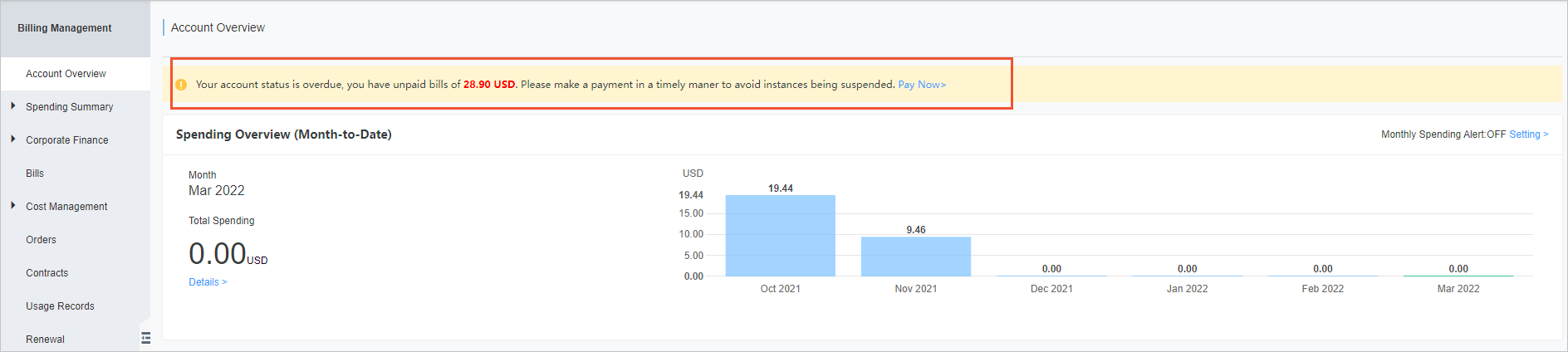
How do I check whether I have overdue payments?
Overdue payments can affect CPFS services. Check for overdue payments on the Overview page of the Billing Management console. If overdue payments exist, add funds to the account promptly.