On the performance monitoring page for a tenant, you can configure key performance metrics in custom monitoring reports to create personalized monitoring views.
Manage tenant custom reports
Go to the OceanBase Management Console.
In the navigation pane on the left, click Instance List.
In the instance list, find the target instance and click the instance name to open the Cluster Instance Workbench.
In the navigation pane on the left, click Tenant Management.
On the Tenant Management page, click the target tenant in the Tenant List.
In the navigation pane on the left of the tenant workbench, click Performance Monitoring.
On the Performance Monitoring page, click the Custom Reports tab.
On the Custom Reports tab, manage your reports.
View a custom report
On the Custom Reports tab, select the report that you want to view from the Select Report list.
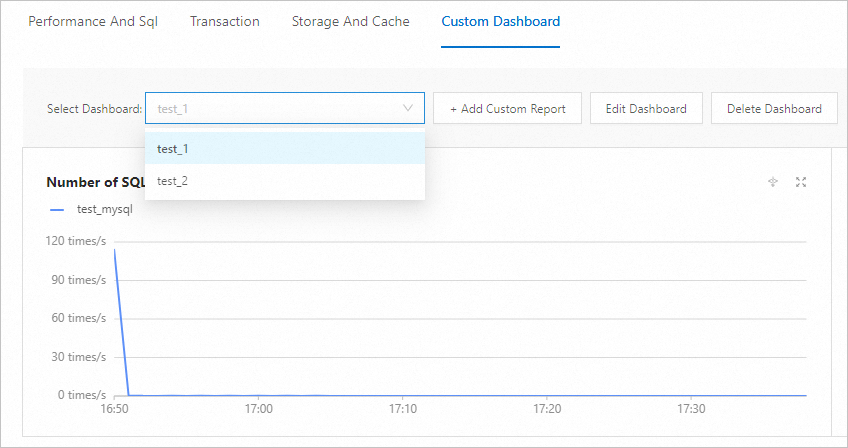
Add a custom report
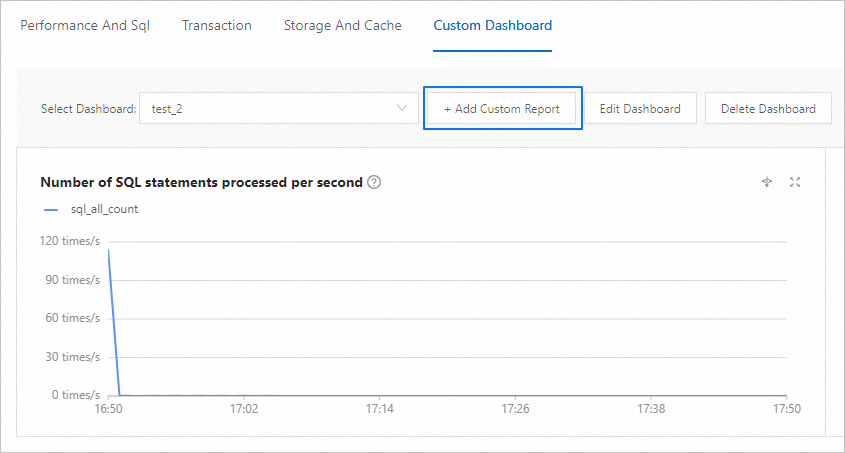
On the Custom Reports page, click Add Custom Report.
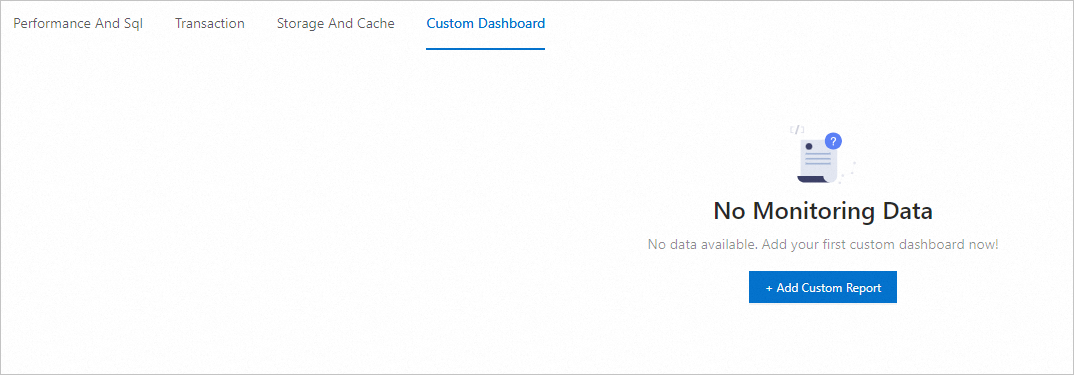
If you are creating a custom report for the first time, the page appears as follows:
If custom reports already exist, the page appears as follows:
Enter a report name and select monitoring metrics. For more information about the monitoring metrics, see Monitoring metrics checklist.
NoteThe report name cannot exceed 20 characters.
You can create a maximum of 7 custom monitoring reports.

Click OK.
Edit a custom report
On the Custom Reports page, select the report that you want to edit.
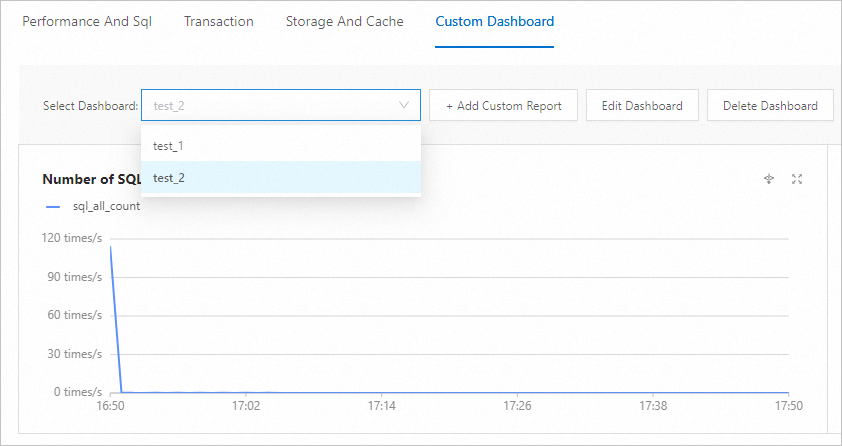
Click Edit Current Report.
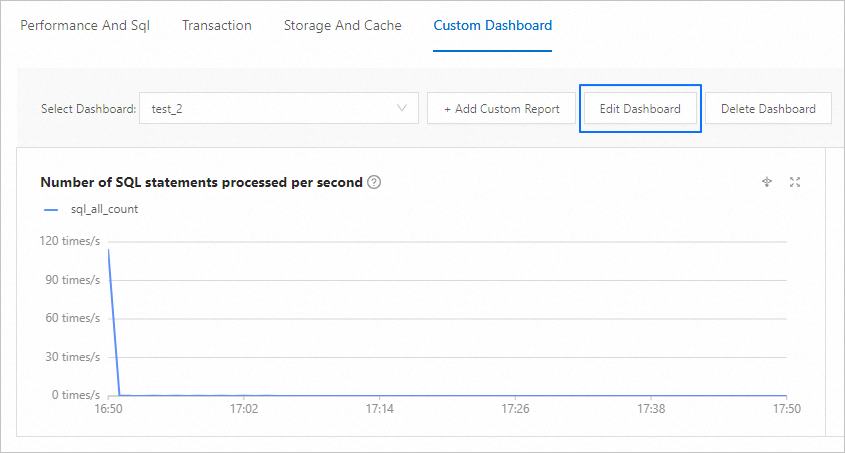
On the Edit Custom Report page, edit the report name and metrics. For more information about the monitoring metrics, see Monitoring metrics checklist.
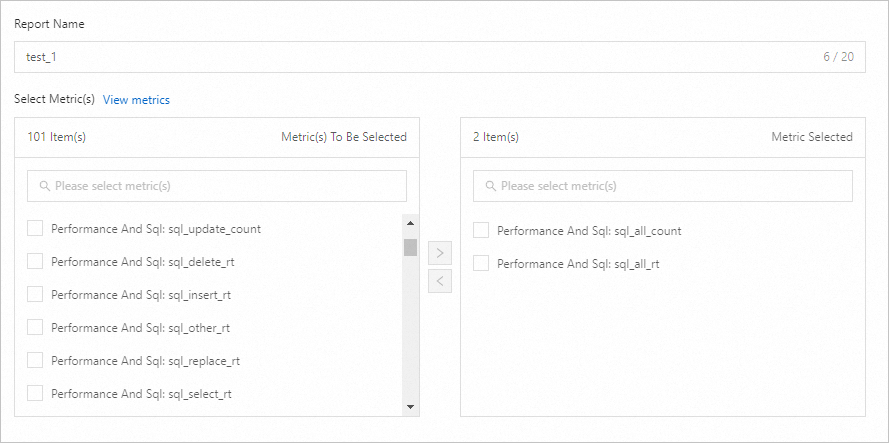
Click OK.
Delete a custom report
On the Custom Reports page, select the report to modify.
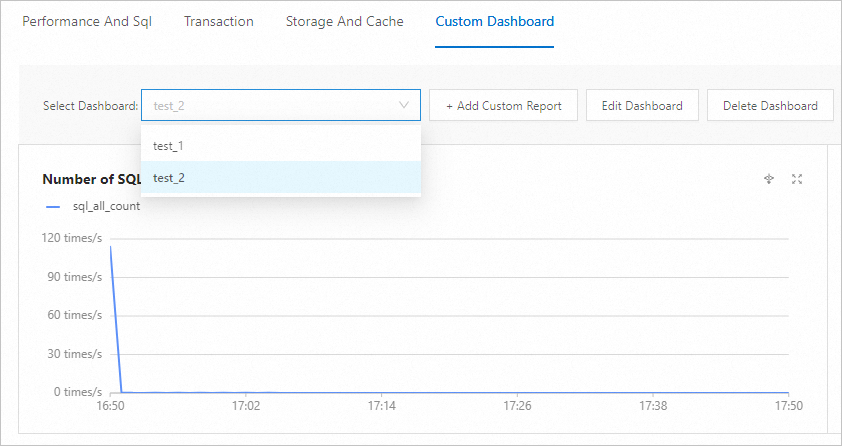
Click Delete Current Report.
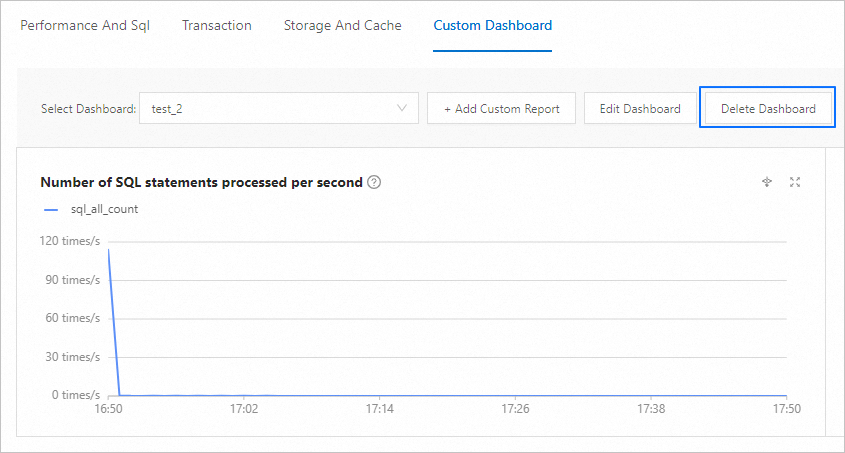
In the confirmation dialog box, click OK.

Monitoring metrics checklist
Metric Classification | Metric Name | Description |
Performance and SQL | sql_all_count | Number of SQL statements processed per second |
sql_delete_count | Number of DELETE statements processed per second | |
sql_insert_count | Number of INSERT statements processed per second | |
sql_other_count | Number of other statements, such as DDL, DCL, and DTL statements | |
sql_replace_count | Number of REPLACE statements processed per second | |
sql_select_count | Number of SELECT statements processed per second | |
sql_update_count | Number of UPDATE statements processed per second | |
sql_all_rt | Average processing time of SQL statements | |
sql_delete_rt | Average processing time of DELETE statements | |
sql_insert_rt | Average processing time of INSERT statements | |
sql_other_rt | Average processing time of other statements, such as DDL, DCL, and DTL statements | |
sql_replace_rt | Average processing time of REPLACE statements | |
sql_select_rt | Average processing time of SELECT statements | |
sql_update_rt | Average processing time of UPDATE statements | |
active_session | Number of active sessions | |
all_session | Number of current sessions | |
sql_distributed_count | Number of distributed execution plans processed per second | |
sql_local_count | Number of local executions per second | |
sql_remote_count | Number of remote execution plans processed per second | |
system_event_internal_total_waits | Number of internal wait events per second | |
system_event_io_total_waits | Number of I/O wait events per second | |
system_event_latch_total_waits | Number of latch wait events per second | |
system_event_other_total_waits | Number of other wait events per second | |
system_event_row_lock_wait_total_waits | Average lock wait time | |
system_event_sync_rpc_total_waits | Average latency of wait events for synchronous RPCs | |
wait_event_count | Number of wait events per second | |
system_event_internal_time_waited | Average internal wait event time | |
system_event_io_time_waited | Average I/O wait event time | |
system_event_latch_time_waited | Average latch wait event time | |
system_event_other_time_waited | Average time for other wait events | |
system_event_row_lock_wait_time_waited | Average lock wait time | |
system_event_sync_rpc_time_waited | Average synchronous RPC wait event time | |
wait_event_rt | Average wait event time | |
request_dequeue_count | Number of requests dequeued from the processing queue | |
request_enqueue_count | Number of requests enqueued into the processing queue | |
request_queue_time | Time that SQL statements wait in the queue | |
ob_cpu_percent | CPU utilization | |
ob_thread_cpu_percent | Thread CPU utilization | |
memstore_percent | MEMStore usage percentage | |
rpc_packet_in_rt | Average time to receive RPC packages | |
rpc_packet_out_rt | Average time to send RPC packages | |
rpc_packet_in | Throughput of received RPC packages | |
rpc_packet_out | Throughput of sent RPC packages | |
opened_cursors_count | Number of open cursors | |
slow_sql_count | Number of slow SQL statements | |
Transactions | transaction_commit_count | Number of transactions committed per second |
transaction_count | Number of transactions processed per second | |
transaction_rollback_count | Number of transactions rolled back per second | |
transaction_timeout_count | Number of timed-out transactions per second | |
transaction_commit_rt | Average transaction commit time | |
transaction_rollback_rt | Average transaction rollback time | |
transaction_rt | Average transaction processing time | |
trans_commit_log_count | Number of transaction logs committed per second | |
clog_trans_log_total_size | Size of transaction logs committed per second | |
memstore_write_lock_fail_count | Number of failed write lock waits | |
memstore_write_lock_succ_count | Number of successful write lock waits | |
memstore_write_lock_wait_time | Average write lock wait time | |
transaction_multi_partition_count | Number of distributed transactions per second | |
transaction_single_partition_count | Number of regular transactions per second | |
trans_commit_log_sync_rt | Average network sync time per transaction log | |
Storage and Cache | active_memstore_used | Size of the active MEMStore |
major_freeze_trigger | Merge trigger threshold | |
memstore_limit | MEMStore limit | |
total_memstore_used | Total size of the MEMStore | |
io_read_count | Number of reads from SSStore per second | |
io_write_count | Number of writes to SSStore per second | |
io_read_rt | Average time per read from SSStore | |
io_write_rt | Average time per write to SSStore | |
io_read_size | Data volume read from SSStore per second | |
io_write_size | Data volume written to SSStore per second | |
block_cache_size | Block cache size | |
bloom_filter_cache_size | Bloom filter cache size | |
clog_cache_size | Clog cache size | |
location_cache_size | Location cache size | |
plan_cache_size | Execution plan cache size | |
row_cache_size | Row cache size | |
block_cache_hit_ratio | Block cache hit ratio | |
bloom_filter_cache_hit_ratio | Bloom filter cache hit ratio | |
clog_cache_hit_ratio | Clog cache hit ratio | |
location_cache_hit_ratio | Location cache hit ratio | |
plan_cache_hit_ratio | Execution plan cache hit ratio | |
row_cache_hit_ratio | Row cache hit ratio | |
block_cache_req_total | Number of block cache requests | |
bloom_filter_cache_req_total | Number of bloom filter cache requests | |
clog_cache_req_total | Number of Clog cache requests | |
location_cache_req_total | Number of location cache requests | |
row_cache_req_total | Number of row cache requests | |
ob_tenant_binlog_disk_used | Disk usage of binary logs (binlogs) | |
ob_tenant_memory_percent | Memory usage of the OceanBase tenant |