The Audio/Video Terminal SDK, also known as the MediaBox Audio/Video SDK, integrates live stream ingest, video playback, short video creation, retouching and effects, and audio effects into a single SDK. It supports mobile, desktop, and web clients, and ships with open-source UI components and a production-level demo for rapid, low-code integration.
Architecture
Built on ApsaraVideo Live, ApsaraVideo VOD, and Intelligent Media Services, the SDK covers core live streaming and VOD workflows: recording, editing, uploading, stream ingest, and playback. It integrates client-side retouching, effects, and audio/video AI. A production-level demo and AUI Kits enable rapid, low-code integration.

Benefits
-
All-in-one SDK integration
-
Integrates core live streaming and VOD features while reusing shared components to reduce package size.
-
Integrate multiple modules at once to cut development time and cost.
-
-
Individual SDK integration
Freely combine and package modules to fit your scenarios.
-
Production-level demo
Full-featured live streaming and VOD capabilities for quick integration.
-
Diverse services
A comprehensive metrics system ensures service quality. Audio/video AI improves media utilization and distribution.
-
Stable features
Battle-tested with hundreds of millions of requests for stable, smooth playback.
Demo
The MediaBox Audio/Video SDK demo provides a production-level interactive UI and source code for rapid integration. Download the demo and view instructions in Demo experience.
Scenarios
Audio and video playback
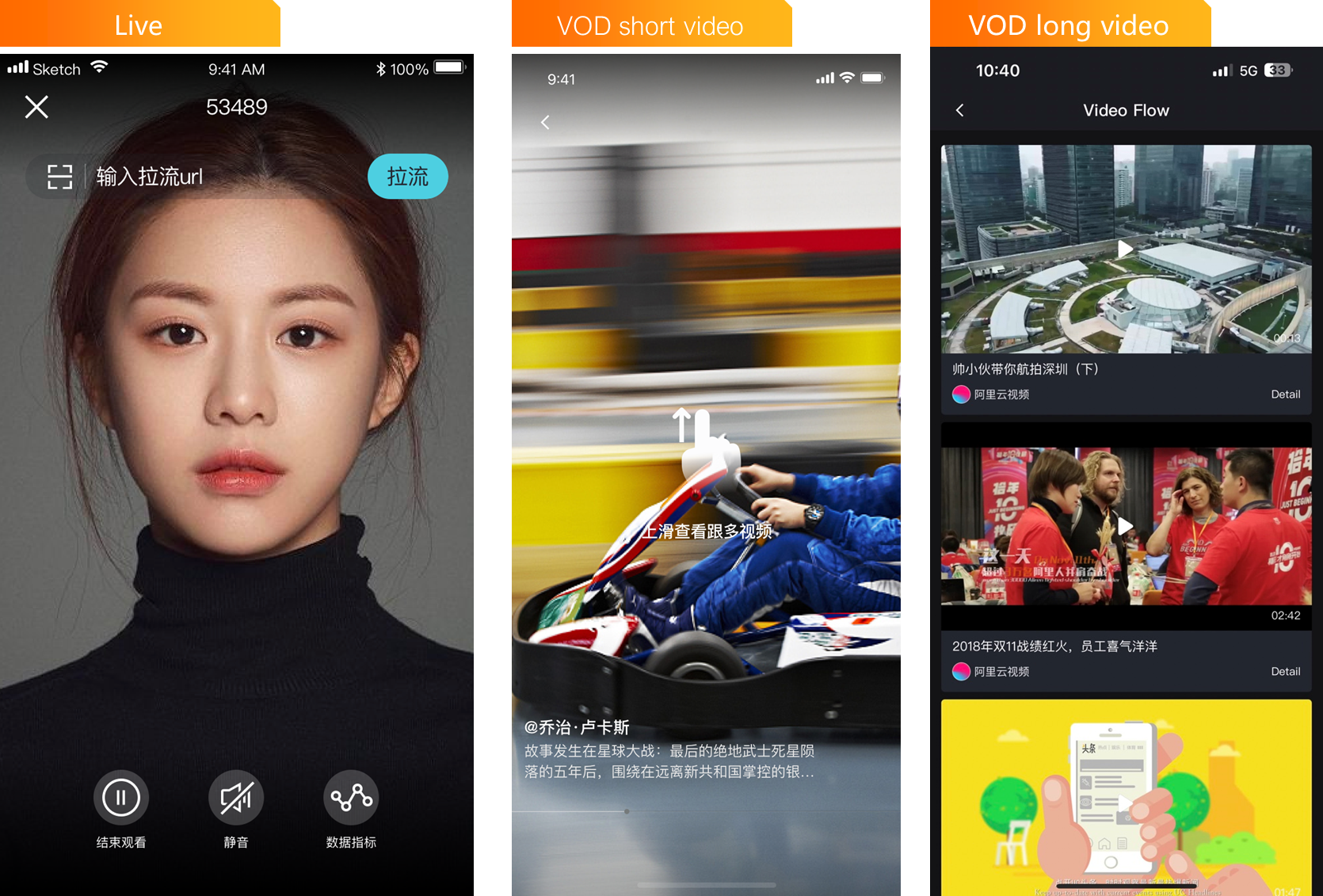
Stable, high-performance, cross-platform decoding for live streaming, VOD, and audio playback.
|
Scenario |
Description |
|
Short video |
Network optimization, preloading, and local caching achieve first-frame playback in seconds for a smooth experience. |
|
Long-form video |
Adaptive bitrate streaming, pitch-preserving speed control, and client-side quality enhancement. Cloud-powered features include progress bar thumbnails, non-invasive live comments, ASS captions, and multi-layer security. |
|
Online education |
Full cross-platform support: mobile (Android, iOS), desktop (Windows, macOS, Linux), and cross-platform (Web, Flutter). Supports standard, private, and DRM encryption for copyright protection. |
|
Live streaming and live-to-VOD |
Supports common live and VOD protocols with seamless integration into live streaming services. Features include time shifting, pseudo-live streaming, and live-to-VOD playback. |
Live stream ingest and interactive streaming
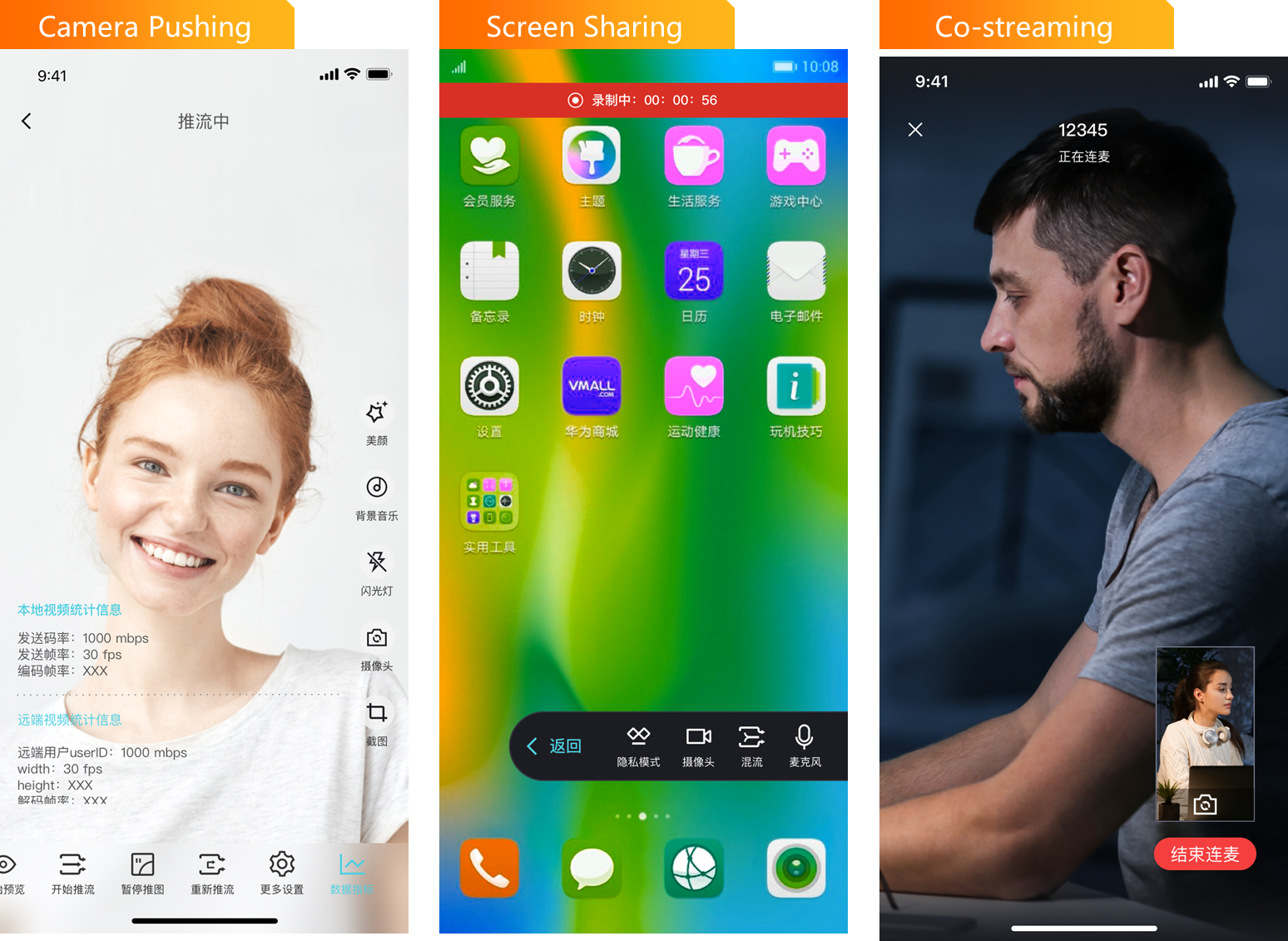
Optimized for transmission speed and network resilience, the SDK delivers stable, high-speed live streaming for education, entertainment, gaming, and interactive use cases.
|
Use cases |
Description |
|
Educational live streaming |
Interactive message SDK for real-time text interaction. Push SDK lets teachers answer student questions anytime, anywhere. Cloud recording and transcoding let students review lessons on demand. |
|
Entertainment live streaming |
Real-time chat, likes, and virtual gifts for streamer-viewer interaction. Content moderation for pornography and terrorism with automated review to reduce costs. |
|
Game live streaming |
Screen recording merges game footage with the camera feed for streaming. The interactive message SDK enables chat, likes, and gifts. Live recording lets viewers replay highlights. |
|
Interactive streaming |
Ultra-low latency real-time audio and video with multi-screen interactions: streamer-to-streamer, streamer-to-viewer, and cross-channel. Interactive streams can be distributed to non-participating viewers at scale. |
Short video creation
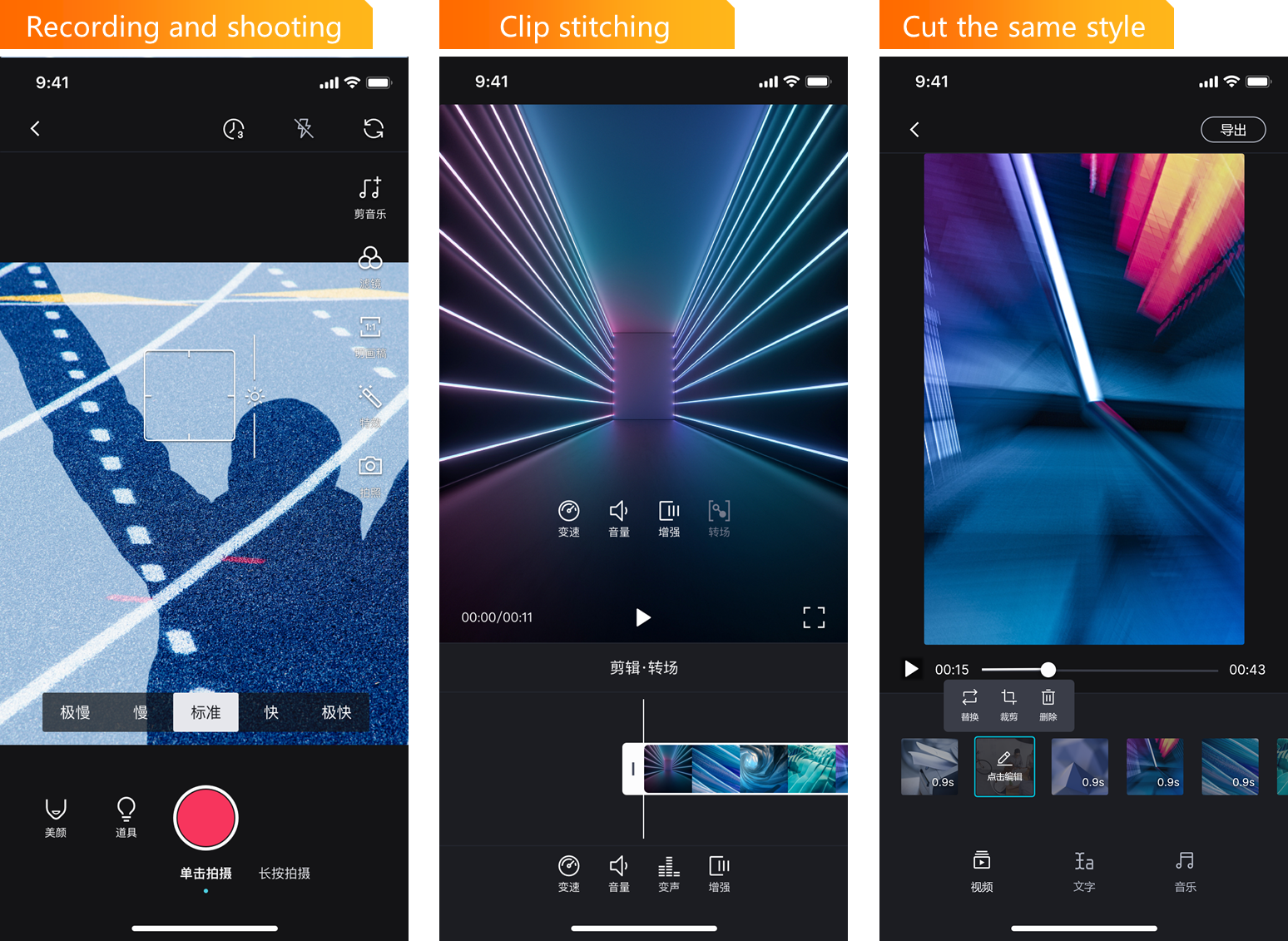
Quickly launch short video recording, editing, and playback for entertainment, social media, education, news, and e-commerce.
|
Scenario |
Description |
|
Short video for news and information |
Mobile recording for real-time news capture. Integrated editing, uploading, transcoding, storage, and cloud editing enable rapid production and publishing. |
|
Short video for social and entertainment |
Quick mobile recording with retouching, filters, stickers, captions, and music. Supports fast uploads and real-time sharing. |
|
Short video for e-commerce products |
Quick recording and production to showcase products. Combined with animated images, captions, music, object recognition, intelligent recommendations, and "watch and buy" to increase conversion rates. |
Features
All-in-one SDKs
The MediaBox Audio/Video SDK offers four all-in-one SDKs for different scenarios: Basic Live, Interactive Live, Short Video, and Standard.
|
All-in-one SDK |
Basic Live SDK |
Interactive Live SDK |
Short Video SDK |
Standard All-in-one SDK |
|
SDK name |
AliVCSDK_BasicLive |
AliVCSDK_InteractiveLive |
AliVCSDK_UGC |
AliVCSDK_Standard |
|
Included SDKs |
|
|
|
|
|
Scenarios |
Live streaming scenarios such as online education and music lessons. |
Beyond basic live streaming, provides stable point-to-point and multi-party real-time audio and video calls, including audio-only interactions. |
End-to-end short video creation with smooth, high-definition playback. |
Covers lifestyle, online education, video social networking, and game entertainment. Includes retouching, face shaping, makeup, filters, and stickers for creative live streaming and video production. |
Individual module SDKs
Individual module SDKs include the Player SDK, Push SDK, Short Video SDK, and Queen SDK.
|
Feature |
Player SDK |
Push SDK |
ARTC SDK |
Short Video SDK |
Queen SDK |
|
Start streaming |
Supported |
||||
|
Supported (Interactive Edition) |
Supported |
|||
|
Audio/video calls |
Supported |
||||
|
Video recording |
Supported |
||||
|
Video editing |
Supported |
||||
|
Video upload |
Supported |
||||
|
Live playback |
Supported |
||||
|
VOD playback |
Supported |
||||
|
Retouching and effects |
Supported |
||||
|
Gesture recognition |
Supported |
||||
|
Smart matting |
Supported |
Select the SDK or combination that fits your needs from Select and download SDKs. The Standard All-in-one SDK of the MediaBox Audio/Video SDK resolves dependency conflicts that can occur when integrating multiple individual SDKs.
License management
The Player SDK for mobile, Queen SDK, and certain other SDKs are paid. Other SDKs are free but require a license. Purchase from the Audio/Video Terminal SDK purchase page. Package deals are available. Pricing details: Player SDK billing. License setup: Apply a license.