An AccessKey pair is a permanent access credential that lets tools like APIs, CLIs, SDKs, and Terraform authenticate to Alibaba Cloud programmatically. It cannot be used to log on to the console.
Each AccessKey pair consists of two components:
| Component | Purpose |
|---|---|
| AccessKey ID | Identifies the user |
| AccessKey secret | Verifies the user's identity and signs requests |
Both components are generated by Resource Access Management (RAM) and encrypted during storage and transmission.
Avoid creating AccessKey pairs for your Alibaba Cloud account. A leaked credential exposes all resources under the account. Use a RAM user with scoped permissions instead.
Create an AccessKey pair for a RAM user
Use this procedure if you are an Alibaba Cloud account owner, a RAM administrator, or a RAM user with permissions to manage AccessKey pairs.
Prerequisites
Before you begin, ensure that you have:
An Alibaba Cloud account, RAM administrator access, or a RAM user account with permissions to manage AccessKey pairs. To grant a RAM user these permissions, see Manage security settings of RAM users
Limits
The AccessKey secret is shown only once, at creation time. Save it immediately — it cannot be retrieved later.
Each RAM user can have a maximum of two AccessKey pairs.
Steps
Log on to the RAM console.
In the left-side navigation pane, choose Identities > Users.
On the Users page, click the username of the RAM user.
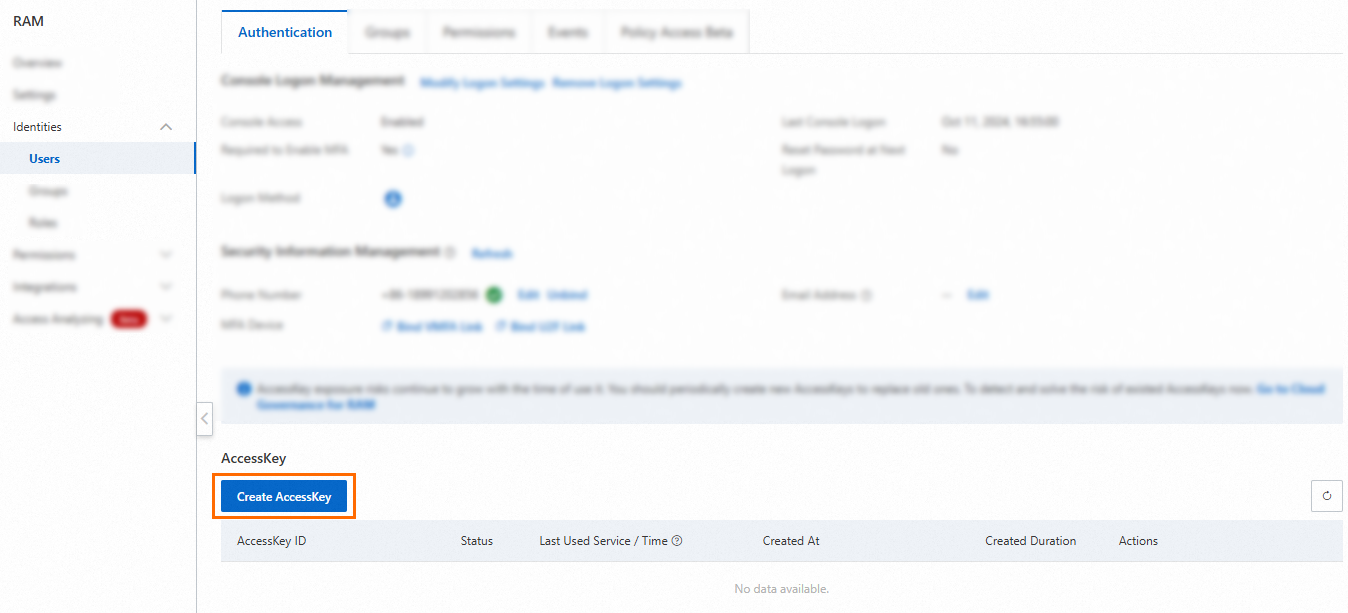
On the Authentication tab, go to the AccessKey section and click Create AccessKey.
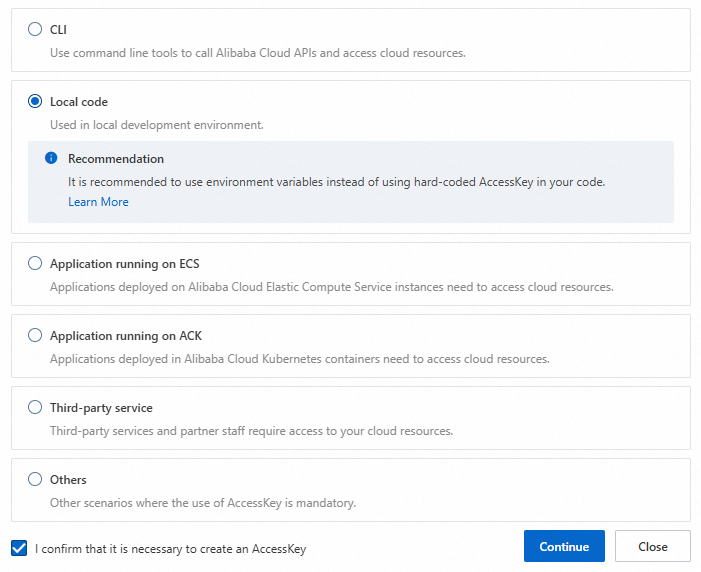
Review the credential options for your use case. If an AccessKey pair is required, select a scenario, select I confirm that it is necessary to create an AccessKey, and click Continue.
NoteBefore proceeding, review the alternative credential options shown in the dialog. Temporary credentials (such as RAM roles) are more secure than long-term AccessKey pairs.
In the Create AccessKey dialog box, copy and save both the AccessKey ID and AccessKey secret, then click OK.

Create an AccessKey pair for an Alibaba Cloud account
Creating AccessKey pairs for an Alibaba Cloud account is not recommended. A leaked credential gives full access to all resources under the account. Use a RAM user with scoped permissions instead.
Use this procedure only if your use case requires a root account credential.
Limits
The AccessKey secret is shown only once, at creation time. Save it immediately — it cannot be retrieved later.
Each Alibaba Cloud account can have a maximum of five AccessKey pairs.
Steps
Log on to the Alibaba Cloud Management Console with your Alibaba Cloud account.
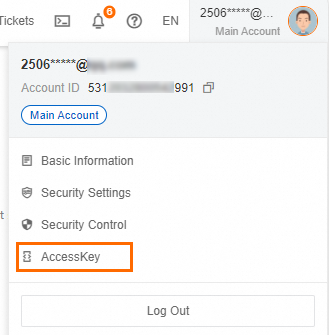
In the upper-right corner, move the pointer over your profile picture and click AccessKey.
In the Main Account AccessKey is not recommended dialog box, select I am aware of the security risks of using a main account AccessKey, then click use Main Account AccessKey.

On the AccessKey page, click Create AccessKey.

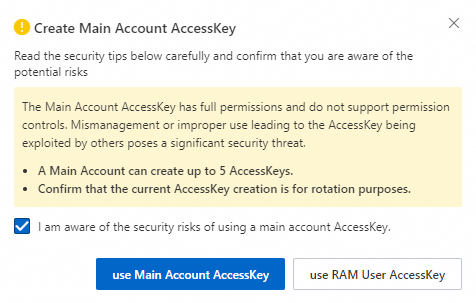
In the Create Main Account AccessKey dialog box, select I am aware of the security risks of using a main account AccessKey, then click use Main Account AccessKey.
In the Create AccessKey dialog box, copy and save both the AccessKey ID and AccessKey secret, select I have saved the AccessKey Secret, then click OK.
