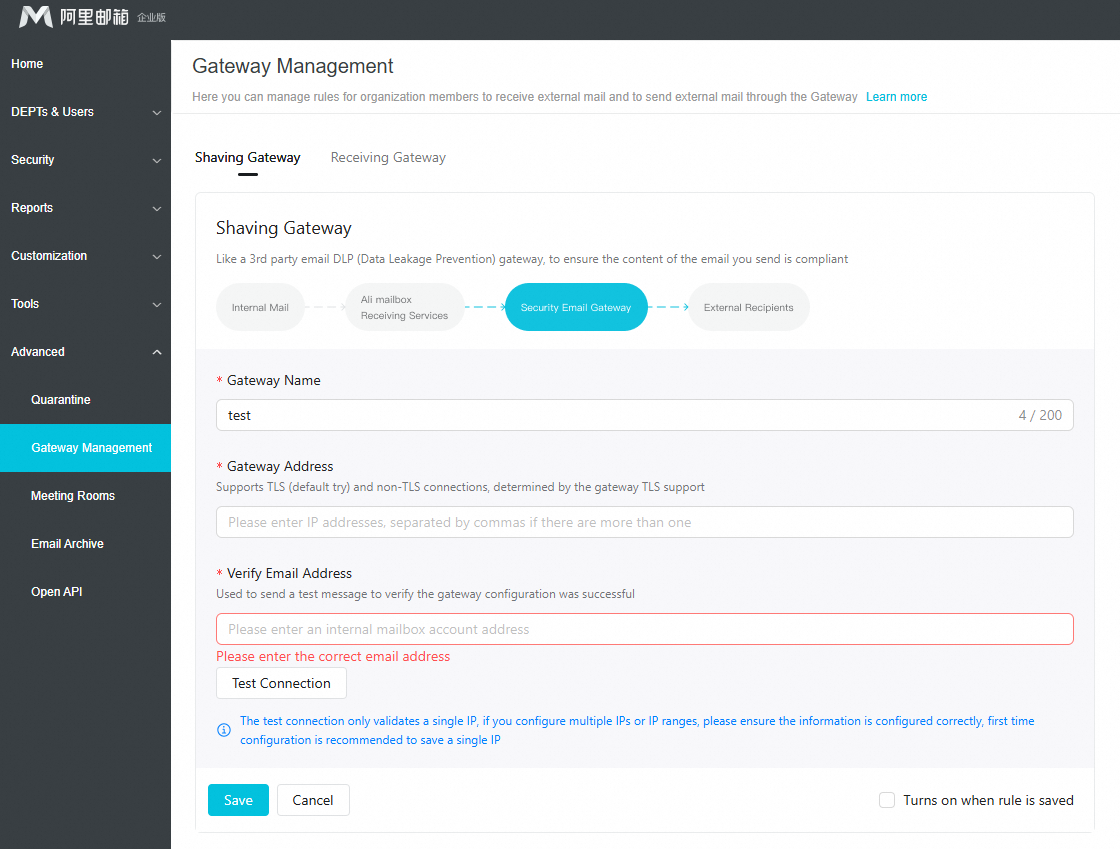
You can manage rules for routing emails through a third-party gateway when organization members send or receive external emails.
This feature is available only in the AI Premium Edition. For more information, see Version comparison.
Important: Confirm before enabling a third-party gateway
Enabling a third-party gateway immediately affects email delivery paths. An incorrect configuration can cause email sending and receiving to fail. Carefully check and confirm that all configuration information is correct. Perform this operation during off-peak hours to monitor and handle potential issues promptly.
Log on to Alibaba Mail with an administrator account. Go to Domain Management > Advanced Applications > Third-party Gateway Management.
Sending Gateway
You can use a third-party Data Loss Prevention (DLP) gateway to ensure that outgoing emails comply with content policies.

Enter the Gateway Name, Gateway Address, and Verification Email Address. After the Test Connection succeeds, turn on the enable switch and click Save.
Gateway Name: Up to 200 characters.
Gateway Address: Supports TLS (attempted by default) and non-TLS connections, depending on the gateway's TLS support. If you enter multiple IP addresses, separate them with commas.
Verification Email Address: The email address used to send a test email to verify the gateway configuration.
Test Connection: The connection test verifies only a single IP address. If you configure multiple IP addresses or an IP range, ensure that the information is correct. For the initial configuration, save only a single IP address.
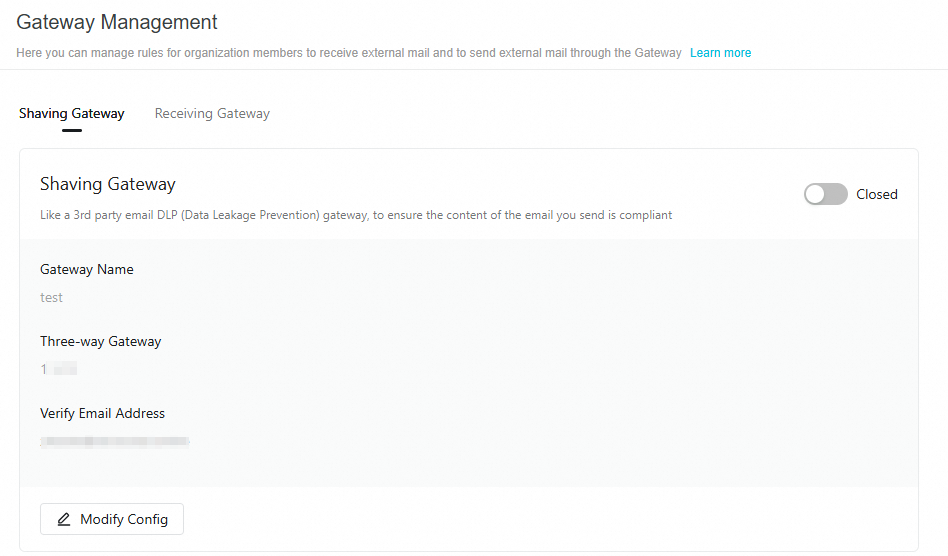
After saving, you can also disable or modify the configuration.
Receiving Gateway
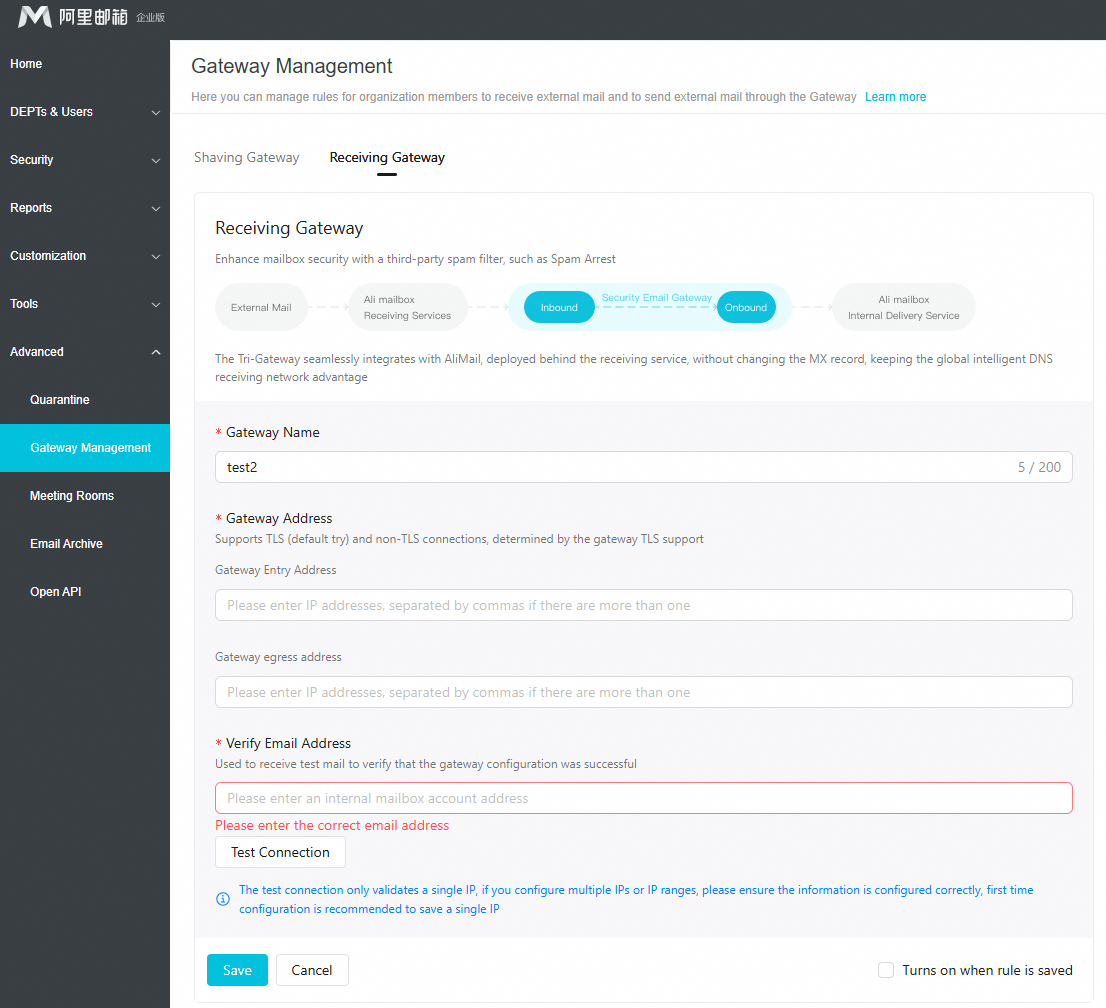
You can use a third-party anti-spam gateway to enhance mailbox security.

Third-party gateways integrate seamlessly with Alibaba Mail. They are deployed behind the mail receiving service, so you do not need to modify your MX record. This setup retains the advantages of the global intelligent DNS network for receiving mail.
Enter the Gateway Name, Gateway Address (Gateway Ingress Address and Gateway Egress Address), and Verification Email Address. After the Test Connection succeeds, turn on the enable switch and click Save.
Gateway Name: Up to 200 characters.
Gateway Address: Supports TLS (attempted by default) and non-TLS connections, depending on the gateway's TLS support. If you enter multiple IP addresses, separate them with commas.
Verification Email Address: The email address used to send a test email to verify the gateway configuration.
Test Connection: The connection test verifies only a single IP address. If you configure multiple IP addresses or an IP range, ensure that the information is correct. For the initial configuration, save only a single IP address.
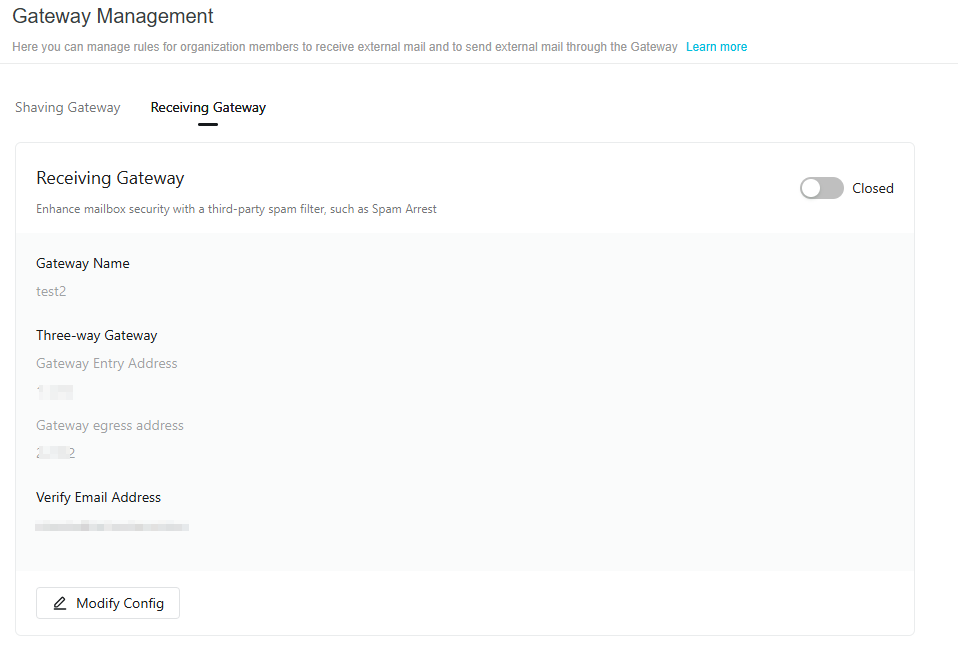
After saving, you can also disable or modify the configuration.