Description
When using Alibaba Mail, you will find that there will be a delay in receiving letters from third-party clients.
Cause
When you use third-party email clients (Foxmail, Outlook, etc.) to receive messages through the POP3 protocol, it will initiate a receiving instruction to the mailbox server. After successfully passing the server authentication, it will synchronize the existing messages of the mailbox server to the client. Common clients can customize the receiving frequency so as to receive emails to the client at regular intervals.
It can be seen that there is a delay in receiving mails from the client, which is actually not caused by the delay when the email is received from the mailbox server, but by the client does not synchronize the mail to the client in time.
Solution
This article describes how to adjust the automatic reception frequency for the following clients, which will adjust the reception gap for a shorter period. You can also synchronize by manually clicking the relevant receive button in the client.
Foxmail 7.2
Outlook 2016
Windows Mail
Foxmail 7.2
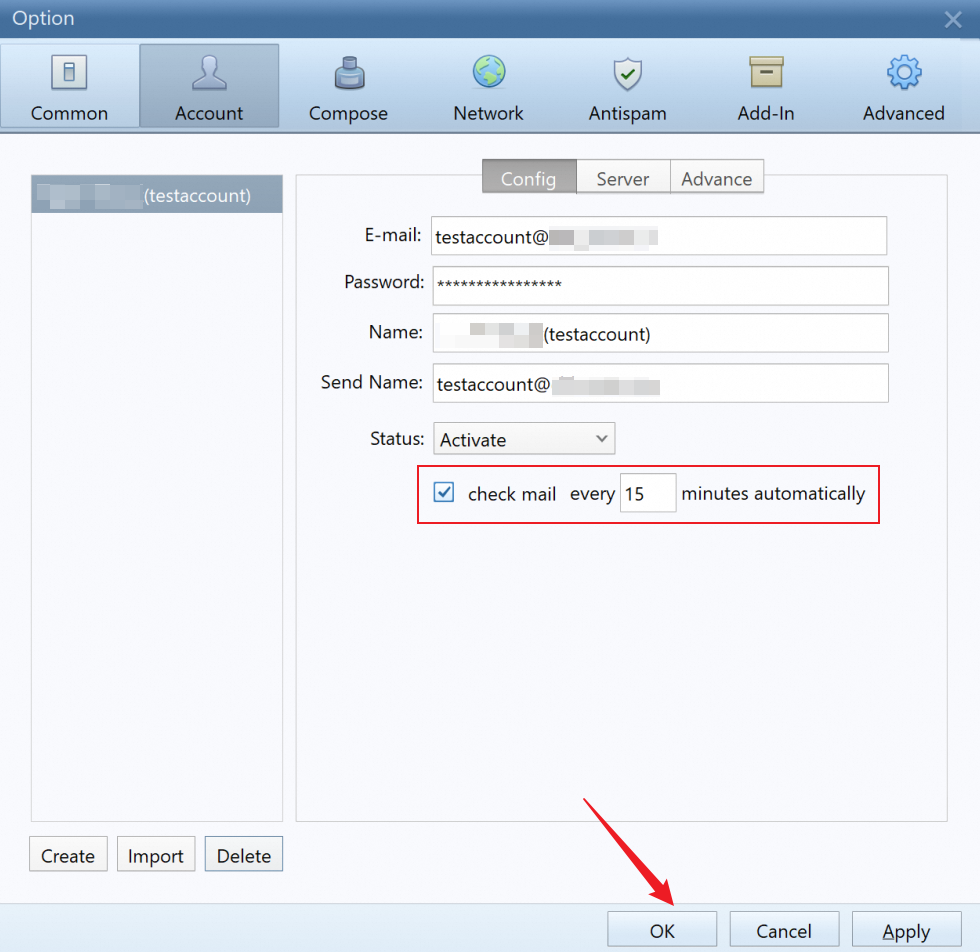
Open the Foxmail, click Account Settings--Account, select Check mail every xx minutes automatically and set the time based on the actual need. Then click OK to save.
Outlook 2016
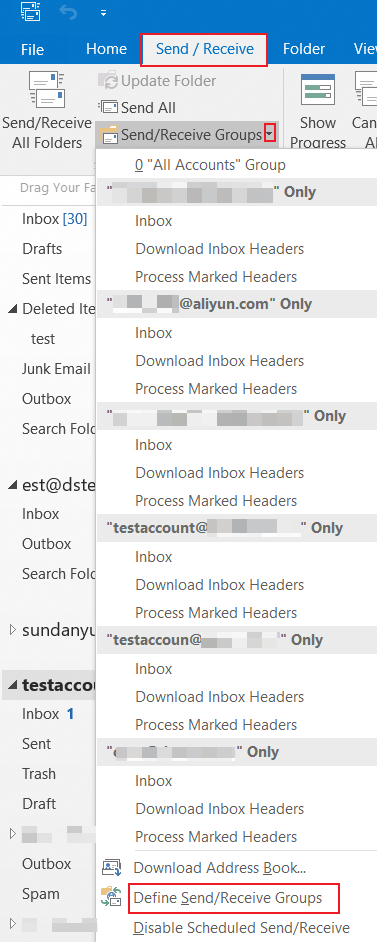
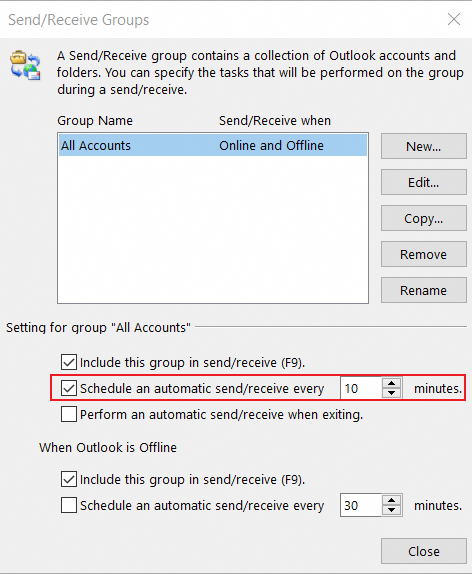
Open Outlook 2016, click the Send/Receive-- Send/Receive Groups-- Define Send/Receive Group. Select the Schedule an automatic send/receive every xx minutes and set the time based on the actual need.
Windows Mail
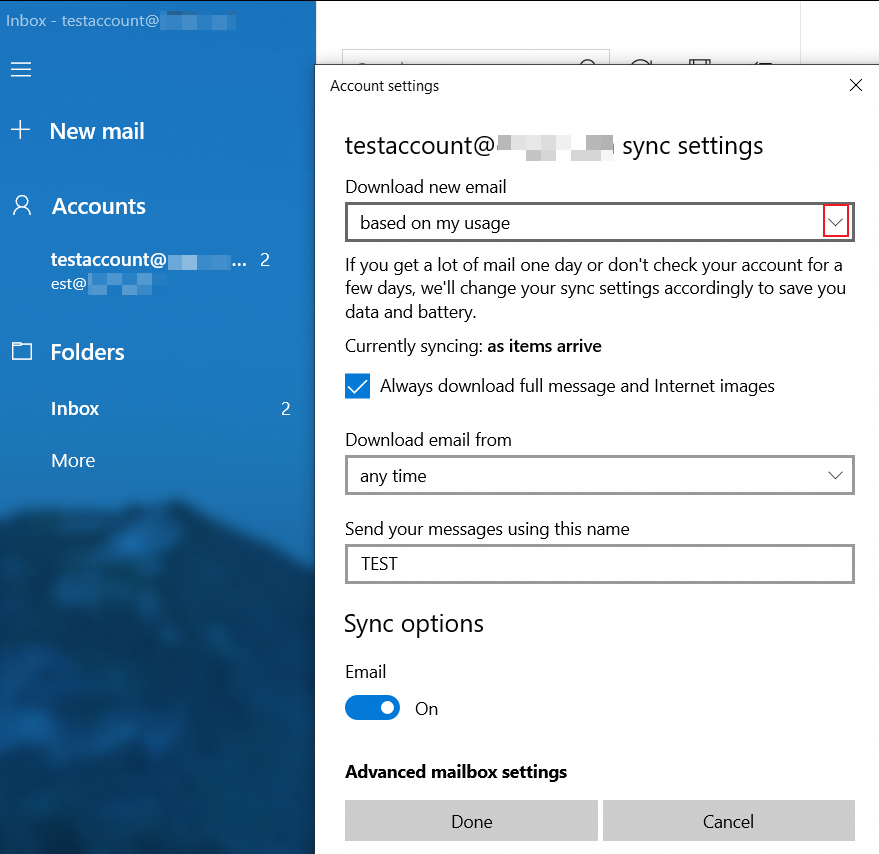
Open the Windows Mail, click Account settings-- Change mailbox sync settings.
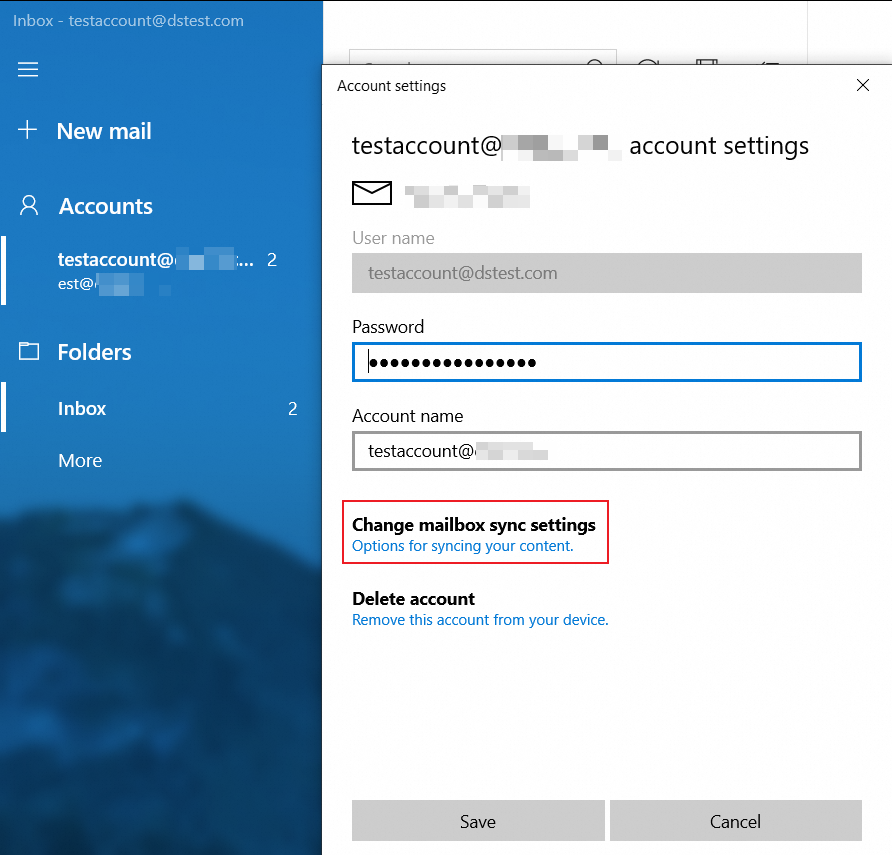
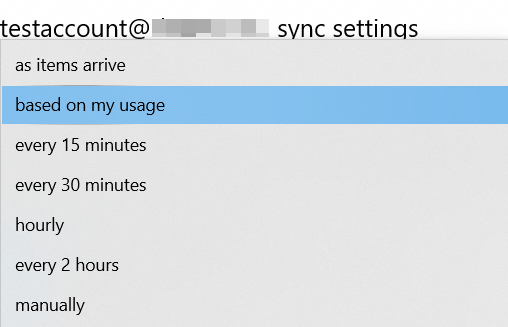
In the Download new email option, select the option based on actual need.
References
Troubleshooting Method of Receiving Emails Delay for Alibaba Mail
Applicable Scope
Alibaba Mail