A domain name cannot be bound to more than one mailbox at the same time. If you try to add a domain name that is already bound to another mailbox, the system prompts that the domain name already exists or is occupied. To bind a domain name to a new mailbox, you must first release the domain name from the original mailbox.
You can release a domain name to unbind it from your mailbox when you do not plan to attach a new one.
-
Back up your emails before you release the domain name.
-
After you release the domain name, you cannot log on at mail.your_domain_name. Instead, you can log on at https://mail.sg.aliyun.com.
-
After you release the domain name, the mailbox cannot send or receive emails. If you still need to use email, you must replace the released domain name with a valid one. For more information, see Replace the domain name attached to Alibaba Mail.
-
In addition to endpoint expiration, if the domain name itself expires and is not renewed in time, the registry reclaims it after a certain period. Alibaba Mail then becomes unavailable, and you cannot recover the domain name through the domain release process. Make sure that you monitor the renewal status of the domain name and renew it before it expires.
Release a domain name
1. Log on to the Alibaba Cloud Management Console, and then click Manage > Basic Information > Replace Domain Name.
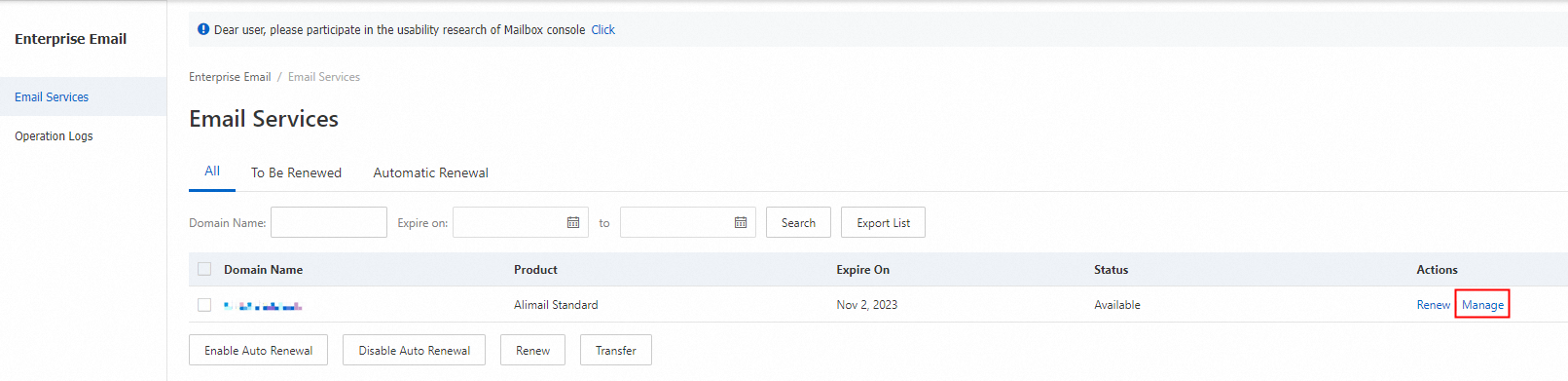
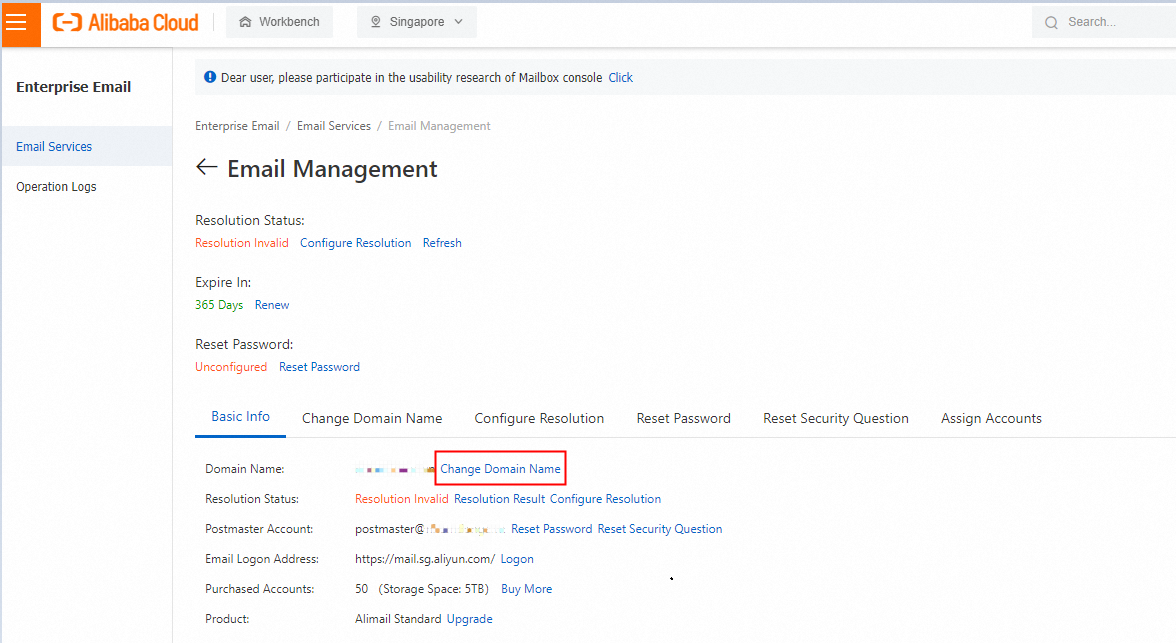
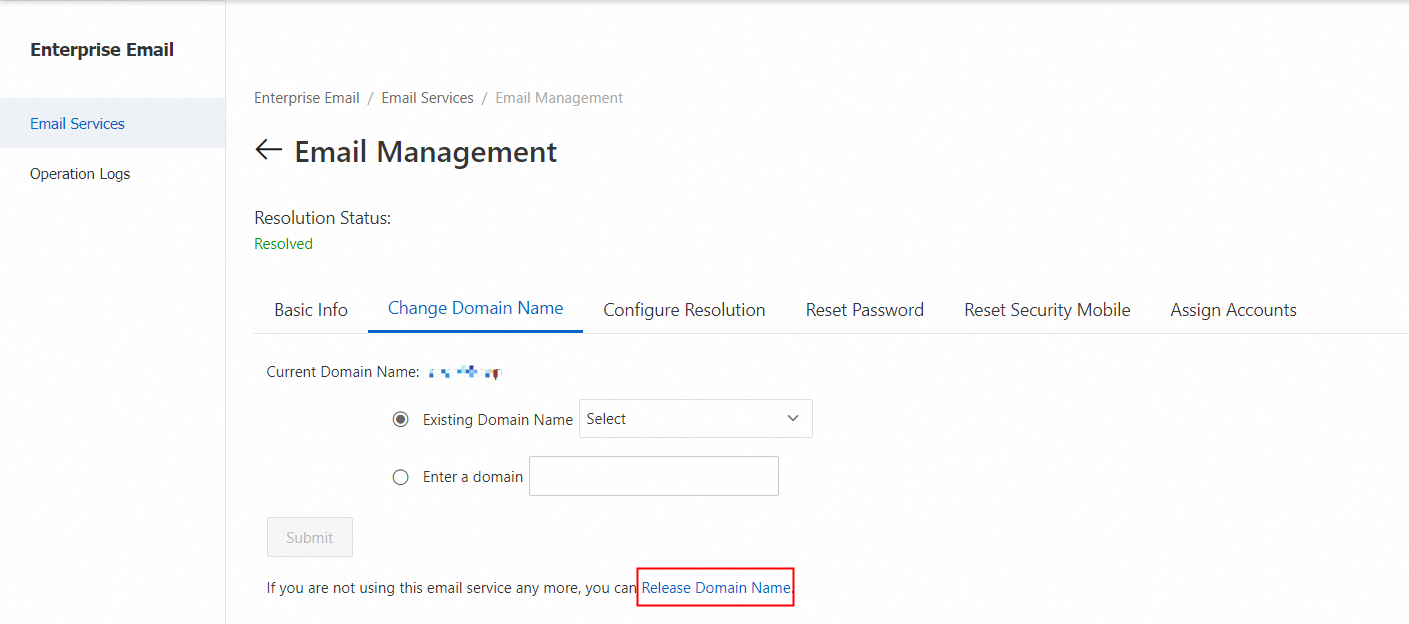
2. In the prompt that appears, click Release Domain Name if you no longer plan to use this mailbox.
3. Click Submit. In the dialog box that appears, confirm that you want to unbind this domain name from Alibaba Mail. Click OK to complete the operation.
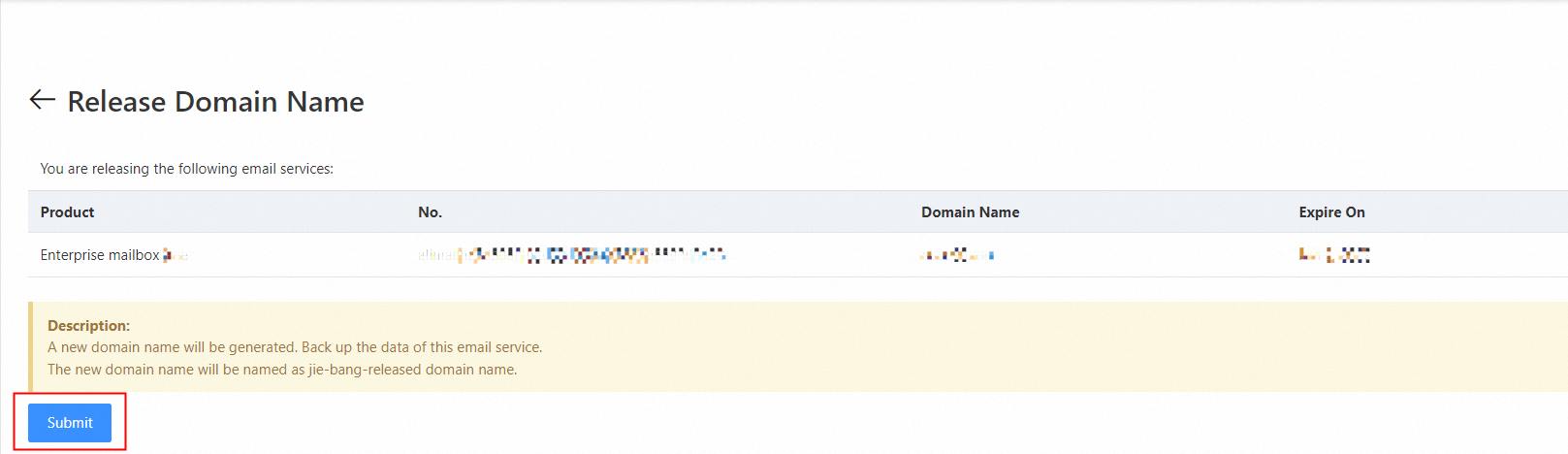
The system generates and attaches a new domain name. You must back up your mailbox data promptly. The new domain name uses the following naming convention: "release-bind-your_domain_name". The jie-bang- prefix indicates that the domain name has been unbound from the mail service and is no longer attached to it. When you change a domain name, if the new domain name is already attached to another mailbox, the original domain name is also changed to the jie-bang format after ownership verification succeeds. For more information, see Resolve the "domain name is already attached" Error.