Procedure
1. Login to Godaddy's account and click sign in in the upper right corner.
2. Go to the login page and enter the user name and password.
3. Click the "+" at DOMAINS to expand and you will see your domain name. Click Launch after to add resolution of it.
4. Click DNS Zone File.
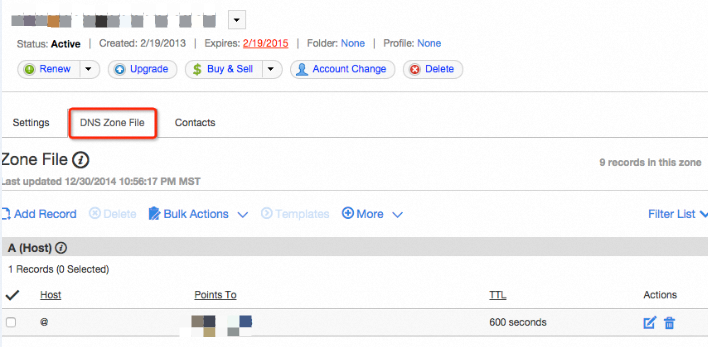
5. Click Add Record to add MX record first.
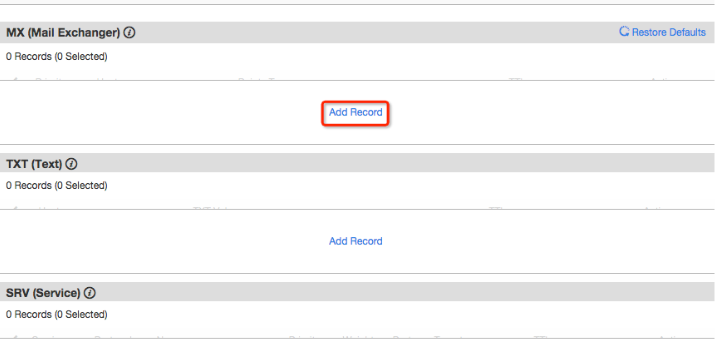
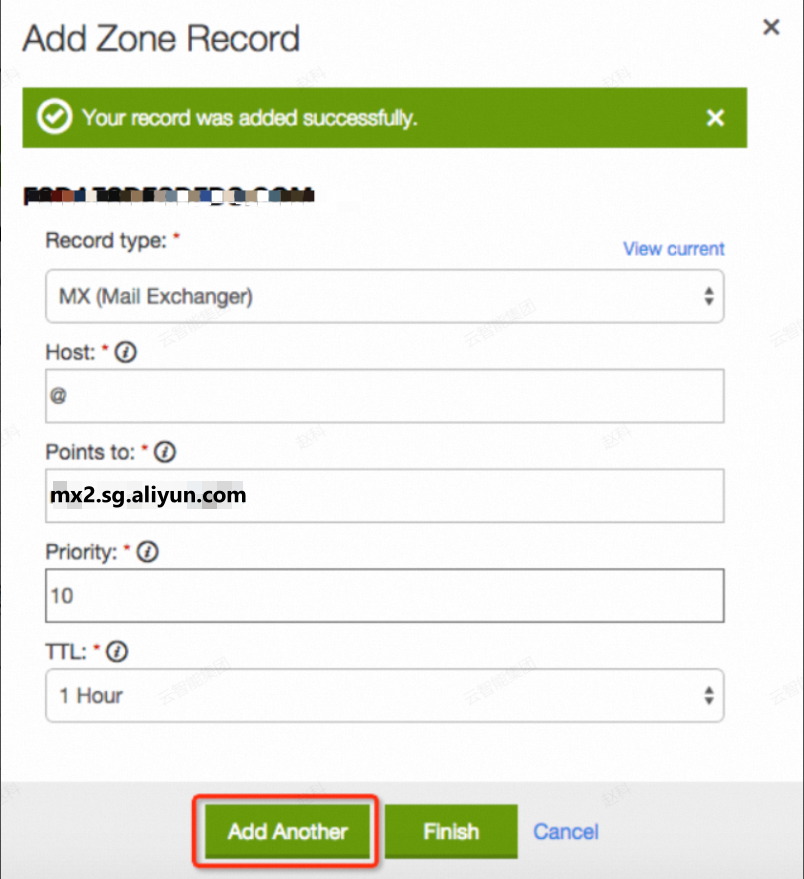
6. Enter @ in Host, mx1.sg.aliyun.com in Points to, 5 in Priority, and 1hour in TT. Add one more MX records. Set the Points to as mx2.sg.aliyun.com and the priority to 10.

7. Then, add a TXT record. Enter @ in Host and v=spf1 include:spf.sg.aliyun.com -all in TXT Value.
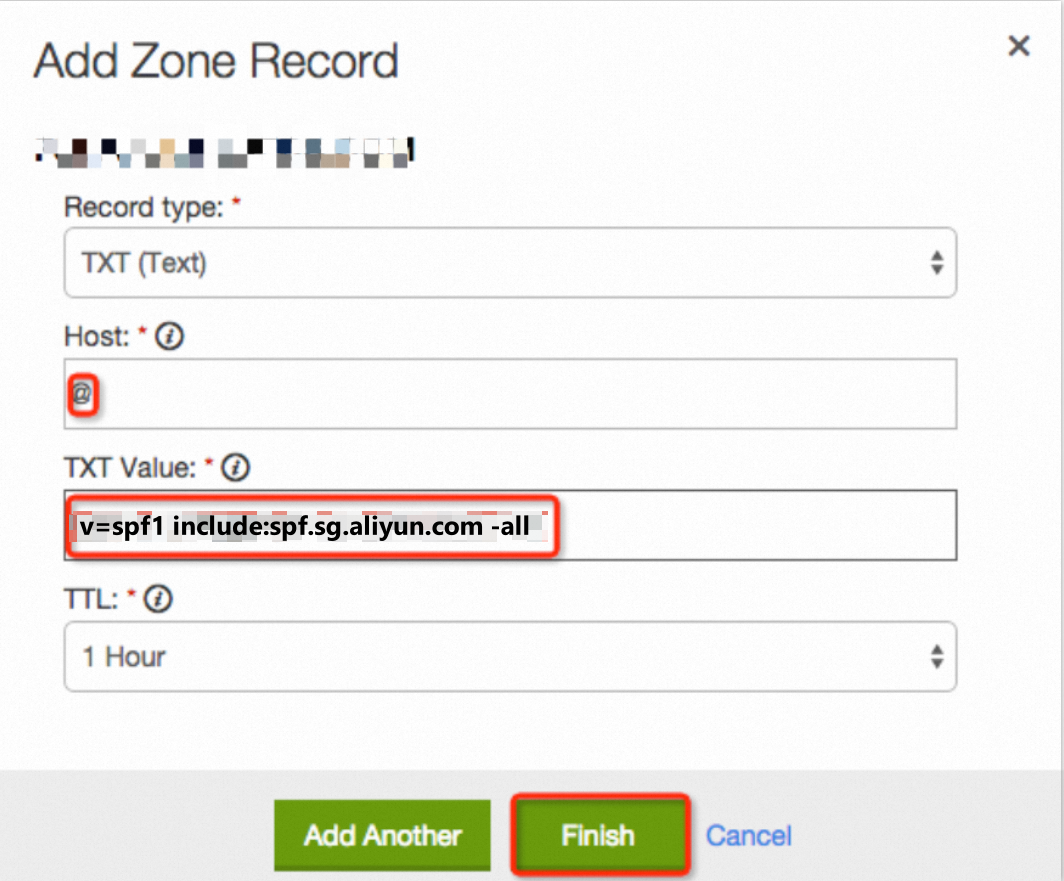
8. After adding, click Save Changes.

References
How to Setup DNS Resolution of Non-Alibaba Cloud Domain Name for Alibaba Mail?