ES-Hadoop is an open source connector that bridges Apache Hadoop and Elasticsearch, enabling Hive to read from and write to an Elasticsearch index with minimal code changes. This topic walks you through the full setup: creating clusters, uploading the ES-Hadoop JAR to Hadoop Distributed File System (HDFS), creating a Hive external table, and running HiveSQL jobs to write and read data.
How it works
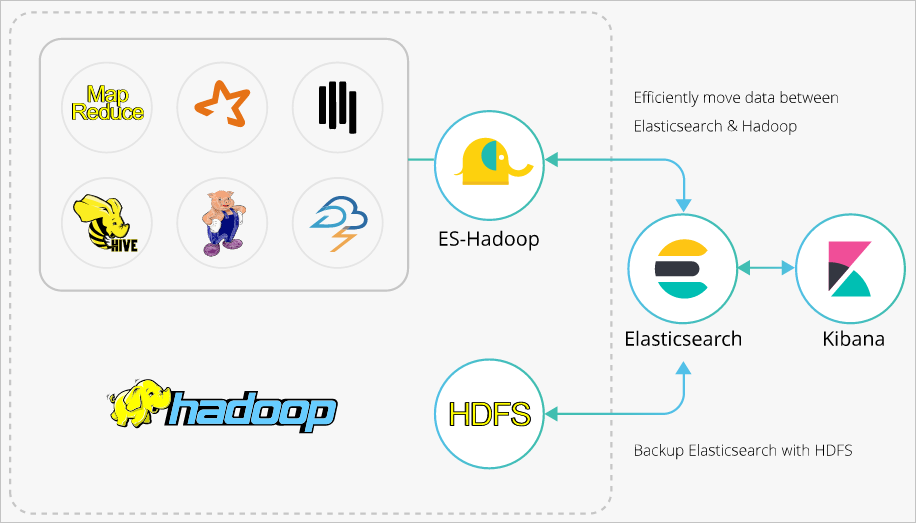
ES-Hadoop uses Elasticsearch as a data source for MapReduce, Spark, and Hive. Hadoop excels at batch processing large datasets but has high latency for interactive queries. Elasticsearch responds to queries—including ad hoc queries—within seconds. ES-Hadoop combines both: Hive handles query orchestration while Elasticsearch performs fast, server-side data selection and filtering.
Prerequisites
Before you begin, ensure that you have:
An Alibaba Cloud Elasticsearch cluster (V6.7.0 is used in this topic)
An E-MapReduce (EMR) cluster in the same virtual private cloud (VPC) as the Elasticsearch cluster
SSH access to the master node of the EMR cluster
Prepare your environment
Create an Elasticsearch cluster and configure an index
Create an Alibaba Cloud Elasticsearch cluster. For more information, see Create an Alibaba Cloud Elasticsearch cluster.
Disable the Auto Indexing feature for the cluster, then create an index with explicit mappings. The following example creates a
companyindex with four fields:ImportantIf Auto Indexing is enabled, Elasticsearch may infer incorrect field types. For example, an
INTfield in Hive can becomeLONGin the auto-created index. Define mappings explicitly to avoid type mismatches.PUT company { "mappings": { "_doc": { "properties": { "id": { "type": "long" }, "name": { "type": "text", "fields": { "keyword": { "type": "keyword", "ignore_above": 256 } } }, "birth": { "type": "text" }, "addr": { "type": "text" } } } }, "settings": { "index": { "number_of_shards": "5", "number_of_replicas": "1" } } }
Create an EMR cluster
Create an EMR cluster in the same VPC as your Elasticsearch cluster.
By default, the private IP address whitelist of the Elasticsearch cluster allows 0.0.0.0/0. Check the whitelist on the cluster security configuration page. If the default is not in use, add the private IP address of the EMR cluster to the whitelist.
To get the private IP address of the EMR cluster, see View the cluster list and cluster details.
To configure the whitelist, see Configure a public or private IP address whitelist for an Elasticsearch cluster.
Step 1: Upload the ES-Hadoop JAR to HDFS
Download the ES-Hadoop package that matches your Elasticsearch cluster version. This topic uses
elasticsearch-hadoop-6.7.0.zip.Log on to the EMR console and get the IP address of the master node. Then use SSH to log on to the Elastic Compute Service (ECS) instance at that address. For more information, see Log on to a cluster.
Upload
elasticsearch-hadoop-6.7.0.zipto the master node and extract it to getelasticsearch-hadoop-hive-6.7.0.jar.Create an HDFS directory and upload the JAR:
hadoop fs -mkdir /tmp/hadoop-es
hadoop fs -put elasticsearch-hadoop-6.7.0/dist/elasticsearch-hadoop-hive-6.7.0.jar /tmp/hadoop-es
Step 2: Create a Hive external table
On the Data Platform tab of the EMR console, create a HiveSQL job. For more information, see Configure a Hive SQL job.
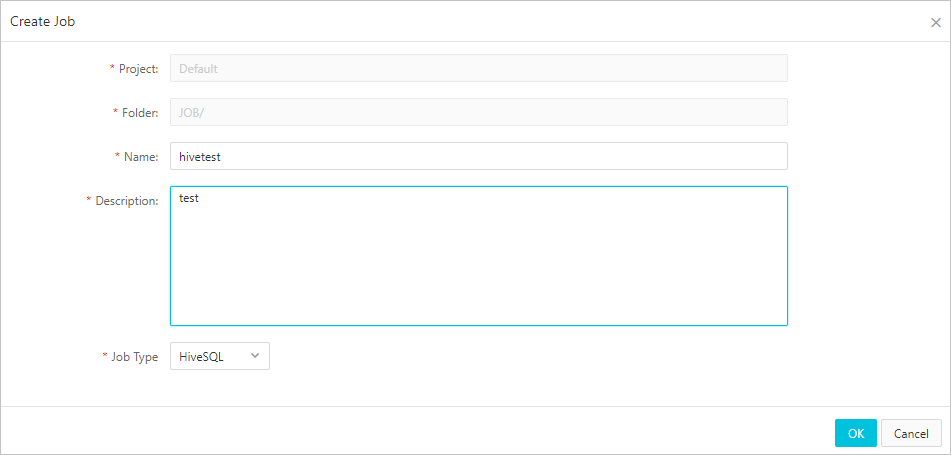
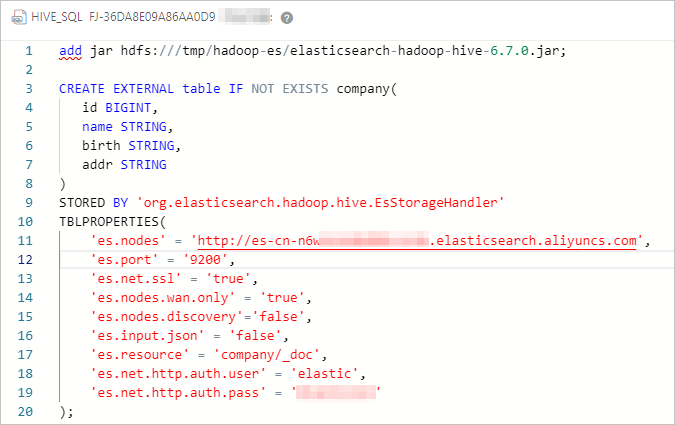
Configure the job with the following HiveSQL. The
ADD JARstatement loads the ES-Hadoop JAR for the current session, and theCREATE EXTERNAL TABLEstatement maps Hive columns to the Elasticsearch index.-- Load the ES-Hadoop JAR (valid for the current session only) ADD JAR hdfs:///tmp/hadoop-es/elasticsearch-hadoop-hive-6.7.0.jar; -- Create a Hive external table mapped to the Elasticsearch index CREATE EXTERNAL TABLE IF NOT EXISTS company( id BIGINT, name STRING, birth STRING, addr STRING ) STORED BY 'org.elasticsearch.hadoop.hive.EsStorageHandler' TBLPROPERTIES( 'es.nodes' = 'http://es-cn-mp91kzb8m0009****.elasticsearch.aliyuncs.com', 'es.port' = '9200', 'es.net.ssl' = 'true', 'es.nodes.wan.only' = 'true', 'es.nodes.discovery' = 'false', 'es.input.use.sliced.partitions'= 'false', 'es.input.json' = 'false', 'es.resource' = 'company/_doc', 'es.net.http.auth.user' = 'elastic', 'es.net.http.auth.pass' = 'xxxxxx' );The following table describes the key ES-Hadoop parameters.
Parameter Default Description es.nodeslocalhostThe internal endpoint of the Elasticsearch cluster. Get it from the Basic Information page of the cluster. For more information, see View the basic information of a cluster. es.port9200The port used to access the Elasticsearch cluster. es.net.http.auth.userelasticThe username for Elasticsearch. es.net.http.auth.pass— The password for Elasticsearch. es.nodes.wan.onlyfalseSpecifies whether to enable node sniffing when the Elasticsearch cluster uses a virtual IP address for connections. Set to trueto enable node sniffing; set tofalseto disable node sniffing.es.nodes.discoverytrueSet to `false` for Alibaba Cloud Elasticsearch. When set to true, ES-Hadoop attempts to discover all cluster nodes, which fails behind a virtual IP address.es.input.use.sliced.partitionstrueSet to falseto skip the index read-ahead phase, which can take longer than the actual query.es.index.auto.createtrueControls whether ES-Hadoop automatically creates the index when writing data. Set to falseif you defined the index manually.es.resource— The index name and document type for read and write operations. es.mapping.names— Field name mappings between the Hive table and the Elasticsearch index. Use this when Hive column names differ from Elasticsearch field names. Example: 'es.mapping.names' = 'hive_date:@timestamp'.es.read.metadatafalseSet to trueto include document metadata (such as_id) in query results.es.query— An Elasticsearch query to filter data on the server side when reading. NoteAvoid using the
elasticaccount for production access. If you reset its password, access may be interrupted while the change propagates. Log on to the Kibana console and create a dedicated user with the required role instead. For more information, see Use the RBAC mechanism provided by Elasticsearch X-Pack to implement access control.For the full list of ES-Hadoop configuration options, see the open source ES-Hadoop configuration reference.
Save and run the job. A successful run returns the following result.

Step 3: Write data to the index
The most common write pattern is to insert data from an existing Hive table into the Elasticsearch-backed external table:
ADD JAR hdfs:///tmp/hadoop-es/elasticsearch-hadoop-hive-6.7.0.jar;

-- Insert from another Hive table (typical production pattern)
INSERT INTO TABLE company
    SELECT id, name, birth, addr FROM source_table;
You can also insert rows directly, which is useful for testing:
ADD JAR hdfs:///tmp/hadoop-es/elasticsearch-hadoop-hive-6.7.0.jar;
INSERT INTO TABLE company VALUES (1, "zhangsan", "1990-01-01", "No.969, wenyixi Rd, yuhang, hangzhou");
INSERT INTO TABLE company VALUES (2, "lisi",     "1991-01-01", "No.556, xixi Rd, xihu, hangzhou");
INSERT INTO TABLE company VALUES (3, "wangwu",   "1992-01-01", "No.699 wangshang Rd, binjiang, hangzhou");
Save and run the job.

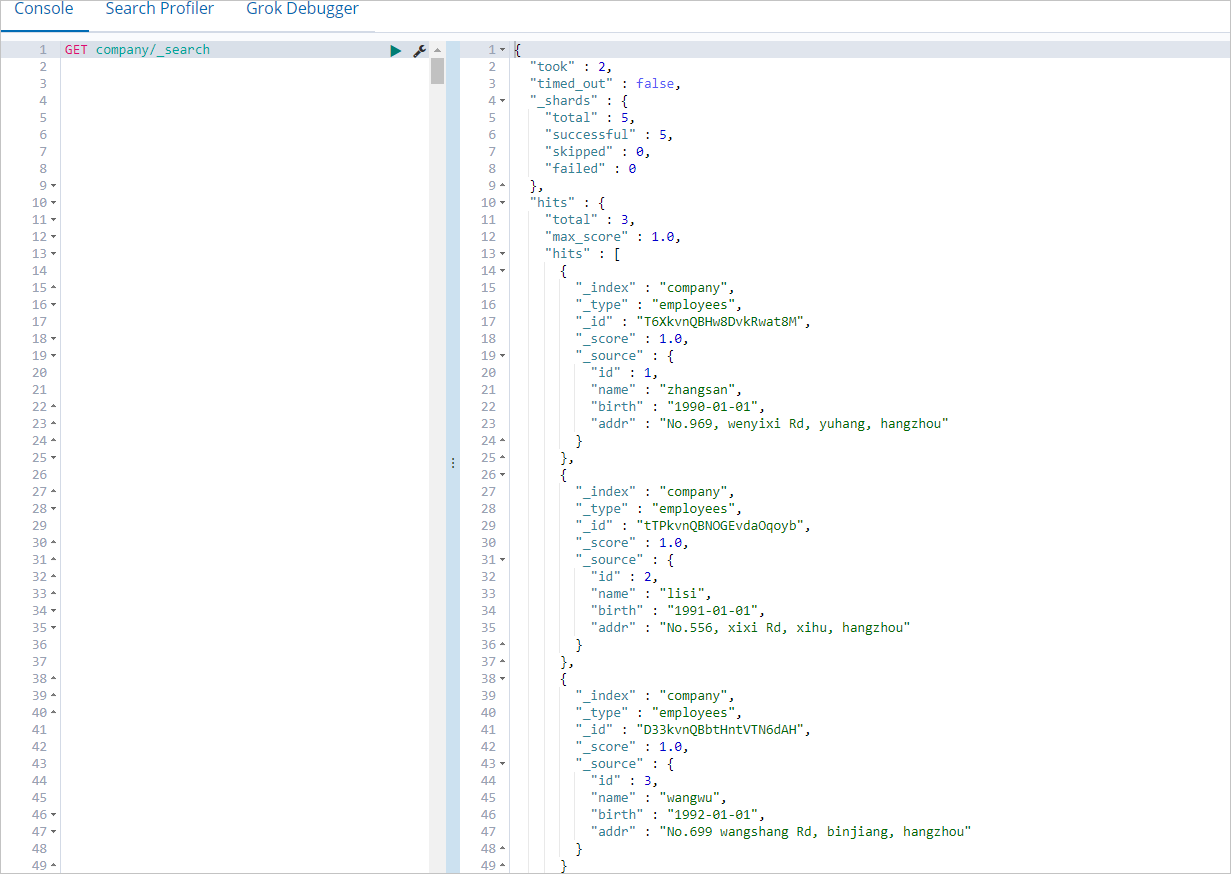
To verify that the data was written, log on to the Kibana console and run the following query. For more information about how to log on, see Log on to the Kibana console.
GET company/_searchA successful write returns all inserted documents.
Step 4: Read data from the index
All read examples use the ES-Hadoop JAR loaded at the start of the session. ES-Hadoop pushes query filtering to Elasticsearch, so only matching documents are transferred to Hive.
ADD JAR hdfs:///tmp/hadoop-es/elasticsearch-hadoop-hive-6.7.0.jar;
SELECT * FROM company;
Save and run the job.

Troubleshooting
Error: `Could not initialize class org.elasticsearch.hadoop.rest.commonshttp.CommonsHttpTransport`
FAILED: Execution Error, return code -101 from org.apache.hadoop.hive.ql.exec.mr.MapRedTask. Could not initialize class org.elasticsearch.hadoop.rest.commonshttp.CommonsHttpTransport.This error occurs in EMR V5.6.0 clusters where the Hive component is missing commons-httpclient-3.1.jar. Manually add the file to the lib directory of Hive. Download it from Maven Central.
What's next
For advanced Hive integration options, see the open source Elasticsearch Hadoop documentation.
For access control and user management, see Use the RBAC mechanism provided by Elasticsearch X-Pack to implement access control.