Retail organizations generate large volumes of data across multiple business domains, including customer information, product catalogs, sales transactions, and customer feedback. As data volumes continue to grow, organizations require scalable platforms capable of storing, integrating, and analyzing data efficiently.
Traditional approaches often rely on manual data movement and fragmented analytical processes, making it difficult to maintain data consistency and derive timely business insights. A cloud-native analytics architecture can address these challenges by automating data ingestion and providing a centralized platform for large-scale analytical processing.
This article demonstrates how Alibaba Cloud Object Storage Service (OSS), DataWorks, and MaxCompute can be combined to create an end-to-end retail analytics pipeline. The solution enables organizations to ingest raw retail datasets, automate data integration workflows, and prepare data for analytical processing within a scalable cloud data warehouse.
The proposed solution uses OSS as the centralized storage layer for raw retail datasets, DataWorks as the data integration and orchestration platform, and MaxCompute as the analytical data warehouse.
Retail datasets are first uploaded to OSS and organized according to business domains. DataWorks Data Integration is then used to synchronize the datasets into MaxCompute tables, where the data becomes available for analytical queries and reporting workloads.
This architecture separates storage, integration, and analytical processing responsibilities while providing a scalable foundation for enterprise data platforms.
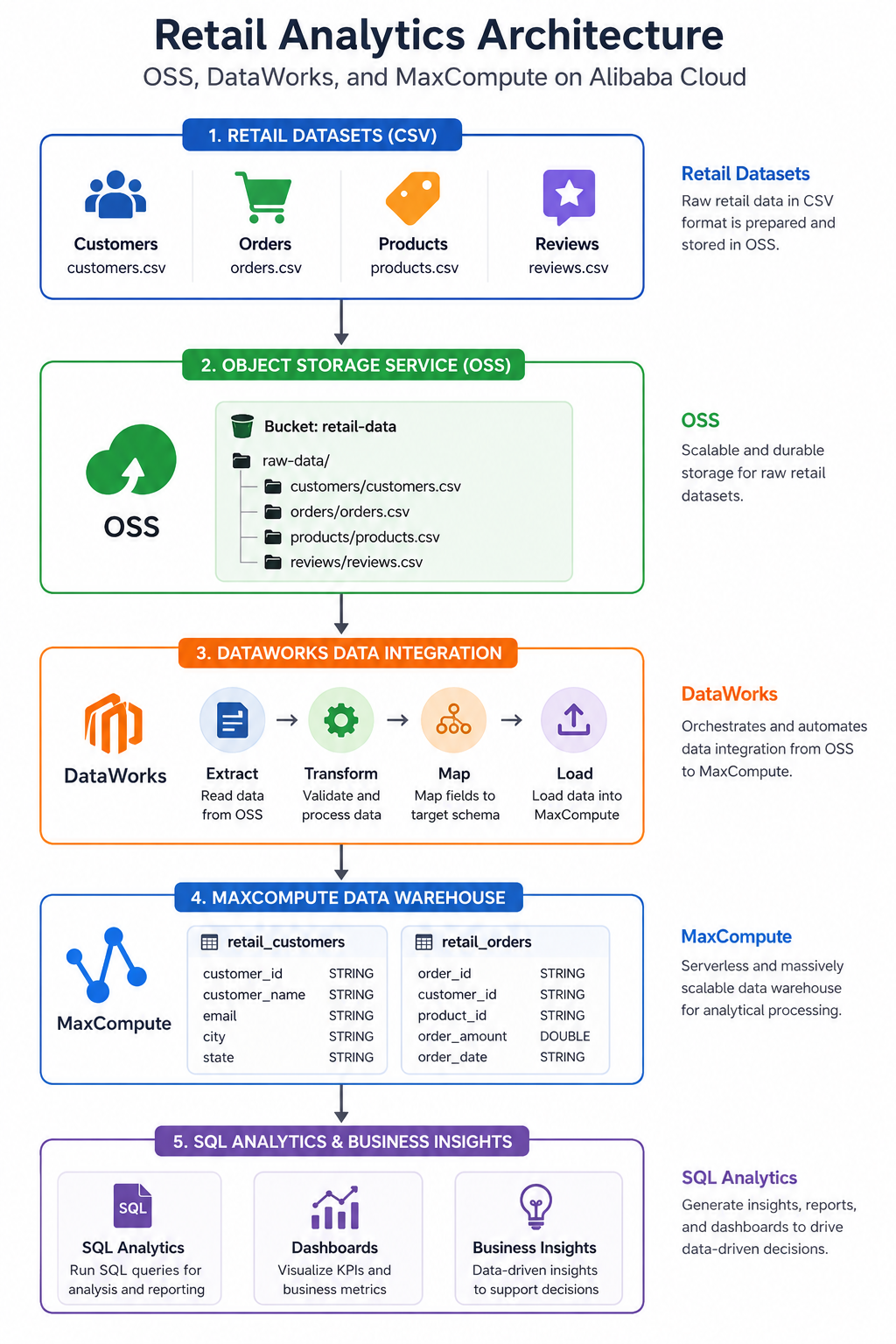
The architecture consists of four primary layers.
OSS serves as the centralized storage repository for raw retail datasets. Data files are uploaded in CSV format and organized according to business domains.
DataWorks automates the ingestion process by reading datasets from OSS and synchronizing them into MaxCompute tables. This eliminates manual data loading processes and improves operational efficiency.
MaxCompute provides a fully managed and highly scalable data warehouse capable of processing large analytical workloads without requiring infrastructure management.
Business users and data analysts can execute SQL queries directly against MaxCompute to generate reports, identify trends, and support data-driven decision-making.
To simulate a retail analytics environment, multiple datasets were prepared and uploaded to OSS.
The datasets were organized into separate folders representing different business domains.
raw-data/
├── customers/
│   └── customers.csv
├── orders/
│   └── orders.csv
├── products/
│   └── products.csv
└── reviews/
└── reviews.csvThe customer dataset contains customer profile information, while the order dataset contains transactional records used for analytical processing.
By storing raw files in OSS, organizations can establish a centralized data lake layer that supports downstream analytics and data warehousing workloads.
Before loading the datasets, destination tables were created within MaxCompute.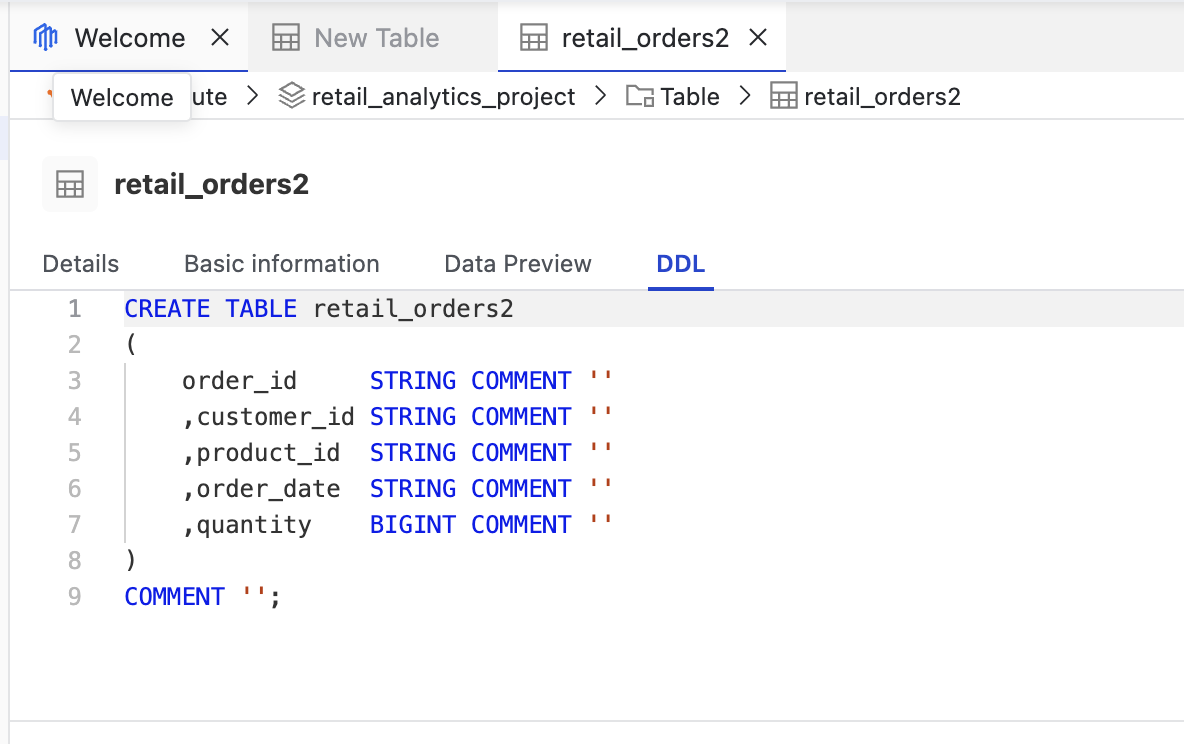
The order table was defined as follows:
CREATE TABLE retail_orders (
    order_id STRING,
    customer_id STRING,
    product_id STRING,
    order_amount DOUBLE,
    order_date STRING
);These tables serve as the analytical foundation for the retail data warehouse.
Alibaba Cloud DataWorks Data Integration was used to automate the movement of data from OSS into MaxCompute.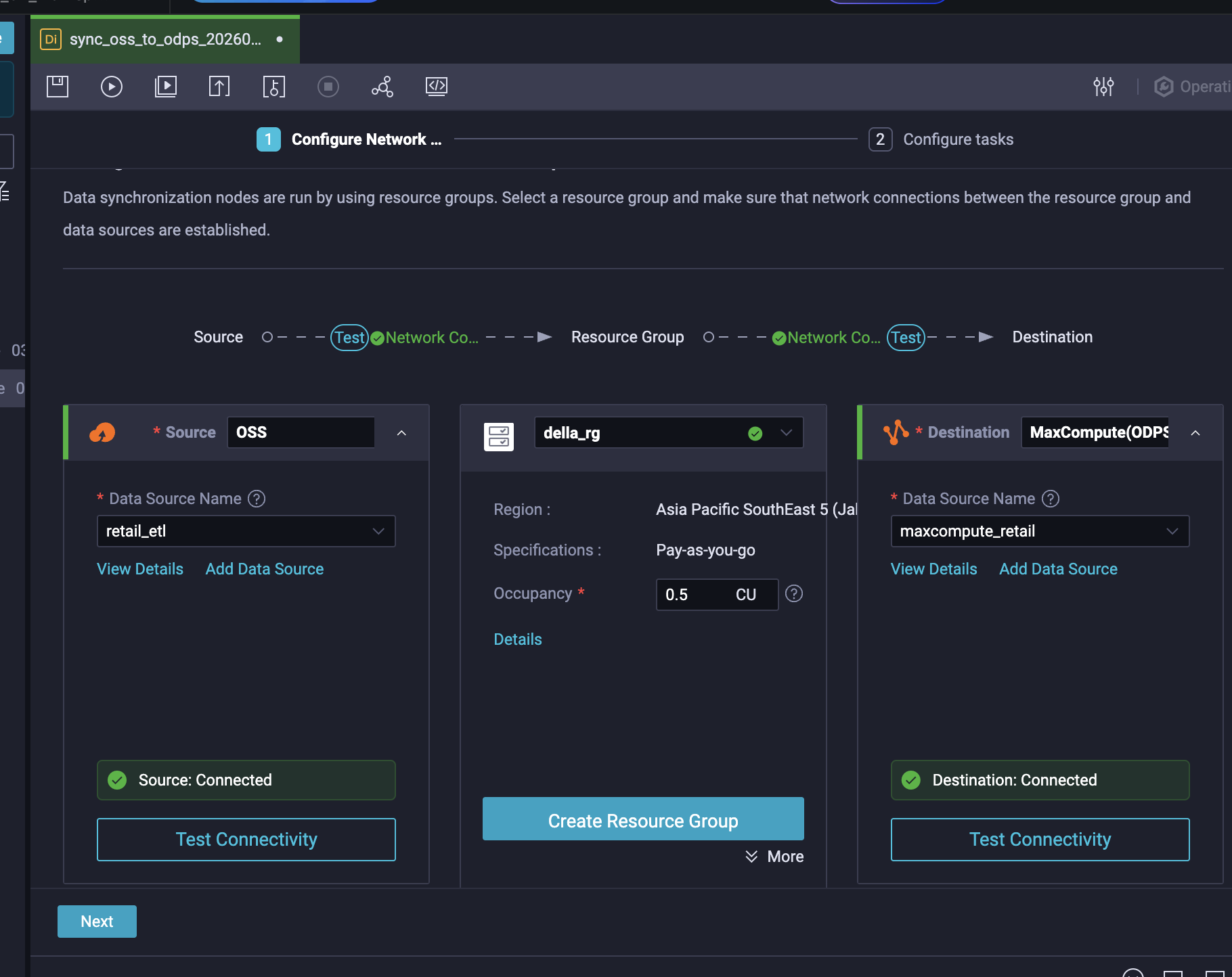
A synchronization task was created using OSS as the source and MaxCompute as the destination.
The source dataset was configured using the OSS data source.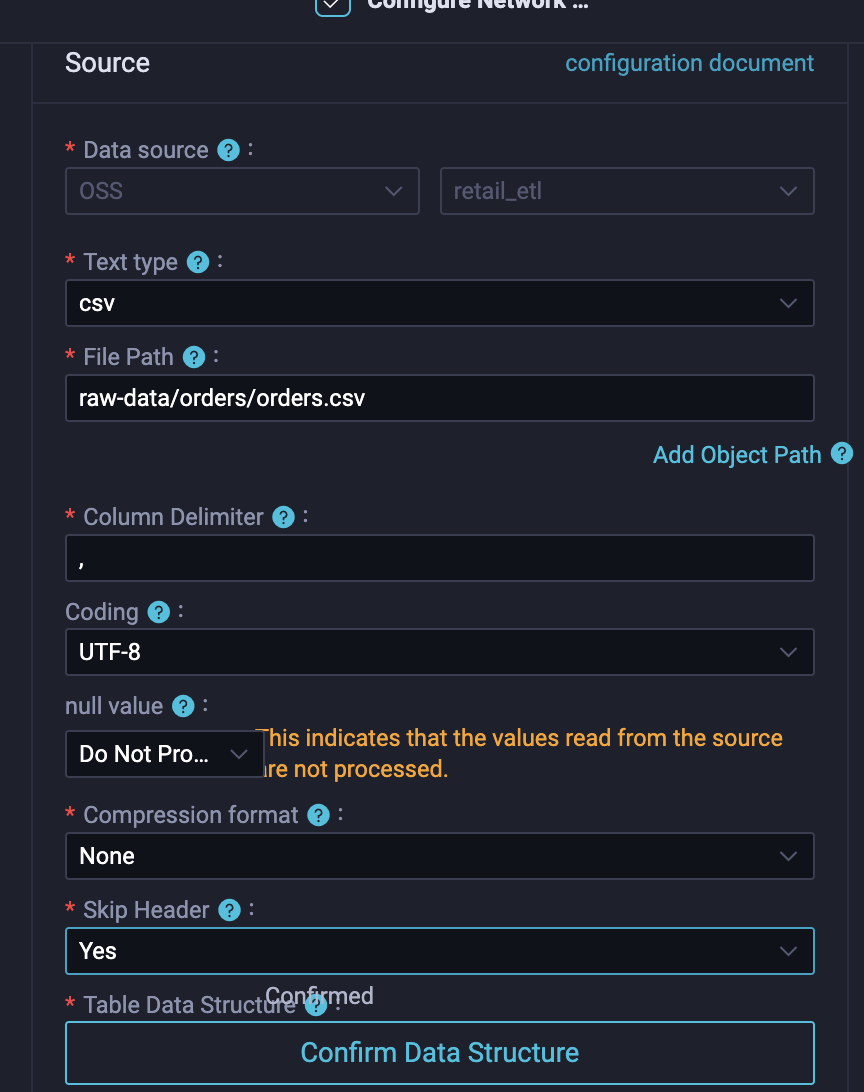
Source Type: OSS
File Format: CSV
File Path:
raw-data/customers/customers.csvThe destination was configured using the MaxCompute data source.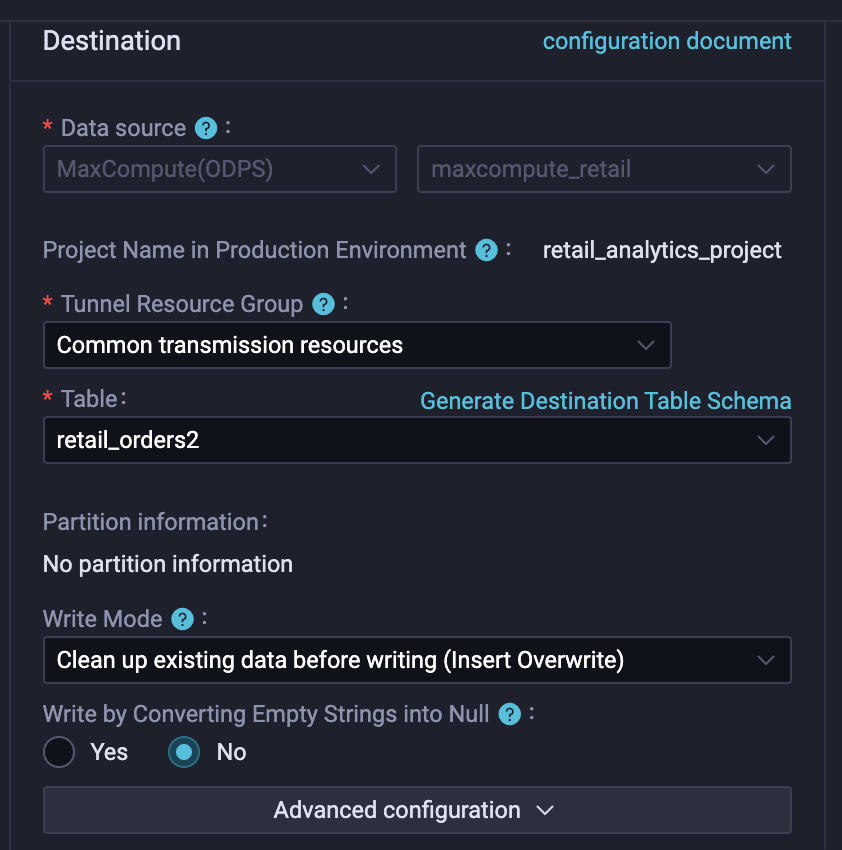
Destination Type: MaxCompute
Project: retail_analytics_project
Table: retail_customersAfter configuring the synchronization task, the pipeline was executed through DataWorks.
During execution, DataWorks performed the following operations:
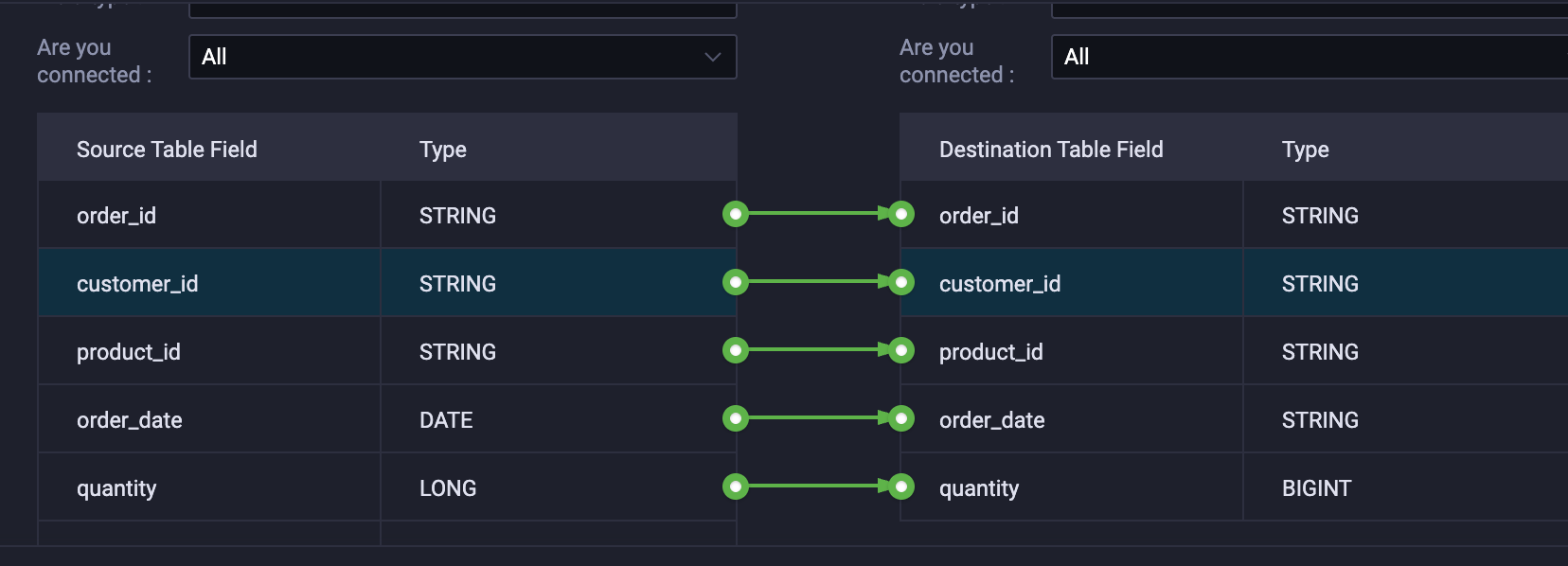
The execution completed successfully and processed all records contained within the dataset.
Example execution summary: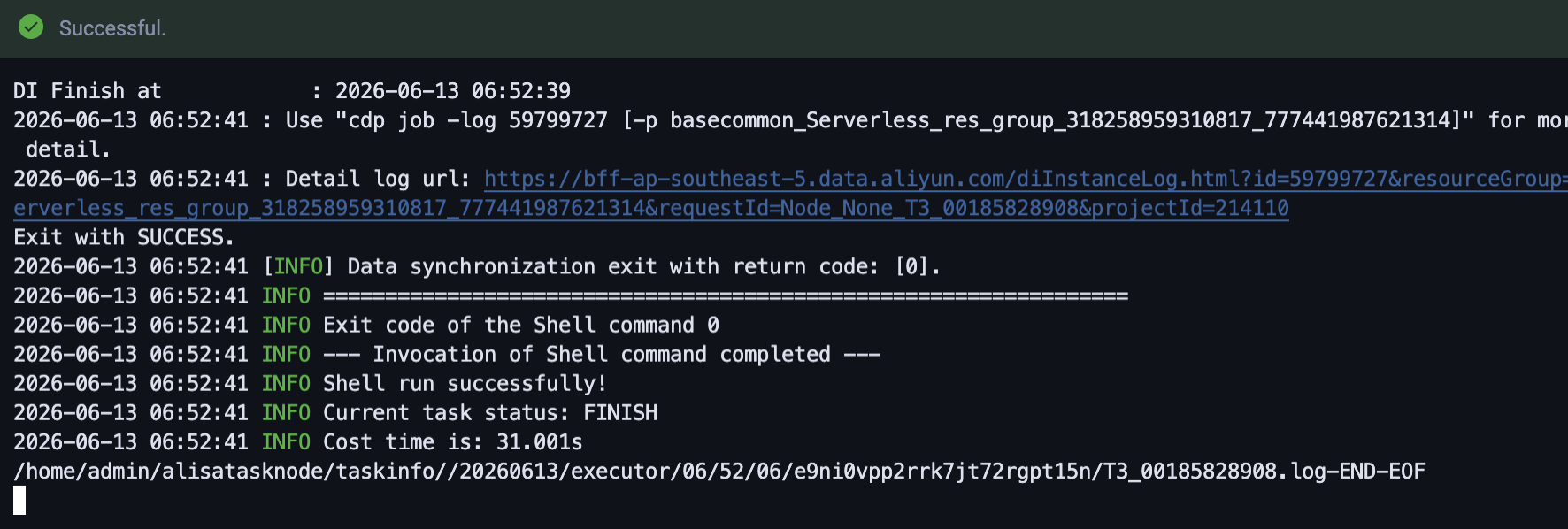
Job completed successfully.
Total Records Processed: 20
The successful execution confirms that the retail dataset was ingested from OSS into MaxCompute through DataWorks Data Integration.
Once the synchronization process completed, the datasets became available for analytical workloads within MaxCompute.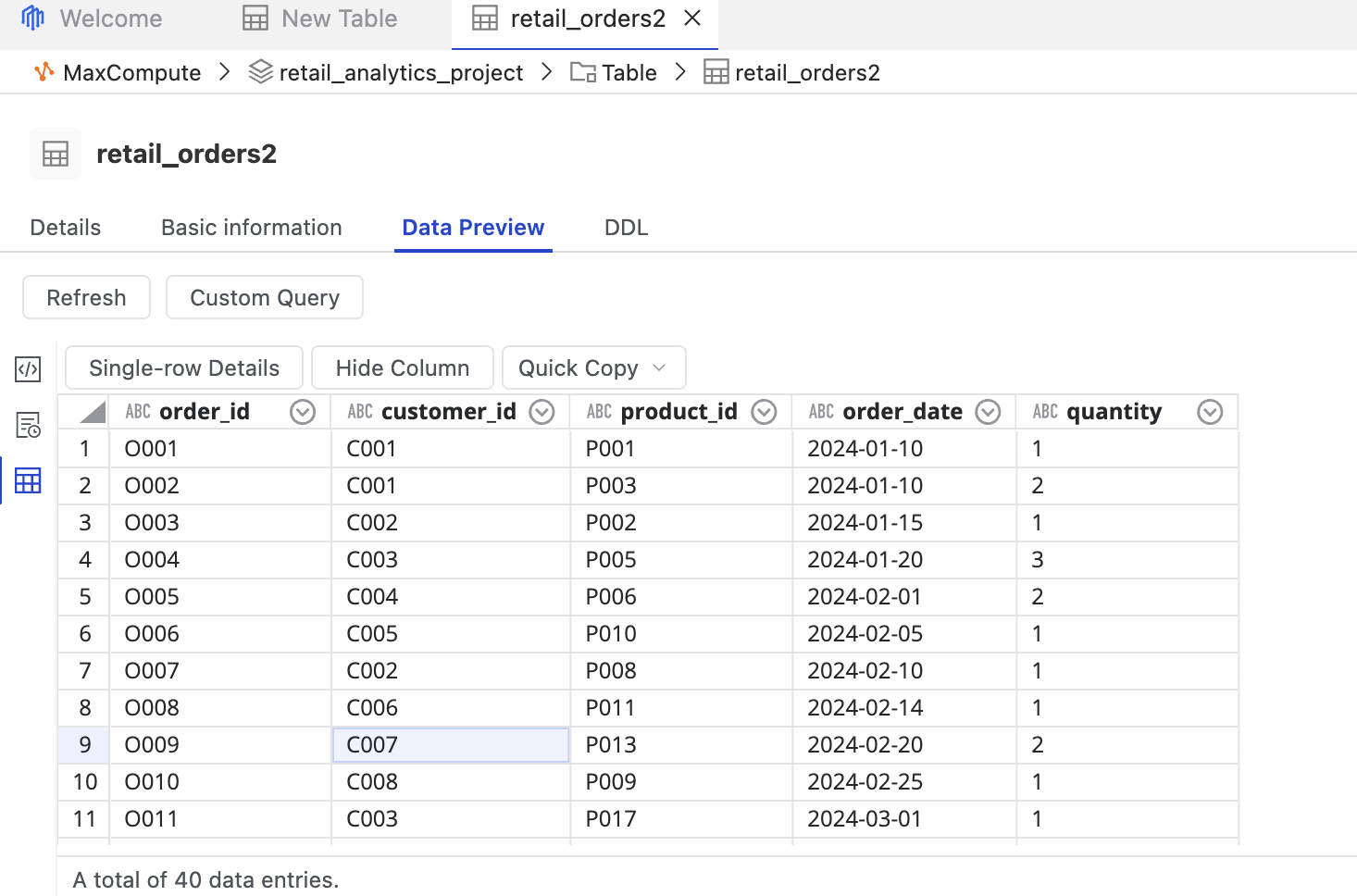
The imported data can be queried using standard SQL statements.
Example query:
SELECT COUNT(*)
FROM retail_customers;
Additional analytical queries can be performed to explore customer distributions, purchasing behavior, and sales trends.
This capability enables organizations to transform raw operational data into actionable business intelligence.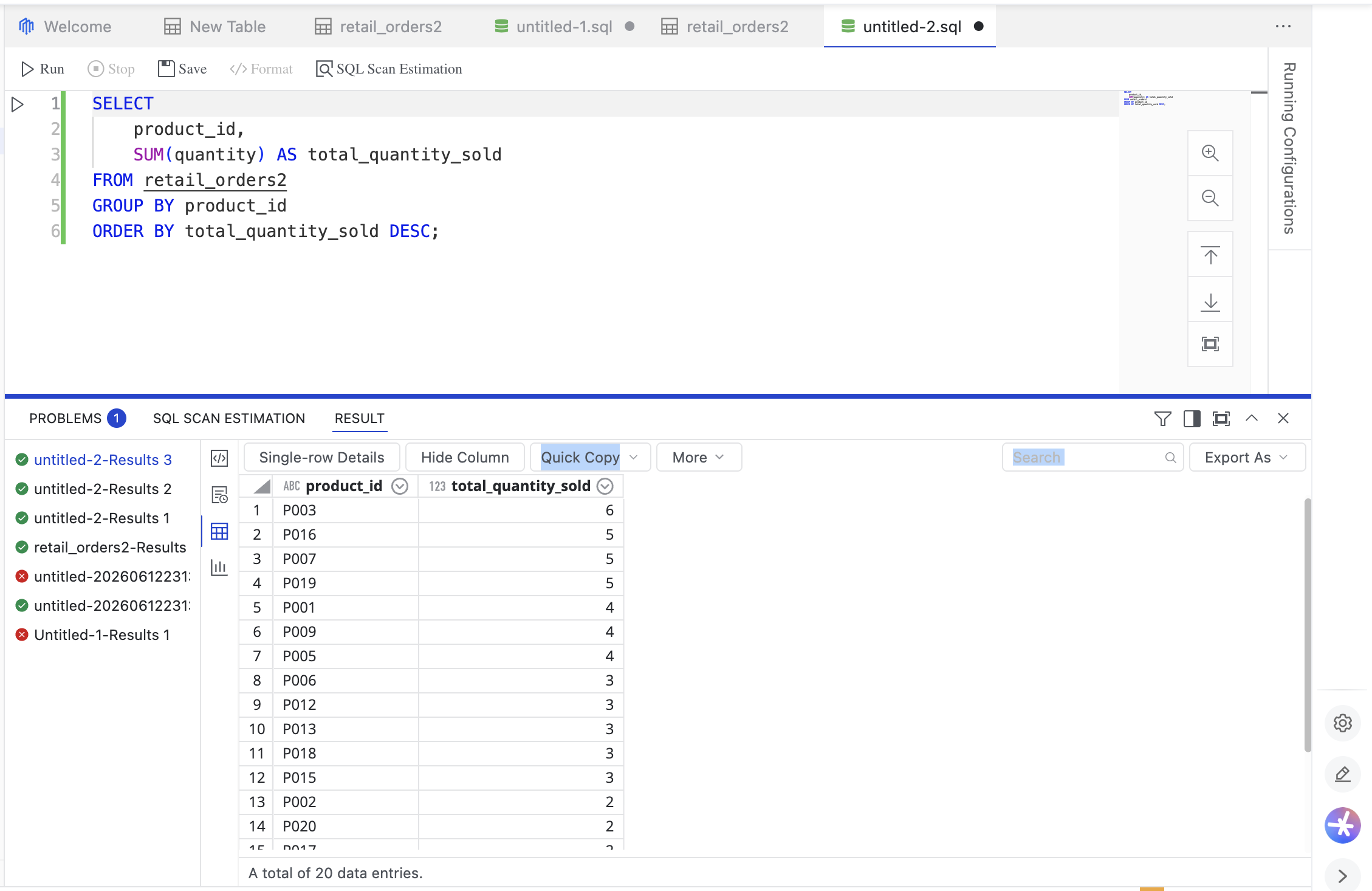
To demonstrate the analytical capabilities of MaxCompute, a product sales analysis was performed to identify the best-selling products based on total quantities sold. This query aggregates order quantities by product and ranks products according to their sales volume, enabling retailers to better understand customer demand patterns, evaluate product performance, and support inventory planning decisions.
MaxCompute provides a serverless analytical platform capable of processing large-scale datasets without infrastructure management.
OSS serves as a durable and cost-effective repository for raw retail data.
DataWorks simplifies data ingestion workflows through visual configuration and centralized orchestration.
Organizations can separate storage and compute resources while scaling analytical workloads according to business requirements.
The architecture supports data governance, operational monitoring, and future expansion into advanced analytics and machine learning workloads.
Alibaba Cloud OSS, DataWorks, and MaxCompute provide a powerful combination for building modern data analytics platforms.
By storing raw datasets in OSS, automating ingestion through DataWorks, and leveraging MaxCompute for large-scale analytical processing, organizations can establish a scalable and efficient retail analytics architecture.
This implementation demonstrates how retail data can be transformed into actionable insights through a cloud-native data platform while reducing operational complexity and enabling future analytical initiatives.
Building Scalable Application Integration Workflows with ApsaraMQ for RocketMQ
Enhancing IoT Monitoring Through Automated Data Integration Using Alibaba Cloud DataWorks

9 posts | 0 followers
FollowDella Wardhani - March 29, 2026
Apache Flink Community - March 7, 2025
Maya Enda - June 16, 2023
Neel_Shah - April 24, 2025
Alibaba Cloud Community - July 24, 2025
Alibaba Cloud Community - June 4, 2025
9 posts | 0 followers
Follow OSS(Object Storage Service)
An encrypted and secure cloud storage service which stores, processes and accesses massive amounts of data from anywhere in the world
Learn More Hybrid Cloud Distributed Storage
Provides scalable, distributed, and high-performance block storage and object storage services in a software-defined manner.
Learn More Storage Capacity Unit
Plan and optimize your storage budget with flexible storage services
Learn More Simple Log Service
An all-in-one service for log-type data
Learn MoreMore Posts by Della L. Wardhani

